10 Best VR Face Cover of 2026: Pick the Right Type for Your Game

Stop guessing between a cover and a full interface. Find the VR face cover that fits your headset, play style, and hygiene needs.

Searching for a VR face cover often feels like a guessing game. Many product titles blur the line between a thin cloth cover that slips over your stock foam and a full facial interface that replaces the entire cushion and bracket. Buy the wrong type and you end up with a loose fit, light leaks, or a pad that slides off mid-game.

The trade-off usually comes down to this: full interfaces with ventilation channels keep you cool and block light well, but their fit varies with face shape. Simpler covers are cheap and easy to swap, but offer little padding and may not stay put. The key is matching the design to how you actually use your headset.

This guide breaks down each option by its build, material, and real-world behavior so you can choose a face cover that stays comfortable during long sessions, wicks sweat during Beat Saber, or sanitizes quickly in a shared setup.

1

Best Overall

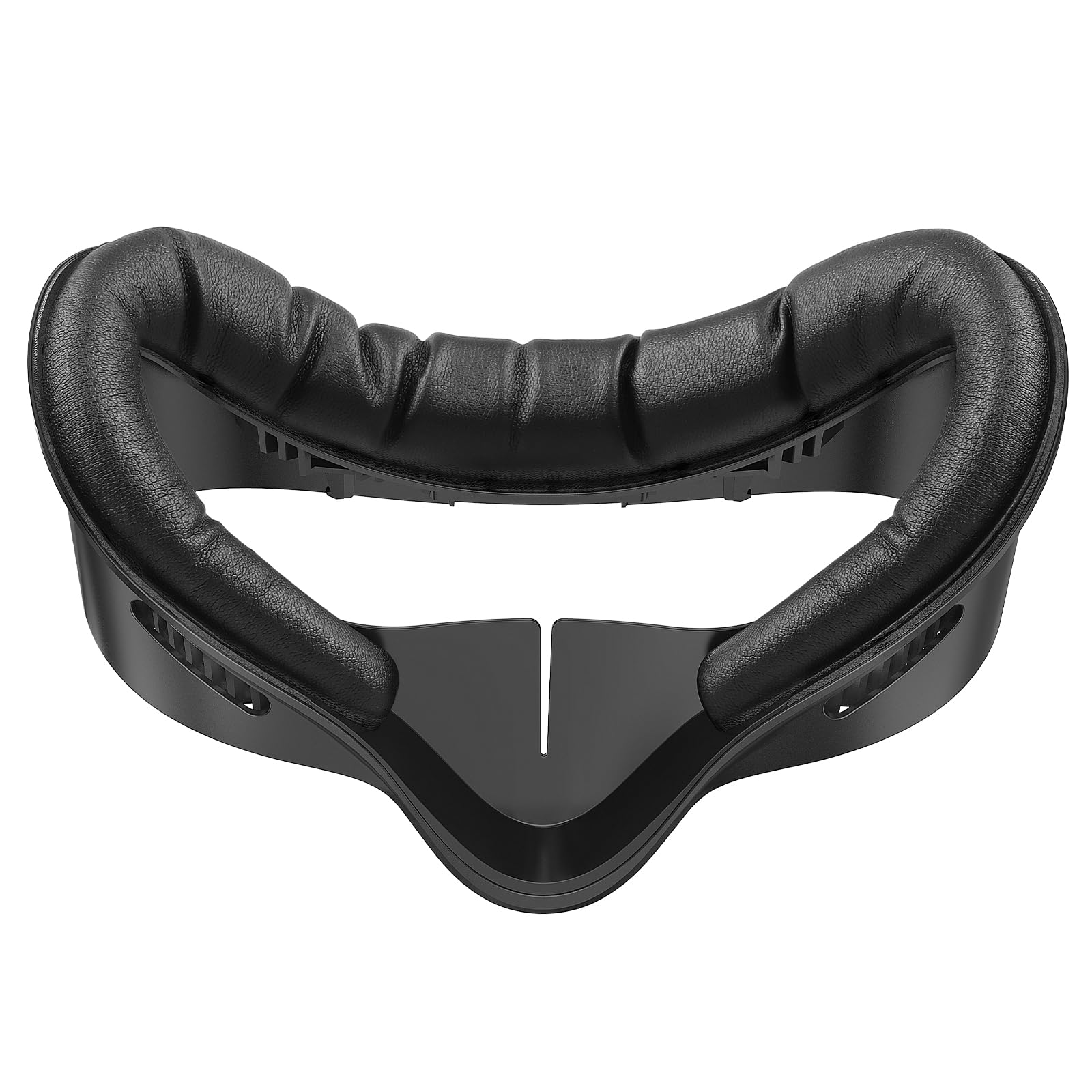
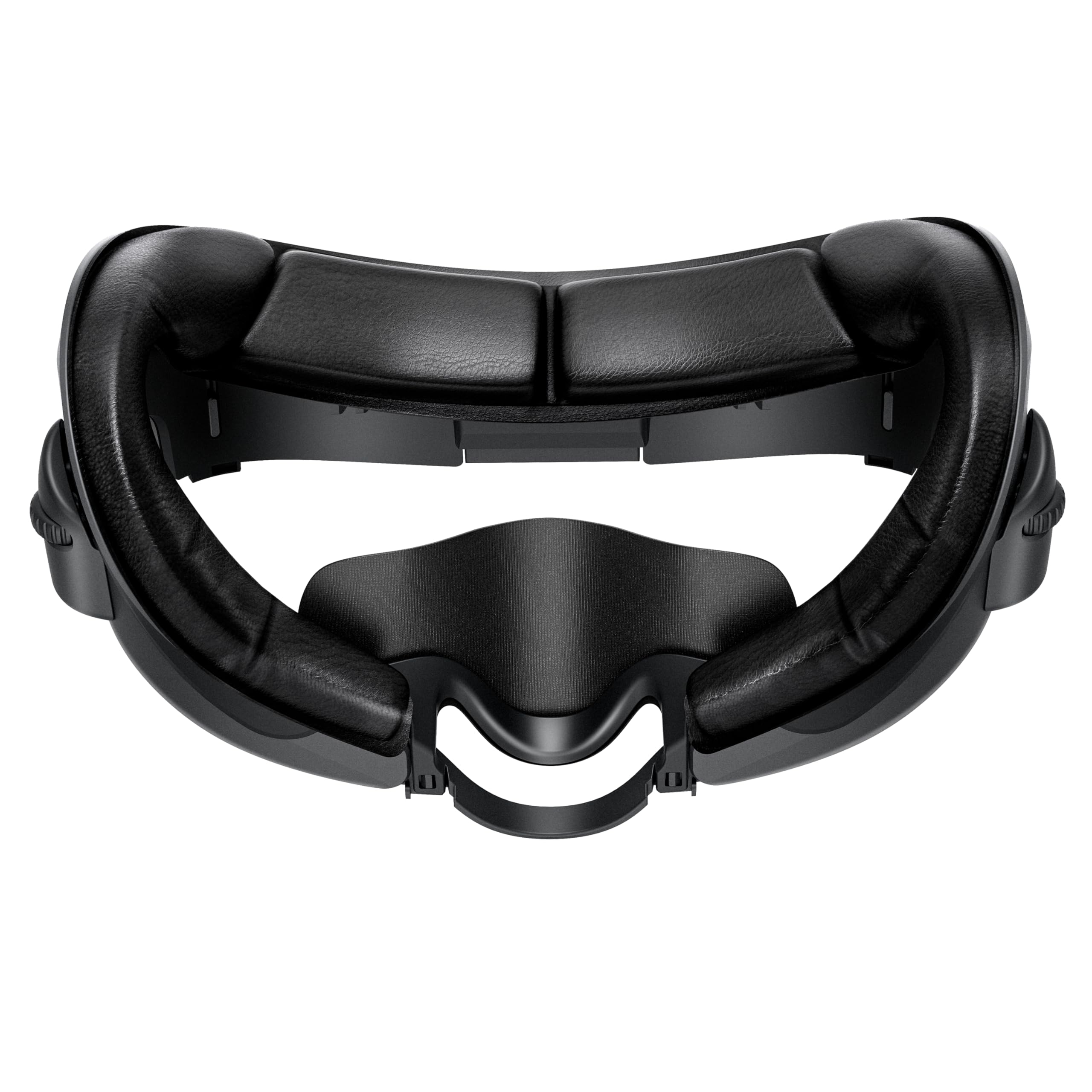
KIWI design Quest 2 Pad

93 /100
Lab Score Outstanding

Key details

Type
Full interface replacement
Material
Premium PU leather
Ventilation
L-shaped vents
Installation
Snap-on
View on Amazon

The key innovation here is the patented L-shaped vent design that pulls air through the interface, reducing moisture buildup that causes lens fog. The thick PU leather foam padding distributes pressure evenly across the face, making long sessions considerably more comfortable than the stock interface. Materials feel durable and premium, with a waterproof surface that wipes clean easily.

In use, the ventilation provides noticeable airflow, though it does not eliminate fog entirely in humid conditions or during heavy exertion. The included glasses spacer accommodates most frames, and the light seal around the nose is an improvement over the stock interface.

Fit consistency is the main variable. The interface clips into the Quest 2 with a click, but some units may not align perfectly, causing the interface to pop off during quick head movements. Installation requires a firm press to seat properly; those who rush may find it loose. This is not a universal issue, but worth checking the fit before regular use.

This interface suits Quest 2 owners who prioritize ventilation and comfort over absolute fit security, and who are willing to take a small risk on alignment. Those with very large or very small faces may find the fit too narrow or too loose. For the average face shape within the comfort range, this is one of the most balanced options available.

💡 When installing, press firmly along the top edge first to ensure a secure click; this reduces the chance of the interface popping loose.

Pros

  • Ventilation reduces fogging during active play
  • Thick foam padding comfortable for long gaming sessions
  • High-quality materials feel durable and easy to clean
  • Accommodates glasses and blocks external light well

Cons

  • Installation can be fiddly to clip in securely
  • Fog reduction is not guaranteed in all conditions
  • Fit may be misaligned on some units, causing the interface to pop off
Our verdict

For Quest 2 owners seeking better ventilation and comfort without spending a premium, this is the interface to consider—just check the fit carefully.

Check Latest Price
2

Best Budget Comfort

VZNEK Quest 2 Face Pad

90 /100
Lab Score Outstanding

Key details

Type
Replacement pad
Material
PU leather + sponge foam
Ventilation
Installation
Velcro
View on Amazon

The VZNEK pad delivers noticeably softer padding than the stock foam, making long VR sessions easier on the face. As a simple replacement pad that attaches via Velcro, it keeps costs low while upgrading the contact surface. Unlike the top-pick full interface with its patented ventilation, this pad prioritizes cushion over airflow.

This pad is best for users upgrading for hygiene and comfort on a budget. The light leakage from the sides and nose area is a tradeoff — for those playing rhythm or fitness games, the softness matters more than a dark seal. The sweatproof PU leather is easy to wipe after intense sessions, and installation takes seconds. The padding accommodates a wider range of face shapes than the stock option.

The breathable sponge foam maintains a plush feel without overheating, common with silicone covers. The material holds up well to regular cleaning. At this price, it's a straightforward way to improve the Quest 2's comfort and hygiene without investing in a full interface replacement.

💡 Press the pad firmly into the interface before each session to minimize any shifting.

Pros

  • Softer padding that feels significantly better than the OEM foam
  • Comfortable fit across a range of face shapes
  • High-quality materials with PU leather and sponge foam
  • Great value for the price, delivering an affordable upgrade

Cons

  • Bottom clips can be loose, allowing the pad to shift during active use
  • Light enters through the sides and nose area, reducing immersion in dark scenes
Our verdict

For budget-minded Quest 2 owners who value face comfort over a sealed light block, this pad offers the softest feel at the lowest price.

Check Latest Price
3

Best for Active VR

SUPERUS Quest 2 Interface

91 /100
Lab Score Outstanding

Key details

Type
Full interface replacement
Material
PU leather + sponge foam
Ventilation
Passive air vents
Installation
Snap-in
View on Amazon

The SUPERUS Facial Interface delivers a complete replacement for the Quest 2's stock foam, incorporating passive air vents to reduce heat buildup during active use. While the top pick relies on patented L-shaped venting, SUPERUS uses simpler channeled openings that still provide noticeable airflow improvement over the original.

This interface suits users with average to broad face shapes who want a full replacement that can be wiped clean after sweaty sessions. However, the bracket's alignment is not universal - some users report the fit does not match the headset frame evenly, so those with narrow or asymmetrical faces should expect to test fit carefully.

The PU leather and foam cushioning offers comfortable support for sessions up to an hour, and installation snaps into place without tools. At a mid-range price, it provides decent cushioning and easy maintenance for Quest 2 owners who prioritize hygiene.

💡 Test-fit the bracket before first use to ensure even contact across your face.

Pros

  • Comfortable foam cushioning supports longer play sessions.
  • Easy snap-in installation with solid build quality.
  • Good value for a complete replacement with ventilation.

Cons

  • Sweat resistance may be insufficient during extended use in warm environments.
  • Interface bracket can misalign with the headset frame, creating an uneven seal.
Our verdict

A dependable full-replacement option for Quest 2 users who value ventilation and easy cleaning, provided they are willing to verify fit before committing.

Check Latest Price
4

Best Quest 3 Cover

VR Cover Quest 3 Cotton

85 /100
Lab Score Excellent

Key details

Type
Cloth cover
Material
Cotton fabric
Ventilation
Installation
Stretch elastic
View on Amazon

Machine-washable cotton fabric that absorbs sweat and feels gentle against the face sets this cover apart from synthetic leather replacements. The multi-layered construction holds up to repeated washing without losing shape, making it a practical choice for those who prioritize cleanliness over slick surfaces.

Fit depends on your specific Quest 3 facial interface — the elastic straps may be too short for some models, causing the cover to shift or slip off during active use. Installation requires careful stretching and alignment to avoid wrinkles, which takes a few attempts to get right.

Best for Quest 3 owners with sensitive skin or those sharing a headset in a household, where easy sanitation matters more than a perfect light seal or a snug fit. The premium price and possible fit misalignment mean this cover suits buyers who value natural fabric over cost savings or guaranteed stability.

💡 Install by stretching the cover evenly over the interface — a few practice attempts help avoid wrinkles.

Pros

  • Soft cotton feels comfortable against sensitive skin.
  • Machine washable for easy hygiene maintenance.
  • Absorbs sweat effectively during active VR sessions.

Cons

  • Installation can be finicky
  • Elastic straps may be too short for some Quest 3 interfaces, causing the cover to slip.
  • Premium price for a cloth cover may feel steep compared to full replacement pads.
Our verdict

A washable, skin-friendly fabric layer for Quest 3 owners who can tolerate a fiddly install and accept possible fit issues — the top pick for hygiene, not for universal compatibility.

Check Latest Price
5

Best for Hygiene/Events

FUYAHA Disposable 50pk

77 /100
Lab Score Very Good

Key details

Type
Disposable mask
Material
Nonwoven fabric
Ventilation
Breathable
Installation
Adhesive
View on Amazon

The FUYAHA 50-pack delivers a low-cost disposable mask for VR arcades and events where quick headset turnover makes hygiene the top priority. Unlike full replacement interfaces that aim for long-term comfort, these are single-use covers designed to be swapped between users without cleaning the facial interface.

This set is built for commercial or public demo stations – places where multiple people use the same headsets in a day. Each mask is made from breathable nonwoven fabric that blocks sweat and skin contact. Compatibility includes Meta Quest 3/3S/2 and Apple Vision Pro, but comfort and adhesion remain unverified due to limited user feedback. Anyone looking for a comfortable daily-use pad should look at the top pick instead.

The masks are thin and may not stay in place on every headset interface, especially if the facial interface has an irregular shape or strong curves. For a VR arcade operator, the tradeoff of unknown fit is offset by the convenience of tossing a mask after each session. A quick press to ensure adhesion helps, but some units may slip during active movement.

💡 Press the mask firmly against the facial interface for a few seconds to improve adhesion before handing the headset to the next user.

Pros

  • 50 disposable masks per pack for high-turnover sharing environments
  • Breathable nonwoven fabric resists sweat buildup for short sessions
  • Compatible with Meta Quest 3/3S/2 and Apple Vision Pro
  • Cost-effective way to maintain hygiene without cleaning each interface

Cons

  • Comfort and fit are unknown
  • Thin nonwoven material may not provide adequate cushion for longer sessions
  • Adhesion can vary between headset models
Our verdict

Best suited for commercial VR setups where hygiene is paramount and each user wears a fresh mask – skip this for personal daily use.

Check Latest Price
6

Budget Full Replacement

AODELAN Quest 2 Interface

90 /100
Lab Score Outstanding

Key details

Type
Full interface replacement
Material
PU leather
Ventilation
Air vents
Installation
Snap-in
View on Amazon

This full replacement interface for Quest 2 includes built-in air vents and nose pads that improve light seal and reduce fogging, making it a capable budget option. The PU leather and foam cushioning provide decent comfort for shorter sessions, and glasses wearers will appreciate the roomy design. However, the foam padding is thinner than some alternatives, which may cause pressure points during extended use. There are occasional reports of the foam breaking down over time, so long-term durability is a point of caution. For the price, it's a solid value if you keep sessions moderate and prioritize light seal and ventilation over plush cushioning.

Pros

  • Very comfortable with good cushioning for the price
  • Strong light blocking and reduced fogging from air vents and nose pads
  • Accommodates glasses and installs easily as a snap-in replacement

Cons

  • Foam padding may feel too thin for extended sessions
  • Possible foam breakdown over time with frequent use
Our verdict

This interface suits budget buyers who value light blocking and glasses compatibility and don't mind thinner padding for shorter play sessions.

Check Latest Price
7

Budget Alternative

AMZDM Quest 2 Face Pad

91 /100
Lab Score Outstanding

Key details

Type
Replacement pad
Material
PU Leather
Ventilation
L-shaped vent
Installation
Velcro
View on Amazon

The AMZDM face pad offers a soft PU leather surface that wipes clean easily and attaches securely with Velcro, making it a simple drop-in upgrade for worn OEM padding. The cushion depth can feel thin during longer sessions for some users, and the nose piece doesn’t fully block ambient light. The silicone nose guard may also detach after repeated use. These tradeoffs keep it from matching higher-priced options, but for casual gamers on a budget who prioritize easy cleaning and a secure fit, this pad delivers dependable performance.

Pros

  • Soft PU leather is comfortable for most sessions and simple to wipe clean.
  • Secure Velcro attachment keeps the pad firmly in place during active play.
  • Budget-friendly price undercuts OEM replacements while maintaining solid build quality.

Cons

  • Padding can feel thin for users who prefer deeper cushioning over long sessions.
  • Some light leakage through the nose area may break immersion in dark scenes.
Our verdict

A good fit for cost-conscious Quest 2 owners who need a cleanable pad and can accept modest padding and minor light bleed.

Check Latest Price
8

High-Volume Use

LINHUIPAD 100pk Disposable

81 /100
Lab Score Excellent

Key details

Type
Disposable mask
Material
Non-woven fabric
Ventilation
Breathable
Installation
Adhesive
View on Amazon

This 100-pack of disposable masks provides a low-cost hygiene layer for VR headsets in shared environments. The non-woven fabric allows basic breathability for short sessions. Compatibility spans HTC Vive, PSVR, Gear VR, and Oculus Rift. However, no user feedback is available to confirm how well the masks adhere to the facial interface or whether they stay in place during movement. Without that data, comfort and fit remain uncertain — making this a better fit for arcades, museums, and training facilities where quick turnover and sanitation are priorities, rather than personal daily use where comfort matters.

Pros

  • Large 100-count pack offers a budget-friendly per-use cost for high-volume sharing scenarios.
  • Breathable non-woven fabric allows airflow during short VR sessions.
  • Compatible with multiple VR headsets including Vive, PSVR, Gear VR, and Oculus Rift.

Cons

  • Fit and adhesion are unverified
  • Minimal padding provides little comfort improvement; intended for hygiene rather than cushioning.
Our verdict

Best used in high-traffic shared VR setups where hygiene is the primary concern and per-unit cost matters more than comfort or fit.

Check Latest Price
9

Sweat Protection

AMZDM Silicone Quest 2

87 /100
Lab Score Excellent

Key details

Type
Silicone cover
Material
Silicone
Ventilation
None
Installation
Stretch over foam
View on Amazon

The AMZDM Silicone Face Cover offers a waterproof sweat barrier and includes a lens cover at a budget-friendly price. It feels soft against the skin and works as intended when installed correctly. However, this cover is only a thin silicone layer — not a replacement cushion — so it won't add comfort. The loose fit can cause it to slide off during active play, and the non-breathable silicone traps heat, making it best for light use or as a temporary cover while waiting for a better pad.

Pros

  • Soft silicone feels comfortable against the skin.
  • Budget-friendly price includes a lens cover.

Cons

  • Thin cover provides no padding improvement over the original foam.
  • Silicone cover can slide off during movement, especially in active use.
Our verdict

Good for users who already have a thick foam pad and just want sweat protection, or as an emergency cover while waiting for a replacement.

Check Latest Price
10

Quest 3S Early Adopters

AMZDM Quest 3S Pad

82 /100
Lab Score Excellent

Key details

Type
Replacement pad
Material
PU leather + foam
Ventilation
V-shaped vents
Installation
Velcro
View on Amazon

This pad offers a comfortable fit and easy-to-clean PU leather surface for the Quest 3S, with built-in V-shaped vents that help reduce fogging during active use. The tradeoff is that those same vents create small pinholes allowing light to seep in from the bottom – a limitation that becomes noticeable in bright rooms or if you are sensitive to any light leakage. For buyers prioritizing hygiene and sweat resistance over a perfect blackout seal, this is a decent budget option.

Pros

  • Pads fit the Quest 3S interface securely and comfortably.
  • Soft padding and easy-to-clean PU leather surface.
  • Ventilation channels reduce lens fogging during active use.

Cons

  • Light can leak in from the bottom through the vent pinholes
Our verdict

Best suited for early Quest 3S owners who need a budget-friendly hygiene upgrade and can accept minor light leakage in exchange for quick cleaning and a snug fit.

Check Latest Price

How to Choose

Material

PU leather is the most common choice for full replacements. It resists sweat, wipes clean, and holds its shape over time. However, it doesn't breathe naturally; many PU leather pads incorporate vent holes or channels to reduce fogging during active play.

Silicone covers are thin and waterproof but trap heat and moisture against the face. They slide around easily during fast head movements. Cotton covers absorb sweat well and are machine-washable, but they stretch out and may not stay taut on the foam underneath.

Compatibility

Every pad or cover is designed for a specific headset model. Quest 2, Quest 3, Quest 3S, and Rift CV1 all have different facial interface shapes and attachment points. A product that fits one model will not fit another without significant modification.

Within the same model, face shape variation still matters. Some pads are more contoured for narrow faces, while others are wider. Reading reviews from users with similar face dimensions gives a better sense of fit than brand marketing.

Type

A full facial interface replaces the entire plastic bracket and foam cushion. It offers the best light seal and structural support but requires installation that clicks into the headset. A replacement pad (Velcro-on) goes over the existing interface and is easier to swap but may leave gaps around the nose and edges.

Cloth and silicone covers are the thinnest type. They add a layer of protection or sweat absorption without changing the fit of the original foam. They are the cheapest option but offer zero padding improvement and often slip out of place during intense gaming.

Ventilation Design

Vents and channels are not just marketing features. When your face presses against a non-ventilated pad, exhaled air has no escape path, condenses on the lenses, and causes fogging within minutes. Active VR users need at least one vent channel near the nose or cheeks.

L-shaped vents and passive air slots allow warm air to flow upward away from the lenses. Some designs also include a breathable mesh panel behind the foam. The trade-off is that larger vents can let in ambient light, breaking immersion for seated narrative games.

Installation Method

Snap-on interfaces require aligning tabs with the headset frame and pressing until they click. Once seated, they stay secure, but removing them for cleaning can be awkward. Velcro pads are the simplest to install and remove, though the adhesive loops can wear out after dozens of swaps.

Stretchable cloth covers rely on elastic straps that hook around the back of the interface. They are quick to put on but tend to sag or shift after repeated use. Silicone covers stretch over the foam without any fasteners, which is why they slide off during fast head turns.

Frequently Asked Questions