13 Best AMD Graphics Card of 2026: The Ones That Maximize Your FPS per Dollar

Which AMD GPU gives you the most performance for your budget? This guide cuts through the old-gen vs. new-gen confusion to find the right card for 1080p, 1440p, or 4K gaming.

Choosing an AMD graphics card in 2026 means deciding between the latest RDNA 4 models and older RDNA 3 cards still on shelves. The newer RX 9070 XT and 9060 XT deliver noticeably better ray tracing and upscaling, while previous-gen options like the RX 7900 XT often carry high price tags for features that are now dated.

Driver hiccups and coil whine pop up across many models, regardless of generation. The real question isn't which brand to buy, but which trade-offs match your gaming habits: do you want raw 1440p speed on a budget, or 4K performance with modern extras like AV1 encoding?

This guide focuses on the cards that make that choice clearer, helping you put your money where the frames are.

1

Best Overall

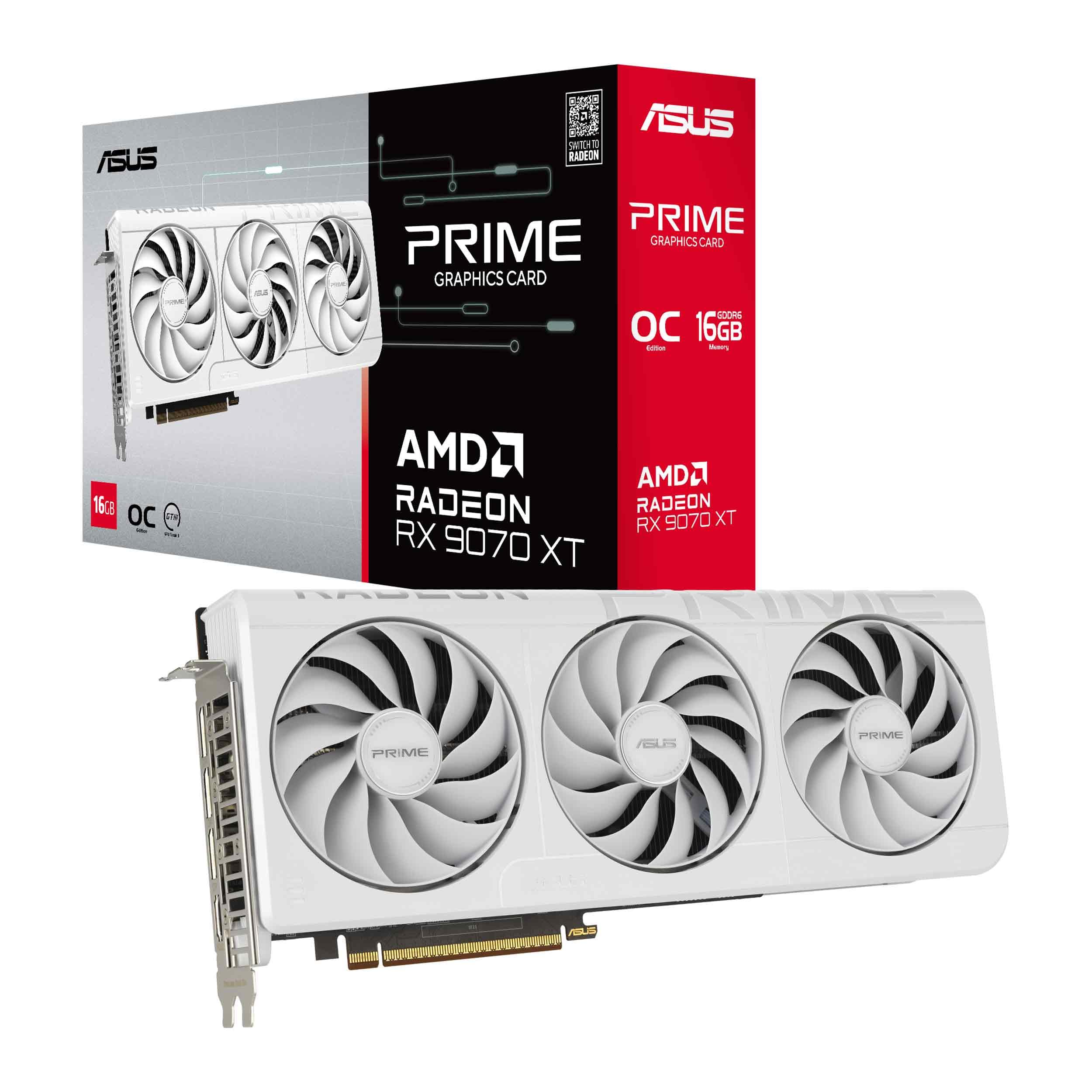
ASUS Prime RX 9070 XT

88 /100
Lab Score Excellent

Key details

VRAM
16GB GDDR6
Ports
3x DP 2.1a, 1x HDMI 2.1b
GPU Arch
RDNA 4
Ray Tracing
RDNA 4
View on Amazon

The ASUS Prime RX 9070 XT delivers high frame rates at 1440p and 4K while keeping temperatures under 60°C under load. Its triple axial-tech fans and phase-change thermal pads effectively dissipate heat, allowing sustained performance in demanding titles. This cooling capability also helps the card run quieter than many competitors in its price range, though it is not silent.

The noise profile under load is a tradeoff: fans spin audibly and some units exhibit coil whine during high-frame-rate scenarios. This is typical for performance-oriented cards and less noticeable with headphones or in a living room setup. On some system configurations, driver crashes may occur and can often be resolved by adjusting settings or updating drivers.

This card suits gamers focused on high frame rates at 1440p ultra settings and capable 4K performance without overspending on flagship models. It demands a willingness to accept fan noise under load and the occasional need for driver tweaks. For buyers who prioritize silence or absolute out-of-box stability, the Sapphire Pulse may be a better fit — though it comes with its own tradeoffs.

At a price that undercuts many 9070 XT rivals, the ASUS Prime offers strong price-to-performance. The 16GB VRAM provides headroom for high-resolution textures and future titles, making it a sensible investment for gamers planning to keep the card for several years.

💡 To minimize coil whine, consider adjusting frame rate limits or undervolting; driver updates can resolve stability issues on affected systems.

Pros

  • Delivers high frame rates at 1440p ultra settings and capable 4K gaming.
  • Offers strong price-to-performance ratio, often considered best FPS per dollar in its class.
  • Keeps temperatures below 60°C under heavy load thanks to effective phase-change thermal pad.

Cons

  • In quiet environments, fan and coil whine noise under load may be distracting.
  • Driver stability issues may require occasional tweaking on some system configurations.
Our verdict

For gamers targeting high FPS at 1440p and 4K without chasing the most premium build, this ASUS card offers a sensible balance of performance, cooling, and cost.

Check Latest Price
2

Best Value for 1080P/1440p

GIGABYTE RX 9060 XT ICE

92 /100
Lab Score Outstanding

Key details

VRAM
16GB GDDR6
Ports
DP, HDMI
GPU Arch
RDNA 4
Ray Tracing
RDNA 4
View on Amazon

The GIGABYTE RX 9060 XT gathers strong approval from budget GPU shoppers with its quiet operation and robust cooling. The three-fan WINDFORCE design keeps load temperatures manageable while producing less noise than many competitors. It stands out as one of the most consistently well-reviewed budget cards available. Where the ASUS Prime RX 9070 XT targets higher resolutions and future-proof ray tracing, this card focuses on delivering maximum frame rates per dollar at 1080p and 1440p.

In practice, the card sustains high frame rates with ultra settings across a broad range of popular titles at 1080p and 1440p. The 16GB GDDR6 memory handles high-resolution textures and heavy mods without bottlenecking, but native 4K gaming without upscaling is outside its performance bracket. DisplayPort and HDMI outputs provide flexibility for multi-monitor configurations. With a price that undercuts most similarly performing options, this card represents a strong value pick.

This card fits gamers building a new computer on a strict budget who prioritize 1440p or 1080p performance over 4K capabilities. It also suits those who want a quiet system. Some users have encountered driver installation steps that require a clean uninstall of previous graphics drivers, which is a manageable extra step.

💡 Before installation, use a tool like DDU to fully remove older drivers and avoid setup snags.

Pros

  • Sustains high frame rates on ultra settings at 1080p and 1440p.
  • Delivers the strongest price-to-performance value among current budget GPUs.
  • Operates quietly and maintains low temperatures even during extended gaming sessions.

Cons

  • Triple-fan design requires more case clearance than typical dual-fan cards
  • Native 4K without upscaling is beyond this card's performance range.
Our verdict

For buyers seeking the best frame rates per dollar at 1080p or 1440p, this card delivers without compromising on cooling or noise – just don't expect native 4K performance.

Check Latest Price
3

Best Quiet Budget Card

XFX Swift RX 9060 XT

91 /100
Lab Score Outstanding

Key details

VRAM
16GB GDDR6
Ports
1x HDMI, 2x DP
GPU Arch
RDNA 4
Ray Tracing
RDNA 4
View on Amazon

The XFX Swift RX 9060 XT carves out its niche with a dual-fan design that prioritizes quiet operation. The fans remain stationary during web browsing and media playback, engaging only when the GPU temperature rises under gaming load. This near-silent behavior makes it a compelling option for those sensitive to PC noise in a living room or home office setup.

Under gaming workloads, the card maintains remarkably low noise levels while keeping temperatures in check. In 1440p titles, the GPU rarely exceeds 70°C, and the fan noise is subdued compared to many competitors in this price bracket. The 16GB VRAM buffer ensures texture-heavy games run smoothly without stuttering.

This card is best suited for budget gamers building a 1080p or entry-level 1440p system who value a quiet experience and strong price-to-performance. It is not designed for native 4K gaming at maximum settings or intensive ray tracing – those scenarios require stepping up to a RX 9070 XT and likely using FSR for acceptable frame rates.

The Swift's stability and straightforward installation further lower the barrier for first-time builders. With no major driver issues reported, it offers a hassle-free setup experience that complements its quiet cooling.

💡 If you plan to play at 4K, enable FSR – but the card's native sweet spot is 1440p.

Pros

  • Strong price-to-performance ratio for 1080p and entry-level 1440p gaming
  • Runs cool and quiet with zero-RPM fan mode
  • Simple installation and stable performance right out of the box

Cons

  • For 4K gaming at native resolution, performance falls short
  • Ray tracing capabilities are modest, handling only lighter effects at 1440p without significant frame drops.
Our verdict

For budget gamers who want a quiet, capable 1440p card without overspending, the XFX Swift RX 9060 XT delivers exactly what it promises.

Check Latest Price
4

Best High-End Value

Sapphire Pulse RX 9070 XT

90 /100
Lab Score Outstanding

Key details

VRAM
16GB GDDR6
Ports
2x HDMI, 2x DP
GPU Arch
RDNA 4
Ray Tracing
RDNA 4
View on Amazon

The Sapphire Pulse RX 9070 XT matches the top pick's 4K and 1440p performance while costing $30 less, thanks to its efficient triple-fan cooler that maintains load temperatures below 60°C.

The 2970 MHz boost clock ensures it keeps pace with pricier models in ray-traced and rasterized games alike. Its 16GB VRAM handles high-resolution textures and future titles without running out of memory.

This card is for gamers who value strict performance per dollar over premium aesthetics or absolute silence. It lacks the metal shroud and hidden power connector of Sapphire's Nitro+, and coil whine has been noted in some units. If you game in a quiet room and are sensitive to high-frequency noise, consider a different model; otherwise, this Pulse offers near-flagship capability at a more accessible price.

💡 Setting a frame rate cap or enabling V-Sync can reduce the likelihood of coil whine becoming noticeable.

Pros

  • Delivers smooth 4K and 1440p gaming on ultra settings.
  • Offers strong value in the high-end segment, undercutting rivals by $30.
  • Triple-fan cooling keeps temperatures low and noise manageable during long sessions.

Cons

  • Coil whine may be audible in quiet environments, especially under high frame rates.
Our verdict

For gamers who want top-tier 4K performance without paying a premium for luxury materials, the Pulse delivers where it counts: frame rates and thermal management.

Check Latest Price
5

Best Compact Card

PowerColor Reaper RX 9060 XT

92 /100
Lab Score Outstanding

Key details

VRAM
16GB GDDR6
Ports
1x HDMI 2.1b, 2x DP 2.1a
GPU Arch
RDNA 4
Ray Tracing
RDNA 4
View on Amazon

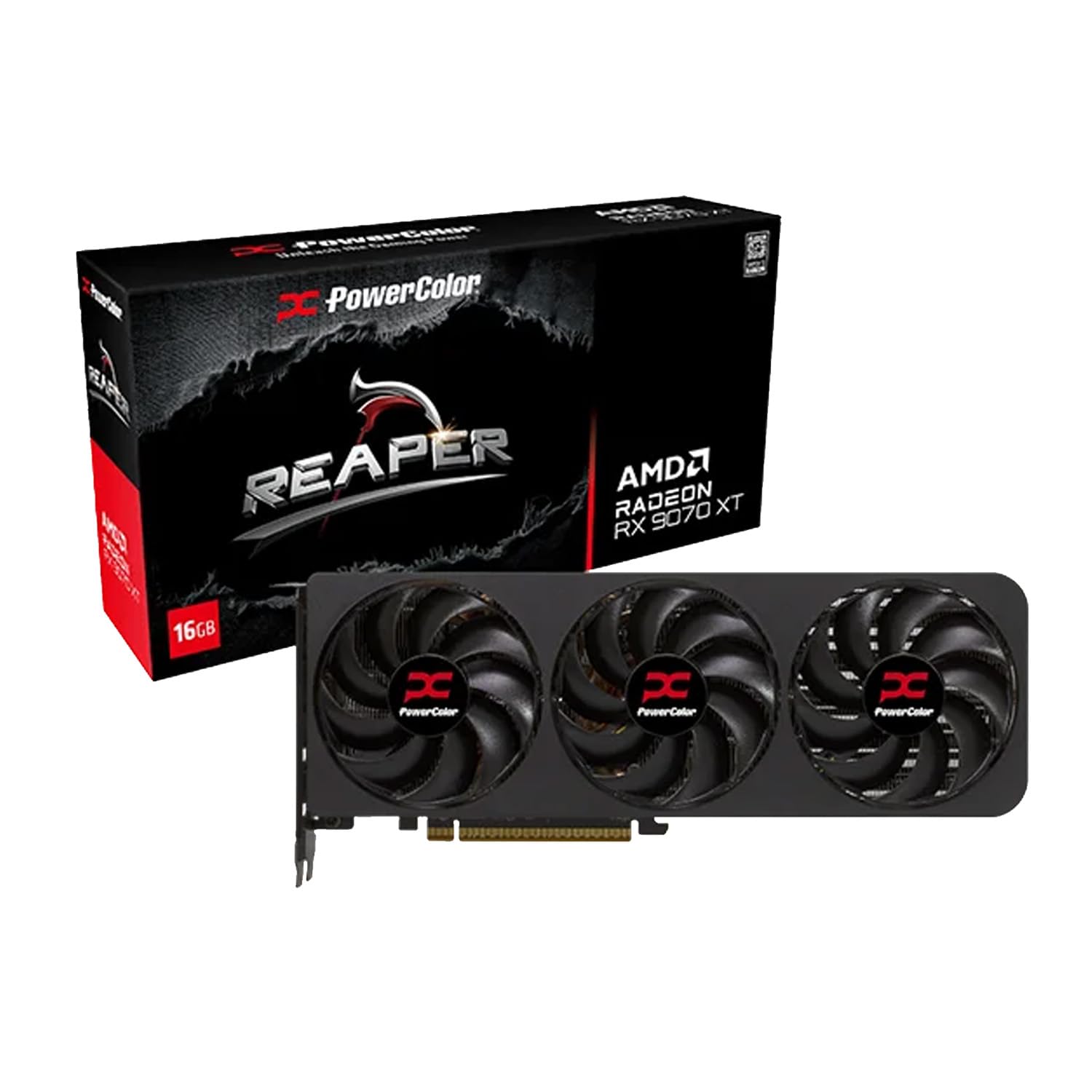
At just 200mm long, the PowerColor Reaper RX 9060 XT is one of the shortest dual-fan cards in RDNA 4 — it fits cases where even mid-towers would gag, yet still delivers the full 16GB VRAM and modern connectivity (HDMI 2.1b, dual DP 2.1a). That combination of size and memory is rare at this price point, making it a natural choice for small form factor enthusiasts who don't want to downscale to 8GB cards.

For 1440p gaming, performance is consistent and smooth, easily handling demanding titles at high settings. The card runs quietly under load, which matters in compact builds where airflow is tight. Entry-level 4K is possible with upscaling, though ray tracing remains basic — this is RDNA 4 mid-range, not a flagship. Some users have noted occasional driver hiccups that require a clean install

💡 Run the latest Adrenalin drivers from AMD's site, not Windows Update, to minimize initial driver glitches.

Pros

  • 200mm length fits compact SFF cases while offering 16GB VRAM
  • Quiet dual-fan operation suits noise-sensitive builds
  • Solid 1440p performance with smooth rendering at high settings
  • Excellent price-to-value ratio for budget-conscious gamers

Cons

  • Ray tracing performance is basic, limiting its use in path-traced games
  • Driver issues may require troubleshooting after initial installation
  • Not capable of native 4K at max settings without upscaling
Our verdict

This is the card to grab if your priority is a compact, quiet 1440p rig with 16GB VRAM — just don't expect ray tracing heroics.

Check Latest Price
6

RGB Enthusiasts

GIGABYTE RX 9070 XT OC

89 /100
Lab Score Excellent

Key details

VRAM
16GB GDDR6
Ports
3x DP, 1x HDMI
GPU Arch
RDNA 4
Ray Tracing
RDNA 4
View on Amazon

This GIGABYTE RX 9070 XT Gaming OC pairs a striking RGB design with a sturdy triple-fan cooler that handles 1440p and 4K gaming effectively. The card delivers competitive frame rates and includes modern RDNA 4 features like improved ray tracing and FSR 4. However, under sustained load the fans produce noticeable noise, and core temperatures run slightly higher than on the ASUS Prime or Sapphire Pulse variants. These tradeoffs make it a strong choice for buyers who prioritize aesthetics and are willing to tune fan curves, but not the best option for silent, cool-running systems.

💡 Setting a custom fan curve via software can reduce noise under load, though temperatures may rise slightly in exchange.

Pros

  • Vivid RGB lighting with customizable effects adds visual appeal to any build
  • Capable of high frame rates at 1440p and smooth 4K gaming with modern features
  • Sturdy build quality and effective triple-fan cooling for sustained gaming sessions

Cons

  • Temperatures may run a few degrees higher than other 9070 XT models under load
  • Fan noise can become audible during heavy gaming unless fan curves are adjusted
Our verdict

Pick this GIGABYTE if you want customizable RGB and a robust cooler, and you're comfortable tuning fan curves to manage noise — otherwise, the ASUS Prime offers quieter, cooler operation for a similar price.

Check Latest Price
7

Premium Build

Sapphire Nitro+ RX 9070 XT

89 /100
Lab Score Excellent

Key details

VRAM
16GB GDDR6
Ports
2x HDMI, 2x DP
GPU Arch
RDNA 4
Ray Tracing
RDNA 4
View on Amazon

Sapphire's Nitro+ RX 9070 XT stands out for its metal shroud and hidden power connector, delivering a clean aesthetic for open-case builds. Performance matches other 9070 XT cards with strong 1440p and 4K gaming, aided by effective cooling. But the premium price exceeds alternatives like the Pulse or Prime, and coil whine may occur in some units. These tradeoffs relegate the Nitro+ to buyers who value cable management and looks over raw value.

💡 If coil whine is a concern, test the card in a quiet environment soon after purchase.

Pros

  • Hidden power connector keeps cables out of sight for a tidy build.
  • Metal shroud and premium construction hold up well in themed systems.

Cons

  • Higher cost than other 9070 XT models with similar performance.
  • In a quiet gaming room, coil whine from some units may be audible.
Our verdict

The Nitro+ is for builders who prioritize cable organization and visual polish over getting the best gaming value per dollar.

Check Latest Price
8

Budget 9070 XT

XFX Swift RX 9070 XT

86 /100
Lab Score Excellent

Key details

VRAM
16GB GDDR6
Ports
1x HDMI, 3x DP
GPU Arch
RDNA 4
Ray Tracing
RDNA 4
View on Amazon

For gamers who want RDNA 4 performance at the lowest cost, this XFX card delivers the core 9070 XT experience with a sturdy build and adequate cooling. The tradeoff comes in its physical footprint: the card's length can block adjacent PCIe slots in tighter cases, and the basic triple-fan cooling system is more audible under load than premium alternatives. This makes it a clear fit for budget-focused builders with spacious cases who can live with moderate fan noise.

Pros

  • Lowest price among RX 9070 XT models while delivering full RDNA 4 features.
  • Sturdy build and good thermal performance for the price.

Cons

No notable drawbacks to flag.

Our verdict

Best for cost-conscious gamers who have a large case and don't mind fan noise, in exchange for the lowest entry price to the RX 9070 XT platform.

Check Latest Price
9

Content Creation

XFX MERC310 RX 7900 XT

90 /100
Lab Score Outstanding

Key details

VRAM
20GB GDDR6
Ports
2x DP 2.1, 1x HDMI 2.1
GPU Arch
RDNA 3
Ray Tracing
RDNA 3
View on Amazon

The XFX MERC310 RX 7900 XT packs 20GB of GDDR6 VRAM, giving it a clear edge for 3D rendering and texture-heavy workloads that exceed the 16GB ceiling of most current-gen cards. Its triple-fan MERC cooler keeps thermals in check during long rendering sessions. However, this is a previous-generation RDNA 3 card — ray tracing performance is slower than RDNA 4 models, and there is no support for FSR 4 upscaling. For pure gaming, the newer RX 9070 XT delivers better performance, newer features, and a lower price, making the 7900 XT difficult to recommend unless you specifically need that 20GB buffer.

Pros

  • 20GB VRAM accommodates high-resolution textures and complex 3D scenes without memory swapping.
  • Robust MERC cooling system maintains stable temperatures under sustained rendering loads.

Cons

  • Ray tracing performance falls behind RDNA 4 cards; lacks FSR 4 upscaling support.
  • Premium price makes it less competitive than the newer RX 9070 XT for gaming workloads.
Our verdict

If your workflow demands 20GB VRAM for large 3D assets or 8K textures, this card fits — but for gaming, the cheaper RX 9070 XT is the better choice.

Check Latest Price
10

Also Great

The RX 6950 XT delivers capable 1440p and 4K rasterization for older games, and its 16GB VRAM handles high-res textures. The reference blower fan can become loud and hot under sustained load. This card is best suited for collectors or legacy system builds where raw frame rates matter more than modern features.

Critically, the RDNA 2 architecture lacks AV1 encoding and FSR 4 upscaling, limiting modern gaming compatibility. At its current premium price, a newer RX 9060 XT offers better performance, quieter cooling, and full feature support at roughly half the cost. This makes the 6950 XT a poor value for anyone building a new system today.

💡 Ensure your case has good airflow; the blower cooler benefits from a well-ventilated chassis.

Pros

  • Solid 1440p and 4K rasterization performance in non-ray-traced titles.
  • 16GB GDDR6 memory supports large texture packs and high-resolution gaming.

Cons

  • The single-fan blower cooler can produce noticeable noise and elevated temperatures during sustained gaming.
  • Lacks modern encoding (AV1) and upscaling (FSR 4), limiting future gaming compatibility.
Our verdict

This RX 6950 XT fits only for collectors or legacy system upgrades where raw rasterization is sufficient. For general gaming, newer cards at lower prices outperform it in features and value.

Check Latest Price
11

Proven 1440P

GIGABYTE RX 7800 XT OC

89 /100
Lab Score Excellent

Key details

VRAM
16GB GDDR6
Ports
2x DP 2.1, 2x HDMI 2.1
GPU Arch
RDNA 3
Ray Tracing
RDNA 3
View on Amazon

The GIGABYTE RX 7800 XT OC provides smooth 1440p gameplay with its quiet triple-fan WINDFORCE cooler, and the 16GB GDDR6 memory handles high-resolution textures without issue. But as a last-gen RDNA 3 card, it lacks AV1 encoding and ray tracing capability that newer RDNA 4 models bring, while the RX 9060 XT matches its rasterization performance at roughly half the price — making this card worth considering only if you find it significantly discounted.

Pros

  • Strong 1440p performance across a range of titles
  • Quiet operation under load due to WINDFORCE cooling

Cons

  • Lacks AV1 encoding and ray tracing falls behind current-gen RDNA 4 cards
  • Priced higher than newer RX 9060 XT which offers similar rasterization performance for less
Our verdict

Only consider if you find a deep discount or need AMD's ecosystem for specific tasks; otherwise, the RX 9060 XT offers equivalent gaming performance at a lower price.

Check Latest Price
12

VRAM-Heavy Tasks

ASRock Phantom RX 7900 XT

86 /100
Lab Score Excellent

Key details

VRAM
20GB GDDR6
Ports
3x DP 2.1, 1x HDMI 2.1
GPU Arch
RDNA 3
Ray Tracing
RDNA 3
View on Amazon

The ASRock Phantom RX 7900 XT provides 20GB VRAM for high-resolution texture work and 3D rendering, making it a candidate for users who genuinely need that memory buffer. However, its previous-generation RDNA 3 architecture and premium pricing put it at a disadvantage compared to newer RDNA 4 cards that offer better performance per dollar and improved ray tracing. Stability concerns — including reports of random crashes and DOA units — mean this card may require troubleshooting out of the box. Coil whine can also be noticeable in quiet environments. For gaming-focused buyers, the value proposition weakens further; this card is best considered only if your workload specifically demands the 20GB capacity and you can tolerate potential instability.

Pros

  • 20GB VRAM enables high-resolution textures and memory-intensive creative tasks without running out of buffer.
  • Solid triple-fan cooler and metal backplate keep temperatures under control during sustained loads.

Cons

  • In a professional environment where uptime is critical, random crashes can interrupt work
  • In a quiet room, coil whine may be audible under load, which can be distracting during focused work.
Our verdict

If your creative workflow absolutely requires 20GB VRAM and you are prepared to accept the possibility of instability, the Phantom RX 7900 XT offers the memory capacity you need, but newer card designs deliver a more polished experience.

Check Latest Price
13

Budget 1440P

ASRock RX 7700 XT Challenger

88 /100
Lab Score Excellent

Key details

VRAM
12GB GDDR6
Ports
3x DP 2.1, 1x HDMI 2.1
GPU Arch
RDNA 3
Ray Tracing
RDNA 3
View on Amazon

At this price point, the ASRock RX 7700 XT Challenger delivers strong 1440p frame rates in most AAA titles, making it a tempting option for budget-conscious gamers. The 12GB VRAM and 2584 MHz boost clock keep modern games playable at high settings. However, the trade-off comes in the form of potential reliability hiccups: some units may develop black screens or fail to power on, and the twin-fan cooler can produce noticeable noise under sustained load. Combined with the absence of FSR 4 and modern ray tracing improvements found in RDNA 4 cards, this card is best suited for shoppers who prioritize raw rasterization per dollar and are willing to accept some variance in build quality.

Pros

  • Strong 1440p gaming performance with well-rounded frame rates in AAA titles.
  • Good value for the price, delivering competitive performance at a budget-friendly cost.

Cons

  • Reliability can vary between units, with some experiencing black screens or failure to start.
  • Fan noise may become intrusive under heavy gaming loads, especially in quiet environments.
Our verdict

This card fits if you need maximum 1440p performance for under $420 and can tolerate potential driver or hardware quirks; otherwise, the RX 9060 XT offers a more consistent experience.

Check Latest Price

How to Choose

GPU Architecture (RDNA 3 vs 4)

AMD's RDNA 4 architecture brings significant ray tracing improvements and introduces FSR 4, a temporal upscaling method that rivals NVIDIA's DLSS. In practice, RDNA 4 cards handle modern titles with ray tracing enabled at higher frame rates than RDNA 3 equivalents, especially at 1440p and 4K.

RDNA 3 cards (7900 XT, 7800 XT, 7700 XT) still offer strong raw rasterization but lack AV1 encoding and FSR 4 support. If you play older games or exclusively turn off ray tracing, an RDNA 3 card can save you money, but you lose future-proofing.

VRAM Capacity

16GB has become the new standard for gaming in 2025-2026, especially for 1440p and 4K textures. 12GB cards like the RX 7700 XT can struggle with high-resolution texture packs in newer titles, leading to stuttering. 20GB options (7900 XT) help with large mods or content creation but add cost, and in most gaming scenarios the extra 4GB offers diminishing returns.

Ray Tracing Performance

RDNA 4 cards handle ray tracing far better than their predecessors, making them viable for ray-traced shadows and reflections at medium-to-high settings. RDNA 3 cards fall behind NVIDIA equivalents in this area; if ray tracing is a priority for you (e.g., Cyberpunk 2077 path tracing), an RDNA 4 card or an NVIDIA RTX 40-series is the better fit.

FSR 4 upscaling is exclusive to RDNA 4 and provides much sharper image quality than FSR 3. RDNA 3 owners are stuck with FSR 3, which shows more artifacts at lower resolutions.

Power Consumption and Cooling

Higher-end cards (9070 XT, 7900 XT) require 750W+ power supplies and generate enough heat to need robust airflow. A small case with a 200W-rated PSU will not safely drive a 9070 XT. Conversely, RX 9060 XT models draw around 200W and can run on standard 500-550W PSUs, making them far easier to cool quietly.

Fan noise is a common complaint on cards with smaller heatsinks or aggressive fan curves. Pay attention to user reports of 'coil whine' or 'fan noise' — those are not defects but design trade-offs that vary by model. A card like the XFX Swift RX 9060 XT is designed with a low-noise profile, while a blower-style RX 6950 XT is inherently louder.

Port Selection

Most modern AMD cards include at least two DisplayPort 2.1a outputs and one HDMI 2.1b port. DisplayPort 2.1a supports 4K at high refresh rates and future-proofs you for 8K monitors. HDMI 2.1b is essential for connecting to a 4K TV with VRR (variable refresh rate). Check that your monitor or TV matches the port type — older DP 1.4 monitors will work but can't run 4K 240Hz without compression.

Some budget cards (e.g., XFX Swift) only have one HDMI port, which can be limiting for multi-monitor setups with a TV. If you plan to run two HDMI displays, look for a card with dual HDMI outputs (Sapphire cards often include them).

Frequently Asked Questions