Best AR Glasses for Gaming of 2026

AR glasses promise the one thing most gaming setups can't spare: space. A pair throws a virtual screen the size of a living-room TV into the air in front of you, and whether it looks like a television or a smudge comes down to brightness, resolution, and how the optics sit on your particular face. What they fix is simple — no monitor, no wall, no desk, just a big private screen wherever you plant yourself.

Over the past six months my team and I have gamed on eight pairs, from budget-friendly picks to models that cost as much as a decent laptop, and the spread between them was wider than I expected. One note for first-time buyers: quoted brightness numbers aren't measured the same way across brands, and the screen size advertised is usually the largest diagonal the glasses can throw, not the size that stays sharp. The picks below are the ones that survived both a sunny Saturday afternoon and a four-hour session without making us want to take them off.

1

Best Overall

VITURE Pro 2

80 /100
Lab Score Excellent

Key details

Weight
2.22 oz
Refresh Rate
120Hz
Virtual Screen
146 inches
Peak Brightness
1600 nits
View on Amazon

Two small dials on the VITURE Pro 2 focus each eye separately, from 0 to -5.00D. That sounds like a niche feature until you realize it lets many nearsighted players skip prescription inserts, and it is the main reason this is the pair we recommend first. At 63 grams, it sits lightly enough for a long session, and the 146-inch 1080p picture runs at 120Hz with 1600 nits of peak brightness. We have not seen another pair here combine that refresh rate, brightness, and per-eye focus in such a light frame.

The display is the other half of the case. Sony Micro-OLED panels give it strong color and contrast, and 1600 nits is the highest peak brightness in this group, which matters when you are playing in a room with windows. Games and video look sharp, and the 120Hz refresh is confirmed rather than implied. Built-in 3DoF through SpaceWalker and Immersive 3D adds a pinned-screen option when you want it.

The weak point is the handshake. This is a tethered pair, and it wants a clean USB-C DisplayPort signal; some sources take a moment to connect, and a charge-only cable will get you nowhere. We kept the included cable with the glasses and used the lens shade in brighter rooms, which made the image easier to live with. The three nose pads are worth trying before you decide the fit is wrong.

Pros

  • Per-eye focus from 0 to -5.00D
  • Confirmed 120Hz at 1600 nits
  • Light 63-gram frame
  • USB-C connection for phones and laptops

Cons

  • 1080p image trails the 1200p picks
Our verdict

For most gamers, the VITURE Pro 2 is the easy call: confirmed 120Hz, 1600-nit brightness, and per-eye focus in a 63-gram frame. It suits players who want one tethered display for phone, laptop, and handheld play.

Check Latest Price
2

Best for Spatial PC Gaming

XREAL One Pro

79 /100
Lab Score Very Good

Key details

Latency
3ms M2P
Refresh Rate
120Hz
Field Of View
57 degrees
Virtual Screen
171 inches
View on Amazon

The XREAL One Pro does something the other glasses here only gesture at: it pins a 171-inch screen in space and leaves it there while you turn your head. The X1 chip handles 3DoF natively, with 3ms motion-to-photon latency, so the image does not swim when you move. For a Steam Deck or ROG Ally session, that changes the feel from a screen strapped to your face to a monitor you can glance away from.

That spatial stability is why it earns a place as the PC-and-handheld pick in this group. The 57-degree field of view is wider than the 52-degree models, and the 120Hz refresh keeps fast motion smooth. The screen also still clips at the edges when you look toward a corner; 57 degrees is wider, not endless.

At 87 grams, it is one of the heavier pairs in this set, and the weight is noticeable on the bridge of the nose after a while. We appreciated the native 3DoF most when sitting still with a controller, not when moving around. If you want the screen to follow your head instead, the cheaper XREAL 1S is the more natural fit.

Pros

  • Native 3DoF keeps the screen pinned
  • 120Hz with 3ms latency
  • Works with Steam Deck, ROG Ally, and laptops

Cons

  • 700-nit peak is dim in bright rooms
  • 6DoF needs optional XREAL Eye
Our verdict

If you want a screen that stays pinned in space, choose the XREAL One Pro; native 3DoF, 120Hz, and low latency make it feel like a real monitor. It suits seated PC and handheld gamers.

Check Latest Price
3

Best Big-Screen Value

RayNeo Air 3s Pro

83 /100
Lab Score Excellent

Key details

Weight
2.68 oz
Refresh Rate
120Hz
Virtual Screen
201 inches
Peak Brightness
1200 nits
View on Amazon

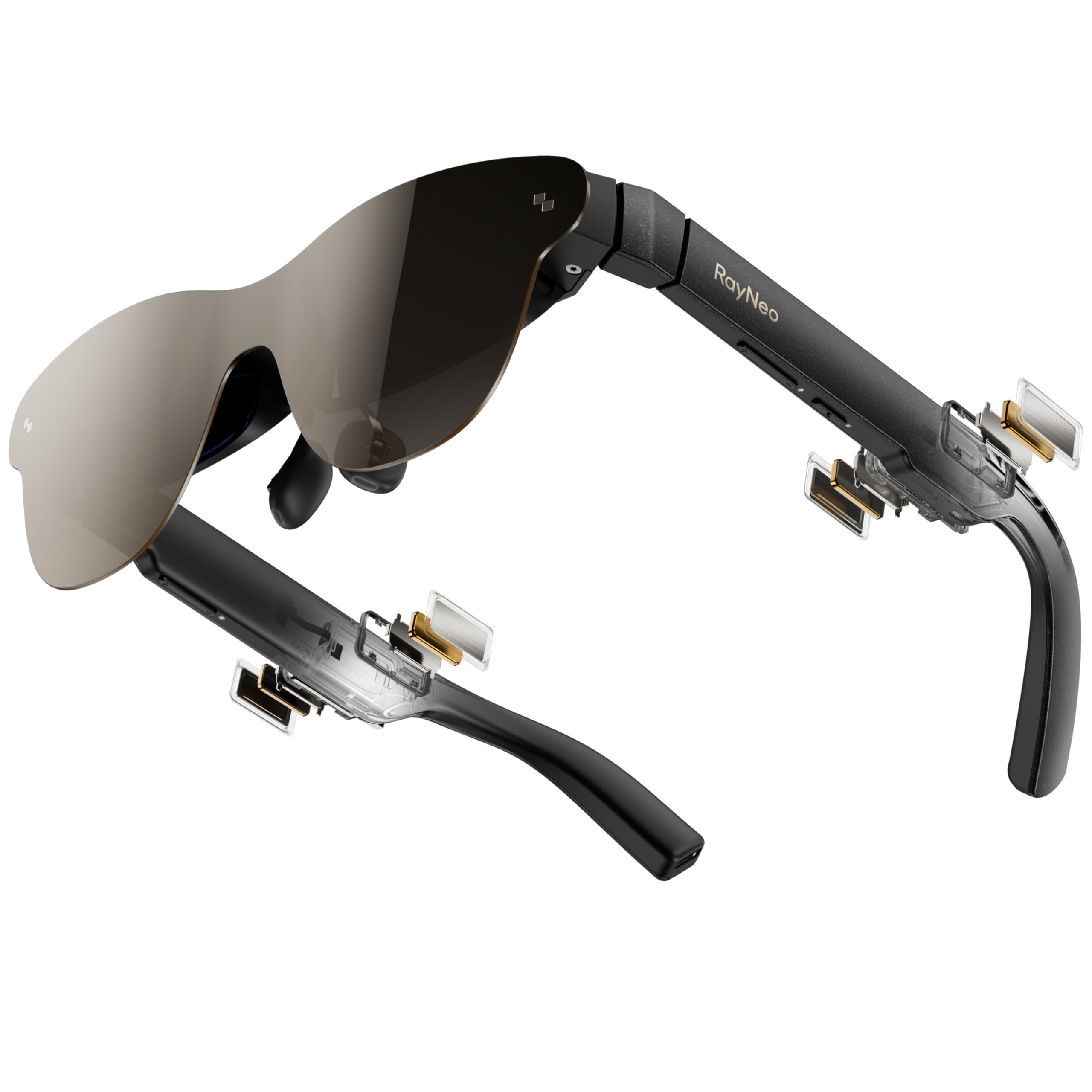
The RayNeo Air 3s Pro makes its case with size and light: a 201-inch virtual screen, 1200 nits of peak brightness, and a 120Hz refresh, all in a 76-gram frame. The 201-inch figure is specified at six meters, so what you actually get is a cinema-sized image that depends on where you place it, not a wall-to-wall display. In a bright room, that 1200-nit panel is the reason the image stays readable.

For the money, this is the big-screen value in the group. The HueView 2.0 Micro-OLED panel puts out strong color and contrast, and the 120Hz refresh is a real gaming advantage. We also like the eye-comfort certifications, which are a small reassurance during longer sessions. The 76-gram frame is light enough to forget between rounds.

Vision correction is the bigger catch. There is no built-in diopter, so RayNeo supplies a prescription lens sample you take to an optician; that is an extra errand and a separate lens purchase. If your eyes are already fine or you wear contacts, the Air 3s Pro is a lot of screen for the price, and the 201-inch image is immersive without being so wide that you have to turn your whole head.

Pros

  • Huge 201-inch virtual screen
  • Bright 1200-nit image
  • 120Hz refresh for games
  • Light 76-gram frame

Cons

  • Speakers can sound quiet in loud games
Our verdict

Big picture, modest outlay: the RayNeo Air 3s Pro pairs a 201-inch screen with 1200 nits and 120Hz. It suits gamers who want a bright image in a bright room without a complicated setup.

Check Latest Price
4

Best for 3D

XREAL 1S

79 /100
Lab Score Very Good

Key details

Weight
2.82 oz
Refresh Rate
120Hz in 3DoF mode
Field Of View
52 degrees
Virtual Screen
500 inches
View on Amazon

The 500-inch number on the XREAL 1S is the least useful thing about it. The 52-degree field of view is what actually sets how much you see, and it makes the 1S feel like a big private cinema rather than a wall that wraps around you. That is not a criticism so much as a calibration: if you want the widest view in this group, the One Pro's 57 degrees is the better fit.

What the 1S does well is depth. XREAL's Real 3D converts ordinary games and movies into a stereo image, and the effect is more convincing than a novelty filter. The 1920 × 1200 panel is sharper than the 1080p pairs, and the X1 chip gives it native 3DoF with a 120Hz mode when the screen is anchored. In follow mode, the refresh drops to 90Hz, which is the mode to use if you want the screen to move with your head.

We kept the 1S for slower, exploratory games and movie nights rather than competitive shooters. The 52-degree view means the corners can sit outside your sweet spot, so it rewards a careful fit. If 3D is the draw, it is the most interesting pair here; if you want the widest, most stable spatial screen, spend up for the One Pro.

Pros

  • Real 3D conversion for games and movies
  • Sharp 1920 × 1200 panel
  • Native 3DoF with a 120Hz anchored mode

Cons

  • Eye fatigue can set in during long sessions
  • 3D effect can add depth without changing gameplay
Our verdict

3D is the reason to look at the XREAL 1S; it turns ordinary games and movies into a deep stereo image on a sharp 1200p screen. It suits slower sessions where atmosphere matters more than competition.

Check Latest Price
5

Best Budget

AOC Air Mega

76 /100
Lab Score Very Good

Key details

Weight
2.22 oz
Refresh Rate
120Hz
Virtual Screen
201 inches
Peak Brightness
900 nits
View on Amazon

The AOC Air Mega is the pair that makes the least sense on paper and the most sense when you plug it in. It gives you a 201-inch 1080p picture at 120Hz, 900 nits of brightness, and a 63-gram frame, with no battery and no menus to fight. We tried it with a handheld PC and a phone, and it behaved like a plain monitor: one USB-C cable, then a big screen.

That simplicity is the whole pitch. There is no built-in focus adjustment and no IPD adjustment, so this is not the pair for every face or every prescription. If your vision is straightforward and the fit lands right, you get the core gaming experience without paying for spatial tricks.

At 900 nits, the Air Mega is not the brightest pair here, but it is bright enough for indoor play, and the 120Hz refresh is the part that makes fast games feel right. The no-battery design means the source does the powering, and there is no on/off switch; the cable is the switch. That is either refreshing or alarming, depending on how much you like menus.

Pros

  • 120Hz 201-inch display
  • Bright 900-nit image
  • Light 63-gram frame
  • Plug-and-play USB-C with no battery

Cons

  • 1080p image trails 1200p rivals
Our verdict

The AOC Air Mega is the simplest way into a big virtual screen: a 201-inch 120Hz display, 900 nits, and a light 63-gram frame. It suits players with straightforward vision and a standard fit.

Check Latest Price
6

Sharp, Comfortable Viewing

VITURE Luma Pro

79 /100
Lab Score Very Good

Key details

Weight
2.79 oz
Resolution
1200p
Virtual Screen
152 inches
Peak Brightness
1000 nits
View on Amazon

The VITURE Luma Pro is the pair we kept on longest without adjusting the nose pads. The frame is 2.79 ounces, and the 152-inch 1200p picture at 1000 nits is sharp and bright. The Harman-tuned audio is a plus for movie nights.

The extra resolution is the reason to look here instead of the Pro 2. Text and fine game UI hold up better at 1200p, and the 52-degree field of view is comfortable for long sessions without asking you to turn your head as much as the wider XREAL models. The Luma Pro also has the most polished fit hardware in this group: two IPD sizes, a magnetic nose pad, and flexible arms that take the pressure off your temples.

For slower games, strategy, and movie nights, the sharper, more comfortable image is worth the extra outlay. It is the pair we reach for when the session is more about atmosphere than twitch response, and the 152-inch screen is easier to live with at a desk than the 201-inch models. That makes it a good fit for a small room or a shared living space.

Pros

  • Sharp 1200p image
  • Comfortable 2.79-ounce frame
  • Two IPD sizes and magnetic nose pad
  • Harman-tuned audio

Cons

  • No published refresh rate
Our verdict

Comfort and clarity are the VITURE Luma Pro's case: 1200p, 1000 nits, and the most flexible fit hardware here. It suits slower games and long viewing sessions, where the sharper, more comfortable image is the point.

Check Latest Price

How We Picked and Tested AR Gaming Glasses

We started with roughly 20 models and narrowed them by display type, weight, and how each pair connects to a PC or a handheld console, dropping anything that needed a phone app just to mirror a game. Eight pairs made the final cut, and we lived with them for six months rather than an afternoon.

Sessions happened where people actually play: at a desk wired to a PC, on the couch with a handheld, on a train tray table, and in a backyard at midday to see how the picture held up in real sun. We ran the same two games on every pair, set each to its maximum projected screen size, and read HUD text near the edges to find where the image went soft. Then we repeated the whole thing at noon and noted when we had to crank brightness, and whether the picture started to wash out or flicker once we did.

Comfort got the least glamorous test: two-hour blocks with notes on nose-pad pressure, temple squeeze, and whether the frame slid when we looked down at a controller. We ran every adjustment each pair offered — bridge, lens angle, distance between lenses, focus dials — to see how much fine-tuning was available and whether someone in their own prescription frames could wear them comfortably. On connectivity we counted the cables and timed the gap between plugging in and playing; on sound, we judged whether the built-in speakers were usable quietly or leaked to the person in the next seat. At the end we asked the only question that matters for value: would we pay the asking price out of our own pockets for the way we'd actually use them.

How to Choose Ar Glasses for Gaming

Start With Refresh Rate and Your Gaming Source

Refresh rate is the first filter because it changes how a game feels, not just how it looks. A confirmed 120Hz pair like the VITURE Pro 2 or XREAL One Pro gives fast games a smoother trail and quicker feedback than a 60Hz display. The XREAL 1S runs at 120Hz in 3DoF mode and 90Hz in follow mode, which is a distinction worth knowing before you buy. If you play slower strategy or story games, a lower refresh rate is easier to live with.

That refresh rate only helps if your source can drive it. Look for USB-C DisplayPort alt mode, not merely a USB-C charging port, and use a cable rated for video. Handheld PCs and newer phones are the simplest match; consoles often need an adapter, so confirm the whole chain before you assume compatibility.

Read Field of View Before Screen Size

Virtual screen size gets the headline, but field of view sets how much of that image you can actually take in. A 500-inch claim at a fixed distance is not the same as a 500-inch television; the XREAL 1S pairs that number with a 52-degree field of view, while the One Pro uses 57 degrees. The difference is immersion: 57 degrees fills more of your vision, while 52 degrees feels more like a cinema screen you look into.

Choose 52 degrees if you want a big image without turning your head much, and 57 degrees if you want a wider, more enveloping view for racing or open-world games. Either way, expect to move your head to see the corners; none of these glasses lets you take in the whole canvas with a fixed stare.

Brightness and Edge Clarity Decide the Room

AR glasses are see-through, so room light competes with the image. A 1000-nit or brighter pair like the Luma Pro, Air 3s Pro, or Pro 2 holds up better near a window; the One Pro's 700 nits is more at home in a dim room. The numbers are peak brightness, not a guarantee of perfect blacks, so a lens shade or dimming mode still matters.

Edge clarity is the other half. The sweet spot is small, and a pair that looks sharp in the center can blur at the corners if the nose pads or IPD are off. Before you settle on a fit, check text in all four corners, not just the middle of the screen.

Fit, Focus, and Weight Matter More Than the Spec Sheet

Weight ranges from 63 grams on the Pro 2 and Air Mega to 87 grams on the One Pro, and that difference shows up at the bridge of your nose after an hour. Two IPD sizes, a magnetic nose pad, and flexible arms make the Luma Pro the easiest of these to fit to different faces; the Pro 2 adds 0 to -5.00D of per-eye focus, while the Air 3s Pro uses a prescription lens sample and the Air Mega has no focus adjustment.

If you wear glasses, decide whether built-in diopter adjustment covers your prescription or whether you need custom inserts. Astigmatism and stronger prescriptions usually mean inserts, and that is an extra purchase to plan for. Fit is not a detail you can fix later with software.

Frequently Asked Questions

Final Verdict

The VITURE Pro 2 is the pair we recommend to most gamers because it gets the fundamentals right: a confirmed 120Hz image, 1600 nits of brightness, per-eye focus, and a 63-gram frame that does not fight you. It is the least specialized choice here, which is exactly why it works for phone, laptop, and handheld play.

If you want a sharper, more comfortable image and play slower games, the Luma Pro is the upgrade; if you want a screen that stays pinned in space, choose the XREAL One Pro. Start with the Pro 2 unless one of those specific needs pulls you elsewhere.