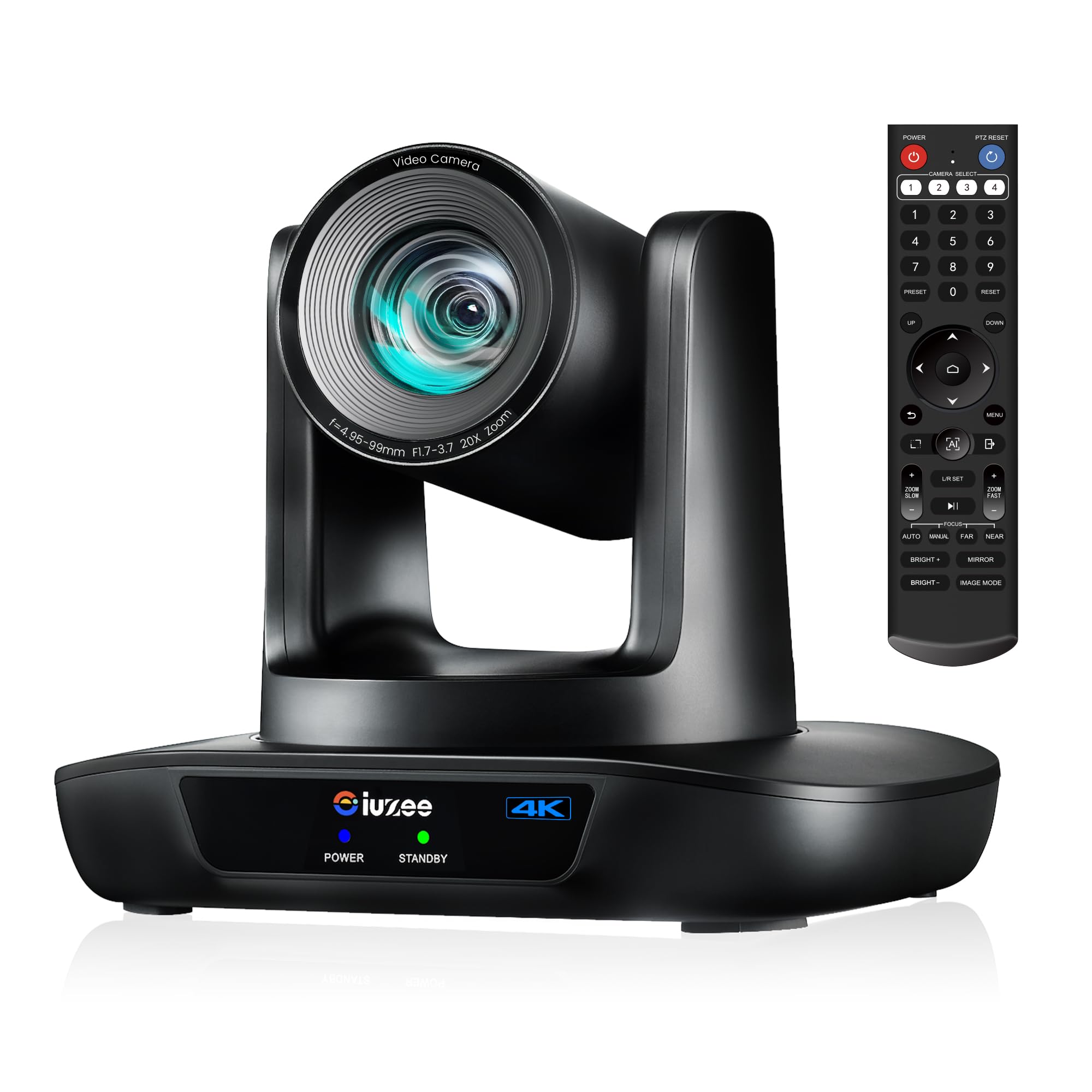
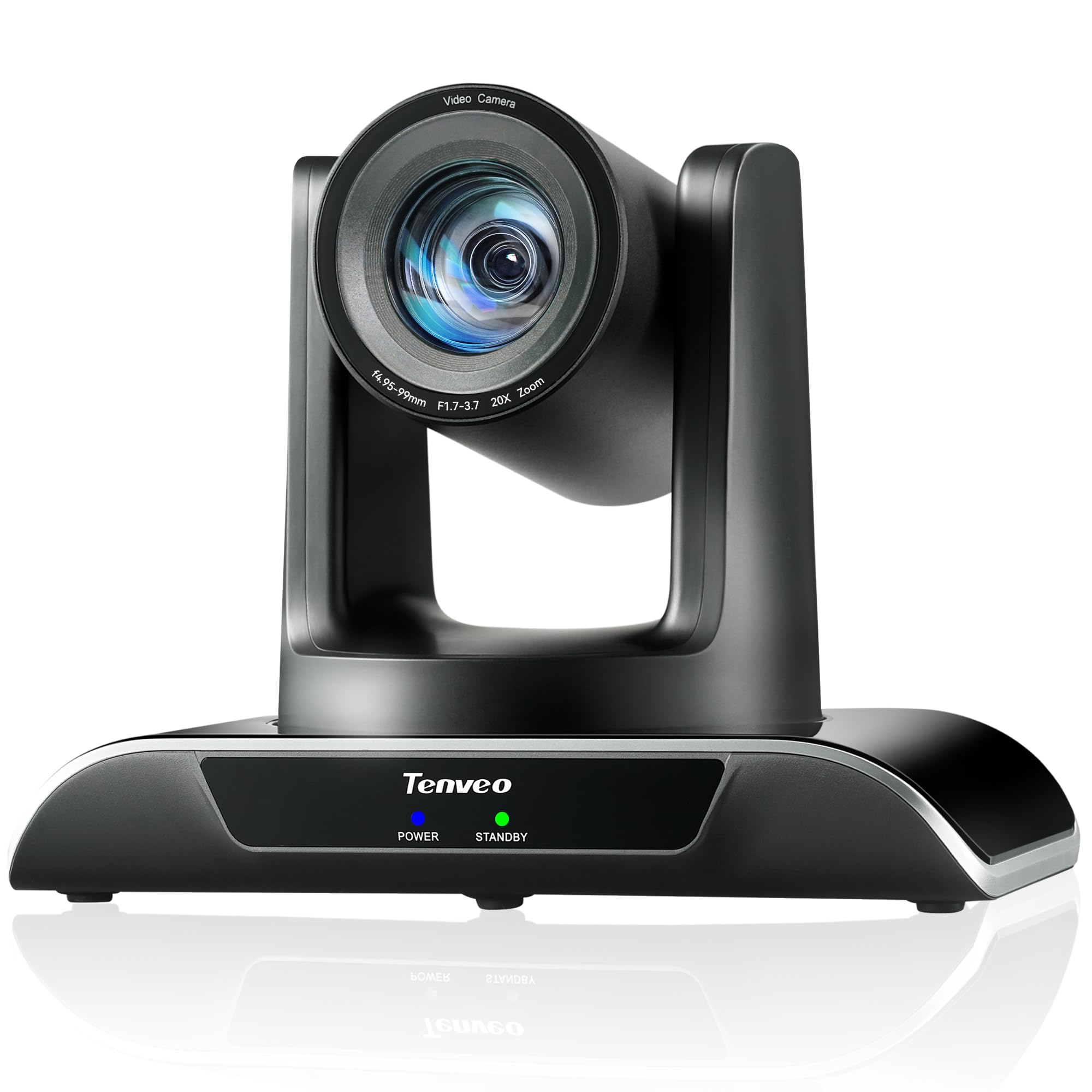
9 Best Auto-Tracking Streaming Camera 2026: Reliable Picks That Track

Find the auto-tracking streaming camera that actually follows you smoothly — whether for game streams, church events, or meetings — without the common focus and reliability issues.

Auto-tracking cameras promise hands-free framing, but many fall short when you actually move — losing focus, dropping tracking, or failing entirely after a few months. The gap between marketing and real-world use is wider than most buyers expect.

This guide cuts through that gap by focusing on cameras that deliver consistent tracking and reliable performance at their price point. Whether you're streaming games, running a church service, or hosting a hybrid meeting, the right camera depends on balancing zoom, resolution, and output flexibility.

The trade-off often comes down to zoom versus 4K versus ease of setup — no single camera does it all, but understanding these limits helps you pick the one that fits your actual workflow.

1

Best Overall

AVKANS LV20N NDI

89 /100
Lab Score Excellent

Key details

Outputs
HDMI, SDI, USB, NDI
Resolution
1080P 60fps
AI Tracking
3 modes: Presenter, Zone, Hybrid
Optical Zoom
20x
View on Amazon

For buyers needing a multi-output PTZ camera with reliable auto-tracking, the AVKANS LV20N combines NDI HX2/HX3 support with HDMI, SDI, and USB 3.0 outputs at a price that leaves room in the budget for other streaming gear. The image quality at 1080P 60fps is clear and sharp, with colors that hold up well under varied lighting.

The AI tracking operates in three modes: presenter, zone, and hybrid. In practice, the camera tracks movement smoothly and keeps the subject in frame without the distracting jerky corrections common in cheaper units. The tracking relies on good contrast between subject and background, but for typical church or event setups it does the job consistently.

This camera suits churches, ministries, and event streamers who need professional outputs (NDI, SDI) without paying a premium. It also works for content creators who want a simple PTZ with auto-follow. However, setting up NDI requires basic network knowledge — users comfortable with multicast and VLANs will have no trouble, but complete beginners may need to consult IT support. Additionally, the 20x zoom can occasionally lose focus in certain lighting conditions; a quick manual tweak or firmware update usually resolves this.

The built-in tally light is a practical addition for multi-camera productions, giving the subject a clear cue when they are live. The camera supports NDI HX2 and HX3, which allows integration into existing NDI workflows with low latency. For USB-based streaming, the plug-and-play UVC/UAC mode works with most software.

💡 Use a dedicated network switch with IGMP snooping to simplify NDI discovery and reduce latency.

Pros

  • Clear 1080P 60fps video with vibrant colors suitable for live events and streaming.
  • Full set of professional outputs (HDMI, SDI, USB, NDI) at a mid-range price.
  • Three-mode AI tracking that handles most event and presentation scenarios smoothly.
  • Built-in tally light adds production value without extra equipment.

Cons

  • NDI setup requires network configuration that may frustrate those unfamiliar with multicast or VLANs.
  • 20x zoom can lose focus in certain conditions, typically resolved with a manual adjustment or firmware update.
Our verdict

For budget-conscious teams that need NDI and reliable tracking without the premium price, the AVKANS LV20N is a strong candidate.

Check Latest Price
2

Best High-Zoom Pro

Prisual 30X PTZ

90 /100
Lab Score Outstanding

Key details

Outputs
HDMI, SDI, USB, IP, PoE
Resolution
1080P 60fps
AI Tracking
Gen 5 AI preset zones
Optical Zoom
30x
View on Amazon

The Prisual PTZ Camera Gen 5 stands apart with its 30x optical zoom, offering a much longer reach than most auto-tracking PTZs in this class. The belt-driven mechanism operates quietly, and the 3-year US warranty adds a layer of assurance for institutions planning multi-year deployments. Image clarity holds up well at full zoom, making distant speakers or stage details clearly visible.

This camera is best suited for churches, houses of worship, and event productions where extreme zoom is a priority and 4K resolution isn't required. The 1080P 60fps output is sharp for streaming to screens and online platforms, but buyers with 4K workflows should look elsewhere — the Prisual cannot output 4K over any interface. The Gen 5 AI tracking works reliably with preset zones and quick commands, though it doesn't offer NDI connectivity like the top pick in this category.

Setup and daily operation are straightforward, with multiple output options (HDMI, 3G-SDI, USB, IP, PoE) that simplify integration into existing production chains. Customer support responsiveness has been noted positively, and the camera holds its position consistently during long sessions. For productions that prioritize optical reach and solid build over 4K or NDI, the Prisual delivers on its core promise.

Pros

  • Crystal-clear image quality even at 30x optical zoom
  • Good value for a high-zoom PTZ with responsive support
  • Consistent performance and easy setup for streaming workflows

Cons

  • Limited to 1080P output
Our verdict

For productions that need extreme optical zoom and don't require 4K, the Prisual offers consistent image quality and a strong warranty — a focused tool for a specific use case.

Check Latest Price
3

Best Value 4K NDI

TONGVEO 4K NDI 20X

88 /100
Lab Score Excellent

Key details

Outputs
HDMI, SDI, USB, LAN
Resolution
4K 30fps / 1080P 60fps
AI Tracking
Face + body recognition
Optical Zoom
20x
View on Amazon

True 4K over HDMI and USB plus NDI integration at a mid-range price — the TONGVEO delivers a full set of professional outputs (HDMI, SDI, USB 3.0, LAN) with 20x optical zoom and AI face/body tracking. That combination of resolution and connectivity is unusual for this price tier.

This camera fits best in church services, event streaming, or any production where NDI simplifies multi-camera workflows and multiple output formats are required. The remote control can be unintuitive — the left arrow pans right, which may frustrate operators expecting a standard layout. For producers who rely on direct remote control for quick shots, a dedicated controller or software panel is a smart workaround. Additionally, NDI streaming is capped at 1080P, so 4K output is only available through HDMI or USB — an important detail for buyers expecting 4K over NDI.

The AI tracking uses face and body recognition and keeps subjects centered reliably under typical indoor lighting. PoE support reduces cable clutter, and the metal housing feels sturdy for mounted installations.

💡 Using a dedicated PTZ controller or software control panel bypasses the remote control quirks entirely.

Pros

  • Clear 4K image quality with good color and detail.
  • Cost-effective NDI PTZ with a complete set of professional outputs.
  • Sturdy build with HDMI, SDI, USB, and LAN outputs for flexible integration.

Cons

No notable drawbacks to flag.

Our verdict

For producers who need 4K output and NDI integration without breaking the budget, the TONGVEO delivers the core features — just plan for a dedicated controller if remote operation is critical.

Check Latest Price
4

Best for Meetings

TONGVEO Conference 1080P

84 /100
Lab Score Excellent

Key details

Outputs
HDMI, USB 3.0
Resolution
1080P 60fps
AI Tracking
Single/multi-person framing
Optical Zoom
20x
View on Amazon

The TONGVEO conference PTZ delivers stable 1080P 60fps video and AI tracking that follows a single speaker in standard meeting room dimensions. Its 20x optical zoom keeps presenters in frame across medium-sized rooms, and the plug-and-play HDMI and USB 3.0 outputs simplify integration with streaming setups and video switchers.

This camera suits corporate conference rooms and hybrid meeting environments where 1080P resolution is sufficient. The AI tracking handles single-person movement well, though it does not support multi-person auto framing beyond basic group shots. If you need 4K output or instant preset switching for fast-paced productions, other models with higher resolution and faster control response may be a better fit.

The remote control lag becomes noticeable when trying to adjust pan or tilt quickly during a live session. For static meetings where the operator makes occasional adjustments, this is a minor inconvenience. The camera's reliable 1080P image quality and straightforward setup make it a low-hassle option for regular conferencing and church streaming at 1080P.

💡 Point the remote directly at the camera's IR receiver to minimize the lag during quick adjustments.

Pros

  • Sharp 1080P 60fps video with smooth motion for presentations and speakers
  • Simple plug-and-play setup with HDMI and USB 3.0, works directly with ATEM and other switchers
  • Good value in the mid-range conference camera category

Cons

  • Remote control response can lag, particularly during fast pan or tilt movements
Our verdict

For 1080P conference rooms and churches, this camera delivers consistent mid-range value — just be prepared for a slight delay when adjusting the remote during live use.

Check Latest Price
5

Best for Large Events

Tenveo 30X NDI PTZ

85 /100
Lab Score Excellent

Key details

Outputs
SDI, HDMI, USB, LAN
Resolution
1080P 60fps
AI Tracking
Face recognition, auto framing
Optical Zoom
30x+8x digital
View on Amazon

The Tenveo provides 30x optical zoom plus 8x digital across a full professional output set — 3G-SDI, HDMI, USB 3.0, and LAN with NDI and PoE — making it one of the few cameras to combine extreme reach with complete interface compatibility at this price. Image quality is sharp and pan-tilt-zoom operation is smooth.

AI auto-tracking via face recognition handles subject framing reliably in typical lecture or stage lighting. The 1080P 60fps output over any interface matches common streaming and broadcast standards. During fast pans, the camera stays smooth and maintains focus lock even at full zoom, though the AI tracking may lose a quick-moving subject briefly.

This camera is best for event streamers, lecture capture, or house-of-worship producers who need 30x zoom to cover large spaces and want NDI for network integration. It rewards buyers comfortable with detailed configuration and who value zoom reach above all else.

Pros

  • Sharp 1080P video with smooth pan-tilt-zoom operation across 30x optical and 8x digital range.
  • Full professional interface set: 3G-SDI, HDMI, USB 3.0, LAN (NDI and PoE) for flexible integration.
  • Competitive pricing for a 30x NDI PTZ with AI tracking.
  • AI auto-tracking with face recognition and auto-framing works effectively in typical lighting.

Cons

  • Setup documentation is confusing, potentially adding significant time to initial configuration.
  • A small number of units may stop working within the first week of use
Our verdict

For buyers who prioritize 30x optical zoom and NDI integration above all, the Tenveo is a capable option — just check the setup and reliability tradeoffs noted above.

Check Latest Price
6

Best Budget PTZ

EMEET PIXY 4K PTZ

83 /100
Lab Score Excellent

Key details

Outputs
USB 2.0 C-C
Resolution
4K 30fps / 1080P 60fps
AI Tracking
Dual-camera PDAF+AI
Optical Zoom
Digital
View on Amazon

The EMEET PIXY is the cheapest option in this set to offer 4K video and dual-camera AI tracking with phase-detection autofocus. It competes with higher-priced PTZ cameras by delivering sharp footage and smooth subject tracking, though it lacks HDMI, SDI, or NDI outputs found on the top pick.

This camera suits solo streamers and content creators working from a single USB connection. The plug-and-play USB-C setup gets you running quickly, but the companion software may run intrusive background processes — some users prefer to skip it entirely and rely on default driver controls. Those needing reliable multi-camera workflows or advanced outputs should look to the top pick.

The 4K 30fps video is crisp and colors are pleasing for the price point. The PDAF and AI tracking keep the subject centered effectively in moderately paced movement, making it a capable tool for vlogging or desk-based content.

💡 Using the camera without the EMEET companion app can avoid software privacy concerns — the camera works as a standard UVC device.

Pros

  • Sharp 4K video with good color accuracy for the price.
  • Dual-camera AI tracking with phase-detection autofocus keeps subjects centered reliably.
  • Easy plug-and-play setup via USB-C with no driver installation required.

Cons

  • Companion software can be invasive and lacks advanced feature control.
  • No HDMI, SDI, or NDI outputs
Our verdict

For solo streamers on a tight budget who don't need professional outputs, the EMEET PIXY delivers the best value in 4K auto-tracking.

Check Latest Price
7

Webcam Quality

Insta360 Link 2 Pro

89 /100
Lab Score Excellent

Key details

Outputs
USB-C
Resolution
4K 30fps / 1080P 60fps
AI Tracking
Auto tracking, pan/tilt follow
Optical Zoom
4x digital
View on Amazon

The Link 2 Pro delivers the sharpest 4K image available in a PTZ webcam, with natural bokeh and responsive AI tracking that follows movement smoothly. Gesture control and Stream Deck integration add convenience for streamers. However, some units can stop tracking or exhibit microphone issues after a few days of use. That makes this a smart pick for sessions where top-tier video matters more than long-term durability, but a cautious choice for permanent installations.

Pros

  • Exceptional 4K image quality with excellent low-light performance and natural bokeh
  • Smooth and responsive AI tracking that follows movement well
  • Easy setup and intuitive software

Cons

  • Some units can lose tracking or develop microphone problems within days
  • Premium price may feel steep for a webcam with possible early performance issues
Our verdict

Best for streamers who want top-tier 4K image quality now and can tolerate potential early-unit variance, rather than for mission-critical permanent setups.

Check Latest Price
8

Content Creators

OBSBOT Tiny 2

89 /100
Lab Score Excellent

Key details

Outputs
USB-C
Resolution
4K 30fps / 1080P 60fps
AI Tracking
Upper body, hand, zone modes
Optical Zoom
4x digital
View on Amazon

The OBSBOT Tiny 2 delivers sharp 4K video with strong low-light performance and effective background blur, paired with smooth AI tracking that adapts to movement. Voice and gesture controls add an intuitive hands-free experience. Where it stumbles is long-term dependability: some units may encounter overheating or motor issues after a few months, which can cut its useful life short. This makes it best suited for secondary or temporary setups where the risk of early replacement is manageable, rather than as a daily driver for critical work.

Pros

  • Crystal-clear 4K video with impressive low-light performance and background blur.
  • Highly responsive AI tracking that follows movement smoothly.
  • Intuitive voice and gesture control that works reliably.

Cons

  • In a daily streaming setup where the camera runs for hours, the motor or cooling system may develop issues over time
  • At its mid-range price, the possibility of early unit issues makes the cost harder to justify compared to more durable options.
Our verdict

For content creators who prioritize video quality and want cutting-edge controls and can accept a possible shorter lifespan, the OBSBOT Tiny 2 is a strong choice. Those needing long-term reliability should consider more dependable alternatives.

Check Latest Price
9

Church/school 4K

Tenveo 4K NDI 20X

86 /100
Lab Score Excellent

Key details

Outputs
HDMI, USB 3.0, LAN
Resolution
4K 30fps / 1080P 60fps
AI Tracking
Humanoid+face tracking
Optical Zoom
20x
View on Amazon

The Tenveo 4K NDI PTZ delivers crisp 4K video with 20x optical zoom and includes AI tracking at a mid-range price, backed by a 3-year warranty. However, the setup process can require patience — the web interface and tilt speed adjustments have been noted as finicky. This places it a step behind the Avkans and Tongveo options for buyers seeking a smoother initial experience.

💡 Spend time learning the web interface and tilt speed settings during initial setup to avoid frustration later.

Pros

  • Crisp 4K image quality with sharp 20x optical zoom
  • Great value for a fully-featured NDI camera
  • Setup is user-friendly for basic operation

Cons

  • Setup control can be tricky, particularly tilt speed and web interface
Our verdict

This is a strong candidate for budget-conscious churches and schools that can invest time in initial configuration.

Check Latest Price

How to Choose

Resolution and Frame Rate

Higher resolution (4K) gives finer detail but requires more bandwidth and storage. Many cameras cap 4K at 30fps, while 1080P can run at 60fps for smoother motion. For fast-moving subjects like game streams or sports, 1080P60 often looks better than 4K30 because the increased frame rate reduces blur.

Check which outputs actually deliver 4K. Several models only output 4K via HDMI or USB, while their NDI or IP streams drop to 1080P. If your workflow relies on NDI, a 4K camera may not give you 4K in practice.

Optical Zoom Range

Optical zoom magnifies the image without losing quality — digital zoom just crops and enlarges pixels. For large venues or close-ups of a speaker across a stage, 20x or 30x optical zoom is essential. A 3x zoom is fine for a small conference room but useless in a sanctuary.

Higher zoom means heavier mechanics and more noise. Motorized zoom lenses can be audible during quiet moments. If your recording environment requires silence, look for cameras with quiet belt drives or check user reports on motor noise.

Output Interfaces

The outputs determine how you connect the camera to your streaming setup. HDMI and SDI are standard for live production switchers; USB is simplest for a single computer; NDI sends video over a network, saving cable runs but requiring a wired Ethernet and basic network knowledge.

A camera with multiple outputs (HDMI + SDI + USB) offers flexibility to use with different systems. However, every additional interface adds cost and complexity. For solo streamers using a computer, USB alone is sufficient and cheaper.

AI Tracking Quality

AI tracking uses face and body recognition to keep the subject centered. Performance varies dramatically with lighting, background clutter, and number of people in frame. Single-person tracking in a well-lit room works well; low light or multiple people confuse many systems.

Look for cameras with adjustable tracking modes — presenter mode (single subject), zone mode (keep within an area), or hybrid modes. Some cameras allow setting tracking zones to avoid the camera following a person out of the room. The best tracking is one you can customize.

Autofocus Speed and Reliability

Autofocus determines how quickly the camera sharpens when you move. Phase-detection autofocus (PDAF) is faster than contrast-based systems. Slow autofocus causes a visible hunting effect that can be jarring in a stream or presentation.

Some cameras lose focus after zooming or when subjects move quickly. This is a common complaint across the category. If you move around a lot (e.g., game streamers standing and gesturing), prioritize cameras with reliable PDAF and positive user feedback on focus retention.

Frequently Asked Questions