9 Best Key Light for Streaming 2026: Reliable Physical Controls & True Skin Tones

Find a streaming key light that delivers consistent brightness and natural skin tones without buggy app control or flimsy mounts.

A streaming key light that requires constant app reconnection or dies after a few months is a distraction you don't need on stream. Many lights advertise convenience but ship with buggy software or clamps that slip on thicker desks.

The core trade-off is between physical controls and app-based adjustment. Buttons and knobs respond instantly without a phone restart, while app control offers more granular settings at the cost of reliability. A stable mount ensures your light stays where you aim it, not wobbling with each keystroke.

This guide prioritizes lights that solve the common pain points: consistent brightness, natural skin tones, and mounts that hold firm. Whether you need a simple monitor clip or a premium panel with remote control, the right pick starts with a mount and control system you can trust.

1

Best Overall

Logitech Litra Glow

90 /100
Lab Score Outstanding

Key details

CRI
Controls
Physical buttons
Mount Type
3-way monitor mount
Color Temp Range
Adjustable warm-cool
View on Amazon

The Litra Glow’s adjustable brightness and color temperature, paired with a responsive 3-way mount, make it a straightforward choice for desk-bound streamers and remote workers. The TrueSoft technology produces balanced, natural-looking light that flatters skin tones without harsh shadows, and the physical buttons allow quick on-the-fly adjustments—no app or software required.

The light runs comfortably for most daily meetings and streaming sessions, but two tradeoffs are worth considering. In a quiet room, a faint high-pitched whine may be audible—this fades into the background in busier environments. After several hours of continuous use, the housing becomes noticeably warm, though not hot enough to pose a safety concern.

This light suits streamers, content creators, and remote workers who want a reliable, monitor-mounted light with physical controls and a simple USB-powered setup. It is not for those who need multi-light studio configurations, app-based control, or Stream Deck integration. Buyers sensitive to high-pitched noise or who run lights for eight-hour stretches should weigh those factors before purchasing.

💡 To reduce heat buildup, switch off the light during short breaks if running it for several hours straight.

Pros

  • Bright, flattering illumination for video calls and streaming
  • Physical buttons for brightness and color temperature adjustment
  • Easy plug-and-play setup with USB power
  • Dependable performance for daily use

Cons

  • After extended use, the light unit can become warm to the touch
  • At full retail price, some buyers may find comparable lights offer similar output for less
  • In a quiet room, a faint high-pitched whine may be audible
Our verdict

If you value physical controls and consistent light quality for a single-monitor setup, the Litra Glow delivers—just confirm your tolerance for a faint whine in silent spaces.

Check Latest Price
2

Best for Remote & App Control

Godox ES45

85 /100
Lab Score Excellent

Key details

CRI
96+
Controls
Magnetic remote, app
Mount Type
Clamp stand up to 2″
Color Temp Range
2800K-6500K
View on Amazon

The magnetic remote lives on the light body when not in use, snapping back into place for charging — a detail that eliminates the lost-remote or dead-battery frustration common to many desk lights. Combined with a sturdy clamp stand and smooth 2800-6500K color temperature adjustment, the ES45 feels more premium than its price suggests.

The soft, diffused output delivers glare-free illumination that flatters skin tones without harsh shadows, and the 0-100% dimming works reliably through both the remote and the Godox Light app. Color accuracy measures well above 96 CRI, so what you see on camera matches real life. The extendable clamp holds desks up to two inches thick without wobbling.

This light suits streamers and content creators who want app and remote control alongside a warm, even beam. In a very dark room, even the minimum brightness may feel overpowering — a tradeoff that matters less with ambient light. A small number of units have stopped working after a few months, so checking return or warranty terms is wise before committing.

💡 If using in a pitch-black room, position the light farther away or add a separate dimmer to tame the minimum output.

Pros

  • Magnetic remote attaches to the light for charging
  • Soft, glare-free output with high CRI for accurate skin tones on camera.
  • Sturdy clamp stand that feels robust on desks up to two inches thick.
  • Smooth, step-less control over brightness and color temperature via remote or app.

Cons

  • In a very dark room, the minimum brightness may still be too intense
  • Some units have stopped working after a few months of use
Our verdict

A premium soft light with thoughtful remote design and solid build, best for streamers who value control flexibility — just account for the minimum brightness level in dark spaces and potential early failure.

Check Latest Price
3

Best Value Desk Ring Light

Weilisi 10.2″ Desk Ring Light

89 /100
Lab Score Excellent

Key details

CRI
Controls
Physical buttons
Mount Type
C-clamp, telescoping arm
Color Temp Range
3 modes (warm/cool)
View on Amazon

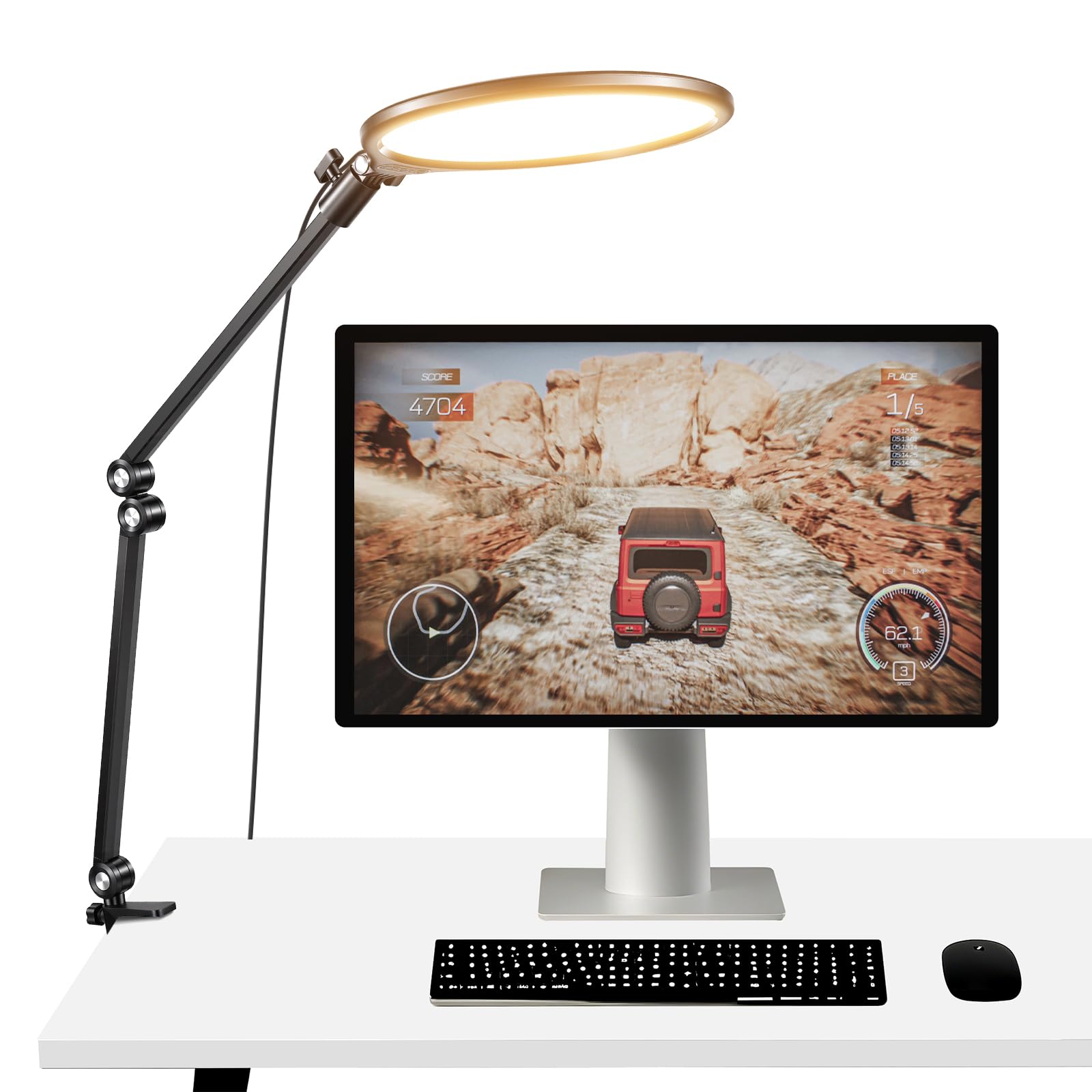
The Weilisi 10.2-inch desk ring light pairs a telescoping arm with 360-degree rotation, allowing precise placement of the light without cluttering the desk. The arm extends up to 11.42 inches, and the ring can be tilted or rotated freely, giving control over direction and height that many budget lights lack.

Brightness adjusts across ten levels and three color temperatures (warm, natural, cool), producing a diffused, flicker-free light that softens shadows for video calls or streaming. The C-clamp fits desk edges up to 2.34 inches thick and the included 5V/3A adapter powers the light quickly. Setup takes a few minutes, and the diffused output makes it a clear upgrade over a standard desk lamp for video lighting.

This light is a practical fit for budget-conscious streamers, remote workers, and beginners wanting an affordable entry into ring lighting. The clamp holds securely on standard desk edges; thicker or irregular desks may require additional padding or a different mount. For standard setups, it delivers good value without the premium price tag.

💡 For desks near the maximum clamp thickness, adding a thin rubber pad can improve grip.

Pros

  • Brightness spans ten levels with three color modes for warm to cool light.
  • Works well for video calls, streaming, and general desk lighting without needing additional lights.
  • Setup is quick with the included clamp and adapter, and the price makes it an affordable entry to ring lighting.

Cons

  • The control unit may arrive non-functional out of the box.
  • The rubber grip on the clamp can separate from the light within weeks of use.
Our verdict

A cost-effective ring light for standard desk setups, provided you verify the unit works on arrival.

Check Latest Price
4

Best Budget Clip-On Light

LitONES Webcam Ring Light

85 /100
Lab Score Excellent

Key details

CRI
97.8+
Controls
Physical buttons
Mount Type
Screen-safe clip, desk stand
Color Temp Range
5 modes (3000K-6000K)
View on Amazon

The LitONES clip-on light delivers high CRI 97.8+ with 50 adjustable lighting modes, offering a portable alternative to bulky desk ring lights. Its screen-safe clip attaches directly to laptop lids or monitor bezels, keeping the light close to your webcam for even illumination without ring reflections.

Brightness and color temperature adjust across 10 levels and 5 modes (3000K-6000K), covering most video call and streaming scenarios. The diffused light avoids harsh shadows and glare, which matters when your face is the main subject. Power comes via USB-A, so any laptop or power bank works.

This light suits laptop users who want a portable, clip-on solution for video calls and streaming without taking up desk space. However, the clip may not hold securely on ultra-thin laptop lids; on such devices, the light can shift or fall off if bumped. Those with thicker laptops or monitor bezels will find the mount stable enough for daily use.

💡 On ultra-thin laptops, position the clip where the lid is thickest (near hinges) for better hold.

Pros

  • Even, glare-free illumination with no ring reflections
  • Screen-safe clip mounts easily on laptops and monitors
  • 50 lighting modes with high CRI 97.8+ for accurate skin tones

Cons

  • Clip can lose grip on ultra-thin laptop lids, causing the light to shift or fall
Our verdict

A cost-effective clip-on light with impressive color accuracy and mode variety for laptop users — just check your lid thickness before buying.

Check Latest Price
5

Best for Stream Deck Integration

NEEWER GL1 PRO

88 /100
Lab Score Excellent

Key details

CRI
97+
Controls
Stream Deck, app, physical
Mount Type
Desk clamp, adjustable arm
Color Temp Range
2900K-7000K
View on Amazon

The NEEWER GL1 PRO delivers a bright, soft edge-lit panel that integrates directly with Elgato Stream Deck for hands-on control over brightness and color temperature. This direct plugin control sets it apart from simpler panel lights that rely solely on app or physical knobs.

The metal housing feels solid, and the clamp grips desks up to three inches thick. With CRI 97+ and 4300 lux at half a meter, skin tones look natural on camera. Streamers and remote workers report consistent performance for Twitch streams and Zoom calls.

Ideal for streamers who already own an Elgato Stream Deck — the plugin gives you easy control without relying on the buggy Neewer app or the imprecise physical knobs. Those without a Stream Deck will find the app frustrating and the knobs underwhelming.

Pros

  • Very bright with even, shadow-free diffusion
  • Solid performance for streaming and video calls
  • Good build quality with metal construction

Cons

  • Desk stand can become unstable on certain desks or when bumped
Our verdict

For streamers with a Stream Deck, the GL1 PRO offers a bright, well-diffused light with seamless hardware integration.

Check Latest Price
6

Mobile Content Creators

NEEWER NL-116AI

92 /100
Lab Score Outstanding

Key details

CRI
95+
Controls
Physical knobs
Mount Type
Cold shoe, mini tripod
Color Temp Range
3200K-5600K
View on Amazon

The NEEWER NL-116AI offers bright, evenly diffused light with adjustable color temperature and physical knobs for precise 1% brightness changes. Its built-in battery and cold shoe mount let you move from desk to camera without cables. However, for stationary streaming, the battery lasts roughly 1.5 hours at full output, and the included mini tripod is flimsy — best budget for your own stand or clamp.

Pros

  • Evenly diffused light with 95+ CRI and adjustable brightness/color temperature
  • Intuitive physical knobs allow 1% brightness increments

Cons

  • Included mini tripod feels flimsy and may break with regular use
  • Battery lasts about 1.5 hours at full brightness
Our verdict

A capable portable panel for on-the-go creators, but not the best choice when you need long runtime or a sturdy stand for desk streaming.

Check Latest Price
7

Budget, Occasional Users

UBeesize 10″ Ring Light

86 /100
Lab Score Excellent

Key details

CRI
Controls
Physical buttons
Mount Type
C-clamp, adjustable arm
Color Temp Range
3 modes (warm/cool)
View on Amazon

The UBeesize 10" Ring Light delivers 10 brightness levels and three color temperatures at a budget-friendly price, earning high marks from buyers for its light quality and versatility in video calls, streaming, and makeup. The included C-clamp and adjustable arm offer flexible desk mounting, though the phone holder may not grip heavier phones securely. Where this light falls short is long-term reliability: some units can stop working after a few months, making it a better fit for occasional users rather than daily streamers.

Pros

  • Very bright with multiple adjustable levels
  • Great value for the price
  • Good build quality for the price tier

Cons

  • Phone holder may sag with heavier phones or cases
  • Some units can stop working after a few months of use
Our verdict

A suitable choice for occasional video calls or makeup lighting if you are comfortable with potential unit variance and don't need daily dependability.

Check Latest Price
8

Budget Two-Light Setup

NiceVeedi 2-Pack Kit

86 /100
Lab Score Excellent

Key details

CRI
97+
Controls
Physical buttons
Mount Type
Tripod stands
Color Temp Range
3 presets (2800K/4800K/6500K)
View on Amazon

The NiceVeedi 2-Pack Kit delivers two tripod-mounted LED panels with a claimed CRI of 97+ and adjustable brightness from 10–100%, but color temperature is limited to three presets (2800K, 4800K, 6500K) rather than continuous adjustment. The tripod stands require floor space, making this a poor fit for compact desk setups – it's better suited to streamers who can dedicate a corner of the room. Long-term durability under heavy daily use has limited feedback, so buyers should treat this as a low-cost learning tool rather than a long-term investment.

Pros

  • Budget-friendly two-light kit with high CRI for accurate skin tones and product colors.
  • Tripod stands allow flexible off-desk positioning, useful for overhead or side lighting.
  • USB-C power compatible with power banks, enabling portable use away from outlets.

Cons

  • Color temperature limited to three presets, not continuously adjustable across the 2800–6500K range.
  • Tripod stands occupy floor space, making this unsuitable for tight desk or monitor-mounted setups.
Our verdict

Best for streamers who have floor space and want an ultra-budget starter kit to experiment with two-light setups before committing to higher-end gear.

Check Latest Price
9

Budget Clamp-On Panel

NEEWER Basics R10

86 /100
Lab Score Excellent

Key details

CRI
Controls
Physical buttons
Mount Type
Desk clamp, foldable arm
Color Temp Range
5 modes (3000K-6500K)
View on Amazon

The NEEWER Basics R10 delivers soft, adjustable lighting with 5 color temperatures and a timer for scheduling, all at a budget-friendly price. The plastic collar and desk clamp can crack under tension, limiting long-term durability. Build quality is noticeably lower than mid-range options, making this a better fit for occasional use where the risk is acceptable.

💡 Hand-tighten the collar gently to reduce stress on the plastic threads.

Pros

  • Soft, adjustable light with 5 color modes and dimmable brightness.
  • Affordable clamp-on design with a timer for hands-free scheduling.

Cons

  • CRI not specified
  • Plastic collar and clamp can crack under normal use.
Our verdict

Best for budget-conscious streamers who need a timer and accept plastic build limits for occasional video calls.

Check Latest Price

How to Choose

Brightness Output

Brightness is measured in lux at a specific distance. A light with 600 lux at 0.5m is sufficient for webcams, but 1000+ lux matters for DSLR or mirrorless cameras.

Look for stepless dimming with a low minimum. Many lights are still too bright at the lowest setting for dark room streams, forcing you to bounce the light off a wall.

Color Temp Range

A wide range (e.g., 2800K-6500K) lets you match ambient room light or existing fixtures. Warmer tones (3000K) reduce eye strain, while cooler (5500K) mimics daylight for camera white balance.

CRI

CRI measures how accurately colors render under the light. A CRI of 95+ makes skin tones look natural on camera; lower CRI leads to a washed-out or greenish cast. This is critical for makeup tutorials or product reviews.

Mount Type

Monitor clips work for flat screens up to a certain thickness; desk clamps offer more stability but require a lip. Curved monitors need a clamp that can pivot. A wobbly mount ruins the illusion of a professional stream.

Controls

Physical buttons or knobs are the most reliable during a live stream. App control adds convenience but lags or requires reconnection mid-use. Stream Deck integration is ideal if you already own one, but adds cost.

Frequently Asked Questions