9 Best B550 Motherboard of 2026: VRM & WiFi That Stay Solid

Which B550 motherboards stay cool under Ryzen 5000 loads and keep WiFi connected, so your gaming rig boots reliably every time.

Building an AM4 gaming PC in 2026 still makes sense, but too many B550 motherboards introduce hidden frustrations—WiFi chipsets that drop your connection mid-raid, VRMs that choke when you drop in a Ryzen 7, and a small but persistent chance of a board that simply won't POST. A platform this mature should have ironed out these quirks, yet reliability remains uneven across every brand.

This guide focuses on the B550 boards that actually deliver the stability and connectivity you're paying for, whether you want a full ATX expansion slots or a space-saving mATX build. Among the standouts, you'll face a choice between a feature-packed wired powerhouse and a surprisingly affordable compact board loaded with storage—both excellent, but each fits a different builder's priorities.

1

Best Overall

ASUS ROG Strix B550-F WiFi II

92 /100
Lab Score Outstanding

Key details

Form Factor
ATX
VRM & Cooling
12+2 VRM
WiFi Capability
WiFi 6E, 2.5GbE
Storage (M.2/SATA)
2 M.2, 6 SATA
View on Amazon

The 12+2 teamed power stages and PCIe 4.0 support deliver smooth frame rates and rapid storage performance, letting Ryzen 5000 CPUs stretch their legs without throttling. Dual M.2 slots run at full Gen4 speeds, and the onboard WiFi 6E plus Intel 2.5 Gb Ethernet provide low-latency connectivity for online play — no expansion cards needed.

Assembly is straightforward with a well-organized layout that places fan headers and front-panel connectors near the board edges, and the pre-mounted I/O shield removes one common frustration. Addressable Gen 2 RGB headers and Aura Sync make it simple to coordinate case lighting, while BIOS Flashback allows CPU-less firmware updates — a practical edge when pairing a new board with a Ryzen 5000 processor.

This board fits builders who want a single, full-ATX platform with integrated high-speed wireless — ideal for mid-tower gaming rigs where expansion slots are at a premium. Users upgrading from older AM4 hardware or those who value coordinated RGB aesthetics will find the power delivery and connectivity well-matched to current and future Ryzen CPUs.

💡 Keep a USB WiFi adapter or Ethernet cable handy if wireless dropouts occur — the board’s wired connection remains stable.

Pros

  • Robust VRM and PCIe 4.0 enable high frame rates with Ryzen 5000 and snappy NVMe storage.
  • Premium components and reinforced PCIe slots add durability for long-term builds.
  • The feature set — WiFi 6E, 2.5GbE, USB-C
  • Addressable RGB headers and Aura Sync integrate easily with ecosystem lighting, no extra hardware required.
  • Edge-routed connectors and a pre-installed I/O shield simplify installation and cable management.

Cons

  • A small number of units may arrive with defects or experience early-life hardware faults.
Our verdict

Builders who prioritize integrated wireless, robust power delivery, and a polished setup process will find this board the most complete B550 option, as long as they are prepared for the occasional early hiccup.

Check Latest Price
2

Best Compact Wi‑Fi Build

MSI PRO B550M-VC WiFi

91 /100
Lab Score Outstanding

Key details

Form Factor
Micro-ATX
VRM & Cooling
WiFi Capability
WiFi 6E, 1GbE
Storage (M.2/SATA)
2 M.2, 4 SATA
View on Amazon

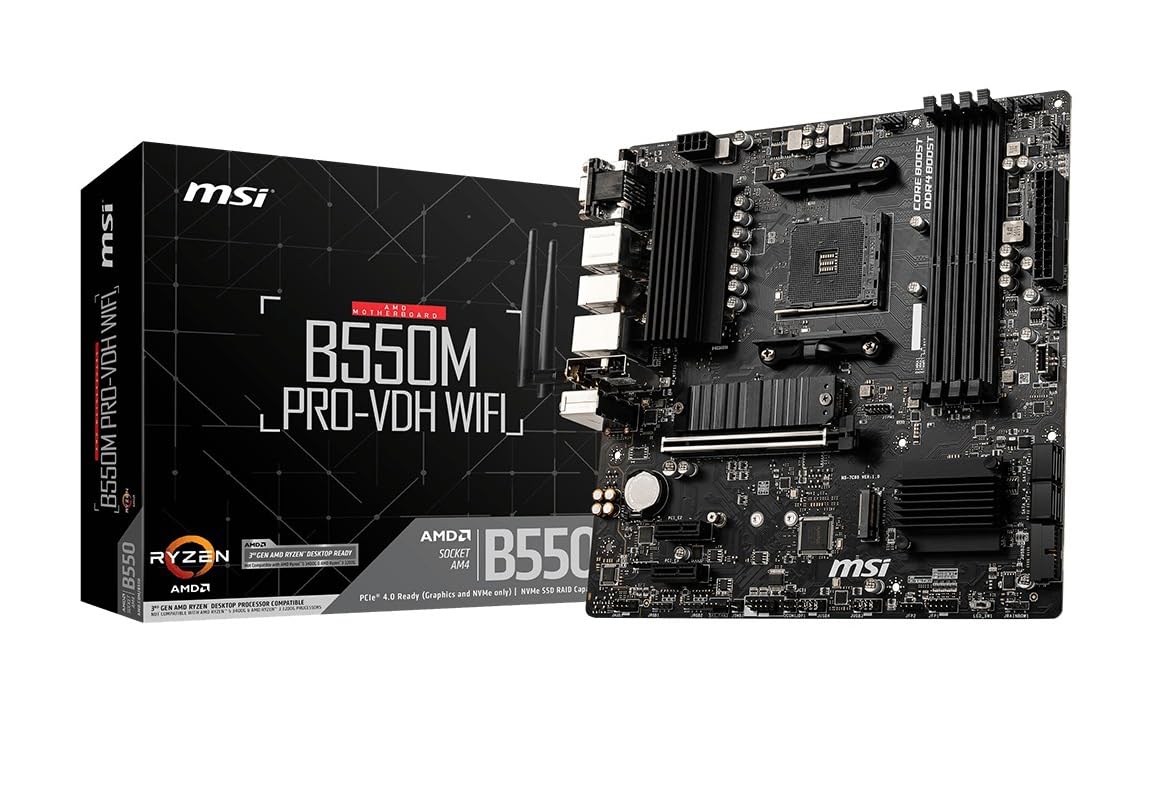
The MSI PRO B550M-VC WiFi places WiFi 6E, dual M.2 slots, and eight SATA ports into a micro-ATX form factor—a combination that full-sized ATX boards often struggle to match. That dense connectivity, plus a USB Type-C rear port and HDMI 2.1 output, makes it a hub for both gaming and multi-drive storage rigs without encroaching on expansion slots.

A digital PWM VRM with a 2oz copper PCB keeps an eight-core Ryzen 7 cool during extended gaming, and the board boots quickly once configured. The component layout groups headers along the edges, so cable management stays tidy behind the scenes, and the Shield Frozr M.2 cover prevents throttling on the primary SSD.

First-time builders and NAS enthusiasts get the strongest payoff. Four DIMM slots support up to 128 GB of DDR4, and the eight SATA ports, when combined with the dual M.2, allow a dozen drives without add-in cards. The trade-off: pairing this board with a Ryzen 5000 CPU can require a BIOS flash via the rear button or a RAM reseat before the first successful POST—a minor hurdle that a board with this storage density, in this footprint, justifies.

💡 Keep a USB drive with the latest BIOS file on hand—the rear Flash BIOS button lets you update without a CPU if the initial POST fails.

Pros

  • Handles daily gaming and light multitasking at stock speeds without VRM throttling.
  • Component layout groups headers along board edges for clean, low-effort cable routing.
  • WiFi 6E and Bluetooth 5.2 deliver stable wireless for online gaming and peripheral pairing.
  • Bundles WiFi 6E, dual M.2, and 8 SATA ports at a budget-friendly price that rivals larger boards.

Cons

  • Requires a BIOS update or RAM reseating when paired with some Ryzen 5000 CPUs to complete the first POST.
Our verdict

For anyone building a compact gaming PC or home server that needs dense storage and wireless without sacrificing a PCIe slot, this board delivers a rare combination—just keep a USB flash drive handy for the first boot.

Check Latest Price
3

Best Budget ATX Workhorse

GIGABYTE B550 Gaming X V2

91 /100
Lab Score Outstanding

Key details

Form Factor
ATX
VRM & Cooling
10+3 VRM
WiFi Capability
Ethernet only
Storage (M.2/SATA)
2 M.2, 4 SATA
View on Amazon

Where pricier B550 boards layer in wireless, RGB accents, and elaborate shrouds, this board channels every dollar toward a robust 10+3 power phase and a true Q-Flash Plus button. CPU-less BIOS flashing and a digital VRM design give Ryzen 5000 builds a hassle-free start, with ample headroom for overclocking a hexa- or octa-core chip without thermal fuss.

Gamers and DIY builders who run Ethernet exclusively and want a full-size ATX board for a tidy mid-tower layout will see immediate value. The wired-only design means you'll need an Ethernet connection or a separate adapter for wireless peripherals. While most boards are stable, a small subset may exhibit power-on troubles months down the line—keeping the packaging and being ready for an exchange is a sensible precaution.

💡 Plug in an Ethernet cable or add a PCIe WiFi card—this board's wired-only design is the one tradeoff to plan around.

Pros

  • Consistently boots and runs without hiccups, delivering stable day-one operation.
  • Quick POST and smooth gaming frame delivery with Ryzen 3000 and 5000 CPUs.
  • Packs premium power delivery and BIOS features into a budget-friendly price bracket.
  • Quality capacitors and a reinforced PCIe slot convey durable construction.

Cons

  • No built-in WiFi or Bluetooth; a separate adapter is required for wireless connectivity.
Our verdict

A budget ATX board that delivers power delivery and BIOS convenience while leaving budget for a WiFi card if you require wireless.

Check Latest Price
4

Best Wired Overclocking Board

MSI B550-A PRO

92 /100
Lab Score Outstanding

Key details

Form Factor
ATX
VRM & Cooling
2oz copper PCB
WiFi Capability
Ethernet only
Storage (M.2/SATA)
2 M.2, 6 SATA
View on Amazon

MSI's B550-A PRO doubles down on wired connectivity and overclocking stability with a 2oz copper PCB, Core Boost power design, and a staggering 15 USB ports, making it a full-ATX alternative to compact WiFi-enabled boards. Its 4 DIMM slots support up to 128 GB of DDR4 at 4400 MHz, giving memory overclockers plenty of room to push timings.

Real-world tuning reveals consistent POST behavior with Ryzen 5000 chips once the BIOS is updated, and the 7W/mK thermal pad keeps VRM temperatures in check during extended PBO sessions. The dual M.2 slots (one Gen4, one Gen3) and six SATA ports suit storage-heavy setups, though the absence of wireless networking is a deliberate design choice.

This board suits wired-only gaming rigs and home servers that demand a surplus of USB and SATA connections. A small subset of units has been observed to fail to POST or develop component faults after months, so builders should be prepared for the possibility of an RMA. Those who need WiFi or Bluetooth will need a PCIe card or USB dongle. It is a solid match for tinkerers who enjoy manual tuning and don't mind occasional troubleshooting.

💡 If wireless is essential, a PCIe WiFi 6 adapter like the Intel AX200 fits easily into the board's expansion layout.

Pros

  • Consistent wired operation with few unexpected issues in builds that stay offline.
  • Cost-effective full-ATX board with generous I/O for wired-only builders.
  • Ample headroom for CPU and memory overclocking with stable power delivery.
  • Clear layout and abundant fan headers make installation quick and clean.

Cons

  • No built-in WiFi or Bluetooth
  • Some boards can exhibit POST failures or develop component faults after extended use.
Our verdict

The MSI B550-A PRO is a wired overclocker's board through and through — it trades wireless convenience for abundant I/O and stable power delivery. If you're building a LAN-only tower and don't mind the possibility of an exchange, it's a cost-effective foundation for Ryzen 5000 tuning.

Check Latest Price
5

Best Feature‑Rich ATX with WiFi

GIGABYTE B550 AORUS Elite AX V2

91 /100
Lab Score Outstanding

Key details

Form Factor
ATX
VRM & Cooling
12+2 VRM
WiFi Capability
WiFi 6, 2.5GbE
Storage (M.2/SATA)
2 M.2, 4 SATA
View on Amazon

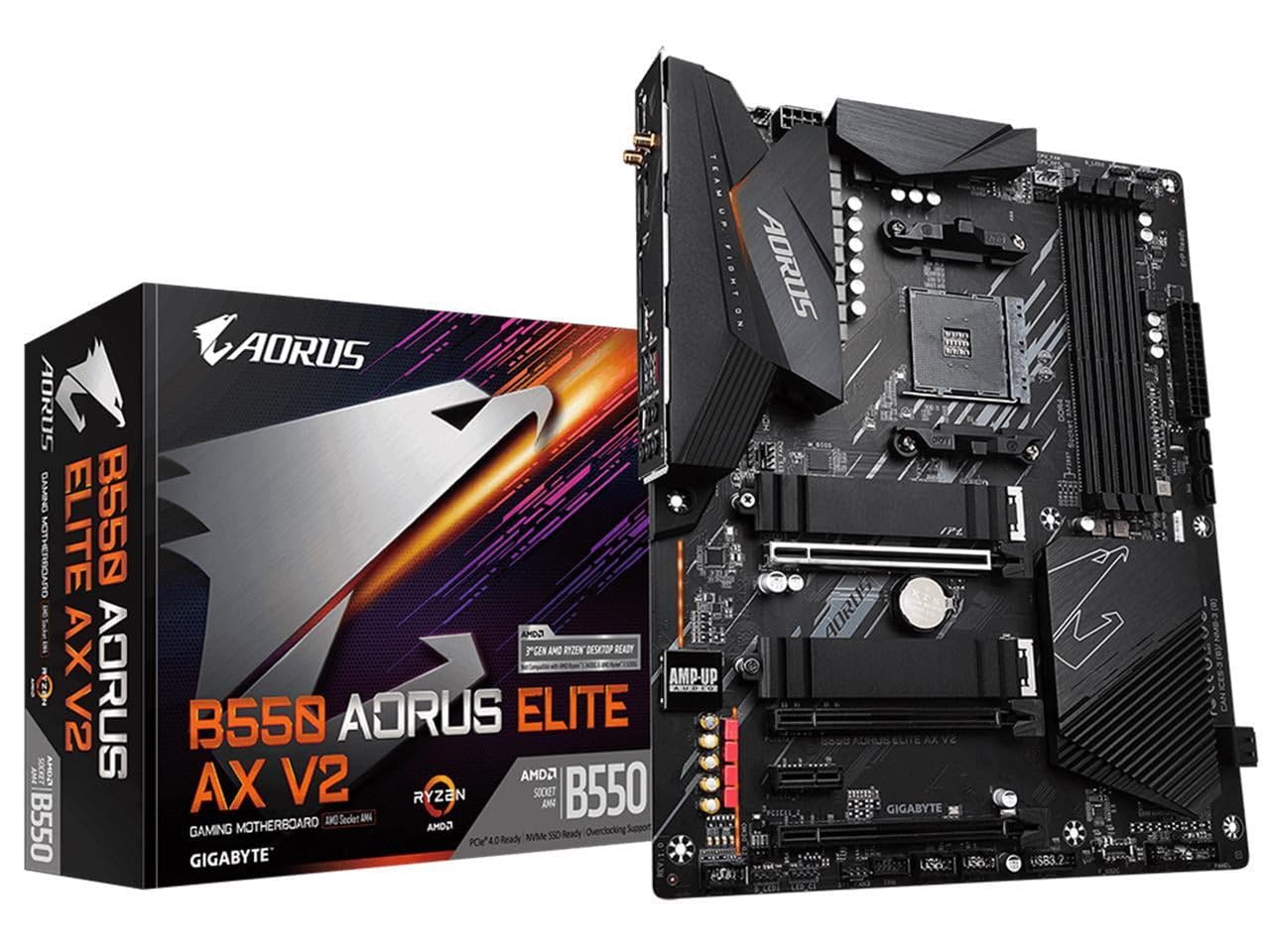
The 12+2 DrMOS power stages maintain clean voltage delivery under heavy overclocks, rivaling boards that cost significantly more. The oversized VRM heatsink keeps temperatures in check even with a Ryzen 9 5950X running Prime95, and BIOS Flashback updates firmware with a USB stick—no CPU required—making it ready for Ryzen 5000 out of the box. WiFi 6 and 2.5GbE LAN are built in, providing a strong networking baseline that doesn't demand an add-in card.

This board targets enthusiasts who prioritize VRM cooling and are willing to use a USB Bluetooth dongle for wireless peripherals. It's a strong fit for wired gaming rigs or workstations where a WiFi 6 connection is handy but not the primary link. Builders who need a board that runs untouched for years without potential hiccups may want to consider the more polished wireless alternative in this roundup, but those comfortable with occasional troubleshooting or who keep a spare on hand will find the power delivery worth the trade.

💡 Keep a USB Bluetooth dongle plugged in for wireless headphones or controllers—the onboard module is best treated as a bonus, not a daily driver.

Pros

  • 12+2 DrMOS VRM handles even an overclocked 5950X without throttling, thanks to a chunky heatsink array.
  • WiFi 6 and 2.5GbE LAN built in, cutting the cost of separate network upgrades.
  • BIOS Flashback updates firmware with a USB stick and no CPU installed, readying the board for Ryzen 5000 chips instantly.
  • Dual M.2 slots with a thermal guard on the PCIe 4.0 drive keep fast storage running cool.

Cons

  • Onboard Bluetooth may drop connections or vanish from Device Manager, forcing a shift to a USB dongle for peripherals.
  • In some systems, power delivery instability or USB ports cutting out may appear after extended use, pointing to component aging.
Our verdict

If Bluetooth peripherals aren't part of your daily workflow and a robust VRM takes priority, this AORUS board delivers flagship power delivery and WiFi 6 at a competitive mid-range price—just budget for a $10 Bluetooth adapter.

Check Latest Price
6

Best White Themed mATX

ASRock B550M Steel Legend

89 /100
Lab Score Excellent

Key details

Form Factor
Micro-ATX
VRM & Cooling
10-phase Dr.MOS
WiFi Capability
M.2 E-key (add-on)
Storage (M.2/SATA)
1 M.2, 6 SATA
View on Amazon

The ASRock B550M Steel Legend anchors a white-themed micro-ATX build with silver heatsinks and integrated RGB lighting that syncs effortlessly with other components. Where utilitarian boards prioritize port count over presentation, the Steel Legend makes the entire board a visual statement. An M.2 Key E slot lets you install a WiFi module of your choosing without tying up a PCIe slot.

The 10 power phases, built with Dr.MOS components, keep a 5800X3D or 5700X running without thermal throttling, and the board's single PCIe 4.0 x16 slot ensures full graphics bandwidth for modern cards. Dual M.2 slots (one PCIe 4.0, one 3.0) and six SATA ports give plenty of storage flexibility. The BIOS is clean and responsive, making fan curves and memory profiles quick to set up.

This board fits a color-coordinated gaming setup where appearance matters more than pushing overclocking limits. The included RGB headers and Polychrome SYNC let you tie lighting across fans and strips. On first boot, you may need to clear CMOS or reseat RAM to get the system to POST—an extra step that's manageable if you're comfortable troubleshooting, but something to expect. For a first-time builder who wants a guaranteed out-of-box experience, the top pick offers a smoother start.

💡 If the system won't POST on first fire-up, unplug the power, clear CMOS using the jumper, and reseat the RAM—most boards start normally after that.

Pros

  • Silver/white heatsinks and RGB sync deliver a cohesive look for themed builds
  • 10-phase Dr.MOS power delivery handles Ryzen 5000 CPUs without throttling
  • BIOS is intuitive and quick to navigate for fan curves and memory tuning
  • M.2 Key E slot allows a DIY WiFi upgrade without using a PCIe slot

Cons

  • Boot may fail on first setup, requiring CMOS clear or RAM reseating to POST
Our verdict

For a builder chasing a silver-and-white micro-ATX aesthetic with room to add WiFi on their own terms, the Steel Legend delivers a cohesive look that few boards match.

Check Latest Price
7

Wired Elite Gaming

ASUS ROG Strix B550-F

93 /100
Lab Score Outstanding

Key details

Form Factor
ATX
VRM & Cooling
12+2 DrMOS
WiFi Capability
Ethernet only
Storage (M.2/SATA)
2 M.2, 6 SATA
View on Amazon

The 12+2 DrMOS power stages and 2.5G LAN give this board a solid foundation for wired gaming rigs. Its layout and component choices have served a large install base over multiple years. However, without current detailed reviews for this specific variant, verifying the quality of newer production batches is difficult. For those who need a straightforward wired board and already own a WiFi adapter, it remains a capable option — but the absence of modern review data makes it harder to recommend over the WiFi II version that has active community feedback.

Pros

  • 12+2 DrMOS power delivery feeds Ryzen 5000 CPUs with headroom for mid-range overclocking.
  • 2.5 Gb Ethernet port provides faster-than-gigabit wired networking for low-latency multiplayer.
  • Rear USB 3.2 Gen 2 Type-C and Thunderbolt 3 header expand connectivity for external drives and docks.

Cons

  • No built-in WiFi; a separate adapter is required for wireless network access.
  • Priced at a premium for a board without WiFi, making it less competitive against similarly priced wireless alternatives.
Our verdict

For wired-only builders who already own a WiFi adapter and want the Strix aesthetic, the power delivery and 2.5G LAN provide a capable foundation — just know that current production quality lacks the scrutiny of newer variants.

Check Latest Price
8

USB-Rich mATX

ASRock B550M PRO4

89 /100
Lab Score Excellent

Key details

Form Factor
Micro-ATX
VRM & Cooling
8-phase VRM
WiFi Capability
Ethernet only
Storage (M.2/SATA)
2 M.2, 4 SATA
View on Amazon

The sheer number of rear USB ports — 14 total, with both Type-A and Type-C — means a hub-free desk for anyone running lots of peripherals in a home office or test bench. The 8-phase VRM keeps everyday Ryzen 5000 and 3000 CPUs comfortably fed, and the BIOS is refreshingly straightforward to navigate.

On a minority of boards, boot failures or a memory slot that stops responding can surface after the build. That means this board fits tinkerers or value-focused builders who accept a possible exchange in return for exceptional rear I/O and a clean UEFI experience. If avoiding downtime is a priority, another AM4 option will suit you better.

Pros

  • 14 rear USB ports eliminate the need for a separate hub in peripheral-heavy setups.
  • Simple, well-organized BIOS simplifies first-time configuration and troubleshooting.
  • Strong price-to-performance handles light gaming and office workloads with ease.

Cons

  • Some boards may refuse to POST or lose a memory channel after a few weeks of use.
Our verdict

The right choice for budget builders who prize rear USB connectivity and a clean BIOS above absolute out-of-the-box certainty, and who don't mind a possible board swap.

Check Latest Price
9

Extreme Budget WiFi

ASRock B550 Phantom 4 AC

83 /100
Lab Score Excellent

Key details

Form Factor
ATX
VRM & Cooling
8-phase VRM
WiFi Capability
WiFi 5
Storage (M.2/SATA)
4 SATA
View on Amazon

ASRock's B550 Phantom Gaming 4 AC is the lowest-cost way to get a full ATX B550 board with WiFi 5 and PCIe 4.0 support for a Ryzen CPU. That price, however, comes with cost-cutting in quality control: the WiFi card may not be inside the box when you open it, and a subset of units may not POST, requiring an exchange. Strictly an option for extreme budget builders who have the time to troubleshoot and the willingness to add a separate wireless adapter if needed.

Pros

  • Built-in WiFi 5 and PCIe 4.0 at an entry-level price, lowering the total build cost.
  • Four DIMM slots with DDR4 support up to 4733+ (OC) for memory tuning.
  • 8-phase Digi Power VRM handles Ryzen 5000 CPUs without voltage instability.

Cons

  • The WiFi/Bluetooth adapter may not be included in the retail box.
  • The board may not POST upon first install, requiring an exchange before finishing the build.
Our verdict

Pick this board only if an absolute minimum spend is worth the possibility of a missing WiFi card and the need to exchange a unit that won't POST.

Check Latest Price

How to Choose

VRM Power Phase & Cooling

A 3+3 or 4+2 phase design with a bare heatsink will throttle even a Ryzen 5 5600X under sustained load, causing FPS dips and instability. Budget boards often hide cheap VRM cooling, while mid-range boards use 10-12 phase designs with extended heatsinks to keep a Ryzen 7 or 9 cool.

For a 5900X or 5950X, you' ll want a board with at least a 10-phase VRM and a substantial heatsink. The physical consequence of ignoring this: the processor will deliberately slow down to prevent damage, costing you 15–20% of its potential performance exactly when you need it most.

Integrated WiFi vs. Ethernet-Only

Onboard WiFi 6 or 6E eliminates the need for an add-in card, but many B550 wireless modules suffer from driver-related dropouts or complete failure—especially on MSI and Gigabyte implementations. The hidden trade-off is that a 'WiFi included' board can add hours of troubleshooting if its chipset is temperamental.

If your router is next to the PC, a wired-only board with 2.5G Ethernet is simpler and more reliable. For wireless-dependent setups, choosing a board with Intel WiFi 6E (like the ASUS Strix) dramatically reduces disconnection complaints, but still keep a USB adapter as a fallback.

Form Factor: ATX vs. Micro-ATX

ATX boards offer more PCIe slots, often better VRM heatsinks, and room for expansion like capture cards. Micro-ATX saves space and cost but limits slot spacing—a dual-slot GPU on an mATX board may block access to the second M.2 or a PCIe x1 slot.

Gaming performance doesn't depend on size, so the choice comes down to case compatibility and future add-on plans. Many mATX cases now support full-sized GPUs and liquid cooling, making the smaller format viable for nearly any build except multi-GPU setups.

M.2 & SATA Storage Expansion

Dual M.2 slots with one PCIe 4.0 lane let you run a fast boot drive and a large game library without cables. Entry-level boards often include only a single M.2 and four SATA ports, which is fine for a single-drive build but limits you later.

If you plan to migrate an old HDD farm or run RAID, count the SATA ports carefully—some boards trade SATA lanes for additional M.2 bandwidth, disabling two SATA ports when a second M.2 is populated. This small print matters when you're transferring a legacy system.

BIOS Flashback & Ryzen 5000 Compatibility

Most B550 stock in 2026 ships with an updated BIOS, but warehouse time can mean the board arrives with an older version that doesn't recognize a Ryzen 5000 CPU. BIOS Flashback (via a dedicated button) lets you update without a compatible processor installed—a lifesaver for new builders.

Boards without Flashback require a loaner CPU or a trip to a repair shop. The mechanism: flashback reads the BIOS file from a USB stick and programs the chip directly using dedicated microcontroller power, no CPU needed. Always check for a 'Flashback' button or 'Q-Flash Plus' before buying.

Frequently Asked Questions