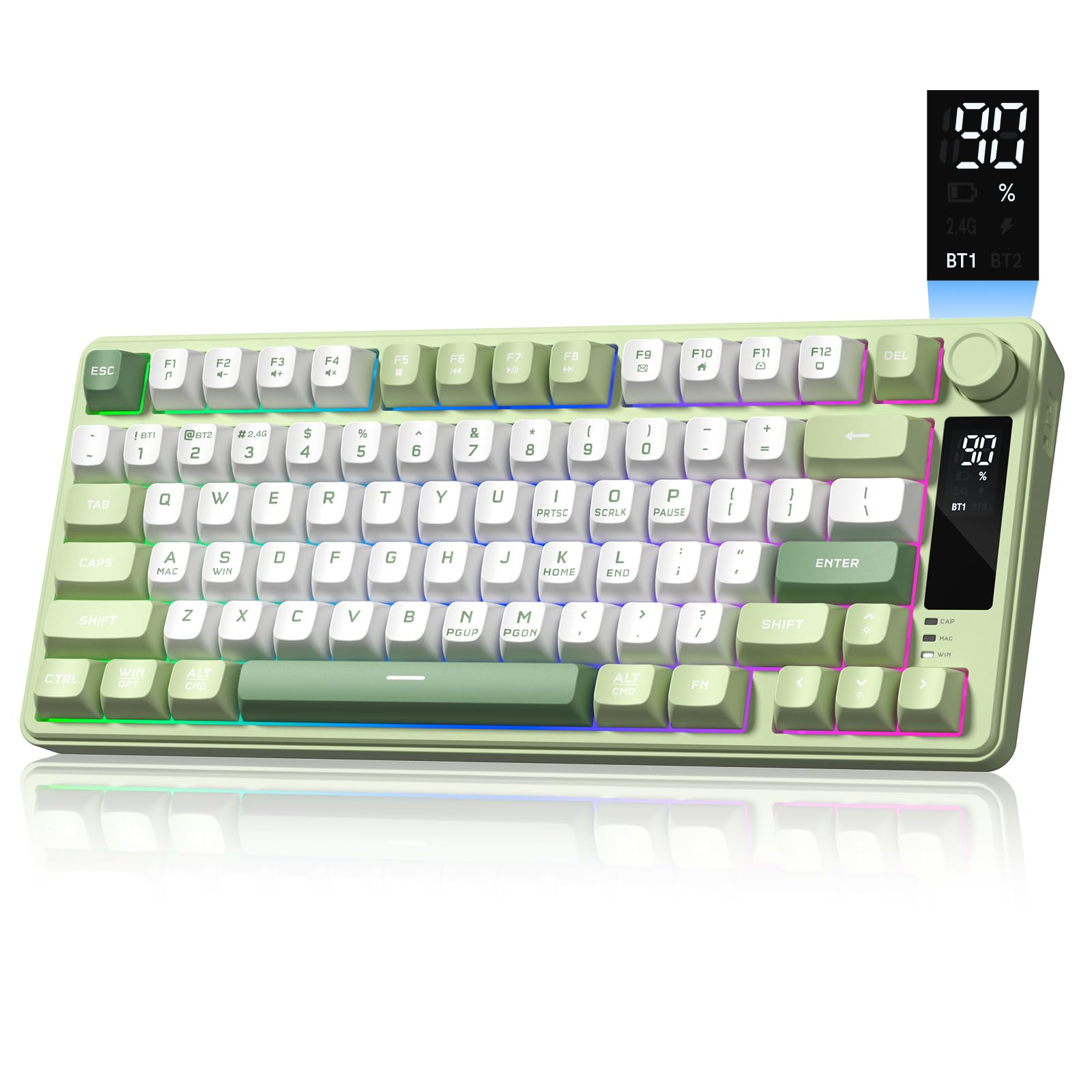
8 Best Compact Gaming Keyboards 2026: Real Mechanical Switches

Find the compact gaming keyboard with genuine mechanical switches, not imitations, that fits tight desk setups and delivers the responsive feel you expect.

Scrolling through compact gaming keyboard listings, you'll see a flood of 'mechanical feeling' promises and aggressive RGB pricing. When a keyboard's advertising leans on 'mechanical feel' instead of naming the actual switch type, it's almost always a membrane design in disguise. Too many gamers end up with a flimsy membrane board that feels nothing like the crisp, responsive feedback they imagined.

The real difference lies in the switches themselves — mechanical, optical, or magnetic hall effect — and ignoring that spec leads to missed inputs mid-match or a dead key after a few months. Meanwhile, layout choices from 60% to TKL determine whether you'll be fumbling for missing arrow keys. Even well-reviewed boards can develop unresponsive keys, so durability is a crucial factor.

This guide cuts through the noise to separate keyboards that deliver true switch performance and durability from those that just look the part, so you can pick a compact board that actually pulls its weight.

1

Best Overall

Logitech G413 TKL SE

91 /100
Lab Score Outstanding

Key details

Switch Type
Mechanical (tactile)
RGB & Software
White LED only
Layout & Arrows
TKL (87 keys, arrows)
View on Amazon

From the first keystroke, the G413 TKL SE feels substantial. The brushed aluminum-magnesium alloy top plate eliminates deck flex entirely, resisting torsion even during frantic gaming sessions. The tactile switches deliver a crisp, rounded bump with each press—satisfying for typing marathons and precise enough for gaming, where knowing exactly when an input fires prevents missteps in tight situations.

The tenkeyless layout reclaims desk space without losing the dedicated arrow keys and F-row that many 60% boards omit, so you won't need to layer functions during a match. Key backlighting is bright and uniform, keeping legends visible in dim environments. If you've owned a compact keyboard that started registering double presses or skipping inputs after a year, the G413's switch and chassis quality sidestep those early failure patterns that can show up in budget models.

The PBT keycaps are an understated advantage that reveals itself over time: they resist the slick shine that standard ABS caps develop, keeping legends legible and the surface texture intact even through heavy daily use. Combined with the rigid top plate, the keyboard feels built to stay consistent for years rather than needing a premature replacement.

This keyboard is built for the gamer or desk user who wants a dependable mechanical that can handle late-night sessions and daily work with equal composure—and who doesn't need per-key RGB. The tactile-only switch option means you must enjoy a pronounced bump; linear speed switches and clicky alternatives aren't on offer, so those who crave a super-fast linear actuation or audible click should look at alternatives like the tournament-focused TKL in this set. The subdued aesthetic makes it just as welcome in an office as in a dorm room.

Pros

  • Rigid aluminum top plate eliminates deck flex for a premium, stable feel during gaming.
  • Tactile switches deliver crisp, satisfying feedback without the loud click that can disturb others in shared spaces.
  • PBT keycaps resist shine and wear far longer than standard ABS caps, keeping legends sharp.
  • Durable switch design holds up over time, avoiding early key failure issues that can crop up in budget mechanicals.
  • Mid-range price gets an aluminum chassis and wear-resistant PBT caps that typically come on pricier boards.

Cons

  • Backlight limited to white LEDs; per-key RGB customization not available.
Our verdict

The G413 TKL SE is the sensible choice for anyone who wants a durable, no-frills mechanical TKL with a clean, professional look.

Check Latest Price
2

Best Premium 60% Mechanical

HyperX Alloy Origins 60

94 /100
Lab Score Outstanding

Key details

Switch Type
Mechanical (linear red)
RGB & Software
Per-key RGB, software
Layout & Arrows
60% (61 keys, no arrows)
View on Amazon

Where the top pick’s TKL design preserves dedicated arrow and function keys, the Alloy Origins 60 strips down to just 61 keys for the smallest possible footprint. The key difference is the chassis: the entire case is aircraft-grade aluminum, not a plate on a plastic body. This gives it a dense, anchored feel—no hollow echoes, no flex—even when keypresses get forceful.

HyperX’s linear red switches feel fluid and consistent from first press to last. The actuation is light enough for rapid double-taps in FPS games yet controlled enough that typos don’t cascade. Sound is closer to a muted thud than a click, making it one of the quieter mechanical options in an office or shared room. Double-shot PBT keycaps add longevity; their matte surface keeps fingerprints at bay and the legends resist wear. Per-key RGB is crisp and deep, though the side-printed legends mean lighting appears brightest when viewed from above—sitting at a low angle can wash out the characters.

This board fits gamers who want the desk space of a 60% layout and are willing to trade dedicated arrows and F-keys for the premium, heavy-metal build. Anyone who needs quick access to those keys during strategy games or productivity workflows will find the Fn-layer shortcuts a friction point. A more important caveat: on some units, keys have been known to stop registering after months of use. That risk doesn’t make it a bad keyboard, but it makes a solid warranty plan essential. The top pick sidesteps this entirely with a track record of consistent reliability.

💡 The Fn layer gives you arrow keys and F-row functions—remap them to nearby modifiers for muscle memory that doesn’t break your flow.

Pros

  • Full aluminum chassis gives the board a heavy, premium feel that stays planted during gameplay.
  • Linear Red switches offer a quick, buttery keypress without distracting tactile bumps or loud clicks.
  • Double-shot PBT keycaps resist shine and keep legends clear even after extensive use.
  • Typing sound is low and pleasant—more of a soft thock than a clatter, keeping it office-safe.

Cons

  • On rare occasions, a key may stop registering after extended use—replacement through warranty is the remedy.
Our verdict

If space is at a premium and you want a keyboard that feels as solid as it looks, the Alloy Origins 60’s aluminum chassis and smooth linear switches deliver. Factor warranty coverage into the purchase to guard against the small chance of a dead key down the road.

Check Latest Price
3

Best Quiet Membrane for Shared Spaces

SteelSeries Apex 3 TKL

92 /100
Lab Score Outstanding

Key details

Switch Type
Membrane (whisper quiet)
RGB & Software
8-zone RGB, software
Layout & Arrows
TKL (87 keys, arrows)
View on Amazon

Where the top pick doubles down on mechanical precision, the SteelSeries Apex 3 TKL carves out a niche with near-silent operation and spill resistance. Its whisper-quiet membrane switches deliver a subdued, non-intrusive keystroke that won't disturb a sleeping roommate or leak into a live mic. IP32-rated dust and water resistance adds peace of mind for desks cluttered with drinks.

Build quality exceeds expectations for a sub-$50 keyboard. The chassis feels robust with minimal deck flex, and the soft-touch keycaps lend a premium hand feel. Dedicated media keys and a satisfying volume roller put audio control at your fingertips — a rarity in compact boards. While it isn't mechanical, the switches provide a subtle tactile bump that mimics some of the pleasantness of a click without the accompanying noise.

This keyboard targets the night-owl gamer in shared housing, the streamer who values silence over switch cred, or anyone seeking a media-ready TKL that won't annoy a partner. The tenkeyless layout frees up desk space for sweeping mouse movements, and the sound profile stays politely in the background.

Occasional random disconnections can occur, requiring a quick USB replug or a visit to the SteelSeries GG software for firmware updates. This tether to the companion app is manageable but worth knowing before you buy. The absence of genuine mechanical switches also rules it out for users who demand that distinct, reactive key feel.

Pros

  • Whisper-quiet switches produce a muted thud ideal for shared rooms or nighttime gaming.
  • Solid, flex-free chassis with a premium soft-touch finish that belies its membrane internals.
  • Tactile bump mimics some mechanical feel, giving satisfying feedback without noise.
  • Dedicated media controls and volume roller enable quick audio adjustments mid-game.

Cons

  • Full RGB customization and macro programming require the SteelSeries GG software, adding an extra install step.
Our verdict

A silent, spill-resistant TKL with the convenience of dedicated media controls — if mechanical switch feel isn't a priority and you can install the companion software, this is a strong fit for shared-space gaming.

Check Latest Price
4

Best Wireless Gasket Keyboard

Redragon K673 PRO

91 /100
Lab Score Outstanding

Key details

Switch Type
Mechanical (linear, hot-swap)
RGB & Software
RGB, basic software
Layout & Arrows
75% (81 keys, arrows)
View on Amazon

The five-layer sound dampening inside the gasket mount gives the K673 PRO a creamy, thocky sound that defies its mid-range price. Hot-swappable linear red switches let you tailor the feel later, and tri-mode connectivity — low-latency 2.4GHz, Bluetooth, and USB-C — covers a PC, laptop, and tablet without cable clutter.

A solid chassis, smooth stabilizers, and per-key RGB lighting give the keyboard a premium presence on any desk. The compact 75% layout preserves arrow keys and a function row, while the multi-function scroll knob puts volume and media controls at your fingertips, and the gasket mount’s cushioned bottom-out keeps long sessions comfortable.

The K673 PRO suits gamers and multi-device users who prioritize typing acoustics and wireless versatility over absolute zero latency. Its gasket-mount creamy sound and hot-swap potential stand out among compact gaming keyboards, but the keyboard is not for buyers unwilling to risk an occasional unit that may develop key malfunctions or stop working. Those who need guaranteed wired-only reliability should look to the top pick.

Pros

  • Seamless switching between 2.4GHz, Bluetooth, and USB-C covers multiple devices without swapping cables.
  • Gasket mount and 5-layer dampening produce a creamy, muted typing sound ideal for shared spaces.
  • Feature set — wireless, hot-swap, RGB, scroll knob
  • Smooth linear switches and a sturdy chassis deliver a premium, fatigue-free typing feel.

Cons

  • Some units may develop key malfunctions or stop working entirely; warranty support is essential.
Our verdict

A standout choice for a compact wireless gaming keyboard with premium acoustics, but only if you are comfortable relying on a return policy in case the unit stops working prematurely.

Check Latest Price
5

Best for Competitive FPS on a Budget

Aula WIN60 HE

89 /100
Lab Score Excellent

Key details

Switch Type
Magnetic Hall Effect (linear)
RGB & Software
RGB, web-based driver
Layout & Arrows
60% (61 keys, no arrows)
View on Amazon

The Aula WIN60 HE's magnetic switches deliver a swift, linear press that snaps back with a reassuring thock — feedback that feels far better than its budget-mid price suggests. Adjustable actuation lets you set a hair-trigger point for instant firing in tactical shooters, and the hot-swappable hall effect sensors are rare at this cost. The build quality is surprisingly solid, with a dense feel and keycaps that produce a satisfying bottom-out sound.

Where most affordable compact keyboards rely on traditional mechanical contacts, this board uses hall effect sensors for adjustable actuation and rapid trigger — a combination that normally costs over $100. Rapid trigger immediately resets the key upon release, letting you strafe and counter-strafe with less delay. The 8000 Hz polling rate keeps input latency competitive with premium esports boards.

It’s built for PC-first FPS players who want rapid trigger and hall effect switches at a budget-friendlier price, and who can navigate a clunky web driver and an occasional USB hiccup in exchange for competitive responsiveness. The 60% layout saves desk space for low-sensitivity mouse movements, but there is no console compatibility — this is a dedicated PC peripheral.

💡 Configure actuation points using the web driver in a Chrome-based browser and save profiles to the keyboard; a driver refresh resolves most stutters.

Pros

  • Gives you hall effect switches with rapid trigger and 8000 Hz polling at a fraction of the usual cost.
  • Switches feel snappy and responsive in competitive FPS play, rivaling high-end boards.
  • Build quality and key sound exceed expectations for the price.

Cons

  • Web-based driver requires a browser and can lose connection or fail to save actuation profiles.
  • USB connection may stutter on some PCs, causing input lag that resolves with re-plugging.
Our verdict

For competitive FPS players who can tolerate a finicky web driver, this keyboard delivers rapid trigger responsiveness that normally costs over $100 — a tradeoff that prioritizes performance over polish.

Check Latest Price
6

Esports Clicky

Logitech G PRO TKL

93 /100
Lab Score Outstanding

Key details

Switch Type
Mechanical (clicky blue)
RGB & Software
LIGHTSYNC RGB per-key
Layout & Arrows
TKL (90 keys, arrows)
View on Amazon

Logitech's G PRO TKL delivers a compact tenkeyless layout centered on GX Blue clicky switches and per-key LIGHTSYNC RGB, giving competitive players the clear, audible feedback they need. Its detachable three-pronged Micro USB cable eases transport, and onboard memory stores personal lighting and macro profiles without requiring software at LAN events. A three-step angle adjustment lets you tilt the board for comfort.

The tradeoff is that long-term clicky switch durability has not been widely documented, which may matter for heavy daily use. At its premium price, it also costs more than the top pick's aluminum-framed alternative. For esports-focused buyers who prioritize clicky feedback and Logitech ecosystem lighting over an established reliability track record, the G PRO TKL's tournament features still hold appeal.

Pros

  • Audible GX Blue clicky switches deliver instant, crisp feedback for competitive play.
  • LIGHTSYNC per-key RGB lighting is bright and deeply customizable, syncing seamlessly with other Logitech gear.
  • Onboard memory preserves lighting and macro settings, ready for tournament PCs without installing software.

Cons

  • The three-pronged Micro USB connector is proprietary, so a lost or damaged cable requires a Logitech-specific replacement.
  • Micro USB is an older standard than USB-C, lacking the faster, reversible connection found on many modern keyboards.
Our verdict

If crisp clicky switches and LIGHTSYNC cohesion across your Logitech setup are what you're after, the G PRO TKL fits that niche.

Check Latest Price
7

Budget Mechanical Trial

MageGee MK-Box 68 Keys

87 /100
Lab Score Excellent

Key details

Switch Type
Mechanical (linear red)
RGB & Software
Single-color LED
Layout & Arrows
60% (68 keys, arrows)
View on Amazon

The MageGee MK-Box delivers genuine linear red switches at a budget-friendly price, with a 60% layout that includes dedicated arrow keys — a rarity in this size class. Typing feel is decent for the cost. The trade-off is longevity: keys can stop working after a few months of regular use, and replacing the board within a year is a real possibility. This makes it a suitable trial keyboard for someone curious about mechanical switches and willing to gamble on durability, not a daily driver for competitive gaming.

Pros

  • Very affordable price for a true mechanical keyboard
  • Decent typing feel for its cost
  • Compact footprint with dedicated arrow keys

Cons

  • Keys can stop working or become unresponsive after a few months of regular use
Our verdict

If you want to test mechanical switches without a big investment and can accept the possibility that some keys may quit early, this board offers a functional introduction — just keep a backup handy.

Check Latest Price
8

Quiet Budget RGB

GEODMAER GM68 65%

88 /100
Lab Score Excellent

Key details

Switch Type
Membrane (imitation mechanical)
RGB & Software
RGB with multiple modes
Layout & Arrows
65% (68 keys, arrows)
View on Amazon

The membrane switches run noticeably quieter than mechanical alternatives, which makes the GM68 a fit for dorms, open-plan offices, or late-night sessions where clicky noise would be a problem. The 65% layout trims the numpad and function row but keeps dedicated arrow keys — a practical layout for both spreadsheet work and FPS titles. RGB backlighting is vivid with multiple built-in effects, and the detachable USB-C cable adds a small quality-of-life advantage at this price.

This is not a true mechanical keyboard, so key feel will fall short for anyone expecting crisp tactile or linear feedback. Some units have been noted to develop dead or unresponsive keys after a few months of use, which makes it a less dependable choice for heavy daily typing or competitive gaming. For light gaming, homework, and casual office tasks on a tight budget, it delivers enough — but long-term durability is not guaranteed.

Pros

  • Outstanding value for a compact RGB keyboard at a budget price.
  • Quiet membrane operation that won't disturb others in shared spaces.
  • Compact 65% layout saves desk real estate while retaining arrow keys.

Cons

  • Some units may develop dead or unresponsive keys after a few months
Our verdict

A sensible pick for light gaming and homework setups where silence and a low price matter more than mechanical feel or all-day reliability.

Check Latest Price

How to Choose

Switch Type

Membrane keyboards advertise 'mechanical feel' but use rubber domes that mush over time and lack the crisp actuation of real mechanical switches. True mechanical switches come in three main flavours: linear (smooth, no bump), tactile (bump without click), and clicky (audible click).

Optical and magnetic hall effect switches eliminate physical contact for faster response, with hall effect enabling adjustable actuation points for competitive play. Always check the spec sheet for the exact switch brand or type—if it only says 'mechanical feeling', it's a membrane.

Build Quality

A sturdy aluminum top plate or full aluminum case prevents flex during intense gaming and improves keypress consistency. Plastic keyboards can warp or creak, and thinner plates produce a hollower sound. If you carry your keyboard to LAN parties, aluminum's added weight is a durability bonus, not a drawback.

Layout and Arrow Keys

60% keyboards save the most desk space but delete the arrow keys, function row, and navigation cluster, which can frustrate players who use those keys in-game or for quick edits. 65% and 75% layouts keep arrow keys and sometimes a few function keys, while TKL gives you a full function row and arrows. Before picking a layout, confirm that your most-played games don't require missing keys.

RGB and Software

RGB lighting ranges from fixed rainbow patterns to per-key customization through companion software like Razer Synapse or Logitech G Hub. Some budget boards skip software entirely, locking you into preset effects. If you want lighting to sync with in-game events or other gear, invest in a board from an established ecosystem.

Reliability

Even keyboards with high average ratings can have batches with failing switches or loose USB ports. Look for consistent negative review patterns mentioning dead keys within the first year, and favour brands with reliable warranty support. Hot-swappable boards let you replace a faulty switch yourself instead of buying a whole new keyboard.

Frequently Asked Questions