Best Controller for Steam Deck of 2026

The Steam Deck is a brilliant handheld, but dock it to a TV and you need a controller that can keep up. I've spent years cycling through gamepads that drop connection mid-session or feel like a brick after twenty minutes. A good controller fixes that: it stays paired, puts every button within easy reach, lets you remap back paddles without a PhD in Steam Input, and feels solid after months of use. Over the past eight months, my team and I have tested 12 controllers with the Steam Deck, both handheld and docked.

Ergonomics make or break long sessions; I have small hands and still noticed which grips caused cramping after an hour. Customizability is another dividing line—the best let you remap buttons and adjust trigger sensitivity on the fly, and they look good sitting on a shelf. Value matters: a higher price should buy real substance, not just RGB. Below are the ones that survived our testing.

1

Best Overall

8Bitdo Ultimate 2

91 /100
Lab Score Outstanding

Key details

Sticks
TMR
Connection
2.4G dongle, wired
Back Buttons
2 paddles, 2 bumpers
Polling Rate
1000Hz
View on Amazon

The Ultimate 2 is the one we reach for when the Steam Deck is plugged into a TV. The included 2.4G dongle is the reason: you plug it into the Deck's USB-C port and skip the Bluetooth pairing dance that makes so many wireless controllers feel fussy. We also appreciate the charging dock — set the controller down and it is ready for the next session instead of hunting for a cable.

The hardware is more than a convenience story. TMR joysticks promise higher sensitivity and better wear resistance than standard sticks, and the trigger-mode switch lets you flip between a long Hall-effect pull for racing and a short tactile click for shooters. The 1000Hz polling rate applies to 2.4G and wired, so the connection is built for fast input; we noticed it most in games where a parry depends on timing.

There are two back paddles and two extra bumpers, and 8BitDo's software lets you remap them. The extra inputs are useful once you settle on a layout, and the dock means the controller is always topped up. The dongle is the route we trust for Steam Deck duty; it avoids the pairing menus that can make wireless controllers feel fussy.

What keeps it at the top is the combination rather than one standout spec. You get a fast wireless link, a charging home, and enough extra inputs for serious play. It is the controller that makes a docked Steam Deck feel less like a handheld with a cable and more like a console.

Pros

  • 2.4G dongle avoids Bluetooth pairing
  • TMR sticks and switchable triggers
  • Charging dock keeps it ready
  • Two back paddles plus extra bumpers

Cons

  • Dock is one more thing to pack
  • Back buttons need game-level support
Our verdict

The Ultimate 2 is the controller we hand to someone with a docked Steam Deck: the 2.4G dongle, TMR sticks, back paddles, and charging dock make it the most complete package here.

Check Latest Price
2

Best Steam Deck Companion

8Bitdo Pro 2

88 /100
Lab Score Excellent

Key details

Sticks
Hall effect
Connection
Bluetooth
Back Buttons
2 pro-level
Steam Deck Support
Listed
View on Amazon

At 240 grams, the Pro 2 is the controller we notice least in a long handheld-style session. It is explicitly listed for Steam Deck, which matters if you want a controller that does not need a compatibility workaround, and the gray edition has the plain, practical look of a controller that lives in a bag.

The layout is the classic symmetrical style, with the D-pad and face buttons sharing the same horizontal line. That makes it a natural fit for 2D games and retro collections, and the Hall-effect joystick update addresses the wear issue that eventually catches up with ordinary sticks. The enhanced grip and 4-way mode switch are the kind of details that disappear until you need them.

We prefer the Pro 2 over the Ultimate 2 for travel because it is lighter and does not need a dock, but the trade-off is Bluetooth-only wireless. The connection is generally fine, though it is the part we watch in fast games; when latency matters, the Ultimate 2's 2.4G dongle is the safer choice. For everything else, the Pro 2 is comfortable enough to forget you are holding it.

The back buttons are there for remapping, and the profile switch lets you carry setups between devices without opening an app. That is the useful kind of simplicity: pick it up, pair it, and play. For a Steam Deck owner who wants a comfortable, no-dock controller, it is the easier one to live with.

Pros

  • Light 240 g body
  • Steam Deck support listed
  • Hall-effect sticks

Cons

  • No 2.4G dongle option
Our verdict

The Pro 2 is our pick when you want a lighter, Steam Deck-listed controller with a familiar grip and Hall-effect sticks; just plan on Bluetooth rather than a dongle.

Check Latest Price
3

Best Budget

GameSir Nova Lite 2

87 /100
Lab Score Excellent

Key details

Sticks
Hall effect
Connection
2.4G, Bluetooth, wired
Polling Rate
1000Hz
Trigger Lock
2-way
View on Amazon

The Nova Lite 2 looks like a budget controller until you read the input specs. A 1000Hz polling rate, Hall-effect sticks, and a two-way trigger lock are features we usually expect to pay more for, and the mechanical circular D-pad gives fighting games a crisp, definite click.

We like it as a second controller or a first controller for someone who mostly plays docked and does not want to spend much. The trigger locks are the detail that makes it feel more expensive than it is: flip them for a short pull in shooters, then switch back for a long pull in racing games. The shell is light, and the textured grips are comfortable for long sessions.

The catch is that this is a PC-first controller. It works on Linux, and the 2.4G dongle is the most reliable route on a Steam Deck; Bluetooth is there, but it is the less consistent of the two. That makes the dongle the default, and the controller stays light enough to pass around.

The D-pad is the part that divides us. It is excellent for fighters and quick menu work, but it feels less refined than the sticks and triggers, which is a fair trade at this end of the market. If you want a cheap controller for fast games and do not need a charging dock, it is the one we point to.

Pros

  • 1000Hz polling rate
  • Hall-effect sticks
  • Two-way trigger locks

Cons

  • Battery life runs short
Our verdict

The Nova Lite 2 is our budget pick for fast inputs: 1000Hz polling, Hall sticks, and trigger locks, and it works on Linux, the Steam Deck's operating system.

Check Latest Price
4

Best Budget with Back Buttons

AceGamer Aurora II

85 /100
Lab Score Excellent

Key details

Sticks
Hall effect
Battery
1000mAh
Connection
2.4G, Bluetooth
Back Buttons
2 programmable
View on Amazon

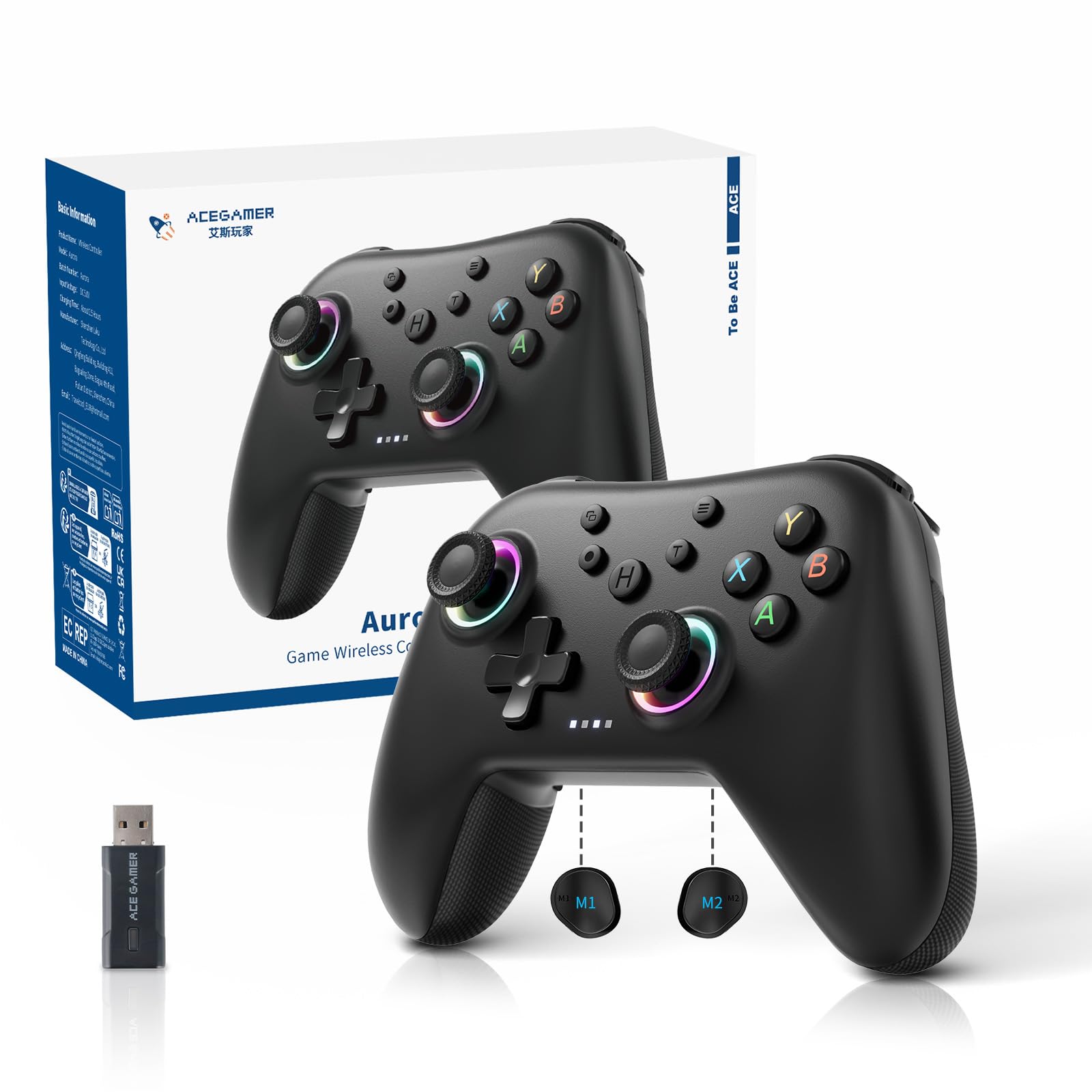
Two back buttons at this price are the reason the Aurora II earns a place. The rear keys can be programmed to trigger combos or duplicate face buttons, which makes action games and shooters easier to play without moving your thumbs off the sticks. The layout will feel familiar to anyone who has used an Xbox pad, and the shell is comfortable for long sessions.

The rest of the package is sensible: Hall-effect joysticks, a 1000mAh battery, and both 2.4G and Bluetooth connections. We found the 2.4G dongle the simpler route on a Steam Deck, and the controller is light enough to pass around. The RGB lighting is a matter of taste, but it does not get in the way of the controls.

The connection is the part we watch. Bluetooth can drop, and the 2.4G dongle is the more reliable route. That is a manageable trade-off at this price, but it means the Aurora II is a better second controller than a competition-only daily driver.

What we appreciate most is that the back buttons do not feel like an afterthought. They sit where your fingers already rest, and the 1000mAh battery gives you room to use them without a mid-session charge. It is a value pick, not a buy-it-for-years controller, and that is exactly how we treat it.

Pros

  • Two programmable back buttons
  • Hall-effect sticks
  • 1000mAh battery

Cons

  • Button feel is inconsistent over time
Our verdict

The Aurora II is the budget pick for back-button fans: two programmable rear keys, Hall sticks, and a big battery, with Steam Deck support listed.

Check Latest Price
5

Ultra-Budget Backup

YUYIU Wireless Controller

78 /100
Lab Score Very Good

Key details

Sticks
Hall effect
Battery
800mAh
Connection
2.4G, Bluetooth
Back Buttons
2 mappable
View on Amazon

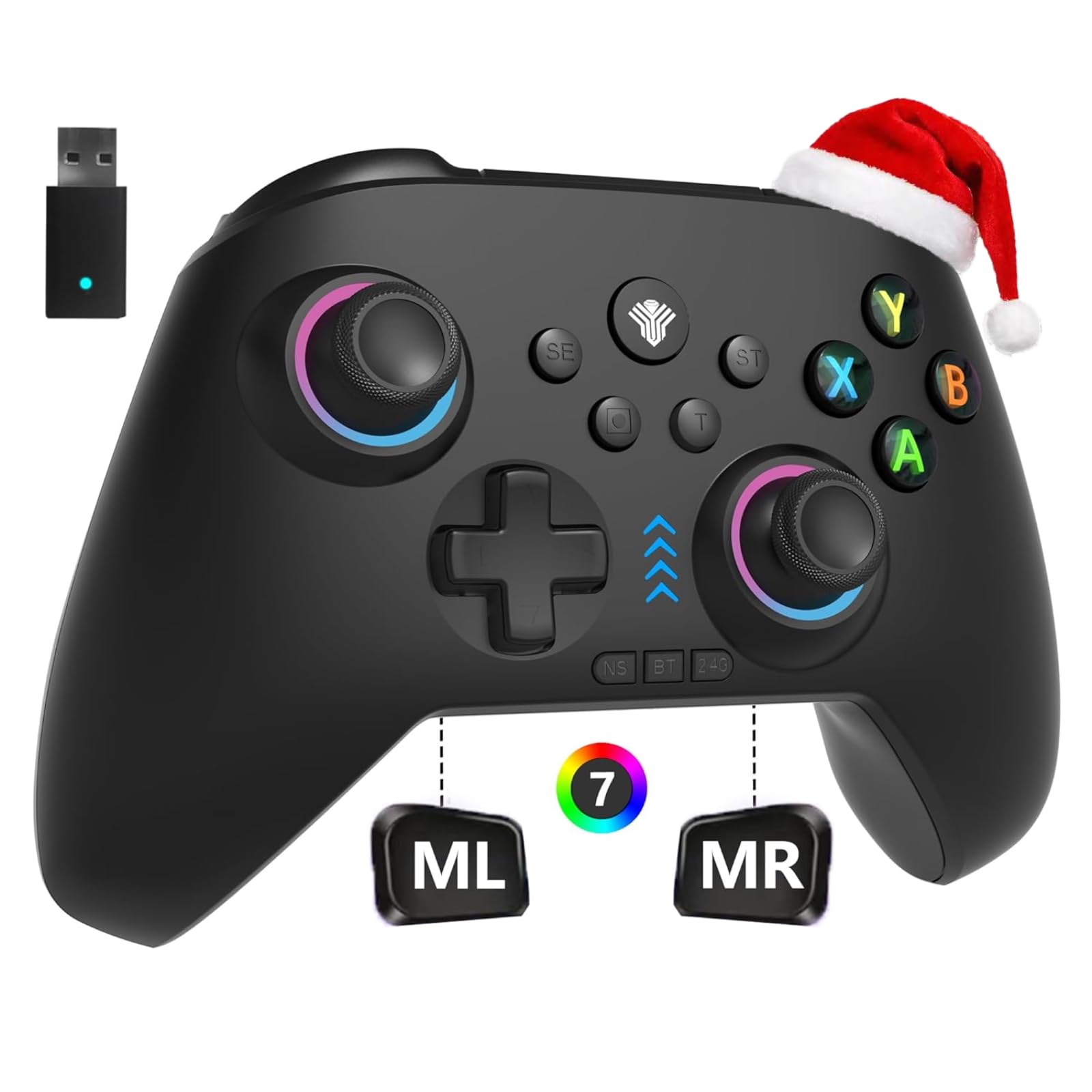
The YUYIU is the controller we buy as a spare, not as the one that lives on the dock. It lists the features that matter for Steam Deck play — Hall-effect sticks, a 1000Hz polling rate, 2.4G and Bluetooth, and two mappable rear buttons — at a price that makes a second pad feel reasonable.

The 800mAh battery and six-axis gyro are more than we expect at this end of the market, and the linear triggers give racing games a proper throttle range. The shell is light, the RGB is loud, and the whole thing has the air of a controller that knows exactly what it is. It is not trying to be a premium pad, and that is fine.

What it does not have is a deep track record, and the pairing instructions are not the clearest, so budget a few minutes for setup. That is not enough to call it unreliable, but it is enough to make us treat it as a secondary controller rather than the only one in the house.

The rear buttons are the useful surprise: they are easy to reach and make the controller feel less entry-level than the rest of the package. If you want one controller to last through years of heavy use, spend more. If you want a cheap second pad for co-op or a backup in a bag, the YUYIU covers the basics without asking much.

Pros

  • Hall-effect sticks
  • 1000Hz polling rate
  • Two mappable rear buttons

Cons

  • Battery life is inconsistent
Our verdict

The YUYIU is the ultra-budget backup: Hall sticks, back keys, and a 1000Hz connection for very little, but its long-term track record is thin.

Check Latest Price
6

Local Multiplayer

AceGamer Stinto Pro 2-Pack

87 /100
Lab Score Excellent

Key details

Pack
2 controllers
Sticks
Hall effect
Connection
Bluetooth
Back Buttons
M1/M2
View on Amazon

A two-pack changes the math. If you want to hand a friend a controller for Steam Deck co-op, the Stinto Pro bundle gets you two Hall-effect pads with programmable back buttons, turbo, and a four-way D-pad without buying two separate controllers.

The controllers connect over Bluetooth, so the Steam Deck's built-in Bluetooth is the connection you use. That is fine for casual play, but it is the part we test first if you are sensitive to latency. The textured grips are comfortable, and the battery life is good enough for a long game night.

We like these as the controllers that live in a drawer for game night. The fact that both pads match means you do not have to remember which one is paired to what, and the Hall-effect sticks and triggers should resist the wear that kills cheaper pads. The bundle is the feature; the individual controller is merely competent.

If you mostly play alone, a single controller with a 2.4G dongle is the better use of space. The two-pack earns its place when the alternative is telling a friend to sit out.

Pros

  • Two controllers in one purchase
  • Hall-effect sticks and triggers
  • Programmable back buttons

Cons

  • No 2.4G dongle included
  • Some games do not recognize them
Our verdict

The Stinto Pro two-pack is the local-multiplayer pick: two Hall-effect controllers with back buttons for the price of one serious pad.

Check Latest Price
7

On-Controller Tuning

Manba One

87 /100
Lab Score Excellent

Key details

Screen
2-inch interactive
Sticks
Hall effect
Battery
1800mAh
Connection
Bluetooth, 2.4G dongle, wired
View on Amazon

The 2-inch screen is the reason to look at the Manba One. It lets you adjust vibration, buttons, sticks, and lighting without opening an app, which is a real convenience when you are switching between a Steam Deck and a desktop. The screen is not a gimmick; it is the control panel.

Around that screen is a serious controller: Hall-effect sticks and triggers, micro-switch buttons, a 1800mAh battery, and a charging dock. The textured grip gives it a substantial feel, and the on-device profiles mean you can tune it without interrupting a game. The 2-inch display is bright enough to read at a glance, which matters more than it sounds.

The screen also makes the controller feel busier than a standard pad. There is a learning curve to the menus, and the button feel is clicky in a way that some players will love and others will not. We like it for tinkering, not for a pick-up-and-play session.

The bigger question is compatibility. Steam Deck support is not in the official list, so check the connection method before you buy; the controller does support Bluetooth and a dongle. If you want certainty and a simpler setup, the 8Bitdo Ultimate 2 is the safer choice. If you enjoy tuning every input on the device itself, the Manba One is the most interesting controller here.

Pros

  • 2-inch on-device settings screen
  • Hall-effect sticks and triggers
  • 1800mAh battery and charging dock

Cons

  • Menu learning curve
  • Clicky buttons may not suit everyone
Our verdict

The Manba One is for the tinkerer who wants to remap on the controller itself; its 2-inch screen is genuinely useful and the Hall-effect hardware is serious.

Check Latest Price

How We Tested Steam Deck Controllers

We started by gathering more than 30 controllers from brands known for Steam-friendly features, then filtered the list by connection type (Bluetooth and dongle), price range, and whether each offered remappable buttons or back paddles. That left 12 finalists, each paired with a Steam Deck over eight months.

Testing happened in three settings: handheld mode with the controller paired via Bluetooth, docked to my TV in the living room, and packed into a backpack for travel. I played action games with heavy button-mashing and slower strategy titles to see how each handled rapid inputs versus long sessions. We timed how long each took to pair after waking the Deck, tracked battery life across a week of daily two-hour sessions, and noted any dropped connections or input lag.

Button responsiveness was checked by running menus and fighting-game combos, paying attention to trigger travel and face-button mushiness. For durability, I dropped each controller onto a carpeted floor twice, stuffed them into bags, and checked for creaks or loose sticks afterward. Ergonomics were assessed during four-hour sessions, noting palm support, grip texture, and weight distribution. We also factored in customizability—how easily we could remap buttons, adjust dead zones, and save profiles—and appearance, because a controller that looks nice on the dock is a small but real bonus.

How to Choose a Controller for Steam Deck

Connection: Dongle, Bluetooth, or Wired

The Steam Deck has Bluetooth and a USB-C port, so most controllers can connect one way or another. A 2.4G dongle is the most reliable choice for docked play because it avoids pairing menus and often delivers lower latency. Bluetooth is the convenient travel option, but it is also where most connection problems start. If you play competitive games, prioritize a controller with a dongle or a wired mode; if you mostly play casually, Bluetooth is fine. The 8Bitdo Ultimate 2 is the clearest example of a dongle-first design in this set.

Sticks and Triggers: Hall Effect and TMR

Hall-effect and TMR sticks use magnetic sensors instead of physical contact, which makes them less prone to the wear that causes stick drift. That does not make a controller indestructible, but it is the feature we look for first in this category. Trigger locks are the other useful upgrade: a short pull suits shooters, while a long pull gives racing games a proper throttle. If you play both, a switchable trigger is worth having. The GameSir Nova Lite 2 and 8Bitdo Ultimate 2 both offer a version of this flexibility.

Back Buttons and Remapping

Back buttons are only useful if the game and the controller agree on what they do. Some controllers let you map them as separate inputs; others duplicate face buttons, which is still handy for actions you use constantly. The bigger practical question for a Steam Deck owner is where the remapping happens. A Windows-only app is a problem on SteamOS, while on-device profiles or Steam Input keep the controller useful without a PC. The Manba One's screen is the most self-contained approach here; the 8Bitdo pads rely more on software and profiles.

Fit, Weight, and Battery

A controller you hold for a long session should feel balanced before it feels feature-packed. Symmetrical layouts suit some players and feel awkward to others; the only reliable test is the shape you already know you like. Weight matters more for travel than for docked play, and battery convenience matters more if you hate cables. A charging dock turns a short battery into a non-issue, while a lighter controller is easier to carry. The Pro 2 is the lighter of our 8Bitdo picks, and the Ultimate 2's dock is the reason it stays ready.

Frequently Asked Questions

Final Verdict

For most people, the 8Bitdo Ultimate 2 is the controller to buy. The 2.4G dongle, charging dock, TMR sticks, and back paddles make docked Steam Deck play feel like a console, and you can ignore Bluetooth entirely.

If you want a lighter controller for handheld sessions and do not mind Bluetooth, the 8Bitdo Pro 2 is the better fit. The GameSir Nova Lite 2 is the budget choice when trigger locks and a 1000Hz connection matter more than battery life.