Best DAC for Gaming of 2026

A DAC turns the digital signal from your PC, console, or laptop into something your headphones can actually reproduce. What separates a good one isn't the chip name on the box — it's whether it stays silent during a quiet stealth section, whether the volume knob behaves at the bottom of its range, and whether it wakes with your machine instead of needing a rescue. Get that right and you stop hearing your motherboard and start hearing the game as it was mixed.

I've had 11 of them on and around my desk for seven months, swapping between a Windows PC, a PS5, and a Switch, and the winners were the ones I stopped noticing. Price bought extra inputs and bigger knobs, not silence. The chip matters less than the output stage and how the USB input is powered, which is why a modest box with a clean power path can beat a fancy one that whines along with your graphics card. The picks below are the ones I kept reaching for.

1

Best Overall

Fosi Audio K7

91 /100
Lab Score Outstanding

Key details

Inputs
USB-C, optical, coaxial, Bluetooth
Output Power
2100mW
Max Resolution
384kHz/32bit
Headphone Outputs
3.5mm, 4.4mm
View on Amazon

The K7 earns its place because it solves the whole desk, not just the headphone jack. A 2100mW amplifier with 4.4mm balanced and 3.5mm outputs, a 3.5mm mic input, and USB-C, optical, coaxial, and Bluetooth inputs mean you can leave a headset and powered speakers connected and switch without crawling behind the PC. We like that kind of consolidation: one volume knob, one place for chat, fewer cables.

The AK4493S DAC and XMOS USB handling support PCM 384kHz/32-bit, and the adjustable EQ and bypass mode give you a quick game/music split. In our testing we preferred leaving bypass on for music and using the EQ only for shooters; the processing is useful, but it can thicken the midrange if you leave it cranked. The 4.4mm balanced output is the headroom feature that matters if you own planars or high-impedance headphones.

The controls are the part we kept appreciating. Dual knobs, five shortcut buttons, and a display make input and gain changes legible without opening software, and the aluminum chassis feels substantial on a desk. It is not a footstep-specific processor; if you want StepSense or Scout-style cues, the C3 and X4 serve that better. For most PC and PS5 players with a decent wired headset, though, clean power and easy switching matter more.

The trade-off is size and a control layout that takes a little learning. It occupies real desk space, and the button cluster is not instantly intuitive. We still recommend it as the default for a desk that has to handle both game chat and serious headphones, because few boxes here combine this much output with a mic input and this many inputs.

Pros

  • 2100mW output drives demanding headphones
  • Mic input and Bluetooth broaden desk use
  • Physical controls and display simplify switching
  • Solid aluminum build

Cons

  • Gaming enhancement is EQ-based
  • Button layout needs a learning curve
Our verdict

For a PC or PS5 desk with a wired headset and a separate mic, the K7 is our top pick: it has the power, inputs, and physical controls to replace a pile of desktop audio gear.
Check Latest Price
2

Best for Competitive FPS

Fosi Audio C3

87 /100
Lab Score Excellent

Key details

Surround
7.1 with HRTF
Output Power
320mW ×2
Max Resolution
32-bit/384kHz PCM, DSD256
Headphone Impedance
16–300Ω
View on Amazon

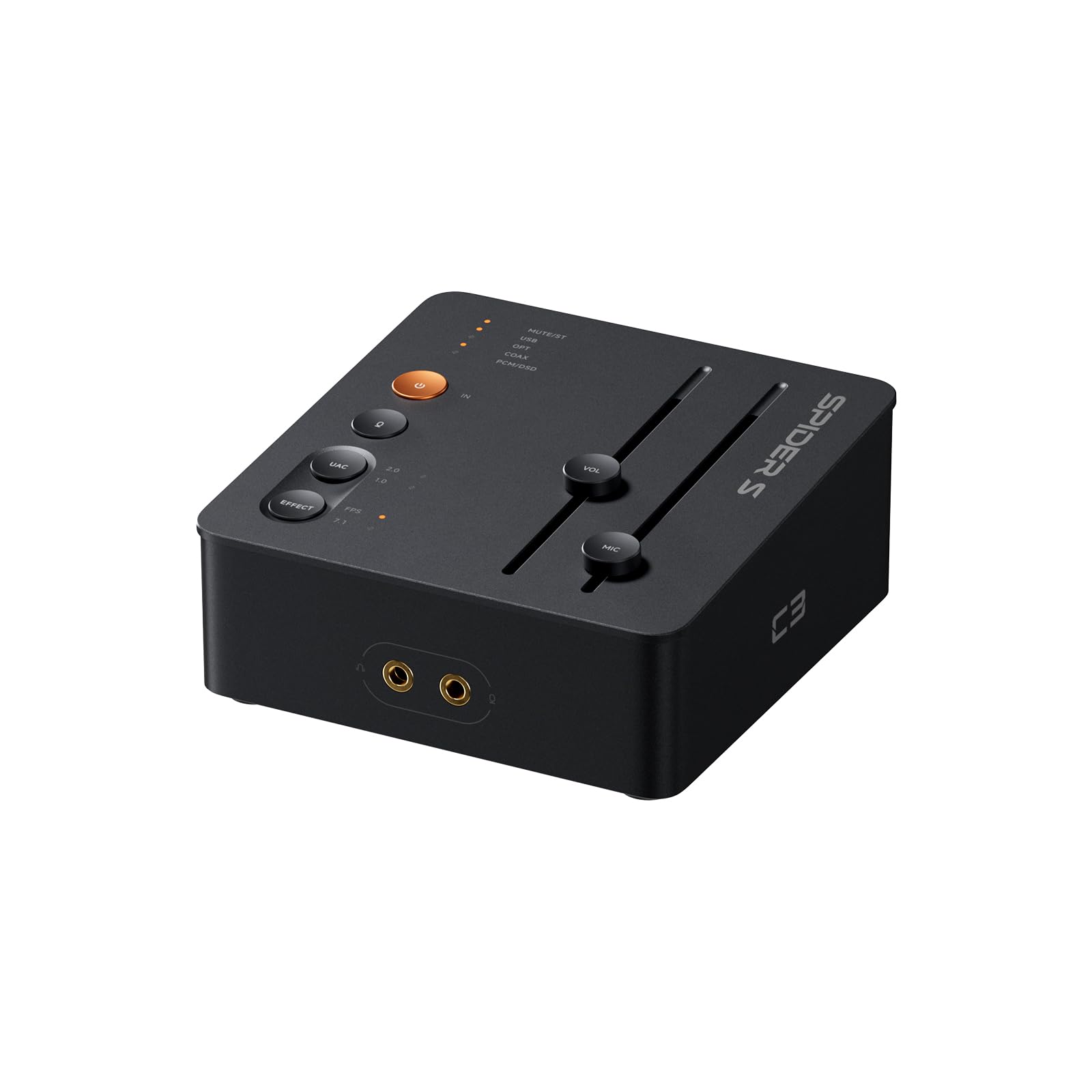
The C3 is the most explicitly gaming-focused DAC here. StepSense is designed to lift footstep cues, and 7.1 surround with HRTF processing turns a stereo headset into a virtual surround rig. That is a different pitch from the K7's clean-stereo approach: the C3 sells an advantage in shooters, not just a better headphone jack.

We think that focus is worthwhile if you play FPS games with a wired headset and want directional information pushed forward. The CS43131 DAC supports 32-bit/384kHz PCM and DSD256, and the 320mW x2 output covers headphones from 16 to 300 ohms. It will not drive the hardest planars like the K7, but for a typical 32- or 80-ohm gaming headset it has ample headroom. Browser-based EQ and mic noise cancellation are useful extras, though they add setup steps.

The aluminum body is compact and the single USB-C connection keeps a desk tidy; switching between UAC 1.0 and 2.0 helps with consoles. We did find the footstep effect can make music and casual games sound artificial, so it is a mode to toggle, not leave on. That is the trade-off: the C3 is sharper for competitive play and less neutral for everything else.

Pros

  • 7.1 HRTF virtual surround for positional cues
  • StepSense footstep enhancement
  • Compact aluminum USB-C design
  • Mic noise cancellation and custom EQ

Cons

  • Modest power for hard-to-drive headphones
  • EQ and mic tuning rely on browser controls
Our verdict

For competitive shooters, the C3 is the pick: its 7.1 HRTF processing and footstep enhancement make positional cues the point, and 320mW is enough for most gaming headsets.

Check Latest Price
3

Best for Console Surround

Sound Blaster X4

82 /100
Lab Score Excellent

Key details

Inputs
USB, optical-in
Surround
7.1 discrete
Max Resolution
192 KHz
Signal-to-noise
114 dB
View on Amazon

Seven discrete surround channels, Dolby Digital Live, optical-in, Scout Mode, Super X-Fi: the feature list reads like a console gamer's wish list. The X4 is built to sit between a PC, a PS5, and powered speakers and make all of them sound bigger than they are.

The reality is more complicated than the list. The X4 can sound great and its Scout and SXFI modes give competitive games a wide, directional feel, but the software is clunky and the unit can drop recognition or produce pops. Setup can be easy one day and a troubleshooting session the next. That does not make it a bad DAC; it makes it a DAC to test thoroughly during the return window.

Where it wins is connectivity and controls. Optical-in makes it a natural fit for a TV or console, the large dial handles Windows volume, and the direct mic mute and mode buttons are easy to find by feel. If you want one box for surround gaming, chat, and speakers, the X4 covers more of that job than the K7. We prefer it for a living-room setup, not a minimalist desk.

It is not the pick for someone who wants plug-and-play stereo. The X4 asks you to learn its software, and music can sound over-processed with SXFI engaged. For console surround and movie nights, though, it brings more theater than the simpler DACs here.

Pros

  • 7.1 discrete surround and Dolby Digital Live
  • Optical-in for consoles and TVs
  • Large volume dial and direct controls
  • Scout and SXFI gaming modes

Cons

  • Software can be clunky and unstable
  • Can drop recognition or produce pops
Our verdict

The X4 is our surround-first pick for console and PC setups, provided you are willing to learn its software; its 7.1 processing and optical input are worth the setup patience.

Check Latest Price
4

Best for Two Systems

SteelSeries GameDAC Gen 2

80 /100
Lab Score Excellent

Key details

Weight
9.7 oz
System Inputs
Two systems
Max Resolution
96KHz/24-Bit
Headset Support
3.5mm wired
View on Amazon

Two systems can stay connected at once here, and a button switches between them. That is a cleaner solution than unplugging cables every time you move from Discord on a PC to a PS5, and it is the reason the GameDAC Gen 2 stays on a shared desk.

Its limits are specific. The DAC tops out at 96kHz/24-bit, which is fine for gaming but below the high-resolution numbers on the Fosi and Creative boxes. It is designed around the Arctis Nova Pro, though any wired 3.5mm headset works. We like it most as a console-first hub, not as a headphone amp for hard-to-drive audiophile cans.

The 360-degree spatial audio and ClearCast AI noise cancellation are the gaming features that matter, and the physical controls are easy to reach without leaving a game. If your priority is switching between two systems with one headset, it earns its place. The button, not the sample-rate ceiling, is what keeps it in use on a two-system desk.

Pros

  • Two systems connected with one-button switching
  • Works with any wired 3.5mm headset
  • 360-degree spatial audio and AI mic noise cancellation
  • Physical controls within reach

Cons

  • 96kHz/24-bit ceiling limits high-res use
Our verdict

The GameDAC Gen 2 is our pick for a PC-and-console desk, because it keeps two systems connected and switches with a button; its 96kHz/24-bit ceiling is the main compromise.

Check Latest Price
5

Best for Streaming and Chat

Sound Blaster GC7

85 /100
Lab Score Excellent

Key details

DAC
AKM4377
Surround
7.1
Max Resolution
192 KHz
Signal-to-noise
120 dB
View on Amazon

A physical game/chat balance control is the GC7's most useful trick. During a raid you can push game audio forward, then bring Discord back up for the post-match debrief without alt-tabbing. Add programmable buttons, a large volume dial, and dual DSP processing, and it is clearly built for streamers and players who live in voice chat.

The AKM4377 DAC and 7.1 surround give games a wide, lively presentation, and Scout Mode is there for competitive shooters. We appreciate that the controls are physical: reaching for a knob mid-match beats hunting through a software panel. The downside is that the feature set depends on software for configuration, and compatibility is less forgiving than the simpler DACs here.

It is not the cleanest choice for music or for a plug-and-play console. Setup takes more thought, and some PCs and consoles need fiddling before the GC7 behaves. But for a streamer who wants chat balance and assignable controls on the desk, it is a more purposeful tool than a plain headphone amp.

Pros

  • Physical game/chat balance
  • Programmable buttons and large dial
  • 7.1 surround and Scout Mode
  • Dual DSP processing

Cons

  • Setup depends on software
  • Compatibility can be inconsistent
Our verdict

The GC7 is the streaming and chat pick: its physical game/chat balance and programmable buttons make more sense at a desk with Discord, a mic, and a console than a plain headphone amp.

Check Latest Price
6

Small Desks

iFi uno

79 /100
Lab Score Very Good

Key details

Weight
3.25 oz
Outputs
3.5mm, RCA
EQ Modes
Music, Movie, Game
Max Resolution
32-bit/384kHz/DSD256/MQA
View on Amazon

Small enough to disappear beside a monitor, this is a USB-C DAC and headphone amp with a 3.5mm output and stereo RCA out, plus three modes (Music, Movie, Game) that change presentation with a button.

Its 32-bit/384kHz, DSD256, and MQA support is generous for the size, and the 92g plastic case has a metal volume knob that feels better than the body suggests. That makes it a natural fit for a laptop or a secondary desk where a full-size DAC is overkill.

The catch is noise. The Game and Movie modes can introduce noticeable hiss or interference at low volume, so the cleanest setting is often the unprocessed one. The connections also stop at USB-C, a 3.5mm headphone jack, and RCA, which is enough for a simple desk but not for console switching or a standalone mic.

We still keep the Uno on our short list for a compact, low-cost desktop upgrade, especially with easy-to-drive headphones. It is the one to choose when space matters more than surround tricks or console switching, as long as you can live without the EQ modes and their noise.

Pros

  • Very small and light
  • 32-bit/384kHz, DSD256, and MQA support
  • Three listening modes
  • Metal volume knob

Cons

  • EQ modes can add hiss at low volume
  • Limited to USB-C, 3.5mm, and RCA
Our verdict

The Uno is our compact budget pick for a laptop or small desk, with clean stereo and generous file support; skip its EQ modes if hiss bothers you and do not expect console features.

Check Latest Price
7

Starter Stereo

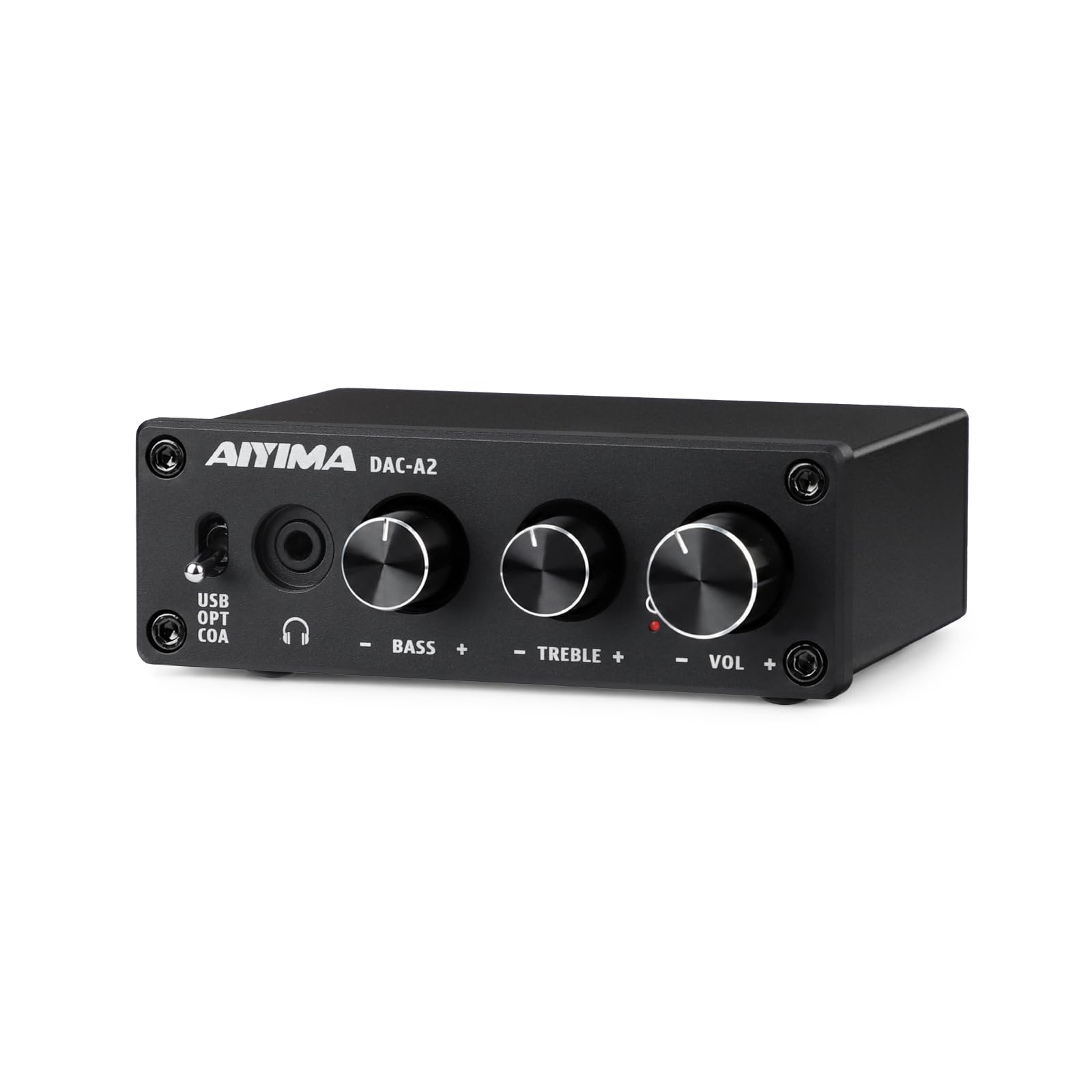
AIYIMA DAC-A2

82 /100
Lab Score Excellent

Key details

Inputs
USB, optical, coaxial
Output Power
160mW RMS at 32 Ohms
Max Resolution
24-bit/192kHz
Headphone Impedance
16 to 200 Ohms
View on Amazon

Simplicity is the whole pitch: USB, optical, and coaxial inputs, a 3.5mm headphone jack, and front-panel bass and treble knobs, with no surround processing or display. The metal case is small, the setup is plug-and-play, and the controls are immediately understandable.

It outputs 160mW RMS at 32 ohms and is rated for 16 to 200 ohm headphones, so it is best with a standard gaming headset or modest pair of headphones, not power-hungry planars. The 24-bit/192kHz ceiling is fine for games, and the analog tone controls are useful if your headset leans bright or thin. The red power light is bright enough to be distracting in a dark room, and rubber feet keep the box from sliding when you turn the knobs.

We think the DAC-A2 makes the most sense as a starter DAC for a desk that mostly needs clean stereo and a little tone shaping. It will not create positional audio or handle a standalone mic, and its reliability is not as steady as the simple design suggests. If you already own a decent headset and just want it louder and cleaner, that trade-off is easy to accept.

Pros

  • Simple plug-and-play USB, optical, coaxial
  • Independent bass and treble knobs
  • Small metal chassis
  • 160mW output suits standard headsets

Cons

  • No surround or mic support
  • Limited power for hard-to-drive headphones
Our verdict

The DAC-A2 is a budget starter for stereo gaming and music, with useful tone knobs and plug-and-play setup; it will not add surround or mic support, and hard headphones deserve more power.

Check Latest Price

How We Tested the Best DACs for Gaming

The shortlist started as a spreadsheet of every DAC that plausibly belonged on a gaming desk: USB or USB-C input, a physical volume control, and a manufacturer claim that it worked with a console without a driver disc. We cut anything that needed a separate power brick to reach its rated output, then spread the list across price tiers. That left 11 units, which we've lived with for seven months.

Each one spent time in three spots. At my home office desk it fed a pair of 250-ohm open-backs and a closed-back headset with a boom mic. In the living room it ran off a PS5 through the TV's USB port, and at the Switch dock it went in cold, no powered hub, to see which ones woke the console and which just sat there.

The desk loop was the same for every unit. With nothing playing, I swept the volume knob from zero to full and listened for hiss, crackle, and any drift between left and right. I pulled the cable mid-match and plugged it back in to see whether Windows handed audio back on its own or left me in a silent lobby. I installed the companion software, changed one setting, then uninstalled it to see what survived.

Each one also ran an eight-hour session and a headset call, which is where reliability and mic handling showed up: two units dropped out once and never did it again, and one lost its mic input until a reboot. What we cared about most doesn't show up on a spec sheet, though — whether the volume pot has usable travel at late-night levels, whether the case survives a backpack, and whether the extra money bought anything you'd notice. A few of the best performers had no software at all.

How to Choose a Gaming Dac

Start With Your Headphones, Not the DAC

Power is the first spec that matters, and it is easy to misread. A 32-ohm gaming headset needs far less voltage than a 300-ohm planar, so a DAC rated at 160mW can be plenty for one and thin for the other. Look for output power at a stated impedance and a supported headphone range. We prioritize a balanced 4.4mm output only if you own hard-to-drive headphones; otherwise, put the money toward mic support, inputs, or better controls. A high sample-rate number does not guarantee a strong amplifier. The K7's 2100mW and the DAC-A2's 160mW describe different jobs, not a simple quality ladder.

Choose Processing or Clean Stereo

Virtual 7.1 is processing, not extra drivers. It can make footsteps and gunfire easier to place in a stereo headset, but the same effect can smear music and make dialogue sound hollow. The C3 and X4 lean into that trade-off; the K7 offers EQ and bypass instead. We prefer to leave spatial processing off for everyday listening and switch it on for competitive shooters. If a DAC makes the mode hard to toggle, you will probably stop using it.

Match Console and Chat Connections

PC gaming usually means USB, but consoles are fussier. A PS5 may want UAC 1.0, an Xbox may need a specific headset path, and a TV often sounds best through optical. Separate the connections you need before you shop: game audio, chat audio, and a standalone mic are three different problems. A DAC with optical-in such as the X4 is a natural console hub; the GameDAC Gen 2 is built for two systems. A mic input on the DAC does not automatically give you console party chat, which often still runs through the controller.

Treat Noise and Software as Hardware

Hiss, hum, and driver quirks are not side notes. Sensitive headsets can reveal noise at low volume, and a DAC that needs a reboot before a match is worse than one with a lower sample rate. Test a new unit with nothing playing, then at your normal listening level, and return it if the noise floor bothers you. We also weigh software: the X4's processing is powerful but its app is clunky, while the GC7's controls are excellent when the software cooperates.

Plan the Desk, Not Just the Spec Sheet

A DAC lives within reach, so the physical layout matters. A large volume dial is easy to find in a dark room; a row of tiny buttons is not. If you switch between headphones and speakers, a dedicated button or a display saves menu diving. The K7's screen and shortcut buttons suit a busy desk, while the Uno's tiny footprint suits a laptop bag. Measure the space beside your monitor and decide whether you want one knob or a control panel before you buy.

Frequently Asked Questions

Final Verdict

The Fosi Audio K7 is the DAC we recommend first for a gaming desk that also has to sound good for music. Its 2100mW output, mic input, and physical source switching cover practical jobs that a headset alone cannot, and it does so without the software dependence of the surround-first boxes.

If competitive positional cues are the main goal, choose the C3. If you need optical console surround and can tolerate more setup, the X4 is the alternative.