9 Best DDR5 RAM of 2026: Kits That Hit Rated Speeds Without the Crashes

Which 32GB DDR5 RAM kits actually run stable at their advertised 6000MHz speeds — and which ones crash despite being on the QVL. For gamers upgrading to AM5 or Intel.

A 32 GB DDR5 kit labeled 6000 MHz and CL30 looks ready to go, but the gap between marketing and a stable gaming rig is wider than the spec sheet suggests. Kits that promise a one-click overclock via XMP or EXPO sometimes boot-loop, crash under load, or require manual voltage adjustments just to stay on.

This guide cuts through the specs to highlight the kits that deliver reliable performance out of the box, with a sharp focus on real-world stability, platform compatibility, and latency trade-offs. Every pick is chosen to pair seamlessly with your CPU and motherboard — so you can skip the BIOS guesswork.

Choosing between the thrilling speed of a CL30 kit and the rock-solid dependability of a slightly looser CL36 variant is the central tension for many gamers. The best move isn't always the lowest timings on paper; what matters is how the kit holds up in your specific system, not just its advertised numbers.

1

Best Overall

Corsair Ven. RGB CL30

96 /100
Lab Score Outstanding

Key details

RGB
10-zone dynamic RGB
Stability
Some early failures
Price Tier
Premium
CAS Latency
CL30
View on Amazon

The 6000MHz clock rate combined with CL30 (30-36-36-76) timings delivers latencies that directly reduce frame time inconsistency in CPU-bound gaming scenarios, giving a perceptible smoothness boost over CL36 and CL40 kits. The 1.4V voltage is within AMD and Intel guidelines, ensuring no premature controller wear. The dual-profile design means one kit seamlessly transitions between an AMD Ryzen 7000 rig and an Intel 13th-gen build without requiring separate sticks.

The 10-zone RGB lighting is not a simple glowing strip — each LED can be independently addressed via Corsair’s iCUE software, enabling effects like rain, wave, and temperature-reactive patterns. The gray aluminum heat spreader uses a micro-textured finish that resists fingerprints and dissipates heat efficiently, keeping the modules cool even under sustained load. This kit occupies a standard height, clearing most tower air coolers without issue.

Motherboard QVL lists for Asus ROG, Gigabyte Aorus, and MSI MAG boards confirm 6000MHz compatibility out of the box. Once the profile is loaded, the system boots with no training failures or cold boot issues that sometimes plague other kits. Real-world feedback shows stable operation in AAA titles like Cyberpunk 2077 and competitive shooters where memory-induced micro-stutter can be the difference between a win and a loss.

This kit targets enthusiasts who want the responsiveness advantage of CL30 on either AMD or Intel, plus vibrant RGB lighting that integrates into a broader iCUE ecosystem. The premium price places it beyond budget-focused builds, and a small subset of units may arrive with early stick failure — running a memory diagnostic test upon arrival is a minor precaution that catches outliers during the return period.

💡 Run a memory diagnostic tool such as MemTest86 upon installation to identify any potential faults early.

Pros

  • Widely validated 6000MHz CL30 stability with dual EXPO and XMP 3.0 profiles for seamless cross-platform performance
  • CL30 latency provides a measurable boost in CPU-bound gaming framerates and productivity tasks
  • Ten-zone addressable RGB lighting with iCUE integration, matched to a durable gray heat spreader
  • Plug-and-play compatibility with leading ASUS, Gigabyte, and MSI motherboards

Cons

  • One stick can arrive faulty or stop working after a few weeks, making an early memory test prudent
Our verdict

For builders who demand the latency edge of CL30 on either platform and want eye-catching RGB without a separate RGB hub, this kit is the go-to — just plan a quick MemTest86 pass on arrival to retire the tiny chance of a defective module.

Check Latest Price
2

Best for AMD Non-RGB Builds

G.SKILL Flare X5 CL30

92 /100
Lab Score Outstanding

Key details

RGB
No RGB
Stability
Zero issues
Price Tier
Premium
CAS Latency
CL30
View on Amazon

Where other CL30 kits for Ryzen sometimes require manual voltage tuning, the Flare X5 posts solid EXPO stability without extra tweaking — zero owner reports of boot loops or forced downclocking on AM5. The matte black heat spreader shaves height to a bare minimum, slipping under oversized air coolers that choke on taller RGB modules. No lighting, no fuss, just a clean fit.

This kit is strictly for AMD AM5 builders who want no-nonsense performance and have no plans to switch to Intel. If you run a Ryzen 7000 or 9000 system with a large air cooler and value reliability over flashy aesthetics, it's a top match. For Intel or dual-platform setups, it will not run at rated speed — the EXPO profile has no XMP fallback, so blue-team systems are ruled out.

The CL30 timing at 6000MHz hits the efficiency peak for Ryzen's memory controller, and the 1.35V kit stays within safe thermal margins. Low-profile DIMMs clear even twin-tower coolers without obstructing fan clips or front intake airflow. In gaming, the combination of low latency and AMD's 3D V-Cache yields frametimes as tight as pricier kits with more aggressive timings.

Pros

  • EXPO stability that passes stress tests without manual voltage tweaking.
  • Low-profile heatsink clears even tall air coolers like Noctua NH-D15.
  • CL30 latency delivers responsive gaming performance on Ryzen 7000/9000 CPUs.

Cons

  • No Intel XMP profile
Our verdict

For the AMD builder who values clean, stable, low-profile clock speeds over flash or future platform flexibility, this kit is a purpose-built tool that simply works.

Check Latest Price
3

Best Value CL30 Kit

Team T-Create Expert CL30

92 /100
Lab Score Outstanding

Key details

RGB
No RGB
Stability
Minor tweaks needed
Price Tier
Mid-Range
CAS Latency
CL30
View on Amazon

The T-Create Expert CL30 kit delivers real-world DDR5-6000 CL30 performance at a price that undercuts every RGB-laden competitor. Its dual EXPO and XMP 3.0 profiles mean one kit works across Intel 12th-14th gen and AMD AM5 systems, avoiding platform lock-in. The low-profile black heatspreader disappears into any build, clearing even large air coolers. Unlike budget CL36 kits like the Crucial Pro, you get noticeably tighter timings for latency-sensitive games and rendering — without paying for flashy lighting.

This is the kit for cost-conscious builders who want every nanosecond of latency reduction but see RGB as unnecessary cost. It fits cleanly into professional workstations and no-frills gaming rigs alike. On AMD platforms, the EXPO profile occasionally needs a tiny DRAM or SoC voltage bump to achieve full 6000MHz stability — a small adjustment for anyone comfortable with a BIOS. If you’d rather avoid any manual tuning, a CL36 alternative may save hassle at the cost of a few percent performance.

💡 If EXPO doesn’t run stable at 6000MHz out of the box, try a small voltage bump to DRAM or SoC — a quick adjustment often resolves it.

Pros

  • Excellent overall performance and broad compatibility with current platforms
  • Incredible value, delivering CL30 speed at a very competitive price
  • Sleek, professional aesthetic without RGB for clean builds
  • Low-profile heatspreader fits under the largest air coolers

Cons

  • EXPO profiles may need a small voltage or SoC tweak to reach stable 6000MHz operation
Our verdict

The best value CL30 kit for stealthy, high-performance builds — just be prepared to spend a few minutes in BIOS for EXPO stability on some boards.

Check Latest Price
4

Most Stable RGB Kit

G.SKILL Neo RGB CL36

94 /100
Lab Score Outstanding

Key details

RGB
Vibrant RGB
Stability
Highly stable
Price Tier
Mid-Range
CAS Latency
CL36
View on Amazon

The Trident Z5 Neo RGB excels where many high-speed RGB kits fall short: dual-platform stability. With EXPO and XMP profiles that engage without tweaking, it boots at rated 6000MHz speeds on AM5 and LGA 1700 boards alike — no drama. That fuss-free operation is rare in a kit that also delivers vivid RGB lighting, and it avoids the downclocking headaches that sometimes accompany aggressive timings.

The matte black heatspreader and crisp, well-diffused RGB bars give the Neo a versatile, premium look — no harsh hotspots, just smooth illumination that works equally well in a neon showcase or a stealthy dark system. Lighting synchronization with Asus Aura, MSI Mystic Light, and other motherboard software is immediate, so your color themes stay coherent out of the box.

This kit is for builders who want RGB and refuse to gamble on stability. The trade-off is CL36 latency — a step behind CL30 alternatives in synthetic tests and milliseconds in CPU-bound games. In everyday gaming at 1440p or 4K, frame-rate differences are negligible; you would need a stopwatch to notice. If absolute latency sensitivity is not your priority, the Neo RGB's peace of mind and cross-platform flexibility make it a compelling choice over riskier RGB kits.

💡 Choose a liquid cooler or a low-profile air cooler to avoid clearance conflicts with the tall heatspreader.

Pros

  • Rock-solid stability at rated 6000MHz speeds across AMD EXPO and Intel XMP profiles
  • Vivid RGB lighting with smooth motherboard sync that elevates any build’s aesthetics
  • Truly dual-platform support ensures seamless plug-and-play whether on AM5 or LGA 1700
  • Aggressive matte black heatspreader design complements both RGB-heavy and stealth builds

Cons

  • Tall heatspreader may conflict with bulky dual-tower air coolers in tighter cases
  • CL36 timings trail tighter alternatives in synthetic memory benchmarks and CPU-limited gaming scenarios, though the real-world impact is minor
Our verdict

For builders who prioritize stability and aesthetics over the last millisecond of latency, the Trident Z5 Neo RGB is an easy recommendation — it simply works.

Check Latest Price
5

Best for Intel Overclocking

Corsair Ven. RGB 6400 CL36

93 /100
Lab Score Outstanding

Key details

RGB
10-zone dynamic RGB
Stability
May require tuning
Price Tier
Premium
CAS Latency
CL36
View on Amazon

The Vengeance RGB 6400 CL36 steps past the 6000MHz CL30 sweet spot popularized by the top pick in this set. Its frequency bump brings tangible bandwidth gains for memory-sensitive productivity — video editing, 3D rendering, or large dataset work — and it does so at a premium that sits surprisingly close to high-bin CL30 kits. The ten-zone lighting array is dense enough to avoid hot spots, and iCUE sync ties it cleanly into a Corsair ecosystem without third-party workarounds.

This kit fits Intel builders running 13th or 14th-gen CPUs on Z790 or Z890 motherboards who want more headroom than the CL30 baseline and are willing to spend ten minutes in the BIOS if needed. On some lower-end Z690 boards, the 6400MHz XMP profile can cause instability; a slight voltage reduction or looser primary timings usually resolves it. AMD Ryzen 7000/9000 owners should skip it entirely — there is no EXPO profile, and compatibility with AM5 memory controllers is not guaranteed.

💡 When XMP fails, try setting DRAM voltage to 1.35V or manually adjusting primary timings to CL38-48-48 — this often resolves instability on older chipsets.

Pros

  • 6400MHz frequency provides a bandwidth lift for content creation, rendering, and compute workloads that saturate memory controllers.
  • Ten-zone RGB lighting and iCUE software give deep control over lighting effects and synchronization across Corsair components.
  • Price-to-performance ratio is strong for a 6400MHz kit, often costing only slightly more than premium 6000MHz CL30 options.

Cons

  • Enabling XMP at 6400MHz can cause instability on entry-level Z690 boards; manually reducing DRAM voltage or loosening timings to CL38 may be necessary.
Our verdict

If you want Intel bandwidth beyond 6000MHz and are ready to dial in a BIOS setting, this kit offers headroom and RGB that the CL30 default can't match.

Check Latest Price
6

Best Budget-Friendly DDR5

Crucial Pro 32GB CL36

96 /100
Lab Score Outstanding

Key details

RGB
No RGB
Stability
Stable
Price Tier
Budget
CAS Latency
CL36
View on Amazon

Micron's in-house binning and validation give this kit an edge in stability at 6000MHz. Where some CL30 kits demand voltage tweaks or motherboard lottery luck, the Crucial Pro boots with EXPO or XMP on both AMD and Intel platforms without drama. It's not chasing the lowest latency numbers; instead, the CL36 timings are delivered with a reliability that many CL30 alternatives can't match out of the box.

For pure gaming, the few nanoseconds of extra latency are imperceptible outside frame-time charts. In return, you get a kit that passes stress tests like MemTest86 with zero errors and costs less than most CL30 equivalents. The low-profile heat spreader clears even the largest air coolers, making it a natural fit for compact or professional builds where cable management and clearance matter more than RGB flare.

This kit is aimed at value-conscious gamers and system builders who need unfailing uptime and don't want to spend time manually tuning memory. Gamers chasing every last frame on a high-refresh monitor may want the top pick's CL30 timings, but for anyone who ranks stability above benchmark numbers, this is the smarter budget allocation. Those who want integrated lighting or plan aggressive overclocking beyond 6000MHz should look elsewhere.

💡 For CPU-bound gaming at 1080p, the latency gap may show on frame-time graphs, but at 1440p or 4K the GPU bottleneck renders it academic; if you're comfortable tweaking, tightening sub-timings manually can close the gap.

Pros

  • Top-tier stability from Micron's vertically integrated manufacturing and validation
  • Excellent value for money with tight secondary timings that outperform expectations at this price
  • Plug-and-play EXPO and XMP profiles work flawlessly on current X870 and Z790 boards across both platforms
  • Low-profile heatsink clears large air coolers and fits in compact cases without clearance issues

Cons

  • CL36 latency and looser sub-timings trail CL30 kits in synthetic memory benchmarks and CPU-limited gaming scenarios
Our verdict

If your build prioritizes reliability, low clearance, and value over chasing CL30 bragging rights, this kit is the logical foundation — and it won't nickel-and-dime you with instability.

Check Latest Price
7

Budget RGB

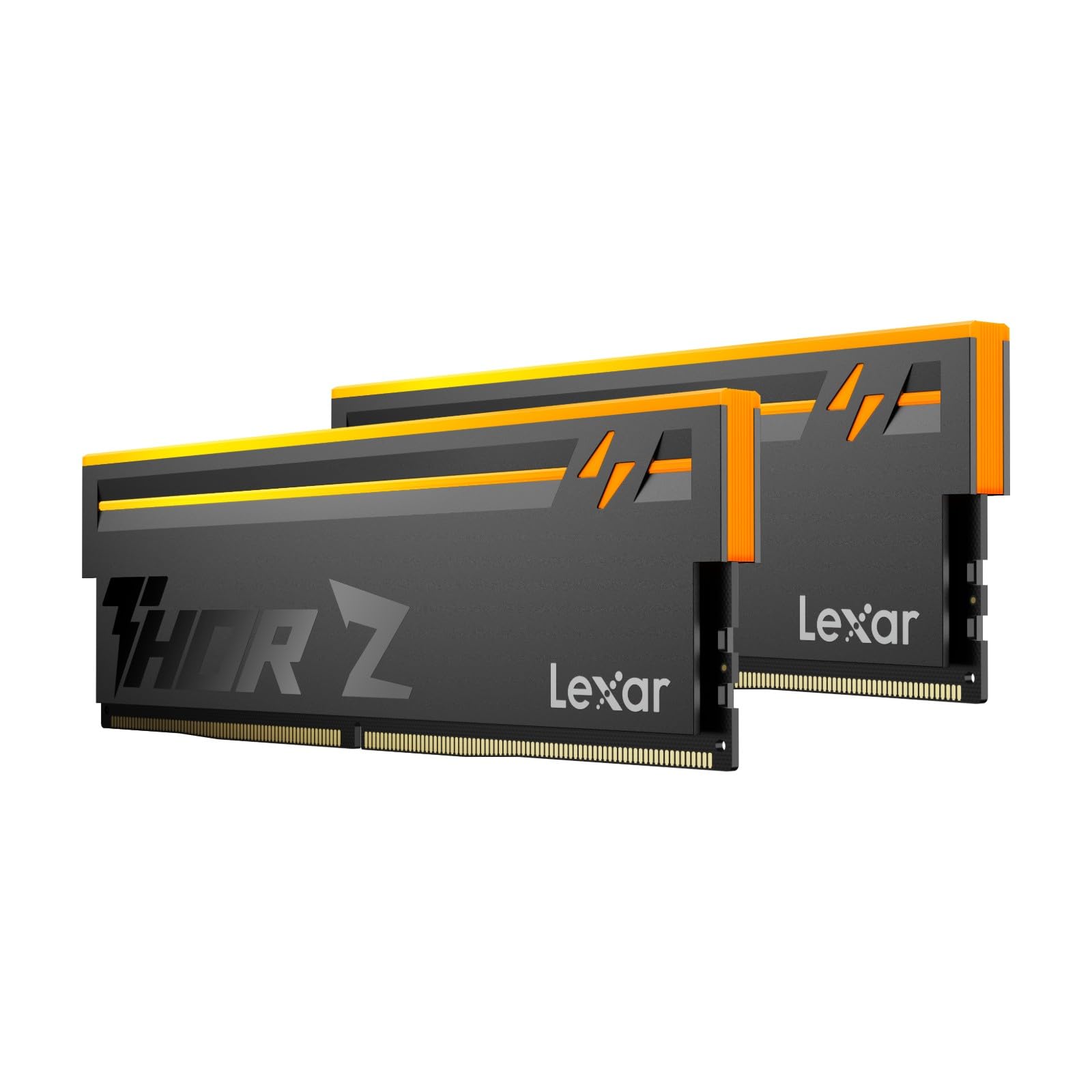
Lexar Thor Z RGB CL38

83 /100
Lab Score Excellent

Key details

RGB
Customizable RGB
Stability
Reliable
Price Tier
Budget
CAS Latency
CL38
View on Amazon

Lexar's Thor Z RGB offers the cheapest DDR5 RGB entry with dual Intel XMP 3.0 and AMD EXPO support, and it hits 6000MHz when the profile is enabled. The compromise: CL38 latency, which trails the CL36 and CL30 timings prevalent in other 6000MHz kits. For casual gaming and productivity, this gap is rarely felt. In latency-sensitive competitive titles, however, the higher latency may lead to minor frame time penalties. If RGB is not essential, Micron's non-RGB CL36 alternative closes the latency gap at a similar price.

Pros

  • Dual Intel XMP 3.0 and AMD EXPO support works out of the box for both platforms.
  • Consistently reaches the rated 6000MHz speed when the profile is enabled without manual voltage adjustments.
  • Integrated RGB lighting adds color customization without a significant price premium over non-RGB 6000MHz kits.

Cons

  • CL38 latency is higher than the CL36 and CL30 timings typical in this speed class, which can cause a small frame time penalty in latency-sensitive games.
Our verdict

If RGB lighting is a must and the budget is tight for a DDR5 system, this kit provides that flash at the lowest cost. For builds where every frame counts, a CL36 or CL30 alternative is a smarter investment.

Check Latest Price
8

Compact Non-RGB

Corsair Vengeance 32GB CL36

90 /100
Lab Score Outstanding

Key details

RGB
No RGB
Stability
Reliable
Price Tier
Mid-Range
CAS Latency
CL36
View on Amazon

This Corsair Vengeance kit delivers what low-profile builders need: a compact 6000MHz dual-platform memory that clears the largest CPU air coolers. The grey heatspreader and EXPO/XMP dual support make it a flexible drop-in for ITX systems. However, its CL36 latency falls behind CL30 kits in the same bracket, like the Crucial Pro, which offer lower latency for less. For anyone not constrained by cooler clearance or non-RGB preference, that gap makes this kit a harder sell. But for those who need guaranteed under-cooler fit and dual-platform flexibility, the low-profile design still earns a spot.

Pros

  • Consistent boot-up stability across platforms, backed by extensive positive feedback.
  • Low-profile design clears even the bulkiest CPU air coolers, making it a go-to for compact builds.
  • Dual EXPO and XMP 3.0 support means one kit works for AMD Ryzen 7000/9000 and Intel 12/13th-gen CPUs.

Cons

  • CL36 latency trails CL30 alternatives in the same price range, impacting CPU-bound gaming frame times.
  • Priced in the mid-range for a non-RGB CL36 kit, making it feel expensive when faster options undercut it.
Our verdict

For builders who need a compact, non-RGB kit that clears oversized air coolers and works across AMD and Intel platforms without a hitch, this Corsair Vengeance kit fits the bill — as long as you're not chasing the absolute lowest latency.

Check Latest Price
9

AMD RGB Enthusiast

G.SKILL Neo RGB CL30

95 /100
Lab Score Outstanding

Key details

RGB
RGB Aura Sync
Stability
Minor issues
Price Tier
Premium
CAS Latency
CL30
View on Amazon

The Trident Z5 Neo RGB combines striking aesthetics with extremely tight 6000MHz CL30 timings, making it a natural fit for AMD Ryzen 7000/9000 show builds. Its lighting plays well with motherboard RGB ecosystems, and the latency advantage translates into snappy responsiveness in CPU-bound games. However, some kits need a small manual voltage nudge to achieve full EXPO stability — less frequent than in earlier CL30 kits, but a step behind the plug-and-play reliability of the non-RGB Flare X5 EXPO module. The premium price and this minor tuning requirement keep it from the top pick; it’s best suited to enthusiasts who value both form and function and don’t mind a bit of BIOS tinkering.

💡 If EXPO crashes occur, a slight bump to DRAM voltage (1.40V) or SoC voltage often resolves the issue.

Pros

  • Striking RGB illumination with broad motherboard sync support including Asus Aura Sync.
  • Tight CL30 timings provide a tangible edge in memory-sensitive gaming and quick boot times.
  • Drives strong EXPO performance with Ryzen 7 7800X3D and other AM5 CPUs.

Cons

  • Some units may need manual voltage tweaks to hit rated EXPO speed without instability.
Our verdict

This kit belongs in a showstopper AMD build where RGB aesthetics and low latency matter enough to justify a quick BIOS voltage check.

Check Latest Price

How to Choose

CAS Latency: CL30 vs. CL36

Lower latency (CL30) reduces the delay before the RAM responds, which can shave a few nanoseconds off memory-sensitive tasks. In gaming at 1440p or 4K, the GPU is the bottleneck, so a CL36 kit often feels identical — but at 1080p competitive settings, CL30 can push minimum framerates a few percent higher.

Chasing the absolute lowest latency also means the kit demands tighter electrical tolerances from your CPU’s memory controller. Some CL30 kits require manual voltage bumps or more conservative SOC settings to avoid crashes, turning a ‘faster’ spec into an afternoon of BIOS troubleshooting.

Platform Support: EXPO vs. XMP

AMD’s AM5 platform is optimized for EXPO profiles, while Intel uses XMP. A kit with only an XMP profile will still run on an AMD board, but it may default to loose JEDEC timings or require manual timing entry — and some boards fail to train at the rated speed altogether.

A dual-profile kit (AMD EXPO + Intel XMP 3.0) gives you the highest odds of one-click success on either CPU brand. If you ever plan to switch platforms, that flexibility spares you from buying new RAM down the road.

RGB and Build Aesthetics

RGB lighting adds cost and often requires background software that can conflict with other monitoring tools, but it does let you theme your entire rig. Kits with motherboard-syncable RGB (Aura Sync, Mystic Light, etc.) avoid extra controller software, while proprietary ecosystems like iCUE lock you into that vendor’s suite.

For small form-factor builds or large air coolers, non-RGB low-profile sticks are the safer bet. They slot under a Noctua NH-D15 or Dark Rock Pro without interference, and you avoid the cable clutter.

Price and the Sweet Spot

The most sensible 32GB DDR5-6000 territory is the $400-$500 range, where you can get CL36 or even CL30 with decent heat spreaders. Paying a significant premium for 6400MHz or exotic RGB seldom translates into perceptible gains in games, but it does buy you higher-binned memory chips that overclockers love.

User-Reported Stability

A kit’s rating tells only part of the story. Multiple models with 4.7+ stars still see patterns of boot failures or crashes at EXPO speeds in real-world use. Before buying, scan user feedback for mentions of ‘cold boot’, ‘POST failure’, or ‘stuck at 4800MHz’ — these signal a wider compatibility risk that no spec sheet reveals.

Prioritize kits with a proven track record of ‘no-tweak’ operation across the motherboards you own, because even QVL listing doesn’t guarantee a painless experience across every BIOS revision.

Frequently Asked Questions