10 Best Gaming RAM of 2026: Get More FPS Without Overspending

Which RAM kits actually improve your gaming performance without costing a fortune? For PC builders, this guide cuts through DDR4 vs DDR5 confusion to find the best value.

Many gamers find that RAM specs on the box don’t always translate to plug-and-play performance – XMP profiles can be finicky, and compatibility hiccups are common.

This guide focuses on kits that consistently deliver their advertised speeds across a wide range of motherboards and CPUs, balancing stability, price, and real-world gaming gains.

For most gamers, a well-reviewed 32GB DDR4 kit or a compatible DDR5 option with reasonable latency provides the smoothest experience without the headache of returns or BIOS tweaking.

1

Best Overall

Corsair Vengeance LPX 32GB

96 /100
Lab Score Outstanding

Key details

RGB
No
Capacity
32GB (2x16GB)
Generation
DDR4
Speed & Latency
3200MHz CL16
View on Amazon

The Vengeance LPX delivers stable 3200MHz CL16 performance across a broad range of motherboards, with tight timings that benefit gaming and everyday tasks alike. The low-profile heat spreader clears most CPU coolers without interference.

Enabling XMP typically works as intended, though a small subset of users may need to adjust BIOS settings to reach full stability. Occasional early failures have been noted – Amazon's return process covers those cases quickly.

This kit is best suited for gamers building a DDR4 system on a budget, especially those using older Intel or AMD platforms that lack DDR5 support. The lack of RGB keeps costs down and makes it a straightforward fit for builders who prioritize performance over aesthetics. If you plan to upgrade to DDR5 soon or want programmable lighting, consider other options.

The low height and broad compatibility make it a safe choice for nearly any ATX or mATX build. Its mid-range price positions it as a solid value for 32GB of DDR4 memory.

💡 If you encounter boot issues, updating the motherboard BIOS or manually setting voltage and timings can help achieve rated speeds.

Pros

  • Stable 3200MHz CL16 performance with tight timings
  • Long-term stability across many builds
  • Good value for a 32GB DDR4 kit
  • Easy installation and wide motherboard compatibility

Cons

  • Some units can arrive non-functional or develop issues within months; Amazon's return policy covers replacements.
  • Boot problems may occur on certain motherboards, requiring BIOS tweaks to stabilize XMP.
Our verdict

The Corsair Vengeance LPX 32GB DDR4 kit offers the speed and consistency that make it a safe bet for any DDR4 gaming build at a mid-range price.

Check Latest Price
2

Best DDR5 for AMD Ryzen

Corsair Vengeance RGB CL30

96 /100
Lab Score Outstanding

Key details

RGB
Yes
Capacity
32GB (2x16GB)
Generation
DDR5
Speed & Latency
6000MHz CL30
View on Amazon

With 6000MHz CL30 and native EXPO support, this Corsair kit provides the ideal memory speed and timing for AMD Ryzen 7000 and 9000 series processors - giving a measurable edge in frame rates and responsiveness over looser-timed kits.

The low latency translates to smoother gameplay in competitive titles, while the RGB lighting can be customized through iCUE to match your build. Some units may arrive non-functional or develop issues within weeks, but overall quality control is solid enough that most buyers will have a trouble-free experience.

This kit is best suited for AMD builders who want a one-click EXPO profile at 6000MHz CL30, and who already use or plan to use Corsair's ecosystem for RGB sync. It's a premium pick - those on a budget or building an Intel system may find better value in CL36 alternatives.

💡 Use iCUE for full RGB control - third-party sync may require manual adjustment.

Pros

  • Low CL30 latency enhances gaming and application performance
  • Stable EXPO profiles on AMD Ryzen 7000/9000 series
  • Vibrant RGB lighting with full iCUE customization

Cons

  • Some units may be DOA or fail shortly after installation - inspect upon arrival
  • RGB synchronization with non-Corsair software may be limited
Our verdict

For AMD Ryzen gamers seeking the lowest-latency DDR5 with plug-and-play EXPO, this Corsair kit is the clear choice - just account for the premium cost and the off-chance of a defective unit.

Check Latest Price
3

Best Budget DDR4

G.SKILL Ripjaws V 32GB

96 /100
Lab Score Outstanding

Key details

RGB
No
Capacity
32GB (2x16GB)
Generation
DDR4
Speed & Latency
3200MHz CL16
View on Amazon

No other DDR4 kit delivers this performance at a lower price point. The G.SKILL Ripjaws V 32GB (2x16GB) runs at 3200MHz CL16 right out of the box with XMP enabled, matching the specs of kits that cost significantly more. For a pure performance-per-dollar metric, this is where the value lives.

Installation is straightforward – slot the sticks, enable XMP, and the rated speed is achieved without manual tweaking. Long-term stability has been consistent across a wide range of motherboards and CPU generations, making it a straightforward upgrade for existing DDR4 builds.

This kit is for the builder who prioritizes raw memory speed and capacity over aesthetics. The plain black heat spreaders won't stand out in a windowed case, but they also don't add cost. The tradeoff is that a small number of sticks may exhibit instability or failure – worth verifying with a memtest run after installation. If you need lighting effects or a more distinctive look, the designer options in this lineup offer those features at a premium.

💡 For a lit build, choose the RGB variant; this plain design keeps the price low.

Pros

  • Lowest price per gigabyte among DDR4 kits at this speed
  • XMP works immediately on most motherboards
  • Snap-in installation with no manual timing adjustments needed

Cons

  • In some cases, sticks may cause system crashes or fail post-installation
  • Plain black design without any lighting or decorative elements
Our verdict

If your budget is tight and you don't care about looks, this is the DDR4 kit to buy – just run a memory test to confirm stability.

Check Latest Price
4

Best Value DDR5 (Non-RGB)

Corsair Vengeance DDR5 32GB

90 /100
Lab Score Outstanding

Key details

RGB
No
Capacity
32GB (2x16GB)
Generation
DDR5
Speed & Latency
6000MHz CL36
View on Amazon

This non-RGB variant of Corsair’s Vengeance DDR5 line keeps the same 6000MHz CL36 specs as its RGB sibling but shaves off the lighting module, dropping height to fit under large air coolers without interference. The same 1.35V XMP 3.0 profile works across Intel and AMD boards, and the heat spreader stays cool under load.

Gamers building a mid-range DDR5 system who don’t want RGB or oversized modules will find this kit a straightforward choice. For AMD Ryzen users chasing every frame, a CL30 kit like the G.SKILL Flare X5 offers tighter timings — but in most titles the real-world gap is a few percent. The kit’s low profile also makes it one of the few DDR5 options that pairs easily with dual-tower air coolers.

User reports indicate consistent stability across a range of motherboards, with no unusual quirks during XMP activation. The absence of RGB means one less software layer to manage, which some builders will appreciate. For the price, this kit sits slightly below the RGB version, making it a cost-effective pick for performance-focused builds that don’t need lighting.

💡 AMD users seeking maximum frames may want to look for a CL30 kit, but the difference in most games is marginal.

Pros

  • Dependable DDR5 performance with wide compatibility on Intel and AMD boards.
  • Compact low-profile heat spreader clears large air coolers without clearance issues.
  • No RGB reduces cost and software dependencies for minimalist builds.

Cons

  • CL36 latency is a step behind CL30 kits for gaming
  • AMD Ryzen users aiming for peak gaming performance will get slightly better results from a CL30 kit.
Our verdict

If you’re building a mid-range DDR5 gaming PC and need low clearance or want to skip RGB, this Corsair kit delivers dependable speed at a fair price.

Check Latest Price
5

Best for Showcase Builds

G.SKILL Trident Z Royal 32GB

94 /100
Lab Score Outstanding

Key details

RGB
Yes
Capacity
32GB (2x16GB)
Generation
DDR4
Speed & Latency
3200MHz CL16
View on Amazon

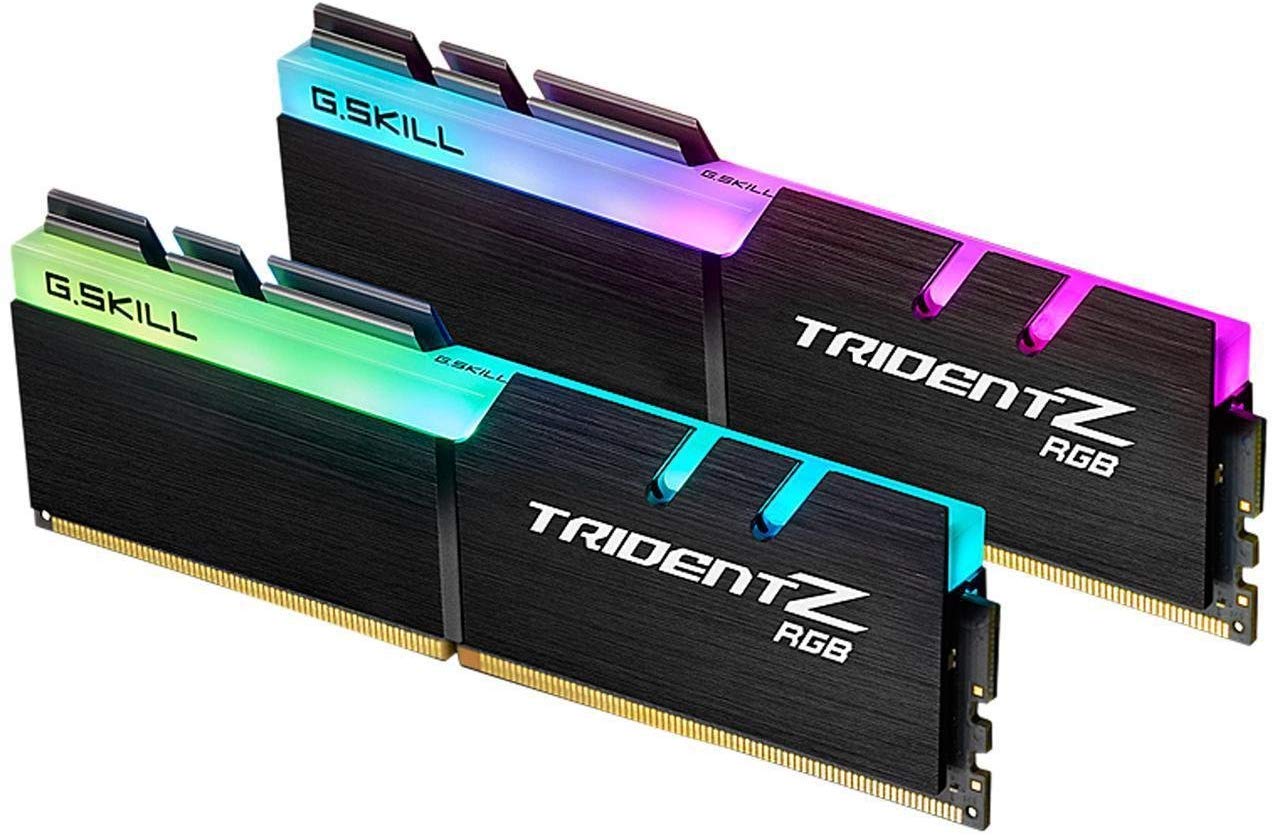
The Trident Z Royal’s crystalline heat spreader and dynamic RGB lighting create a look no other DDR4 module matches. Under the shine, the 3200MHz CL16 specs deliver solid gaming performance that keeps pace with many mainstream kits—though the same speed can be found for less elsewhere.

This RAM is built for showcase builds where aesthetics matter more than cost efficiency. The extra spend buys a unique design, not higher frame rates. Keep in mind that isolated LED failures have been noted, so it’s worth verifying the retailer’s replacement policy if long-term visual consistency matters.

💡 Check the retailer’s warranty coverage for LED failures — not all policies include individual diode replacement.

Pros

  • Crystal-like design and vivid RGB that stand out in any build
  • CL16 latency offers reliable XMP performance for most games and tasks

Cons

  • For budget-conscious buyers, the performance matches cheaper kits, making the extra spend purely cosmetic
  • In some units, individual LEDs may stop working, which matters if uniform lighting is important
Our verdict

Choose the Trident Z Royal when your build demands a visual centerpiece and you’re willing to pay for the look. For pure gaming value, other DDR4 kits deliver the same performance for less.

Check Latest Price
6

Best CL30 DDR5 for the Money

TEAMGROUP T-Force Delta 32GB

93 /100
Lab Score Outstanding

Key details

RGB
Yes
Capacity
32GB (2x16GB)
Generation
DDR5
Speed & Latency
6000MHz CL30
View on Amazon

The T-Force Delta RGB hits 6000MHz with tight CL30 timings, delivering responsive gaming performance at a price that undercuts many competing DDR5 kits. Its 120-degree ultra-wide RGB adds a bright, even glow that stands out in windowed cases. While the top pick offers more consistent quality control, this kit matches its speed and latency for less.

This RAM is best suited for gamers on a mid-budget who want low-latency DDR5 with RGB without paying a premium. However, quality control is less consistent than established brands – some units may arrive with faults or develop early performance issues. Buyers who are comfortable with the possibility of an RMA will find the performance worth it. Those seeking absolute plug-and-play reliability should consider the top pick instead.

The RGB lighting looks vibrant across most colors, but setting it to pure white may reveal a slight off-white tint. This is a minor cosmetic detail for standard builds, though strict color-match enthusiasts may prefer alternatives with tighter LED calibration.

💡 To get a purer white, adjust the RGB value in software – the hardware tends toward a warm tint.

Pros

  • CL30 latency provides smooth gaming performance with lower frame time inconsistency.
  • Competitive price for a 6000MHz CL30 RGB kit, offering more value than many alternatives.
  • 120-degree ultra-wide RGB lighting creates a bright, even glow across the modules.

Cons

  • Some units may encounter early performance issues
  • White RGB color may appear slightly off-white, which matters for builds with strict color matching.
Our verdict

If you are comfortable with the potential need for an RMA, the T-Force Delta delivers DDR5 performance and looks that rival more expensive kits.

Check Latest Price
7

3600MHz RGB

G.SKILL Trident Z RGB 32GB

95 /100
Lab Score Outstanding

Key details

RGB
Yes
Capacity
32GB (2x16GB)
Generation
DDR4
Speed & Latency
3600MHz CL18
View on Amazon

This kit delivers 3600MHz CL18 memory with bright, customizable RGB lighting that syncs smoothly with ASUS Aura and other motherboard software. The build quality feels substantial, and XMP activation is straightforward for most users. That said, the price sits above non-RGB kits like the Ripjaws V, and some modules may require replacement sooner than expected due to manufacturing variance. RGB software conflicts have also been noted in certain setups. If you’re building a Ryzen system and want 3600MHz with eye-catching lighting, this remains a strong option despite the premium and occasional hiccups.

Pros

  • Bright RGB with broad software compatibility
  • Stable XMP activation at 3600MHz CL18
  • Smooth gaming performance at the DDR4 sweet spot

Cons

  • Individual modules may stop working within months of purchase
  • Premiums over non-RGB DDR4 kits with similar specs
Our verdict

A good fit if your priority is 3600MHz with RGB and you’re comfortable with the higher price and possible unit variation.

Check Latest Price
8

AMD Ryzen DDR4

G.SKILL Trident Z Neo 32GB

95 /100
Lab Score Outstanding

Key details

RGB
Yes
Capacity
32GB (2x16GB)
Generation
DDR4
Speed & Latency
3600MHz CL18
View on Amazon

This kit offers strong compatibility with Ryzen builds, delivering smooth gaming performance at 3600MHz. G.SKILL specifically tuned the Trident Z Neo for AMD platforms, which helps in achieving stable XMP operation on compatible motherboards. However, some systems may require manual voltage or timing tweaks to reach the rated speed, and the RGB software can conflict with other brand components. For most users, the Ryzen-specific tuning provides marginal gains over the standard Trident Z RGB, so the Neo is best reserved for AMD builders who want that extra assurance of compatibility.

Pros

  • Ryzen-optimized tuning ensures strong compatibility with AM4 and AM5 boards.
  • 3600MHz CL18 speed delivers smooth gaming performance with good RGB lighting.

Cons

  • Achieving the rated 3600MHz XMP may need manual tweaking in some systems.
  • RGB software can conflict with other brands, limiting unified lighting control.
Our verdict

Best for AMD Ryzen builders who prioritize compatibility and speed, provided they are comfortable with potential XMP adjustments.

Check Latest Price
9

High-Speed Intel

Crucial Pro DDR5 32GB

90 /100
Lab Score Outstanding

Key details

RGB
No
Capacity
32GB (2x16GB)
Generation
DDR5
Speed & Latency
6400MHz CL32
View on Amazon

DDR5 at 6400MHz with CL32 latency delivers a noticeable speed advantage in memory-sensitive games and applications. The Crucial Pro kit achieves this high frequency, but reaching it requires BIOS updates and manual tweaking — not a set-and-forget experience. Not every CPU, especially AMD Ryzen processors, will hold 6400MHz stable. For Intel enthusiasts who enjoy tuning, this is a fast option. Long-term reliability has not yet been thoroughly established, so early adopters should verify compatibility with their specific motherboard and CPU.

Pros

  • 6400MHz speed with CAS 32 latency for responsive gaming performance.
  • Good build quality with effective heat spreader design.

Cons

  • Requires BIOS updates and manual tuning to reach rated 6400MHz; stable operation is not guaranteed on every CPU.
Our verdict

Best for Intel gaming builds where the user is comfortable performing BIOS adjustments to achieve maximum memory speeds.

Check Latest Price
10

Budget RGB DDR4

Gigastone Game TURBO 32GB

91 /100
Lab Score Outstanding

Key details

RGB
Yes
Capacity
32GB (2x16GB)
Generation
DDR4
Speed & Latency
3200MHz CL16
View on Amazon

The Gigastone Game TURBO kit delivers 32GB of DDR4 at 3200MHz CL16 with RGB lighting for a price that undercuts many competitors. Installation is straightforward, and the RGB adds visual flair without a premium cost. However, the brand's shorter time in the market means long-term durability hasn't been broadly confirmed, and RGB synchronization with certain motherboard software may require manual configuration. For budget builders who prioritize cost savings and are comfortable with a less established brand, this is a sensible choice.

💡 Check your motherboard's RGB software compatibility – some brands may require a separate utility.

Pros

  • Good value with RGB at a competitive price
  • Works well and easy to install

Cons

  • RGB control may not sync with all motherboard software
Our verdict

For a budget DDR4 build where RGB matters and long-term warranty isn't a primary concern, this kit offers good value.

Check Latest Price

How to Choose

Capacity

For gaming in 2026, 32GB is the sweet spot. 16GB can bottleneck newer titles that demand more memory, while 64GB offers no gaming benefit unless you also stream or edit video.

Choosing too little capacity forces the system to rely on slower storage as virtual memory, causing stutter in open-world games. Stick with 32GB for a balanced build.

Speed and Latency

RAM speed (MHz) and latency (CL) work together: higher speed reduces data transfer time, but higher latency increases delay. For DDR4, 3200MHz CL16 is the proven sweet spot; for DDR5, 6000MHz CL30 offers the best balance for gaming.

Many kits advertise high frequencies but have loose timings that negate the benefit. For example, a 6000MHz CL38 kit performs worse in games than a 3200MHz CL16 kit because the latency penalty outweighs the speed gain.

Generation: DDR4 vs DDR5

DDR4 remains the value king for older platforms (Intel 12th-gen and earlier, AMD AM4). It delivers nearly identical gaming performance to entry-level DDR5 at half the cost.

DDR5 offers future-proofing for new CPUs (Intel 13th-gen+, AMD AM5) and improves performance in CPU-heavy tasks like decompression and background apps. However, for pure gaming, a good DDR4 kit matches or beats budget DDR5.

Your motherboard dictates the generation – check your socket (LGA1700 or AM5 for DDR5, LGA1200 or AM4 for DDR4). There is no backward compatibility.

RGB or No RGB

RGB lighting adds visual flair but increases cost and may require proprietary software (iCUE, Aura Sync) that can conflict with other components. Some kits have off-white color accuracy issues or LED failures.

If you don’t care about lighting, non-RGB kits are cheaper and often have lower-profile heat spreaders that fit under large air coolers. Performance is identical between RGB and non-RGB variants of the same speed and timings.

Heat Spreader Clearance

Tall heat spreaders and RGB modules can interfere with large CPU air coolers. The Corsair Vengeance LPX and other low-profile kits are only 34mm tall, fitting under almost any cooler.

Before buying, measure the clearance between your motherboard and the CPU cooler overhang. A clash may force you to remove a fan or rotate the cooler – or worse, prevent the RAM from seating fully.

Frequently Asked Questions