11 Best Fight Stick of 2026: Tourney-Grade Sticks That Actually Justify the Price

Which fight sticks deliver genuine arcade parts and lap stability without hidden upgrade costs for PS5, PC, and Switch players.

Finding a fight stick that feels like an arcade cabinet out of the box is harder than it looks. Many models labeled 'tournament grade' ship with stock parts that serious players quickly outgrow, adding a hidden upgrade cost.

The real trade-off is between premium components and long-term reliability. Some sticks pack genuine Sanwa parts but arrive with button sensitivity quirks or early defects; others are more consistent but use a lighter plastic build. Wireless options are rare on PS5, and weight matters more for lap stability than most buyers expect.

This guide matches each stick to the player who will actually enjoy it — whether you prioritize native PS5 support, wireless freedom across multiple consoles, or a budget entry point with an easy upgrade path. The right choice depends on where you want to compromise.

1

Best Overall

HORI Fighting Stick Alpha

90 /100
Lab Score Outstanding

Key details

Weight
3.3 lbs
Customizability
Easy modding, replaceable panel
Component Quality
Hayabusa buttons/joystick
Wireless vs Wired
Wired
View on Amazon

The HORI Fighting Stick Alpha carries a Sony license, guaranteeing full compatibility with PS5, PS4, and PC without firmware workarounds. Its Hayabusa buttons and joystick deliver a responsive feel that suits precise inputs in fast-paced fighting games.

Modding is straightforward: the top panel is replaceable, and opening the chassis for part swaps requires only a screwdriver. A headset jack is included, and the wired USB connection keeps latency to a minimum.

This stick is best for competitive players who want an out-of-box solution with easy customization. The plastic build keeps weight down (3.3 lbs) but the hinge can crack if dropped, and some players find the buttons too sensitive, leading to unintended double presses.

Against premium metal sticks with Sanwa parts, the Alpha offers more consistent quality control and a larger community for support. It's the safer choice for players who value reliability over component pedigree.

💡 If the buttons feel too sensitive, swapping to heavier microswitches or adjusting your grip may help.

Pros

  • Responsive controls for tournament play
  • Simple customization
  • Good value for a licensed stick at this price point
  • Officially licensed for PS5, PS4, and PC with no compatibility workarounds

Cons

  • Plastic hinge may crack if the stick is dropped or handled roughly
  • Button sensitivity can cause accidental double presses during gameplay
Our verdict

If you want a responsive, moddable stick with guaranteed PS5 compatibility, the Alpha is the most practical choice – just be aware of the plastic hinge and sensitive buttons.

Check Latest Price
2

Premium Sanwa Build

Nacon Daija

87 /100
Lab Score Excellent

Key details

Weight
7.7 lbs
Customizability
Artwork, buttons, profiles
Component Quality
Sanwa buttons/joystick
Wireless vs Wired
Wired
View on Amazon

The Nacon Daija puts authentic Sanwa JLF joystick and OBSF buttons inside a 7.7-pound chassis that stays planted during intense matches. The detachable USB-C cable and easy-access front panel make artwork swaps and button replacements straightforward, appealing to players who like to personalize their stick.

This stick is built for competitive players who prioritize the crisp feel of Sanwa components over the out-of-box predictability of Hayabusa-based alternatives like the HORI Alpha. The rubberized bottom keeps it from sliding on your lap, and the palm rest suits long sessions. That said, a minority of units have been noted to develop diagonal input issues or stop responding within weeks, so a quick functional check after unboxing is advisable.

Button assignment can arrive misconfigured on some units, requiring a download of Nacon's software to remap. This is a one-time setup step rather than a permanent flaw, but buyers who want plug-and-play readiness should factor in that initial adjustment time.

💡 Test joystick diagonals soon after unboxing to catch any input registration issues early.

Pros

  • Sturdy, tank-like construction with a premium heft that resists sliding during gameplay
  • Easy to swap artwork and components thanks to the tool-free front plate access
  • Comfortable palm rest and grippy rubber bottom keep the stick stable on your lap

Cons

  • If buttons arrive incorrectly mapped, expect to spend time with the software before playing
  • Diagonal joystick inputs can become unreliable or the stick may stop working entirely within weeks on a few units
Our verdict

Buyers who value Sanwa feel over out-of-box consistency and are comfortable with a quick software setup will appreciate the Daija's build — just budget time for an early functional test.

Check Latest Price
3

Best Wireless Sanwa

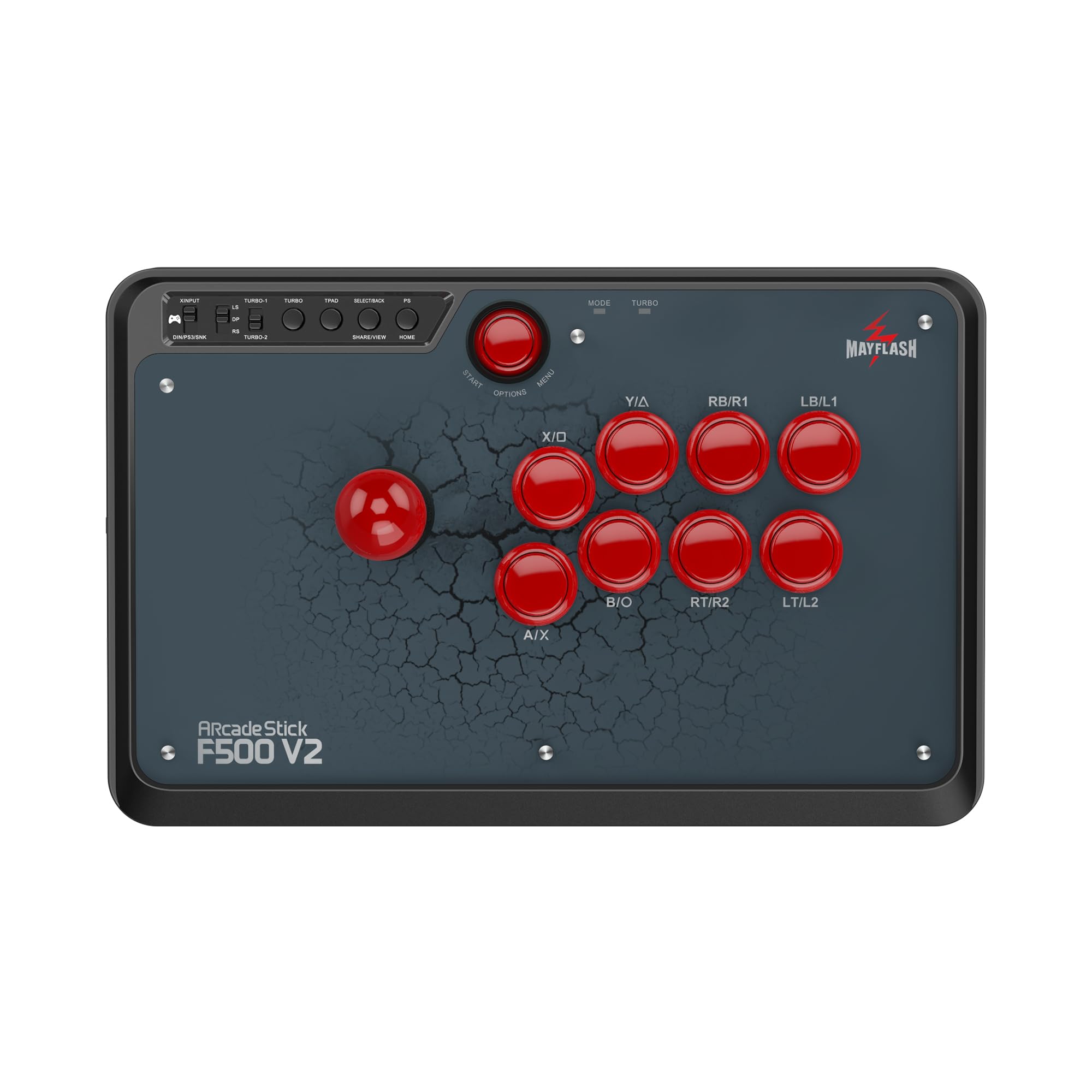
Mayflash F700 Elite

86 /100
Lab Score Excellent

Key details

Weight
7.7 lbs
Customizability
Easy modding
Component Quality
Sanwa buttons/joystick
Wireless vs Wired
Bluetooth, 2.4G, wired
View on Amazon

The Mayflash F700 Elite stands apart by delivering Sanwa buttons and joystick straight from the box, paired with wireless connectivity on PS5 and Switch. At 7.7 lbs, it has the heft to stay put during matches, unlike lighter plastic shells. The top pick in this category relies on Hayabusa parts; here you get the clicky, responsive feel that competitive players often upgrade toward, without any additional cost.

This stick suits players who play across PS5, Switch, and PC and want the same control feel on every platform. The Bluetooth pairing process can be less fluid than dedicated adapters — some users need to re-pair when switching from console to PC. The buttons are notably sensitive: a light resting touch can register as an input, which may be an issue during high-pressure matches where fingers hover over the face buttons.

The F700 Elite also opens up modding with a standard layout and easy access to the internals. Changing the artwork or swapping components takes minutes. The included headset jack and anti-slip mat add practical value for long sessions.

💡 A light touch on the buttons helps avoid accidental inputs; wired mode is the most reliable for tournament use.

Pros

  • Genuine Sanwa joystick and buttons out of the box
  • Wireless on PS5 and Switch via Bluetooth and 2.4G, plus USB-C wired for low-latency play
  • Heavy 7.7-lb metal construction stays stable on lap or desk
  • Easy to customize with standard Sanwa-compatible parts and quick-open design

Cons

  • Button sensitivity can register accidental presses if fingers rest on the surface
  • Bluetooth pairing may require manual reconnection when switching between devices
Our verdict

For players who value Sanwa feel and multi-platform wireless, this is a rare and capable tool — just be ready to adjust your finger placement and manage Bluetooth switching.

Check Latest Price
4

Best Budget Wireless

8Bitdo Arcade Stick

93 /100
Lab Score Outstanding

Key details

Weight
4.6 lbs
Customizability
High, universal mounting plate
Component Quality
Stock (Sanwa compatible)
Wireless vs Wired
Bluetooth, 2.4G, wired
View on Amazon

At roughly $90, the 8Bitdo Arcade Stick undercuts nearly every competitor while offering wireless play on Switch and PC via Bluetooth, 2.4G, or USB-C. Its community of 4,500+ reviews points to a well-documented modding path — swapping the joystick and buttons for Sanwa parts is a simple weekend project.

This stick suits players who prioritize wireless convenience and tinkering over out-of-box performance. The stock joystick and buttons have a lower-grade feel — plan to invest about $40 in Sanwa parts if you intend to compete. For casual sessions on the couch or travel, the stock components are perfectly usable.

The stick uses a universal mounting plate compatible with Sanwa and other popular sticks, making upgrades simple. At 4.6 pounds, it stays put on a desk but is light enough to carry.

💡 For competitive sessions, connect the 2.4G receiver instead of Bluetooth to minimize potential interference.

Pros

  • A budget-friendly entry point that delivers wireless functionality and modding capability at a fraction of typical costs.
  • Wireless play via Bluetooth, 2.4G, or USB-C offers low-lag performance across multiple modes.
  • Universal mounting plate accepts Sanwa and other aftermarket sticks and buttons, making upgrades straightforward.

Cons

  • Out-of-box components have a plastic, lower-quality feel that serious players will want to replace.
  • In some cases, Bluetooth pairing can be finicky or lag may appear under heavy interference.
Our verdict

A smart starting point for Switch and PC players who want wireless and plan to customize — skip if you need PS5 support or a tournament-ready stick out of the box.

Check Latest Price
5

Best Leverless Option

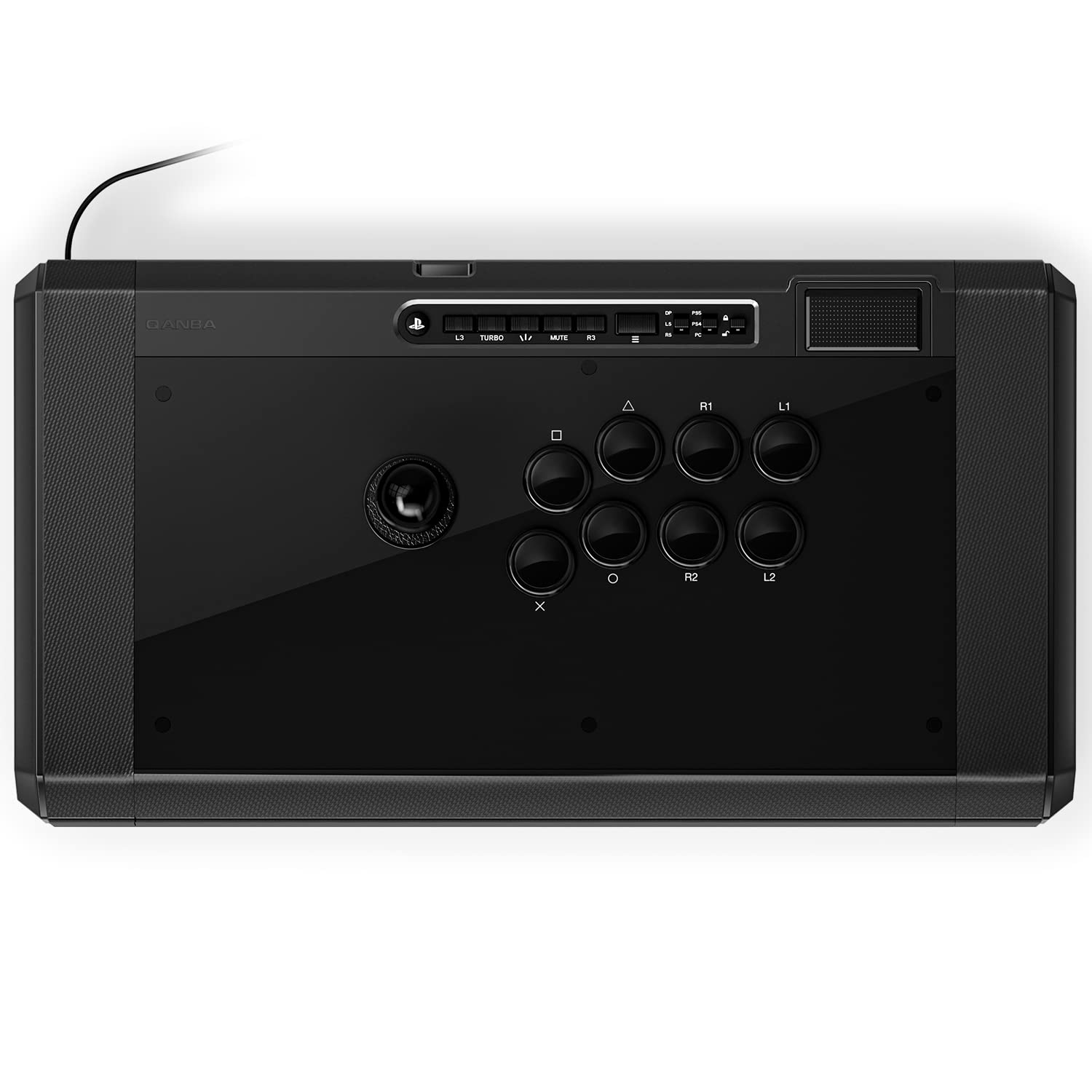
Qanba Sapphire S1

87 /100
Lab Score Excellent

Key details

Weight
Customizability
Remappable, RGB, keycaps
Component Quality
Cherry Silver switches
Wireless vs Wired
Wired
View on Amazon

The Qanba Sapphire S1 is the most affordable officially licensed PS5 leverless controller available, and it uses Cherry Silver mechanical switches — a premium component typically found in higher-priced controllers. This switch choice gives each button a crisp, responsive feel that competitive players will appreciate. The 18 programmable buttons are all remappable, and the controller includes a detachable joystick for hybrid play, though the primary design is leverless.

This controller is best suited for players looking to transition to a hitbox-style layout without paying premium prices, or for PS5 tournament players who want an official Sony license at a mid-range cost. Because the Sapphire S1 is newer to the market, its long-term durability for daily competitive use has not been widely tested — a consideration for those who plan to play heavily for years.

💡 Keep the memory foam wrist rest in place during extended sessions to reduce fatigue on the leverless layout.

Pros

  • Cherry Silver mechanical switches deliver fast, tactile feedback for precise inputs.
  • All 18 buttons are fully remappable, allowing customized layouts for different games.
  • The most affordable PS5-licensed leverless controller on the market.

Cons

  • Long-term durability for heavy tournament use has not been confirmed by extensive testing.
Our verdict

For players ready to try leverless on PS5, the Sapphire S1 offers an unmatched combination of official licensing, premium switches, and affordability — just be aware that its long-term track record is still being written.

Check Latest Price
6

Best Budget PS5 Stick

Qanba Drone 2

88 /100
Lab Score Excellent

Key details

Weight
3.9 lbs
Customizability
Easy modding
Component Quality
Qanba buttons, OMRON lever
Wireless vs Wired
Wired
View on Amazon

At $100, the Drone 2 is the most affordable way to get a licensed PS5 fight stick. It offers a comfortable layout with a touchpad and headphone jack, and the case opens easily for component swaps in under 15 minutes. That makes it a practical starting point for players who want to upgrade parts over time.

Where it cuts corners is weight and component quality. The 3.9-pound chassis can slide on smooth surfaces during intense play, and the stock OMRON lever feels loose to some and may wear faster under heavy use. This is less of a problem on a desk with a rubber mat, but lap players will notice the instability.

The Qanba buttons are serviceable out of the box, and the lever is a common entry-level part. Swapping in a Sanwa JLF and OBSF buttons costs about $50 and transforms the feel – a mod many owners perform within weeks. That upgrade path keeps the total under $150, undercutting pre-built Sanwa sticks while delivering comparable performance.

This stick fits budget-conscious PS5 players new to fighting games who are comfortable with basic DIY. If you want a premium out-of-box experience with a stable lap feel and genuine arcade parts, the Titan at $150 is a more suitable starting point.

💡 Consider using a non-slip mat or placing the stick on a desk to reduce movement during play – lap stability requires a heavier stick.

Pros

  • Budget-friendly licensed PS5 stick
  • Easy to mod: open case and swap joystick or buttons in under an hour.
  • Includes touchpad and headphone jack for PS5 menu navigation and voice chat.

Cons

  • On smooth surfaces or during intense matches, the light body can shift
  • The stock OMRON lever may feel imprecise and can wear faster than Sanwa alternatives, especially for aggressive players.
Our verdict

If you are new to fighting games on PS5 and plan to upgrade components over time, the Drone 2 offers the lowest entry cost with a clear path to better performance.

Check Latest Price
7

Mid-Range Sanwa

Qanba Titan

83 /100
Lab Score Excellent

Key details

Weight
5.0 lbs
Customizability
Component Quality
Sanwa OBSF buttons, JLF joystick
Wireless vs Wired
Wired
View on Amazon

The Qanba Titan delivers genuine Sanwa OBSF buttons and JLF joystick in a 5-pound wired enclosure with anti-slip padding, giving fighting game players the responsive arcade feel they want on PS5, PS4, and PC. The button sensitivity, however, can register unintended taps during quick sequences, and some units may trigger PS5 screenshots on reset. This stick works well for those who prefer light actuation and want Sanwa parts without the premium price, but it sits a tier below top picks because its hyper-sensitive buttons and occasional software quirk limit its appeal for precision-focused players.

Pros

  • Authentic Sanwa OBSF buttons and JLF joystick offer responsive arcade feel
  • Solid 5-pound build with anti-slip pad keeps the stick stable during play
  • Officially licensed for PS5 and PS4, with PC compatibility via wired USB

Cons

  • Hyper-sensitive buttons can register accidental taps during fast inputs
  • Some units may trigger PS5 screenshots when the console resets
Our verdict

Ideal for PS5/PS4 players who want authentic Sanwa feel at a fair price and don't mind sensitive buttons, but precision-focused players should consider alternatives.

Check Latest Price
8

Value Multi-Platform

Mayflash F700

87 /100
Lab Score Excellent

Key details

Weight
7.3 lbs
Customizability
Easy modding
Component Quality
Stock (Sanwa compatible)
Wireless vs Wired
Bluetooth, 2.4G, wired
View on Amazon

The Mayflash F700 offers wireless connectivity across PS5, Switch, PC, Android, and iOS at a mid-range price point, backed by a sturdy 7.3 lb build and hidden receiver storage. It scans readily with Bluetooth or 2.4G, making it a rare PS5 wireless option that also works with older consoles. Where it falls short is out-of-box component feel: the stock joystick and buttons lack the snap of Sanwa parts, and some units have shown stick drift (random up inputs) after extended use. For players who prioritize multi-platform ease over competitive-grade response, the F700 delivers solid value, but those seeking tournament-level parts should look to the Elite sibling or budget for upgrades.

Pros

  • Works on PS5, PS4, Switch, PC, Android, and iOS via Bluetooth, 2.4G, or USB-C wired.
  • Solid build at 7.3 lbs with hidden receiver compartment, headset support, and turbo functions.
  • Rare wireless PS5 support that works reliably out of box without extra dongles.

Cons

  • Stock buttons may feel less responsive than Sanwa alternatives
  • After months of use, stick drift (unintended up inputs) can appear in some units.
Our verdict

This is the stick to grab if you need wireless across multiple consoles at a reasonable price and can accept stock components that favor convenience over competition-grade feel.

Check Latest Price
9

Retro Switch Macros

8Bitdo Retro Arcade Stick

88 /100
Lab Score Excellent

Key details

Weight
5.4 lbs
Customizability
Macro buttons, turbo
Component Quality
Stock (Sanwa compatible)
Wireless vs Wired
Bluetooth, 2.4G, wired
View on Amazon

The 8Bitdo Retro Arcade Fight Stick brings two dedicated macro buttons and turbo to the table, alongside Bluetooth, 2.4G, and USB-C connectivity that delivers up to 40 hours on a charge. Its retro design and sturdy 5.4-pound build give it a nostalgic feel, and the community has confirmed it is moddable — swapping in Sanwa parts is a straightforward upgrade for those who want better response.

That said, this stick is limited to Switch and PC — no PS5 support — and its stock buttons feel less refined than Sanwa alternatives, with some units arriving with a non-working button or joystick direction out of the box. For players focused on competitive fighting games or who want a ready-to-play arcade-grade controller, the variable component feel and QC hiccups make it a secondary option rather than a primary stick.

Pros

  • Sturdy build that holds up to regular use
  • Low price makes it an affordable entry into arcade sticks
  • Easy to swap in Sanwa parts for upgraded feel

Cons

  • Some units may arrive with non-working buttons or joystick directions
  • Stock buttons can feel less responsive than Sanwa alternatives
Our verdict

Best suited for Switch players who want wireless convenience and macro functions, and are willing to upgrade components or accept some QC variance.

Check Latest Price
10

Heavyweight Lap Stable

Qanba Obsidian 2

83 /100
Lab Score Excellent

Key details

Weight
7.4 lbs
Customizability
Component Quality
Qanba OBSF buttons, JLF top
Wireless vs Wired
Wired
View on Amazon

The Qanba Obsidian 2 delivers on its promise of a heavy, stable platform for lap use. The construction feels premium, and the buttons and joystick offer consistent response for long play. However, its size and 7.4 lb weight make it a dedicated desktop or lap controller – pack it once and leave it. At a premium price, the design is effectively last-generation; newer competitors offer similar build with added features like wireless connectivity or more customizable options for the same cost. For buyers who want a tank-like stick and can forgo portability, this remains a viable choice.

Pros

  • Heavy construction offers stable lap feel and premium finish.
  • Sustained performance keeps inputs responsive over hours of play.

Cons

  • Weight and dimensions limit this to permanent setups
Our verdict

This stick fits players who want a rock-solid lap experience and don't need to move it often. The price reflects the build quality, but check competitors for modern features.

Check Latest Price
11

Portable Casual

HORI Fighting Stick Mini

83 /100
Lab Score Excellent

Key details

Weight
1.0 lbs
Customizability
Component Quality
Stock
Wireless vs Wired
Wired
View on Amazon

The HORI Fighting Stick Mini offers a compact, 1-pound build that packs easily into a backpack, and its budget-friendly price makes it the most affordable licensed PS5 stick. The trade-off: the touchpad button is absent, meaning players cannot navigate PS5 menus without a separate controller. This omission, combined with the small form factor and less responsive buttons, limits it to casual use, children, or travel rather than competitive play.

💡 Keep a standard PS5 controller nearby for menu navigation — this stick does not include a touchpad button.

Pros

  • Decent build for the price
  • Ultra-portable at 1 lb

Cons

  • Loose, sticky buttons can feel unresponsive during fast inputs.
  • Small size is uncomfortable for large hands over longer play sessions.
Our verdict

This stick fits best as a travel companion or beginner stick for children, not for serious fighting game play.

Check Latest Price

How to Choose

Console Compatibility

Native PS5 support requires an official Sony license; unlicensed sticks or adapters can introduce lag or miss features like the touchpad. If you play on PS5 and any other platform, a licensed multi-platform stick saves you from swapping hardware.

For Switch and PC players, compatibility is broader — many wireless sticks work across both without extra adapters. Xbox users have fewer options in this lineup, so check the supported list before buying.

Component Quality

Sanwa parts are the gold standard for arcade feel: crisp microswitches in the joystick and responsive, tactile buttons. Hayabusa parts (HORI) are a close equivalent with a slightly lighter button press. Both beat generic stock parts that feel mushy or inconsistent.

The hidden trade-off: sticks with Sanwa parts cost more and sometimes ship with over-sensitive buttons that cause accidental inputs. If you prefer a heavier button press, look for models with adjustable actuation or plan to swap springs.

Weight and Stability

A stick under 4 pounds tends to slide on your lap during intense matches, forcing you to clamp it with your knees. Heavier sticks (7+ lbs) stay planted and let you focus on inputs rather than holding the controller steady.

The downside: heavy sticks are a pain to transport. If you attend local tournaments or travel often, a mid-weight stick around 5 lbs with a rubber bottom offers a reasonable compromise between stability and portability.

Wireless vs Wired

Wired sticks have zero latency and no pairing hassle — the standard for competitive play. Wireless adds freedom but introduces potential interference and battery management. On PS5, wireless options are rare due to licensing restrictions; most are wired-only.

For casual home play on Switch or PC, wireless is fine as long as you use a low-lag protocol like 2.4G. Bluetooth can have sporadic drops, especially if other devices are nearby. If you compete, wired is still the safer bet.

Customizability

Modding ease matters if you plan to upgrade buttons, joystick, or artwork later. Sticks with a simple screw-off top panel and full Sanwa mounting plate let you swap parts in minutes. Others require soldering or proprietary tools.

The common trap: buying a cheap stick assuming you'll upgrade it later, only to find the case lacks the right mounting holes or the wiring harness is non-standard. Check online modding communities before purchase to confirm parts availability.

Frequently Asked Questions