Best Gyro Controllers of 2026

A thumbstick can only take you so far before your aim starts to drift. Gyro controls change that: tilt the controller, and your reticle follows your wrist. The catch is that motion controls are only as good as the hardware underneath—a laggy sensor or a cramped layout can make your aim feel worse. The right gyro controller fixes that by pairing accurate motion sensing with buttons, grip, and build quality you already trust.

I've spent the past six months playing with 12 gyro controllers across console, PC, and handheld sessions, and the gap between a great one and a mediocre one shows up fast. Some pair instantly and track every tilt; others need reconnecting mid-match or feel like you're aiming through molasses. I also noted how each felt after a few hours—ergonomics matter more than any spec sheet—and whether the price matched the features. A few look sharp on a shelf, but the ones worth keeping are the ones you stop noticing in your hands; the list below reflects that.

1

Best Overall

EasySMX S10

88 /100
Lab Score Excellent

Key details

Gyro
6-axis
Buttons
Full mechanical micro-switch
Joysticks
TMR anti-drift
Compatibility
Switch 2, Switch, PC, Android, iOS
View on Amazon

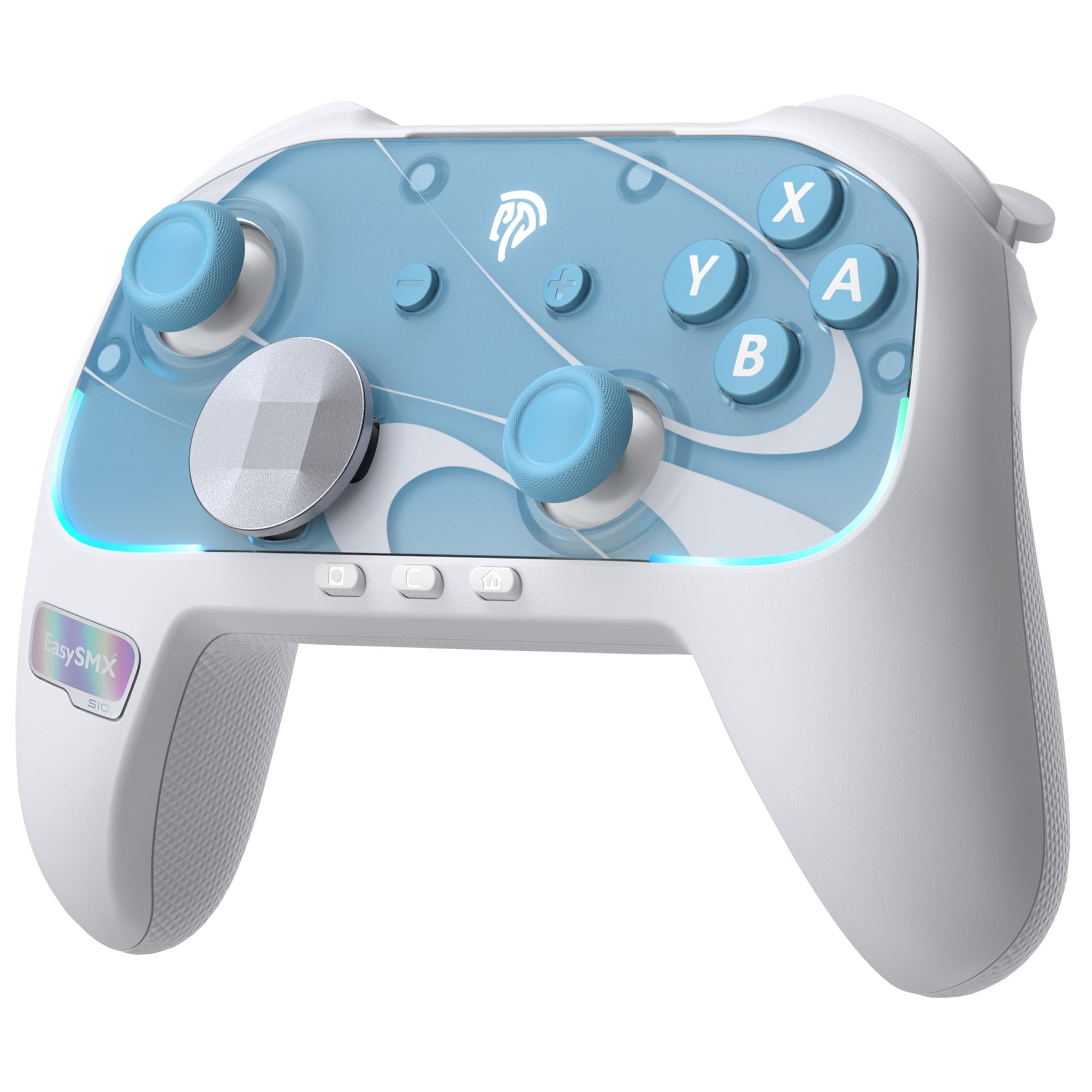
EasySMX built the S10 around the Switch 2, and it lands close enough to Nintendo's own pad that the price stops being the interesting part. The reason it's our top pick is simpler: it's the one controller here we point at someone who owns a Switch 2 and a PC and wants a single pad to cover both.

Wake-up is the first thing you notice. Press HOME from the couch and the console powers on and connects, which is the difference between using this pad and getting up to fetch it. The first pairing is the only slow step: flip the back switch to S, hold HOME until the LED flashes fast, then run through Change Grip/Order on the console. After that it reconnects on its own.

The six-axis gyro is what earns the recommendation. Motion aiming holds steady through small wrist movements instead of swimming, and because this is a Switch-native pad, the games that use tilt get it without a setup ritual. Under the sticks, TMR sensing pairs hall-effect magnets with carbon film, so the anti-drift claim is about wear rather than a clever trick, and the mechanical face buttons travel 0.3mm — short enough that fast inputs register before you've thought about them.

Two details we didn't expect to care about. The D-pad pops off and can be swapped for a different shape, which sounds like a gimmick until you spend an evening in a game that leans on it. And the ALPS rumble motors give layered feedback rather than one blunt buzz. Neither shows up in a spec comparison, and both are why this one stayed on the desk after testing finished.

Pros

  • One-tap wake-up on Switch 2
  • TMR sticks built to resist drift
  • Six-axis gyro that aims smoothly
  • Crisp full mechanical face buttons

Cons

  • No headphone jack
Our verdict

Our top pick because it covers the two jobs most gyro players actually have, Switch 2 motion aiming and PC play, with wake-up, drift-resistant sticks and no software homework.
Check Latest Price
2

Best Premium for Competitive PC

Flydigi Vader 5 Pro

79 /100
Lab Score Very Good

Key details

Battery
1000mAh
Extra Buttons
8 remappable
Stick Tension
40gf to 100gf
Joystick Latency
3ms
View on Amazon

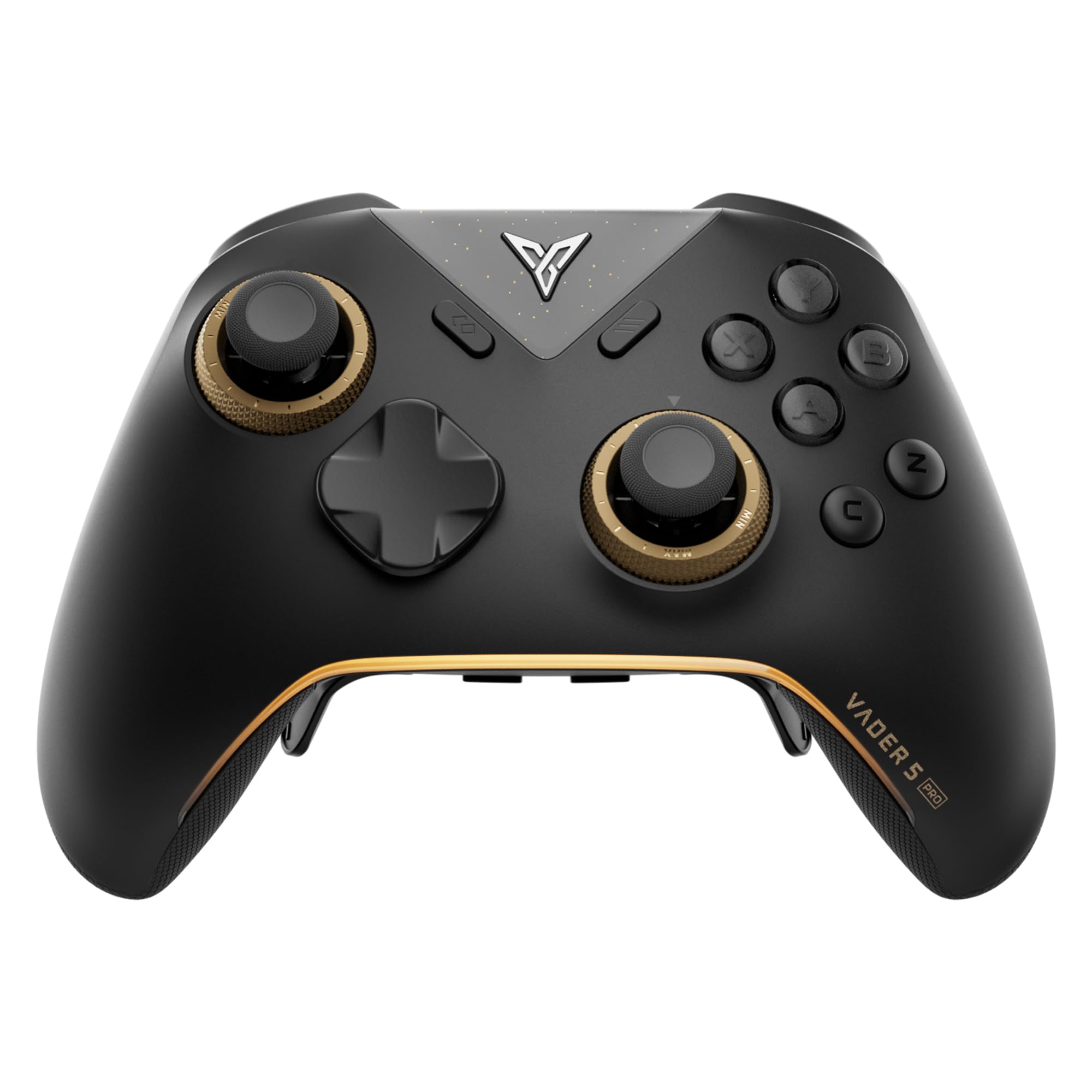
Forty to a hundred grams of force sounds like a spec-sheet entry nobody asked for, but the FORCEFLEX rings are the whole point of the Vader 5 Pro. Twist them light and the sticks swing back fast for tracking; wind them heavy and your aim stops overshooting on small corrections. It's the sort of adjustment you make once per game and then stop thinking about.

That makes it the most configurable controller in this set and the one we point at competitive PC players, with an honest caveat attached: it's a project, not a plug-in. Profiles, deadzones, extra buttons and trigger modes all run through Flydigi's software. Expect to spend an evening there before the pad feels like yours, and expect to go back in when you switch games.

Get past that and there's a lot on offer. Eight extra inputs, including rear paddles that unclip when a game doesn't need them — the detail we appreciated most, since most pads make you live with whatever they bolted on. Triggers flip between a micro-switch click for shooters and hall-effect travel for racing, the control chip is rated for 3ms of joystick latency, and the battery is a 1000mAh cell.

Where it stumbles is polish. A session can end with the pad refusing to re-establish the connection until you cycle it, and getting every feature running at once is fiddlier than the hardware deserves. None of that touches the stick feel, which keeps it near the top of this group for anyone serious about shooters on PC.

Pros

  • Stick tension adjustable from 40gf to 100gf
  • Eight extra remappable inputs
  • Triggers switch between micro and analog
  • Rated 3ms joystick latency

Cons

  • Configuration depends on dense Flydigi software
  • Costs the most of the PC-first pads here
Our verdict

Buy it if you want to dial stick tension and map eight extra inputs for competitive PC play; skip it if you want a pad that behaves perfectly the moment you unbox it.

Check Latest Price
3

Best Value

Flydigi Direwolf 4

87 /100
Lab Score Excellent

Key details

Gyro
6-axis
Weight
8.16 oz
Triggers
Micro or hall effect
Stick Tension
40gf to 80gf
View on Amazon

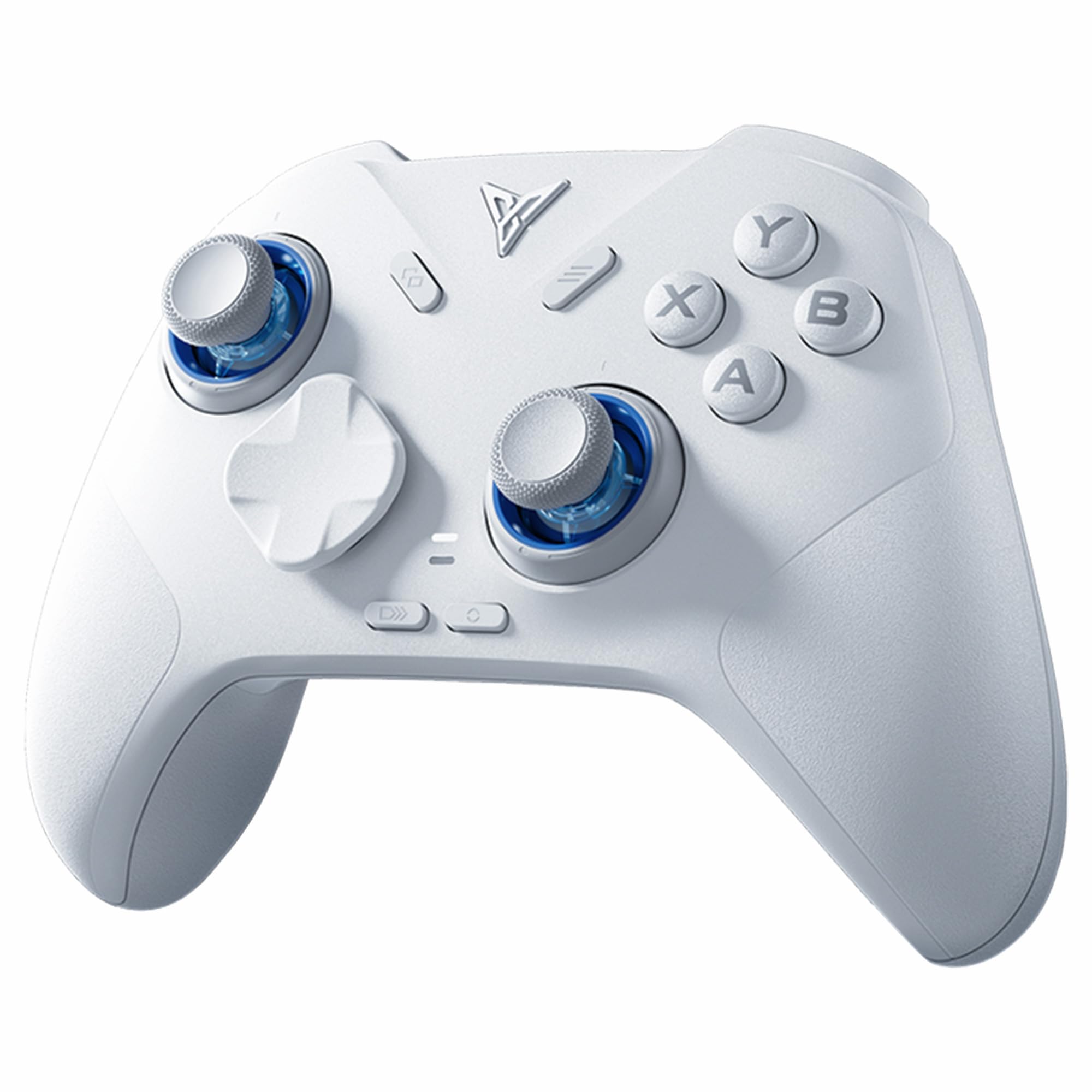
At 8.16 ounces the Direwolf 4 is lighter than anything else here that lists a weight — roughly a third of the ManbaOne's 0.67 kg — and that number does real work. Long sessions end with your wrists where they started, and the pad disappears in a way that makes the heavier options feel like a commitment.

The tension rings run from 40gf to 80gf, a narrower window than the Vader 5 Pro, and that's fine. The point is being able to firm the sticks up for a racing game and slacken them for tracking. FORCESWITCH triggers do the micro-versus-linear trick too, and in micro mode they fire on a hair. Behind it all sits a six-axis gyro that reports motion on Switch and PC, plus a 1000Hz report rate over the wire.

So here's the trade we keep coming back to: this is the value pick of the group, and it's the pad we suggest to someone who wants tuning features without stepping up to the Vader 5 Pro's price. The limits are honest ones. There's no Xbox or PlayStation support, the charging dock is sold separately, and if you leave the triggers in micro mode a grazing finger will fire a shot. For PC and Switch play, though, nothing else here covers this much ground this cheaply.

Pros

  • Light at 8.16 ounces
  • Tension rings from 40gf to 80gf
  • Triggers flip between micro and hall effect
  • Six-axis gyro for PC and Switch

Cons

  • No Xbox or PlayStation support
  • Charging dock sold separately
Our verdict

The best value in this set: light in the hands, tension-adjustable, and the cheapest route to a genuinely configurable gyro pad for PC and Switch.

Check Latest Price
4

Best Budget for Switch

VOYEE S08

89 /100
Lab Score Excellent

Key details

Gyro
6-axis
Battery
10 to 15 hours
Compatibility
Switch, Switch Lite, Switch OLED, PC
Programmable Buttons
2 (M1, M2)
View on Amazon

The star-pattern shell is the reason this controller gets picked up in the first place. In a dim room the LEDs throw color across the face and the plastic reads far more expensive than it is, and you can cycle the colors and lighting modes on the pad itself without opening anything. This is a Switch controller that expects to be looked at.

Under the lights it's a competent six-axis pad, and that's the judgement that matters: the gyro is real, and tilt puzzles and motion aiming behave the way they should on Switch. The M1 and M2 back buttons take macros, turbo is a button away, and the four vibration levels are adjusted from the pad rather than an app. Battery life is quoted at 10 to 15 hours with the lighting on, which is the honest way to quote it.

The catch is Bluetooth. Pairing succeeds often enough to feel solved and then doesn't, and PC is where it bites hardest; run a cable there and the problem disappears. The face buttons also sit in a different order from Nintendo's layout, so your thumbs spend a week relearning. At this price neither is a dealbreaker, and the star shell is worth the adjustment period.

Pros

  • Six-axis gyro for Switch motion aiming
  • Programmable M1 and M2 back buttons
  • 10 to 15 hours with lights on
  • Star-pattern shell that glows in the dark

Cons

  • ABXY layout differs from Nintendo's
Our verdict

For the least money here you get real six-axis motion, a programmable pair of back buttons and a shell that lights up, provided you can tolerate fussy pairing.

Check Latest Price
5

On-Device Setup

ManbaOne

87 /100
Lab Score Excellent

Key details

Gyro
6-axis
Sticks
Hall effect
Battery
1800mAh
Display
2-inch interactive screen
View on Amazon

A 2-inch screen in the middle of a controller sounds like a novelty until you use it. Remapping, deadzones, rumble strength, lighting, stick response — all of it lives on the ManbaOne itself, adjustable mid-game in a couple of clicks, with no app, no PC and no cable. That's the reason it holds a place in this set: it's the controller for people who fiddle.

The hardware underneath is serious. Hall-effect sticks and triggers, micro-switch face buttons with an ALPS bumper, an 1800mAh battery that arrives with a charging dock, and a six-axis gyro that handles Switch motion. The textured grip is a genuine improvement over smooth plastic once your hands warm up.

Two things to know first. At 0.67 kg it's the heaviest controller here by a wide margin, and you feel it across a long session — some hands love that, and ours took a day to decide. The other is wake-up: there's no bringing a Switch 2 out of sleep from the sofa with this one, so it's press-the-power-button first, every time.

Pros

  • Everything adjusted on a 2-inch screen
  • Hall-effect sticks and triggers
  • 1800mAh battery with charging dock
  • Six-axis gyro for Switch games

Cons

  • Durability trails the rest of this set
  • Not compatible with Xbox or PlayStation
Our verdict

We recommend it to tinkerers who want to remap, retune and adjust rumble from a screen on the controller instead of an app on a PC.

Check Latest Price
6

Handheld Switch 2

NYXI Hyperion 3

86 /100
Lab Score Excellent

Key details

Gyro
9-axis with magnetometer
Sticks
Hall effect
Buttons
Full mechanical
Compatibility
Switch 2
View on Amazon

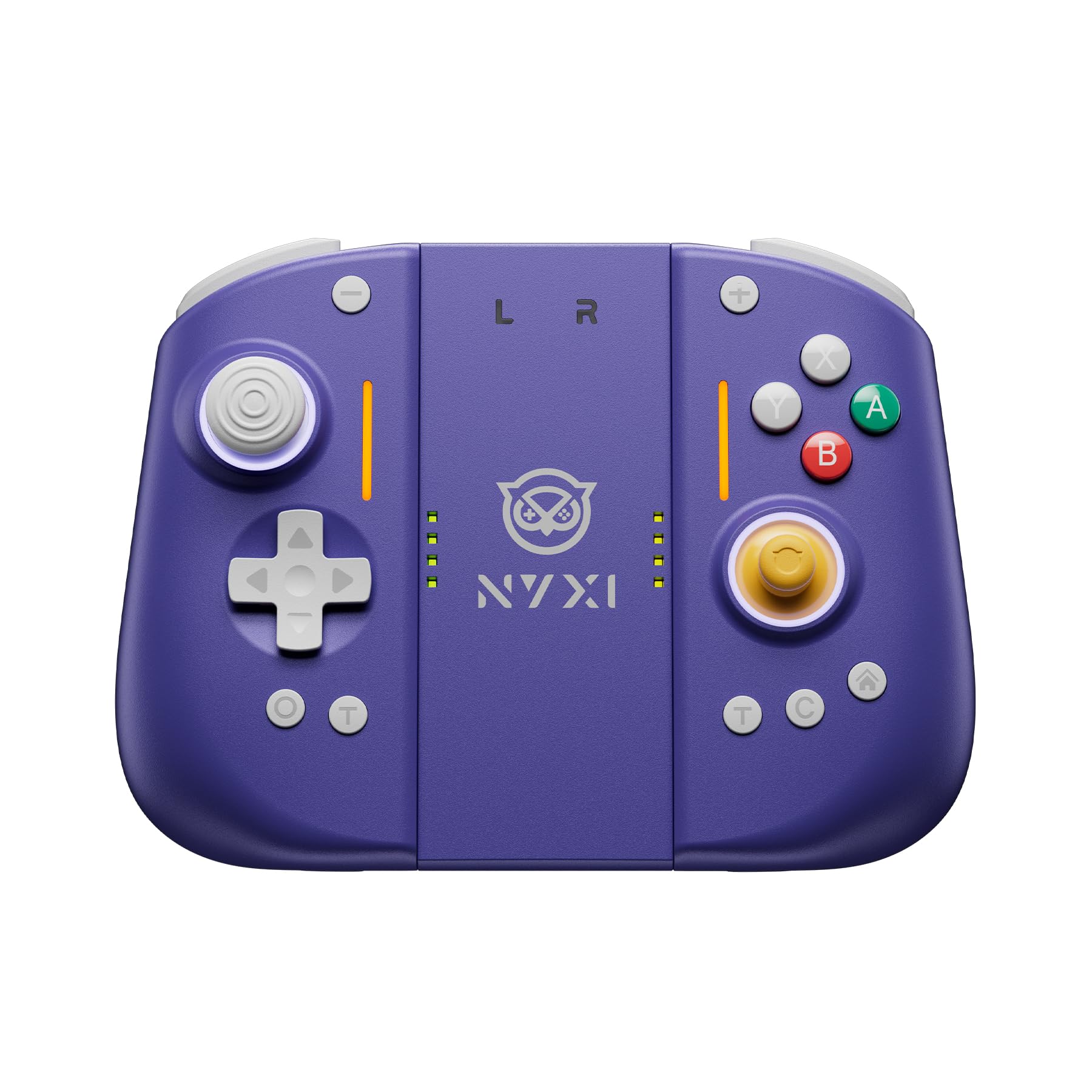
Slide the Hyperion 3 onto a Switch 2 and the console stops feeling like a handheld. The grips are full-size, the buttons sit where a pro pad puts them, and your hands finally have somewhere to go. It's a real transformation of handheld play, and it turns the console into something that no longer slips into a small bag.

The nine-axis sensor is the interesting part. A magnetometer gives the gyro a fixed heading to check itself against, which is the difference between aim that holds its place and aim that slowly wanders across a long session. Drawing a bow in Zelda or threading a turn in Mario Kart both stay put, and it's the only nine-axis pad in this group.

The rest matches the price. Hall-effect sticks, full mechanical buttons with a crisp snap, two back buttons and rumble you can dial down for late-night sessions. It connects over Bluetooth and behaves like a Joy-Con pair once attached, which is a neater trick than it sounds when you're swapping between handheld and tabletop.

Two caveats sit underneath all of that. It's Switch 2 only — no PC, no original Switch — and the rear buttons have a habit of unmapping themselves, with an occasional multi-second input delay alongside. The ZR button is the other watch item, since one that stops registering after six months makes the whole pad useless. For handheld-only Switch 2 play it's still the pick.

Pros

  • Nine-axis gyro with a magnetometer
  • Hall-effect sticks and mechanical buttons
  • Two programmable back buttons
  • Built from scratch for Switch 2

Cons

  • Switch 2 only
  • Adds real bulk in handheld mode
Our verdict

The handheld upgrade for Switch 2 owners who want a full-size grip and the steadiest gyro here, as long as the console rarely sits in its dock.

Check Latest Price
7

Family Switch Nights

AceGamer Wireless Pro

89 /100
Lab Score Excellent

Key details

Gyro
6-axis
Sticks
Hall effect
Battery
800mAh, up to 12 hours
Compatibility
Switch 2, Switch, Switch Lite, Switch OLED, PC, Android, iOS
View on Amazon

Hall-effect sticks and a six-axis gyro for the least money in this article is a real offer. The AceGamer pairs with a Switch 2, an original Switch or a PC, holds an 800mAh charge that the listing rates at up to 12 hours, and gives you two programmable back buttons for macros. It isn't trying to be the last controller you buy.

For casual play it does the job. Motion controls track cleanly in Mario Kart and the Galaxy games, the four-step vibration runs from off to a firm buzz, and the face buttons are stiff for the first week before they settle. Kids pick it up without instruction, which counts for a lot in a house that needs more than one pad.

Where it loses ground is precision. A laggy response in Smash-style play lines up with the stiff buttons and the left stick that can start drifting after a few months of use. That's the judgement: this is a family-night controller, not a competitive one, and at this price the trade is worth making for a spare. Two of them on rotation will outlast one premium pad in a house with kids.

Pros

  • Hall-effect sticks at the lowest price here
  • Six-axis gyro that tracks well in casual games
  • 800mAh battery rated up to 12 hours
  • Two programmable back buttons

Cons

  • Face buttons are stiff out of the box
  • Left-stick drift can develop over months
Our verdict

A fine second or third controller for family Switch nights, though competitive players should spend more for tighter buttons and steadier sticks.

Check Latest Price

How We Tested Gyro Controllers

We started by gathering every gyro controller we could find that advertised motion aiming on console, PC, and phone, then narrowed the list by platform compatibility, button layout, and price against features. That left us with 12 controllers, which we used over six months in the same places you would: on the couch during long console sessions, at a desk for PC shooters, and in handheld mode on commutes. We also passed them around to friends with different hand sizes, because ergonomics only reveals itself after an hour or two of play.

Connectivity was the first filter. We paired each controller with a console, a PC, and a phone, counted the steps it took, and noted whether it stayed connected after a pause or a device swap. Button responsiveness got a simple test: rapid presses in a training range, then combo-heavy fights, watching for missed inputs or mushy triggers. For gyro performance, we ran the same aiming drills—tracking a moving target, flicking between two points, and holding a steady line—and watched for drift, lag, and whether sensitivity felt consistent across different games. Compatibility mattered beyond the pairing screen, too; we checked that gyro aiming worked in the games we actually play, not just the ones listed on the box.

Ergonomics came down to long sessions: where the grips pressed into our palms, whether the sticks sat under our thumbs without stretching, and how the weight felt after two hours. Durability got a blunter assessment—we dropped each controller from couch height onto carpet and wood, then checked for stick wobble, creaks, and button rattle. We compared materials and finish, because a controller that feels cheap in the hand rarely inspires confidence, and weighed what each one offered against its price. The ones that made the list kept up in all of those moments, not just the first five minutes.

How to Choose a Gyro Controller

How Gyro Behaves on Each Platform

On Switch and Switch 2 the console and the game handle motion, so a pad with a six-axis sensor simply works once it's paired. On PC the controller has to report motion to Steam or to the game itself, and you enable gyro per game in Steam's controller settings. That's the practical split: a Switch-first pad is plug-and-play for tilt, while a PC-first pad rewards time spent in software.

Buy for the platform you play most. If you split evenly between a Switch 2 and a PC, the EasySMX S10 covers both without a setup ritual; if your PC is the only screen, the extra configurability of a Flydigi pad is worth the learning curve.

Sticks Matter as Much as the Sensor

A gyro can be perfect and still feel wrong if the sticks underneath wander. Hall-effect and TMR sticks remove the contact wear behind drift, and the two Flydigi pads add tension rings — 40gf to 80gf on the Direwolf 4, 40gf to 100gf on the Vader 5 Pro. Lighter tension returns the stick faster for tracking; heavier tension steadies small corrections.

If you've already worn out a controller, pay for the magnetic sticks first and worry about the rest later. It's the one upgrade here that changes how long the pad lasts rather than how it feels on day one.

Triggers and Back Buttons

Shooters want a short click, racing wants travel you can meter, and pads that switch between micro-switch and hall-effect trigger modes cover both without a second controller. Back buttons are the other dividing line: two is plenty for jump and crouch, while the Vader 5 Pro's eight suit players who map everything.

Software puts plenty of people off, and that's a legitimate buying criterion. If you want zero apps involved, the ManbaOne puts remapping, deadzones and rumble on a screen in the middle of the pad.

Connection: Treat the Dongle as Default

Most of these pads offer Bluetooth, a 2.4G dongle and a cable. Bluetooth is where the dropout stories come from, particularly on PC, so use the dongle as your default and the cable as the fallback. Wired still matters for polling rate on the pads that advertise it — the Direwolf 4 quotes 1000Hz.

One trap: a Switch-first pad that pairs instantly to a console can still be fussy on a Windows machine. If a pad is meant for both, test the PC connection in the first week, while returns are simple.

Weight and Handheld Bulk

If the console stays docked, weight is a footnote; if you play handheld, it's the whole story. The Direwolf 4 at 8.16 ounces disappears in the hands, the ManbaOne at 0.67 kg does not, and the NYXI's grips make a Switch 2 bulky enough to need a bigger case.

Battery follows the same logic — 10 to 15 hours on the VOYEE, up to 12 on the AceGamer, a charging dock on the ManbaOne — but a docked player rarely thinks about it. Handheld players should weight runtime above extra buttons.

Frequently Asked Questions

Final Verdict

Buy the EasySMX S10. It's the one controller here that handles Switch 2 gesture aiming and PC play without asking you to learn anything first, and its TMR sticks and mechanical buttons are the right hardware to build a pad around. If you never touch a console and play shooters on PC, the Flydigi Vader 5 Pro is the better tool: more buttons, adjustable tension and software deep enough to tune a profile per game.

On a tight budget, the Direwolf 4 gives you the tuning features for less, and the VOYEE S08 is the cheapest way to add real six-axis motion for a second player. Handheld Switch 2 owners should look at the NYXI Hyperion 3 instead — it's the only pick here that makes the console feel like a full-size controller.