13 Best Gaming Keyboard of 2026: Keyboards That Survive Long-Term Use

Choose a gaming keyboard that won't let you down mid-game: reliable mechanical and hall-effect picks for serious gamers, with honest trade-offs.

Every year, gaming keyboards promise faster response, better switches, and more features. But as many gamers discover, a high average rating doesn't guarantee a keyboard that works past the first few months. Key failures, chattering, and software bugs are frustratingly common even in expensive models.

This guide cuts through the marketing to focus on keyboards that deliver on their promises — picks that combine speed, build quality, and actual longevity. We've identified consistent patterns of early failure in many budget and mid-range options, and our recommendations emphasize models that minimize those risks.

The biggest decision most buyers face is between cutting-edge magnetic switch tech for ultimate speed versus a wireless keyboard with creamy acoustics and design. Each has its trade-offs, and we'll show you exactly which route fits your gaming style.

1

Best Overall

SteelSeries Apex Pro TKL Gen 3

91 /100
Lab Score Outstanding

Key details

Layout
TKL
Switch Type
OmniPoint 3.0 Hall Effect
Connectivity
Wired USB-C
Anti-Ghosting
N-key
View on Amazon

OmniPoint 3.0 magnetic switches detect key presses faster than mechanical contacts, with actuation adjustable from a hair-trigger 0.1mm to a deeper 4.0mm — letting you dial in speed or stability per game. The Rapid Trigger feature re-registers on the release stroke, enabling strafing and bunny hops that feel almost instantaneous. Across all switch settings, the typing sound stays quieter than previous generations, with a subdued clack that suits both gaming and casual typing.

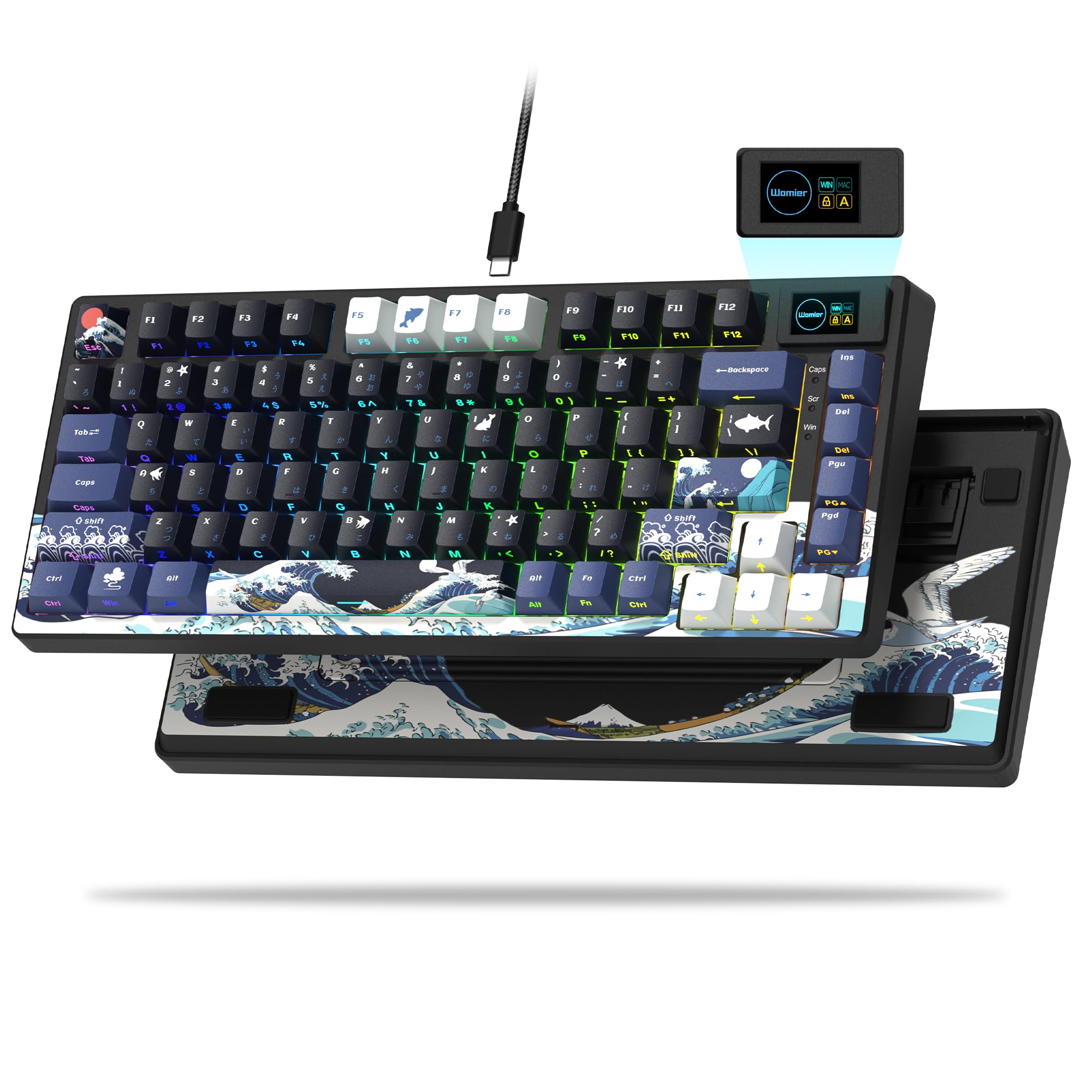
The OLED smart display on the top-right corner shows game profiles, settings, and even GIFs — configurable without opening software. Rapid Tap (SOCD) allows simultaneous opposite cardinal directions to be resolved instantly, a clear advantage in FPS games where counter-strafing matters. Onboard memory holds up to five profiles, so you can bring settings to LAN events without reconfiguring.

This keyboard is built for competitive players who prioritize speed and customization over numpad convenience or wireless freedom. The TKL layout saves desk space for mouse swipes but drops the number pad — a tradeoff that matters less in gaming than in spreadsheet work. The premium price reflects the advanced switch technology, though occasional function key registration delays have been noted in a small number of units. If your play style rarely uses function keys, that's a non-issue; if you assign game commands to them, test responsiveness early.

The PBT keycaps resist shine over time, and the aluminum top plate gives the frame a solid, no-flex feel. SteelSeries GG software provides granular control over per-key RGB, actuation curves, and Rapid Trigger sensitivity — though the keyboard works fine out of the box with default presets.

💡 If you assign game commands to the function row, test the keys early — the responsiveness issue, though infrequent, can be caught within the return window.

Pros

  • OmniPoint 3.0 switches adjust from hair-trigger 0.1mm to deep 4.0mm actuation, matching your playstyle per game.
  • Rapid Trigger and Rapid Tap (SOCD) provide near-instant re-registration and counter-strafing advantages.
  • Quieter typing sound than previous generations, with a subdued clack that doesn't distract.
  • OLED display and onboard profiles let you customize without needing software during gameplay.
  • PBT keycaps and aluminum frame ensure durable, long-lasting build quality.

Cons

  • Function key registration delays can occur in some units
  • Premium price point may feel steep for buyers who don't use the advanced switch features regularly.
Our verdict

For competitive gamers who need every millisecond advantage, the Apex Pro TKL Gen 3 delivers magnetic switch speed and customization that no other keyboard matches at this size.

Check Latest Price
2

Best Premium Wireless

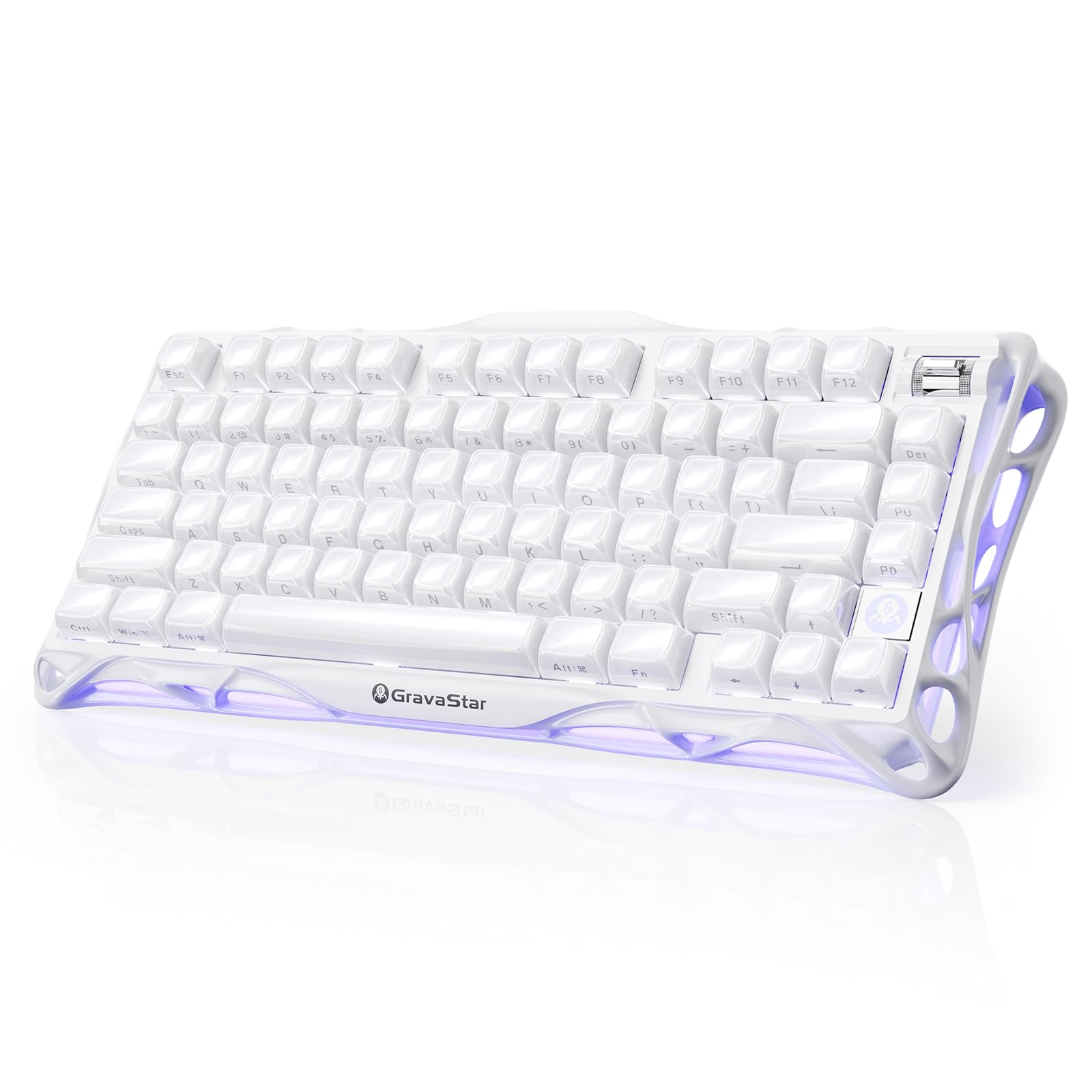
GravaStar Mercury K1

95 /100
Lab Score Outstanding

Key details

Layout
75%
Switch Type
GravaStar x Kailh linear
Connectivity
Tri-mode
Anti-Ghosting
N-key
View on Amazon

The GravaStar Mercury K1 stands apart from speed-focused options like the Apex Pro TKL by delivering a premium wireless typing experience with a gasket-mounted aluminum frame and GravaStar x Kailh linear switches that produce a creamy, satisfying sound. The 75% layout, tri-mode connectivity, and double-shot PBT keycaps complete a package that feels custom-grade out of the box.

The gasket mount and pre-lubed switches create a pleasantly muted sound that avoids the harsh clatter typical of many gaming keyboards. The aluminum exoskeleton gives it a solid, weighty feel on the desk, and RGB lighting offers 13 bright modes with onboard controls, though software features are limited. For daily typing and extended gaming sessions, the comfortable linear switches and wireless convenience make it a compelling alternative to bulkier wired keyboards.

This keyboard is best for gamers and enthusiasts who value design, sound quality, and wireless freedom over the absolute fastest response times. A small number of units have been noted to stop working suddenly, so buyers should be aware of this possible reliability concern. For those who prioritize daily comfort and aesthetics, the tradeoff is manageable.

💡 If the keyboard stops responding, switching to USB-C wired mode often restores function quickly.

Pros

  • Aluminum frame and gasket mount deliver a premium typing feel with creamy acoustics.
  • Tri-mode wireless provides flexible connectivity for low-latency gaming and desk use.
  • Customizable RGB lighting with 13 modes and durable PBT keycaps enhance the visual experience.

Cons

  • Occasional sudden unresponsiveness may require a reconnect to resolve.
  • Software customization options are less mature than some competitors' offerings.
Our verdict

For gamers who want a wireless mechanical keyboard with a creamy typing feel and premium build, the Mercury K1 is a strong choice — just be prepared for occasional stability quirks.

Check Latest Price
3

Best Compact Wired

Razer Huntsman Mini

89 /100
Lab Score Excellent

Key details

Layout
60%
Switch Type
Razer Linear Optical
Connectivity
Wired Micro USB
Anti-Ghosting
N-key
View on Amazon

Razer's optical linear switches actuate at 1.0mm with a smooth, quiet stroke that suits rapid tap-and-aim scenarios. The aluminum top frame and doubleshot PBT keycaps provide a rigid base that resists flex during intense sessions, while the 60% layout frees up desk space for sweeping mouse movements.

This keyboard is designed for gamers who want low-latency wired performance without wireless overhead. The tradeoff is a Micro USB connector instead of the more durable USB-C standard, and no wireless option at all — a non-issue if you keep the included cable plugged in permanently, but worth noting if you swap peripherals often.

Chroma RGB lighting offers per-key customization and Snap Tap support for competitive macros, all managed through onboard memory that saves profiles directly to the board. The combination of optical speed and solid build makes this a straightforward pick for players who prefer function over frills.

💡 The Micro USB port is recessed; seat the cable fully to avoid accidental disconnects during gameplay.

Pros

  • Fast optical linear switches with 1.0mm actuation for near-instant response
  • Aluminum top frame and doubleshot PBT keycaps for lasting rigidity
  • Compact 60% layout maximizes mouse space on small desks

Cons

  • Uses Micro USB rather than USB-C, a less durable connector standard
Our verdict

A no-frills wired optical keyboard that excels where speed and footprint matter most — ideal for competitive FPS gamers who don't need wireless or USB-C.

Check Latest Price
4

Best Value Mechanical

EPOMAKER F75

92 /100
Lab Score Outstanding

Key details

Layout
75%
Switch Type
LEOBOG Reaper linear
Connectivity
Tri-mode
Anti-Ghosting
N-key
View on Amazon

A gasket-mounted five-layer foam design and pre-lubed LEOBOG Reaper linear switches give the F75 a smooth, thocky typing experience that punches well above its mid-range price. The sound is notably deep and consistent, with minimal case ping or hollowness — a result of the internal padding that many budget keyboards skip. For enthusiasts seeking that custom-like acoustic profile without spending $150+, this is a compelling option.

This keyboard targets budget-conscious enthusiasts who prioritize acoustics and feel over absolute long-term assurance. The 75% layout, tri-mode connectivity, and large 4000mAh battery cover most gaming and daily needs. The tradeoff: some units may develop unresponsive keys or stop working after months of use, so a tolerance for occasional QC variance is part of the package.

💡 Test all keys within the return period — most issues appear early.

Pros

  • Creamy, thocky sound and smooth typing feel right out of the box
  • Exceptional value
  • Hot-swappable switches and multimedia knob add flexibility

Cons

  • Some units may develop unresponsive keys or stop working after extended use
Our verdict

If you value creamy acoustics over long-term certainty and are comfortable with the occasional QC gamble, the F75 delivers a custom-like experience at a fraction of the cost.

Check Latest Price
5

Best Full Layout Wireless

ASUS ROG Strix Scope II 96

91 /100
Lab Score Outstanding

Key details

Layout
96%
Switch Type
ROG NX Snow linear
Connectivity
Tri-mode
Anti-Ghosting
N-key
View on Amazon

The ASUS ROG Strix Scope II 96 packs a full numpad into a compact 96% frame while delivering up to 1500 hours of battery life on a single charge. Pre-lubed ROG NX Snow linear switches and integrated sound-dampening foam give each keystroke a smooth, thocky feel that rivals custom builds.

This keyboard suits wireless enthusiasts who want a full layout without sacrificing desk space. The typing sound and tactile feedback are premium, and the battery rarely needs topping up. The Armoury Crate software isn't the smoothest experience, and Bluetooth stability can be inconsistent. A small number of units have required warranty replacement, so a generous return policy is worth considering.

The detachable wrist rest and macro keys add practical convenience, while the hot-swappable switch sockets let you customize later. If you can accept occasional software quirks and the possibility of an early hiccup, the rest of the package is hard to fault for daily comfort.

💡 Using the 2.4GHz dongle instead of Bluetooth avoids most connectivity hiccups.

Pros

  • Smooth, thocky typing sound and feel with pre-lubed linear switches and foam dampening
  • Compact 96% layout with numpad and exceptional battery life (up to 1500 hours on 2.4GHz)
  • Hot-swappable switches and PBT keycaps allow easy customization without soldering

Cons

  • Armoury Crate software can be buggy and Bluetooth connectivity may drop
  • Some units may stop functioning entirely, requiring replacement
Our verdict

For gamers who value a comfortable, long-lasting wireless typing experience over cutting-edge speed, the ASUS ROG Strix Scope II 96 delivers — just be prepared to work around its software quirks.

Check Latest Price
6

Best Budget Hall Effect

AULA WIN68 HE

90 /100
Lab Score Outstanding

Key details

Layout
60%
Switch Type
Hall effect magnetic
Connectivity
Wired USB-C
Anti-Ghosting
N-key
View on Amazon

The AULA WIN68 HE brings hall-effect magnetic switches and 8000Hz polling to a budget price point, offering adjustable actuation from 0.02mm to 3.44mm and a rapid trigger mode that competitive gamers will appreciate. It undercuts most magnetic-switch keyboards by a wide margin while delivering a silky smooth typing feel and a satisfying acoustic profile.

This keyboard is best suited for budget-conscious gamers who want to experiment with hall-effect technology and don't mind rolling the dice on quality control. Some units may ship with non-functional keys or develop issues within the first few weeks, and the spacebar mechanism can be less reliable over time. If you can accept that possibility, the feature set is hard to beat at this price.

💡 Use the web driver to fine-tune actuation points — the default settings may not suit every game.

Pros

  • Hall-effect switches with adjustable actuation and rapid trigger at a low price
  • Smooth, satisfying typing feel and pleasant sound out of the box
  • 8000Hz polling rate and web-based driver for tuning

Cons

  • Some units may ship with non-working keys or fail within weeks of arrival
  • Spacebar durability can be a weak point, with occasional binding or wobble
Our verdict

A feature-packed budget option for gamers willing to accept a potential early defect in exchange for hall-effect performance and speed.

Check Latest Price
7

Casual Gamers Quiet

SteelSeries Apex 3

93 /100
Lab Score Outstanding

Key details

Layout
Full
Switch Type
Membrane
Connectivity
Wired USB
Anti-Ghosting
Partial
View on Amazon

The SteelSeries Apex 3 delivers a very quiet typing experience and a generously padded magnetic wrist rest that makes long sessions comfortable. Its IP32 water resistance adds peace of mind for deskside drinks. However, the membrane switches lack the tactile feedback and speed that competitive gamers expect, and backlight brightness can be underwhelming in well-lit rooms. Some units may stop responding after extended use, making this a better fit for casual settings than for high-stakes gaming.

Pros

  • Whisper-quiet keystrokes that won't disrupt others in shared spaces
  • Ergonomic magnetic wrist rest that stays firmly in place
  • Solid build quality and low price for a full-size wired keyboard

Cons

  • Some units may stop functioning after months of use
  • Backlight brightness may be too dim for brightly lit rooms or detailed keycaps
Our verdict

This keyboard works well for quiet offices or casual home use where noise and comfort are priorities, but not for gaming enthusiasts who need mechanical responsiveness or long-term reliability.

Check Latest Price
8

Budget Temporary Keyboard

Logitech G213 Prodigy

88 /100
Lab Score Excellent

Key details

Layout
Full
Switch Type
Mech-dome
Connectivity
Wired USB
Anti-Ghosting
Partial
View on Amazon

The Logitech G213 Prodigy delivers a surprisingly smooth and quiet typing feel thanks to its mech-dome design, paired with a comfortable integrated palm rest and adjustable feet for ergonomic positioning. At this price point, it offers good value for casual use or as a temporary keyboard. However, for competitive or enthusiast gamers expecting consistent performance over many months, the keyboard's key responsiveness can degrade over time, and some units may show durability concerns within weeks. This makes it a short-term solution rather than a lasting investment for serious gaming.

Pros

  • Comfortable ergonomics with integrated palm rest and adjustable feet
  • Smooth, tactile key feel that is quieter than typical mechanical keyboards

Cons

  • Key unresponsiveness can develop after several months of use
  • Durability may fall short of expectations, with some units showing issues within weeks
Our verdict

A budget-friendly option for those who plan to replace their keyboard within a year, but not for gamers needing long-term dependability.

Check Latest Price
9

Temporary Backup Keyboard

TECKNET Wired Gaming

89 /100
Lab Score Excellent

Key details

Layout
Full
Switch Type
Membrane
Connectivity
Wired USB-A
Anti-Ghosting
25 anti-ghosting
View on Amazon

The TECKNET Wired Gaming Keyboard offers a smooth, quiet typing feel with decent tactile feedback, plus 15-zone RGB lighting and IP32 spill resistance — all for under $30. The metal panel adds a bit of rigidity. However, the keyboard's construction is not intended for extended daily use. Keycap legends may fade, and individual keys can stop registering within weeks of regular gaming sessions. This is a serviceable backup or travel board for someone who needs a functional keyboard immediately and accepts that it may need replacing sooner than a mechanical alternative.

Pros

  • Remarkably quiet membrane keys with satisfying tactile bump.
  • Under $30 with RGB, spill resistance, and a metal top plate.
  • Full 104-key layout with 25 anti-ghosting keys for basic gaming.

Cons

  • Key legends can wear off in a few weeks of regular use.
  • Some units develop unresponsive keys within the first month.
Our verdict

Fine as an inexpensive spare or stopgap keyboard for light casual use, but not for daily gaming or anyone expecting months of reliable operation.

Check Latest Price
10

Absolute Budget First

Redragon K671

88 /100
Lab Score Excellent

Key details

Layout
Full
Switch Type
Redragon Linear Red
Connectivity
Wired USB
Anti-Ghosting
N-key
View on Amazon

The Redragon K671 brings hot-swappable switches and durable PBT keycaps at a price that undercuts most mechanical options. The linear switches offer a smooth feel for typing and casual gaming. However, the backlight is fixed in color (no per-key RGB), and some units can develop key response issues over time, making this more of a temporary entry point than a long-term investment.

Pros

  • Hot-swappable switches allow easy customization without soldering.
  • Smooth linear switch feel with strong value at an entry-level price.

Cons

  • Backlight is limited to pre-set colors, not customizable per-key RGB.
  • Inconsistent key response may appear on certain keys after extended use.
Our verdict

Best suited as a budget-friendly introduction to mechanical keyboards for those willing to accept fixed lighting and potential key durability variances.

Check Latest Price
11

Sound Quality Users

AULA F99

90 /100
Lab Score Outstanding

Key details

Layout
96%
Switch Type
Pre-lubed linear
Connectivity
Tri-mode
Anti-Ghosting
N-key
View on Amazon

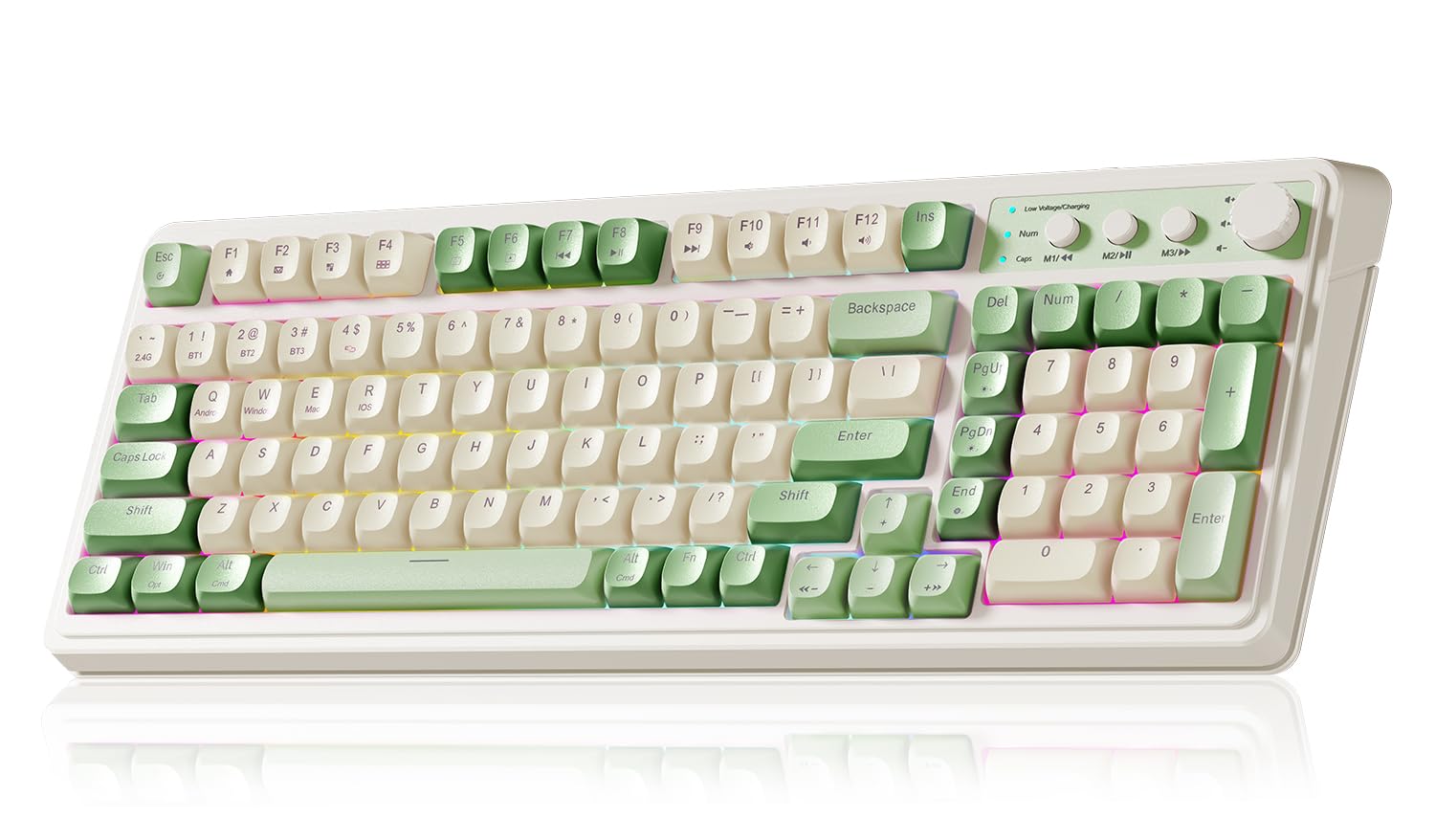
The AULA F99 delivers a creamy, smooth typing experience with its pre-lubed linear switches, gasket structure, and PBT keycaps — a rare combination at this price. Tri-mode connectivity and an 8000mAh battery make it a versatile wireless option for gaming or desktop use. However, some units have developed key responsiveness issues or stopped responding after several months, so this keyboard suits buyers who prioritize sound and features upfront and are prepared for possible early hardware quirks. It shares the same reliability concerns as the similarly-positioned F75 but in a larger layout, which keeps it from being a stronger recommendation.

Pros

  • Creamy, buttery typing sound with smooth pre-lubed linear switches out of the box.
  • Tri-mode wireless plus a massive 8000mAh battery for extended use without charging.
  • Hot-swappable switches and macro support add customization flexibility.

Cons

  • For those expecting trouble-free daily use over years, some units develop key or connectivity issues after a few months.
  • The 96% layout may feel cramped for touch-typists accustomed to full-sized spacing.
Our verdict

Best for cost-conscious enthusiasts who want a creamy, feature-packed wireless keyboard and are willing to accept the potential for early hardware issues.

Check Latest Price
12

Casual Low-Profile Gamers

Razer Ornata V3

91 /100
Lab Score Outstanding

Key details

Layout
Full
Switch Type
Mecha-membrane
Connectivity
Wired USB
Anti-Ghosting
Partial
View on Amazon

The Ornata V3’s slim profile and clicky mecha-membrane switches deliver a satisfying typing experience with good sound and feedback, while the magnetic wrist rest adds comfort. However, it lacks N-key rollover, limiting simultaneous key presses, and its keycaps may fade over time along with possible key responsiveness degradation. These tradeoffs make it a better fit for casual gaming and everyday typing than for competitive or enthusiast use.

Pros

  • Crisp clicky feedback with a satisfying sound for typing.
  • Low-profile design with a comfortable magnetic wrist rest.

Cons

  • Lacks N-key rollover
  • Keycaps may fade and keys can become unresponsive over extended use.
Our verdict

If casual gaming or daily typing is your focus and you don’t need full anti-ghosting, this budget-friendly option offers good value for its clicky feel and ergonomic wrist rest.

Check Latest Price
13

Casual Macro Users

Corsair K55 RGB PRO

84 /100
Lab Score Excellent

Key details

Layout
Full
Switch Type
Membrane
Connectivity
Wired USB-A
Anti-Ghosting
Partial
View on Amazon

The Corsair K55 RGB PRO delivers dedicated macro keys, spill resistance, and iCUE software integration at a budget-friendly price, making it a practical option for casual gamers and streamers who already use Elgato or Stream Deck. The full-size layout remains compact with a detachable palm rest, and the membrane switches offer quiet, predictable keystrokes. However, the backlighting only illuminates the top half of each keycap, resulting in uneven RGB — a limitation that matters most if you prefer bright, even per-key lighting. For those focused on macro functionality and streaming convenience rather than visual uniformity, this tradeoff is manageable.

Pros

  • Dedicated macro keys and spill resistance at a budget price.
  • Comfortable and compact full-size layout with detachable palm rest.

Cons

  • Backlight only illuminates the top half of keycaps, creating uneven lighting.
Our verdict

Works well for streamers needing Elgato integration and macro keys on a tight budget, but skip it if even per-key backlighting matters to you.

Check Latest Price

How to Choose

Switch Type

Your switch choice directly affects speed, feel, and longevity. Mechanical switches (like Cherry MX or Gateron) offer tactile or linear feedback and are replaceable, but quality varies. Hall-effect magnetic switches allow adjustable actuation from 0.1mm to 4.0mm, giving competitive gamers an edge in rapid tapping. Optical switches use light beams for near-instant registration with no physical contact, reducing wear.

The trade-off: magnetic and optical switches are newer and often locked into specific keyboards, so replacement parts aren't standardized. Membrane switches are quiet and cheap but mushier and prone to failure within months. For competitive play, magnetic or optical deliver speed; for daily typing, a good mechanical board lasts longer.

Layout

Layout determines how much desk space you need and which keys are within reach. Full-size (104 keys) includes a numpad, great for MMOs or productivity but eats space. TKL (tenkeyless) drops the numpad for more mouse room, ideal for FPS. 75% and 60% layouts shrink further by removing function row or arrow keys, forcing you to use combos.

The hidden trade-off: smaller layouts force more FN-layer memorization, which can slow down in-game muscle memory if you haven't practiced. 96% keeps the numpad in a compact form, but keys are tighter together, increasing accidental presses. Match the layout to your game genre: FPS benefits from TKL, MMOs prefer full-size.

Connectivity

Wired keyboards (USB-C or USB-A) offer zero latency and no battery worries. Wireless options split into Bluetooth, 2.4GHz dongle, or tri-mode. Bluetooth is convenient for multiple devices but introduces ~5-10ms of input lag and can desync during fast gameplay. 2.4GHz dongle is nearly as fast as wired (<1ms), but requires a free USB port and the dongle can be lost.

Tri-mode keyboards let you switch between wired, 2.4GHz, and Bluetooth, but their software often struggles with stable connection switching. Battery life varies: a 4000mAh battery can last weeks, but some boards die in days with RGB on. For competitive gaming, wired or 2.4GHz is non-negotiable; for casual use, Bluetooth is fine.

Anti-Ghosting

Anti-ghosting (or N-key rollover, NKRO) ensures that every simultaneous keypress registers correctly. Without it, pressing three or more keys at once can cause missed inputs or phantom key presses — a disaster in fast-paced games where you need to crouch, jump, and strafe simultaneously.

Most modern mechanical keyboards offer full NKRO over USB. Membrane keyboards often limit to 25-key rollover or less, which is enough for typical typing but fails in complex combos. If you play fighting games, MOBAs, or FPS with multiple binds, verify the keyboard supports NKRO. Partial anti-ghosting is a dealbreaker for competitive play.

Frequently Asked Questions