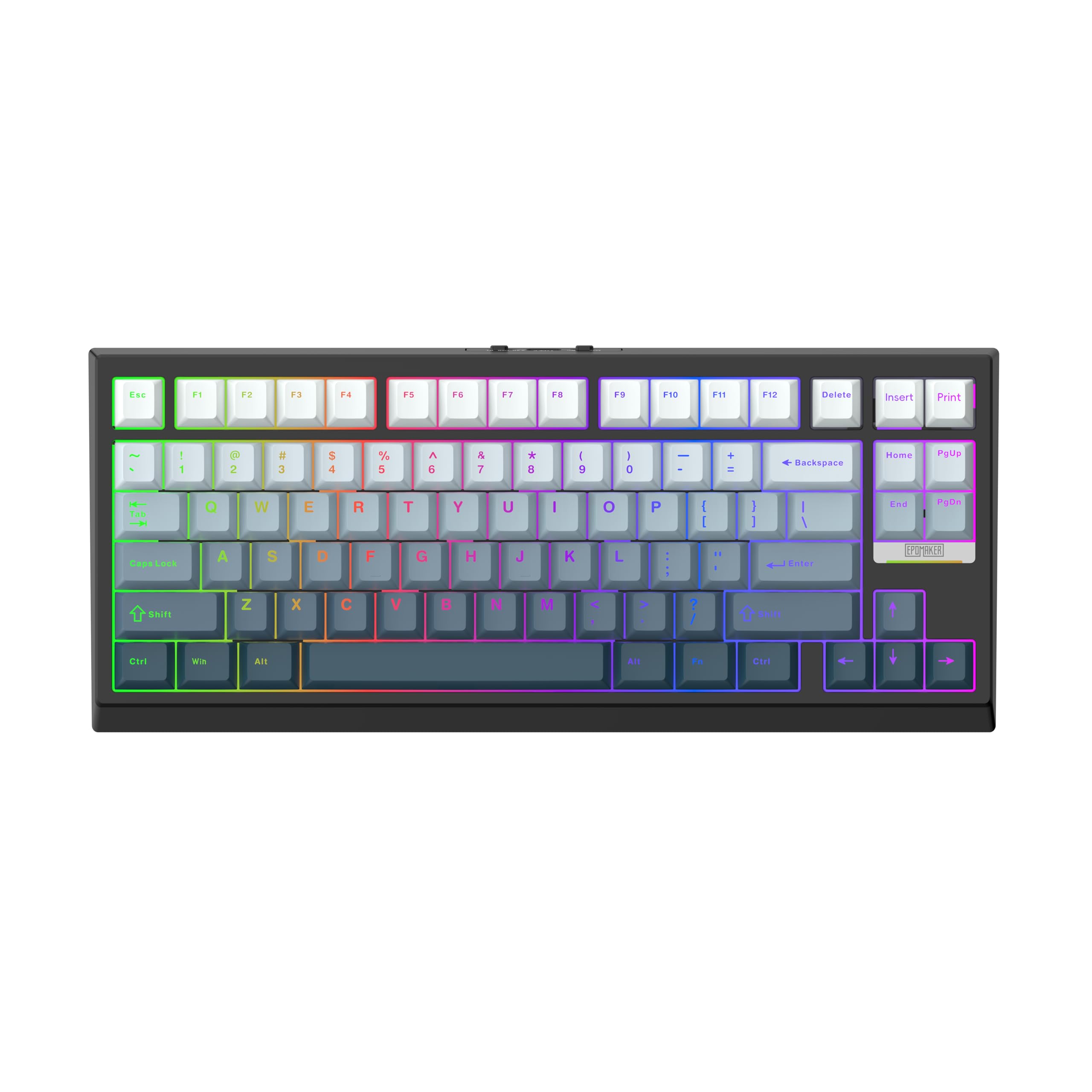
9 Best Hall Effect Keyboard of 2026: Performance for Any Budget

Which Hall effect keyboards deliver real rapid trigger and 8kHz polling without the reliability issues? This guide picks the best for every budget and use case.

Hall effect keyboards have dropped in price, but not all deliver consistent performance. Many budget boards promise rapid trigger and high polling, only to suffer from key failures or buggy software within months.

The key is finding a board that balances cutting-edge features with build quality that lasts. Whether you need a compact 65% for fast FPS or a full-size with a numpad, there are options that minimize the lottery.

This guide highlights the models that actually deliver on their specs for the long haul.

1

Best Overall

EPOMAKER HE68 Lite

90 /100
Lab Score Outstanding

Key details

Layout
65%, 68 keys
Switches
Lubed magnetic linear
Connectivity
Wired USB-C
Polling Rate
8,000 Hz
View on Amazon

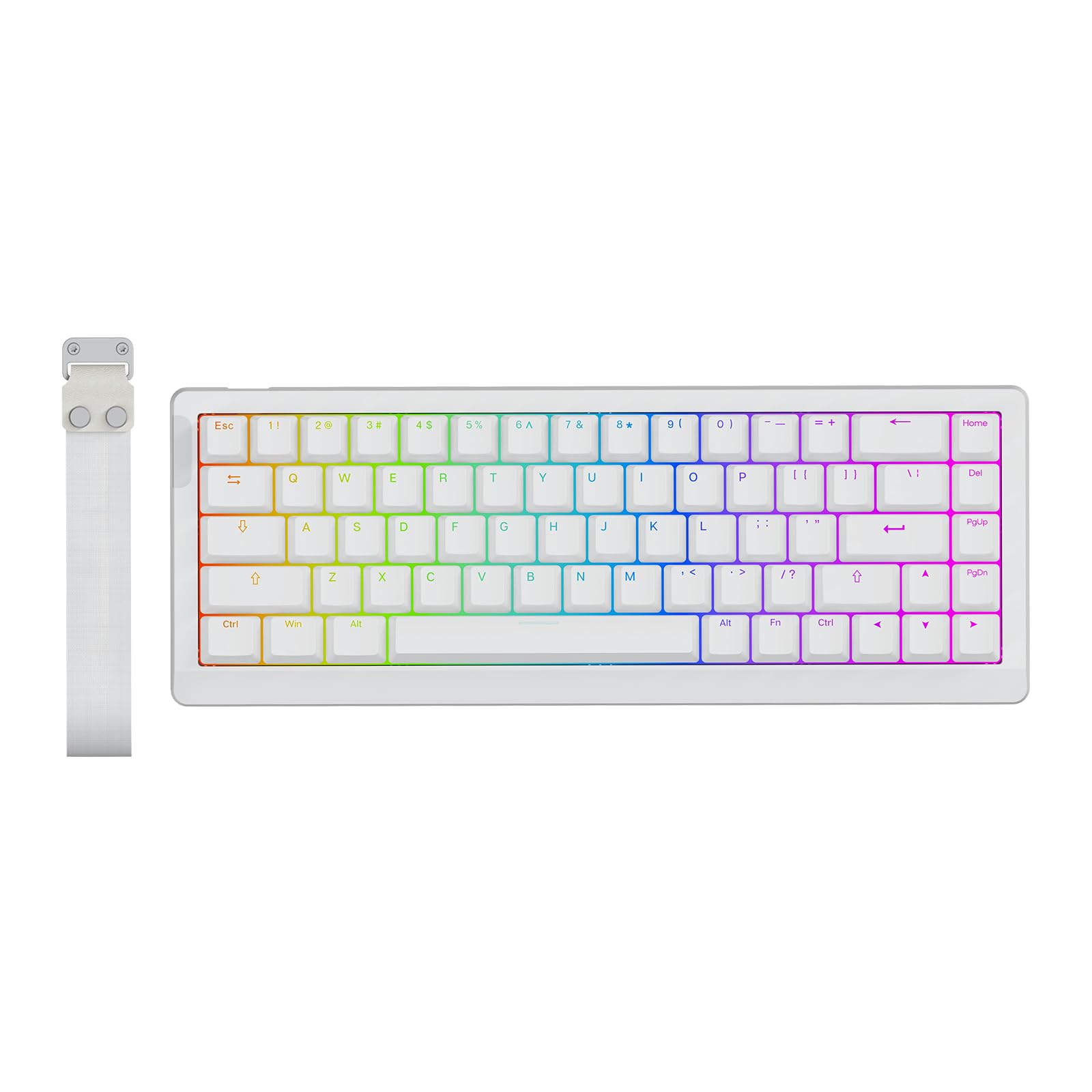
The HE68 Lite delivers a level of sound and feel that typically costs twice as much. Five layers of dampening and factory-lubed magnetic switches produce a creamy, muted typing experience that rivals premium boards. The 8,000 Hz polling rate and 0.005 mm actuation steps translate into instant response in fast-paced shooters like Valorant, where every millisecond matters.

In practice, the rapid trigger works as advertised — key releases register the moment your finger lifts, enabling precise counter-strafing and movement control. The 65% layout keeps the desk clean while retaining dedicated arrow keys. A wired USB-C connection eliminates latency concerns, though the fixed cable means you'll need to manage routing around your setup.

This board suits budget-conscious gamers who want Hall effect performance without paying a premium. It also works well as a first HE keyboard for those curious about adjustable actuation and rapid trigger. However, the single fixed typing angle (no adjustable feet) may bother players who prefer a steeper incline or those with wrist pain. Also, a small number of units arrive with a non-functional key — an occasional QC variance that is worth checking on arrival rather than a systemic flaw.

💡 Check all keys immediately on arrival; if any are non-functional, contact support for a straightforward replacement.

Pros

  • Outstanding value
  • Smooth, creamy typing experience thanks to 5-layer dampening.
  • Fast responsiveness with 8kHz polling and precise rapid trigger.
  • Compact 65% layout with dedicated arrow keys saves desk space.

Cons

  • Fixed typing angle with no adjustable feet
  • Occasional units arrive with a non-functional key (e.g., V key).
Our verdict

If you want the core Hall effect features — rapid trigger, adjustable actuation, and high polling — without spending more than necessary, the HE68 Lite is the most consistent performer in its price bracket.

Check Latest Price
2

Best Premium TKL

Corsair K70 PRO TKL

89 /100
Lab Score Excellent

Key details

Layout
TKL, 87 keys
Switches
Pre-lubed MGX Hyperdrive
Connectivity
Wired USB-A/USB-C
Polling Rate
Up to 8,000 Hz
View on Amazon

Pre-lubed MGX Hyperdrive switches give the K70 PRO TKL a quiet, thocky sound that feels smooth out of the box — a step above budget magnetic boards in typing satisfaction. Rapid Trigger and SOCD support deliver instant responsiveness for competitive FPS play, and the 0.4–3.6 mm adjustable actuation range (in 0.1 mm steps) lets you fine-tune sensitivity per key. Compared to the top pick EPOMAKER HE68 Lite, this Corsair offers a larger TKL layout and a more established software ecosystem through iCUE, but the HE68 Lite's 5-layer dampening and lower price make it the more practical choice for most buyers.

This keyboard is for competitive gamers who want a full TKL form factor with Hall effect performance and aren't bothered by a wired connection. iCUE software provides per-key actuation and macro control, though it can be resource-heavy on slower systems. LED burn-out can occur within the first year on some units, so those planning to keep RGB on continuously may want to consider extended coverage or a more durable alternative.

Pros

  • Quiet, thocky sound from pre-lubed MGX Hyperdrive switches provides a smooth linear feel.
  • Rapid Trigger and SOCD deliver snappy, customizable response for competitive gaming.
  • Per-key actuation adjustment and macro programming via iCUE allow deep personalization.

Cons

  • iCUE software can feel clunky and resource-heavy on some systems.
  • LED burn-out can occur within the first year of use on certain units.
Our verdict

For competitive gamers who want a TKL with Hall effect performance and don't mind the software overhead, the K70 PRO TKL delivers. If LED reliability is a concern, the EPOMAKER HE68 Lite offers a more durable alternative at a lower price.

Check Latest Price
3

Best Wireless Hall Effect

EPOMAKER G84 HE

90 /100
Lab Score Outstanding

Key details

Layout
80%, 84 keys
Switches
Lubed magnetic linear
Connectivity
Tri-mode 2.4GHz/BT/USB-C
Polling Rate
8,000 Hz (wired/2.4GHz)
View on Amazon

The EPOMAKER G84 HE stands apart from the wired budget champion (the HE68 Lite) by delivering true wireless freedom without cutting polling rate corners. Over 2.4GHz it holds 8,000 Hz polling, matching wired performance, while the 8,000mAh battery lasts days of mixed use. The 80% layout with dedicated arrow keys gives it a practical edge for gamers who need navigation keys in a medium-sized frame.

Typing feel is genuinely creamy — the pre-lubed magnetic switches produce a thocky, satisfying acoustic that stays quiet enough for shared spaces. The sound is one of the strongest points in user feedback, with smooth actuation that feels premium at this mid-range price point. The software (Epomaker) offers all the expected HE features: 0.1–3.3mm adjustable actuation, rapid trigger, SOCD, and DKS, though the interface takes a few minutes to learn.

This keyboard suits gamers who want the performance of a high-polling HE board but need wireless for a clean desk or flexible placement. The 80% layout is a good middle ground: more compact than full-size but still has arrow keys and F-row. One boundary to be aware of: when the battery fully drains, there are reports that the PC may behave erratically (key input spamming). This is a scenario worth avoiding by keeping it charged — not a dealbreaker for most, but something to note.

💡 Keep the battery charged above 10% to avoid the erratic input behavior that can occur on full drain.

Pros

  • Tri-mode wireless maintains 8kHz polling over 2.4GHz
  • Creamy, thocky sound that is pleasing without being loud
  • Smooth, buttery switch feel with comfortable typing
  • Exceptionally long 8,000mAh battery for extended gaming sessions

Cons

  • When the battery fully drains, the keyboard may spam inputs
  • Epomaker software is functional but not the most intuitive to navigate
Our verdict

If wireless freedom and full HE feature parity matter more than the absolute lowest price, the G84 HE delivers that balance with strong acoustics and a battery that lasts.

Check Latest Price
4

Best Value Full-Size

Redragon K686 HE

91 /100
Lab Score Outstanding

Key details

Layout
96%, 98 keys
Switches
UltraMag POM magnetic
Connectivity
Wired USB-C
Polling Rate
8,000 Hz
View on Amazon

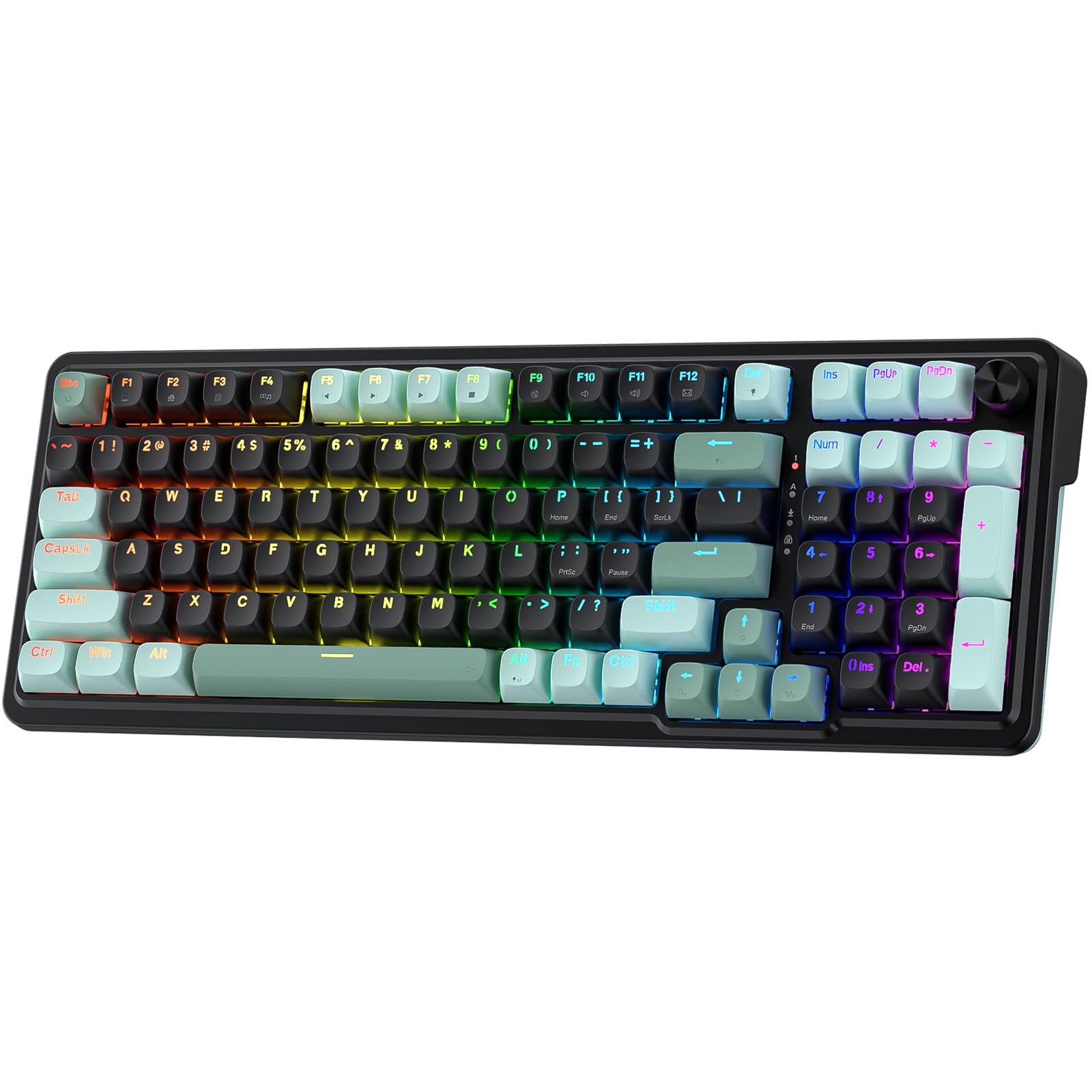
The Redragon K686 HE delivers a full-size layout with a numpad and a multi-function control knob, something nearly impossible to find in other budget magnetic-switch boards. Its gasket-mounted structure and UltraMag POM linear switches produce a smooth, quiet typing feel with a satisfying lower-pitched sound. At this price point, the combination of 8,000 Hz polling and adjustable actuation from 0.1 to 3.4 mm covers the core needs of competitive gaming without sacrificing desk space for number entry.

The main tradeoff is reliability variance. Some units can develop unresponsive keys or stop functioning entirely within the first few months of use. This limitation matters most for buyers who need a keyboard to hold up over years of daily gaming. For those willing to test the board thoroughly during the return window and accept some uncertainty, the feature set remains compelling. The software interface initially looks dense but becomes manageable after a short learning period.

💡 Check all keys and firmware updates right after purchase to identify any issues within the return window.

Pros

  • Full numpad and volume knob in a budget Hall-effect board
  • Smooth, quiet linear switches with a creamy sound profile
  • Solid build that feels sturdy and comfortable for long sessions

Cons

  • Some units may develop unresponsive keys or stop working within months
  • Software can take time to learn for first-time users
Our verdict

If you need a numpad and a knob on a magnetic board under $50 and are comfortable with possible early failure, the K686 HE delivers a feature set that nothing else at this price matches.

Check Latest Price
5

Best Premium Compact

ASUS ROG Falchion Ace

89 /100
Lab Score Excellent

Key details

Layout
65%, 68 keys
Switches
ROG HFX magnetic pre-lubed
Connectivity
Wired dual USB-C
Polling Rate
8,000 Hz
View on Amazon

The ASUS ROG Falchion Ace HFX stands apart with its five-layer dampening and gasket mount — a combination that produces a quiet, creamy keypress sound while eliminating case ping. Paired with the 8000 Hz polling rate and magnetic HFX switches that allow 0.1mm actuation adjustments and rapid trigger, this 65% board delivers a level of precision and acoustic refinement that sets it apart from budget HE alternatives. The pre-lubed switches feel smooth and consistent right out of the box.

For competitive FPS players, the rapid trigger and adjustable actuation translate to faster, more precise inputs in games like Valorant or CS2. The dual USB-C ports add flexibility for cable routing, though the keyboard requires the included high-speed cable to maintain full polling performance — using a standard cable may cause the board to go unrecognized.

This keyboard targets serious esports competitors and enthusiasts who prioritize sound isolation and compact form factor. The 65% layout saves desk space but lacks dedicated arrow keys and a function row, a tradeoff that fits competitive setups but may feel limiting for productivity or general use. At its premium price, it’s best suited for those who will actively use the dampening and magnetic switch features; casual gamers will find better value elsewhere.

💡 Use the included high-speed USB-C cable to ensure full 8000 Hz polling; standard cables may not be recognized.

Pros

  • Gasket mount and five-layer dampening deliver a quiet, stable typing feel with no case vibration.
  • Quiet, creamy keypress sound with satisfying feedback, ideal for shared spaces.
  • Rapid trigger and 0.1mm actuation steps give a noticeable edge in fast-paced shooters.

Cons

  • Standard USB-C cables may not supply enough bandwidth
  • Premium price targets competitive players; casual gamers may find better value in budget HE boards.
Our verdict

For competitive gamers who want a compact, wired HE board with outstanding sound dampening and build quality, the ROG Falchion Ace HFX delivers a refined experience that justifies its premium. Those after the best value should look at the EPOMAKER HE68 Lite instead.

Check Latest Price
6

Budget 60% Arrows

AULA WIN68 HE

90 /100
Lab Score Outstanding

Key details

Layout
60%, 68 keys
Switches
Hall effect magnetic (linear)
Connectivity
Wired USB-C
Polling Rate
8,000 Hz
View on Amazon

This budget-friendly board stands out for its compact 68-key layout that includes dedicated arrow keys — a convenience often missing in 60% designs. The Hall effect switches deliver rapid trigger responsiveness and a creamy, thocky typing sound that rivals more expensive options. However, the tradeoff for this unique layout and low price is a noticeable quality variance: some units experience key actuation degradation within weeks, and space bar stabilizers can loosen prematurely. If you need a compact form with arrow keys and are willing to accept possible early repairs, the WIN68 HE offers strong immediate value; for those prioritizing long-term consistency, the EPOMAKER HE68 Lite is a safer wired alternative.

Pros

  • Exceptional value for the feature set, with Hall effect performance that feels premium.
  • Pleasant, creamy sound and smooth typing feel for a budget board.
  • Fast rapid trigger response suited to FPS gaming.

Cons

  • Key actuation can degrade after weeks of use, which matters most in competitive play.
  • Space bar stabilizers may loosen early, affecting the typing experience.
Our verdict

Consider this board if the compact 68-key layout with arrow keys is a priority, but be prepared for possible early degradation — the HE68 Lite offers more consistent long-term performance.

Check Latest Price
7

Budget 60% Top-Mount

ATTACK SHARK X68 HE

88 /100
Lab Score Excellent

Key details

Layout
60%, 66 keys
Switches
Hall effect magnetic (linear)
Connectivity
Wired USB-C
Polling Rate
8,000 Hz
View on Amazon

The top-mount construction and aluminum top plate give the ATTACK SHARK X68 HE a noticeably more refined sound profile than most keyboards at this price point. The 66-key layout packs in dedicated arrow keys without sacrificing compactness, and the magnetic switches offer the adjustable actuation and rapid trigger response expected from a Hall effect board. However, the keyboard’s value is tempered by two notable tradeoffs: some units may stop functioning after a few months of use, and the web-based configuration software is poorly received, limiting customization options for those who prefer to fine-tune settings. This makes the X68 HE best suited for gamers who want an affordable entry into magnetic switches and are comfortable using default settings, accepting that long-term reliability and software polish are not its strengths.

Pros

  • Budget-friendly price for a 60% Hall effect keyboard with aluminum top plate.
  • Responsive keys with a creamy, satisfying sound.
  • Compact 66-key layout with dedicated arrow keys maximizes desk space.

Cons

  • Some units may stop functioning within a few months of use.
  • Web-based software is poorly received and limits customization options.
Our verdict

This keyboard is a reasonable pick for budget-minded gamers who prioritize top-mount feel and sound, provided they can accept the possibility of early unit issues and minimal software support.

Check Latest Price
8

Wireless 75%

YUNZII RT75 PRO

88 /100
Lab Score Excellent

Key details

Layout
75%, 81 keys
Switches
Hall effect magnetic (linear)
Connectivity
Tri-mode 2.4GHz/BT/USB-C
Polling Rate
8,000 Hz (wired/2.4GHz)
View on Amazon

The YUNZII RT75 PRO delivers dual 8kHz polling over 2.4GHz and a 8,000 mAh battery in a 75% layout. Its five-layer dampening produces a creamy, satisfying key feel, and the build quality feels premium for the price point.

Where it falls short is the key release noise — some users hear a horse-clopping sound, which is more noticeable in quiet spaces. There is also an isolated report of molding deformation, though this is not a widespread concern. Combined with limited real-world feedback compared to more established options, the RT75 PRO fits best for buyers who prioritize wireless performance and feature density over absolute silence and proven long-term track record.

Pros

  • Creamy, satisfying key feel with effective dampening
  • Premium build quality for a mid-range wireless board
  • Strong value with dual 8kHz and large battery

Cons

  • In quiet rooms, the key release sound may be distracting (horse-clopping effect)
  • Rare unit may show molding deformation
Our verdict

A feature-rich wireless 75% that suits gamers who want high polling rates and a large battery, provided the key release noise is not a dealbreaker.

Check Latest Price
9

Enthusiasts 75%

Keychron K2 HE

86 /100
Lab Score Excellent

Key details

Layout
75%, 84 keys
Switches
Gateron Double-Rail magnetic
Connectivity
Tri-mode 2.4GHz/BT/USB-C
Polling Rate
1,000 Hz (2.4GHz/wired)
View on Amazon

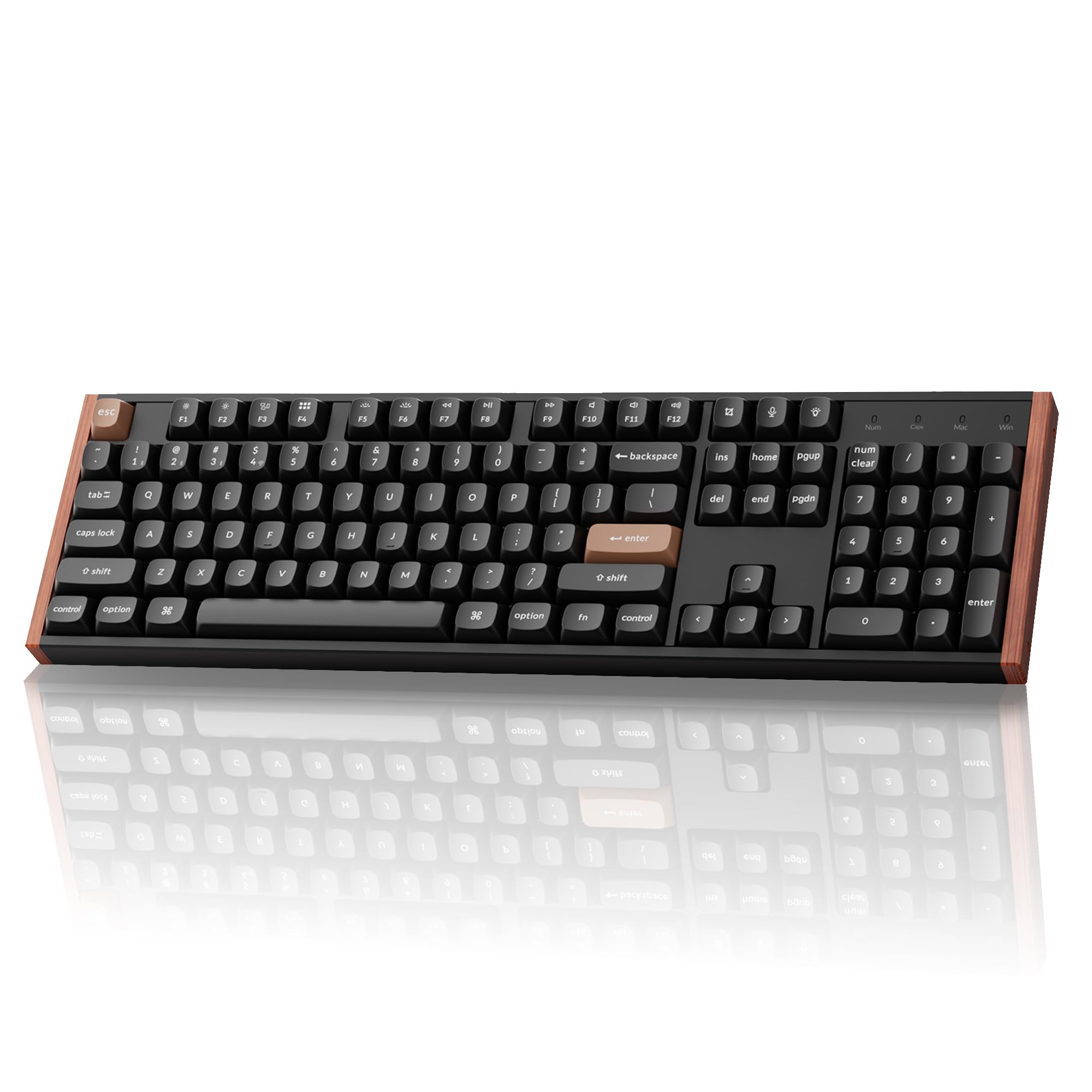
This board delivers the premium look and typing feel Keychron is known for: wood accents, solid construction, and creamy Gateron double-rail magnetic switches that can be tuned from 0.2mm to 3.8mm actuation. The web launcher offers extensive macro and actuation customization. However, the Bluetooth connection can drop unexpectedly, and some units have stopped working after weeks of use — these concerns make it a better fit for wired desktop setups where reliability isn't a gamble. Non-shine-through keycaps also reduce visibility in dim lighting.

Pros

  • Premium wood accents and solid construction give it a classy, well-built feel.
  • Smooth, responsive Gateron magnetic switches with a satisfying creamy sound.
  • Highly customizable via web launcher with adjustable actuation, macros, and layers.

Cons

  • Non-shine-through keycaps can be hard to read in low-light environments.
  • Bluetooth connectivity may disconnect randomly, making wired use more reliable.
Our verdict

Best for Mac users who value aesthetics and plan to keep it wired — the Bluetooth and long-term reliability risks are real but avoidable with a cable.

Check Latest Price

How to Choose

Polling Rate

A higher polling rate reduces input lag, but 8,000 Hz demands more USB bandwidth from your CPU. In fast-paced shooters like Valorant, the difference between 1,000 Hz and 8,000 Hz is milliseconds — measurable but only noticeable to very sensitive players.

Wireless boards often drop to 1,000 Hz in Bluetooth mode. If you want consistent 8,000 Hz, stick to wired or 2.4GHz mode on a tri-mode keyboard.

Rapid Trigger and Actuation Range

Rapid trigger lets you reset the key by lifting slightly, enabling faster strafing and counter-strafing. The step distance (e.g., 0.005 mm vs 0.1 mm) determines how finely you can adjust actuation. Lower step distances allow more precise tuning but require steady fingers; they can lead to accidental inputs if you rest your fingers heavily on keys.

Adjustable actuation range (e.g., 0.1–4.0 mm) lets you set a shallow press for speed or a deeper one to avoid typos. For gaming, a shallow setting around 1.0 mm is common; for typing, a deeper 2.0 mm reduces errors.

Connectivity

Wired-only boards offer the simplest, most reliable connection with no battery concerns. Tri-mode wireless adds flexibility but introduces potential interference, especially in Bluetooth mode where latency can spike. 2.4GHz wireless generally matches wired performance, but check if the board maintains 8,000 Hz over 2.4GHz — many drop to 1,000 Hz.

Battery life varies widely. A large battery (8,000 mAh) can last weeks with moderate use, but smaller batteries (under 2,000 mAh) might need weekly charging. If you play long sessions, prioritize wired or high-capacity wireless.

Layout Size

Layout determines desk space and key accessibility. 60% boards save space but lack dedicated arrow keys and function row — you’ll rely on layers. 65% adds arrow keys, TKL keeps navigation keys, 75% adds function row, and full-size (96-100%) includes a numpad for spreadsheet work.

For competitive FPS, a compact layout (60-65%) keeps the mouse closer. For productivity or MMOs, a larger layout reduces layer switching. Consider your primary use before choosing.

Switches and Sound Dampening

Hall effect switches are linear and smooth, but their sound depends on housing and dampening layers. A board with multiple foam layers (e.g., 5-layer) produces a creamy, muted thock; without them, switches can sound hollow or pingy. Pre-lubed switches reduce friction and feel smoother out of the box.

Build materials affect sound and feel. Gasket-mount boards are softer and quieter than tray-mount. Aluminum plates add rigidity but can transmit more vibration. If you value a quiet typing experience, look for gasket-mount and multiple foam layers.

Frequently Asked Questions