Best Headphone Amps for Gaming of 2026

A headset that costs more than your console can still sound thin. Most motherboard audio and controller jacks push just enough power to make headphones loud-ish and nothing more: footsteps smear into the mix, explosions flatten out, and a faint hiss sits under everything. A headphone amp sits between your source and your headphones and does the pushing itself — giving you volume you never have to max out, detail you can actually place, and a background that's genuinely silent.

The small stuff is what separated them. The best ones gave me a volume knob I could find in the dark, a gain switch that woke up an ordinary headset, and a silent floor with no USB buzz creeping in. Over the past seven months my team and I have put 11 amps through nightly PC and console sessions, swapping headsets, cables, and inputs until the differences were plain. First-time buyers tend to fixate on wattage; output impedance and a gain setting that suits your headset matter far more. Here's what came out on top, and who each one is for.

1

Best Overall

Fosi Audio C3

87 /100
Lab Score Excellent

Key details

DAC
CS43131
Output Power
320mW x2
Supported Impedance
16–300Ω
Surround Processing
7.1 virtual surround
View on Amazon

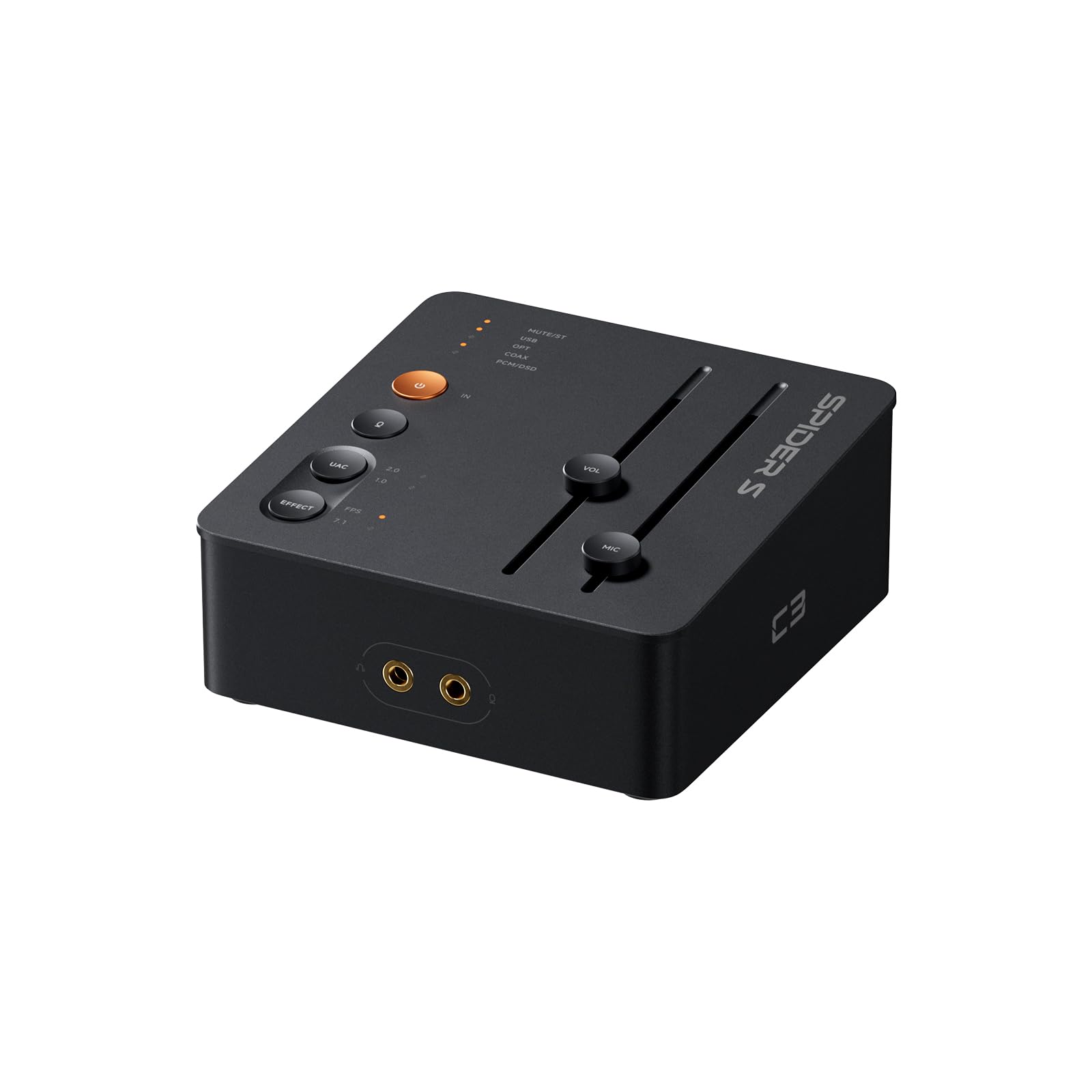
The C3 is the one in this group that treats gaming as the main job, not a side benefit. It has native 7.1 virtual surround with HRTF processing, a StepSense footstep mode, and a UAC 1.0/2.0 switch that helps it appear on a PS5 or Switch without a driver hunt. We liked the USB-C connection and the compact CNC aluminum body; it keeps a desk clean in a way a stack of adapters does not.

Power is the first spec to check, and the C3 is honest about its place. It delivers 320mW into each channel and supports 16–300Ω headphones, which covers most gaming headsets and plenty of full-size pairs. We found the surround processing useful for directional cues in shooters, and the mic noise reduction is a real convenience for voice chat. The CS43131 DAC handles 32-bit/384kHz and DSD256, so it is not just a one-trick gaming box.

The trade-off is headroom. If you own planar magnetic or very high-impedance headphones, the C3 runs out of muscle sooner than the K7, and its browser-based EQ is less convenient on a console than a physical knob. We still prefer it for competitive play because the gaming tools are more specific and easier to use. The C3 is the first one we plug in when the goal is hearing a footstep before the other player does.

Pros

  • Gaming-specific 7.1 surround and footstep mode
  • Console-friendly UAC 1.0/2.0 switch
  • Mic input with noise reduction
  • Compact aluminum body with physical controls

Cons

  • 320mW output is modest for hard-to-drive headphones
  • Browser-based EQ is awkward on consoles
Our verdict

For competitive FPS players on PC or console, the C3 is the gaming-first DAC/amp we recommend: 7.1 surround, footstep enhancement, and a console-ready USB-C switch.

Check Latest Price
2

Best for Power-Hungry Headphones

Fosi Audio K7

91 /100
Lab Score Outstanding

Key details

DAC
AK4493S
Inputs
USB-C, optical, coaxial, Bluetooth
Output Power
2100mW
Headphone Outputs
3.5mm, 4.4mm balanced
View on Amazon

The K7 opens with a number that matters: 2100mW. That is the kind of output that makes a pair of planar magnetic or high-impedance headphones sound unforced, and the 4.4mm balanced jack gives you a second, cleaner-feeling path for the hardest loads. The AK4493S DAC, XMOS XU208 USB processor, and TPA6120 amp stage support PCM 384kHz/32-bit, so the hardware is not just a big volume knob.

For a gaming desk, the K7 is more flexible than it first looks. It has USB-C, optical, coaxial, Bluetooth aptX HD/LL, a 3.5mm mic input, adjustable EQ, and a bypass mode. We appreciated the five shortcut buttons and the display; switching between headphones and speakers is quicker than digging through Windows sound settings. The solid aluminum chassis also feels like a piece of desktop gear rather than a dongle.

The K7 is bigger and pricier than the C3, and it leans on EQ rather than a dedicated footstep mode. If competitive FPS is the only use, the C3's surround tools are more targeted. But as a single box for music, voice chat, and games, the K7 is the more capable unit. The balanced output is the reason to step up if your headphones are the hard part, not the game.

Pros

  • 2100mW output and 4.4mm balanced jack
  • AK4493S DAC with 384kHz/32-bit support
  • Mic input plus Bluetooth aptX HD/LL
  • Display and five shortcut buttons

Cons

  • Costs more than the C3
  • Bluetooth is a convenience, not a competitive connection
Our verdict

If your headphones need real power, the K7 is the desktop DAC/amp we choose: 2100mW, a 4.4mm balanced output, and enough inputs for a PC, console, and phone.

Check Latest Price
3

Best for Two-Device Setups

Creative Sound Blaster G8

81 /100
Lab Score Excellent

Key details

Inputs
Dual USB-C
Surround
5.1
Resolution
32-bit/384kHz
Dynamic Range
130 dB
View on Amazon

The G8's dual USB-C inputs are the reason to notice it. You can run a gaming PC and a second computer, laptop, or console into one box and mix them, which is genuinely useful for streaming, calls, or keeping game audio and voice chat on separate sources. The custom Xamp bi-amplifier drives each channel individually, and the specs include 32-bit/384kHz playback, 130dB dynamic range, and 5.1 surround. We liked the solid build and the big volume dial; it feels like a desktop control center.

Sound Blaster Acoustic Engine is where the gaming features live. It adds surround, EQ, and scout-style processing, and the G8 can blend two USB sources without a separate mixer. We appreciated the hardware controls for volume and source balance, because those are the things you adjust mid-game. The G8 is a PC-first box; the C3 has a console-specific UAC switch, so console players should check compatibility first.

The software is the catch. The acoustic engine is deep, but it is another app to manage, and the unit can stay powered when the PC sleeps, so plan for a switched USB port or unplug it. We also noted that some units develop buzzing and USB dropouts over time; that is a condition to watch, not a reason to dismiss the G8 outright. If you want set-and-forget simplicity, the C3 is easier. If you want two sources and a lot of control, the G8 earns its desk space.

Pros

  • Dual USB-C inputs with mixing
  • 32-bit/384kHz playback and 130dB dynamic range
  • Xamp discrete bi-amplifier
  • Deep Sound Blaster processing

Cons

  • Software-heavy setup
  • Can develop buzzing or USB dropouts
Our verdict

For a desk with two USB sources, the G8 is the gaming DAC/amp we pick: dual USB-C mixing, 32-bit/384kHz audio, and deep Sound Blaster processing.

Check Latest Price
4

Best Portable

TANCHJIM Space Pro

80 /100
Lab Score Excellent

Key details

DAC
Dual CS43198
Outputs
3.5mm, 4.4mm balanced
Surround
Virtual 5.1/7.1
Dynamic Range
131 dB
View on Amazon

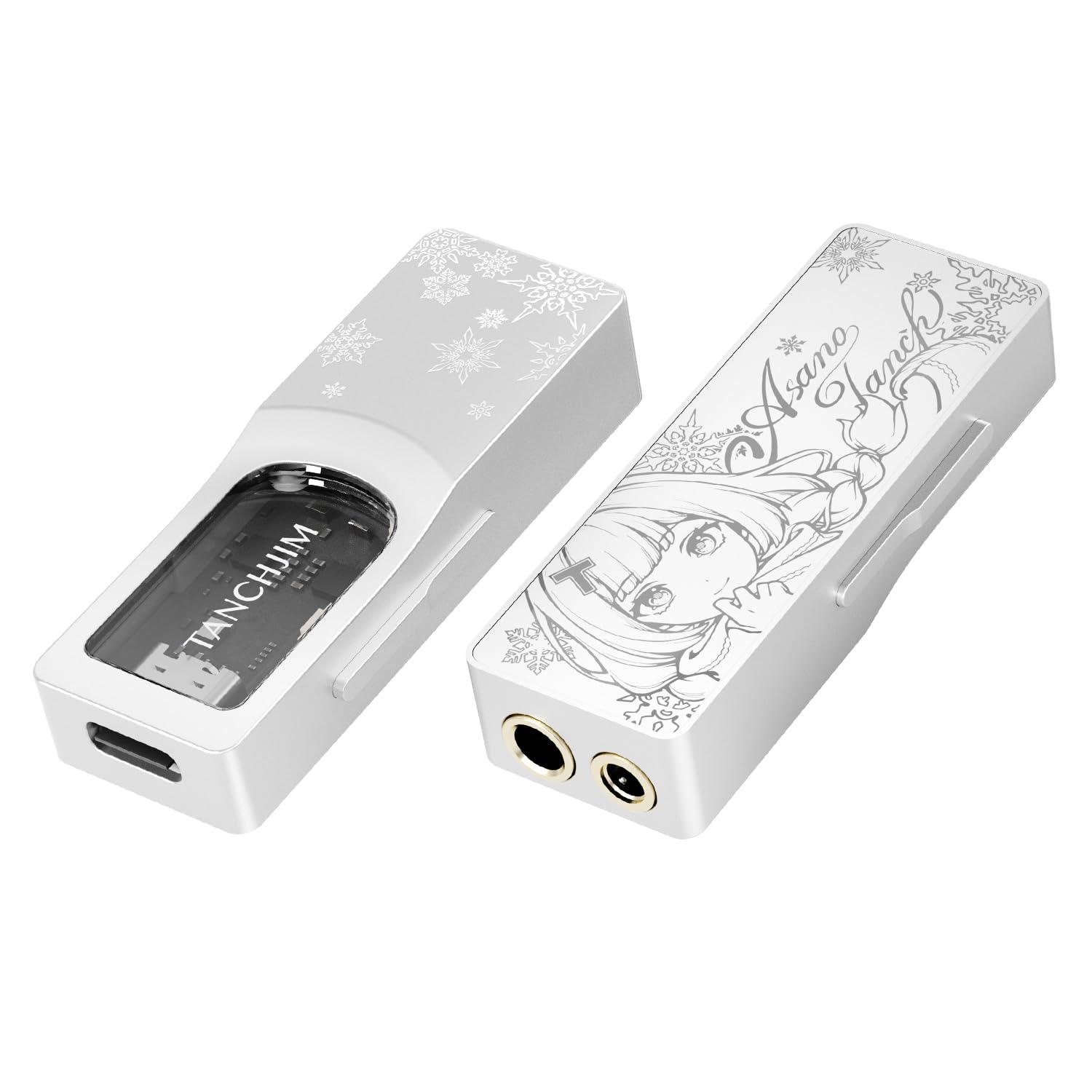
The Space Pro is the one that disappears into a bag. It is a USB dongle with dual CS43198 DACs, independent left and right amplifiers, virtual 5.1/7.1 surround, and a Tactical Perception mode for adjusting in-game sound elements through a companion app. We liked that it carries both 3.5mm and 4.4mm outputs; that is rare in a portable gaming DAC, and it makes the Space Pro useful with everything from a gaming headset to a pair of balanced IEMs.

The numbers are strong for the size: 131dB dynamic range and 131dB signal-to-noise ratio, plus PCM 32-bit/768kHz and DSD256 support. We found the CTIA-standard mic input handy for a headset, and the included silver-plated cable feels better than the usual dongle cable. The app-based tuning is the part to understand: it gives you more control than a one-button surround mode, but it also means the Space Pro is at its best on a PC or phone, not a console.

This is not a desktop command center. There is no big volume knob, no display, and no optical input, so it will not replace the C3 on a desk with a TV and console. But for a laptop, Steam Deck, or phone, it is the most portable way here to add virtual surround and a clean mic path. The Space Pro is the one we reach for when the desk is not available.

Pros

  • Dual CS43198 DACs
  • Virtual 5.1/7.1 with app tuning
  • 3.5mm mic input and 4.4mm balanced output
  • Pocketable metal body and shielded cable

Cons

  • App-based tuning is awkward on consoles
  • No desktop controls or optical input
Our verdict

The Space Pro is the portable gaming DAC we recommend: virtual 5.1/7.1, a mic input, and both 3.5mm and 4.4mm outputs in a pocketable metal body.

Check Latest Price
5

Best Budget Desktop

Aveek DAC-200

85 /100
Lab Score Excellent

Key details

EQ
3-band EQ
Inputs
Bluetooth, USB, optical, coaxial, RCA
Mic Input
Front 3.5mm
Headphone Impedance
16–100Ω
View on Amazon

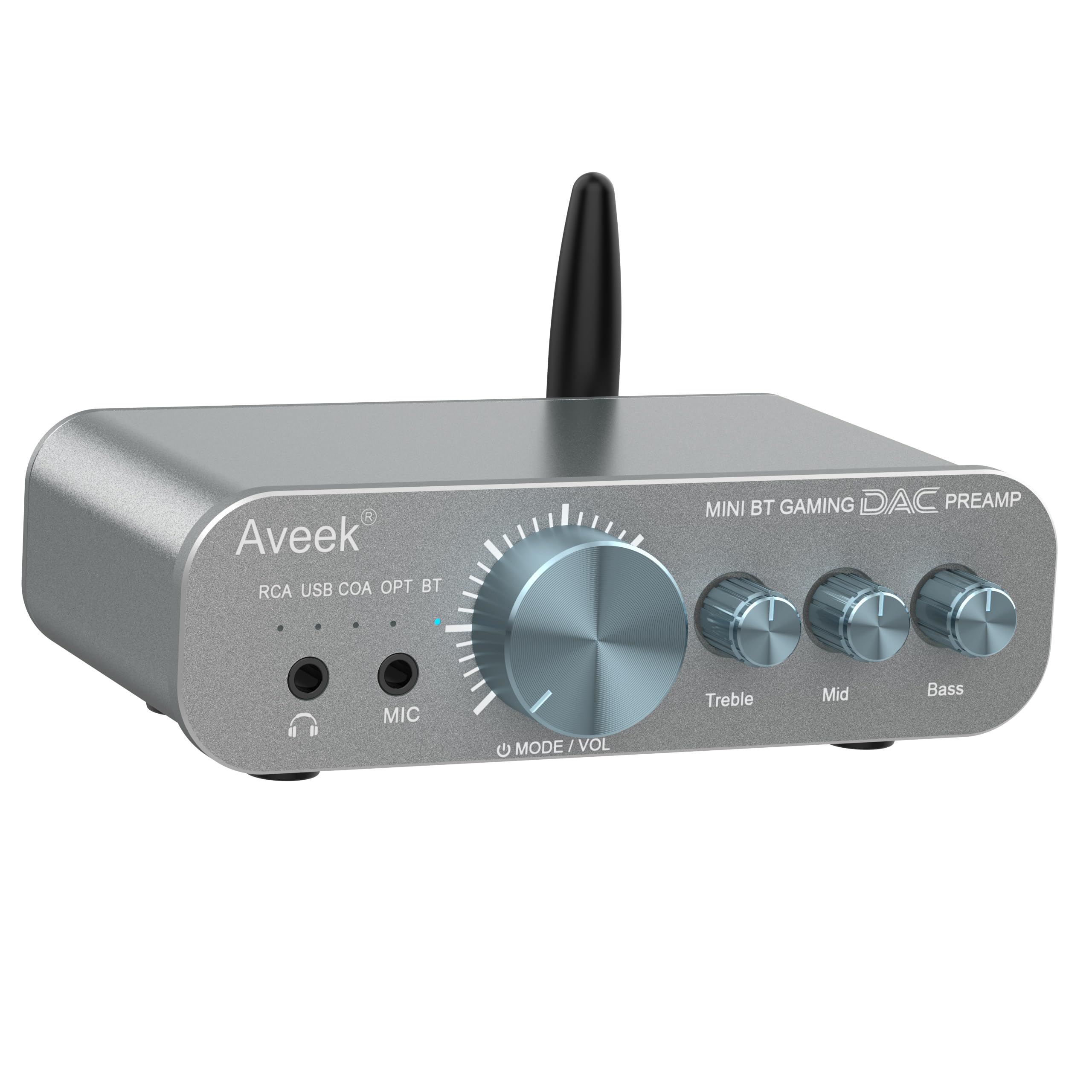
The Aveek DAC-200 is the budget hub of this group, and it earns that role by covering more sources than anything else near its price. It has Bluetooth, USB, optical, coaxial, and RCA inputs, plus a front microphone input and a true 3-band EQ for bass, mid, and treble. We liked the compact 4.65 x 2.6 x 1.18-inch footprint; it tucks under a monitor without turning the desk into a rack.

The headphone amp is rated for 16–100Ω headphones, which is the spec that decides whether this is for you. It covers most gaming headsets and easy-to-drive full-size pairs, but it is not the right choice for 250Ω or 300Ω headphones. We found the 3-band EQ more useful than a simple bass/treble pair for pulling up dialogue or softening a harsh game mix. The front headphone and mic jacks are also laid out the way a desk actually works.

Bluetooth is a useful bonus for calls or music, but for competitive gaming you want USB or optical. The DAC-200 is a stereo-first box, while the C3 adds virtual surround for FPS. The source flexibility is the reason to choose it over a simpler stereo DAC. For a first desktop setup with a console, TV, and PC, the Aveek covers the most ground at the entry point.

Pros

  • Five inputs including Bluetooth
  • True 3-band EQ with front mic input
  • Compact desktop footprint
  • Good match for gaming headsets

Cons

  • Limited to 16–100Ω headphones
Our verdict

For a first desktop gaming DAC/amp on a budget, the Aveek DAC-200 is the one we recommend: five inputs, a real 3-band EQ, and a front mic input for headsets.

Check Latest Price
6

Analog Headphone Boost

Douk Audio U3

87 /100
Lab Score Excellent

Key details

Input
RCA
Amp Class
Class A
Output Power
1300mW
Headphone Outputs
6.35mm / 3.5mm
View on Amazon

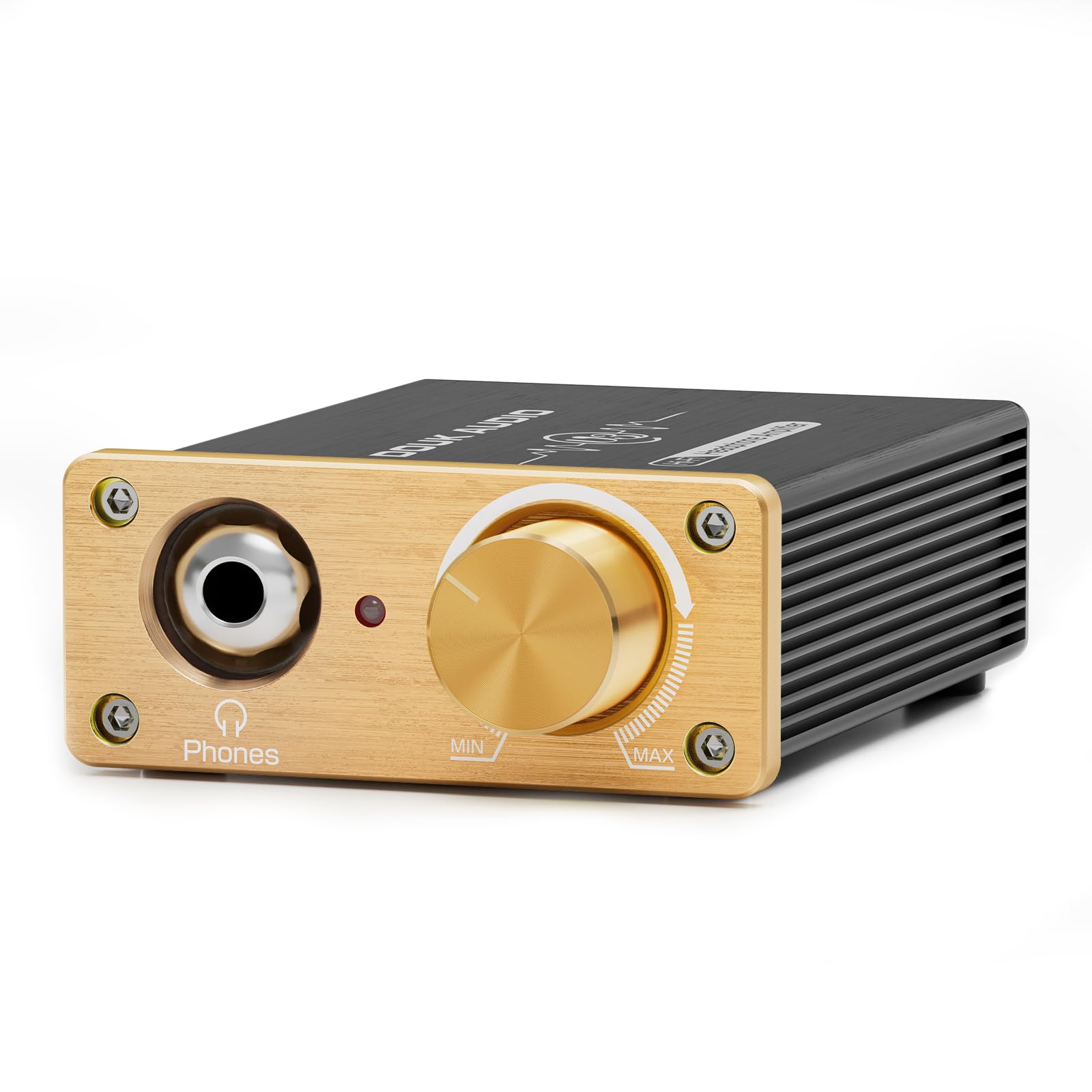
The Douk U3 is not a gaming DAC, and that is the first thing to understand. It is a tiny Class A headphone amp with RCA input and a 5–20V DC input, so it needs an analog source: a PC line output, a console audio extractor, or a separate DAC. We liked the 1300mW output and the swappable op-amp socket; it is a tinkerer's amp in a small metal case.

For gaming, the U3 makes sense only if you already have a clean signal to feed it. It has plenty of gain for high-impedance headphones, and the Class A circuit is the reason it sounds smooth rather than clinical. But it can also amplify any hiss or ground noise from the source, so a noisy PC jack is the wrong partner. The volume knob has sharp edges, and the blue LED is bright enough to light up a dark desk; both are small things you notice every day.

The U3 does not add virtual surround, a mic input, or USB decoding. It is a pure amplifier, and that purity is the appeal for someone with a good DAC and a hard-to-drive headphone. We recommend it for that specific desk, not as a first gaming box. The U3 is the one we keep for the headphone that needs muscle, not features.

Pros

  • 1300mW Class A output
  • Swappable op-amp socket
  • Compact metal chassis
  • Good for high-impedance headphones

Cons

  • RCA input only, with no DAC or mic
  • Can amplify source noise
Our verdict

The U3 is the analog headphone amp we recommend for a desk that already has a clean DAC: 1300mW of Class A power and a swappable op-amp socket for tinkering.

Check Latest Price
7

Cheap PC Upgrade

AIYIMA DAC-A2

82 /100
Lab Score Excellent

Key details

DAC
24-bit/192kHz
Inputs
USB, optical, coaxial
Output Power
160mW RMS at 32Ω
Supported Impedance
16–200Ω
View on Amazon

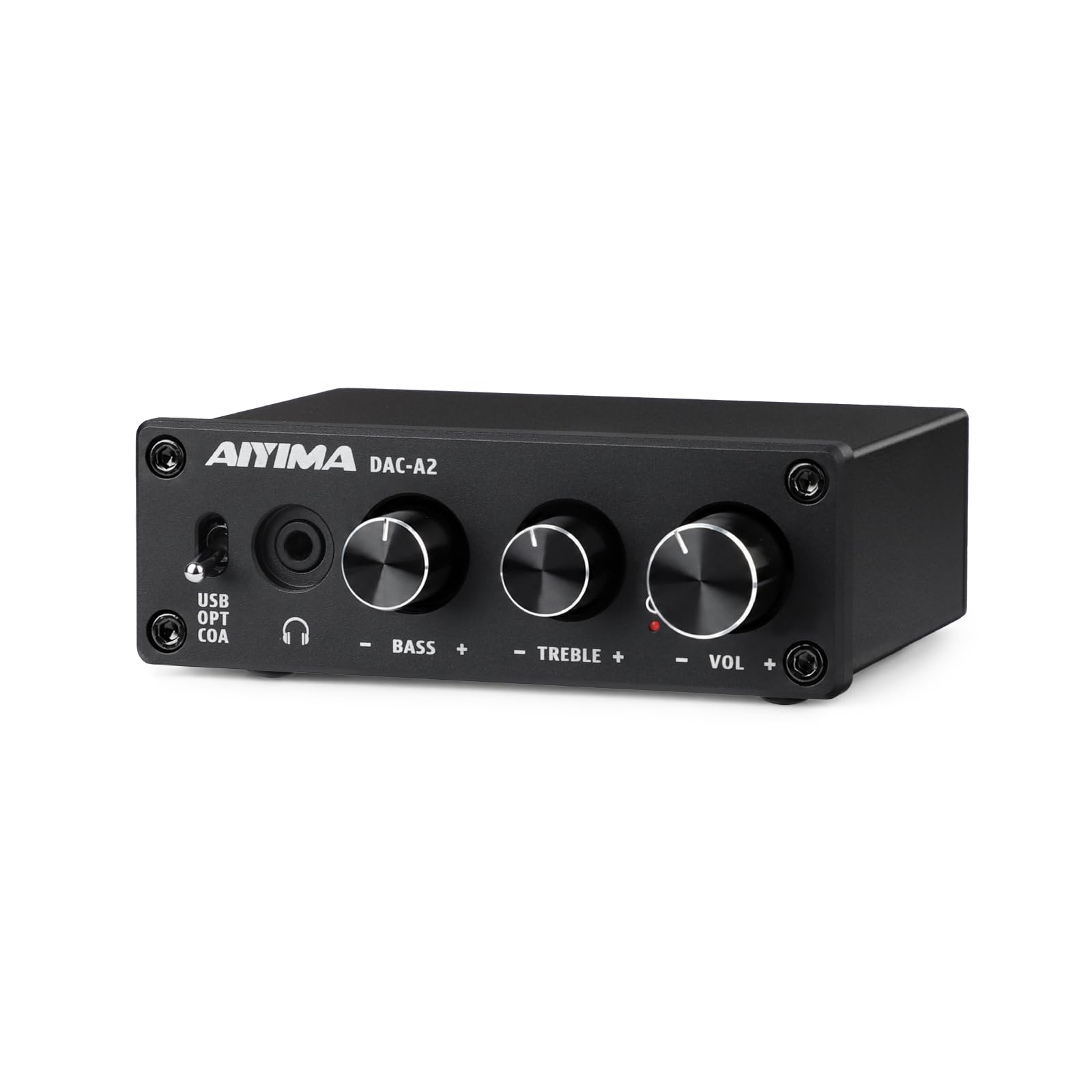
The AIYIMA DAC-A2 is the least expensive sensible way here to add a dedicated DAC and a physical volume knob to a PC. It is plug-and-play over USB, optical, or coaxial, with independent bass and treble knobs and a 3.5mm headphone output. We liked the small aluminum chassis and the rubber feet that keep it from sliding around; it looks and feels more expensive than it is.

The amp is rated at 160mW RMS into 32Ω and supports 16–200Ω headphones. That is enough for most gaming headsets and easy-to-drive full-size pairs, but it will not wake up high-impedance planars. The sound is clean for the price, and the tone controls are useful for adding a little bass without muddying dialogue. The volume knob has a smooth action, and the red power light is bright enough to be distracting at night.

This is a stereo upgrade, not a gaming command center. There is no mic input and no virtual surround, so it will not replace the C3 for competitive FPS or voice chat. It also lacks the source switching and display of the K7. What it does have is a simple, useful set of connections for a desktop PC and a TV.

The caveat is reliability. Some units arrive dead or stop powering up, so buy from a seller with an easy return window and test it as soon as it arrives. We still think the working units are a strong value for a first DAC. The DAC-A2 is the one we suggest when the goal is cleaner stereo and a physical knob, not a full gaming feature set.

Pros

  • Plug-and-play USB, optical, and coaxial
  • Independent bass and treble knobs
  • 160mW RMS at 32Ω
  • Small aluminum chassis

Cons

  • No mic input or virtual surround
  • Some units arrive dead or stop powering up
Our verdict

The DAC-A2 is the cheap PC upgrade we recommend when you want a real DAC and volume knob without paying for gaming extras: USB, optical, coaxial, and tone controls.

Check Latest Price

How We Tested the Best Gaming Headphone Amps

We built the shortlist by reading spec sheets, return policies, and the complaint sections of owner reviews, then cut anything that needed a workaround to accept a console's optical or USB output, anything without a variable gain setting, and anything whose price didn't match its inputs. Eleven amps made it through, and they've been in daily use for seven months across two desks, a couch setup, and one very cluttered nightstand. Each one ran with a 32-ohm gaming headset and a 250-ohm pair so we could see how it behaved at both ends of the impedance range.

Noise floor got checked first: volume all the way down and all the way up with nothing playing, listening for hiss and for the faint digital chatter that shows up when a USB-powered amp shares a bus with a mouse and keyboard. For volume control, I adjusted each knob and button in a dark room mid-match to see whether I could find it by feel and whether the channels stayed balanced near the bottom of the dial, where quiet dialogue lives.

Connectivity meant hot-swapping between PC, PS5, Xbox, and Switch in a single sitting and noting which ones needed a driver install or a menu dive. Build got judged honestly — a few knocks against a desk edge, jacks wiggled, cables tugged. We also left every amp powered for weeks at a stretch to see which ones ran warm, drifted, or developed a scratchy pot. Then we weighed all of it against price, because an amp that costs twice as much and does the same job is money you could have spent on the headset.

How to Choose a Gaming Headphone Amp

Decide How Much Gaming Processing You Need

Virtual 7.1 and footstep modes are processing, not extra drivers. They can make directional cues easier to pick out in a shooter, but they can also thin out music and single-player ambience. If you play competitive FPS, prioritize a unit with a clear surround mode and a quick way to switch it off. If you mostly play single-player, a clean stereo DAC/amp is the better spend. The Fosi C3 is the gaming-first example here; the K7 leans more on EQ and raw headphone power. Our rule is to buy surround for the games you play most, not because it is on the box.

Match the Amp to Your Headphones

Output power and impedance range matter more than the DAC chip name. A 32Ω gaming headset needs very little; a 300Ω dynamic or planar magnetic headphone needs voltage and current. Look for a stated impedance range and a power figure at a known load. The C3's 320mW and 16–300Ω rating cover most headsets; the K7's 2100mW and 4.4mm balanced output are for harder loads. The Aveek's 16–100Ω ceiling is fine for headsets but not for high-impedance cans. If you do not know your headphone's impedance, check the box or the product page before you buy.

Count Your Sources and Your Mic

The right input set depends on where the game audio comes from. USB-C is the simplest PC connection; optical and coaxial help with TVs and older consoles; Bluetooth is convenient for calls but not for competitive play. Console players should look for a UAC 1.0 mode or a clear console compatibility statement, because a DAC that works instantly on a PC can be invisible on a PS5 or Switch. A front mic input is worth paying for if you use a separate headset mic; it keeps voice chat out of the headphone cable chain. The Aveek and C3 both put mic input on the front, while the K7 adds a 3.5mm mic input and Bluetooth.

Listen for Noise Before You Chase Features

A gaming amp should be quiet first. Hiss or static at high volume is more distracting than a missing EQ preset, and it often comes from USB power or a noisy analog input. Use the shortest, best-shielded cable you have, plug into a rear motherboard port or a powered hub, and keep the gain low if the amp has one. Software is the other half of the experience. A deep control panel can add surround, EQ, and mic processing, but it also adds another app that can crash or forget settings. We lean toward physical knobs for volume and source switching, with software for the set-once features.

Choose Desktop or Portable by Where You Play

A desktop DAC/amp gives you more inputs, a bigger volume knob, and room for a mic input; a portable dongle is the better fit for a laptop, Steam Deck, or phone. The trade-off is controls: a dongle often relies on an app for surround and EQ, while a desktop box can switch inputs and volume with physical controls. The Space Pro is the portable example here; the C3 and K7 are desk-first. If you move between a desk and a couch, buy the portable unit for the couch and keep the desktop amp wired at the desk. One box that does both usually means a compromise in one place.

Frequently Asked Questions

Final Verdict

The Fosi Audio C3 is the gaming amp we recommend first because it does the gaming-specific work — virtual 7.1, footstep emphasis, mic cleanup, and a console-friendly USB-C switch — without demanding a flagship headphone. It is the easiest default for competitive FPS on PC or console.

If your headphones are planar or high-impedance, the K7's 2100mW and balanced output are worth the step up. On a tight desk budget, the Aveek DAC-200 covers more sources; for a bag, the Space Pro is the portable pick. Start with the C3 unless your headphones dictate otherwise.