Best Teleprompters for Streaming of 2026

You can spot a bad teleprompter setup in about four seconds: the host's eyes drift down and to the left, the sentence stalls, and suddenly you're watching someone read instead of talk. A teleprompter fixes that by floating your script on a piece of angled glass between you and the lens, so your eyeline stays on camera while your words stay in front of you. The catch is that a studio rig and a desk-sized streaming rig are barely the same product anymore, and the differences show up the moment you go live.

Over the past six months my team and I have set up nine of these in a home studio, ranging from tablet-holding rigs to units with their own built-in screen. What separated them had less to do with spec sheets than with how they live on a desk: adjustability you can dial in one-handed mid-session, glass that doesn't ghost your script under a ring light, and software that behaves the same on a Mac as it does on a Windows laptop. The picks below are the ones that held up.

1

Best Overall

Elgato Prompter

88 /100
Lab Score Excellent

Key details

Item Weight
1.52 lb
Screen Size
9 inches
Camera Support
DSLR cameras, webcams, smartphones
Display Resolution
FHD
View on Amazon

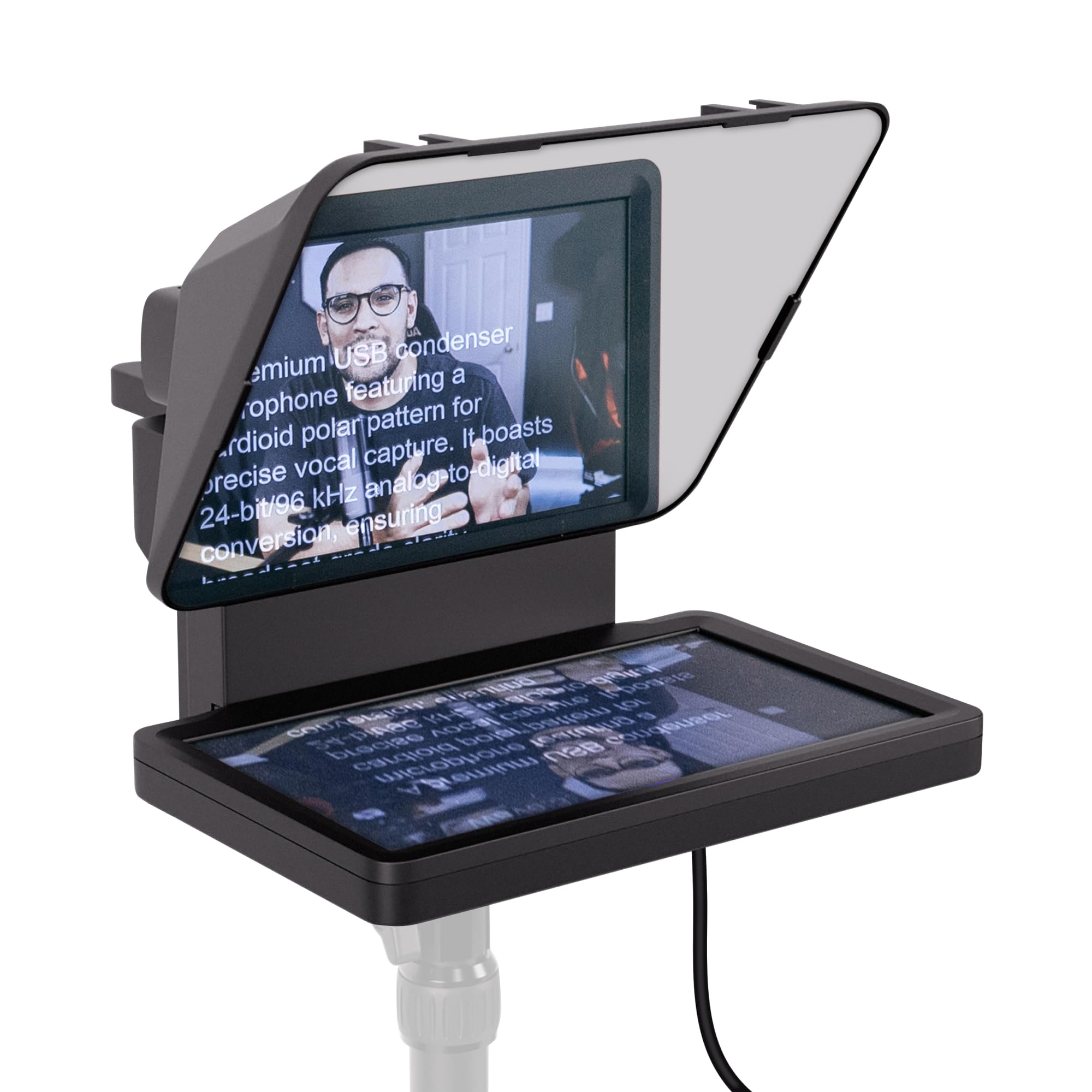
The Elgato Prompter solves the part of streaming that a tablet rig cannot: it puts a 9-inch display behind the glass, so the script, Twitch chat, or any app window sits directly under the lens. We appreciate that it removes a second device from the desk and keeps your eyeline on the camera rather than off to the side. In a live show, that is the difference between reading and looking like you are reading.

The display behaves like an extra monitor, which is the feature we came back to. You can drag a script window onto it, keep chat open, and leave your main screen for OBS or a call. Camera support is broad enough for DSLRs, webcams, and phones, and Stream Deck support puts the controls you set up on physical buttons instead of leaving you to hunt for a remote. For a desk-bound streamer, that is a tidy setup.

The weak part is the software. Camera Hub can be fussy, especially on a Mac, so we treat a browser-based prompter as a fallback rather than assuming the built-in app will behave before a live show. The 9-inch screen is the part that earns the desk space; once you have dragged chat onto it, going back to a tablet feels like adding a second laptop.

Pros

  • Built-in 9-inch screen replaces a tablet
  • Keeps chat and script under the lens
  • Works with Stream Deck and desktop apps
  • Broad camera and webcam support

Cons

  • Needs a computer to feed the display
  • Plastic housing feels less substantial than premium price
Our verdict

For live streaming, the built-in display and Stream Deck control make the Elgato our default when scripts and chat need to sit beside the lens.

Check Latest Price
2

Best for Large Tablets

NEEWER X14

82 /100
Lab Score Excellent

Key details

Tablet Fit
Up to 8.7 inches (22.1cm)
Item Weight
2.2 lb
Beam Splitter
14 inches
Light Transmission
75%
View on Amazon

Fourteen inches of beam-splitter glass, a frame that arrives assembled, and a cradle for the tablet you already own: that is the NEEWER X14's pitch. It folds down in one piece, uses a 75% light-transmission panel, and keeps a phone or tablet behind the glass rather than building a screen into the prompter. For a streamer with an iPad already in the workflow, it is a sensible place to start.

What we like is the size-to-hassle ratio. The glass gives a wide, roomy reflection, so a script can sit in the center of the frame without your eyes traveling to the edge. The aluminum body and included carry case make it feel like a proper studio tool, and the remote and app control keep speed and pause within reach. It is the large-tablet pick in this group, not the most compact.

The remote only works through NEEWER's app, so pair it and test the scroll before a live stream rather than during one. Where it fits best is a desk that already has a tablet in the workflow: the no-assembly frame is quick to fold, and the remote gives you speed control without touching the tablet. We prefer it to a built-in-screen prompter when you want to keep your script in an app you already know.

Pros

  • No-assembly folding aluminum frame
  • Large 14-inch beam splitter
  • Remote and app control

Cons

  • Tablet holder maxes out at 8.7 inches
  • Remote control depends on the NEEWER app
Our verdict

Choose the X14 when you already own a tablet and want the biggest glass here without assembling a frame before every stream.

Check Latest Price
3

Best Large Glass on a Budget

Desview P13

78 /100
Lab Score Very Good

Key details

Item Weight
3.75 lb
Beam Splitter
13 inches
Light Transmission
70/30 visible light transmission
Wide-Angle Support
35mm horizontal
View on Amazon

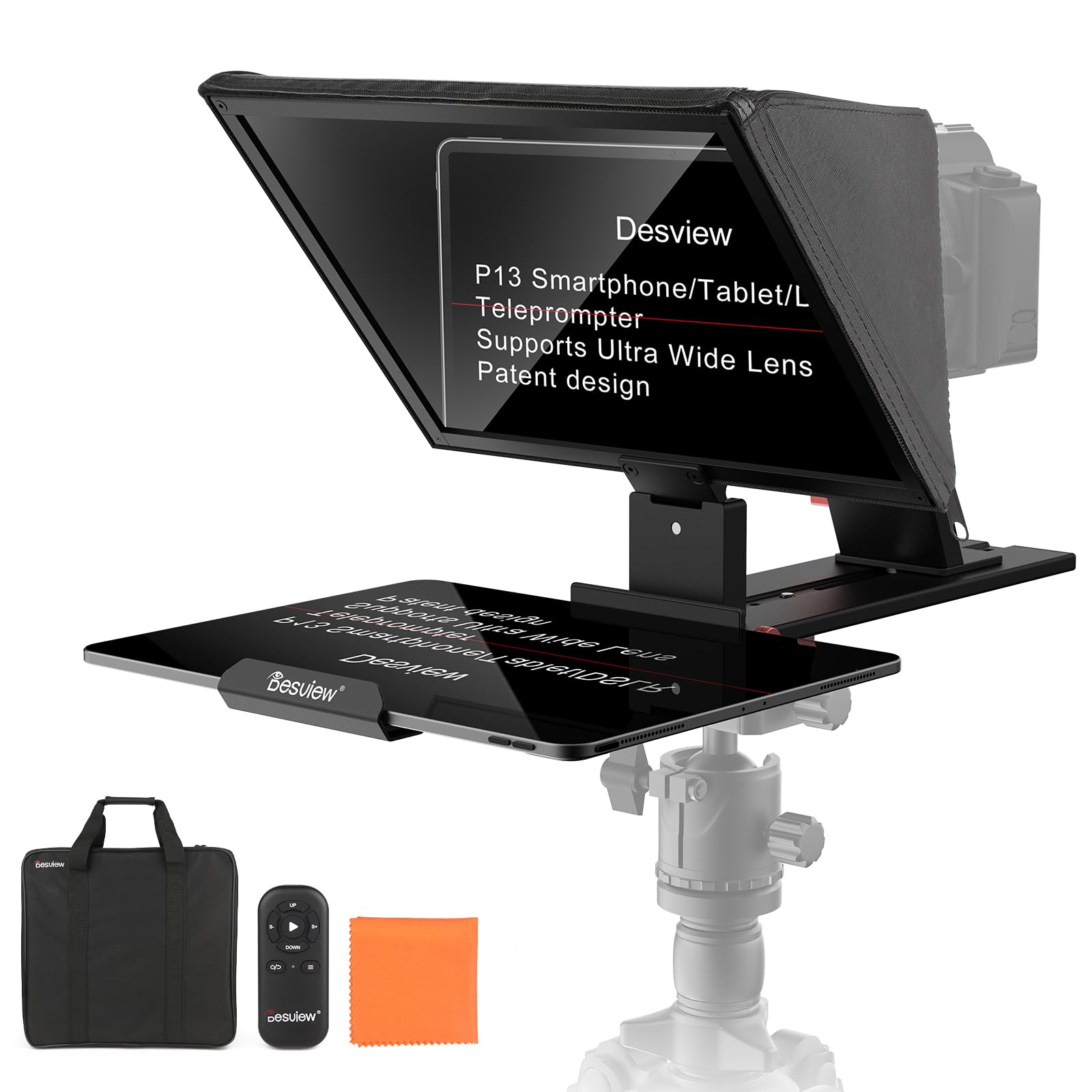
A 13-inch beam splitter, an aluminum frame that arrives folded, and an Oxford cloth bag make the Desview P13 the large-glass value play. The glass uses a 70/30 visible-light coating and supports lenses as wide as 35mm in horizontal shooting, so a mirrorless camera can sit close without the barrel filling the corners. It is a no-assembly design, which matters when the prompter has to come out and go back between sessions.

The 13-inch surface gives you more room for a long script than a 10-inch rig, and the folded frame is quicker to set up than a box of rails. At 1.7 kg, it is a two-hand carry, but the bag makes it a reasonable pack-and-go prompter for a shoot or a guest spot. The remote and Desview app handle pause and speed, so the presenter can stay in place once the camera is framed.

We see it as the large-format compromise: more reflected glass than the compact rigs, without the cost and computer dependence of a built-in display. The wide-angle support is generous for a rig this size, and the carry bag means the glass can leave the desk. For a solo streamer with a compact tablet, it is a lot of prompting surface for the money.

Pros

  • 13-inch glass for wide framing
  • No-assembly folding body and carry bag
  • Wide-angle support to 35mm
  • 70/30 coated glass with 7H hardness

Cons

  • Tablet holder maxes out at 8.6 inches
Our verdict

The P13 is the large-glass pick for streamers who want a wide reflected script and a carry bag without paying for a built-in screen.

Check Latest Price
4

Best Built-In Monitor Alternative

NEEWER X11

89 /100
Lab Score Excellent

Key details

Monitor
9-inch LCD (1024 x 768)
Beam Splitter
11 inches
Computer Support
Windows and macOS
Light Transmission
75%
View on Amazon

No tablet to charge, no second device to mount: the NEEWER X11 puts a 9-inch LCD behind an 11-inch beam splitter and treats it as a computer monitor. That is the closest thing here to the Elgato's built-in-screen idea, and it suits a streamer who already works from a desktop or laptop and wants the script to live in the same setup.

The monitor is the part that decides whether the X11 suits you. It can mirror a computer screen over USB-C and work as a second display on Windows or macOS; with an older USB-A computer, you need the driver, so check the port before you plan the desk. We also like the Arca-type quick-release plate and the adjustable camera holder, which make it feel more like studio hardware than a tablet bracket.

The 1024 x 768 panel is not as crisp as a modern tablet, but for large script text it is serviceable, and the built-in screen removes the usual tablet dance. The remote is the piece we trust least; pair it early and keep the on-screen controls handy. For a streamer who wants a dedicated monitor and already works from a computer, the X11 makes a strong case.

Pros

  • Built-in 9-inch LCD monitor
  • 11-inch glass with 75% transmission
  • Windows and macOS second-screen support
  • Arca-type quick-release camera mount

Cons

  • Remote pairing can be unreliable
  • 9-inch monitor is only 1024 x 768
Our verdict

The X11 suits a computer-based streamer who wants a dedicated monitor behind the glass and does not mind a modest panel or a remote that needs patience.

Check Latest Price
5

Best Budget Rig for Phones and Cameras

Desview T3

79 /100
Lab Score Very Good

Key details

Tablet Fit
Up to 10 inches, 170mm max width
Beam Splitter
70/30 optical glass
Light Transmission
Up to 97%
Wide-Angle Support
24mm or greater horizontal
View on Amazon

Budget prompting usually means a small, dim panel. The Desview T3 goes the other way with a 70/30 beam splitter, up to 97% light transmission, and a frame that accepts phones, tablets up to 10 inches, and DSLR or mirrorless cameras. For a first streaming setup, that is a useful combination: the glass is the part you look through, and it is the part Desview spent the money on.

The wide-angle support is the spec we paid most attention to: 24mm or greater in horizontal shooting, which keeps a wider lens from turning the corners black. The Bluetooth remote and free app handle speed and pause, and the included adapter rings cover a range of lenses. It is not a big-glass studio rig; it is a compact prompter that gets a phone or camera behind glass without a lot of fuss.

The plastic frame feels light for a tablet, so it is worth steadying the rig when you adjust the glass. The 24mm wide-angle number is the one to check against your lens, because a wider lens will vignette no matter how good the coating is. For a phone-first or camera-first streamer, the T3 is the low-cost way into eye-contact prompting.

Pros

  • Works with phones, tablets, and cameras
  • 70/30 glass with up to 97% transmission
  • 24mm wide-angle horizontal support
  • Bluetooth remote and free app

Cons

  • Phone clamp is tight for large handsets
  • Bundled app support varies by device
Our verdict

The T3 is the budget choice for a phone or camera streamer who values clear glass and wide-lens support more than a built-in screen.

Check Latest Price
6

Best for Travel

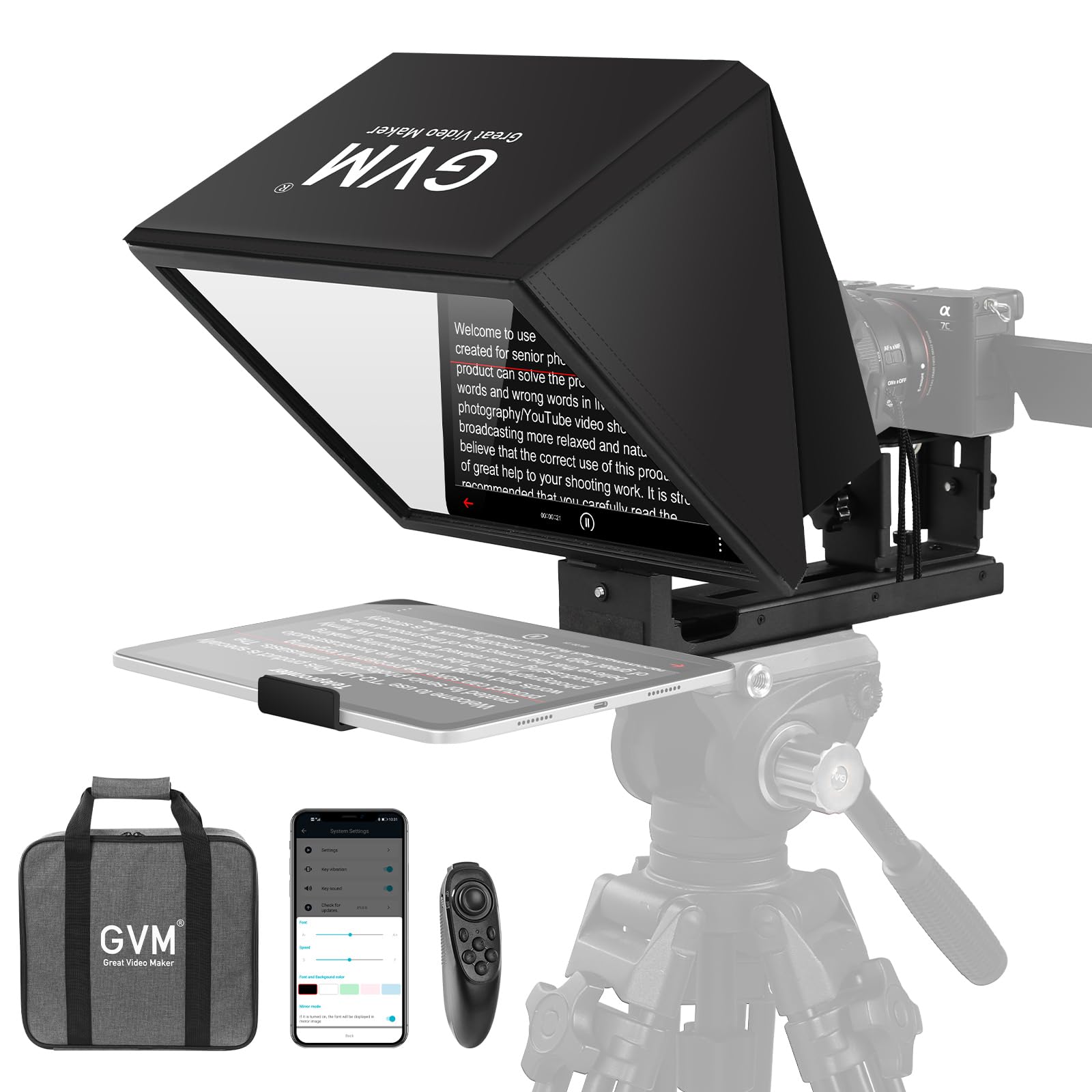
GVM 12-Inch Teleprompter

78 /100
Lab Score Very Good

Key details

Material
Aluminum alloy
Tablet Fit
Up to 8.6 inch (22 cm)
Item Weight
5.68 lb
Beam Splitter
12 inches
View on Amazon

A teleprompter that folds into a carry bag is the idea behind the GVM 12-inch. The aluminum frame arrives assembled, collapses into one piece, and comes with a carry bag; the glass is 12 inches, and the cradle takes phones or tablets up to 8.6 inches. For a creator who shares a desk with other work, that folded footprint is the feature that matters before the glass size does.

The remote and GVM app handle pause and scroll speed, and the frame is built to hold a camera behind the glass. The 12-inch panel gives you a larger reflected script than the compact mini rigs, while the all-in-one design avoids a box of rails and knobs. It is a practical middle ground for a small studio that has to clear the desk between shoots.

We prefer the all-in-one design for that kind of room: there are no rails to lose, and the folded package is easier to store than a bare glass panel. The aluminum frame gives it a more substantial feel than the plastic rigs here, and the carry bag makes it feel like a kit rather than a collection of parts. For a traveling creator, that is the useful part.

Pros

  • Collapsible no-assembly aluminum frame
  • 12-inch beam splitter and carry case
  • Wireless remote and GVM app

Cons

  • Tablet cradle tops out at 8.6 inches
Our verdict

The GVM is for the creator who packs the prompter away between shoots and wants a larger glass panel in a folding, carry-case kit.

Check Latest Price
7

Compact Camera Rigs

LENSGO TC7

78 /100
Lab Score Very Good

Key details

Fold
Folds in one second
Item Weight
15.9 oz
Adapter Rings
49-82mm
Wide-Angle Support
17mm
View on Amazon

For a camera bag, the LENSGO TC7's one-piece fold is the first useful thing about it. The prompter collapses in a second, uses a coated beam splitter, and ships with a phone clip, nine camera adapter rings, and a remote. It is aimed at a solo creator who wants a compact rig rather than a studio console, and the package reflects that.

The 17mm wide-angle support is the detail that makes it more useful than its size suggests. A phone or a wide mirrorless lens can sit close to the glass without the barrel crowding the frame, and the 49-82mm adapter rings cover a lot of common lenses. It is a camera-first prompter that can also take a phone, not a tablet rig.

Setting up is a matter of screwing on the right adapter ring, clipping the phone or camera, and folding the hood into place. The included ring set is the part that decides camera fit, so check your lens thread before assuming one will match; the wrong ring is the difference between a five-minute setup and a frustrating afternoon. The compact body is easier to store than the big no-assembly rigs, but it also asks you to be more deliberate about balance.

We see the TC7 as a compact camera-first prompter for solo streamers who want wide-lens support without a tablet. The fold is the feature we appreciate most: it turns a glass-and-hood assembly into something that can live in a camera bag, which is more than we can say for the big-glass rigs. It is the small rig that does the job when the shot stays close to the lens.

Pros

  • Folds in one second
  • 17mm wide-angle support
  • 49-82mm adapter rings included

Cons

  • Holder feels light for a tablet
  • Remote control can be unreliable
Our verdict

The TC7 is a compact camera-first prompter for solo streamers who want wide-lens support and a one-piece fold, not a tablet studio.

Check Latest Price
8

Phone and DSLR

AMBITFUL Mini Teleprompter

79 /100
Lab Score Very Good

Key details

Item Weight
350 g / 12.35 oz
Adapter Rings
49-77mm
Beam Splitter
7.5 inches
Camera Support
Smartphone and DSLR
View on Amazon

A 7.5-inch panel, a phone clip, and a desktop tripod: the AMBITFUL mini kit is built for a tabletop, not a studio floor. The prompter itself weighs 350 g, uses coated glass, and includes a Bluetooth remote and 49-77mm adapter rings. It is the smallest way into hardware prompting here, and the included tripod is the detail that makes it a complete setup rather than another piece to buy.

The adapter rings let it sit in front of a DSLR or mirrorless lens as well as a phone, which is more flexibility than the tiny panel suggests. The mini tripod is the part that turns it into a streaming station: put it on a desk, frame the shot, and the prompter stays where you left it. It is not a rig for a heavy camera and a long lens, but it is an easy second setup for a phone-led stream.

Glare is the thing to watch with a panel this small. In a bright room, the glass can pick up a window or a lamp, and an umbrella or a shaded corner does more for readability than turning up the script brightness. The small surface also means short chunks of text rather than a full page, so write in beats rather than paragraphs.

We appreciate that the tripod is part of the kit rather than an extra: it makes the mini prompter useful for a quick stream, a desk recording, or a packed-away setup that does not need a full stand. The whole package lives in a small bag, and the 350 g body is easy to reposition when the shot changes. For a streamer who wants a compact second setup, that portability is the point.

Pros

  • 7.5-inch coated glass panel
  • 350 g body for small setups
  • Desktop tripod included
  • 49-77mm adapter rings and phone clip

Cons

  • Small glass limits visible script
  • No tablet support
Our verdict

The AMBITFUL mini kit is the phone-and-DSLR prompter for a small desk or a second streaming setup, where the included tripod matters more than glass size.

Check Latest Price

How We Chose and Tested the Teleprompters

We started by gathering every streaming-oriented teleprompter we could find that shipped with its own glass and hood, then filtered out anything that only fit one tablet size or required a subscription just to display text. That left nine models, which have been set up and used in a home studio over the past six months.

Each one went through the same routine. I timed setup solo, from opening the box to the first script I could actually read on camera, and noted whether getting the angle right took one hand or three. Functionality differences surfaced fast, in hoods that snap on versus ones that slide off mid-sentence and remotes that pair instantly versus ones that don't. Then each unit went to work: a two-hour Thursday livestream, a Tuesday morning webinar with a co-host, and a recorded course module shot at 11 p.m. once the house got quiet. We ran an identical script on the built-in-screen units and the tablet-based ones, checking legibility at three feet and eight feet and whether the hood actually killed the glare off a ring light.

Software got the same treatment. Every model was driven from both a MacBook and a Windows laptop, and we logged dropouts, mirroring quirks, and whether the app demanded a login before it would scroll. Build quality announced itself later, when hinges that felt fine in week one started to drift by month three and when a snagged cable sent the whole assembly wobbling. Value came down to what was in the box, glass, hood, remote, case, weighed against what the unit cost.

Four of the nine are still in weekly rotation; we'll keep using them and update as the rest age.

How to Choose a Teleprompter for Streaming

Built-in Screen or Bring Your Own Tablet

A built-in display is the cleaner streaming setup. The Elgato Prompter and NEEWER X11 each put a screen behind the glass, so you are not charging, mounting, and aligning a second device. That matters most when you also want to see chat or a second app while the camera rolls. The trade-off is cost, a fixed screen size, and more dependence on the maker's software.

A tablet rig is more flexible and usually cheaper. The NEEWER X14 and Desview P13 let you use the tablet you already own, and you can upgrade it later. The trap is assuming a big piece of glass means a big script: a 13- or 14-inch prompter may hold only an 8.6- or 8.7-inch tablet, so the reflected text uses just the middle of the panel. Check the holder's maximum device size before you choose.

Match the Glass to Your Lens and Device

Glass size and lens support solve different problems. A larger beam splitter gives you more room for long lines and a wider viewing angle; wide-angle lens support determines whether the camera barrel or lens hood shows up in the corners. For a phone-led stream, a 7.5- to 10-inch panel is enough; for a camera on a wide lens, look for a stated minimum focal length and the included adapter rings.

We pay more attention to the holder than the headline size. A phone clamp can be tight on a large handset, and a tablet cradle can stop short of the tablet you own. Measure the device's width and depth, not just its screen size, and check the lens thread against the adapter rings. The wrong ring is a small part that stops the whole rig from going live.

Control the Scroll Where You Stream

Live streaming punishes a fumbled pause. A Bluetooth remote is the simplest control if you present alone, but it only helps when the app and remote pair reliably; test both before the stream, not during it. If you stream from a computer, a prompter that acts as a second monitor or works with Stream Deck is easier to run from the same keyboard.

The app matters as much as the hardware. A free prompter app can be enough for plain scrolling, but the bundled app may be the weakest part of the kit. Keep a second prompter app installed as a fallback, and decide whether you need script editing, mirroring, chat, or just a speed control. That list is shorter than most feature lists and more useful.

Setup, Mounting, and Travel

Assembly-free folding frames earn their keep if the prompter shares a desk with other work. The NEEWER X14, Desview P13, and GVM 12-inch fold into a carry bag; the smaller LENSGO and AMBITFUL kits pack into a camera bag. A built-in-screen unit saves the tablet but still needs a stand, a camera mount, and a computer connection.

Stability is the part not to improvise. Beam-splitter glass is the heaviest, most fragile piece in the kit, and a top-heavy tripod can tip when you adjust the camera. Use a stand rated for the combined load, keep the camera low until everything is tightened, and store the glass in the bag when it leaves the desk. Travel convenience is worthless if the panel arrives cracked.

Frequently Asked Questions

Final Verdict

The Elgato Prompter is our streaming pick because it removes the tablet from the equation: a 9-inch screen sits behind the glass, so script, chat, or a second app lives under the lens and Stream Deck keeps the scroll close at hand. It is the most complete desk setup here for a creator who already streams from a computer.

If you want a built-in monitor with Windows and macOS second-screen support, the NEEWER X11 is the alternative, though its remote and modest panel ask for patience. If you already own a tablet and want more glass for the money, the NEEWER X14 or Desview P13 makes more sense than adding another screen.