Best M.2 SSD Heatsinks of 2026

An M.2 SSD is about the size of a stick of gum, and the fast ones can get hot enough to slow themselves down right in the middle of a big file transfer. A heatsink is a small fix with an outsized payoff, but the wrong one can fight your motherboard, foul the graphics card, or arrive with a mounting screw that barely catches a thread. I have installed enough of these to know that cooling performance is only half the story; fit, thickness, and the quality of the mounting hardware decide whether you actually get the benefit.

Over the past four months, my team and I worked through 16 heatsinks on desktop builds, a cramped mini-ITX case, and a couple of laptop upgrades, comparing cooling performance alongside ease of installation, screw length, and overall value. Some looked impressive until I tried to seat them; others were plain but fit cleanly and kept temperatures steady. The picks below are the ones that earned a permanent place on a drive.

1

Best Overall

be quiet! MC1

94 /100
Lab Score Outstanding

Key details

Height
0.39 in
Material
Aluminum
Warranty
3 years
M.2 Support
Single and double-sided 2280
View on Amazon

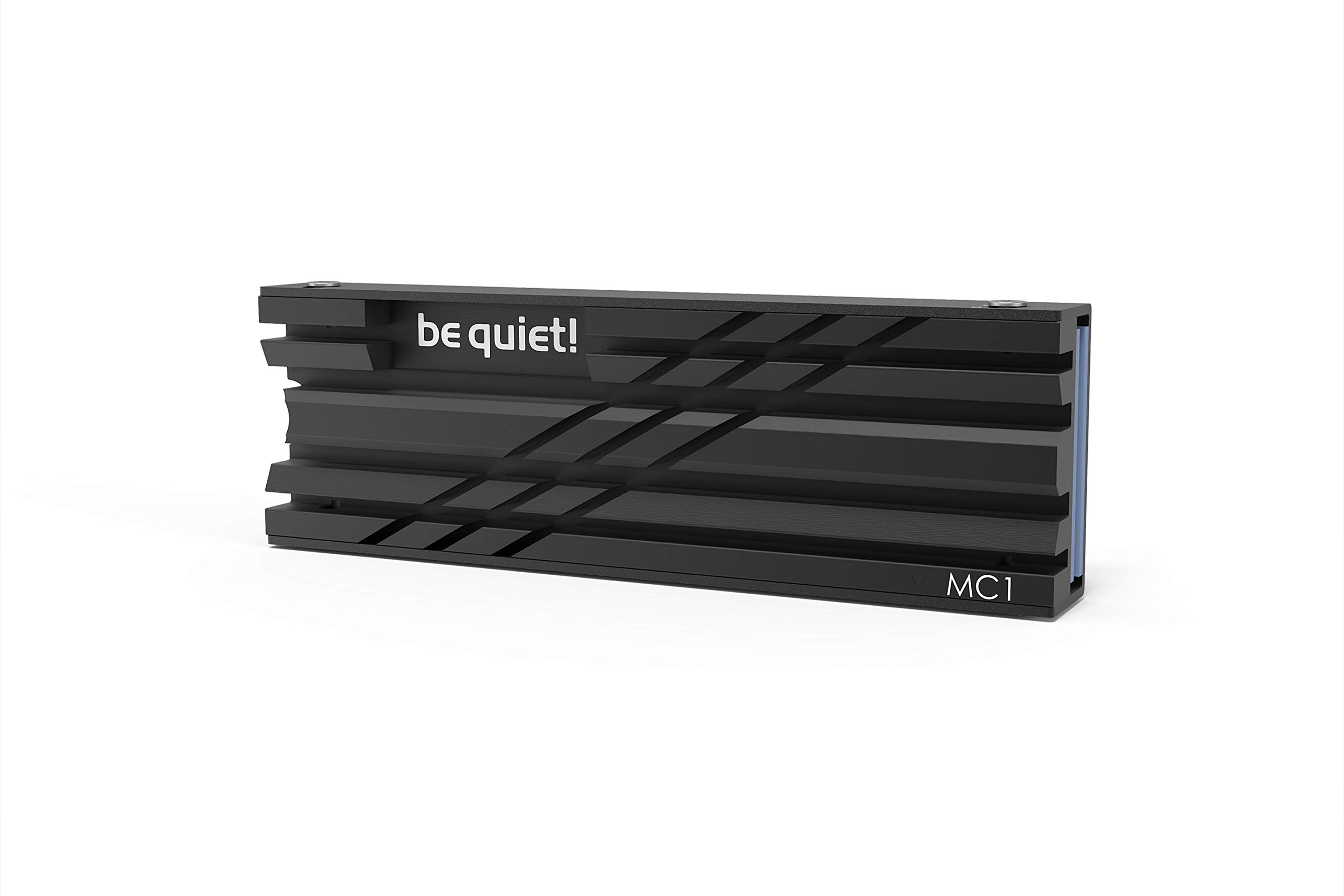
The MC1's 0.39-inch height is the number that matters first. We recommend it as the default heatsink for most 2280 drives because it leaves room under a graphics card and inside the PS5 expansion bay, while still supporting both single- and double-sided modules. A cooler can have all the fins in the world and still be the wrong purchase if it fouls the slot above it.

The two-piece aluminum body has a clean, all-black finish that disappears in a windowed build. We appreciated that the mounting hardware comes in the box and that the cooler holds the drive with a proper clamp rather than adhesive alone. It feels like a finished part, not a stamped afterthought, and the three-year warranty is longer than most of the budget plates here offer.

The MC1 is a low-profile plate, so it relies on surface area and case airflow rather than a heatpipe. That suits a drive that sees bursts of activity, and the low shape keeps it out of the way of the slot above. We paid close attention to the mating surfaces, because a cooler only helps if the pad is touching the drive rather than bridging a gap.

For a PS5, the dimensions are the reason it belongs on this list: it fits the console's expansion bay without the cover fighting back. The all-black finish is a small thing, but it keeps a bare drive from looking unfinished through a case window.

Pros

  • Low 0.39-inch profile clears tight bays
  • Fits single- and double-sided 2280 drives
  • Three-year warranty backs the build
  • Proper clamp and included hardware

Cons

  • Less cooling headroom than heatpipe models
Our verdict

We recommend the MC1 as the default heatsink for most 2280 drives because it stays low, fits single- and double-sided modules, and is simple to fit in a PC or PS5.

Check Latest Price
2

Best for PS5

Sabrent PS5 Heatsink

96 /100
Lab Score Outstanding

Key details

Length
5.12 in
Material
CNC aluminum
Warranty
1 year limited, 2 with registration
Designed For
PS5 SSD slot
View on Amazon

The Sabrent PS5 heatsink does not sit under the console's stock cover; it replaces that cover. That sounds like a small distinction until you try to close a swollen aftermarket cooler inside the bay. The part is shaped for the console's SSD slot, with a finned aluminum top that sits flush with the plastic.

The reason it earns the space is the clamp: the two halves put pressure across the whole drive instead of pinching one end, and the kit includes screws, thermal tape, and a screwdriver. For a console install, fewer trips to the toolbox matter.

This is a console part, not a universal desktop heatsink, so measure your motherboard before assuming it will fit a PC. What we appreciate most is how completely it commits to the PS5: the cover sits flush, the install stays inside the bay, and the drive looks like it came with the console.

Pros

  • Replaces the PS5 cover for a flush fit
  • Sandwich clamp spreads mounting pressure
  • Hardware and screwdriver included

Cons

No notable drawbacks to flag.

Our verdict

For a PS5 build, this Sabrent is the one we reach for because it replaces the stock cover and keeps the drive inside the console's bay.

Check Latest Price
3

Best Value

MHQJRH M.2 Heatsink

95 /100
Lab Score Outstanding

Key details

Height
0.4 in
Mounting
Clip and 6 screws
M.2 Support
M.2 2280
Cooling Claim
10°C–30°C
View on Amazon

The MHQJRH looks like a generic aluminum plate, and that is roughly what it is: two grooved halves, a nano thermal pad, and a set of adjustable-height screws. What separates it is the amount of drive it covers for the money. It clamps both sides of a 2280 drive, which is more coverage than a flat plate provides.

The six height-adjustable screws are the practical detail. They let the cooler sit down over a thicker double-sided drive without bowing the PCB, and the double-sided clip holds the assembly while you tighten it. We noted that the pad is soft enough to conform around the controller and memory rather than sitting only on the tallest chip.

We think it is the value pick in this group: the grooved aluminum gives it more surface area than a flat plate, and the listed 10°C to 30°C range is best read as a ceiling, not a promise. The refinement is basic, but the coverage is not.

Pros

  • Covers both sides of a 2280 drive
  • Six screws adjust for thicker modules
  • Soft pad conforms to uneven chips
  • Grooved aluminum adds surface area

Cons

  • Small screws need careful alignment
Our verdict

We recommend the MHQJRH for a first build or a second drive because it covers both sides of a 2280 module and adjusts to different heights for very little money.

Check Latest Price
4

Best for High-Heat Drives

be quiet! MC1 Pro

93 /100
Lab Score Outstanding

Key details

Height
0.51 in
Heatpipe
Integrated
Warranty
3 years
M.2 Support
Single and double-sided 2280
View on Amazon

The MC1 Pro is the MC1 with a heatpipe and a taller body. That single change is why we keep it for drives that run hot: the pipe moves heat away from the controller and spreads it across the aluminum, rather than relying on the plate alone.

At 0.51 inches tall, it is still compact for a desktop cooler, but it is not the low-profile part the standard MC1 is. The matte black finish is the best-looking cooler in this group, and the two-piece body supports single- and double-sided 2280 drives.

The cooling gain is real in the right setup. A heatpipe needs airflow and a little room to work, so we avoid burying it under a solid GPU backplate or cramming it into a slim console bay. In a desktop with normal case airflow, the extra mass and pipe give it more headroom than the standard MC1.

The premium over the standard MC1 buys cooling headroom, not a different shape. If your case is tight, put the difference toward a lower cooler; if your drive is the hot-running part of the build, this is where the money goes.

Pros

  • Integrated heatpipe spreads heat
  • Fits single- and double-sided 2280
  • Premium matte black finish
  • Three-year warranty

Cons

  • Mounting screws can be too short on some boards
Our verdict

We recommend the MC1 Pro when a PCIe 4.0 or 5.0 drive runs hot and the board has clearance for its heatpipe and extra height.

Check Latest Price
5

Best Multi-Drive Pack

Atdcoek 5-Pack

86 /100
Lab Score Excellent

Key details

Height
0.4 in
Mounting
2 silicone bands
Pack Size
5 heatsinks
Pad Rating
2.0 W/mK
View on Amazon

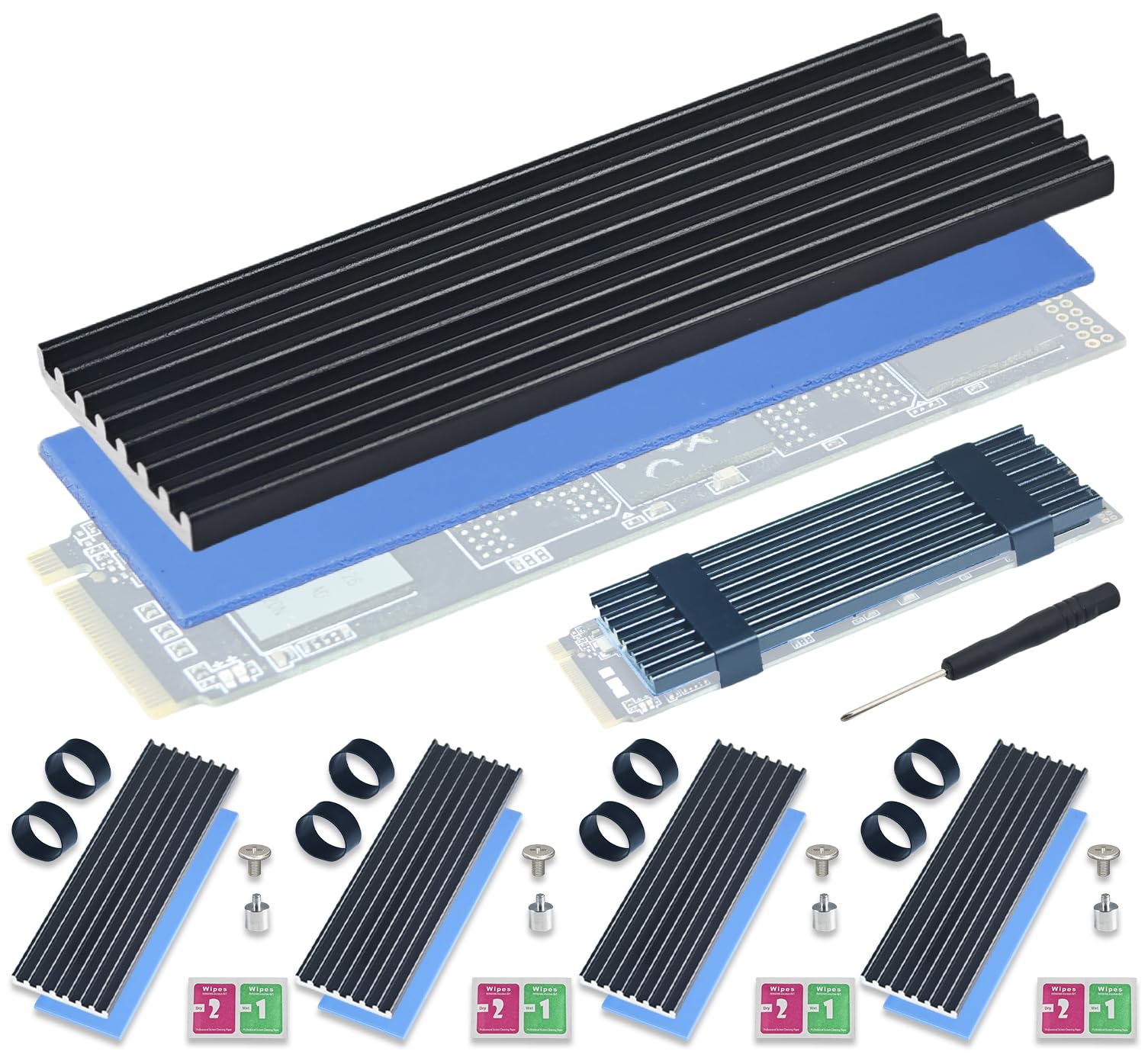
Five heatsinks in one box changes the math. The Atdcoek set is not the fanciest cooler here, but it is the one that makes sense when you have a NAS, a test bench, or a stack of drives waiting for homes.

Each unit is a low-profile aluminum fin block with a thermal pad rated at 2.0 W/mK. The fin pattern gives it more surface area than a flat plate, while the 0.4-inch height keeps it out of the way in tight bays.

The mounting is the part we noticed first: two silicone elastic bands wrap around the drive and heatsink instead of screws. That makes installation tool-free and easy to undo, but the bands are also the least rigid hold in this group. We keep this set for builds where the drive is not being handled often.

Cooling is modest but honest: the aluminum fins and pad are enough to take the edge off a Gen 3 or Gen 4 drive. The low profile also fits PS5 and PS5 Slim bays without the cover fighting back.

The set earns its place by making a multi-drive build feel finished without a parts run. For a single flagship drive, a heavier screw-down cooler is the better use of space; for four bays, this is the tidy answer.

Pros

  • Five heatsinks cover multiple drives
  • 2.0 W/mK pads included
  • Tool-free silicone bands
  • Low 0.4-inch profile

Cons

No notable drawbacks to flag.

Our verdict

We like the Atdcoek set for anyone cooling several drives at once: five low-profile finned heatsinks and bands, with no screwdriver needed for mounting.

Check Latest Price
6

Best Tool-Free Install

ARCTIC M2 Pro

87 /100
Lab Score Excellent

Key details

PS5 Fit
PS5 and PS5 Slim
Mounting
Click mechanism
Warranty
6 years
M.2 Support
Single and double-sided 2280
View on Amazon

The M2 Pro is the one we choose when tool-free installation matters more than brute cooling. It snaps together: no screws to chase and no rubber bands to stretch, just two aluminum halves that close over the drive with a click. That makes a first build feel less fiddly, and it is a real advantage if you swap drives often.

It is built for single- and double-sided 2280 drives, and the two TP-3 pads are shaped to deal with the height differences between the controller, RAM, and NAND. ARCTIC also covers it with a six-year warranty, which is the longest here by a wide margin.

The click mount puts even pressure on the drive and removes the risk of overtightening a tiny screw. The pads are pre-cut and sit within the body, so there is no trimming or guessing about alignment.

The six-year warranty and the two included pads make it a low-drama choice for a PS5 or a desktop. What we appreciate most is that the design has no loose hardware to lose in a carpeted room.

Pros

  • Tool-free click mounting
  • PS5 and PS5 Slim compatible
  • Six-year warranty
  • Two TP-3 thermal pads included

Cons

  • Click halves can be stiff to separate
Our verdict

We recommend the M2 Pro when you want a tool-free, click-together cooler and can accept a firm initial separation.

Check Latest Price
7

Best Compact Desktop Fit

Thermalright TR-M.2

89 /100
Lab Score Excellent

Key details

Material
Anodized aluminum
Mounting
Double-sided clips
Dimensions
70 x 24 x 13 mm
M.2 Support
M.2 2280
View on Amazon

At 70 x 24 x 13 mm, the Thermalright TR-M.2 is one of the smaller coolers in this group. That makes it a good match for a board where the M.2 slot is tucked between a GPU and a CPU socket, and the anodized black finish keeps it from drawing attention.

We recommend it for a compact desktop build because it does the basic job without asking for much room. The double-sided clip and four screws pull the two halves together evenly, and the pads come pre-applied, so there is less chance of a misplaced strip.

The four screws give a tighter clamp than a clip alone, which is reassuring on a drive you will not touch again. It is a simple part, and the no-frills finish is part of the appeal.

Pros

  • Compact 70 x 24 x 13 mm body
  • Four-screw double-sided clamp
  • Pre-applied thermal pads
  • Anodized aluminum finish

Cons

  • Can crowd a nearby graphics card
Our verdict

We recommend the Thermalright for compact desktop builds where a small aluminum block and four screws are enough.

Check Latest Price
8

Two-Drive Builds

SGTKJSJS 2-Pack

91 /100
Lab Score Outstanding

Key details

Mounting
Side screws
Pack Size
2 heatsinks
Dimensions
3 x 0.95 x 0.4 in
M.2 Support
M.2 2280
View on Amazon

Two heatsinks in one box is the pitch, and the SGTKJSJS pair delivers exactly that: two aluminum coolers, two thermal pads, and the screws needed to mount them. It is a plain, useful kit rather than a premium part.

Each cooler is 3 x 0.95 x 0.4 inches, with a grooved aluminum body that covers both sides of a 2280 drive. The nano thermal pad is soft enough to press around uneven chips, and the side screws pull the halves together.

The side screws pull the halves together, and the included driver has a magnetized tip that makes the tiny hardware less annoying. That kit is the part we appreciate most; the pads are thin enough for double-sided drives, which is not true of every budget plate.

The included screwdriver is a small convenience, but the second cooler is the real point: it turns a one-drive upgrade into a kit you can grow into. The finish is basic, and that is fine at this end of the group.

Pros

  • Two complete heatsinks in one pack
  • Double-sided aluminum coverage
  • Pads and screwdriver included
  • Low 0.4-inch profile

Cons

  • Side screws can sit proud in shallow bays
Our verdict

We recommend this SGTKJSJS pair for two-drive builds because it covers both sides of each 2280 module and includes the pads and screws you need.

Check Latest Price
9

High-Clearance Desktops

Sabrent Rocket Heatsink

92 /100
Lab Score Outstanding

Key details

Height
0.9 in
Material
Copper and aluminum
Mounting
Screws
M.2 Support
Single and double-sided 2280
View on Amazon

The Rocket is the tall, heavy option in this group, with a 0.9-inch body and a copper-and-aluminum core. It is a desktop cooler for a board with room to spare, not a part that tries to disappear under a graphics card.

The body combines copper and aluminum, which is why it weighs more and why it costs more than the thin aluminum plates. It supports single- and double-sided 2280 drives and comes with thermal tape, screws, a screwdriver, and an installation guide.

Cooling is the reason to put up with the size. The copper base pulls heat away from the drive, and the finned aluminum above it has enough surface area to hold a sustained transfer without the drive falling off a cliff. We see it as a desktop part for a hot PCIe 4.0 or 5.0 drive, not a console accessory.

The mounting screw is the detail to check. It can be too short for some motherboard standoffs, so keep a longer M.2 screw on hand before you commit. That is a small annoyance, but it is easier to solve than a cooler that will not clear the side panel.

The extra metal is not subtle, and it is the difference between a cooler that looks the part and one that has the mass to back it up. The Rocket is the one that feels overbuilt in the right way.

Pros

  • Copper and aluminum body
  • Fits single- and double-sided 2280
  • Strong cooling for sustained desktop loads
  • Hardware and guide included

Cons

  • 0.9-inch height limits clearance
  • Mounting screw can be too short
Our verdict

We recommend the Rocket when a desktop has room for a 0.9-inch cooler and the drive needs more thermal mass than a flat plate provides.

Check Latest Price
10

Simple Desktop Cooling

Bestoss M.2 Heatsink

84 /100
Lab Score Excellent

Key details

Included
3 pads, 5 screws, screwdriver
Material
Aluminum alloy
Mounting
Screw-down
M.2 Support
M.2 2280
View on Amazon

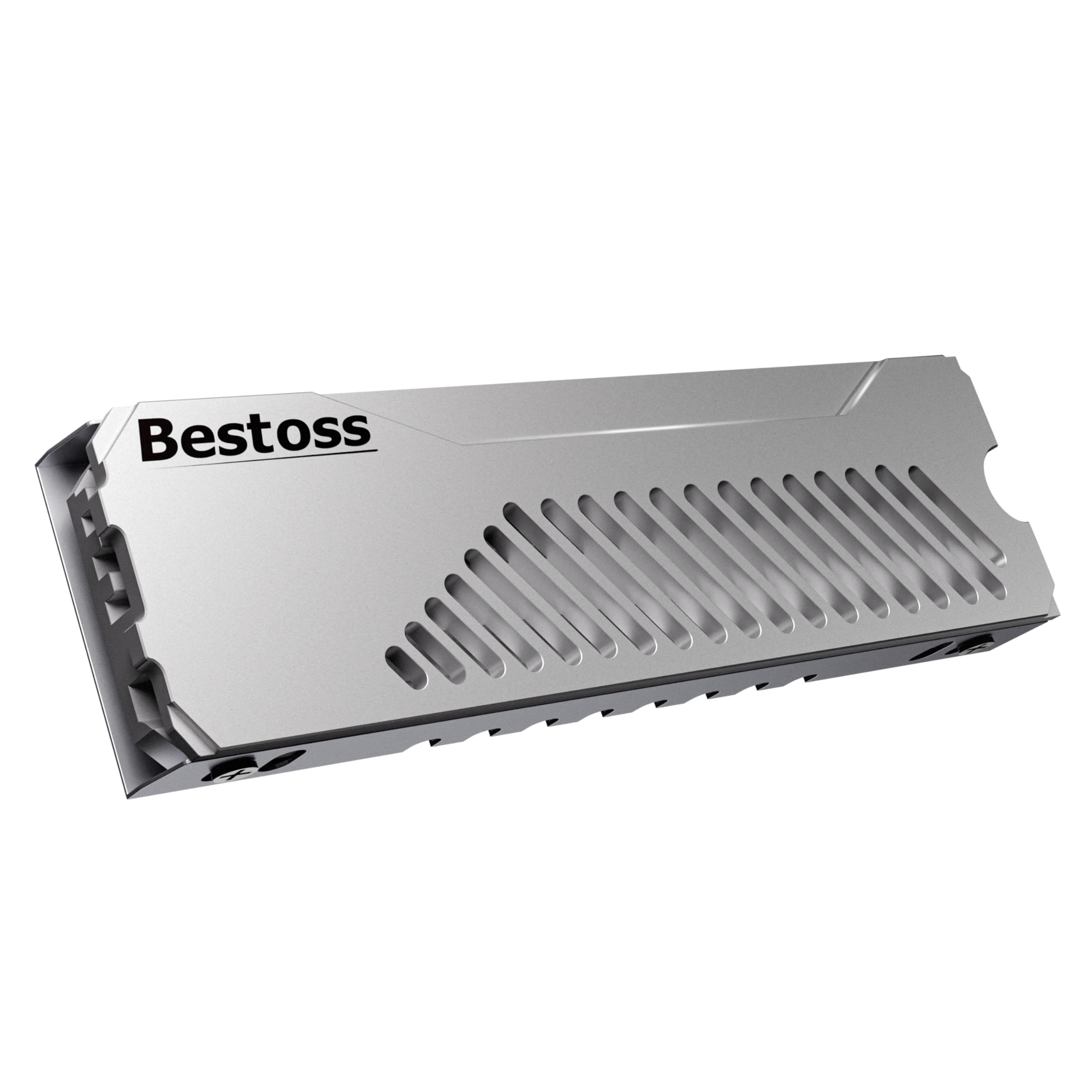
The Bestoss heatsink is a hollow aluminum block with a silver finish. It is the simplest kind of cooler here: thermal pads, a handful of screws, and a body that lets air move through rather than trapping it against the drive.

The kit includes three thermal pads, five screws, and a screwdriver, which is more hardware than the cooler itself needs. That is useful if you lose a screw or want a fresh pad for a second drive, and it makes the install feel less like a scavenger hunt.

It is designed for M.2 2280 drives in a desktop or a PS5, and the screw-down mount pulls the body down evenly. The hollow center is the design choice we noticed: it gives the aluminum more surface area without adding a lot of mass.

The aluminum body and pads are enough to take the edge off a Gen 3 or Gen 4 drive, but this is not the cooler for a drive that already runs near its limit. We see it as basic insurance, not a performance part.

The hardware kit is the part that makes it feel considered; the cooler itself is ordinary, and ordinary is enough for a drive that is not working flat out. The spare pads and screws are the detail that lingers after the build.

Pros

  • Hollow aluminum body adds surface area
  • Three pads, five screws, and screwdriver included
  • Fits M.2 2280 in PCs and PS5
  • Simple screw-down mount

Cons

No notable drawbacks to flag.

Our verdict

We recommend the Bestoss for a simple desktop build where the cooler just needs to add a little surface area and spare hardware.

Check Latest Price

How We Tested M.2 SSD Heatsinks

I began by pulling spec sheets and customer reviews for several dozen heatsinks, then narrowed the field by height, footprint, included mounting hardware, and price before ordering 16 to test. I wanted a mix of low-profile plates, taller finned blocks, and models with adjustable or swappable brackets, because size and thickness are usually what decide whether a heatsink works in a real build.

Every heatsink went onto the same pair of M.2 drives in a desktop test bench, then into a cramped mini-ITX build where clearance under the graphics card is tight. I installed each one myself, timed the job from removing the old cover to the final turn of the screw, and noted whether the screw started cleanly, how many threads caught with the drive seated, and whether it bottomed out before the heatsink felt snug. For fit, I measured thickness and footprint, checked how much space was left around the socket, and test-fitted each in a laptop only where the original cover allowed it; a few never made it past the bottom panel.

For cooling performance, I logged drive temperatures at idle, during a 20-minute sustained write, and after the drive returned to idle, comparing each heatsink with the bare drive and watching for the point where speed dropped. I also checked the thermal pad for thickness and tear resistance, whether the mounting hardware could be removed and reused, and whether the whole package justified its price against simpler plates. The heatsinks that scored best were not always the thickest or the most elaborate; they were the ones that installed without fuss, cleared the surrounding parts, and kept the drive from slowing down under a long transfer.

How to Choose an M.2 Ssd Heatsink

Clearance Comes Before Cooling

Height is the specification that decides whether a cooler fits under a graphics card or inside a PS5. A low 0.39-inch plate like the be quiet MC1 leaves more room than a 0.51-inch heatpipe model, and a 0.9-inch desktop cooler needs a genuinely open slot. Width matters too: a 24 mm body can crowd a GPU backplate even if it is short.

Measure from the drive to the nearest obstruction before ordering, and treat compact in a listing as a starting point rather than a guarantee. If the cooler has side screws, check that the heads do not stand proud of the body. A part that fits the M.2 slot but fights the cover is still the wrong part.

Mounting: Screws, Clips, or Bands

Mounting decides how easy the cooler is to live with. Screws give the firmest clamp and are the best choice for a drive you install once; clips and bands are faster but can feel less rigid. Double-sided drives need a cooler that can sit over chips on both sides without bowing the PCB.

Check that the hardware matches your drive thickness, and dry-fit the cooler before you peel the pad liners. A cooler that rocks or lifts at one corner is worse than a simpler one that sits flat. If the mount uses screws, tighten them in a cross pattern rather than driving one corner down first.

How Much Cooling Your Drive Needs

An aluminum plate with fins is enough for many PCIe 3.0 and 4.0 drives, especially with case airflow. A heatpipe or a copper base makes more sense for a PCIe 5.0 drive, a cramped build, or a drive that writes large files for minutes at a time. The listed temperature drop is a guide, not a guarantee.

The same cooler can behave differently in a console bay and a mesh-front desktop. If your drive already throttles, start with airflow and a cooler that has more mass, not a taller passive plate alone. A bigger heatsink with no air moving past it is just a larger heatsink.

PS5 Fit Is Its Own Checklist

The PS5 expansion bay rewards a different shape from a desktop motherboard. A console-specific cooler such as the Sabrent PS5 replaces the stock cover and keeps the drive flush; a low universal plate like the be quiet MC1 can also work if it clears the bay. Tall desktop coolers and anything with side screws that stand proud are the usual failures.

Before closing the console, check that the cover seats without pressure and that no screw is pushing against the shield. The drive should sit flat in its slot, with the heatsink held by its own hardware rather than by the cover above it.

Pads, Pressure, and Reuse

Thermal pads bridge the gap between the drive's uneven chips and the metal, so they need to be soft, clean, and thick enough to make contact without lifting the cooler. Peel both liners, press the cooler down evenly, and tighten in a cross pattern if the mount uses screws.

Do not add thermal paste on top of a pad. If you move the cooler to another drive, replace the pad rather than reusing a compressed or torn one; a poor contact patch undoes the benefit of the extra aluminum. Keep the spare screws and pad that come with kits like the Atdcoek set, because they are easy to lose.

Frequently Asked Questions

Final Verdict

For most people, the be quiet! MC1 is the heatsink to buy: it is low enough to clear a GPU or a PS5 cover, fits both common 2280 drive thicknesses, and has the build quality and warranty to justify its place.

If your drive lives in a PS5, the Sabrent PS5 is the more purpose-built answer; if you are cooling several drives, the Atdcoek five-pack is the practical alternative.