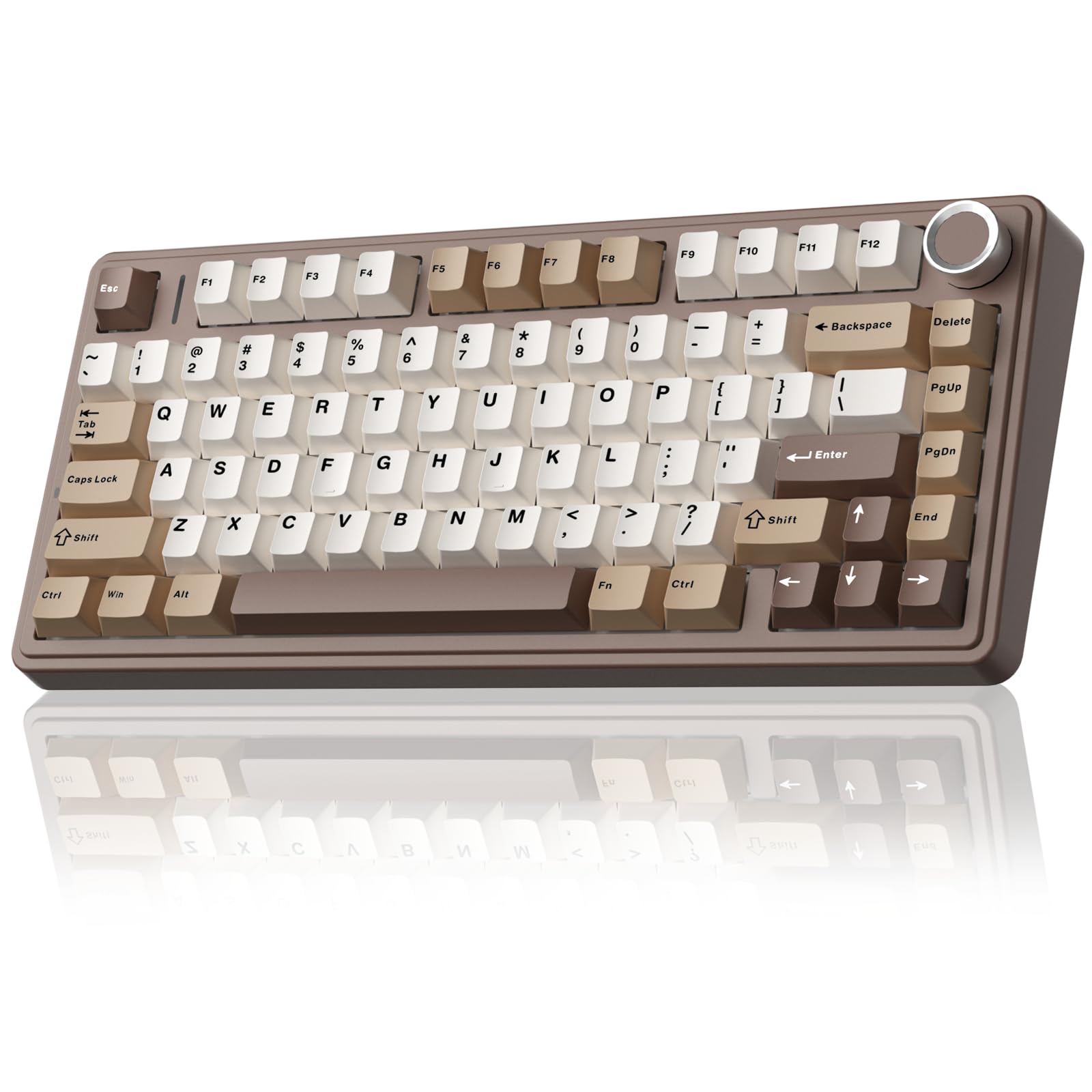
11 Best Mechanical Keyboard of 2026: Creamy Sound Without the Reliability Risk

Find the best mechanical keyboard for gaming and typing that balances creamy out-of-box performance with real-world durability.

Many affordable mechanical keyboards promise a premium typing experience with creamy sound and gasket mounts, but inconsistent quality control means some develop key failures within months. It's a frustrating gamble for anyone who just wants a reliable board for gaming and work.

This guide focuses on the keyboards that actually deliver on sound and feel while minimizing the risk of early failure. We've identified the models that combine hot-swap flexibility, thoughtful build materials, and strong user feedback across hundreds of reviews.

The trade-off is clear: you can get a near-flagship typing experience for under $70, but you need to know which brands and layouts have the best track record for longevity. Here are the picks that earn their spot.

1

Best Overall

EPOMAKER Aula F75

92 /100
Lab Score Outstanding

Key details

Layout
75%
Switch Type
Linear Hot-Swappable
Connectivity
Tri-mode
Sound Profile
Creamy
View on Amazon

The EPOMAKER Aula F75 delivers a creamy, ASMR-like typing sound straight out of the box, thanks to its gasket mount and five-layer foam dampening. The pre-lubed Reaper linear switches feel smooth and consistent, making both gaming and extended typing sessions more satisfying. Tri-mode wireless (BT 5.0, 2.4GHz, USB-C) adds flexibility for a clutter-free desk, and the 4000mAh battery holds up well through a workday.

Some units have been noted with key failures or connectivity dropouts after several months of use. This is a possibility to weigh against the otherwise strong out-of-box experience. For the majority of buyers, the board holds up fine, but those seeking a warranty-backed daily driver may want to consider the risk.

This 75% keyboard suits gamers and typists who prioritize sound and feel and want a compact, wireless board with minimal fuss. It is not for those who need a dedicated number pad or require absolute long-term reliability without occasional unit variance. The board’s creamy sound and hot-swap capability make it an easy recommendation for buyers comfortable with some QC variability.

💡 Keep a USB cable handy – the 2.4GHz dongle provides a more stable connection if Bluetooth dropouts become noticeable.

Pros

  • Creamy, ASMR-like sound profile that makes typing and gaming more enjoyable.
  • Premium build feel with gasket mount and foam layering for a soft, quiet typing experience.
  • Excellent value combining wireless, gasket mount, and hot-swap at a budget-friendly price.
  • Smooth, pre-lubed switches that perform impressively without any modification needed.
  • Bright, customizable RGB lighting with multiple onboard effects for desk personalization.

Cons

  • In some units, keys may stop registering after extended use
  • Wireless connection can drop occasionally
Our verdict

For buyers who value typing sound and wireless flexibility in a compact layout, the F75 offers an outstanding package despite some unit-to-unit variance.

Check Latest Price
2

Best Budget Full-Size

Redragon K556

93 /100
Lab Score Outstanding

Key details

Layout
Full-size
Switch Type
Tactile Hot-Swappable
Connectivity
Wired
Sound Profile
View on Amazon

The Redragon K556 sets itself apart from other budget full-size boards with an aluminum chassis that gives it a sturdy, anchored feel on the desk. Hot-swap switch sockets and per-key RGB are unexpected extras at this price point, making it a strong entry point for someone new to mechanical keyboards who wants flexibility to experiment with different switch types later on.

This board is best suited for budget-conscious gamers and typists who want a full layout with a numpad and don't mind a wired connection. The tactile brown switches offer a comfortable bump for sustained typing sessions without the click noise of blues. However, long-term reliability is a known variable — some units have developed key registration issues after several months of use, so it carries more risk than a premium-priced board if you need guaranteed longevity.

In practice, the typing feel is consistent and solid, with the aluminum frame reducing flex significantly compared to plastic alternatives like the cheaper Redragon models. RGB lighting is bright and offers multiple preset modes, though the software for customization is basic. For anyone prioritizing build quality and hot-swap at a low cost, the K556 delivers where many competitors cut corners — provided you're willing to accept the possibility of needing to swap a switch or contact support down the line.

Pros

  • Solid aluminum frame gives the board heft and stability, feeling pricier than it is.
  • Hot-swappable switches and RGB at a budget price add customization without extra cost.
  • Tactile brown switches offer a comfortable bump for long typing sessions or gaming.
  • Vibrant RGB with several built-in lighting modes out of the box.

Cons

  • Key registration issues can arise after months of use, making it a gamble for those needing long-term dependability.
  • Switch and key feel may degrade over time, with some owners noticing weakened keys after several months.
Our verdict

If you want a sturdy full-size keyboard with hot-swap and tactile feedback without spending premium, the K556 delivers — just be aware that quality control across units is uneven.

Check Latest Price
3

Best Compact Wireless with Numpad

ASUS ROG Scope II 96

91 /100
Lab Score Outstanding

Key details

Layout
96%
Switch Type
Linear Hot-Swappable
Connectivity
Tri-mode
Sound Profile
Quiet
View on Amazon

The ASUS ROG Strix Scope II 96 delivers an exceptional battery life that can last over a month of daily use in 2.4GHz mode, and its hot-swappable ROG NX Snow linear switches come pre-lubed for a quiet, smooth typing experience. The 96% layout squeezes a full numpad into a frame that takes up noticeably less desk space than a traditional full-size board, while the plastic/PBT build and detachable wrist rest give it a solid feel.

This keyboard is a strong fit for enthusiasts who want a wireless compact layout with a numpad and aren't deterred by a premium price tag. However, Bluetooth connectivity can be inconsistent in busy wireless environments, and some units have been noted to develop unresponsive keys or connection dropouts over time. For those who prioritize stable wireless performance and long-term dependability, the wired-only alternatives in this guide may be a safer bet.

The linear NX Snow switches produce a noticeably quieter sound compared to many competing mechanical boards, making the Scope II 96 suitable for shared workspaces or late-night gaming sessions. The tri-mode connectivity (BT, 2.4GHz, USB-C) gives flexibility, but sticking with the 2.4GHz dongle avoids the occasional pairing hiccup seen with Bluetooth.

💡 Use the 2.4GHz dongle for gaming or low-latency tasks; Bluetooth works well for light office work and browsing.

Pros

  • Premium build quality with a dense, solid feel that inspires confidence
  • Quieter than expected operation thanks to smooth pre-lubed linear switches
  • Compact 96% layout saves desk space while retaining a dedicated numpad
  • Excellent battery life with fast charging; can go weeks on a single charge

Cons

  • Bluetooth connectivity can be unstable in crowded wireless environments, especially during gaming
  • Some units may experience key chatter or connection dropout after extended use
Our verdict

A feature-dense wireless 96% board for those who value battery life and a compact numpad layout, but Bluetooth reliability and possible early hardware issues mean it's best suited for users comfortable with the 2.4GHz dongle and willing to accept some unit variance.

Check Latest Price
4

Best for Competitive Gaming

SteelSeries Apex Pro TKL

91 /100
Lab Score Outstanding

Key details

Layout
TKL
Switch Type
Analog Magnetic
Connectivity
Wired
Sound Profile
Quiet
View on Amazon

OmniPoint 3.0 analog magnetic switches let you set actuation anywhere from a hair-trigger 0.1mm to a deliberate 4.0mm, giving you granular control over every key press. Rapid Trigger and Rapid Tap further reduce response time for twitch movements, making this TKL a clear step ahead of traditional mechanical boards like the Logitech G Pro X TKL. That performance comes with tradeoffs: it’s wired-only and carries a premium price tag.

This keyboard is built for competitive esports players who prioritize speed and customization over budget or wireless convenience. The build quality feels substantial, the keys are smooth and quiet, and the software offers deep customization — though occasional function-key quirks can surface. For casual gamers or typists who don’t need analog actuation, the high cost and wired tether are hard to justify.

💡 If function key behavior seems off, update the keyboard firmware — the issue is software-side and often resolved.

Pros

  • Premium build quality and overall feel
  • Smooth, quiet key feel with comfortable wrist rest
  • Highly customizable via software with extensive features
  • Quieter than previous generations with satisfying sound

Cons

  • Minor function-key quirks may appear in some units
  • Wired-only connection limits desk flexibility and portability
  • Price is premium; some buyers may question value for the cost
Our verdict

For competitive players who need adjustable analog actuation and rapid trigger, this wired TKL delivers unmatched responsiveness — but its premium price and lack of wireless make it a specialized choice.

Check Latest Price
5

Best for Mac Users

Keychron K4

89 /100
Lab Score Excellent

Key details

Layout
96%
Switch Type
Tactile
Connectivity
BT + USB-C
Sound Profile
View on Amazon

The Keychron K4 packs a full numpad into a 96% layout and includes dedicated Mac keycaps, making it one of the few wireless mechanicals that feels like it was designed for macOS first. The aluminum frame and Super Brown tactile switches deliver a satisfying typing experience that blends well with both productivity and casual gaming – the bump is noticeable without being overly loud.

This board is best suited for Mac users who need a numpad for spreadsheets or data entry but want the flexibility of Bluetooth across multiple devices. The white LED backlight is adequate for dim offices but lacks the color variety of RGB – a non-issue if you don’t game in the dark. Bluetooth connectivity can drop unexpectedly in some setups, so a wired USB-C connection is the safer bet for latency-sensitive tasks.

Build quality is a strong point: the aluminum frame gives it heft and stability, and the included extra keycaps for Windows/Android mean it can serve dual-OS workflows. The 4000mAh battery lasts through extended sessions, though keeping it plugged in for nighttime use avoids any pairing hiccups the next day.

💡 Place the receiver within three feet of the keyboard to minimize Bluetooth dropouts.

Pros

  • Solid aluminum frame and mechanical feel for the price
  • Tactile brown switches provide clear feedback without excessive noise
  • Compact 96% design keeps the numpad without wasting desk space
  • Genuine Mac layout support with dedicated keycaps out of the box

Cons

  • White-only backlight lacks the flexibility of RGB for gaming mood lighting
  • Bluetooth connection may drop in certain environments
  • Some units have stopped working entirely; checking return policy beforehand is wise
Our verdict

For Mac users who need a wireless mechanical with a numpad and don’t mind occasional Bluetooth quirks, the K4 delivers where few boards do – just keep a USB-C cable handy for critical sessions.

Check Latest Price
6

Best for Aesthetics and a Custom Screen

Womier SK80

93 /100
Lab Score Outstanding

Key details

Layout
75%
Switch Type
Linear Hot-Swappable
Connectivity
Wired
Sound Profile
Creamy
View on Amazon

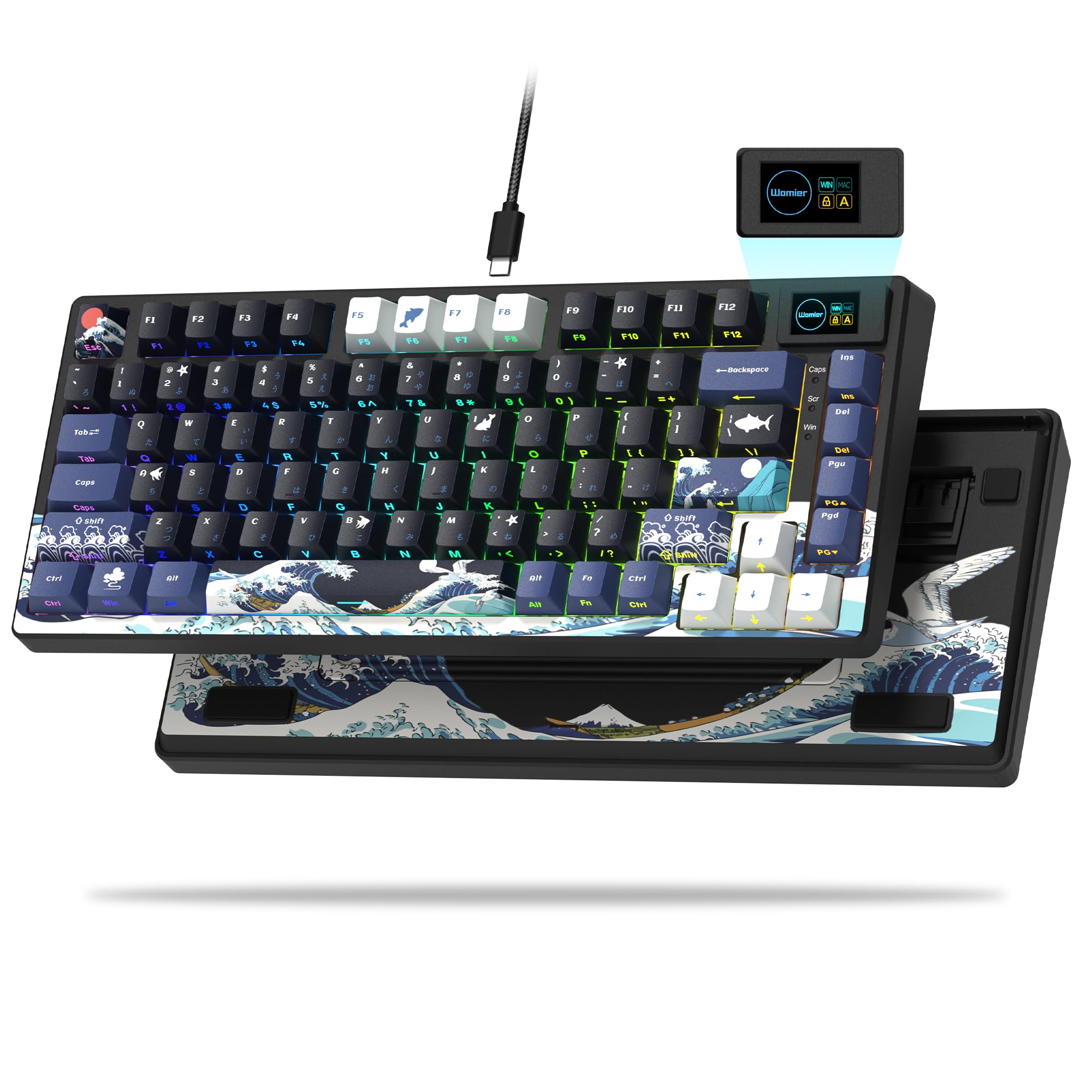
The Womier SK80 distinguishes itself in the sub-$70 segment with a 1.3-inch color multimedia display that shows system stats, GIFs, and custom images, housed in a metal enclosure with a striking Kanagawa wave motif. While the top pick offers wireless and lighter portability, the SK80 leans into visual flair and desktop presence, trading freedom for a unique aesthetic.

This keyboard suits users who want a conversation-piece desktop accessory that also performs well for typing and gaming. The gasket-mount construction and pre-lubed linear switches deliver a creamy, satisfying sound and smooth keystrokes. However, it is wired-only, which limits desk arrangement flexibility, and the keyboard can exhibit key failures or unresponsiveness after extended use in some cases, a risk worth noting for those expecting consistent long-term performance.

The typing experience is notably smooth, with a pleasant bottom-out and minimal pinging. The PBT keycaps resist shine, and the hot-swap sockets allow switch customization. The multimedia screen is functional — showing CPU load, temperature, and custom GIFs — but the software for customization is basic. At its price, this is the only gasket-mount board with a color display, making it a strong option for those prioritizing aesthetics.

💡 The USB cable is detachable and uses a standard USB-C connection, so you can replace it with a custom braided cable to match your setup.

Pros

  • Solid build quality and premium metal feel
  • Creamy sound that is satisfying and not too loud
  • Beautiful Kanagawa-themed design with vibrant colors
  • Great value for a gasket-mount board with multimedia screen

Cons

  • Wired-only connection limits desk placement and portability
  • In some cases, keys may stop responding or the board may become unresponsive
Our verdict

The Womier SK80 is the right choice for desktop enthusiasts who want a visually distinct keyboard and are comfortable with a wired setup and potential unit variability.

Check Latest Price
7

Numpad Lovers

AULA F99

92 /100
Lab Score Outstanding

Key details

Layout
96%
Switch Type
Linear Hot-Swappable
Connectivity
Tri-mode
Sound Profile
Creamy
View on Amazon

The AULA F99 delivers a creamy, satisfying typing sound that many budget boards struggle to match, thanks to its gasket mount and pre-lubed linear switches. Its 96% layout squeezes in a full numpad without taking extra desk space, and the 8000mAh battery means fewer charges even with RGB on.

Build materials are plastic rather than metal, which affects the premium feel. Possibility of unit-to-unit variation is a tradeoff for the low price. Compared to the lighter and more compact top pick, the F99 is better suited for number-heavy tasks than for portability, but the added weight and larger footprint are tradeoffs for the numpad.

Pros

  • Creamy, satisfying typing sound with a thocky character.
  • Buttery smooth pre-lubed linear switches right out of the box.
  • Hot-swappable switches for easy customization.

Cons

  • Individual keys can become unresponsive over time.
  • Bluetooth connectivity may drop intermittently.
Our verdict

The F99 is a good fit if you need a numpad and value typing sound and battery life — but check the unit thoroughly for any issues early on.

Check Latest Price
8

Budget Buyers

Redragon K668

90 /100
Lab Score Outstanding

Key details

Layout
Full-size
Switch Type
Linear Hot-Swappable
Connectivity
Wired
Sound Profile
Thocky
View on Amazon

The Redragon K668 is the most budget-friendly full-size keyboard with hot-swap functionality, offering two keycap sets and four extra hotkeys. Its linear red switches produce a satisfying thocky sound, and the ergonomic design supports long typing sessions. However, the all-plastic build means it lacks the rigidity of metal-frame alternatives, and some units may experience key functionality issues over time. If you're on a tight budget and prioritize hot-swap customization and extra keys over premium materials and long-term reliability, this is worth considering.

Pros

  • Hot-swap support and two included keycap sets allow easy customization.
  • Linear red switches produce a pleasant thocky sound many find satisfying.
  • Ergonomic design with dedicated hotkeys supports long typing sessions.

Cons

  • Key functionality issues may develop over extended use, affecting reliability.
Our verdict

Best for budget-conscious buyers who need hot-swap and extra keys and are willing to accept a plastic build and potential reliability variance.

Check Latest Price
9

Budget Wireless

Kisnt KN85

91 /100
Lab Score Outstanding

Key details

Layout
75%
Switch Type
Linear Hot-Swappable
Connectivity
Tri-mode
Sound Profile
Creamy
View on Amazon

The Kisnt KN85 delivers a creamy, quiet typing experience with pre-lubed linear switches that feel smooth out of the box — unusual at this price point. The retro beige design and gasket-mounted five-layer foam construction contribute to a cushioned keystroke that rivals many costlier boards.

For students and office workers on a tight budget who prioritize sound and look, this is a strong candidate. However, the wireless connection can be inconsistent — Bluetooth and 2.4GHz dropout has been noted in some setups, making it less suitable for competitive gaming where absolute reliability matters. Accept that minor risk and you get impressive value.

Pros

  • Silky smooth pre-lubed linear switches with a creamy sound signature.
  • Tri-mode connectivity (BT, 2.4GHz, USB-C) for flexible desk setups.
  • Retro beige aesthetic and gasket mount give a premium feel at a low price.

Cons

  • Wireless connection can be unreliable
  • Battery performance may vary; some units discharge faster than expected.
Our verdict

A budget-friendly wireless mechanical keyboard that excels in sound and feel — best for those who can accept occasional connectivity quirks in exchange for creamy typing at under $45.

Check Latest Price
10

Creamy Numpad

RK R98 Pro

90 /100
Lab Score Outstanding

Key details

Layout
96%
Switch Type
Linear Hot-Swappable
Connectivity
Wired
Sound Profile
Creamy
View on Amazon

The RK R98 Pro delivers a creamy, satisfying typing sound from its pre-lubed linear switches and gasket mount, packed into a compact 96% layout with a numpad. The solid aluminum/plastic construction and MDA PBT keycaps feel sturdy for the price. However, the backlight is dim enough that keycap legends can be hard to read in bright rooms, and some units may arrive with non-functioning keys. This board is wired-only, making it a straightforward choice for typists who want that buttery audio experience without paying for wireless or flashy RGB.

Pros

  • Smooth, creamy sound from pre-lubed linear switches and gasket mount
  • Sturdy construction with gasket mount and PBT keycaps for the price
  • Compact 96% layout includes a numpad without wasting desk space

Cons

  • Backlight is dim; keycap legends can be hard to read in bright conditions
  • Some units can arrive with non-functioning keys out of the box
Our verdict

Best for budget-conscious typists who want a creamy, numpad-equipped wired board and can overlook dim lighting and possible key defects.

Check Latest Price
11

Razer Fans

Razer BlackWidow V3

94 /100
Lab Score Outstanding

Key details

Layout
Full-size
Switch Type
Clicky Tactile
Connectivity
Wired
Sound Profile
Clicky
View on Amazon

The BlackWidow V3 in Quartz Pink stands out with its aluminum frame and satisfyingly clicky Green switches, paired with vibrant per-key RGB that integrates deeply with Razer's Synapse software. However, this keyboard is designed specifically for Razer ecosystem enthusiasts who want a specific color and switch feel. It lacks hot-swap sockets and wireless connectivity, and some units may develop keys that stop registering over time — a consideration at this mid-range price. The Green switches are loud enough that they're better suited to private spaces than shared offices. For buyers who prioritize a consistent typing experience and the ability to swap switches later, cheaper hot-swap boards offer better value. This keyboard makes sense if you're building a pink-themed setup and want a clicky board with full Chroma lighting.

Pros

  • Aluminum frame gives the keyboard a premium, rigid feel.
  • Vibrant per-key RGB with deep customization via Synapse.

Cons

  • Green switches produce a loud click that may be disruptive in shared workspaces.
  • Some units develop non-responsive keys after extended use.
Our verdict

If you're building a pink-themed setup and already invested in Razer's ecosystem, this keyboard delivers the aesthetic and clicky feedback you want — just accept that hot-swap and long-term consistency aren't its strengths.

Check Latest Price

How to Choose

Switch Type and Hot-Swap

Switches determine the feel and sound: linear (smooth), tactile (bump), or clicky (bump + noise). Hot-swappable sockets let you swap switches without soldering, but the sockets themselves can fail if the board's PCB has weak solder joints. A hot-swap board is not immune to failure; it just makes repairs easier if you have spare switches.

For gaming, linear switches are fastest; for typing, tactile offers feedback without the noise of clicky. Pre-lubed linear switches (common in budget boards) feel smooth out of the box but can dry out over time.

Layout

Full-size (104 keys) includes a numpad; TKL (87 keys) omits it for more mouse space; 75% is even more compact but retains function row; 96% squeezes a numpad into a TKL footprint. The trade-off: smaller layouts save desk space but require layer-based shortcuts for missing keys.

Gamers often prefer TKL or 75% for lower reach to the mouse, while typists and number crunchers value the dedicated numpad. 96% strikes a balance but often uses non-standard key sizes that make replacement keycap sets harder to find.

Connectivity

Wired offers zero latency and no battery worries; wireless (Bluetooth or 2.4GHz) adds convenience but introduces potential input lag and dropouts. Tri-mode boards let you switch between wired, 2.4GHz, and Bluetooth, but Bluetooth can be unreliable on many budget boards due to weak antennas or interference.

For competitive gaming, wired is still the gold standard. Wireless is fine for casual gaming and office work, but check user reports for dropout frequency. A large battery (4000mAh+) helps if you forget to charge.

Build Material and Weight

Aluminum frames add rigidity and heft, reducing flex and making the board feel premium. Plastic gasket-mount boards (with foam layers) can sound just as good but may flex under heavy use. Weight matters if you carry the keyboard to LAN events or between desks.

A heavier board (2+ lbs) stays put during intense gaming but is less portable. Aluminum also dissipates heat better, though this is rarely a concern for typing. Plastic boards are lighter and cheaper but can feel hollow if not properly dampened.

Sound Profile

Sound is a matter of personal preference and environment. Creamy/thocky boards use silicone foam and gasket mounts to dampen high-pitched clacks. Clicky switches produce sharp clicks that can disturb roommates or stream audio. Linear switches are quietest, but the plate and case foam greatly affect the final sound.

The hidden trade-off: a board that sounds amazing out of the box may use loose foam that compresses over time, changing the sound. Pre-lubed switches can dry out after months, making the sound scratchier. Consider whether you can re-lube switches or replace foam down the line.

Frequently Asked Questions