9 Best Mini-ITX Motherboards of 2026: Reliable Picks for Your Build

Find a Mini-ITX motherboard that delivers stable gaming performance, reliable WiFi, and the right socket for your build — without surprise failures.

Mini-ITX motherboards pack full desktop performance into tiny cases, but the compact size forces compromises. Onboard WiFi can drop out, Ethernet ports may conflict with M.2 slots, and BIOS updates often require an older CPU on budget boards. These aren't dealbreakers if you know what to look for.

This guide focuses on boards that minimize those pain points — stable WiFi, reliable BIOS flashback, and enough expansion for gaming builds. Whether you're on AM4, AM5, or Intel LGA 1700, the right board depends on matching features to your actual hardware, not just the spec sheet.

The biggest surprise? Even premium boards have notable failure rates. The safest path is often a well-reviewed budget board with proven reliability — if you can live without PCIe 5.0 or dual M.2.

1

Best Overall Mini-ITX Motherboard for AM4 Gaming

Gigabyte B550I AORUS

86 /100
Lab Score Excellent

Key details

VRM
8-phase
WiFi
WiFi 6
Memory
DDR4
Socket
AM4
View on Amazon

PCIe 4.0 support, a pair of M.2 slots (one Gen4, one Gen3), Intel WiFi 6, and 2.5GbE networking give this board a connectivity suite that rivals some full-size ATX options. An 8-phase digital VRM with robust heatsinks and an aluminum backplate keeps Ryzen 5000 series chips running without thermal throttling, even under sustained load.

The board feels premium in hand, and build quality is consistently praised for its heatsinks and metal reinforcement. That said, a subset of units are reported to become unusable within the first few weeks or months, either arriving dead on arrival or stopping after some time. This behavior can occur without warning, so the experience varies between individual boards.

This is the right pick for an enthusiast building a high-end compact Ryzen 5000 system who wants every modern I/O option in a mini-ITX footprint. The tradeoff is that a small chance of premature failure exists — buy from a retailer with a straightforward return or replacement window to avoid frustration.

Pros

  • PCIe 4.0 on the primary M.2 and GPU slot for fast storage and graphics.
  • Integrated Intel WiFi 6 and 2.5Gb Ethernet eliminate the need for add-in cards.
  • 8-phase VRM with substantial heatsinks handles Ryzen 9 chips without airflow concerns.
  • Aluminum backplate and dense heatsinks give the board a rigid, premium feel.

Cons

  • Some units may stop working after weeks or months, or arrive unusable from the start.
Our verdict

If you want the fullest AM4 ITX feature set and are comfortable working with a supportive return policy, this board delivers top-tier specs in a compact package.

Check Latest Price
2

Best Budget AM4 Board with Reliable WiFi

ASRock A520M-ITX/AC

84 /100
Lab Score Excellent

Key details

VRM
Basic
WiFi
WiFi AC
Memory
DDR4
Socket
AM4
View on Amazon

The ASRock A520M-ITX/AC stands apart from the top pick by offering trouble-free WiFi and solid build quality at a budget price. Where the Gigabyte B550I AORUS PRO AX delivers more features but carries a reliability risk, this ASRock board boots consistently with Ryzen 3000 and 5000 series, and its wireless components work out of the box — no driver issues or extra purchases needed. While it lacks PCIe 4.0 and dual M.2, the everyday performance for a Ryzen 5 CPU is indistinguishable from pricier boards.

This board fits buyers assembling a compact AM4 system with a Ryzen 5 5600 or 5600G for basic gaming or office tasks. The tradeoffs are clear: no BIOS flashback means updating to a newer Ryzen requires an older CPU on hand, and with only a single NVMe slot and no USB-C header, expansion is limited. For those who plan to stick with the initial CPU and don't need multiple drives, this board is a straightforward choice.

💡 Keep a compatible older CPU on hand if you plan to upgrade to a newer Ryzen — the board has no flashback button.

Pros

  • Solid build quality for the price
  • Boots consistently with Ryzen 3000/5000 series out of the box
  • Built-in WiFi and Bluetooth work without extra setup

Cons

  • BIOS update requires an older CPU
  • Only one NVMe slot and no USB-C header limits expansion
Our verdict

For a compact AM4 build where trouble-free WiFi matters and the BIOS update limitation is manageable, this board delivers what it promises at a budget-friendly price.

Check Latest Price
3

Best Budget AM5 Entry Point

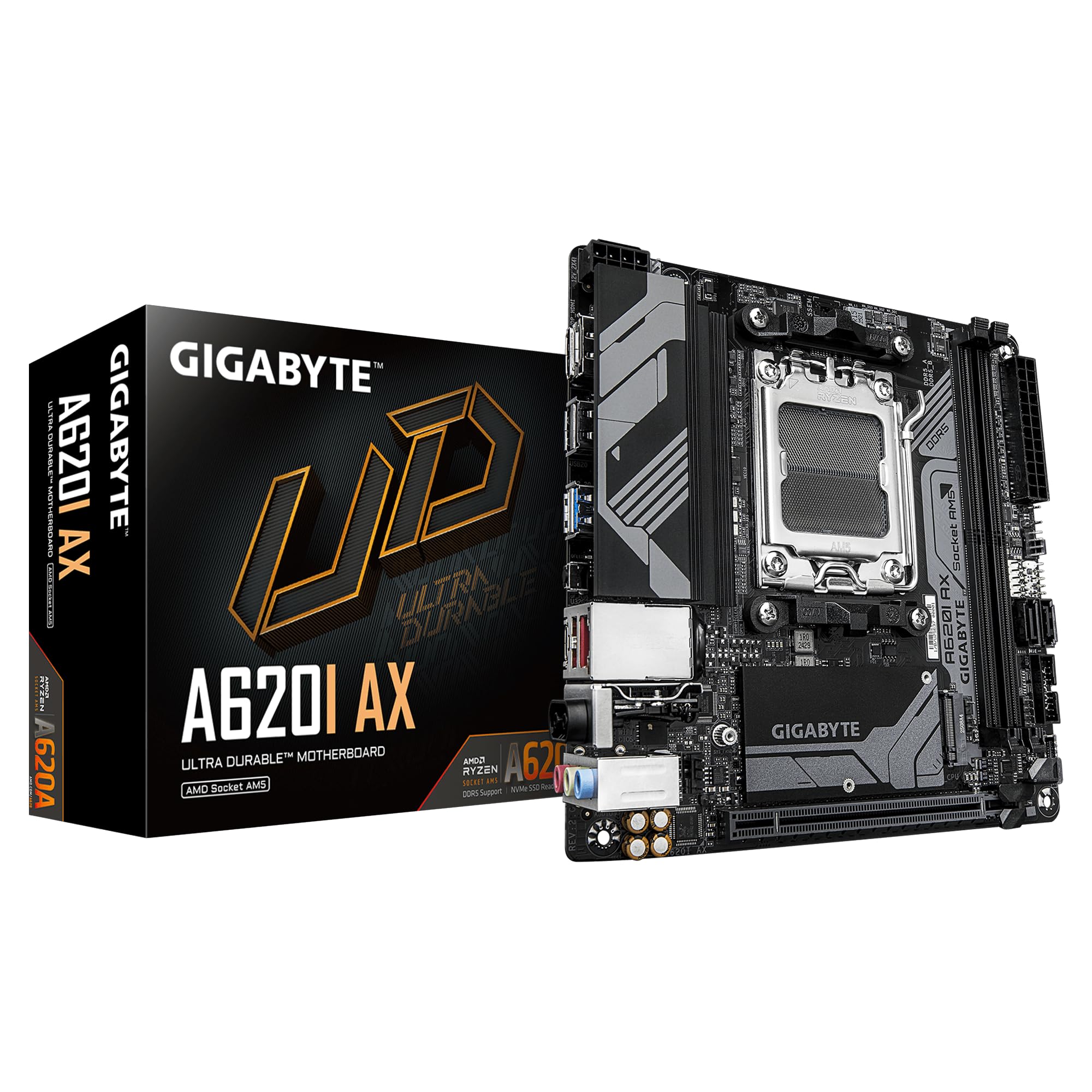
Gigabyte A620I AX

85 /100
Lab Score Excellent

Key details

VRM
5+2+1 phase
WiFi
WiFi 6E
Memory
DDR5
Socket
AM5
View on Amazon

At under $110, the Gigabyte A620I AX is the most affordable AM5 Mini-ITX board available, pairing DDR5 memory and integrated WiFi 6E with a basic A620 chipset. It handles Ryzen 5 7600 configurations at stock settings without issue, and enabling EXPO for memory overclocking works smoothly via the BIOS. However, the cost savings show in the build — the I/O shield feels thin and the overall construction is notably less substantial than mid-range alternatives.

This board suits budget-focused SFF builds where low entry cost is the priority and you plan to run a newer AMD processor at default power levels. If you need CPU tuning, robust build quality, or long-term reliability under heavy load, the premium AM5 options (like the ASUS ROG STRIX B650E-I) deliver those features at roughly double the price. Some units have reported wireless component issues after extended use, so factoring in a separate USB WiFi adapter may be a practical fallback.

💡 The I/O shield is thin — avoid overtightening screws or applying lateral pressure when mounting the board.

Pros

  • Lowest price for an AM5 ITX board with DDR5 and WiFi 6E
  • Stable wireless performance with good range and speed for daily use
  • EXPO memory overclocking works easily despite the entry-level chipset

Cons

  • I/O shield and PCB feel flimsy
  • No PBO or CPU overclocking options; performance is locked to stock settings
  • Occasional boot or stability issues may appear after prolonged use
Our verdict

For an ultra-budget AM5 SFF build with DDR5, the A620I AX delivers the necessary features at the lowest price, but its limitations mean it's best reserved for cost-constrained projects where performance tuning isn't needed.

Check Latest Price
4

Best High-End AM5 Boards

ASUS ROG Strix B850-I

81 /100
Lab Score Excellent

Key details

VRM
10+2+1 70A
WiFi
WiFi 7
Memory
DDR5
Socket
AM5
View on Amazon

WiFi 7, dual PCIe 5.0 M.2 slots, 20Gbps USB-C, and a 10+2+1 70A VRM stage set the ASUS ROG Strix B850-I apart as a feature-rich AM5 Mini-ITX motherboard. The large heatsinks and dense construction give it a premium feel that matches its ambitious spec sheet.

This board targets the enthusiast who wants every modern connectivity option in a compact build and is comfortable navigating potential hardware quirks. It is not a pick for those needing out-of-the-box stability for a family PC or office machine.

Installation is relatively smooth thanks to clear documentation, and the port selection covers high-speed USB and dual Gen5 M.2. When fully functional, the board delivers the performance its specs promise, but the possibility of a faulty unit requires careful purchasing and initial testing.

💡 Long boot times can sometimes be shortened by enabling Memory Context Restore in the BIOS settings.

Pros

  • Hefty VRM heatsinks and premium components handle high-end AM5 CPUs without thermal throttling.
  • Clear documentation and straightforward layout make installation pleasant even for a compact build.
  • Abundant high-speed connectivity: 20Gbps USB-C, dual PCIe 5.0 M.2, and WiFi 7.

Cons

  • Coil whine under heavy GPU/CPU load may be noticeable in quiet environments
  • System can exhibit long boot times (1-3 minutes) and occasional blue screens, requiring patience or BIOS tuning.
  • Some units may arrive non-functional or become inoperable after a few months
Our verdict

For the enthusiast who can tolerate the possibility of a faulty unit, the B850-I packs a feature set that few other ITX boards match. Others should look at more mature options with fewer unknowns.

Check Latest Price
5

Best Intel Core Ultra 2 Mini-ITX

ASUS ROG STRIX B860-I

85 /100
Lab Score Excellent

Key details

VRM
10+1+2+1 80A
WiFi
WiFi 7
Memory
DDR5
Socket
LGA 1851
View on Amazon

The ASUS ROG STRIX B860-I delivers Thunderbolt 4 and WiFi 7 connectivity within a compact Mini-ITX footprint. Its 10+1+2+1 phase VRM with 80A stages supports the latest Intel Core Ultra 2 processors, and the LGA 1851 socket gives access to DDR5 memory overclocked up to 8000 MT/s.

This board is for builders creating a new Intel system with Windows 11 — chipset drivers do not support Windows 10. Some units have shown M.2 detection problems, so plan to verify the NVMe slot early in the build process. If you prefer a more mature platform, consider the solid LGA 1700 alternatives with wider BIOS support.

The build quality matches ASUS's ROG standard, with a robust heatsink design and premium capacitors. The rear I/O includes USB4/Thunderbolt 4, 2.5GbE LAN, and WiFi 7 antenna ports, covering future connectivity needs.

💡 Plug in an NVMe drive and boot to BIOS before mounting to ensure the M.2 slot is recognized.

Pros

  • Thunderbolt 4 and USB4 for high-bandwidth peripherals and displays.
  • WiFi 7 and 2.5GbE LAN for fast wired and wireless networking.
  • Robust 10-phase VRM handles demanding Intel Core Ultra 2 CPUs.
  • High build quality with robust components and heatsink design.

Cons

  • M.2 slot may not detect NVMe drives in some units
  • Requires Windows 11; no chipset driver support for Windows 10.
Our verdict

A capable board for Intel Core Ultra 2 builders who can accept the Windows 11 requirement and confirm M.2 detection early.

Check Latest Price
6

Best Mid-Range Intel LGA 1700 DDR5 Board

Gigabyte B760I AORUS

80 /100
Lab Score Excellent

Key details

VRM
8+1+1 phase
WiFi
WiFi 6E
Memory
DDR5
Socket
LGA 1700
View on Amazon

The B760I AORUS PRO brings DDR5 and WiFi 6E to Intel's LGA 1700 platform in a mini-ITX format, undercutting newer LGA 1851 boards like the B860-I while still supporting 13th and 14th gen CPUs. The 8+1+1 digital VRM and 10-layer PCB provide stable power delivery for i5 and i7 processors without unnecessary premium.

This board suits builders assembling a compact gaming or productivity PC around a mid-range 13th/14th gen Intel chip, where DDR5 and dual M.2 slots add value. Keep in mind that the board has a limited user base, so long-term reliability data is less documented than more popular models. A small number of users have also noted BIOS update bugs that can cause boot issues after changes.

The build quality feels solid, with M.2 heatsinks that keep SSDs cool during extended sessions. Connectivity is adequate for most builds – 2.5GbE LAN, WiFi 6E, three case fan headers, and a rear USB-C port.

💡 When updating the BIOS, apply changes incrementally and save settings after each successful boot to avoid potential boot loops.

Pros

  • Robust construction with effective M.2 heatsinks for thermal management.
  • Handles 13th/14th gen i5/i7 CPUs without throttling in gaming and productivity.
  • Dual PCIe 4.0 M.2 slots and sufficient USB ports for most compact builds.

Cons

  • BIOS update process can be finicky
Our verdict

For Intel LGA 1700 builders who want DDR5 in a compact build without jumping to the latest platform, this board delivers consistent performance and solid build quality – just treat the BIOS as a cautious step.

Check Latest Price
7

Budget AM4 WiFi Risk

Gigabyte A520I AC

87 /100
Lab Score Excellent

Key details

VRM
6-phase
WiFi
Intel AC
Memory
DDR4
Socket
AM4
View on Amazon

The Gigabyte A520I AC delivers a well-constructed AM4 ITX board at a low price point, making it an appealing option for budget-conscious builds. The build quality feels solid, and the layout leaves enough room for cable management even for first-time builders. However, the onboard WiFi tends to be inconsistent out of the box — driver reinstallation or swapping the antenna can be necessary to maintain a stable connection. Additionally, a portion of units exhibit boot or BIOS-level instability that may require a CMOS reset to get running. These quirks make it a better match for users who don't rely heavily on wireless or are comfortable with minor troubleshooting, rather than those needing a drop-in wireless solution. Compared to the ASRock A520M-ITX/AC, which has more consistent WiFi behavior, this board trades some convenience for a lower entry price.

Pros

  • Solid build quality for the price
  • Excellent value for entry-level AM4 ITX builds
  • Easy to build on with room for cable management

Cons

  • WiFi can require driver reinstallation or antenna swaps to maintain a stable connection
  • Some units may experience boot or BIOS instability that needs a CMOS reset
Our verdict

Best for budget ITX builders who prioritize build quality over plug-and-play WiFi and can handle minor setup troubleshooting.

Check Latest Price
8

AM5 Design Flaw

ASRock B650I Lightning

80 /100
Lab Score Excellent

Key details

VRM
8+2+1 phase
WiFi
WiFi 6E
Memory
DDR5
Socket
AM5
View on Amazon

The ASRock B650I Lightning WiFi brings a strong feature set to AM5 mini-ITX at a mid-range price: WiFi 6E, dual NVMe, and DDR5 support. The compact design fits small cases, and the 8+2+1 phase VRM handles modern Ryzen CPUs. A design conflict disables the 2.5GbE Ethernet when the primary PCIe 5.0 M.2 slot is used — forcing a choice between fast wired networking and NVMe storage. Some units may arrive with physical damage or exhibit early failure. This board suits tinkerers who can work around these limitations; gamers needing both M.2 and Ethernet should look elsewhere.

Pros

  • Good value for the features offered, including WiFi 6E and dual NVMe
  • Compact design packed with modern connectivity options

Cons

  • Using the primary M.2 SSD disables the 2.5GbE Ethernet port
  • Some units may arrive with physical damage or exhibit early failure within months
Our verdict

This board works for tinkerers willing to work around the Ethernet/M.2 conflict or for builders who prioritize WiFi and storage over wired networking. For gamers needing both, skip it.

Check Latest Price
9

AM5 Next-Gen

ASRock B850i Lightning

79 /100
Lab Score Very Good

Key details

VRM
10+1+1 phase
WiFi
WiFi 6E
Memory
DDR5
Socket
AM5
View on Amazon

The ASRock B850i Lightning WiFi packs the latest AMD platform features into a compact ITX layout, including PCIe 5.0 support and a VRM strong enough for high-end Ryzen CPUs. However, the board's long-term behavior under sustained load is still being documented, and the Ethernet port has been noted to disable when the primary M.2 slot is occupied — a conflict that contradicts the user manual. This makes the board best suited for early adopters who value cutting-edge specs and are comfortable verifying hardware behavior themselves before committing.

💡 If you plan to populate the M.2 slot, test Ethernet functionality early to ensure it works in your configuration.

Pros

  • PCIe 5.0 support for next-gen graphics and storage.
  • 10-phase VRM handles high-end Ryzen processors without issue.
  • Integrated WiFi 6E and 2.5GbE provide modern connectivity options.

Cons

  • Ethernet port can disable when the M.2 slot is occupied, conflicting with the user manual.
Our verdict

Worth considering for builders who want PCIe 5.0 and a strong VRM in a compact form and are willing to verify the Ethernet/M.2 behavior before relying on it.

Check Latest Price

How to Choose

Socket Compatibility

The socket determines which CPU generation you can install. AM4 supports Ryzen 5000 and older, but caps you at PCIe 4.0 and DDR4. AM5 unlocks DDR5 and PCIe 5.0, but costs more and has higher DOA rates in early boards. Intel LGA 1700 works with 12th to 14th gen, while LGA 1851 is for Core Ultra 2 only.

If you upgrade CPUs regularly, AM5 offers the longest future path. For a one-time budget build, AM4 still delivers strong gaming performance at a lower total cost.

Chipset and PCIe Generation

The chipset defines PCIe lane allocation. Budget chipsets like A520 and H610 run PCIe 3.0 on the primary M.2 slot, halving SSD speeds compared to PCIe 4.0. B550 and B760 unlock PCIe 4.0, while B650 and B850 support PCIe 5.0 for both GPU and SSD.

A PCIe 5.0 SSD won't bottleneck games today, but it matters for direct storage loads or future titles. If you're on a strict budget, PCIe 4.0 is the practical sweet spot.

Memory Type and Speed

DDR5 offers higher bandwidth and lower latency with EXPO profiles, but many budget AM5 boards have limited memory overclocking headroom. DDR4 is cheaper and more mature, with tighter timings on AM4 boards. For gaming, DDR4-3600 CL16 often matches DDR5-6000 in real frames.

If you plan to keep the build for years, DDR5 provides future-proofing. For a pure value gaming rig, DDR4 still holds its ground.

M.2 Slots and Placement

Most Mini-ITX boards have one or two M.2 slots, but the primary slot often shares lanes with the chipset or disables other ports. The ASRock B650I Lightning, for example, disables the 2.5GbE Ethernet when its primary M.2 is populated.

Check the manual before buying: if you need dual SSDs or wired networking, ensure the board doesn't force you to choose between them. Single-slot boards are fine for most gamers who use one fast NVMe.

Onboard WiFi and Bluetooth

Onboard WiFi is a frequent failure point on budget and mid-range boards. Many use Realtek or Intel AC modules that drop signal after a few months. Higher-end boards use Intel AX200/210 or WiFi 6E/7 modules that are more stable.

If built-in WiFi is essential, look for boards with a detachable antenna port and an M.2 key E slot so you can replace the module yourself later. A USB WiFi dongle is a cheap backup.

VRM Phase Count and Cooling

VRM phase count affects voltage regulation stability under sustained load. A 6-phase board like the Gigabyte A520I AC can handle a Ryzen 5 5600, but a 10-phase board is needed for a Ryzen 7 7800X3D or overclocked Intel i7.

Without adequate VRM heatsinks, even a high phase count won't save you from thermal throttling. Look for boards with finned heatsinks over the VRMs, especially for air-cooled SFF builds.

Frequently Asked Questions