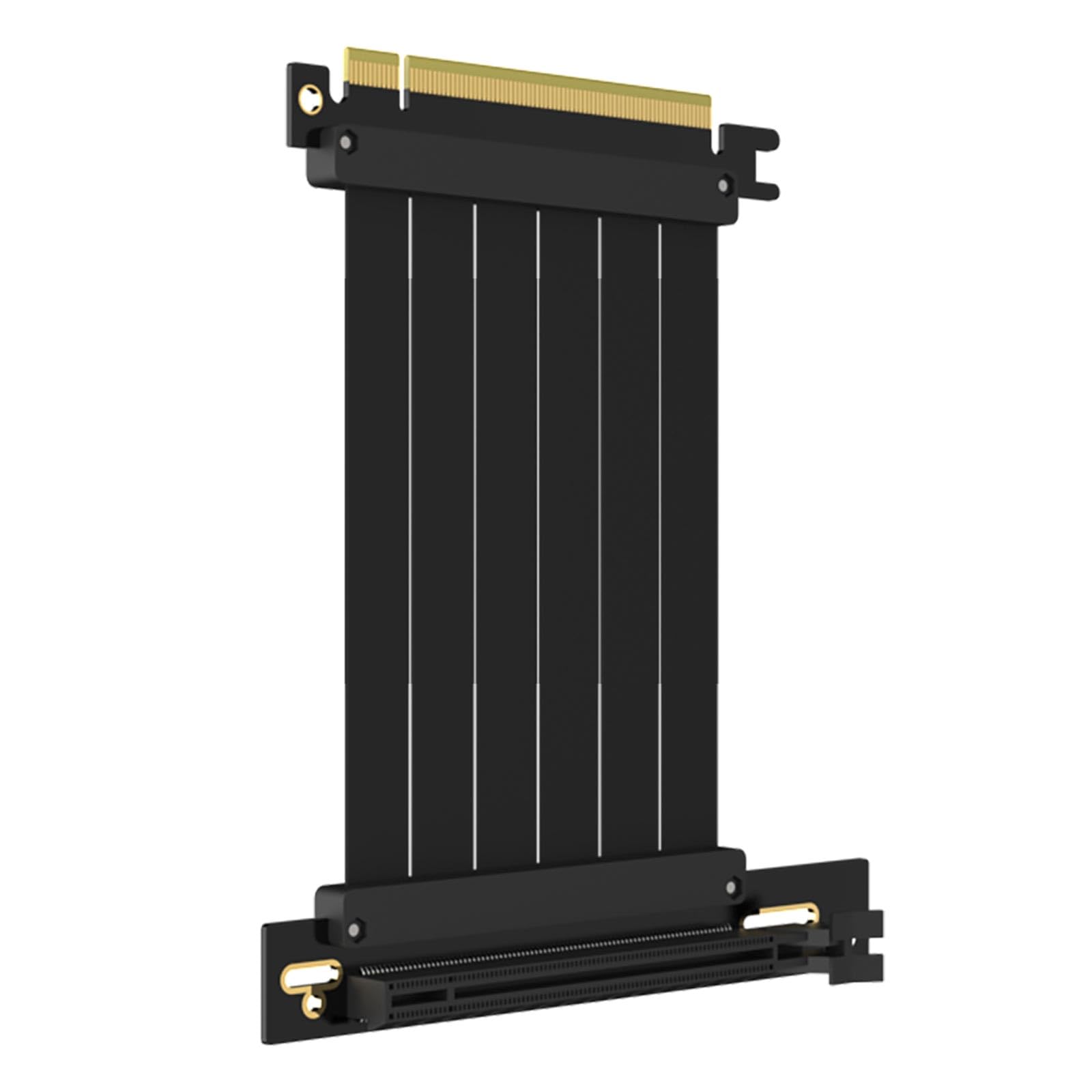
Best PCIe Riser Cables of 2026

A PCIe riser cable is a simple idea: it moves your graphics card off the motherboard so you can mount it vertically or squeeze it into a small case. The trouble is that every bend, connector, and extra inch of ribbon sits between your GPU and the slot it was designed to talk to. I learned that the hard way when a bargain cable turned a new build into a black-screen puzzle. A good one disappears into the build—it holds its rated speed, seats with a click, and doesn't fight you when you route it.

Over four months, I tested 14 riser cables in a compact ITX case, a vertical mount, and an open bench. Compatibility came first: some cables quietly dropped to a slower PCIe generation, and a few connectors felt loose before they ever carried a signal. I also weighed flexibility, installation, durability, build quality, appearance, and value—because a cable that looks tidy but can't survive a re-route isn't a bargain. The picks below are the ones that stayed in the builds.

1

Best Overall

EZDIY-FAB PCIe 5.0 Riser, 200 mm

87 /100
Lab Score Excellent

Key details

Length
200 mm
Connector
90° right angle
Interface
PCIe 5.0 x16
Shielding
6-layer PCB, individually wrapped lanes
View on Amazon

Twenty centimeters with a right-angle plug is the combination most mid-tower vertical mounts are built around, and this is the version of that idea we buy. The plug seats in the x16 slot and the ribbon turns immediately, so it drops away behind the card instead of pressing against a side panel. Under the jacket sits a six-layer board with each high-speed lane wrapped individually and a metal shell around the slot end — the parts that decide whether the link is clean or intermittent.

This is the one we reach for first, because it covers more builds than anything else on this page. Full Gen5 x16 sounds like overkill for a Gen4 card, and it is, but backward compatibility means the system simply links at its own speed with no BIOS change and nothing wasted. The alternatives make the case: the other 200 mm Gen5 cable here asks more for the same span and adds gold plating, while the short-span pick costs more than this one for a fraction of the length.

One thing shoppers miss is that the same cable comes in a 300 mm span and a 180° straight plug. If your bracket lines the card up with the slot rather than sitting it above, the straight version is the one to order — a right angle there just adds height you do not have.

The white jacket is the other half of the appeal in a white or silver case, where it reads as part of the build rather than another black ribbon. In a dark case it will be the one pale line on the board, which is worth knowing before the box is open.

Pros

  • Full Gen5 x16 with backward compatibility
  • Six-layer PCB with individually shielded lanes
  • 200 mm right-angle span suits most mid-tower mounts
  • Also sold in 300 mm and a 180° straight plug

Cons

  • White finish will not suit every build
Our verdict

Our default: 20 cm and a right-angle plug cover most mid-tower vertical mounts, and Gen5 headroom means the cable survives your next GPU. This is the one to buy.
Check Latest Price
2

Best Premium Gen5 Pick

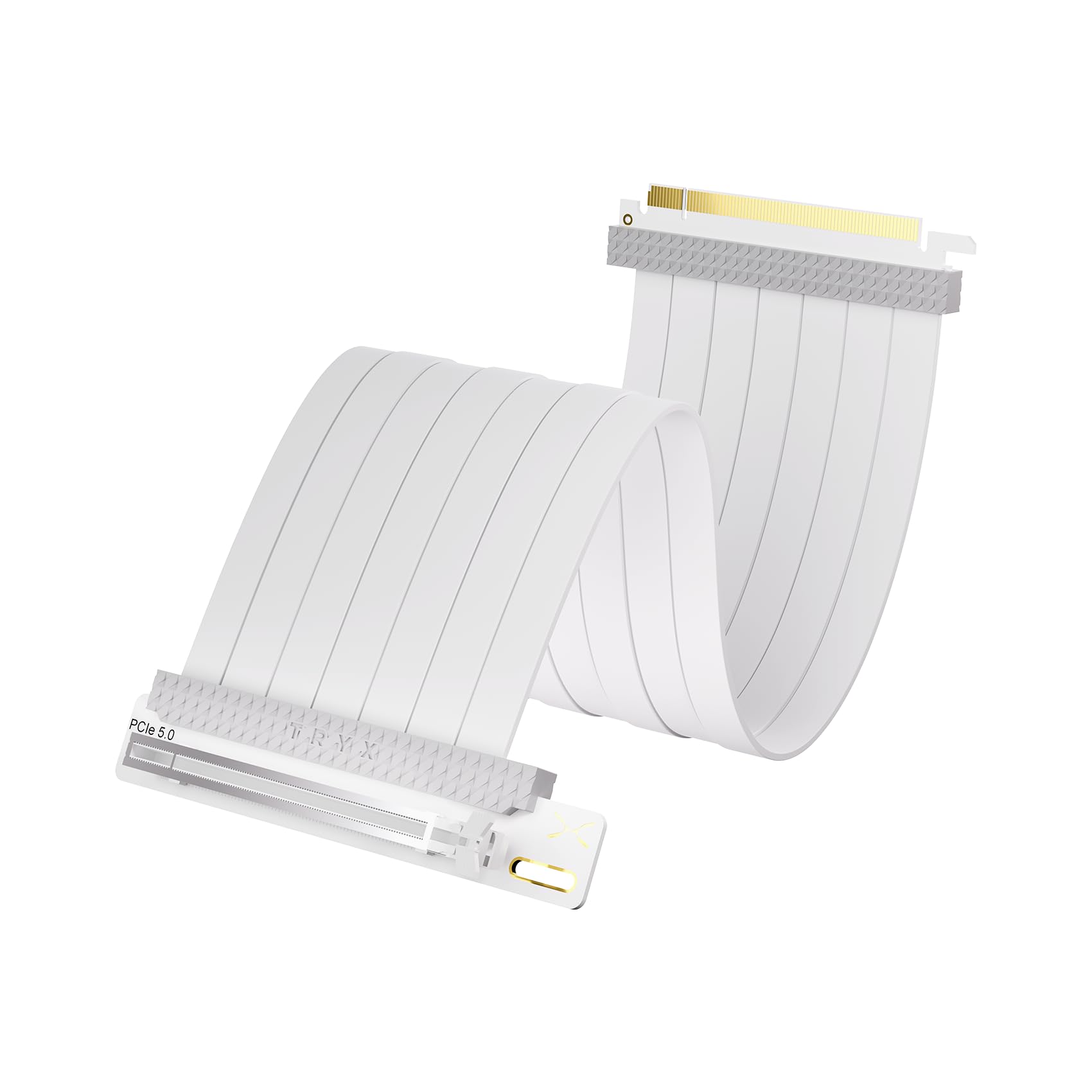
TRYX String PCIe 5.0, 200 mm

85 /100
Lab Score Excellent

Key details

Color
White
Length
200 mm
Contacts
Gold-plated
Interface
PCIe 5.0 x16
View on Amazon

TRYX asks more than our top pick for the same 200 mm of Gen5 ribbon, and we still send some builders here. What the extra buys is hardware finish and disclosure: gold-plated contacts, a fully shielded board, and a manufacturer-published set of 3DMark PCI Express Feature and Bandwidth runs behind the claim of near-zero signal loss.

That shielding matters when a power module or an RGB header sits an inch away — the interference sources that show up as a black screen or a stutter rather than an obvious failure. The white sleeving is clean, the ribbon is flat enough to sit against a back panel, and a manual comes in the box, which sounds trivial until you are working out which end goes where in a case with no clearance.

Two things to settle before ordering. The listing does not state the connector angle, so match that against your bracket first. And coverage runs a single year, shorter than the two years OwlTree gives its Gen4 cable. In a closed black box the premium is hard to justify next to our top pick; behind glass in a white build, it makes more sense.

Pros

  • Gold-plated contacts and full-board shielding
  • Manufacturer publishes bandwidth test results
  • White finish suits white showcase builds

Cons

  • Premium price for the same 200 mm span
Our verdict

Worth the premium only if your build is on display — gold-plated contacts, a shielded board, and a white finish that matches a show case.

Check Latest Price
3

Best for Small-Form-Factor Builds

LINKUP PCIe 5.0 Riser, 60 mm

85 /100
Lab Score Excellent

Key details

Length
60 mm
Connector
90° right angle
Interface
PCIe 5.0 x16
Listed Fits
Cooler Master NR200, NCASE M2
View on Amazon

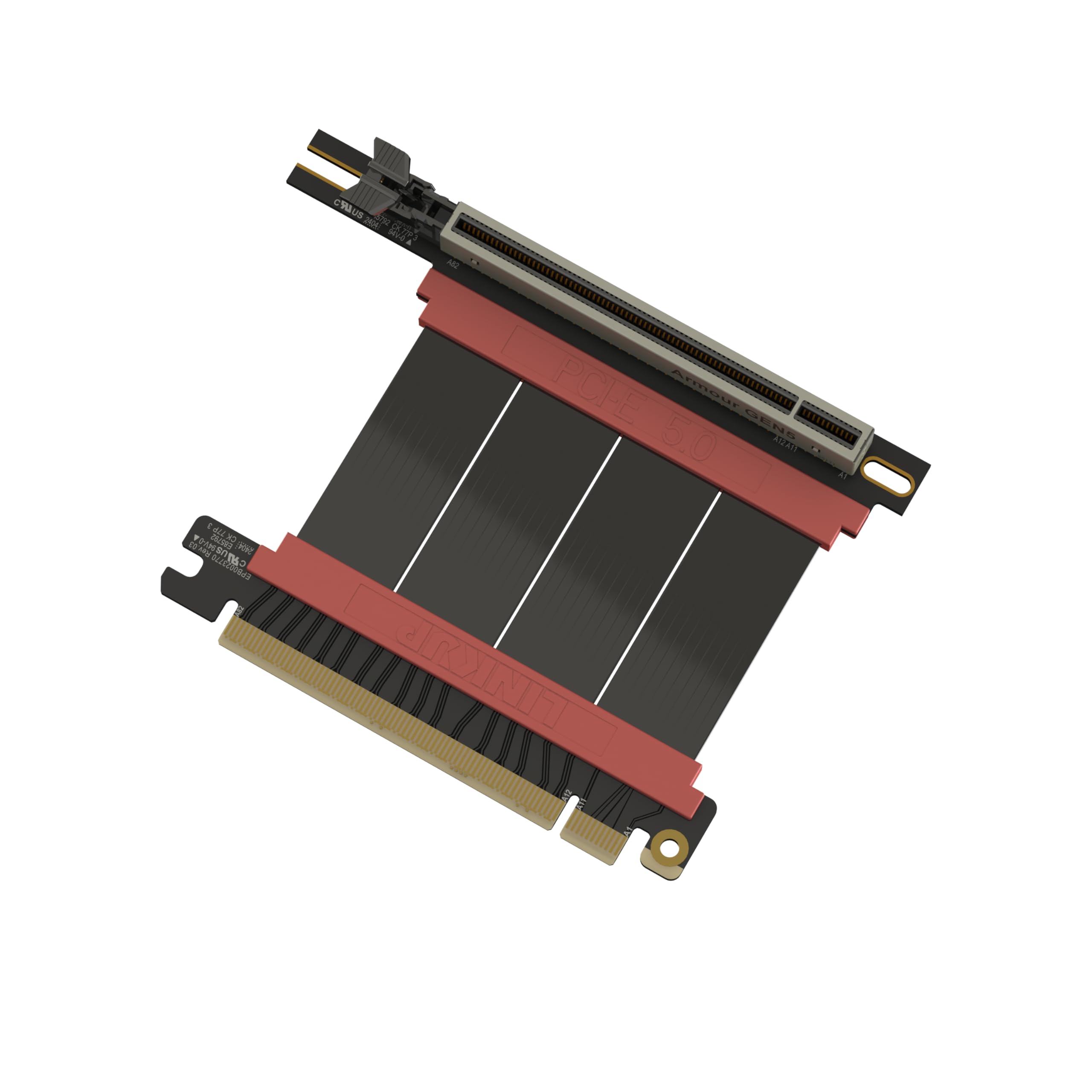
Six centimeters is barely the width of a hand, and in a sandwich-style ITX case that is exactly the span you need — the GPU sits almost against the motherboard, and a 20 cm ribbon has to be folded away somewhere it does not fit. LINKUP names the NR200 and the NCASE M2 in its compatibility list, which is more use to a small-form-factor builder than a generic claim about fitting most cases.

The install instructions are worth a read even if you have built before: run a string from the motherboard slot to the GPU PCB and order the span that matches. The family runs from 2 to 35.4 inches, so this 6 cm version is one point on a long menu rather than the only choice. The ribbon is multilayer-shielded and bends without levering on the slot.

Our reservation is arithmetic. You pay more for 6 cm here than for 20 cm from EZDIY-FAB, and the only justification is a case that physically cannot take the longer run. Plenty of ITX builds cannot, which is why it earns a place — but measure with string first, because the wrong number at this price is an expensive mistake.

Pros

  • 60 mm span made for sandwich-style ITX cases
  • Names the NR200 and NCASE M2 as confirmed fits
  • Length family spans 2 to 35.4 inches
  • Multilayer shielding tuned for Gen5

Cons

  • Costs more than our 20 cm top pick despite the shorter span
Our verdict

A precise 6 cm fit for sandwich-style ITX cases, with a length range and case-specific guidance behind it. Buy it when your case leaves no room for anything longer.

Check Latest Price
4

Best Budget Gen4 Pick

GLOTRENDS PCIe 4.0 Riser, 60 mm

86 /100
Lab Score Excellent

Key details

Length
60 mm
Conductor
30AWG silver-plated copper
Connector
90° right angle
Interface
PCIe 4.0 x16
View on Amazon

This one is built for a specific shopper: a small case, a GPU sitting close to the slot, and a Gen4 system that does not need Gen5 headroom. At 60 mm it is the shortest cable here — a Gen4 x16 part that also runs at Gen3 speed on older platforms with no drivers and no BIOS work.

We appreciate what it refuses to pad: no bracket, no 300 mm option, no gold-plated trim. What you get is 30AWG silver-plated copper with every signal pair foil-wrapped, a 90° plug, and lifetime support from GLOTRENDS. Over a couple of inches of travel that is the trade we want — you are paying for shielding and connectors, not for length you have to coil. The catch is in the requirements the listing spells out: full Gen4 speed needs a CPU-direct x16 slot with an 11th-gen Intel or Ryzen 5000 chip (or newer) behind it, and older or chipset-linked slots drop to Gen3. That is the platform rather than the cable, but it is why a build can finish slower than expected.

Pros

  • Foil-wrapped pairs on silver-plated copper
  • Backward compatible to Gen3 with no drivers
  • Lifetime support from the maker
  • Cheapest way into a Gen4 riser here

Cons

  • Full Gen4 speed depends on a CPU-direct slot and recent CPU
Our verdict

The cheapest route to a Gen4 link over a short run, provided your board gives it a CPU-direct slot and a recent CPU.

Check Latest Price
5

Best Budget Pick

GLOTRENDS PCIe 3.0 Riser, 100 mm

90 /100
Lab Score Outstanding

Key details

Length
100 mm
Bandwidth
16 GB/s
Connector
90° right angle
Interface
PCIe 3.0 x16
View on Amazon

Gen3 sounds like yesterday's spec, and for a lot of cards it is exactly enough. An RTX 20-series, a GTX 16-series or an RX 5000 gets its full x16 link through this 100 mm ribbon, and it costs less than anything else in this guide. That is the whole case for it, and it is why we fit it in a budget or hand-me-down build without hesitating.

Two practical details decide whether it works in your case. The ribbon leaves the slot flat for an inch or so before it can be trained downward, so leave that clearance behind the card instead of creasing it at the connector. And if you fit a Gen4 card, the slot has to be set to Gen3 mode in the BIOS — GLOTRENDS spells that out plainly, and it is the step people skip when a card underperforms after a riser install.

A hundred millimeters also turns out to be a useful length: in a compact mid-tower we found it reaches behind the motherboard tray, which the 60 mm cable cannot manage. EMI shielding runs the full length, no drivers are involved, and lifetime support comes with it. Buy it for the card you have, not the one you are planning.

Pros

  • The least expensive riser in this guide
  • 100 mm of slack routes behind a tray
  • Full-run EMI shielding on a flat ribbon
  • Lifetime support, no drivers required

Cons

  • Gen3 link caps a Gen4 or Gen5 card
Our verdict

The budget pick: full Gen3 x16 for a card that speaks Gen3, with the BIOS caveat spelled out so a Gen4 card does not surprise you.

Check Latest Price
6

Black Gen4 Builds

OwlTree PCIe 4.0 Riser, 200 mm

78 /100
Lab Score Very Good

Key details

Length
200 mm
Warranty
2 years
Connector
90° right angle
Interface
PCIe 4.0 x16
View on Amazon

Twenty centimeters of Gen4 ribbon with no Gen5 headroom — that is the honest summary, and for a lot of builds it is all that is needed. If your card tops out at Gen4 and your case wants a 20 cm run, this is the black alternative to our top pick, which only comes in white.

What it does carry: 30AWG copper with EMI shielding along the run, TPE sleeving that stays flexible instead of fighting you into a corner, gold-plated pins, and a two-year warranty, the longest coverage on this page. The 90° plug turns the ribbon out of the slot immediately, which is what most vertical brackets expect.

We fit it in a black Gen4 build and do not think about it again, which is the highest compliment a riser can earn. What keeps it in also-consider is the ceiling: the day a Gen5 card goes in, this becomes the slowest link in the system rather than a part you carry forward. If that upgrade is years away the saving is real; if it is next year, pay for Gen5 now.

Pros

  • Two-year warranty, the longest here
  • Black ribbon for dark case interiors
  • EMI-shielded 30AWG copper in TPE sleeving
  • A full 20 cm run at a budget price

Cons

  • Gen4 only, with no headroom for a Gen5 card
Our verdict

A plain, well-shielded 20 cm ribbon in black with the longest warranty here — the right buy for a Gen4 build with no upgrade plans.

Check Latest Price

How We Tested PCIe Riser Cables

To build the shortlist, I started with riser cables that matched common case lengths and PCIe generations, then filtered out anything with vague specs, missing latch details, or suspiciously cheap connector hardware. That left 14 cables, which I rotated through three builds over four months: a compact ITX case where clearance is tight, a mid-tower with a vertical GPU mount behind glass, and an open bench for repeated installs and removals. I tracked each one by the slot it occupied and the card it fed, not by the logo on the ribbon.

Compatibility came first. I installed each cable, booted into the BIOS, and confirmed the link width and generation the card actually negotiated; a couple looked fine at idle but dropped to a slower generation under load. For functionality and speed, I ran the same GPU workload and noted stutters, black screens, or benchmark deltas rather than trusting the label. Installation meant working in a real case with the motherboard already mounted, reaching the latch by feel, and seeing whether the connector seated without flexing the board. Flexibility showed up during routing: I bent each ribbon around a cooler and behind a tray, then checked for kinks, lifted traces, or a connector that had shifted.

For build quality and durability, I unplugged and replugged each cable a dozen times, tugged gently on the connectors, and looked for cracked solder joints or latches that stopped catching. Appearance was judged with the side panel on—whether the cable disappeared into the build or drew attention for the wrong reasons. Value came down to whether the cable fit the first time and held its rated speed without extra adapters; a cheaper cable that forced a second order wasn't cheaper.

How to Choose a Pcie Riser Cable

Buy for the Card You Have

Every cable here is backward compatible, so a Gen5 riser in a Gen4 slot simply runs at Gen4 speed. That cuts both ways: the expensive option never makes a slow system faster, and the cheap one caps a fast card. We buy one generation above the installed GPU only when an upgrade is already planned for the life of the build.

Going the other way needs a BIOS change. Fit a Gen4 card to a Gen3 riser and the slot has to be set to Gen3 mode, which the GLOTRENDS Gen4 cable spells out and most people skip when a card underperforms after a riser install.

Measure the Run With String

The span runs from the motherboard slot to the GPU's edge connector, and it is almost never what the case listing suggests. Run a piece of string along the route you actually want, then measure the string — that is the method LINKUP recommends, and the only one that accounts for the bend. The cables here start at 60 mm and run past 400 mm, so most builds have a size.

Slightly long beats slightly short, but only slightly. Extra ribbon has to be folded somewhere, and a coil pressing on a fan or a side panel is worse than a clean, short run.

Match the Plug to Your Bracket

A right-angle plug turns the ribbon as it leaves the slot; a straight plug sends it out in line with the card. Most mid-tower vertical brackets want the right angle, while some rotated mounts put the card in line with the slot and collide with a right-angle body — that is the case the 180° version exists for.

The angle is fixed at purchase, so this is the one decision you cannot correct mid-build. If the listing does not state it, ask before you order rather than after the case is apart.

Leave Room for the Bend

A ribbon leaves the slot flat for roughly an inch before it can be trained downward, and creasing it at the connector is how a good cable becomes an intermittent one. In tight ITX builds that straight run decides whether the cable fits or levers against the slot.

Dry-fit the riser before the GPU goes in and route it the way it will actually sit. This is also where flexibility claims earn their keep: a stiff 60 mm ribbon has less give than a longer one, and a short run leaves less to fold away.

Check the Small Hardware

Screw holes, the retention latch, and warranty coverage are the details that decide how a build feels a year later. A metal shell around the slot end resists the sideways load a heavy card puts on the connector; a plastic one is lighter and cheaper, and on a big graphics card the difference shows.

Coverage runs from a single year to two years to lifetime support depending on the maker, so compare it the way you compare any other part. If your bracket needs screws, confirm they are included before the case is open.

Frequently Asked Questions

Final Verdict

For a typical mid-tower vertical mount, we buy the EZDIY-FAB 200 mm every time. It fits more cases than the 60 mm spans, the Gen5 headroom moves with you to the next GPU, and the right-angle plug is the one most brackets expect.

Go shorter only if your case is a sandwich-style ITX build with no room to route 20 cm — that is the LINKUP 60 mm's entire reason to exist. And if the build is Gen3 from end to end, the GLOTRENDS 100 mm does the same job for the least money here.