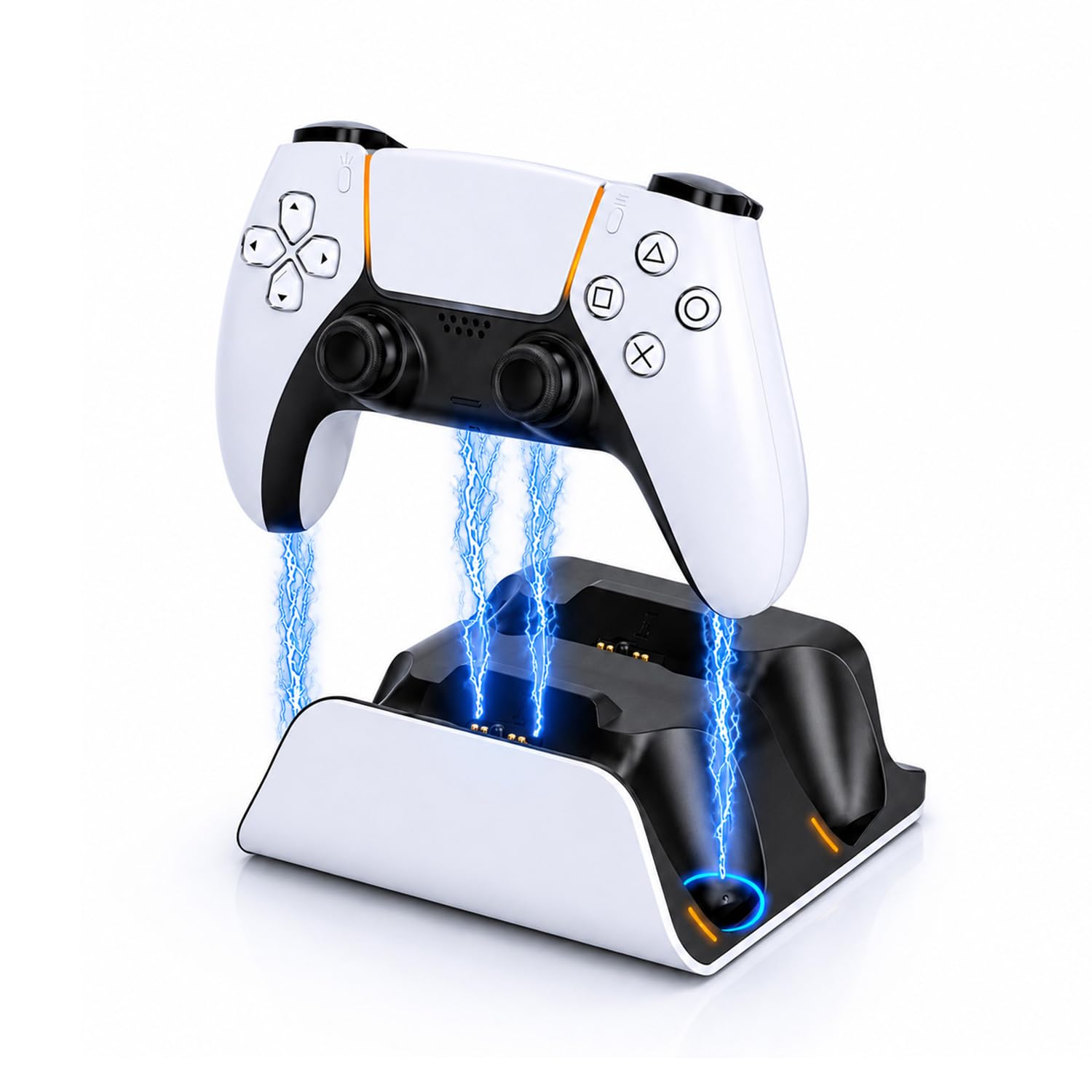
Best PS5 Controller Charging Stations of 2026

There's a particular disappointment in wrapping up a long co-op session, reaching for a controller, and watching the battery icon blink red. DualSense pads hold a charge fine — the trouble is the routine around them: one cable, two controllers, and a console with only so many USB ports to go around. A charging station fixes that. Drop each controller onto its cradle after a session and both are ready the next time you sit down, no cable hunting, no swapping.

What the listing photos don't show is which docks make solid contact and which ones grip a controller so tightly you feel like you're about to snap the connector. We've had 14 charging stations cycling through a two-controller household over the past four months, and the pattern is clear: speed claims mostly wash out, but the little USB-C adapter that clicks into each pad is usually the first thing to fail, so it's worth knowing whether spares come in the box. The picks below are the ones that kept both pads topped up without drama.

1

Best Overall

Sony DualSense Charging Station

96 /100
Lab Score Outstanding

Key details

Power
Own power supply included
Docking
Click-in cradle
Controllers
Two DualSense
Size (D X W X H)
7.5 x 5 x 3 in
View on Amazon

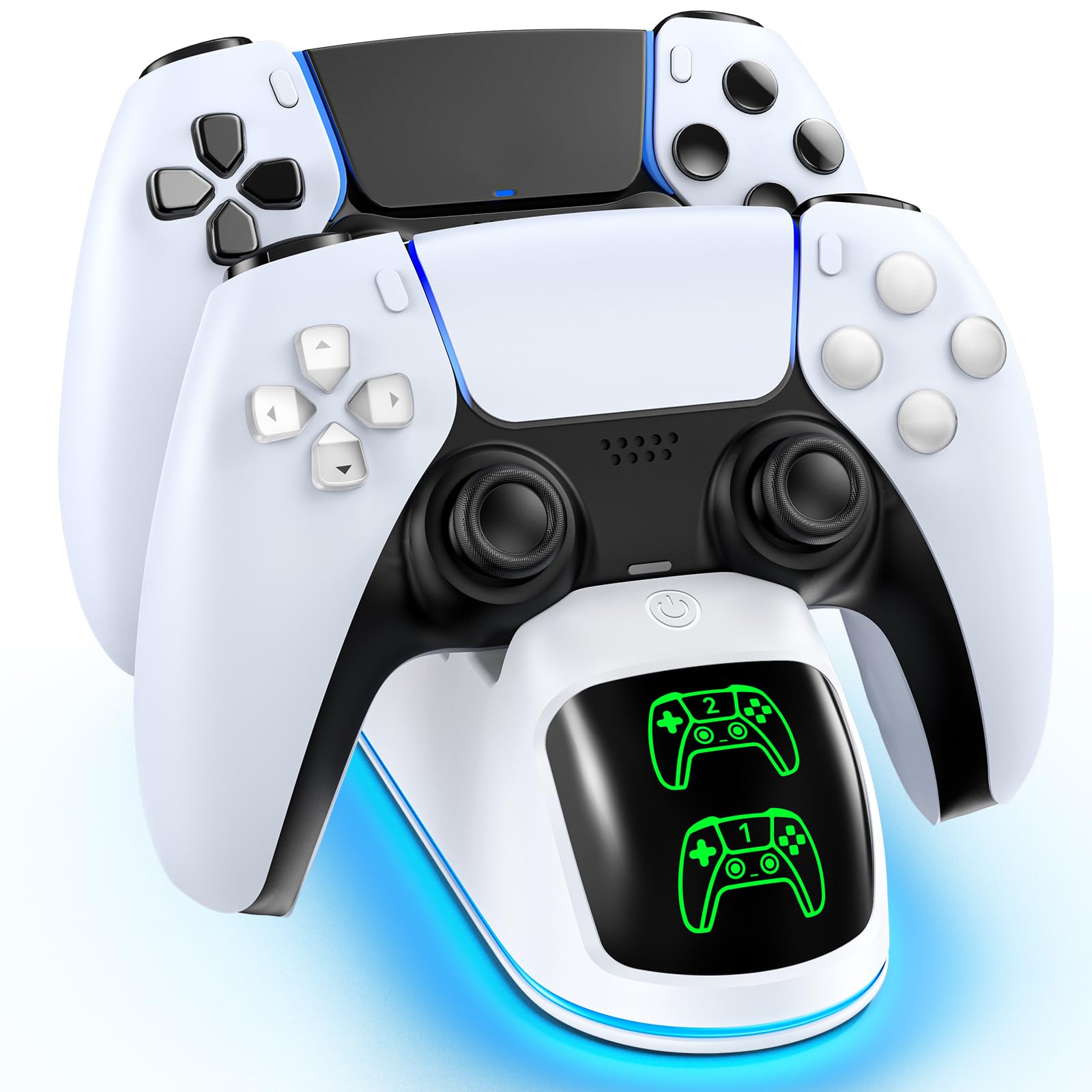
Two things sold us on this one, and neither is printed on the front of the box. It runs off its own power supply, so it charges two controllers without borrowing a USB port from the console, and it looks like a miniature PS5 sitting under the TV. We paid close attention to the power detail because several cheaper docks here take their current from the console itself, and that only becomes a problem later, when you want the front port for a headset dongle or a fight stick.

The cradle is a click-in design rather than a magnetic drop, so a controller has to go in square and settle onto the pins. We needed a couple of goes before it became habit. What that buys you is a dock that holds both pads upright and steady while they charge, with a glow on each controller showing it's actually taking power.

Stock is the annoyance. The listing currently shows this station temporarily out of stock, and it comes and goes more than anything else here; when that happens, the PowerA Twin Charging Station below is the licensed alternative and it also carries its own wall adapter. Set a reminder rather than paying over the odds to a reseller.

Pros

  • Charges two controllers from its own power supply
  • Leaves both console USB ports free
  • Looks like a scaled-down PS5

Cons

  • Contact pins are the part that fails first
Our verdict

Our pick for most people: it charges two controllers from its own power supply, so no console port is tied up and no cable is needed.
Check Latest Price
2

Best Value

OIVO PS5 Controller Charger

95 /100
Lab Score Outstanding

Key details

Power
USB-C cable, no adapter
Lighting
Nine RGB modes
Controllers
Two, DualSense or Edge
Full Charge
About 2 hours
View on Amazon

If a light show is part of the appeal, start here. The OIVO carries nine RGB modes on a touch control, red and green status LEDs for each cradle, and seats shaped for both the DualSense and the taller Edge. It's the dock we point at a desk or a TV stand where the console itself is on display and the accessories are meant to match it.

The value is the real story, though. It does the same two-controller job as the official stand for a good deal less, and the drop-to-charge seats mean nobody in the house has to think about charging at all. One thing to sort before it arrives: there's a USB-C cable in the box and no wall adapter, so it either takes a port on the console or pairs with a 5V/2A phone charger you already own.

OIVO quotes about two hours for a pair, and in our charging sessions both cradles worked at once rather than one sitting idle, which is more than we can say for a couple of the docks here. It covers the most ground for the smallest commitment: Edge support, two live cradles and lighting you change with a tap instead of an app.

Pros

  • Two live cradles for DualSense and Edge
  • Nine RGB modes on a touch control
  • Costs less than the official station

Cons

  • Cradle posts can snap with rough handling
Our verdict

The value pick — two controllers including an Edge, RGB lighting and drop-to-charge cradles for the least money here.

Check Latest Price
3

Best Licensed Alternative

PowerA Twin Charging Station

95 /100
Lab Score Outstanding

Key details

Power
AC adapter included
Warranty
Two-year limited
Controllers
Two DualSense
View on Amazon

The PowerA is the dock we choose for a living room rather than a game room. It's officially licensed, plain enough to pass as OEM kit beside the console, and it takes its power from a wall adapter instead of the PS5. Nothing on it glows or pulses for attention, and after a few weeks under the TV we stopped noticing it entirely, which is about the highest compliment we can pay a stand.

Seating a controller takes a moment's aim. The cradles want the pad set down squarely, and because it doesn't snap in with a click, the small indicator light is what tells you contact has been made. That's a fair trade for how securely the controllers stand once they're on, and it's the kind of habit that forms within a week.

The warranty is the part we keep coming back to. Two years is the longest cover on any dock here, and on a device whose charging pins are the usual failure point, that's worth more than another lighting mode. If you want a licensed dock that stays out of the way without official-brand pricing, this is the one.

Pros

  • Officially licensed for PlayStation 5
  • Wall adapter included, so no console port used
  • Two-year limited warranty
  • Understated design that suits a living room

Cons

  • Charging faults have damaged controllers in some cases
Our verdict

Officially licensed, quiet-looking and backed by a two-year warranty, it's the dock to buy when the Sony station is out of stock.

Check Latest Price
4

Best for DualSense Edge

NEWDERY PS5 Charging Dock

93 /100
Lab Score Outstanding

Key details

Power
USB-C cable, no adapter
Controllers
Two, DualSense or Edge
Full Charge
About 2.5 hours
Charging Status
Blue LEDs
View on Amazon

Two controllers, one of them an Edge: that's the household this dock is built for. NEWDERY shapes its cradle so the taller Edge sits as securely as a standard DualSense, with four slots that hold each pad upright while it charges rather than letting it lean on the shelf.

Dropping a controller in and walking away is the entire routine, and that's the part we appreciate most. The blue LED flashes while a pad is charging and stays lit when it's done, so a glance from the sofa tells you whether last night's session actually took. Most docks don't fail dramatically; they fail because a controller was never quite on the contacts overnight, and this one makes that outcome hard.

Two practical notes. It ships with a 3.3-foot USB-C cable and no wall adapter, so give it a 5V supply — the console's front port or a phone brick both work — and take silicone covers off before docking, which NEWDERY asks for and which matters on any contact-based dock. Beyond that it's a clean, low-profile stand that blends with the console instead of competing with it.

Pros

  • Cradles fit both DualSense and Edge
  • Flashing-to-steady LED shows charge state
  • Slim enough to sit beside the console

Cons

No notable drawbacks to flag.

Our verdict

For a household with an Edge and a standard controller: four slots, a snug cradle for both and a charge light you can read across the room.

Check Latest Price
5

Best for Fuss-Free Docking

bibuks PS5 Charging Station

87 /100
Lab Score Excellent

Key details

Power
USB-C input
Warranty
90 days
Controllers
Two DualSense
Full Charge
About 2.5 hours
View on Amazon

We stopped aiming after the first few days. Set a controller anywhere near the bibuks cradle and it slides down onto the pins by itself, which is the opposite of the two-handed seating that a lot of these docks quietly demand.

The rest of the package is sensible rather than showy: two cradles, an orange light that flashes while a pad is charging and turns solid blue when it's full, four rubber pads keeping the base planted, and a 5V/3A input that the listing says fills both controllers in about two and a half hours. Nothing here needs an app or a button press.

Where it earns its place is the household that never quite seats a controller properly: a kid grabbing a pad between matches, a shelf in a dark corner, anyone docking one-handed. It removes that failure mode entirely, and the anti-slip base means the dock stays where you put it even when the controller goes down harder than intended.

Pros

  • Self-aligning cradles take the guesswork out of docking
  • Flashing and solid lights show each pad's status
  • Anti-slip pads keep the base planted

Cons

  • Only a 90-day warranty
Our verdict

Self-aligning cradles make this the easiest dock to load here, and it charges two controllers without asking you to aim.

Check Latest Price
6

Showpiece Game Room

Svetaecho FC500 Charging Dock

94 /100
Lab Score Outstanding

Key details

Power
USB-C cable, no adapter
Controllers
Two, DualSense or Edge
Full Charge
Two to three hours
Charging Status
Orange breathing light
View on Amazon

Open the box and you'll find the dock and a 39-inch USB-C cable. There's no wall plug, so plan on feeding it from the console's rear port or a spare 5V/2A phone charger — worth knowing before it arrives, because a dock with no power source is a disappointing afternoon.

The design is the reason to look at it twice. The shell reads as a robot helmet to most people and an Iron Man bust to plenty of others, and the orange breathing light while a controller charges turns it into part of the setup rather than another lump of plastic on the shelf. It handles a DualSense and an Edge, and the shape tucks the cable behind the stand instead of draping it across.

The charging itself is where it wobbles. Both cradles don't always deliver — one side sometimes refuses to top a controller up, and a dock you have to check twice isn't quite doing its job. When both connect it's quick and the light tells you what's happening. Buy it for the look and the Edge support, then test both cradles in the first week while returning is still easy.

Pros

  • Robot-helmet design that stands out on a shelf
  • Charges DualSense and Edge controllers
  • Breathing light shows charging at a glance

Cons

  • One cradle can fail to charge
Our verdict

A showpiece dock for an Edge owner: the helmet shell and breathing light are the draw, as long as both cradles behave.

Check Latest Price
7

Budget Light Show

Rysker PS5 Charging Station

90 /100
Lab Score Outstanding

Key details

Power
Cable and adapter included
Controllers
Two, DualSense or Edge
Full Charge
About 2 hours
Cable Length
34.8 inches
View on Amazon

Most budget docks here arrive with a cable and nothing else. The Rysker throws in a plug adapter and an anti-slip pad, which is a small practicality we notice when we're setting a dock up in a hurry and don't want to go hunting for a spare brick.

It has nine RGB modes on a switch, red and green status lights, and a 34.8-inch cable that reaches either the front or the rear ports on the console. It's light — light enough that a tugged cable can drag it out of place — but the pad helps, and it slides into a narrow gap beside the TV where a bigger stand won't go.

Charging is the part we're less sure about. Rysker quotes two hours for a pair, and the pads do come back to full, but this is the slowest of the budget docks here in our use, and when both controllers go on together one can lag behind the other.

So the recommendation is about the setup rather than the stopwatch. If the lighting, the tidier shelf and the included adapter matter more to you than a fast top-up, it's a cheap way to make a corner of the room look deliberate. If you routinely grab a pad five minutes after docking it, one of the quicker docks above will suit you better.

Pros

  • Nine RGB modes with a physical switch
  • Plug adapter and anti-slip pad included
  • Narrow footprint fits tight shelves

Cons

  • Slowest charging of the budget docks here
Our verdict

The budget dock for a tidy shelf: lights, Edge support and a plug adapter in the box, with a slower charge as the trade.

Check Latest Price

How We Tested 14 PS5 Controller Charging Stations

We started by collecting every dock built specifically for the DualSense — drop-in cradles, dongle-style docks, single pucks, and the dual bays most people actually want — then filtered by how each one draws power, how many controllers it holds at once, and whether the adapters you need come in the box. Fourteen of them went into a living room for four months.

Charging speed came first. We ran both controllers down to the low-battery prompt, seated them at the same moment, and checked every 15 minutes until the indicator lights stopped pulsing. Then we tracked how long those topped-up pads actually ran before the warning returned, since a dock that quietly trickles looks fine on day one and obvious a week later.

Placement and setup got the same scrutiny. We docked controllers one-handed in a dark room to see whether the cradle guided the connector in or demanded two hands and a flashlight, and noted whether each pad wobbled once seated. Some adapter dongles clicked in flush; others snagged, or blocked the controller's own USB-C port.

Durability came from four months of real use — controllers dropped in from a few inches, cables yanked, guests fumbling. We checked pins for looseness and plastic for cracks along the way. Finally, we killed the lights to see whether the charging indicators were readable or blinding, and whether they stayed lit all night.

How to Choose a Ps5 Controller Charging Station

Where the power comes from

Every dock here charges through the controller's contact pins, but they don't all get their electricity the same way. The Sony station and the PowerA arrive with their own wall adapters, so they charge independently of the console and leave both PS5 USB ports free. The rest run from a USB cable, which is fine and often just as quick on paper, but it means finding a spare port or a 5V/2A phone charger. Check the box contents before ordering: a cable is not an adapter, and the OIVO, NEWDERY and Svetaecho docks all expect a supply you already own.

How the controller finds the contacts

This is where cheap docks live or die. A funnel-shaped cradle lets the controller settle onto the pins by itself; a flat seat with two exposed prongs needs you to line it up, and a controller that's slightly off can sit there all night without taking a charge. Look for wording like self-aligning or click-in, and treat drop and charge as a claim to check rather than a feature in itself. The bibuks is the most forgiving here, and the Sony's click-in cradle is close behind, though it wants the controller set down square.

Two controllers and the Edge question

Charging two pads at once is the point of a station, so confirm both cradles are live rather than one cradle plus a spare slot. If you own a DualSense Edge, buy a dock that names it: the OIVO, NEWDERY, Svetaecho and Rysker all state Edge support, while several listings mention only the standard DualSense, and silence isn't a promise either way. Edge owners also do better with a deeper, four-slot cradle, which holds the taller controller more steadily than a shallow groove does.

Lights, footprint and the dark

Status lights are useful for ten seconds a night and irritating for the other eight hours. A red-to-green or orange-to-blue indicator tells you a controller is charging; RGB modes are decoration, and they're worth paying for only if the dock sits on display. Look for a touch control or switch that turns the lighting down or off, and measure the shelf before ordering — these stands are small, but the controllers need clearance above them to stand upright.

What wears out first

The pins and the cradle posts are the moving parts of a dock, and they're what fails. That makes the warranty a real specification rather than small print: the PowerA carries two years, the NEWDERY twelve months, the bibuks 90 days. Seat controllers gently instead of dropping them in, keep the dock out of a closed cabinet where heat builds up, and treat a cradle that suddenly needs wiggling as the early warning it is.

Frequently Asked Questions

Final Verdict

The Sony DualSense Charging Station is the dock we recommend to most people. It charges two controllers from its own power supply, so the console's ports stay free and no cable dangles across the stand, and the click-in cradle holds both pads where you left them. If it's out of stock, the PowerA Twin Charging Station is the licensed stand-in, with a wall adapter in the box and the longest warranty here.

Running an Edge alongside a standard pad? The NEWDERY dock is built for exactly that, and its cradles make seating a two-second habit. If the dock is going to sit in the middle of a game room rather than in a cabinet, the Svetaecho FC500's shell is the one people notice — as long as both cradles check out in the first week.