Best PS5 Cooling Stands of 2026

A PS5 already moves a lot of air on its own, so any cooling stand is worth questioning: are those little fans doing anything, or are you buying a plastic pedestal with a blue light? I've heard a console start to sound like a hair dryer on a July afternoon, and I've plugged in stands that whined louder than the console ever did. A good one fixes the mess behind your TV — the console sits steady, two controllers top up overnight, and real airflow crosses the vents. A bad one just adds noise and two ports too slow to matter.

We've lived with 15 of these over the past four months, and the differences hide where product photos don't show: how the fans sit against the vents, how many ports you actually keep, and whether the dock makes contact on the first try. Something first-time buyers don't know: the PS5 pulls air through its side panels, so a base fan blowing at solid plastic is decoration. The picks below earned their outlet space.

1

Best Overall

OIVO PS5 Cooling Stand

91 /100
Lab Score Outstanding

Key details

Fan Speeds
3
Console Fit
PS5, PS5 Slim, PS5 Pro
Extra Ports
3 USB
Controller Charging
2 controllers, about 2.5 hours
View on Amazon

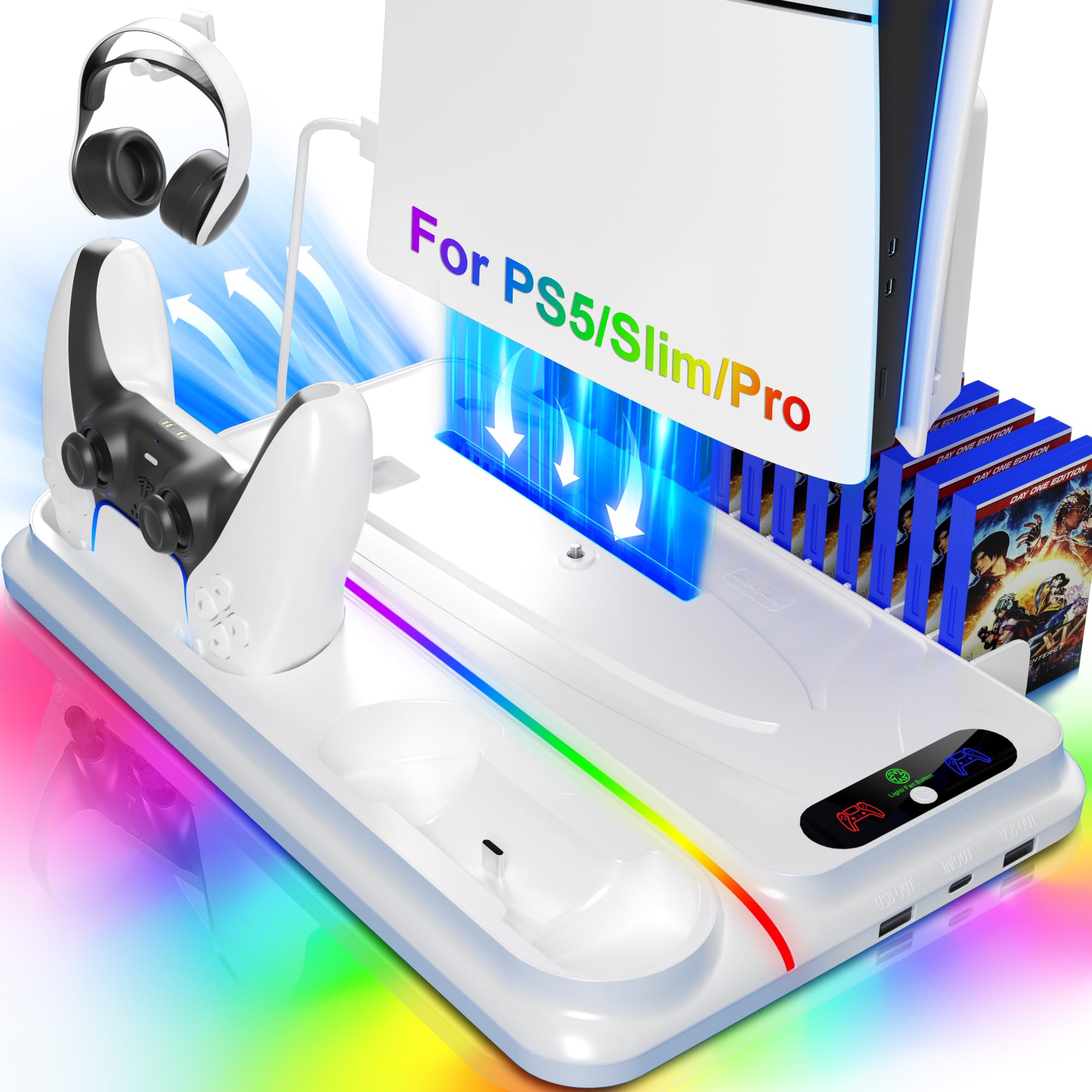
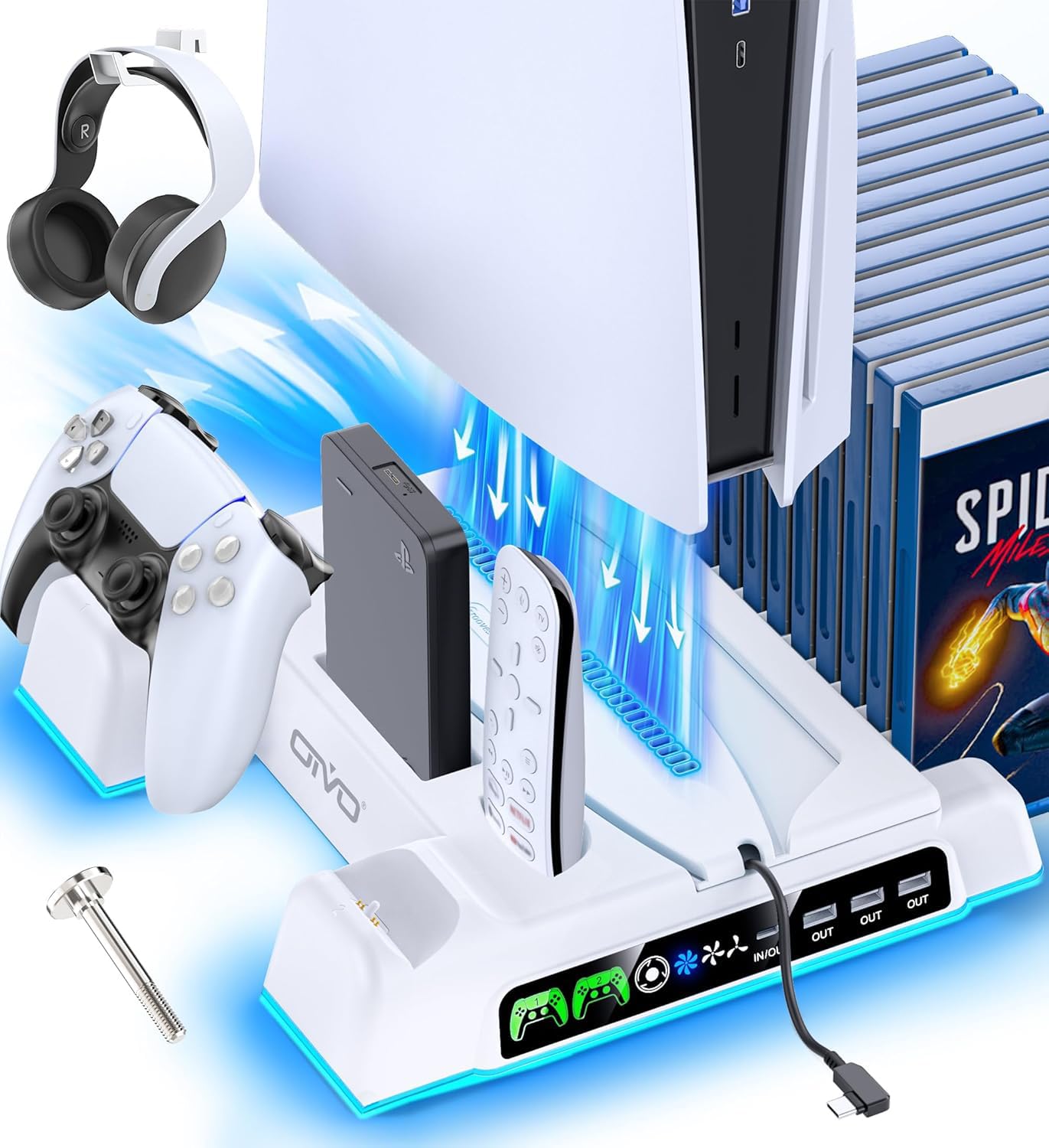
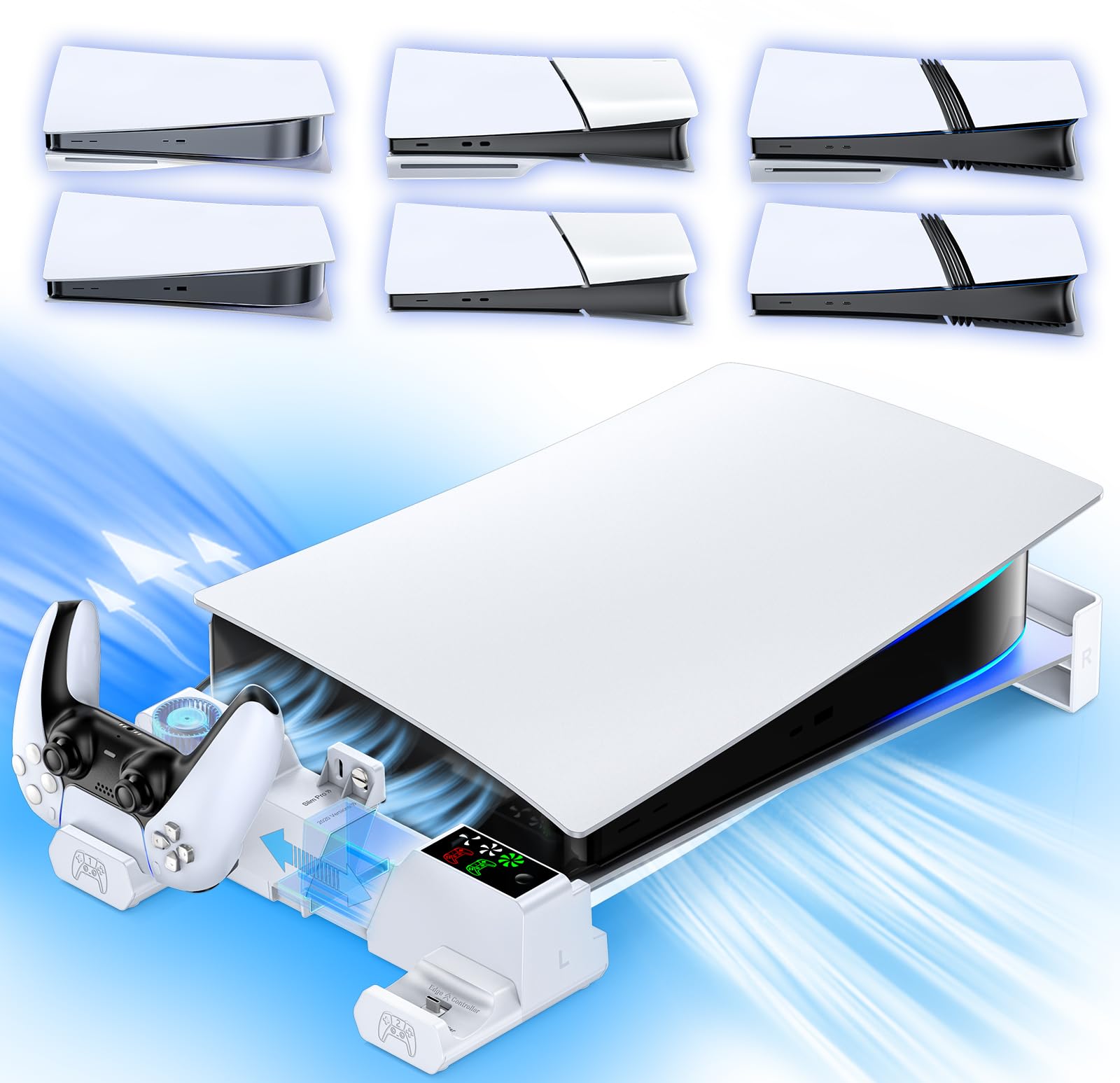
The appeal of this OIVO stand is the number of jobs it absorbs: it holds the console upright, charges two controllers, and adds three USB ports, all from one base that fits the PS5, PS5 Slim, and PS5 Pro. We reach for it first because it solves the setup problem as well as the cooling question.

The fan has three speeds and pulls air from the base, which is the part of a vertical PS5 that sits closest to the shelf. We treat it as help with airflow rather than a cure for a console wedged into a closed cabinet: keep the vents clear, and use the higher setting during long sessions. The speed control is on the stand itself, so you can change it without opening a menu.

Two controllers charge at the same time, and the indicators on the base show charging status without making you open the PS5 menu. OIVO rates a full charge at about 2.5 hours. The three extra USB ports are the useful part for a headset dongle or a phone, but they draw from the console, so plan the rear-cable run before you slide the stand into place.

At 4.02 by 1.02 by 4.33 inches, the stand itself is compact, though the console and controllers take up the real footprint. We like the all-white finish because it disappears against the PS5 instead of adding another black box to the shelf. Measure the whole assembly, not just the base, before you commit a shelf to it.

Pros

  • Fits PS5, PS5 Slim, and PS5 Pro
  • Three-speed base fan
  • Charges two controllers
  • Adds three USB ports

Cons

  • Top fan speed is audible in a quiet room
Our verdict

For most PS5 owners, this is the stand we point to first: it fits every current model, charges two controllers, and adds three USB ports without turning the setup into a pile of separate accessories.
Check Latest Price
2

Best Automatic Cooling

Tokluck Auto Cooling Stand

87 /100
Lab Score Excellent

Key details

Lighting
RGB with brightness memory
Console Fit
PS5, PS5 Slim, PS5 Pro
Fan Control
Automatic 3-level with temperature probe
Controller Charging
2 controllers, about 2.5 hours
View on Amazon

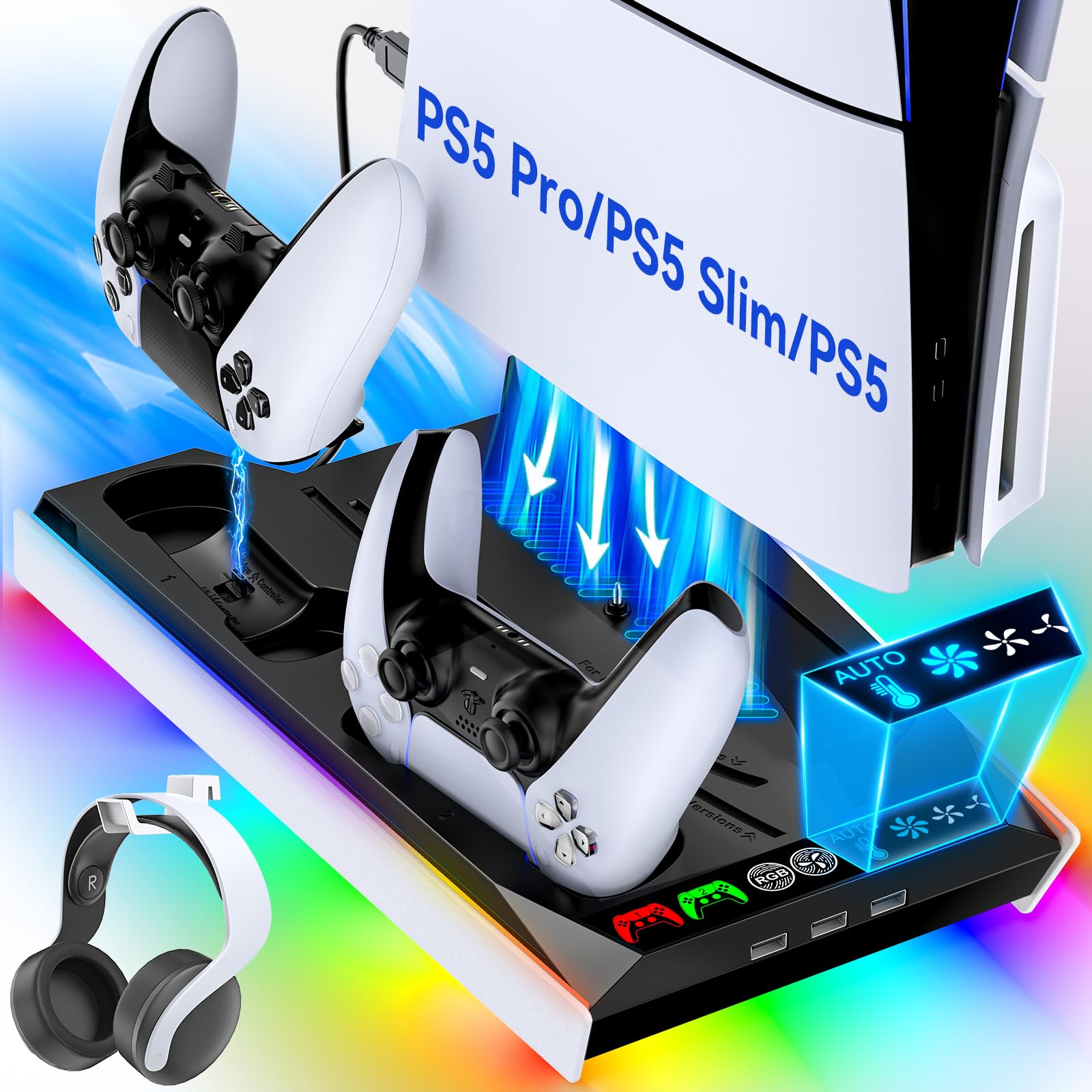
A temperature probe is the reason to look at this Tokluck stand. Instead of leaving you to guess which of the three fan speeds suits the current session, the stand reads the console's temperature and moves between levels on its own; you can still take manual control when you want it. The black-and-white finish also matches the console instead of looking like a separate box.

We think the automatic mode is the right idea for a cooling stand, because the fan can stay quiet when the console is idling and ramp up during a long session. Manual and automatic modes are both available, and the LED light has a memory function that returns to your last brightness after a power cycle. That last detail matters more than it sounds in a dark room.

The controller dock charges two PS5 controllers in about 2.5 hours, and the charging connector moves up or down to fit the taller Edge controller. That adjustability is the difference between a dock that works with your controller and one that leaves the Edge sitting crooked. The stand fits all three console versions, but the auto fan can only work with the air that reaches the console, so clearance behind and around the PS5 still matters.

Pros

  • Automatic fan speed via temperature probe
  • Manual control remains available
  • Charges PS5 and Edge controllers
  • LED memory holds brightness

Cons

  • Controller cradle can be fussy about seating
Our verdict

The temperature probe makes this the set-and-forget pick: it adjusts fan speed automatically and charges a PS5 or Edge controller, so we trust it to run in a busy household.

Check Latest Price
3

Best Horizontal Stand

Tokluck Horizontal Stand

86 /100
Lab Score Excellent

Key details

Fan Speeds
3
Console Fit
PS5, PS5 Slim, PS5 Pro
Orientation
Horizontal
Controller Charging
2 controllers
View on Amazon

A horizontal stand is not a style choice for everyone; it is what you buy when the media console is too low for an upright PS5. This Tokluck model uses a scalable frame and EVA foam pads to hold the console on its side, with panels for the standard, Slim, and Pro versions. That matters in a built-in unit where the console sits on a low shelf and the TV is above it.

Setup is about as simple as it gets: set the foam, choose the right panel, and slide the console into place. The three-speed turbo fan sits underneath the console, and the dual controller dock is built into the same footprint. We like that the stand does not ask you to balance the PS5 on a pair of loose feet; the frame and foam give it a defined home.

The fan has three usable speeds, and the horizontal layout keeps the console low and stable. We recommend the stand for a low cabinet because the orientation is the point; if you have the height for a vertical stand, the all-in-one OIVO is the more complete choice. The foam is cut for each console version, so you swap a panel rather than stacking shims; that is the detail that makes the fit feel intentional.

Pros

  • Horizontal layout fits low media consoles
  • Scalable frame for all PS5 versions
  • Three-speed turbo fan
  • Dual controller charging dock

Cons

  • Charging cradle contact can be fussy
Our verdict

If your media console leaves no room for the PS5 upright, this is the horizontal stand we reach for: it fits every console version and keeps the fan and controller dock in one footprint.

Check Latest Price
4

Best for Quiet Rooms

heclynis Cooling Station

87 /100
Lab Score Excellent

Key details

Storage
12 games and headset
Fan Speeds
3 (3,500 / 4,200 / 5,000 RPM)
Console Fit
PS5, PS5 Slim, PS5 Pro
Controller Charging
2 controllers, about 3 hours
View on Amazon

The heclynis stand is for the person who wants the cooling and charging without a light show that competes with the TV. It has RGB, but the design is compact and the fan speeds are stepped at 3,500, 4,200, and 5,000 RPM. We like that the middle setting exists: low is for quiet, high is for a long session, and the middle is where most everyday play sits.

Cooling is the strongest part of the package. The three speeds give you a real range, and the fan is designed to stay quiet at the lower end; if you share a living room, that matters more than another hundred RPM. The higher setting is there for marathon sessions, but it is not the setting we leave on all the time.

The dual controller dock is built into the base, and the stand adds two USB-A ports plus one USB-C port. There are 12 game slots and a headset hook, enough organization for a normal shelf without turning the stand into a tower. The USB-C port is the one we reach for first: it keeps a headset dongle off the front of the PS5, where it is easy to knock.

Pros

  • Three fan speeds up to 5,000 RPM
  • Quiet at low and middle settings
  • Charges two controllers at once
  • 12 game slots plus headset hook

Cons

  • Controller charging takes about three hours
Our verdict

For a shared room, we choose this heclynis stand: three quiet speeds, a two-controller dock, and 12 game slots keep the console corner calm and organized.

Check Latest Price
5

Best Budget

Svetaecho PS5 Stand

85 /100
Lab Score Excellent

Key details

Storage
13 games and headset
Fan Speeds
3
Console Fit
PS5, PS5 Slim, PS5 Pro
Controller Charging
2 controllers, about 3 hours
View on Amazon

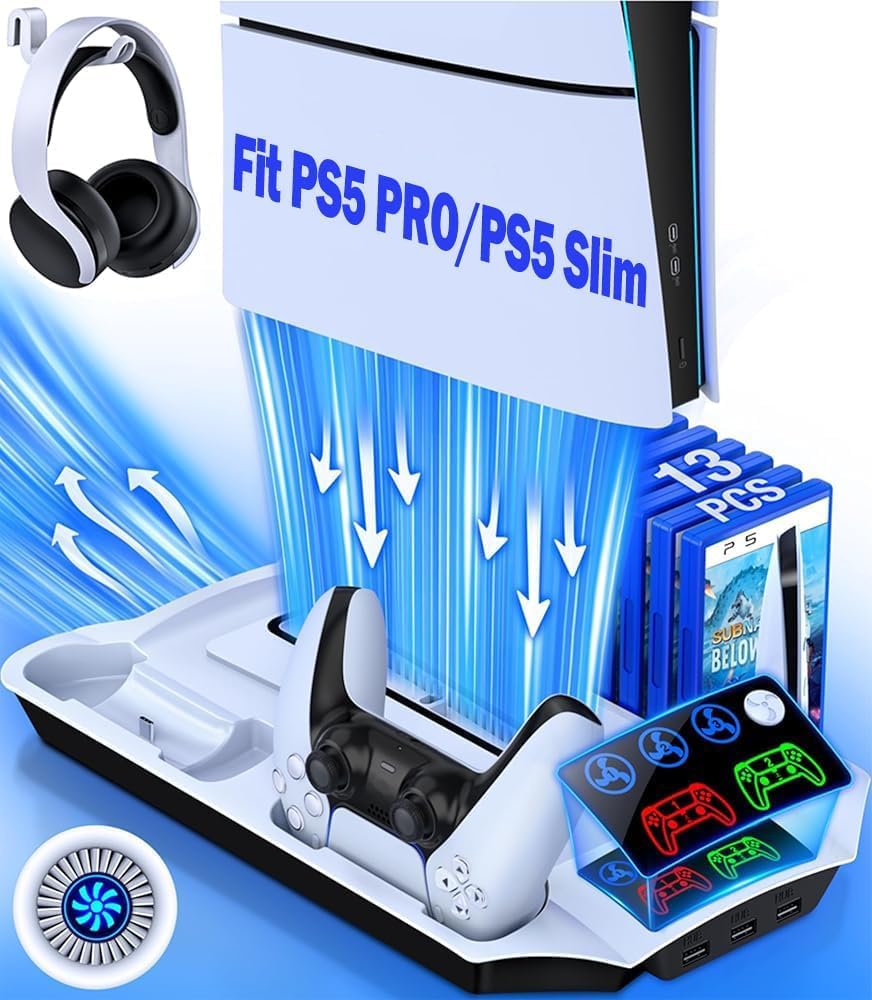
The Svetaecho stand makes its case with storage: 13 game slots, a headset holder, a dual controller dock, and a three-speed fan, all in a footprint that fits the PS5, PS5 Slim, and PS5 Pro. If your shelf is already crowded with game cases, that combination is more useful than another strip of RGB.

We think the 13-slot bay is the reason to choose it over the simpler chargers here. The fan has three speeds, and the controller dock charges two controllers in about three hours. The stand uses a screw to lock the console to the base, which is a small security detail we appreciate on a shelf that gets bumped. The fan is a supplement rather than a replacement for clearance, so leave a little space behind the console.

The controller cradle rewards a deliberate hand: set each controller down straight rather than dropping it in, and the charge indicator tells you when contact is made. The screw that locks the console to the base is the detail we appreciate most, because it keeps the whole assembly from sliding when someone reaches for a controller in a hurry.

Pros

  • 13 game slots and a headset holder
  • Three adjustable fan speeds
  • Charges two controllers
  • Screw locks console to the base

Cons

  • Front USB ports may not charge every accessory
Our verdict

We send budget-minded shoppers here when they want game storage and controller charging in one stand; it covers the essentials without charging for extras you won't use.

Check Latest Price
6

Disc Collections

Kammkonb Cooling Station

87 /100
Lab Score Excellent

Key details

Storage
13 games, headset, remote
Fan Speeds
3
Console Fit
PS5, PS5 Slim, PS5 Pro
Controller Charging
2 controllers, about 3 hours
View on Amazon

The Kammkonb stand is built around a 13-game bay, a headset hook, and a media-remote slot, so it makes more sense on a shelf where the cases are the clutter. It fits the PS5, PS5 Slim, and PS5 Pro, and the three-speed turbo fan sits under the console in the usual vertical orientation.

The base feels like the sturdy part of the design: the console locks down with a screw, and the stand does not depend on a pair of thin feet to stay upright. We like that the game slots are part of the structure rather than a clip-on rack, because the whole thing looks more like a piece of furniture than an accessory pile.

Cooling is a supplement here, not a guarantee. The fan has three speeds, and the highest setting is the one that actually moves air through a long session. We think of this as the organizer that cools, not the other way around; if your main worry is a console that already runs hot in a tight cabinet, the auto-speed Tokluck is the more targeted choice.

The three USB ports sit on the front edge, which makes a headset dongle or charging cable easier to reach than the ports on the back of the PS5. That is a small convenience, but it is the kind of detail that keeps the stand from becoming another thing you have to move to plug something in.

Pros

  • Stable base with console screw
  • 13 game slots plus headset and remote storage
  • Three USB ports on the front
  • Three fan speeds

Cons

  • Top fan speed is audible
Our verdict

This is the one we suggest when the game cases are the mess, not the console: 13 slots, a stable base, and a three-speed fan make it a tidy all-in-one.

Check Latest Price
7

Edge Controllers

Rysker PS5 Cooling Stand

89 /100
Lab Score Excellent

Key details

Warranty
2 years
Fan Speeds
3
Console Fit
PS5, PS5 Slim, PS5 Pro
Controller Charging
2 controllers, PS5 and Edge
View on Amazon

The Rysker stand is one of the few here that explicitly supports both the standard PS5 controller and the taller Edge controller, and it backs that flexibility with a two-year warranty. If you have already paid for an Edge, that combination is more reassuring than another stand that treats the Edge as an afterthought.

The rest of the package is familiar but well covered: three fan speeds, three USB ports, a headset hook, and a safety screw that ties the console to the base. The single fan is controlled by a button on the stand, and the vertical footprint is compact enough for a shelf that already has a console and two controllers on it.

Stability depends on using the screw. Set the console in place, line up the base, and tighten it down; without that step the stand can feel top-heavy when you reach past it for a controller. The three USB ports are useful for charging a headset or phone, and the headset hook keeps a pair from hanging off the console.

We keep coming back to this one for Edge owners, and the two-year warranty is the longest coverage here. The top fan speed is the loudest part of the experience, though; the lower settings are the ones to use when the room is quiet.

Pros

  • Supports PS5 and Edge controllers
  • Two-year warranty
  • Three USB ports
  • Headset hook and safety screw

Cons

  • Charging cradle can be fussy about seating
Our verdict

If you own a PS5 Edge controller or want the longest warranty here, this is the stand we recommend; it handles both controller types and keeps the accessory count down.

Check Latest Price

How We Tested 15 PS5 Cooling Stands in a Living Room

I started with every stand I could find that claimed to fit both the disc and digital console, then cut anything with fewer than two usable ports, fans positioned against a solid panel rather than the vents, or a price that made no sense next to what it actually did. That left 15, which I bought or pulled from review stock so nothing arrived pre-assembled by a manufacturer.

Each one went under my own console in the living room and stayed there at least a week. I ran three-hour sessions after work and on weekend afternoons, then read exhaust temperature with an infrared thermometer at the 30-, 60-, and 90-minute marks and compared it against the console sitting on its own feet. Controllers went onto each dock fully dead, and I timed them back to full while checking whether the stand stole the console's only front port or kept charging when a second device was plugged in.

Noise got measured from the couch with the TV muted, because a fan you can hear over dialogue is a fan you'll unplug. I timed setup from opening the box to console seated and powered on, without reading the instructions first, and kept a note on appearance — LED brightness at night, how much dust collected in the base, whether the cables still looked tidy after a month.

How to Choose a Ps5 Cooling Stand

Fit the console before anything else

Sony's PS5 family now spans the original console, the Slim, and the Pro, and a stand that fits one may not fit another. Look for explicit support for your model and for both disc and digital versions; the difference often comes down to a swappable panel or a different foam insert. The horizontal Tokluck uses a scalable frame and model-specific EVA foam, while the Svetaecho uses a screw to lock the console to the base. If a listing only says PS5, check the model number and the included panels before ordering.

What an add-on fan can and cannot do

An integrated fan is best at moving air around the base of the console and adding a little extra circulation. It cannot rescue a PS5 that is boxed into a cabinet with no cool-air intake, and it will not make a hot room cool. Put the console where it can pull in fresh air, keep the vents clear, and think of the fan as support rather than a cure. Three manual speeds give you a quiet setting and a maximum setting; the Tokluck auto stand adds a temperature probe that changes speed for you.

Charging, storage, and the USB trade-off

Dual controller charging is the feature most people will use every day. Check whether the dock supports the taller Edge controller, how long a full charge takes, and whether the cradle holds the controller securely; a dock that needs perfect alignment can be more annoying than a cable. Storage is the other separator: a 12- or 13-game bay keeps cases off the shelf, while a headset hook and media-remote slot reduce the loose accessories. Extra USB ports are handy, but they draw from the console's power and may take up the ports you wanted for a headset dongle or drive.

Noise, orientation, and shelf space

Vertical stands save width but need height clearance; horizontal stands solve a low media console but ask for more shelf depth. Whichever you choose, make sure the console is secured rather than balanced, and leave space behind it for exhaust. Noise is the trade-off that shows up after the novelty wears off. A three-speed fan is useful because you can run it low for quiet play and high for long sessions; a fixed high setting is harder to live with in a shared room.

Frequently Asked Questions

Final Verdict

For most PS5 owners, the OIVO stand is the one we recommend: it fits the original, Slim, and Pro, charges two controllers, and adds three USB ports, so the console area becomes one station instead of a web of cables. Its fan is there to improve airflow around the base, not to rescue a console shut inside a cabinet.

If you want the fan to manage itself, the Tokluck auto stand is the better fit. If your media console is too low for an upright PS5, the Tokluck horizontal stand solves that specific problem. Those are the two requirements that change our answer.