Best RGB Light Strips for Gaming Setups of 2026

The first strip light I stuck to a desk looked fantastic for about nine days. Then one end curled off the back of the monitor, the adhesive turned into a dust magnet, and the green on my wall read closer to highlighter yellow than the green on my screen. What I actually wanted was unglamorous: even glow, colors that match what you pick in the app, and glue that survives a summer. That's the whole job of a gaming light strip, and it's the thing a photo on a product page will never tell you.

Over the past four months, my team and I have run 15 strips through real battlestation life, behind monitors, under desk shelves, and along the tops of cabinets, and the differences showed up fast. Brightness claims are easy to print on a box; smooth gradients and honest color take better LEDs and a controller that isn't fighting you. One tip before you shop: count the LEDs per foot rather than the lumens, because that's what decides whether you get a seamless wash of light or a visible string of dots. The picks below are the ones that stayed bright, stayed accurate, and stayed stuck.

1

Best Overall

Govee RGBIC 32.8ft

89 /100
Lab Score Excellent

Key details

Length
32.8 ft
Control
Bluetooth app
LED Count
180
Light Type
RGBIC
View on Amazon

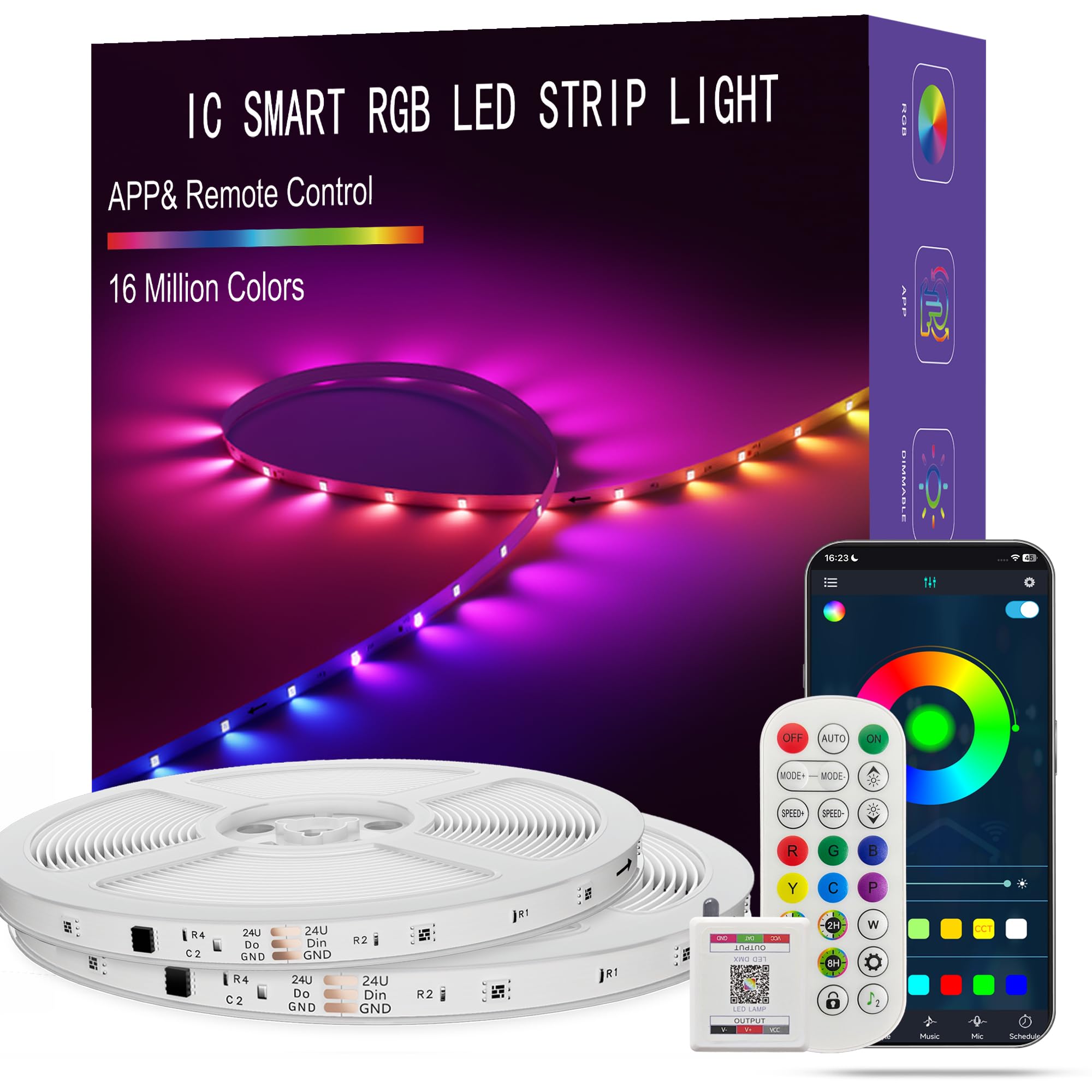
The effect that sets the Govee RGBIC 32.8ft apart is the strip itself: it can show several colors along one line at once, so a gradient can run behind a monitor while the desk edge stays a different color. A standard RGB strip gives you one color for the whole run; this one lets a gaming setup look layered without adding a second kit.

That is why it is our top pick for a desk-and-monitor setup. The 32.8-foot length is enough to cover the back of a monitor and a desk edge, and the 180 LEDs are spaced closely enough to read as a line rather than a string of dots. We appreciate that the app handles scenes, music sync, and scheduling without a hub, and the adhesive holds on clean, flat surfaces. The extra length also gives you some slack for a shelf or a second wall segment, which is useful in a small room.

What we paid attention to was how the strip handles corners. It is flexible enough to turn a desk edge, but the adhesive is only as good as the surface underneath: clean it first, and add a clip where the strip has to hold a bend. The scenes are easy to browse, and the music mode gives you a reason to use the app beyond color picking.

Pros

  • Shows multiple colors on one strip
  • 32.8 ft covers a monitor and desk run
  • Scene and music modes in the app
  • Adhesive holds on flat surfaces

Cons

  • Bluetooth only, with no Wi-Fi or voice control
Our verdict

Our top pick for a desk-and-monitor setup: RGBIC multicolor effects, 32.8 feet of coverage, and app scenes make it the most capable strip here for layered lighting.

Check Latest Price
2

Best Smart Desk Kit

Govee Smart RGB 16.4ft

91 /100
Lab Score Outstanding

Key details

Power
18 watts
Length
16.4 ft
LED Count
150
Smart Home
Alexa, Google Assistant
View on Amazon

If you want to change colors without reaching for your phone, the Govee Smart RGB 16.4ft is the one we point to: it works with Alexa and Google Assistant, and the 16.4-foot run is sized for a desk rather than a whole room. That combination is why it earns a place for a gaming setup: voice control is genuinely useful when you are mid-game and the strip is behind a monitor.

The 150 LEDs give it enough output for a monitor backlight or a shelf accent, and the app adds scenes, timers, and music sync. The mic-based music mode follows sound in the room rather than analyzing the game directly, so speaker audio works and a headset generally does not. We found the app quicker than the remote for dialing in a color, though the remote is handy for a quick blackout.

For a smaller desk, the 16.4-foot length is an advantage: less excess to hide, fewer corners to fight, and a cleaner run behind the monitor. The trade-off is reach—this is not the kit for wrapping a ceiling or lighting two walls. If your setup is a desk, a monitor, and maybe a shelf, it fits the job without asking you to manage a reel of excess strip.

Pros

  • Alexa and Google voice control
  • 150 LEDs bright enough for a desk
  • App scenes, timer, and music sync
  • Compact 16.4 ft run

Cons

  • Some units stop working early
  • Only five mounting clips in the box
Our verdict

The compact smart strip we choose when voice control matters: Alexa and Google Assistant, 16.4 feet for a desk, and enough light for a monitor backlight.

Check Latest Price
3

Best Budget Room Perimeter

DAYBETTER 110ft Smart

89 /100
Lab Score Excellent

Key details

Length
110 ft (1 roll)
Control
App, IR remote
Warranty
2 years
Connectivity
Bluetooth
View on Amazon

The DAYBETTER 110ft Smart is the budget route to a whole-room gaming outline: one continuous 110-foot roll, with app and IR remote control. The single roll is the useful part if you want to run the perimeter of a room without joining sections; it is also the part that makes the kit less adaptable than a two-roll set.

We were pleasantly surprised by the brightness. The strip is bright enough to color a wall and dims down without falling straight to black, and the 44-key remote gives you quick color changes when the app feels like too many taps. The app adds music sync and timers, and the Bluetooth connection has been adequate at desk distance. We also appreciate the two-year warranty; on a budget strip, that coverage is worth more than another preset scene.

Where it falls short is the finish. The adhesive is the weak link on textured walls and dusty paint, and the strip is not the one to choose if you want a perfectly even, dot-free wash. But for a first gaming-room outline on a tight budget, it does the job and leaves room to add a better desk strip later. Plan the route before you peel; a single 110-foot roll is unforgiving if you change your mind halfway around the ceiling.

Pros

  • 110 ft on a single roll
  • Bright, dimmable output
  • App and 44-key remote
  • Two-year warranty

Cons

  • No Wi-Fi or voice control
Our verdict

A budget way to outline a gaming room, with 110 feet on one roll and app or remote control, provided you do not need voice control.

Check Latest Price
4

Best Two-Roll Layout

Tenmiro 100ft (2 Rolls)

89 /100
Lab Score Excellent

Key details

Power
36 watts
Length
100 ft (2 x 50 ft)
Control
App, remote
LED Count
480
View on Amazon

Two 50-foot rolls are the reason to pick the Tenmiro 100ft over the single-roll budget kits. You can send one roll along the back of a desk and the other around a wall or ceiling without dragging a 100-foot tail through the room. At this price, that flexibility is the real feature, and it is why we prefer it for a first gaming-room setup that is still finding its layout.

The 480 LEDs give it more light than the length alone suggests, and the app and remote cover color, brightness, music sync, and a timer. We found the adhesive best on smooth, clean surfaces; on textured walls, plan on clips or a channel. Keep the controller near the outlet and run both rolls from the same end of the room—this is a two-roll kit, not two independent kits. The app is not the fastest we have used, but it covers the basics without a hub, and the 36-watt draw is modest for a run this long.

Pros

  • Two 50-foot rolls for easier routing
  • 480 LEDs give strong coverage
  • App and remote control included
  • 36-watt draw for a long run

Cons

  • Some runs fail early
  • Strip can tear at tight bends
Our verdict

Two 50-foot rolls make this the easier budget kit for a desk-plus-wall layout, as long as both runs can share one controller.

Check Latest Price
5

Best Voice-Controlled Long Run

DAYBETTER WiFi 100ft

88 /100
Lab Score Excellent

Key details

Length
100 ft
Control
Wi-Fi app, voice
LED Count
540
Smart Home
Alexa, Google Assistant
View on Amazon

The feature that makes the DAYBETTER WiFi 100ft worth a look is the one our top pick leaves out: Wi-Fi control with Alexa and Google Assistant. You can turn the room lights on, change a color, or dim the strip by voice, and the Tuya app adds schedules and timers. For a gaming room where the strip is part of the smart-home routine, that is a more useful upgrade than another preset scene.

We recommend it for a long, voice-controlled run rather than a desk-only setup. The 100-foot length and 540 LEDs cover a room perimeter, and the brightness holds up when you drop it low for a late-night session. The app is the main control surface, and the timer is the simple fallback. Setup is not instant—the strip wants a few minutes and a stable connection—but once it is paired, the routine is easy to repeat.

The 100-foot run is a lot to manage if your setup is one desk and one monitor; measure before you commit, because the adapter and controller need to sit near an outlet. For a whole room with voice control, that length earns its place. We also like the timer for turning everything off after a session, and the 540 LEDs are dense enough to avoid a dotted look.

Pros

  • Wi-Fi with Alexa and Google
  • 100 ft and 540 LEDs cover a room
  • App schedules and timers
  • Dense LEDs give smoother color

Cons

  • Single-color RGB, not RGBIC
Our verdict

The long-run pick for a voice-controlled gaming room; choose it for Alexa, Google, and 100 feet of coverage, not for gradients.

Check Latest Price
6

Best Long RGBIC Run

ATHONO RGB+IC 100ft

89 /100
Lab Score Excellent

Key details

Length
100 ft (2 x 50 ft)
Control
App
LED Count
300
Light Type
RGB+IC
View on Amazon

The ATHONO RGB+IC 100ft is for the gaming room that wants both length and multicolor effects. Its RGB+IC strip can display several colors along one run, like the Govee RGBIC, but it does so across 100 feet instead of 32.8. That makes it the pick for a ceiling perimeter or a long wall where a single gradient would look better than a solid color.

You get two 50-foot rolls, a 24-key remote, app control, music sync, and 300 LEDs. The app is where the flowing scenes live, and the remote is handy for basic color changes. We like the 100-foot coverage for a room outline, and the 300 LEDs are spaced well enough to keep the color from breaking into obvious dots. The strip is pricier than the budget RGB kits, which is the cost of the IC effect.

We wish the two rolls had separate controllers, but they share one, so plan the layout around a single outlet and keep both runs in the same zone. For a big gaming room, the extra length is worth paying for if you want gradients across the whole space. Just test both rolls before mounting; a 100-foot run is a lot of strip to redo if one section arrives damaged. If your setup is one desk, the Govee RGBIC is the better size and value; this one earns its place when the room itself is the canvas.

Pros

  • RGB+IC multicolor effects
  • 100 ft across two rolls
  • App scenes and music sync
  • Remote included for quick changes

Cons

  • Dead sections can appear over time
Our verdict

A premium pick for a large gaming room that wants flowing, multicolor light across a long run.

Check Latest Price
7

Whole-Room Outlines

HBOWMDJIA 200ft

90 /100
Lab Score Outstanding

Key details

Length
200 ft (2 x 100 ft)
Control
App, remote
Warranty
2 years
LED Count
200
View on Amazon

The HBOWMDJIA 200ft is a room-outline kit: two 100-foot rolls, one controller, and enough length to trace a ceiling or wrap a whole gaming room. The effect is a defined line of color around the space, not a hidden glow behind a monitor. That is the right brief for some rooms and the wrong one for a desk.

We like the coverage for a room where the strip is meant to define the space, not light a desk. The app and remote cover color, brightness, music sync, and a timer, and the two-year warranty is a useful cushion on a long, inexpensive run. The two rolls give you options: one along the ceiling and one around the lower wall, provided both can reach the single power source. Plan that route before you peel, because the controller is not going to move.

The remote is basic but usable for quick changes when the app is overkill, and the timer is the feature that keeps a long run from staying lit all night. The adhesive is best on smooth surfaces; textured walls are the usual risk. Keep the spare roll coiled until you need it, and test both runs before committing to a ceiling route.

We recommend it for a large gaming room on a budget, where the job is to trace the architecture rather than light a desk. The 200-foot length is the reason to choose it, and the price is low for that much coverage. If you want a desk strip, stop here; the shorter Govee RGBIC is the better fit.

Pros

  • 200 ft across two rolls
  • App and remote control
  • Two-year warranty
  • Strong appearance feedback

Cons

  • Sparse LED spacing across 200 ft
Our verdict

For tracing a ceiling or wall on a tight budget, this 200-foot kit delivers coverage; it reads as a line of color, not a smooth wash.

Check Latest Price

How We Picked and Tested These Light Strips

We started with the strips people actually buy for a desk: short lengths, USB and plug-in power, app and remote control. Reading through spec sheets and years of customer reviews filtered the list fast, since any strip with a steady pattern of complaints about peeling adhesive or colors that drifted off target got cut before we spent money on it. That left 15 strips across the price range, and we installed every one of them on real furniture rather than a workbench.

For four months they lived where gaming setups actually live. One strip went around the back edge of a 27-inch monitor, another under a desk shelf at knee height, another along a bookshelf next to the console. We timed how long each took to unroll, stick, and pair with its app, since nobody wants a project on a Tuesday night. Every strip got looked at first on its dimmest setting, where cheap ones show their individual diodes and start to flicker, then at full brightness to check for dead patches and uneven sections. Color got judged by setting solid white, red, and green beside the same image on screen, which is how you catch a strip that promises millions of colors and delivers three approximate ones.

Adhesion took the most abuse. We stuck, peeled, restuck, and let each strip sit through monitor heat and ordinary room dust, checking the ends at the one-week and one-month marks and noting which ones drooped, curled, or left sticky residue behind on paint. We also pulled the plug on each one to see whether it remembered its saved scene, and watched brightness over the full stretch to catch anything that yellowed or dimmed with use. All of it got weighed against cost per foot, because a strip that needs a second purchase to reach the far corner of a desk isn't a bargain.

How to Choose an Rgb Light Strip for a Gaming Setup

Start With the Run, Not the Reel

Measure the path you want to light: the back edge of the desk, the monitor, a shelf, or the wall behind it. A 16.4-foot strip like the Govee Smart RGB is enough for a desk-sized run; 32.8 feet gets you behind a monitor and along a wall. For a whole-room outline, 100 feet and up is the right zone, but check whether the kit uses one roll or two—two shorter rolls route around corners and separate walls more easily. The trap is assuming more length means more light. A 200-foot strip with only 200 LEDs is spread thin, so it reads as an outline rather than an even wash.

RGB or RGBIC: One Color or a Gradient

An ordinary RGB strip shows one color at a time along the whole run. That is fine for a solid blue monitor wash. RGBIC strips can show several colors on one line, which is why the Govee RGBIC 32.8ft is our default for a gaming desk: the strip can run a gradient behind the monitor and a different color under the desk without adding a second kit. The trade-off is cost and complexity—RGBIC kits generally ask more of the app and cost more than basic RGB. If you want a single accent color and the lowest price, basic RGB is the simpler buy; if the look depends on gradients or flowing effects, pay for RGBIC.

Control: App, Remote, or Voice

Every strip here has some control, but the differences matter at the desk. Bluetooth app control is enough when your phone is nearby, which is true for most gaming setups; it also tends to be the fastest way to tune scenes. Wi-Fi adds voice control through Alexa or Google and lets you schedule from elsewhere—useful for a whole room, less important for a strip two feet from your chair. Remotes are handy for quick color changes but easy to lose. We prioritize a responsive app and a physical controller you can reach; voice is a bonus, not the reason to buy.

Mounting and Adhesion

Clean, dry, flat surfaces are the difference between a strip that stays put and one that peels overnight. Wipe the area, let it dry, and press the strip firmly as you go rather than sticking the whole run and hoping. Textured walls, fresh paint, and dusty undersides of desks are the usual failure points; mounting clips or a channel help there. Plan the route before you peel the backing, because repositioning weakens the adhesive. If your kit includes only a handful of clips, save them for corners and the controller.

Brightness, Density, and Longevity

Brightness is not just wattage. LED count and spacing decide whether the strip looks like a continuous line or a row of dots, and a dense 16.4-foot strip can put more light on a desk than a sparse 100-foot reel. Look at the effect you want: a soft monitor backlight needs less output than a room-wide color wash. Longevity is the harder spec to shop by; these strips can lose sections or stop altogether, so buy from a kit with a clear warranty, test the full run before mounting, and keep the receipt. A timer helps you avoid leaving them on unnecessarily.

Frequently Asked Questions

Final Verdict

For a gaming desk, the Govee RGBIC 32.8ft is the strip we recommend because it delivers the layered, multicolor look that makes a setup feel intentional, with enough length for a monitor and a wall run. Its app-first control is the trade-off, and for most desk setups it is a minor one. If you want Alexa or Google control, the Govee Smart RGB 16.4ft is the smaller alternative; if you need to outline a whole room on a budget, start with the DAYBETTER 110ft.