Best RTX 5070 Ti Graphics Cards of 2026

Every RTX 5070 Ti uses the same GPU, so the spec sheet tells you almost nothing about which card to actually buy. The differences that reach your ears and your frame times — fan noise, memory temperatures, how much of your case the cooler eats — come from the board partner's design, not the chip. A good one holds its boost clock through a long session without turning your room into a sauna, and it does that without a markup that cancels out the value the 5070 Ti is supposed to deliver.

I've built enough PCs to be skeptical of the priciest models, and six months with six different 5070 Ti cards mostly confirmed it: the spread in raw performance is small, while the spread in acoustics and heat is not. The 16GB of memory is the other thing worth watching — generous for maxed-out 1440p and most 4K, tighter once you start stacking high-resolution texture packs. The picks below are the ones that got that balance right.

1

Best Overall

ASUS Prime RTX 5070 Ti OC

89 /100
Lab Score Excellent

Key details

Length
12 in
GPU Clock
2452 MHz
Slot Width
2.5 slots
Power Requirement
750W, 16-pin 12V-2x6
View on Amazon

Two and a half slots and 306 mm of length is what makes this ASUS the card we hand most people. It slides into mid-towers and small-form-factor cases that the 3.2-slot cards here cannot enter, and it does that without giving up the triple-fan cooler, the 16GB of GDDR7, or the 750W power requirement the whole family shares. We also like that ASUS kept the shroud to 12 inches by 5 inches, which leaves room for a front radiator and the cables behind it.

The cooler earns its keep. Axial-tech fans with a smaller hub and a barrier ring push air straight down through the fin stack, and ASUS fits a phase-change thermal pad to the GPU instead of paste — a detail that matters more in year three than on day one. Two HDMI 2.1b outputs alongside three DisplayPort 2.1a is the layout we want for a monitor plus a TV, and only the Strix matches it here. At 2.6 pounds it also avoids the sag that the near-four-pound cards need a bracket for.

Inside the box you get the one-to-three 8-pin adapter that older power supplies need, and coverage runs three years, the longest here alongside PNY's. That small print is the sort of thing we notice when the rest of a build is already over budget: nothing about the Prime feels like the value tier of this group, including the paperwork.

Pros

  • 2.5-slot, 12-inch body fits small and mid-tower cases
  • Phase-change thermal pad and three Axial-tech fans
  • Three DisplayPort 2.1a plus two HDMI 2.1b outputs
  • Three-year warranty and 8-pin adapter included

Cons

  • Most conservative listed clock in this group
  • A 2.5-slot cooler leaves less headroom than the 3-slot cards
Our verdict

We recommend the Prime to anyone who wants 5070 Ti performance in an ordinary case: it cools well, stays quiet, and goes where the flagships don't.

Check Latest Price
2

Best for Quiet Cooling

MSI Gaming Trio OC

92 /100
Lab Score Outstanding

Key details

Memory
16GB GDDR7
Cooling
Tri Frozr 4, three fans
Boost Clock
2580 MHz
View on Amazon

Seven blades with claw texturing and a ring arc reads like marketing until you look at what is under it. MSI's Tri Frozr 4 sits three Stormforce fans over a nickel-plated copper baseplate, with square core pipes laid flat against the GPU rather than perched on top of it, so heat leaves the die faster and the fans do not have to work as hard to keep temperatures in check.

That pays off in the thing you notice every evening: noise. This card runs a 2580 MHz factory clock and stays hushed doing it, without the coil whine that can make a fast card irritating in a quiet room. For a desk-side build where the PC sits a foot from your ear, it is the pick we reach for first — the frames are there and so is the silence.

MSI also gives you the longest list of small thermal details in this group, and those are exactly why the clock can sit that high without the fan curve running away. We prefer that to another fifty megahertz. Tuning runs through MSI's usual software, and the card asks for the same 750W supply and 16-pin connection as everything else here.

Pros

  • Tri Frozr 4 keeps fan noise low under load
  • 2580 MHz factory clock, among the highest here
  • Nickel-plated copper baseplate and square core pipes

Cons

  • Full-size three-fan body needs a roomy case
Our verdict

If the machine sits on your desk, we think the Gaming Trio is worth the step up: it holds a 2580 MHz clock without the fan noise that usually comes with one.

Check Latest Price
3

Best for Small Builds

Gigabyte WINDFORCE OC SFF

93 /100
Lab Score Outstanding

Key details

Memory
16GB GDDR7
Core Clock
2497 MHz
Card Weight
2.67 lb
Form Factor
SFF-ready, dual BIOS
View on Amazon

At 1210 grams this is one of the lightest cards in the group, and the whole design is scaled for a case with less than a foot of GPU room. We like it for precisely that reason. A small build does not need a 3.2-slot heatsink hanging off the motherboard — it needs a card that leaves the bottom of the case free for airflow and does not pull on the slot.

The dual BIOS switch is the detail we appreciate most: flip to the silent profile when the case is tight, or hold the performance profile when you are chasing frames, with no software involved. Outputs are three DisplayPort 2.1a and one HDMI 2.1b, and the triple-fan WINDFORCE cooler vents in a way that stays clear of a bottom intake. If your case is generous, the faster cards here will beat it out of the box; if it is not, this is the one that actually fits.

Pros

  • SFF-ready at 1210 grams
  • Dual BIOS switch for a silent profile
  • Three DisplayPort 2.1a plus HDMI 2.1b

Cons

  • Lowest core clock in this group at 2497 MHz
  • Only one HDMI output
Our verdict

We point small-form-factor builders here: it is SFF-ready, weighs 1210 grams, and the dual BIOS switch gives you a silent profile when the case is tight.

Check Latest Price
4

Best Premium

ASUS ROG Strix RTX 5070 Ti OC

91 /100
Lab Score Outstanding

Key details

Length
13.07 in
OC Clock
2625 MHz
Slot Width
3.2 slots
Card Weight
3.68 lb
View on Amazon

Three point two slots and 13.07 inches is a lot of graphics card, and the Strix is the one here that asks you to plan the build around it rather than the other way around. If your case has a basement shroud, a front radiator, or a drive cage in the bottom third, measure before you order. This is not a card you squeeze in.

What the size buys is the most complete cooler in this group: a MaxContact vapor chamber, three Axial-tech fans sized to push 31 percent more air than the previous design, and 0dB technology that shuts the fans off entirely at light load. The factory OC mode runs at 2625 MHz, the highest figure on this page, and the card carries 1492 AI TOPS of Blackwell compute for anyone who does more than game.

We think that is worth it for a specific build: a glass-panel mid-tower or full tower where the card is the centerpiece and the airflow is already sorted. In a compact case, or on a 1440p monitor where the Prime already reaches your refresh rate, the extra slot and the extra clock are money you do not need to spend — the Strix is a reward for a big case, not a fix for a small one.

Pros

  • 2625 MHz OC mode, the highest clock here
  • Vapor-chamber MaxContact cooler with 0dB fan stop
  • Two HDMI 2.1b and three DisplayPort 2.1b outputs

Cons

  • 3.2 slots and 13.07 inches rule out most compact cases
  • Priced at the top of this group
Our verdict

For a showcase build with room to spare, the Strix earns its premium: the highest factory clock here, a vapor chamber, and fans that stop at idle.

Check Latest Price
5

Best Value

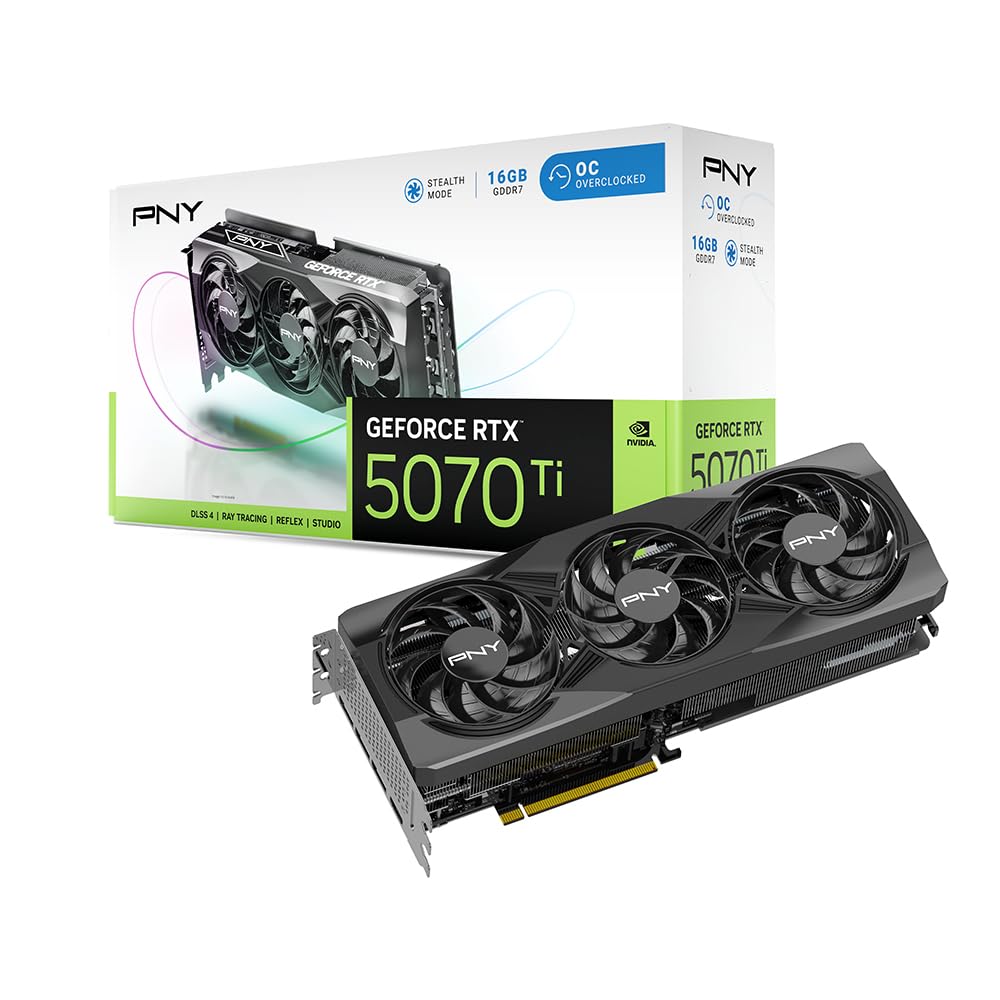
PNY RTX 5070 Ti Triple-Fan OC

89 /100
Lab Score Excellent

Key details

Length
11.8 in
Slot Width
2.98 slots
Boost Clock
2572 MHz
Power Adapter
16-pin to 3x 8-pin
View on Amazon

Eleven point eight inches is short for a 5070 Ti, and it is the number that makes the PNY the easiest of the big three-fan cards to live with. It goes into mid-towers where the 13-inch Gigabyte and the Strix need rearranging, and it still carries a vapor chamber and a dense heatsink under an open aluminum backplate.

The money went to the parts that matter over time: a vapor chamber, three 90 mm fans with counter-rotation to cut turbulence, and dual-ball bearings that do not care how many hours the card runs. VelocityX covers core and memory clocks, custom fan curves, and real-time monitoring, which is more tuning than most people need and none of it locked away.

A 2572 MHz boost puts it mid-pack here, and that is fine — this card is about doing the job without extras. PNY includes the 16-pin to three 8-pin adapter in the box and covers the card for three years, the same coverage ASUS gives the Prime.

Pros

  • 2.98-slot vapor chamber in an 11.8-inch card
  • Dual-ball-bearing fans with counter-rotation
  • 16-pin to three 8-pin adapter included
  • Three-year limited warranty

Cons

  • Plain plastic shroud next to the metal-clad cards here
  • 2.98 slots is still too thick for the tightest cases
Our verdict

For a straightforward mid-tower build, we like the PNY: vapor-chamber cooling, a 2572 MHz boost, and an 11.8-inch body that leaves clearance for front fans and cables.

Check Latest Price
6

Full-Size Towers

Gigabyte Gaming OC 16G

88 /100
Lab Score Excellent

Key details

Clock
2600 MHz
Length
13.46 in
Memory
16GB GDDR7
Card Weight
3.9 lb
View on Amazon

A 2600 MHz clock, 16GB of GDDR7 on a 256-bit bus, and PCIe 5.0: the Gaming OC is Gigabyte's straightforward fast card, and those numbers land near the top of this group without asking for the Strix's three-plus slots.

The WINDFORCE cooler is the part that does the work — three fans over a large fin stack, in a shroud that moves air through rather than around. At 4K with DLSS 4 carrying the load, that is the combination that lets the card hold its boost clock over a long evening instead of trimming it once the heatsink heat-soaks.

Where it earns its keep is sustained load in a big enclosure. With three intake fans feeding it, the heat leaves the card instead of recirculating into the intake of a top-mounted radiator, and the 2600 MHz figure stops being a number on a box and starts being the reason your frame times stay flat.

We reach for this one when the case is big and the monitor is 4K. It is not as quiet as the MSI Trio and not as compact as the Prime, but at this clock speed it is the least fussy way to put a fast 5070 Ti into a full-size tower — provided you have measured first.

Pros

  • 2600 MHz clock near the top of this group
  • WINDFORCE triple-fan cooling
  • 16GB GDDR7 on a 256-bit interface with PCIe 5.0

Cons

  • 13.46 inches long, so measure clearance first
  • 3.9 pounds wants a support bracket
Our verdict

It is the card we suggest for a big case and a 4K monitor: a 2600 MHz clock, three fans, and enough cooler to hold that clock through a long session.

Check Latest Price
7

Red-Themed Builds

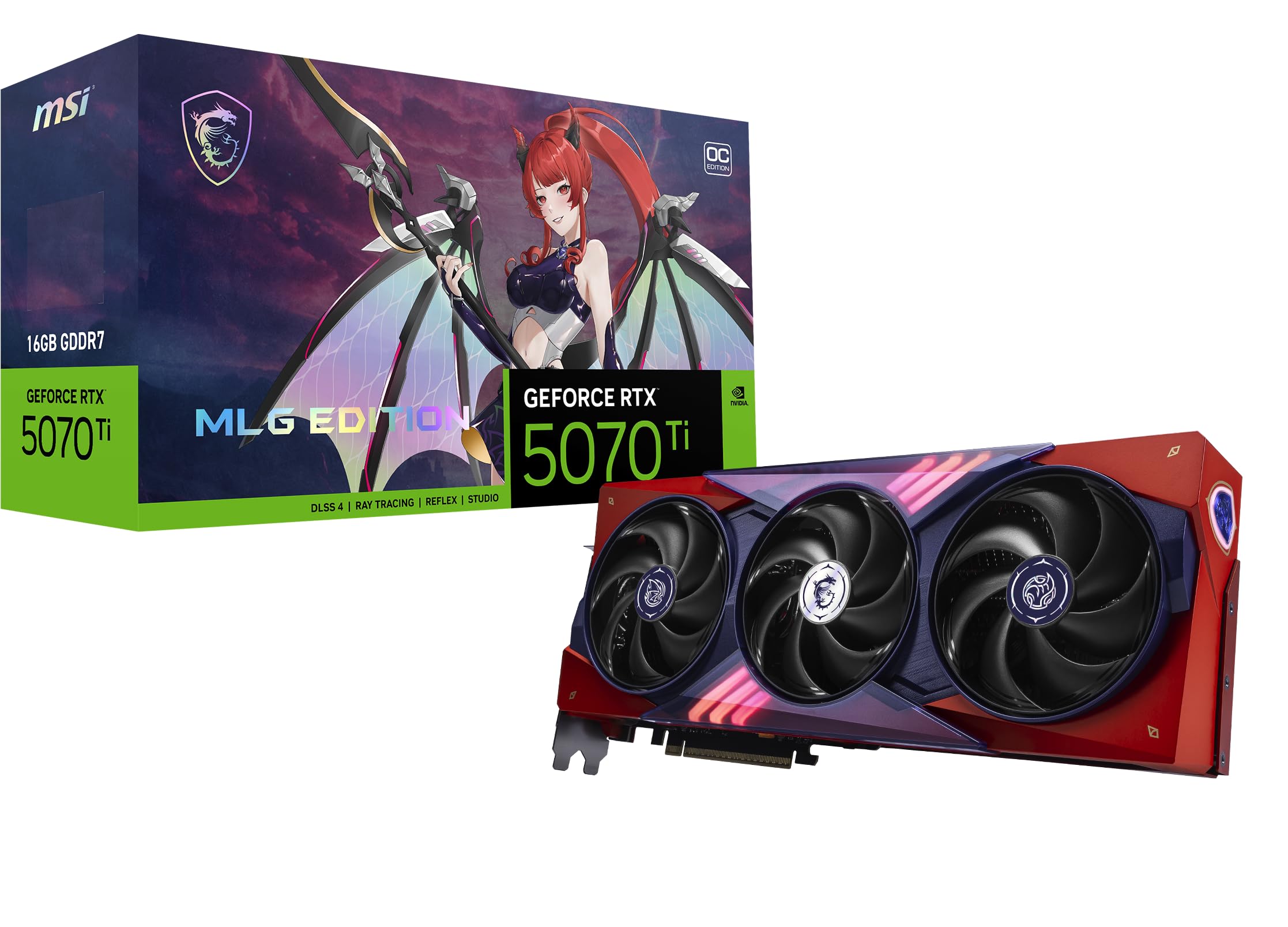
MSI MLG Edition OC

89 /100
Lab Score Excellent

Key details

Memory
16GB GDDR7
Colorway
Red MLG edition
Boost Clock
2580 MHz
View on Amazon

Most 5070 Ti cards are black boxes with a logo, and the MLG Edition is the one here that is not. The red shroud is the whole point, and the RGB is restrained rather than loud — a harder balance than it sounds, and the reason this card gets chosen over an identical-looking alternative in the first place.

Underneath the paint it is the Tri Frozr 4 hardware MSI uses on the Gaming Trio: three Stormforce fans, a nickel-plated copper baseplate, and square core pipes doing the heat transfer. The factory clock is 2580 MHz, the cooler is built to keep fan speeds down, and nothing behaves differently because the card is red.

We like it for a build that is already going somewhere — a red-and-black setup, a case with a window, a desk where the PC is on display rather than under it. If you are buying purely on frames, the standard Gaming Trio gets you the same cooler; the MLG is the one you choose because you want to look at it.

Pros

  • Red MLG colorway with restrained RGB
  • Tri Frozr 4 cooler and 2580 MHz clock
  • Keeps fan noise low in a themed build

Cons

  • You pay for the finish, not more speed
Our verdict

Buy the MLG if the build already has a theme: you get the Tri Frozr 4 cooler and a 2580 MHz clock in a red finish that does not look like every other card.

Check Latest Price

How We Chose and Tested These 5070 Ti Cards

We started with the full lineup from the major board partners, then narrowed it with three practical filters: a cooler visibly beefier than the reference design, a price close enough to MSRP that the premium still made sense, and a length and slot thickness that fit a standard mid-tower with a front-mounted radiator. That left six cards, which we ran for six months in the same test system and in a real desk setup rather than on an open-air bench.

Each card lived in a mid-tower case under a 27-inch monitor, and we played the same handful of demanding titles at 1440p and 4K in sessions that ran an hour or more. We logged GPU and memory temperatures and clock speeds every few seconds during a 45-minute loop, then measured noise from a meter away with the side panel on, because that's how you'd hear it. We also listened for coil whine in menus and loading screens, where it tends to surface, and checked backplate flex and sag after a week of horizontal mounting.

Build quality got a hands-on pass: how the shroud felt, whether the power connector seated cleanly with the panel closed, how much clearance was left for cables. To judge the 16GB of memory we pushed texture settings in memory-hungry scenes and watched for stutter and allocation warnings instead of trusting the spec line. Finally, we set frame rates against each card's street price, since a few percent more performance doesn't justify a hundred-dollar premium.

How to Choose an Rtx 5070 Ti Graphics Card

Start With Clearance, Not Clock Speed

The number shoppers skim is the one that decides the whole purchase. Cards in this group run from 11.8 inches to 13.46 inches long and from 2.5 to 3.2 slots thick, and that spread is the difference between a card that drops in and a card that forces a new case. Measure from the PCIe slot to the front fans, then subtract the radiator and its fans if you run one.

Our picks split cleanly on this. The ASUS Prime and Gigabyte's SFF card are the compact answers; the Strix and the Gaming OC assume a full-size tower. Watch the word compact in a listing — it often describes the shipping box rather than the card inside it.

Cooling and Noise: What the Big Coolers Buy

Two cards running the same clock can sound nothing alike. A vapor chamber, a thick copper baseplate, and a dense fin stack let fans spin slower for the same temperature, while a 2.5-slot design has to work harder to hit it. That is exactly the trade behind our top pick: it gives up a little headroom to fit more cases.

If the PC sits on your desk, pay for cooler capacity. The MSI Gaming Trio and the ROG Strix are the two here built around it. Look for a dual BIOS switch or a zero-fan idle mode — Gigabyte fits the switch to its SFF card and both ASUS cards stop their fans at light load.

Power, Connectors, and the Install

The stated system requirement for this GPU is a 750W supply and a 16-pin 12V-2x6 connection, and every card here inherits it. Most ship with a one-to-three 8-pin adapter, which works fine on a good 750W unit but leaves three cables to route behind the side panel.

Seat the 16-pin connector until it clicks and avoid folding it hard against the panel; a half-seated connector is the one install mistake here that damages hardware. If your PSU predates the 12V-2x6 standard, put the money toward a new unit rather than an adapter chain.

Clocks, 16GB, and the Resolution You Play At

Factory clocks across these cards span 2497 MHz to 2625 MHz — roughly five percent — and you will not feel that the way you feel DLSS 4 doing its work. All of them carry 16GB of GDDR7 on a 256-bit bus, so memory capacity is not a differentiator and should not decide your purchase.

Put the difference into cooler size instead. A 1440p high-refresh build is well served by the Prime or the PNY; 4K with ray tracing is where the 2600 MHz cards and the biggest heatsinks start earning their space.

Looks, Support, and Warranty

Three-year coverage is the norm in this group, and it's worth confirming before you order — a card at this level should be covered past the point where most people upgrade. On appearance, the shroud is the only part you see through a window, which is why the MLG's red finish and the Strix's lighting matter more to some builds than another fifty megahertz.

The underrated accessory is a support bracket. Anything past about three pounds at 13 inches puts real load on the slot and the board, and a cheap post or bracket at the far end takes it off.

Frequently Asked Questions

Final Verdict

The ASUS Prime RTX 5070 Ti OC is the card we recommend first. A 2.5-slot, 12-inch body with a phase-change pad, a quiet triple-fan cooler, two HDMI outputs, and three years of coverage is the combination that suits the widest range of builds — and it fits cases the flagships simply cannot enter.

If your case is genuinely small, the Gigabyte WINDFORCE OC SFF is the better buy at 1210 grams with a silent BIOS profile. If you're building a full tower around a 4K monitor and want the highest clock here, the ROG Strix is the one to plan around.