10 Best Steam Deck Screen Protector of 2026: Which Preserve Clarity and Fit Without the Bubbles

Find the right Steam Deck screen protector for your play style – glossy for clarity, matte for glare, and which ones install without bubbles.

Steam Deck screen protectors sound simple, but the first application reveals a harsh truth: bubbles, dust specks, and misaligned edges are far more common than product listings suggest. That frustration is real, especially when you just want to get back to gaming.

The real trade-off isn't glossy versus matte. It's finding a protector that sticks evenly, stays clear, and doesn't force you to buy a third pack because the first two failed. Some alignment systems practically guarantee a perfect seal; others leave you chasing bubbles with a microfiber cloth.

With over 16,000 reviews on the top pick and a clear gap between protectors that install easily and those that don't, this guide cuts through the marketing to show you which ones actually deliver on their claims – without the do-overs.

1

Best Overall

amFilm Auto-Alignment

93 /100
Lab Score Outstanding

Key details

Finish
Glossy
Pack Count
2
Touch Sensitivity
Full responsiveness
Adhesion & Bubbles
Minimal bubble risk
View on Amazon

The included plastic alignment tray snaps onto the Steam Deck and guides the glass into place with no guesswork - press the center and the protector adheres from the middle outward. This design eliminates the common frustration of off-center applications that plague manual-install protectors.

Once applied, the 0.3mm glass is almost invisible. The glossy finish preserves the OLED's contrast and sharpness without introducing the blur or grain of matte alternatives. Touch sensitivity remains responsive through the glass - no dead zones or delayed taps noted. The oleophobic coating resists fingerprints well, though heavy smudging may still appear after extended sessions.

This protector suits Steam Deck owners who prioritize installation ease and display clarity above all else. It works equally well on the original LCD and the newer OLED models. The tradeoff: those who work in dusty environments or lack a clean workspace may still encounter trapped bubbles - the alignment tool cannot fix airborne particles. A careful pre-application cleaning routine is essential.

The two-pack provides a spare, useful if the first application picks up dust or if the glass eventually gets scratched. At its mid-range price, it undercuts premium single-protector options while delivering comparable adhesion consistency.

💡 Run a hot shower before applying to settle airborne dust in the room -- this step significantly reduces bubble risk.

Pros

  • Alignment tray makes installation nearly foolproof -- center, press, done.
  • Crystal-clear glass with perfect fit -- invisible once applied and no distortion.
  • Two-pack at a mid-range price offers good value for a high-quality protector.
  • Anti-fingerprint coating reduces smudges and keeps the screen cleaner between wipes.

Cons

  • In a dusty environment or with incomplete cleaning, small bubbles can persist under the glass -- dust particles are the likely cause.
Our verdict

For most Steam Deck owners, this protector removes the biggest headache of screen protection -- alignment -- while maintaining full clarity. A dust-free workspace is the only remaining variable.

Check Latest Price
2

Best Value with Guide Frame

JSAUX 2-Pack

93 /100
Lab Score Outstanding

Key details

Finish
Glossy
Pack Count
2
Touch Sensitivity
Full responsiveness
Adhesion & Bubbles
Occasional edge lift
View on Amazon

The JSAUX 2-Pack brings an install experience that rivals the top pick, thanks to its included guide frame. The two glass protectors offer full coverage with high clarity, and the oleophobic coating helps resist fingerprints. At a budget-friendly price, this is the best value in the set for anyone after reliable protection without overpaying.

This pack is ideal for first-time installers who benefit from the alignment frame, as well as anyone wanting a spare protector. Edge adhesion can be inconsistent – some units may have spots that don't stay down, and bubbles may form if dust gets trapped. For those willing to accept this occasional QC variance, the JSAUX delivers good protection at a low cost.

In use, the glossy finish maintains image sharpness and touch sensitivity. The anti-fingerprint coating works reasonably well, though the glass can attract dust during installation. If you get a good unit, the protector feels solid and scratch-resistant.

💡 If edge lifting occurs, reapply with the second protector – the guide frame ensures alignment remains consistent.

Pros

  • Guide frame simplifies installation to near foolproof level
  • Full-screen coverage fits Steam Deck OLED and LCD models cleanly
  • High clarity preserves image quality and touch response

Cons

  • Edge adhesion may fail to hold in some units
  • Bubbles can appear during installation, especially if dust is present
  • Glass can attract dust and may leave residue upon removal
Our verdict

For budget-conscious Steam Deck owners who prioritize a simple install and don't mind occasional edge adhesion variability, the JSAUX 2-Pack offers the strongest value in this group.

Check Latest Price
3

Best Multi-Pack Value

amFilm 3-Pack

90 /100
Lab Score Outstanding

Key details

Finish
Glossy
Pack Count
3
Touch Sensitivity
Some reduction reported
Adhesion & Bubbles
Bubble risk without frame
View on Amazon

Where the top pick pairs a single protector with a foolproof alignment tray, the amFilm 3-Pack takes a different approach: give you three glasses for the price of one, skip the installation frame, and let you decide whether the savings are worth the extra effort. At roughly a third the per-protector cost of the Auto-Alignment OneTouch, this pack makes sense if you plan to swap protectors frequently due to scratches or wear, or if you want a few spares on hand for friends or future replacements.

The glass itself fits the 7-inch Steam Deck display (both LCD and OLED models) with acceptable precision — edges align cleanly for most users, and the glossy finish preserves the original screen clarity and color saturation well. The 9H hardness rating and oleophobic coating are standard for the budget tier, helping resist fingerprints and minor scuffs during normal gameplay sessions. Installation, however, demands a steady hand and a dust-free environment: without an alignment frame, centering the protector relies on your own precision, and even a tiny speck of dust can trap a bubble that’s difficult to push out afterward.

This pack suits buyers who are comfortable installing screen protectors manually and want the lowest possible cost per shield. The tradeoffs are real: touch sensitivity can feel slightly less responsive in some cases, especially near the edges, and the protector itself may pick up light scratches sooner than premium options — a minor concern if you treat your Steam Deck gently but worth noting if you often slide the device into bags or pockets. If you value a near-guaranteed first-install experience and plan to keep the same protector for months, the top pick’s alignment frame is a better fit; if you want a stack of backups for a family of Deck owners, this is the most economical route.

💡 Install in a steamy bathroom to settle dust, and use the included wet/dry wipes thoroughly — even a single speck can create a bubble that won’t press out.

Pros

  • Three protectors at a budget-friendly price reduce cost per replacement.
  • Glossy finish preserves screen clarity and color accurately.
  • Good overall fit for both LCD and OLED Steam Deck models.
  • Oleophobic coating helps repel fingerprints during regular use.

Cons

  • Touch sensitivity may feel slightly reduced, causing occasional missed taps in fast-paced games.
  • Bubble-free installation is not guaranteed; dust specks can trap air even with careful cleaning.
  • The protector surface can show light scratches sooner than expected for a 9H glass.
Our verdict

If you’re comfortable installing without a guide frame and want the lowest cost per protector for a device you’ll swap screens on often, this 3-pack delivers. For a one-and-done installation with higher touch consistency, the Auto-Alignment top pick is worth the extra per-unit cost.

Check Latest Price
4

Best Budget Reliable

JETech 2-Pack

91 /100
Lab Score Outstanding

Key details

Finish
Glossy
Pack Count
2
Touch Sensitivity
Adhesion & Bubbles
View on Amazon

The JETech 2-Pack delivers clear, responsive touch protection at a budget-friendly price, with a manual installation process that rewards patience. While it lacks the alignment frame of the top pick, its glass clarity and anti-fingerprint coating hold up well in daily use.

This set suits price-sensitive Steam Deck owners who are comfortable applying screen protectors without alignment aids. The glossy finish maintains display clarity and includes an anti-fingerprint layer, though it does not reduce glare like matte options. A steady hand and careful cleaning are necessary to avoid air bubbles.

Buyer feedback consistently notes that the glass adheres well and touch sensitivity remains unaffected. The two-pack provides a spare, which is useful if the first attempt encounters dust or positioning errors.

💡 Clean the screen thoroughly and take your time aligning the protector - the absence of a guide frame means precision is up to you.

Pros

  • Two-pack at a budget-friendly price offers good per-protector value
  • High glass clarity with anti-fingerprint coating preserves touch responsiveness
  • 9H hardness rating provides scratch resistance for daily handling

Cons

  • Installation requires a steady hand; no alignment frame included
  • Air bubbles may appear if dust is not fully removed during application
Our verdict

For Steam Deck owners who prefer manual installation and want a consistent, affordable two-pack, the JETech 2-Pack is a straightforward option.

Check Latest Price
5

Cheapest Two-Pack

Benazcap 2-Pack

93 /100
Lab Score Outstanding

Key details

Finish
Glossy
Pack Count
2
Touch Sensitivity
Reduced responsiveness
Adhesion & Bubbles
Common edge lift
View on Amazon

The Benazcap two-pack costs less than a single protector from many brands, making it the entry-level option in this set. Touch sensitivity can require firmer presses than usual, and adhesion may not hold perfectly at edges.

Bubbles and edge lift can appear despite careful installation, and some units arrive with pre-existing adhesion gaps. The included second protector becomes a backup for a retry.

This pack suits buyers who prioritize the absolute lowest price over immediate reliability. If you need consistent touch response or a bubble-free first attempt, the higher-priced options from amFilm or JSAUX are a better fit.

💡 Keep the second protector stored safely — it may be needed if the first application has issues.

Pros

  • Very low price for a two-pack with solid ratings.
  • Easy installation process for many users.
  • Accurate fit, especially for LCD Steam Deck.

Cons

  • Touch sensitivity may be reduced, requiring harder presses.
  • Adhesion problems at edges and corners can occur, leaving lifted sections.
Our verdict

If your budget is tight and you're prepared for a possible do-over, the Benazcap two-pack offers the lowest entry price for protecting your Steam Deck screen.

Check Latest Price
6

Outdoor Anti-Glare

Ambison Matte 2-Pack

86 /100
Lab Score Excellent

Key details

Finish
Matte
Pack Count
2
Touch Sensitivity
Reduced sensitivity
Adhesion & Bubbles
Bubble risk
View on Amazon

The Ambison matte protector cuts glare effectively, making it a practical choice for outdoor or brightly lit play areas. The etched surface softens the display, however, so fine details in games or text appear less crisp. Touch sensitivity can require slightly firmer presses, which may interfere with rapid inputs. This is a trade-off worth accepting only if reducing reflections matters more than preserving visual clarity.

💡 Pressing a bit more firmly can improve touch response, but rapid taps may still feel less precise compared to a glossy protector.

Pros

  • Reduces glare effectively in bright environments.
  • Matte finish and build quality feel durable.

Cons

  • Noticeable reduction in image sharpness makes fine details look soft.
  • Touch sensitivity may require firmer presses, affecting typing and gestures.
Our verdict

Best suited for outdoor or brightly lit use where glare is the primary concern and image clarity is a secondary priority.

Check Latest Price
7

OLED Dedicated

Fourmor OLED 2-Pack

87 /100
Lab Score Excellent

Key details

Finish
Glossy
Pack Count
2
Touch Sensitivity
Adhesion & Bubbles
View on Amazon

The Fourmor OLED 2-Pack fits the new 7.4-inch screen without any overhang. Glossy finish and 9H hardness provide good clarity and scratch resistance. Where this option falls short is installation convenience: there is no alignment frame, so you will need to align it by eye. That is a notable difference from the top pick, which includes a guide tray that makes the process almost foolproof. For experienced installers, the Fourmor is a functional choice, but those who want a cleaner first attempt should look at the leading option.

Pros

  • Specifically cut for Steam Deck OLED 7.4-inch
  • Good clarity and touch responsiveness with anti-fingerprint coating.

Cons

  • No alignment frame included
Our verdict

Best suited for Steam Deck OLED owners who are confident in their screen protector installation skills and do not mind a manual approach.

Check Latest Price
8

Budget Matte

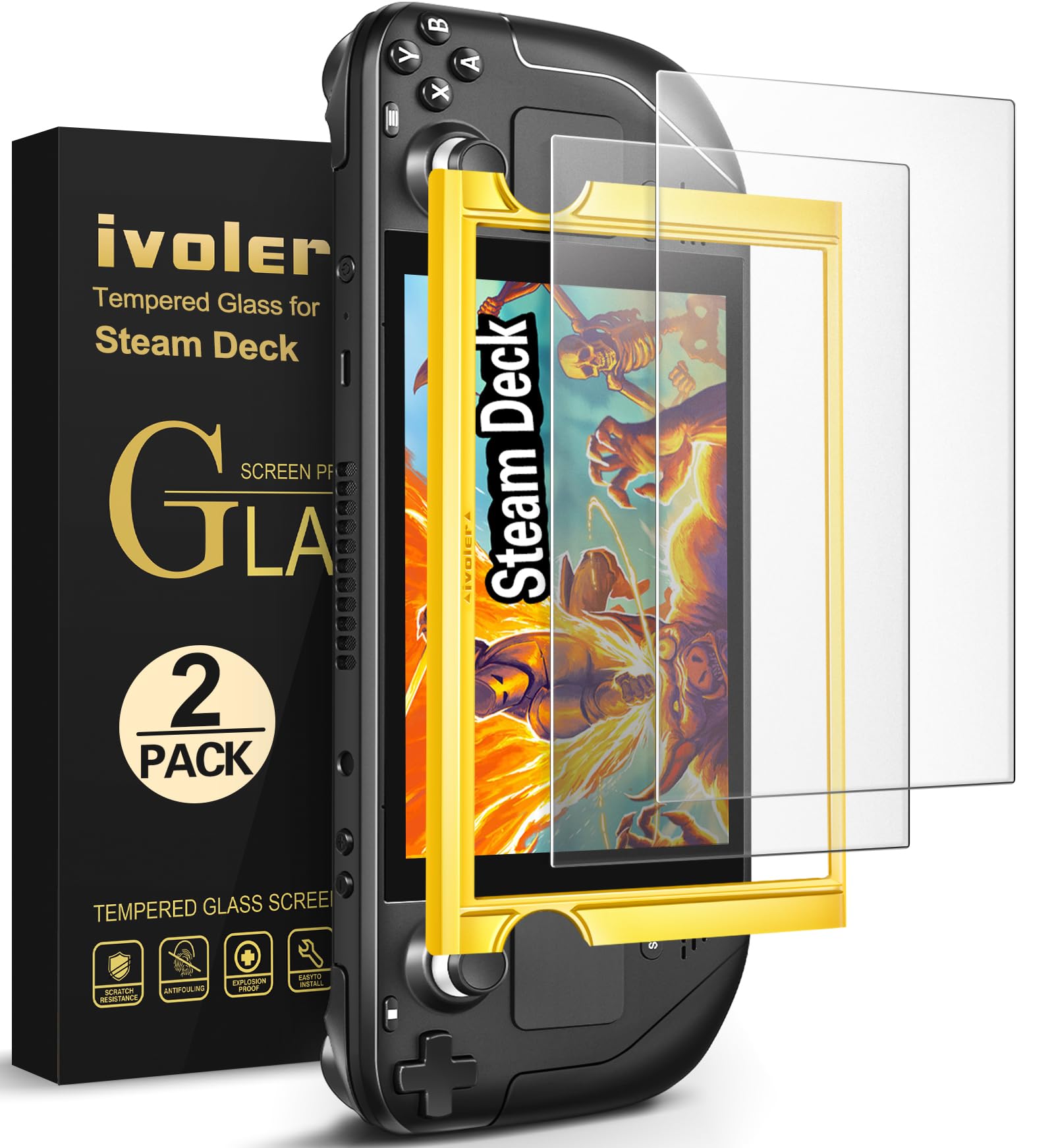
ivoler Matte 2-Pack

90 /100
Lab Score Outstanding

Key details

Finish
Matte
Pack Count
2
Touch Sensitivity
Adhesion & Bubbles
View on Amazon

Under $10 for two matte protectors with an alignment frame makes this the most affordable anti-glare option for Steam Deck owners. However, the product listing claims 99.9% clarity and lists glossy specifications, which contradicts the matte finish - this inconsistency raises questions about what you are actually getting. Additionally, there is little detailed information about clarity and touch sensitivity from actual use, so it is hard to confirm if this protector delivers the typical matte trade-off without noticeable issues.

Pros

  • Affordable matte option with anti-glare properties
  • Includes alignment frame for easier installation
  • Anti-fingerprint coating reduces smudges during gameplay

Cons

  • Conflicting product listing
  • Clarity performance is not well-documented, making it difficult to assess the trade-off between glare reduction and image sharpness
Our verdict

Best for budget-conscious buyers who prioritize anti-glare and are willing to accept uncertainties about clarity and listing accuracy.

Check Latest Price
9

Easiest Install

Spigen GlasTR EZ FIT

85 /100
Lab Score Excellent

Key details

Finish
Glossy
Pack Count
1
Touch Sensitivity
Adhesion & Bubbles
Corner adhesion issues
View on Amazon

The EZ FIT alignment tray makes installation nearly effortless — align, drop, press, and the protector settles without bubbles. This is the best alignment system available for the Steam Deck. However, Spigen includes only one protector at a premium price, and some units show adhesion issues at corners or attract dust during installation. The glass offers good scratch protection and fits well with Spigen cases. This product suits buyers who value a painless first installation and brand compatibility over getting a spare protector or a lower price.

💡 Clean the screen thoroughly before applying to reduce dust trapped under the glass.

Pros

  • EZ FIT auto-alignment tray removes guesswork from installation
  • Precision fit works with most cases, no lifting or overlap

Cons

  • Adhesion at corners and edges may fail in some cases, requiring a replacement
  • Dust and lint can get trapped under the glass during or after installation
Our verdict

Best for buyers who prioritize an effortless first installation over value or spare protectors, and who are willing to accept potential adhesion inconsistencies.

Check Latest Price
10

Max Anti-Glare

magglass Matte

85 /100
Lab Score Excellent

Key details

Finish
Matte
Pack Count
1
Touch Sensitivity
Adhesion & Bubbles
Bubble prone
View on Amazon

This matte protector cuts reflections more aggressively than any other option here — useful for outdoor play or brightly lit rooms where glare is the main enemy. The trade-off is immediate: text and fine details become noticeably blurred, and image quality takes a clear step back. Combined with a single protector at a premium price, the value proposition narrows to a specific niche: users who prioritize glare elimination over sharpness and don't mind a hazy display.

💡 Press firmly from the center outward during installation to reduce the chance of trapped bubbles.

Pros

  • Significantly reduces reflections in bright environments.
  • Installation process is straightforward for anyone familiar with screen protectors.
  • Provides solid scratch and drop protection for the display.

Cons

  • Screen sharpness takes a heavy hit; text and images appear blurry and soft.
  • Air bubbles can be persistent and difficult to push out during installation.
Our verdict

Best suited for outdoor gaming sessions where reflections dominate the experience, and sharpness is a secondary concern.

Check Latest Price

How to Choose

Glossy vs Matte Finish

Glossy protectors preserve the Steam Deck's native sharpness and color. They reflect light like the original screen, which can be distracting in bright rooms or outdoors.

Matte protectors use an etched surface to scatter light, reducing reflections. The trade-off is a visible soft blur on text and fine details. If you play graphically rich games, glossy keeps the image crisp; if you play near windows or outside, matte is more comfortable on the eyes.

Installation Method

Alignment trays or guide frames lock the protector in position before it touches the screen. They virtually eliminate misalignment, which is the most common cause of edge lift and bubbles.

Manual installation requires you to align by eye and drop the glass. Even one millimeter off can create a permanent gap. First-time installers benefit enormously from any alignment aid.

Pack Count

Two-packs and three-packs give you a spare for a botched first attempt or future replacement. A single protector that fails leaves you waiting days for a new one.

More protectors per pack increase value per unit, but often skip alignment frames to keep cost low. Decide whether you prefer a spare or a guaranteed first-install success.

Adhesion & Bubbles

Adhesion quality depends on the silicone adhesive layer. Some protectors have stronger edge adhesion that resists lifting, while others develop corner gaps within weeks.

Bubbles usually result from dust particles trapped beneath the glass – not from the glass itself. A protector with a strong adhesive layer can sometimes seal around small specks, but alignment tools reduce dust exposure during installation.

Touch Sensitivity

A tempered glass protector adds about 0.3mm of thickness. Most Steam Deck touch screens handle this fine, but some matte protectors or thicker glasses can delay touch detection.

If you rely on precise taps for strategy or rhythm games, choose a glossy protector with a thickness below 0.35mm and positive user feedback on touch response. Matte protectors often reduce sensitivity noticeably.

Frequently Asked Questions