11 Best Steam Deck Dock 2026: Reliable Docks That Actually Last

Which Steam Deck dock keeps working reliably for daily gaming and travel? This guide helps you avoid failure-prone models and pick the right one for your setup.

Many Steam Deck docks promise high-end specs but stop charging or lose HDMI signal within weeks. You might be tempted by a low price, but reliability varies dramatically between models.

This guide cuts through the marketing noise, focusing on real-world longevity and build quality. The right dock matches your use case: if you game daily, a stable stand and consistent power delivery matter more than 4K@120Hz.

Whether you need a full desktop setup or a compact travel companion, the options here balance performance with the durability to survive months of plugging and unplugging. No hype — just what works.

1

Best Overall

Anker 6-in-1 A83S1

88 /100
Lab Score Excellent

Key details

Ethernet
Gigabit
USB Ports
2xUSB-A,1xUSB-C 5Gbps
Build & Fit
Stable stand, case-tight
HDMI Output
4K@60Hz
View on Amazon

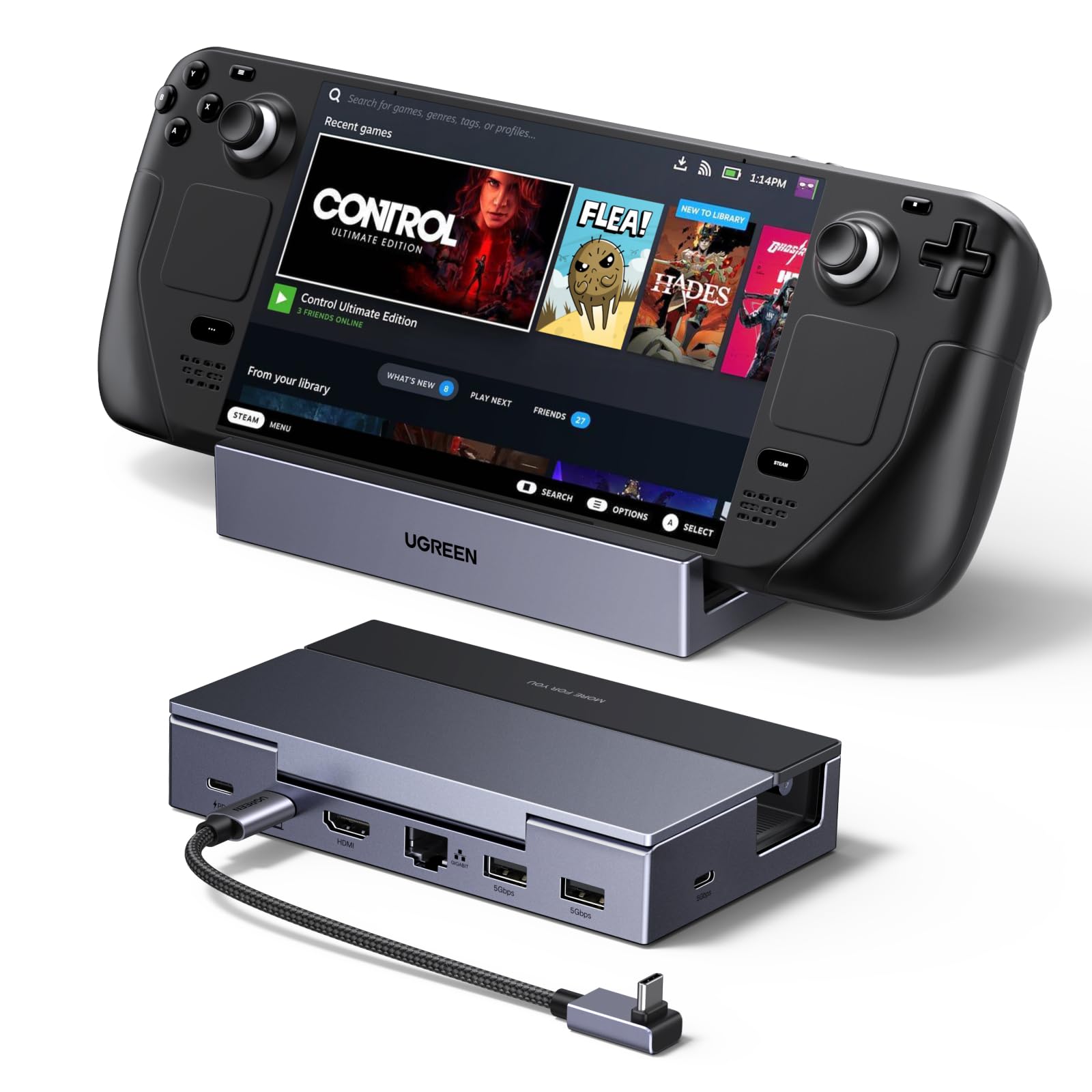
The Anker 6-in-1 dock delivers on the two things that matter most in a Steam Deck stand: a weighty, non-slip base that holds the device securely and a build that won't feel flimsy after a few weeks. The metal body and rubberized dock keep the Deck planted during intense gaming, and the 100W PD input ensures passthrough charging keeps up with demanding titles.

Out of the box, the dock works as expected — HDMI video at 4K@60Hz, Gigabit Ethernet for stable online play, and both USB-A and USB-C data ports read peripherals without hiccups. Most units continue this behavior for months. On rare occasions, the charging function may stop working while HDMI and USB remain active; this is a known possibility but not one that affects the majority of buyers. The dock’s overall consistency puts it ahead of cheaper alternatives that suffer from port failures early on.

This dock is best for first-time buyers who want a dependable, straightforward solution without paying a premium for the official Steam Dock. It also suits gamers who don’t use thick third‑party cases — the USB‑C connector can be tight with bulky protectors like the Killswitch. If you keep your Deck bare or use a slim skin, the fit is secure. The 4K@60Hz limit is a non-issue for the Steam Deck’s own display output, but anyone hoping to drive a 120Hz monitor will need to look at docks with HDMI 2.1 support.

💡 If you use a thick protective case, consider removing it or adding a short USB‑C extension cable to ensure a snug fit.

Pros

  • Heavy, stable stand keeps the Steam Deck firmly in place during play.
  • Same functionality as the official dock at roughly half the cost.
  • Reliable performance out of the box for the first several months of use.
  • Gigabit Ethernet port provides stable wired internet for online gaming.

Cons

  • Charging may stop working on a small number of units while other ports remain functional.
  • USB‑C connector can be too tight for thicker protective cases like the Killswitch.
  • HDMI output caps at 4K@60Hz, not suitable for high-refresh gaming monitors.
Our verdict

The Anker 6-in-1 is the most reliable budget dock for Steam Deck owners who want a simple, no-frills setup — just be aware of the occasional charging hiccup and check your case thickness before buying.

Check Latest Price
2

Best Value

B3 BIGTHREE 6-in-1

88 /100
Lab Score Excellent

Key details

Ethernet
Gigabit
USB Ports
3xUSB 3.0
Build & Fit
Heavy-duty metal, sturdy
HDMI Output
4K@60Hz
View on Amazon

The B3 BIGTHREE stands apart from the crowd with its heavy-duty metal construction that feels far more premium than its price suggests. Fast 100W charging keeps handhelds topped off during intense sessions, and the dock handles Steam Deck and ROG Ally without hiccups. While the slim alternative in this lineup offers slightly more consistent HDMI performance, the B3 matches it in build heft and charging speed, making it a close second for daily use.

This dock suits budget-conscious gamers who want a solid daily driver and aren't after flashy extras like card readers or RGB. The tradeoff: output is capped at 4K@60Hz, so it won't drive high-refresh monitors, and the HDMI port has been known to lose video output in some units after extended use. For those pairing it with a standard 60Hz display and prioritizing build quality above all else, the B3 delivers a stable, low-risk experience.

Pros

  • Heavy-duty metal construction keeps it stable and premium-feeling on any desk.
  • Performs comparably to pricier docks while staying budget-friendly.
  • Works seamlessly with Steam Deck and ROG Ally, delivering fast charging and no lag.

Cons

  • HDMI port may cease to output video after several months in some units.
  • Limited to 4K@60Hz
  • No built-in SD card reader, so transferring photos requires an extra adapter.
Our verdict

If you need a no-frills dock with real metal build and fast charging, and you're fine with 4K@60Hz and occasional HDMI variability, the B3 BIGTHREE is a strong budget pick that outperforms its price tag.

Check Latest Price
3

Most Versatile Port Selection

UGREEN 9-in-1 25869

88 /100
Lab Score Excellent

Key details

Ethernet
Gigabit
USB Ports
2x10Gbps,2xUSB2.0
Build & Fit
Foldable stand, padded
HDMI Output
4K@60Hz
View on Amazon

The UGREEN 9-in-1 puts a full set of high-speed ports in a travel-friendly package: two USB 3.2 Gen2 ports at 10Gbps, an SD/TF card reader, and a Gigabit Ethernet jack, all built into a foldable, padded stand that protects the device during transport. It pairs well with the top pick if you need more connectivity options on the go.

This dock is best for handheld owners who regularly transfer large files, use card-based media, or connect multiple peripherals. If your workflow depends on stable HDMI or Ethernet for hours-long sessions, note that a minority of units have shown intermittent video or network output after several months of use — a tradeoff to weigh against the port versatility.

At its mid-range price, the UGREEN delivers more ports than simpler docks, while the compact stand makes it a natural companion for travel. The main compromise is long-term port stability, which suits buyers who prioritize USB speed and card access over guaranteed HDMI longevity.

💡 If video or network drops, try re-seating the USB-C connection; a simple reset often restores function.

Pros

  • Two USB 3.2 Gen2 10Gbps ports for fast file transfers and peripheral connections.
  • Integrated SD and TF card reader eliminates need for a separate adapter.
  • Foldable, padded stand is easy to pack and protects the handheld from scratches.
  • Broad compatibility across Steam Deck, ROG Ally, Legion Go, and other USB-C devices.

Cons

  • HDMI or Ethernet output may become intermittent after extended use
  • Pass-through charging can stop working over time; occasional resets may be needed to restore power delivery.
Our verdict

Choose this dock if you need high-speed USB ports and a card reader in a travel-friendly form — just be aware that HDMI and Ethernet stability can vary between units.

Check Latest Price
4

Best for Dual Monitors

IAVKYU 7-in-1 AS0207

81 /100
Lab Score Excellent

Key details

Ethernet
Gigabit
USB Ports
3xUSB-A 5Gbps
Build & Fit
Aluminum, heavy
HDMI Output
Dual 4K@60Hz
View on Amazon

This dock stands out by offering both HDMI and DisplayPort outputs, enabling dual 4K@60Hz monitor setups from a single USB-C connection. Most docks max out at one video output, making this a versatile option for multi-monitor users. The build is solid and the price is mid-range — good value for the feature set.

It works well with Steam Deck, ROG Ally, Legion Go, and even MacBooks or iPads, providing Gigabit Ethernet and three USB 3.0 ports alongside 100W pass-through charging. The target buyer is someone who needs dual external monitors for gaming or productivity and doesn't require high refresh rates. However, in some cases, HDMI or USB connectivity may become intermittent after weeks of use — a consideration if absolute long-term consistency is a priority.

Setup is genuinely plug-and-play: connect the dock to your handheld, attach monitors and peripherals, and the desktop environment appears without driver installation. The metal construction gives it a reassuring weight on the desk, and the 100W power delivery keeps the Steam Deck charged during intense gaming sessions. For users who primarily need a card reader or faster USB speeds, the slimmer option in this set may be a better fit.

Pros

  • Dual video outputs (HDMI and DisplayPort) for multi-monitor flexibility.
  • Sturdy metal build with good value for the price.
  • Plug-and-play setup, works with Steam Deck, ROG Ally, and other USB-C devices.

Cons

  • HDMI or USB connectivity may become intermittent over time in some units.
Our verdict

This dock is a solid choice if you need dual 4K monitor support without spending premium money, with the understanding that long-term port reliability can vary.

Check Latest Price
5

Best Budget HDMI 2.1

WAVLINK 6-in-1 UHP3426

88 /100
Lab Score Excellent

Key details

Ethernet
Gigabit
USB Ports
2xUSB-A,1xUSB-C 10Gbps
Build & Fit
Shallow stand, thin case only
HDMI Output
4K@144Hz HDMI 2.1
View on Amazon

WAVLINK's dock delivers HDMI 2.1 and 4K at 144Hz at a price that undercuts most competitors — a rare combination for budget-focused Steam Deck owners. While the top pick in this roundup (Anker's 6-in-1) limits output to 4K@60Hz, this model supports high refresh rates for those with compatible displays. The tradeoff appears in the physical build: the stand is compact and lightweight, which makes it less stable for larger handhelds.

This dock suits Steam Deck users who prioritize high-refresh-rate output and want to keep spending low. The shallow stand works fine with a bare Deck or a thin protective skin, but thicker cases or devices like the Legion Go will not sit securely — the front lip is too short. Additionally, the included USB-C cable has been noted to degrade with repeated plugging, so this is best for a desk setup where the dock stays connected rather than daily travel.

Set up is genuinely plug-and-play: connect power, HDMI, and Ethernet, and the Deck recognizes everything immediately. The 100W PD passthrough keeps the device charged during long sessions, and the 10Gbps USB ports handle fast storage or wired controllers without delay.

💡 For best cable longevity, consider minimizing disconnections and storing the dock in a fixed position.

Pros

  • HDMI 2.1 delivers 4K at 144Hz for compatible displays
  • Plug-and-play setup works with multiple peripherals, turning the Deck into a desktop-like station.
  • Cost-effective way to add Gigabit Ethernet and fast USB 3.2 Gen2 ports to the Steam Deck.

Cons

  • For owners of bulkier handhelds like the Legion Go, the shallow stand may not hold the device securely.
  • The included cable may wear out after several months of regular use, leading to intermittent power or video.
Our verdict

If 4K@120Hz on the cheap is your priority and you don't plan to move the dock often, this WAVLINK model delivers — just be prepared for a tighter fit and a cable that may need replacement down the line.

Check Latest Price
6

Best for Portability

Baseus 6-in-1

87 /100
Lab Score Excellent

Key details

Ethernet
Gigabit
USB Ports
3xUSB-A 3.0
Build & Fit
Adjustable foldable stand
HDMI Output
4K@60Hz
View on Amazon

The stand here folds completely flat, making it the most portable option among mid-range docks. The adjustable angle supports devices in protective cases, which many docks struggle with, and the metal hinge feels secure enough for daily use.

Compatibility is broad — Steam Deck, ROG Ally, Lenovo Legion Go, and Samsung DeX all work without extra configuration. The 4K@60Hz HDMI output looks clean on monitors and TVs, and the three USB-A 3.0 ports handle peripherals well. Some units may lose HDMI output after a few weeks, and charging can become intermittent in occasional cases. These are not universal problems, but they are worth noting.

This dock makes sense for gamers who need a travel-friendly setup and use protective cases that add bulk. If you plan to leave the dock plugged in as a permanent desktop hub, the top pick’s more consistent long-term track record may be a better fit.

💡 Test HDMI output and charging soon after purchase to confirm your unit is fully functional.

Pros

  • Adjustable stand folds flat for travel, fits devices with thick cases
  • Works with Steam Deck, ROG Ally, Legion Go, and Samsung DeX
  • Offers all essential ports at a lower price than the official dock

Cons

  • HDMI output can stop working after a few weeks in some units
  • Charging may become inconsistent, with some units no longer delivering power
Our verdict

A solid mid-range dock for travelers and case-heavy users, with a small quality control risk that makes it a runner-up to the more reliable top pick.

Check Latest Price
7

Detachable Cable

UGREEN 6-in-1 75126

87 /100
Lab Score Excellent

Key details

Ethernet
Gigabit
USB Ports
2xUSB-A,1xUSB-C 5Gbps
Build & Fit
Detachable cable, foldable
HDMI Output
4K@120Hz HDMI 2.1
View on Amazon

The UGREEN dock's detachable USB-C cable is a practical design choice - easy to replace or pack. The aluminum stand holds the handheld securely without blocking airflow, and the HDMI 2.1 port supports VRR for smoother gameplay on compatible devices. However, the advertised 4K@120Hz output is not achievable on most Steam Decks (the hardware caps at 60Hz over HDMI), so the headline spec is misleading for this use case. A minority of units have also exhibited charging interruptions, though the overall build quality is above average for the price.

💡 Pairing with a high-quality 100W PD charger helps maintain consistent pass-through power delivery.

Pros

  • Detachable USB-C cable simplifies replacement and travel setup.
  • Foldable stand keeps the device stable without blocking vents.
  • HDMI 2.1 with VRR support reduces screen tearing on compatible displays.

Cons

  • Advertised 4K@120Hz is not achievable on most Steam Decks due to hardware limits.
  • Charging may stop intermittently on a small number of units.
Our verdict

Best suited for buyers who want a modular dock with VRR and primarily use it with devices that can actually output 4K@120Hz - not the ideal choice for a Steam Deck-only setup.

Check Latest Price
8

Case-Friendly

MEPATEM 6-in-1

88 /100
Lab Score Excellent

Key details

Ethernet
Gigabit
USB Ports
3xUSB-A 3.0
Build & Fit
Extra-wide groove for cases
HDMI Output
4K@60Hz
View on Amazon

Designed specifically for Steam Deck owners who use thick protective cases, this dock's extra-wide groove accommodates cases up to 4mm without removal. The dual rotating shafts allow you to adjust the viewing angle freely, which is handy for tabletop gaming in different positions. It covers the essential ports: 4K@60Hz HDMI, Gigabit Ethernet, three USB-A 3.0 ports, and 100W PD pass-through charging. However, because the product is relatively new on the market, its long-term durability under regular connection cycles hasn't been established — a consideration for those who want a dock that will hold up for years without issues.

Pros

  • Extra-wide groove accepts thick cases up to 4mm
  • Dual rotating shafts provide flexible viewing angles

Cons

  • Long-term reliability is unconfirmed
Our verdict

For the specific buyer who needs case compatibility above all else and is willing to accept some uncertainty about long-term durability, this dock fits that niche.

Check Latest Price
9

Extreme Budget

BENFEI 6-in-1

84 /100
Lab Score Excellent

Key details

Ethernet
Gigabit
USB Ports
2xUSB-A 3.0,1xUSB-C
Build & Fit
All-aluminum stand
HDMI Output
4K@60Hz
View on Amazon

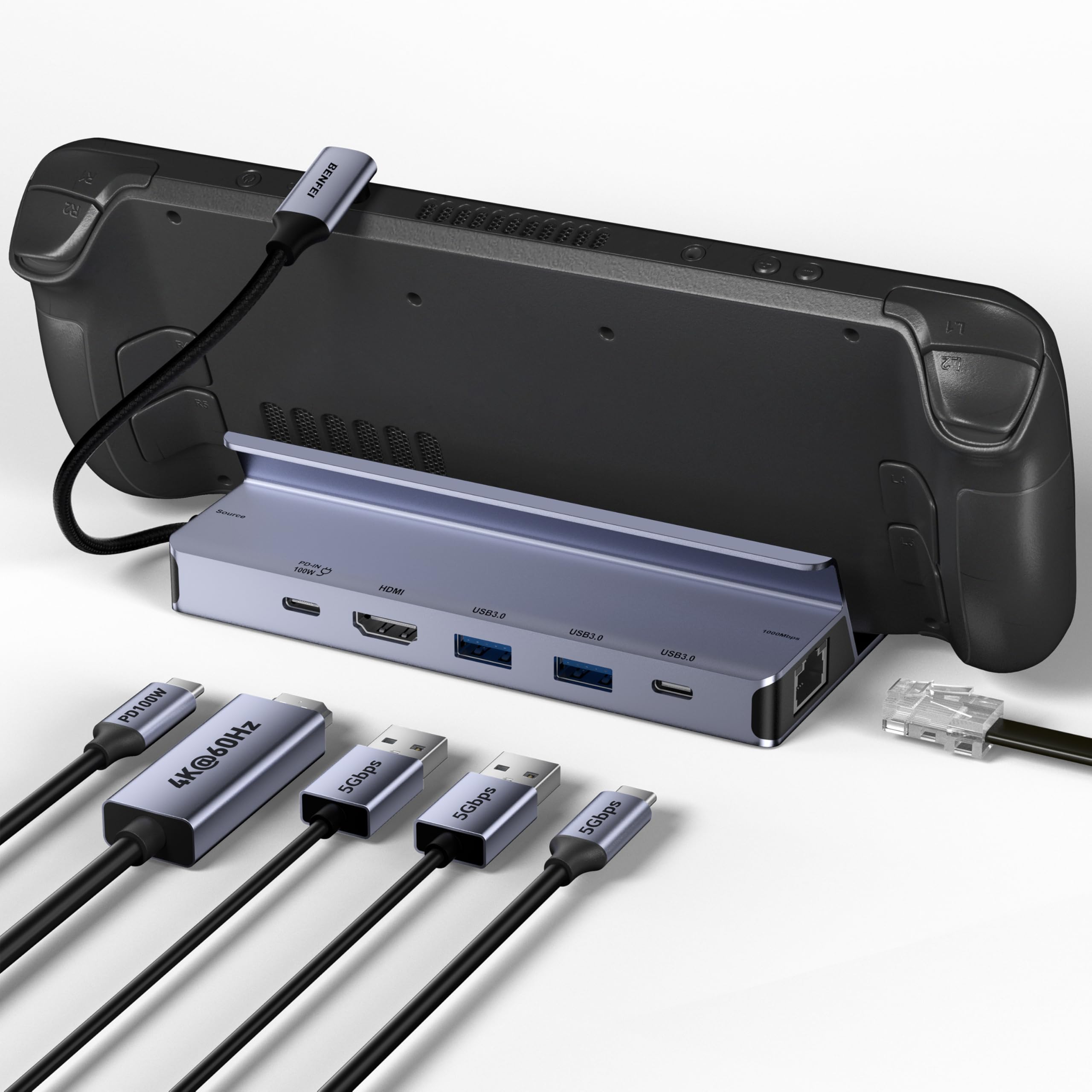
The BENFEI 6-in-1 dock delivers a full set of connections – HDMI 4K@60Hz, Gigabit Ethernet, two USB 3.0 ports, and 100W pass-through charging – in an all-aluminum stand that holds the Steam Deck securely. Its price is the lowest among credible options, making it an attractive entry-level choice.

What remains unclear is the dock's consistency over extended use. With limited user experiences to draw from, the long-term durability is an open question. This makes it a fit for budget-first buyers who are comfortable with some performance uncertainty, but less suited for those who need a proven daily driver.

Pros

  • All-aluminum stand with silicone pads for secure grip and vent clearance
  • Very low price for a 6-in-1 dock

Cons

  • Long-term dependability under daily use has not been established
Our verdict

This dock is best suited for budget-conscious buyers who prioritize low upfront cost over long-term track record.

Check Latest Price
10

Power Users RGB

iVANKY 14-in-1 RGB

85 /100
Lab Score Excellent

Key details

Ethernet
Gigabit
USB Ports
2x10Gbps,2x5Gbps,USB-C
Build & Fit
Foldable RGB stand
HDMI Output
4K@120Hz
View on Amazon

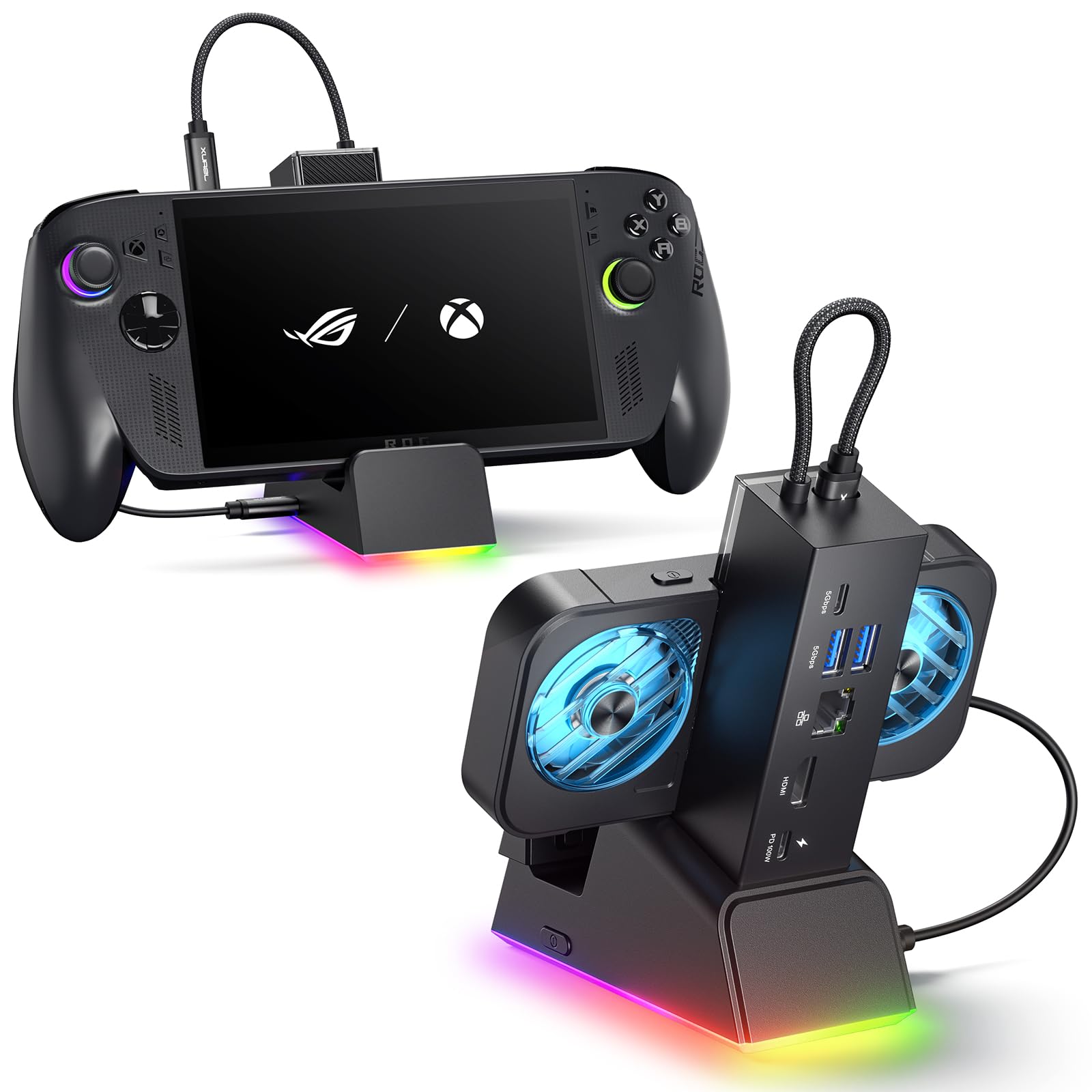
The iVANKY 14-in-1 packs an impressive array of ports: dual 10Gbps USB-A, two more at 5Gbps, USB-C, HDMI 2.1 at 4K@120Hz, Gigabit Ethernet, SD/TF slots, and a 3.5mm audio jack, all in a folding stand with RGB lighting. However, the high port count comes with tradeoffs: the HDMI output can sometimes be finicky to establish a stable connection, and the pass-through charging may trigger a slow charging warning on some handhelds even with a 100W adapter. These inconsistencies prevent it from being a top recommendation for those who need every connection to work flawlessly every time. For power users who value port variety and are willing to accept occasional connection quirks, the iVANKY offers a feature set few others match.

Pros

  • Abundant port selection with dual 10Gbps USB-A for fast data transfers
  • Premium build quality with sleek RGB lighting adds visual appeal
  • Sharp 4K@144Hz video output when used with compatible devices

Cons

  • In some cases, the dock may show a slow charging notification even with a 100W power adapter
  • The HDMI port can require re-plugging to establish a stable video connection
Our verdict

Ideal for users who want the most ports and RGB lighting in a single dock and can tolerate occasional video or charging quirks.

Check Latest Price
11

Active Cooling

YCE 12-in-1 V262B

83 /100
Lab Score Excellent

Key details

Ethernet
Gigabit
USB Ports
3xUSB3.0,3xUSB2.0,Type-C 40Gbps
Build & Fit
Aluminum with cooling fans
HDMI Output
4K@60Hz
View on Amazon

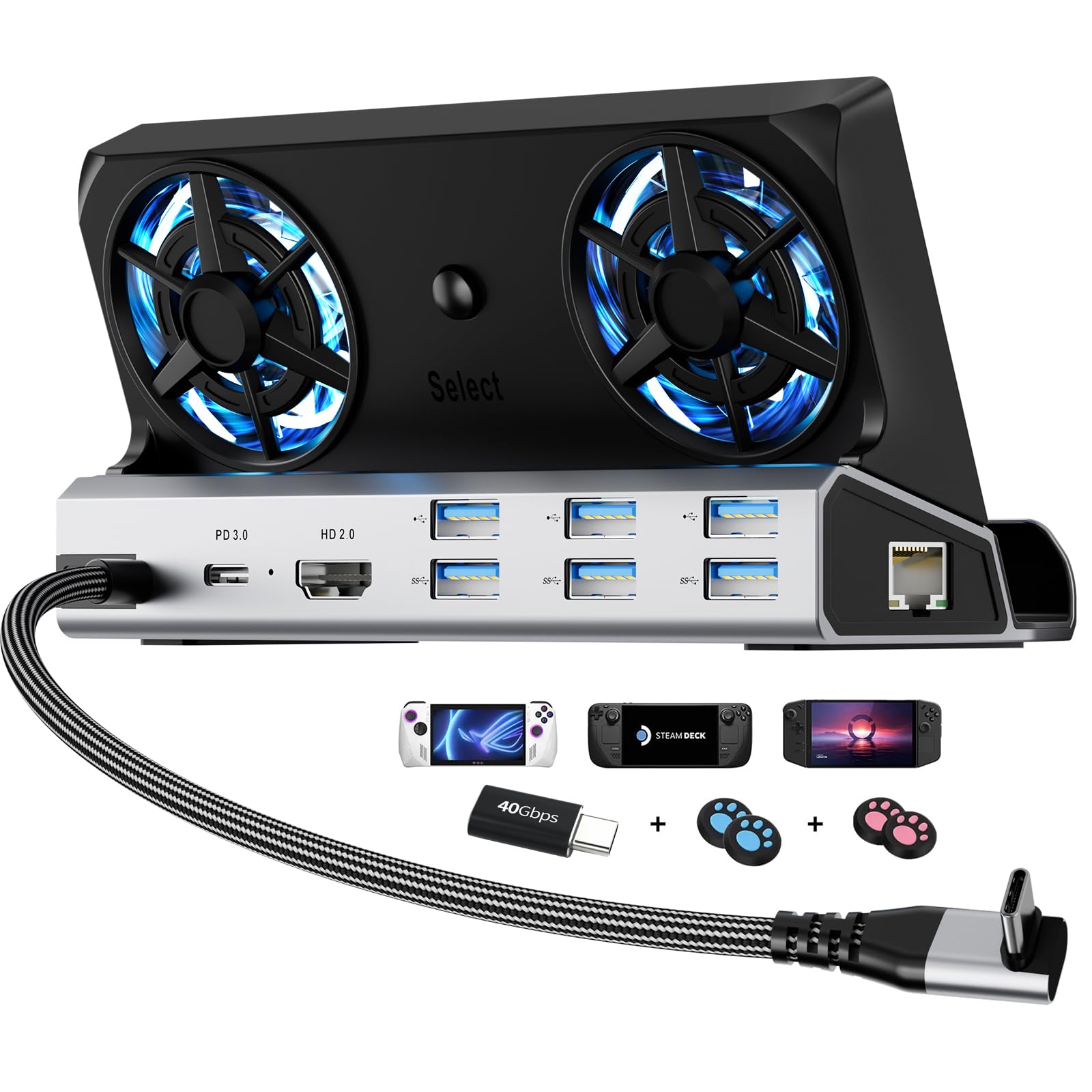
The YCE 12-in-1 dock stands out with active RGB cooling fans that help prevent thermal throttling during extended gaming sessions, making it a good match for Steam Deck and ROG Ally owners who prioritize heat management. However, the tray does not securely hold Legion Go devices, and the dock does not provide power to Nintendo Switch 2, limiting its appeal beyond those two handhelds.

Pros

  • Built-in fans actively cool your handheld during long gaming sessions, reducing thermal throttling.
  • Sturdy aluminum construction with premium feel and no visible screws.

Cons

  • Incompatible with Nintendo Switch 2
  • Fitment issues with Legion Go: the rubber grip slides out and the unit does not sit securely.
Our verdict

Best suited for Steam Deck and ROG Ally gamers who want active cooling and accept the device-specific fit constraints.

Check Latest Price

How to Choose

HDMI Resolution and Refresh Rate

Many budget docks advertise 4K@120Hz, but the Steam Deck's USB-C port is limited to 4K@60Hz over HDMI in most cases. True 4K@120Hz requires HDMI 2.1 with DisplayPort alt mode and DSC, which only a handful of devices (like the Steam Deck OLED) support.

If you mostly game on a 60Hz monitor, paying extra for 120Hz is wasted. Focus on a stable 4K@60Hz connection rather than chasing a number you'll never see.

Number and Speed of USB Ports

USB 2.0 ports (480Mbps) are fine for a mouse and keyboard, but external SSDs or high-polling-rate mice need USB 3.0 (5Gbps) or faster. Docks with USB 2.0 ports will bottleneck any data-heavy accessory, causing slow file transfers and input lag.

If you plan to plug in an external drive or use a 1000Hz gaming mouse, make sure the dock offers at least USB 3.0 or USB 3.2 Gen2 (10Gbps).

Ethernet Port Speed

Gigabit Ethernet (1000Mbps) is standard, but some budget docks use a 100Mbps controller. That cap throttles downloads and online gaming, especially with modern game file sizes. Always check the spec sheet — 100Mbps is a red flag for anything beyond casual browsing.

Power Delivery Wattage

The Steam Deck uses a 45W charger, so a dock with 100W PD passthrough is more than enough. The risk is inconsistent power delivery: some docks stop charging the Deck after a few weeks due to a failing PD controller. This doesn't damage the device, but it forces you to unplug the dock and charge directly.

Look for docks with solid reputations for maintaining power delivery over time — the PD controller's reliability matters more than raw wattage.

Build Quality and Case Fit

A dock's stand must hold the Steam Deck securely without wobbling. Metal construction adds weight and stability, while plastic stands can flex. More importantly, many docks don't fit devices with thick protective cases (like the Killswitch). Check if the dock's groove is wide enough or if it includes adjustable arms.

If you use a case, look for docks that explicitly mention case compatibility or have an adjustable stand.

Frequently Asked Questions