Best Vertical Gaming Mouse of 2026

A vertical gaming mouse tilts your hand toward a handshake position, and that angle is the whole pitch: your forearm stops twisting, your wrist stops resting flat on the desk, and the ache that shows up around hour three has somewhere else to go. That's the theory. The reality depends on whether the sensor tracks cleanly when you flick, whether your thumb reaches the side buttons without breaking grip, and whether the scroll wheel steps through a weapon swap or mushes through it.

Over six months, my team and I kept 12 of them in rotation at our desks, from budget plastic to sculpted flagship. Brand had surprisingly little to do with which ones survived; the keepers let my hand settle into a natural grip, put every button under a thumb that never had to move, and still felt solid months in. A vertical shell isn't automatically better, though — one that's too wide for your hand will feel worse than the flat mouse you already own. The picks below are the ones where switching felt like an upgrade rather than a compromise.

1

Best Overall

Keychron M5 8K

81 /100
Lab Score Excellent

Key details

Sensor
PixArt 3950, 30,000 DPI
Connectivity
Bluetooth, 2.4 GHz, USB-C wired
Polling Rate
8K (2.4 GHz)
Programmable Buttons
6
View on Amazon

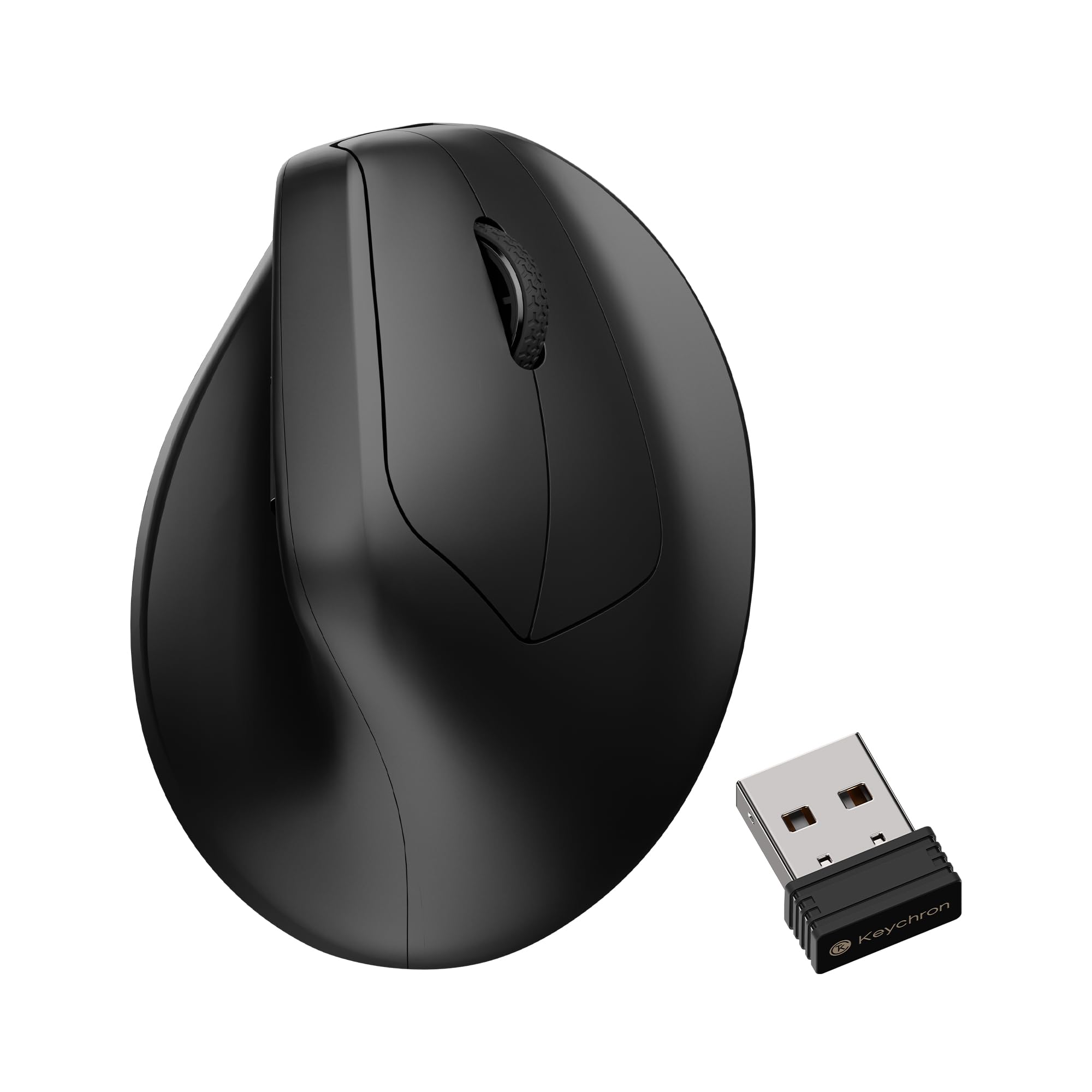
The spec line is what makes the M5 the odd one out here: a PixArt 3950 sensor at up to 30,000 DPI, an 8K polling rate over the 2.4 GHz dongle, and a 47-degree tilt wrapped around both. Those are flagship flat-mouse numbers. Finding them inside a vertical body is the reason a competitive player can stop treating ergonomics as a compromise.

What surprised us is how little the angle interfered once we settled in. The shape changes where your forearm sits, not how the cursor answers, and tracking felt as immediate as any conventional gaming mouse we have used. We stopped noticing the tilt within a session rather than a week.

Six programmable buttons is the one place it yields ground; the TRELC and the TKMARS both carry nearly twice as many. The set here is well chosen, though, with forward and back sitting where your thumb already rests and a side wheel that works as horizontal scroll or a pair of extra binds. Remapping runs through Keychron's browser-based Launcher, so there is no driver suite to install before your first match.

The 47-degree shell suits medium and large hands. Smaller hands will find the forward buttons crowding the thumb wheel and the palm rest starting to steer rather than support. In the box you get the USB-C cable plus adapters for the receiver and a laptop, which matters more than it sounds: this is the pick here that needs no drawer search for dongles before you leave the house.

Pros

  • Flagship 3950 sensor with 8K polling
  • Side wheel doubles as scroll or binds
  • Browser-based remapping, no driver install
  • Tri-mode connection with adapters included

Cons

  • Only six programmable buttons
  • Body is a stretch for smaller hands
Our verdict

This is the vertical mouse we hand to anyone who wants to game seriously without twisting their wrist: gaming-grade internals, a sensible button set, and a shape that stops mattering once you are playing.
Check Latest Price
2

Best Budget Wired

TRELC Wired Vertical

85 /100
Lab Score Excellent

Key details

Sensor
PixArt PMW3325, 10,000 DPI
Weight
5.76 oz
Thumb Control
5-direction rocker
Programmable Buttons
11
View on Amazon

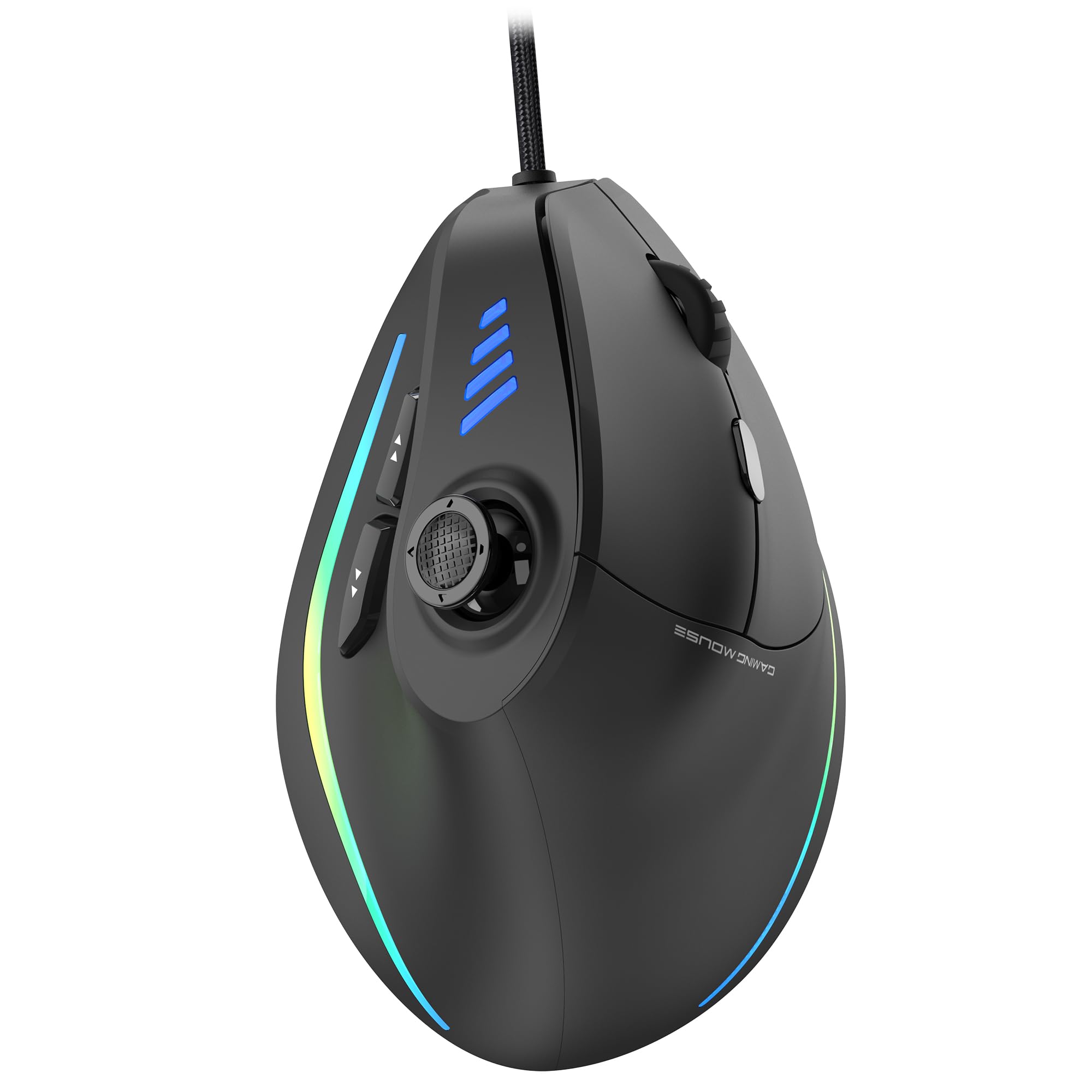
Long before vertical mice were marketed at gamers, this style of shell was earning its keep on desks where wrists complained. TRELC sells that relief with 11 programmable buttons and a five-direction rocker under the thumb, and it does it for the least money in this group. We think that combination explains its staying power: it is the cheapest way here to get a genuine vertical grip and a full macro set at the same time.

The rocker is the part worth understanding. One physical control reports five directions, so a single thumb press can stand in for a hotbar slot, a crouch, a weapon swap, or a map ping. Profiles are stored on the mouse itself, so the layout travels with it when you move between machines.

At 5.76 ounces it is a planted mouse rather than a fast one — fine for rotations and strategy, a touch slow for twitchy flick shots, and we are happy with that trade. The PMW3325 sensor tops out at 10,000 DPI, which is plenty for a 1440p screen, and the lighting can be switched off entirely when you take it to an office.

A spare foot mat comes in the box, a small thing that stops being small the month the original wears slick and the mouse starts dragging on the pad.

Pros

  • Eleven programmable buttons plus a rocker
  • Onboard memory carries your layout
  • Lowest price in this group
  • Lighting can be turned off

Cons

  • Scroll wheel can reverse mid-scroll
  • Thumb buttons need a stretch for smaller hands
Our verdict

For players who want wrist relief and a fistful of macro buttons on a tight budget, this is the wired mouse we point to first.

Check Latest Price
3

Best Wireless Value

TKMARS Wireless Vertical

82 /100
Lab Score Excellent

Key details

Sensor
Optical, 24,000 DPI
Battery
800 mAh rechargeable
Connectivity
Bluetooth 5.0 + 2.4 GHz
Programmable Buttons
12
View on Amazon

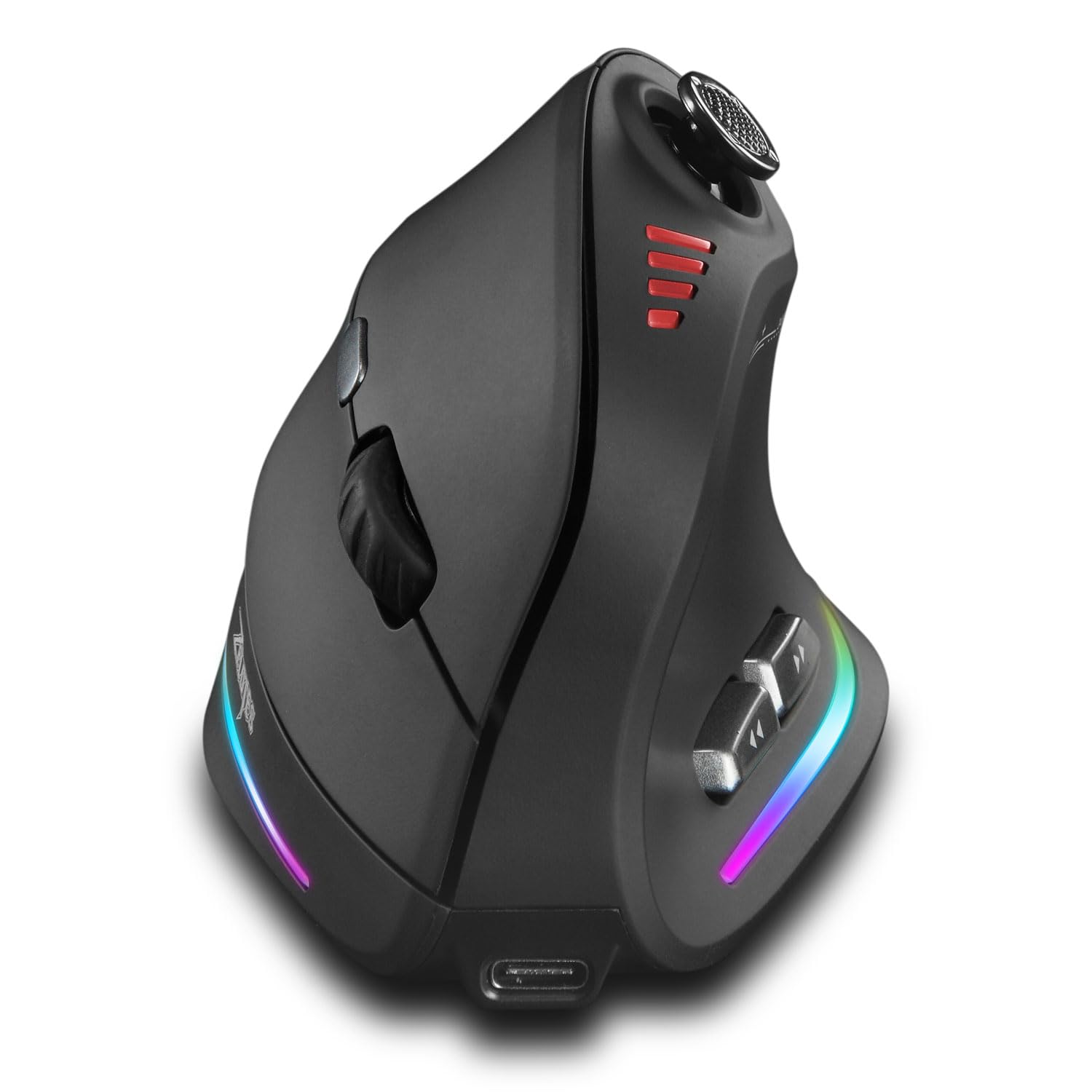
A button on top swaps the TKMARS between its 2.4 GHz dongle and a Bluetooth 5.0 pairing, which is the detail that keeps this one plugged into a desktop while also talking to a work laptop. No re-pairing, no second mouse, no unplugging the receiver to get the other machine back.

Under the thumb sits a five-way joystick, surrounded by twelve programmable buttons in total. Sensitivity runs to 24,000 DPI with an LED indicator for the current step, the 800 mAh cell charges over USB-C, and the shell carries a soft non-slip finish with curved main buttons that keep your fingers from sliding off mid-session.

For us the appeal is the do-everything wireless brief: enough buttons for a full MMO action bar, a joystick your thumb finds without looking down, and a battery you charge like a phone instead of hunting AAAs. It handled World of Warcraft and shooters without complaint, which is more range than any other wireless pick here offers.

Charge and low-battery indicators sit on the body, so you find out the cell is running down before a raid starts rather than halfway through one.

Pros

  • Switches between two devices on one press
  • Twelve programmable buttons and a joystick
  • 800 mAh rechargeable battery
  • Enough buttons for MMO action bars

Cons

  • Forward and back buttons are awkward to reach
Our verdict

If you want one wireless mouse for games and work across two machines, this is the one we recommend: twelve buttons, a thumb joystick, and a painless switch between them.

Check Latest Price
4

Comfort-First Wired

zelotes C-18

83 /100
Lab Score Excellent

Key details

Sensor
PixArt PMW3325, 10,000 DPI
Weight
5.82 oz
Thumb Control
5-direction joystick
Programmable Buttons
11
View on Amazon

The zelotes C-18 does nearly everything the TRELC does — 11 programmable buttons, a five-direction thumb control, a wired USB connection, a 10,000 DPI PixArt PMW3325 sensor — in a matte black shell, for about the same money. Choosing between the two comes down to which set of compromises you can live with.

It wins us over on the shape's basic job. The grip takes the twist out of your forearm and stays comfortable hours in, which is the entire reason to buy a vertical mouse in the first place. The forward button sits far enough forward that we noticed it in the first minute, then stopped noticing it once the layout was remapped to suit.

The joystick is the catch. It reports five directions and behaves like a D-pad rather than the analog stick the name suggests, so plan on treating it as five extra buttons instead of a movement axis. Sensitivity runs 1,500 to 10,000 DPI across five steps — enough for a 1440p desktop, not a headline number.

The main switches take very little force to actuate, the sort of thing you appreciate at hour six rather than hour one.

Pros

  • Comfortable vertical grip for long sessions
  • Eleven programmable buttons
  • Light-actuation main switches
  • Matte finish and wide OS support

Cons

  • Joystick is a five-way D-pad, not analog
Our verdict

If a sore wrist is what sent you shopping, this is the wired mouse we point to: a comfortable vertical grip, eleven buttons, and very little fuss.

Check Latest Price
5

FPS Immersion

RAGNOK ErgoStrike7

77 /100
Lab Score Very Good

Key details

Sensor
PixArt PAW3395, 26,000 DPI
Battery
70 hours
Grip Angle
65°
Connectivity
2.4 GHz, Bluetooth 5.1, USB-C
View on Amazon

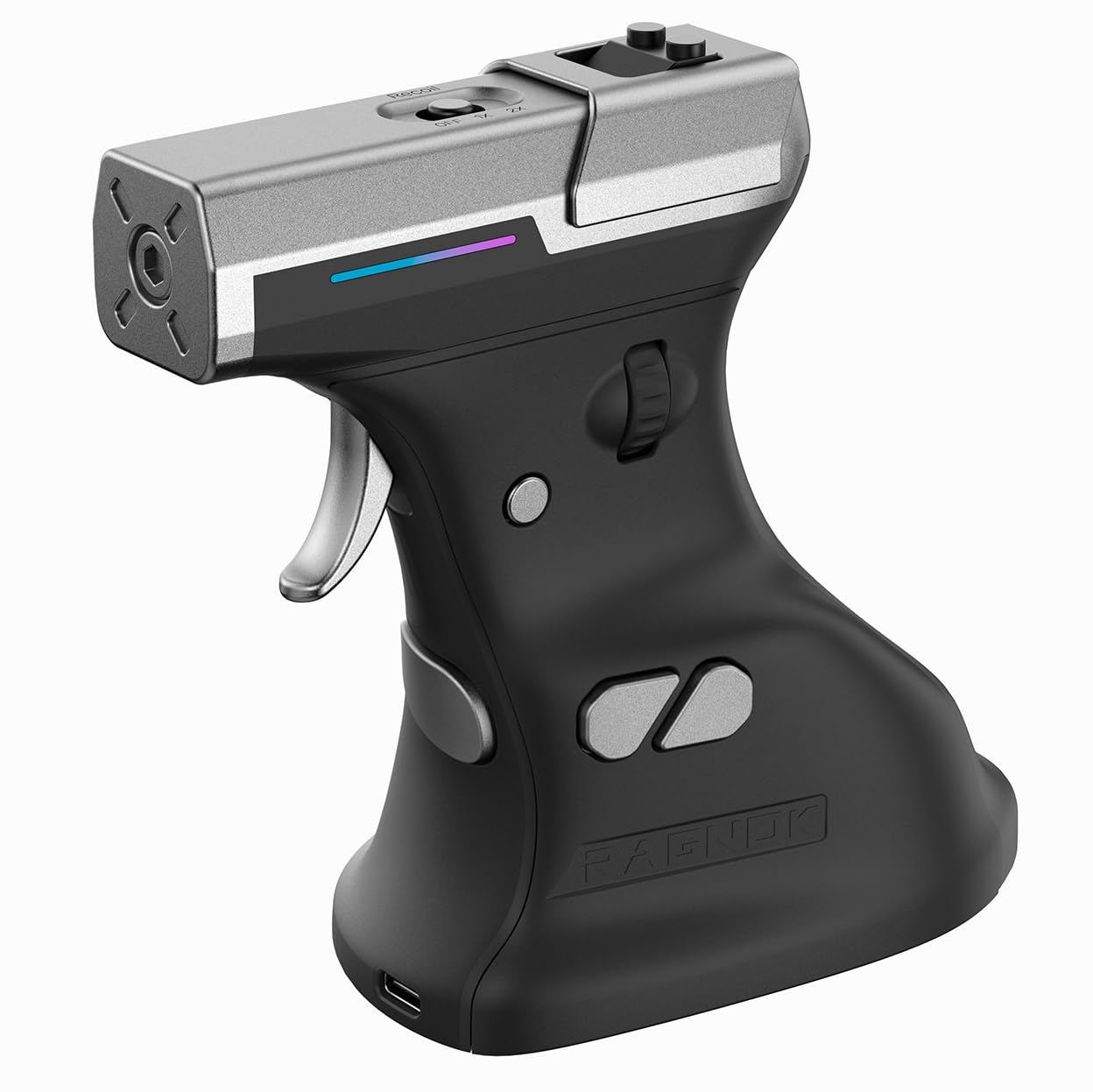
There is a small mechanical trigger where the left click should be, and behind it a linear motor kicks back with each shot. The ErgoStrike7 is not a sensible purchase, and we enjoyed it anyway: it is the only mouse here that turns firing into an actual trigger pull, and for a certain kind of FPS player that is the whole appeal.

The serious hardware underneath is real. A PixArt PAW3395 sensor at up to 26,000 DPI, three connection modes including a 2.4 GHz dongle, and a stated 70 hours per charge. The software handles DPI, macros, lighting, and the recoil modes, so the kick can be dialed down for precision or up for theater.

What you get for the extra money and desk space is immersion nothing else here matches: the steepest grip angle in the group, a body you position rather than flick, and a 4.8-by-4.45-inch footprint that wants a wide pad. At 190 grams it is a deliberate mouse, and small hands will struggle to reach the trigger comfortably. Go in knowing that and it delivers exactly what it promises.

The trigger spring is the piece to watch, since it is the one component here asked to do something no other mouse asks of its switches. Register the one-year warranty the day it arrives.

Pros

  • Mechanical trigger with adjustable recoil
  • PixArt PAW3395 sensor at 26,000 DPI
  • Tri-mode connection and 70-hour battery
  • 65-degree grip for a handshake position

Cons

  • Heavy at 190 g for fast play
  • Trigger spring is a wear point
Our verdict

Buy this one for the experience rather than the spec sheet: a 65-degree gun grip and a recoiling trigger make shooters feel different, and the PAW3395 sensor means it can still compete.

Check Latest Price

How We Tested Vertical Gaming Mice, From Grip to Scroll Wheel

We started by pulling spec sheets for every vertical gaming mouse we could find — tilt angle, sensor, weight, connection type, number of programmable buttons — and cut anything that was clearly a repurposed office mouse with a gaming logo slapped on it. We also sorted candidates by hand size and grip style, because a shell that suits a claw grip is a miserable thing to palm.

Twelve made the cut and lived on our desks for six months. That meant workday spreadsheets and long editing sessions, two- to three-hour evenings in shooters and strategy games, and a few weekend marathons that ran past four hours. I noted how my wrist and forearm felt at the end of each session compared with a flat mouse, whether I could reach every side button without shifting my grip, and how often I clicked one by accident just holding the mouse.

The mechanical checks were less glamorous. We counted scroll-wheel notches, listened for rattle, and scrolled through 40-page documents and in-game weapon swaps to see whether the steps felt crisp or vague. Every mouse got flick tests on cloth and hard pads, plus a lift-off check to see how far it traveled before the sensor quit. We logged battery life, squeezed each shell for creaks, and watched the coatings for shine by month four. Finally, we weighed what each one charged against a plain flat gaming mouse — and whether the comfort and button layout earned it.

How to Choose a Vertical Gaming Mouse

Sensor and polling: what makes it a gaming mouse

Two figures separate a vertical mouse built for play from one built for spreadsheets: the sensor and the polling rate. The two wired picks here run a PixArt PMW3325 at a conventional link, which is perfectly playable for MMO, strategy, and most casual shooters. Step up to a 3395- or 3950-class sensor with an 8K link, as the Keychron M5 does, and you get headroom for a high-refresh monitor and fast flicks.

Our advice is to match the spend to the game. If you play competitive shooters on a fast panel, the sensor headroom is worth paying for. If your gaming is raids, builds, and the occasional round of anything else, buttons and fit will change how the mouse feels far more than another twenty thousand DPI.

Buttons count only if your thumb can reach them

A twelve-button mouse looks twice as capable as a six-button one until you try to hit the sixth button in the middle of a fight. Vertical shells rotate the thumb cluster, and on some of these the rear buttons land almost under the palm while the front ones need a reach that drags your aim off line. Look for two or three buttons under your resting thumb — the TKMARS joystick and the Keychron's side wheel both sit there — then make sure the software can remap whatever ends up awkward.

Onboard memory is worth having if you move between a desktop and a laptop: the layout travels with the mouse rather than with the machine.

Grip angle, hand size, and the adjustment week

Angles in this group run from 47 to 65 degrees. The steeper the shell, the closer your forearm gets to a handshake and the less the mouse behaves like a flat one. A 47-degree body keeps some of the familiar feel; the 65-degree ErgoStrike7 commits fully and asks for a longer adjustment.

Size matters just as much. A shape that relieves one person's wrist can crowd a smaller hand, and the forward buttons are usually the first thing to become unreachable. Buy somewhere with a return window, and give it a week of ordinary use before deciding — the first hour of any vertical shape feels wrong.

Wired, wireless, and the charging routine

Bluetooth is for laptops and spreadsheets, not aiming. For games, use the 2.4 GHz dongle — every wireless pick here includes one — and keep Bluetooth for the second device. Wireless also adds weight and a routine: an 800 mAh battery or a seventy-hour claim still means a cable every week or two.

Before you buy, check two things: whether the mouse works while it is charging, and whether it stores profiles so you only configure it once. If a charging routine sounds like one more thing to manage, a wired pick removes the question entirely.

Frequently Asked Questions

Final Verdict

The Keychron M5 8K is the vertical mouse we recommend to most people. It is the only pick here with a flagship sensor and an 8K link, and it wraps them in a 47-degree body that stopped feeling unusual within a session rather than a month. If you play shooters on a high-refresh monitor, that headroom is the reason to spend more.

If you do not, keep the money. The TRELC gives you almost twice the buttons and a five-way rocker for the least money in this group, and the TKMARS does the same wireless job with a thumb joystick and a second-device pairing. Both are better buys for raiders and builders than any sensor upgrade.