5 Best Vertical GPU Mount of 2026: Mounts That Actually Fit Your Case

Which vertical GPU mounts fit your case without mods, and which ones waste your time? Direct picks for gamers.

Vertical GPU mounting looks great in demo builds, but many brackets end up incompatible or leave your GPU tilted. The difference between a clean showcase and a headache comes down to PCIe slot count, cable length, and adjustability — not the brand sticker.

This guide cuts through the marketing noise to focus on what actually matters in day-to-day use. The real trade-off isn't between Lian Li and Cooler Master — it's between future-proofing with PCIe 5.0 and tool-less repositioning that lets you slide your GPU side to side.

Ignore compatibility specs and you risk buying a bracket that won't fit your case or leaves a heavy card sagging. The right pick handles heavy GPUs securely and positions airflow exactly where you need it.

1

Best Overall

Lian Li VG4v4

85 /100
Lab Score Excellent

Key details

PCIe Generation
5.0
Case Compatibility
7+ PCIe slots
Riser Cable Length
200mm
View on Amazon

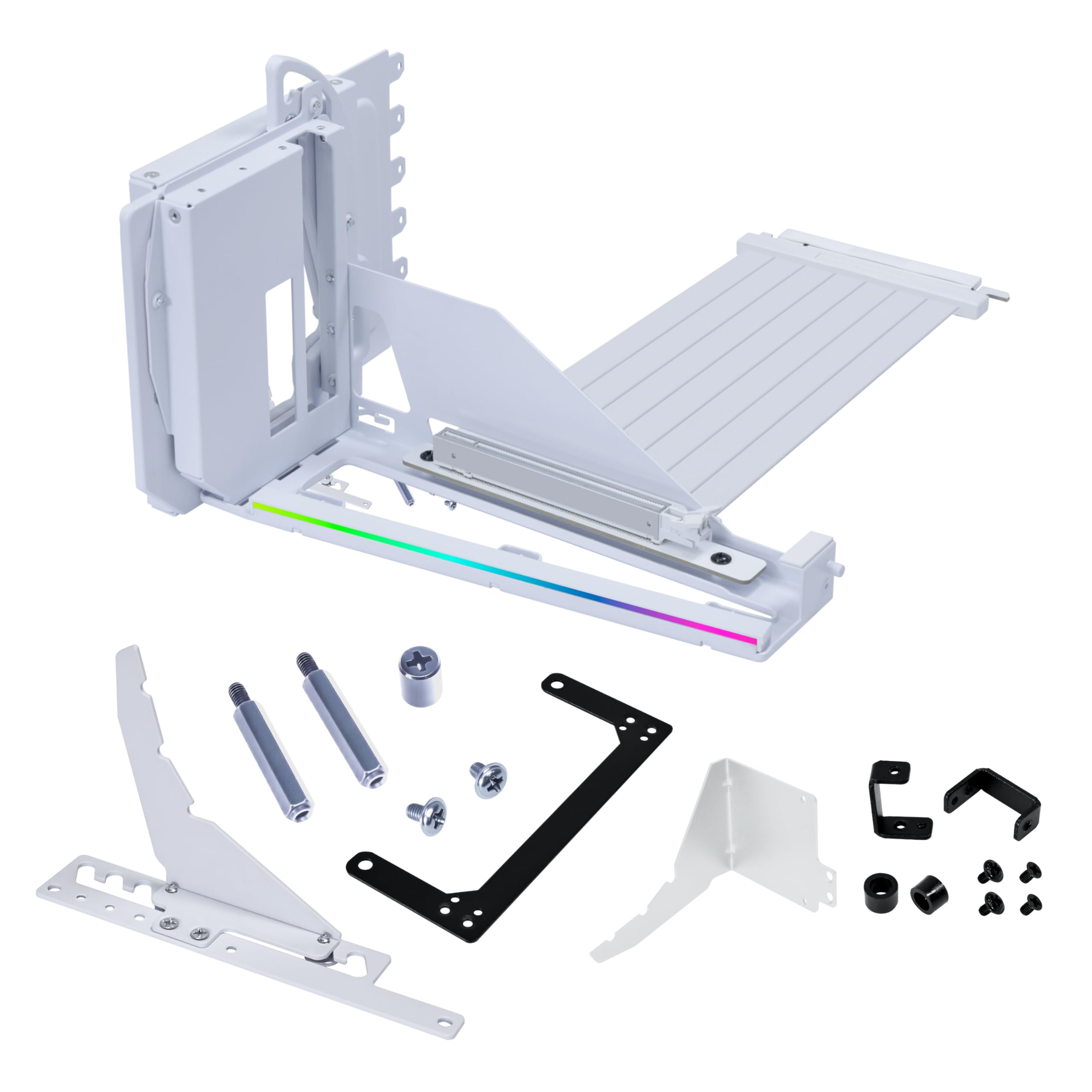
The Lian Li VG4v4 stands out in the mid-range bracket by pairing a PCIe 5.0 riser cable with adjustable tilt and height positioning — features normally reserved for premium-priced mounts. The 200mm Gen5 cable handles current Gen4 cards seamlessly while leaving headroom for future GPU upgrades, and the dual-angle tilt lets you fine-tune airflow direction or show off the card's front face.

Build quality is robust: the steel bracket and anti-sag support arm keep heavy GPUs level without flex, and the RGB strip adds a subtle glow that syncs with motherboard software. That solid feel comes with a requirement — the mount needs a case with at least seven PCIe slots and enough interior depth to accommodate the tilt mechanism. Owners of cases like the Corsair 4000D or Hyte Y70 have reported a tight fit or outright incompatibility, so checking dimensions before buying is essential.

This mount suits builders who prioritize future-proofing over tool-less repositioning. If you own a Lian Li case or another chassis with seven slots and decent clearance, the VG4v4 delivers flexibility and a riser cable that won't need an upgrade when you move to a Gen5 GPU. For those with standard ATX cases that meet the slot count, the tradeoff is worth it — you gain adjustability and anti-sag support at a mid-range price.

💡 Cards with a protruding overclocking button may require removing the button or bracket before installation.

Pros

  • PCIe 5.0 riser cable works with current Gen4 systems and supports future GPU upgrades.
  • Dual-angle tilt and three height positions let you optimize airflow or GPU visibility.
  • Steel bracket and anti-sag arm keep heavy graphics cards level during transport and use.
  • Subtle RGB lighting syncs with motherboard software, adding accent without overwhelming the build.

Cons

  • GPU overclocking button may interfere with the support bracket and need removal first.
  • Fit can be tight in cases with fewer than seven PCIe slots or limited interior depth.
Our verdict

If your case has the space, the VG4v4 delivers PCIe 5.0 readiness and adjustable positioning that most mounts at this price skip.

Check Latest Price
2

Best Adjustable Mount

Cooler Master V3

88 /100
Lab Score Excellent

Key details

PCIe Generation
4.0
Case Compatibility
ATX/E-ATX/mATX
Riser Cable Length
165mm
View on Amazon

Over 2000 reviews confirm its easy slide adjustments and rock-solid build — the V3 lets you reposition the GPU horizontally and side-to-side without tools, making alignment effortless in standard ATX and mATX cases.

This mount suits builders who want convenient adjustability and don't plan to upgrade to PCIe 5.0 GPUs soon. The riser cable is PCIe 4.0 and sensitive to bending — handle it carefully during installation to avoid black screen issues.

💡 Handle the riser cable gently during installation to avoid bending that can cause black screens.

Pros

  • Tool-less horizontal and side-to-side adjustment for easy GPU positioning
  • Sturdy construction supports heavy GPUs without flex
  • Clean appearance blends well with most builds
  • Installation is simple even for first-time builders

Cons

  • GPU tilt has been noted on some units after mounting
Our verdict

For builders who prioritize adjustability and don't need PCIe 5.0, the Cooler Master V3 is a well-documented, capable mount with a strong track record.

Check Latest Price
3

Best for NZXT Cases

NZXT Vertical Kit

88 /100
Lab Score Excellent

Key details

PCIe Generation
4.0
Case Compatibility
NZXT H7/H6 series
Riser Cable Length
175mm
View on Amazon

Engineered to fit NZXT H7 and H6 series cases, the mount’s white matte finish blends seamlessly with the case’s design. Unlike universal mounts that require alignment tweaks, this bracket slots in with minimal fuss — though that fit is limited to NZXT’s specific case lineup.

This mount is best for builders who own an NZXT H7 or H6 case and want a color-matched vertical GPU installation. The tradeoff is price: at nearly double the cost of comparable PCIe 4.0 riser mounts, its value depends entirely on desiring brand consistency and a flush aesthetic.

The steel bracket holds heavy GPUs securely, and the included PCIe 4.0 riser cable maintains signal integrity for modern graphics cards. Installation reports note that the mount stays rigid even with large three-fan GPUs, though cable routing requires attention to avoid kinks.

💡 Confirm your case is an NZXT H7 or H6 series before purchase, as the bracket’s fit is optimized for those models.

Pros

  • White matte finish matches NZXT H7/H6 cases for a clean look
  • Steel bracket holds heavy GPUs securely without sagging
  • Installation is straightforward in compatible NZXT cases

Cons

  • Limited to NZXT H7/H6 cases; may not fit other brands or layouts
  • Premium-priced compared to universal mounts with similar PCIe 4.0 riser cables
Our verdict

Excellent build quality, but the premium cost and narrow case compatibility mean it only pays off for NZXT case owners who value brand matching.

Check Latest Price
4

Best Budget RGB

EZDIY-FAB Shield ARGB

78 /100
Lab Score Very Good

Key details

PCIe Generation
4.0
Case Compatibility
7 opened PCIe slots
Riser Cable Length
115mm
View on Amazon

The EZDIY-FAB Shield ARGB delivers synchronized lighting at a lower cost than any alternative in this roundup. Its metal frame and bidirectional locking give it a solid feel during installation on standard 7-slot cases, while the 5V 3-pin ARGB connector syncs with most motherboard ecosystems. Where pricier mounts like the top pick add PCIe 5.0 and adjustable tilt, this one keeps things simple and affordable.

This mount suits budget-conscious builders who already have a mid-range GPU and a standard ATX case with seven open PCIe slots. Fit and cable length are inconsistent — some cases require modification, and heavy GPUs may sag over time. It is not a fit for flagship cards like the RTX 4090 or cases with non-standard slot patterns. Buyers comfortable measuring their case depth and verifying GPU weight will get the most value here.

💡 Measure your case's PCIe slot depth and GPU weight before installing — the 115mm cable and locking mechanism work best in standard layouts.

Pros

  • Synchronized ARGB lighting at the lowest cost in the category.
  • Metal frame with locking mechanism provides stable support for standard GPUs.
  • Plug-and-play installation on standard 7-slot cases.

Cons

  • Heavy GPUs may cause visible sag over time; not recommended for cards above 3-slot thickness.
Our verdict

Ideal for cost-conscious builders who want RGB and own a mid-range GPU in a standard ATX case; skip if you have a heavyweight flagship card or non-standard slot layout.

Check Latest Price
5

Best for SFF Builds

Oddtone SFF Mount

83 /100
Lab Score Excellent

Key details

PCIe Generation
4.0
Case Compatibility
ITX/SFF builds
Riser Cable Length
200mm
View on Amazon

Under $30 gets you a 200mm EMI-shielded PCIe 4.0 riser cable and bracket that fits dual-slot GPUs in small form factor cases. The flexible flat cable routes cleanly in tight spaces, and buyers report it posts at Gen4 speeds on first try with no BIOS tweaks.

This mount targets ITX/SFF owners who want the simplest possible vertical GPU solution without spending extra on adjustability, RGB, or tool-less features. A known compatibility note: the PCIe slot lock may not engage securely on every motherboard, so verifying fit with your board before assembly is wise.

Build quality feels solid for the price point, and the EMI shielding adds reliability in tight spaces. Given the limited user base, heavy long-term use hasn't been stress-tested, but current reports show consistent Gen4 operation without signal loss.

💡 Check motherboard PCIe slot lock engagement during installation — gentle pressure may help secure the bracket.

Pros

  • Solid metal construction at a budget-friendly price
  • Plug-and-play Gen4 operation with no BIOS adjustment needed

Cons

  • No adjustability to shift GPU position after mounting
  • PCIe slot lock may not click into place on some motherboards
Our verdict

For ITX builders on a tight budget who don't need repositioning or extra features, this mount delivers core functionality at a low price.

Check Latest Price

How to Choose

PCIe Generation (4.0 vs 5.0)

Choosing between PCIe 4.0 and 5.0 today is a bet on future GPU upgrades. Current graphics cards don't saturate PCIe 4.0 x16 bandwidth, so you won't see a frame-rate difference with a 5.0 riser cable today.

A PCIe 5.0 mount costs roughly $20 more but eliminates the need to replace the riser when you upgrade to next-gen cards that may require Gen5. If you keep your GPU for 3+ years, the extra cost is insurance against a future cable swap.

Riser Cable Length

Riser cable length dictates where you can place the GPU and how cleanly you route the cable. Too short and the GPU won't reach the motherboard slot in full-tower cases; too long and you'll have a visible loop that blocks fans or drives.

Measure the distance from your PCIe slot to the vertical mount bracket opening. A 200mm cable works in most mid-towers, but compact cases (ITX, mATX) often need 115mm–165mm to avoid clutter. Check case specs before buying.

Adjustability (Height and Tilt)

Adjustable mounts let you fine-tune GPU position for better airflow or to clear large CPU coolers. Tilt adjustments angle the GPU face slightly toward the window for visual symmetry, while height adjustments lift the card away from the PSU shroud.

Fixed mounts save money but lock you into one position. If your case has a bottom fan or radiator, lack of height adjustment can force the GPU too close to glass, choking air intake. Tool-less slide mounts offer easy repositioning without disassembly.

Anti-Sag Support

Heavy GPUs (RTX 4090, 7900 XTX) bend the PCB and PCIe slot over time. Anti-sag brackets or support arms relieve stress by holding the card's far end level. Without one, sag can cause alignment issues with the riser connector or lead to intermittent display signal loss.

Some mounts integrate a support arm (e.g., Lian Li VG4v4) while others rely on a tightened bracket screw. For high-end cards, a dedicated anti-sag mechanism is worth prioritizing over aesthetics.

Case Compatibility

Not all cases with 7 PCIe slots accept vertical mounts without modification. The mount must align with the slot cutouts, and the GPU must have enough clearance from the side panel. Cases with 8+ slots or dedicated vertical mounting brackets offer the easiest installation.

Brand-specific mounts (NZXT, Lian Li) guarantee fit within their own case families but may not work in others. Universal mounts require you to verify slot count, GPU width, and depth. Measure twice, buy once.

Frequently Asked Questions