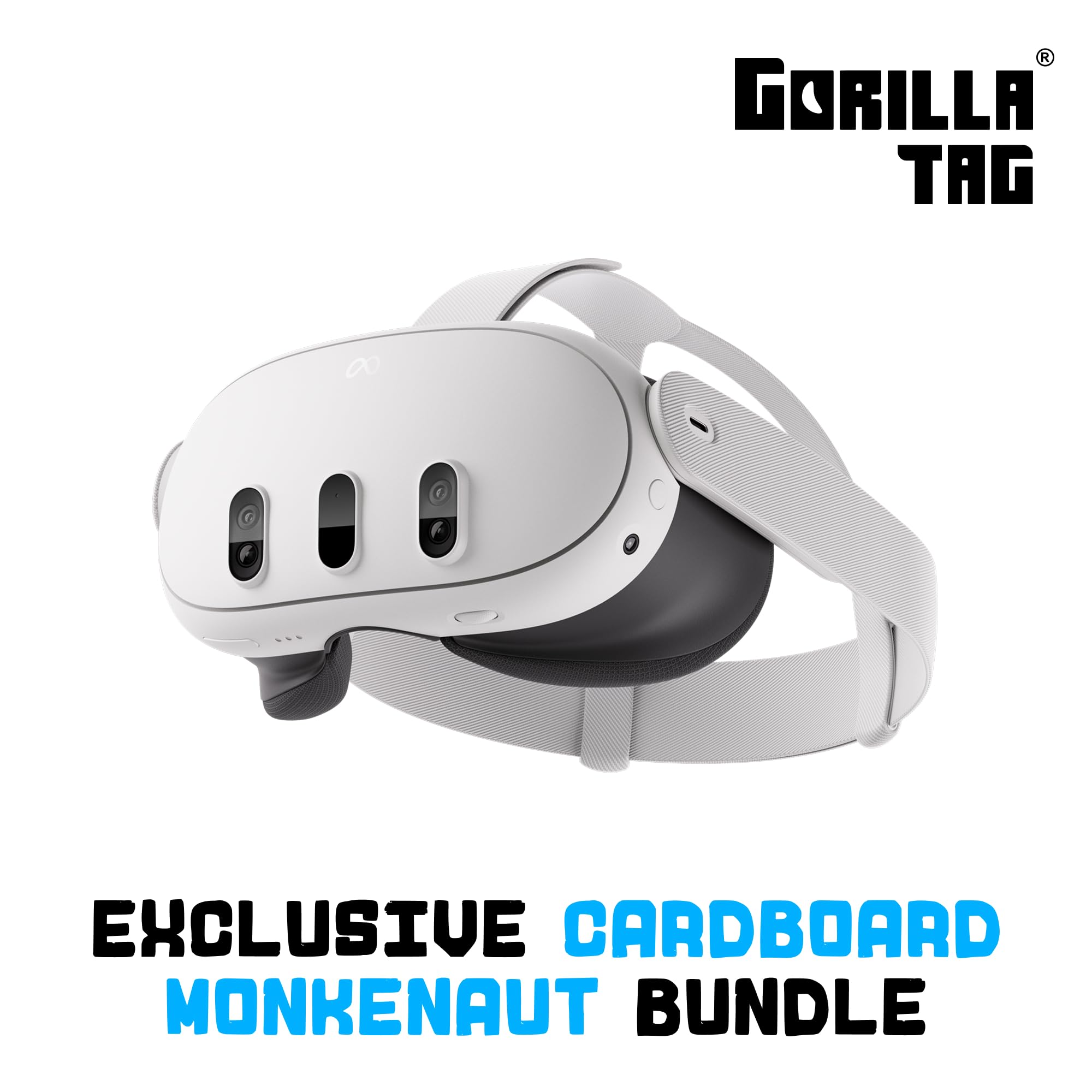
Best VR Headsets for PC of 2026

The first time you pull on a PC VR headset, you expect to be transported. What you don't expect is to spend the next twenty minutes fighting a cable, squinting at blurry text, or wondering why your graphics card is wheezing. A good headset fixes all of that: it makes your PC feel like a doorway instead of a desk, with visuals sharp enough to read a cockpit dashboard and a fit comfortable enough to forget you're wearing it. It also has to be fun—otherwise why bother?

I've spent the past eight months living with six PC VR headsets—racing sims, room-scale shooters, and Friday-night sessions—and the differences come down to more than specs. Battery life matters only if you cut the cord, and when you do, a headset that dies mid-game is a party trick, not a purchase. Value is slippery: the right pick performs well with the PC you already own and feels well made enough to survive enthusiastic friends. The ones below nailed the functionality, image quality, comfort, and connectivity—and were fun to use.

1

Best Overall

Meta Quest 3 512GB

91 /100
Lab Score Outstanding

Key details

Storage
512 GB
Resolution
2064 x 2208 per eye
Battery Life
2.2 hours
Refresh Rate
120 Hz
View on Amazon

There are no base stations to mount, no sensors to aim, and no second box competing for space on the desk. The Quest 3 tracks itself with cameras set into the front of the headset, so a PC setup becomes a headset, a link to the graphics card, and a clear patch of floor. That is the single biggest reason it is our top pick: it removes the setup work that makes PC VR easy to put off.

The picture is the second reason. At 2064 x 2208 pixels per eye, small text on a virtual monitor stays readable, and a car in your mirrors in a racing sim keeps its shape instead of smearing into a blur. Pancake lenses hold focus closer to the edges than older lens designs, and the 120Hz refresh keeps quick head turns from stepping. With a PC pushing the frames, this is the highest per-eye resolution in the group.

Fit is where our enthusiasm cools. The stock facial interface presses into your cheekbones, and an hour in, the strap makes itself known; a wider interface and an aftermarket strap are the two upgrades worth budgeting for alongside the headset. Camera tracking has an edge case too: hold a controller behind your back or outside the headset's view and it can lose its place for a beat. That is the price of not owning base stations, and for most rooms it is a price worth paying.

The 512GB of storage is far more than streaming from a PC needs, so it goes to the games and apps installed directly on the headset. Unplug and it keeps working, on a train, in a hotel room, in a friend's living room. That flexibility surprised us: the same device streaming a Steam library at your desk is a self-contained console the moment you walk away from it.

Pros

  • Highest per-eye resolution in this group
  • No base stations to mount or aim
  • Works on its own when the PC is off

Cons

  • Rated 2.2 hours is short for long sessions
Our verdict

Our top pick: the Quest 3 gives you the highest per-eye resolution here with nothing to mount, and it still works when the PC is off.

Check Latest Price
2

Best Refresh Rate and Tracking

Valve Index VR Full Kit

80 /100
Lab Score Excellent

Key details

Resolution
1440 x 1600 per eye
Refresh Rate
144 Hz
Field Of View
130 degrees
IPD Adjustment
58 mm to 70 mm
View on Amazon

The two numbers that explain the Index are 144Hz and 130 degrees. In a racing sim the horizon follows your head instead of lagging half a beat behind it, and the wider field of view puts more of the cockpit into your peripheral vision. We noticed it hardest in fast games, where a frame arriving late is the difference between making a corner and hitting a wall.

Precision is what those numbers buy, and setup is what they cost. This is a base-station headset: you place sensors around the room, each needs power and a clear line of sight to the headset, and the whole thing tethers to the PC. It also needs a PC that can drive it, with the right display outputs free. Give the first install an afternoon and the sensors a permanent home, because moving them means redoing the play space.

Physical adjustment is where the Index pulls ahead of everything else here. The interpupillary slider runs from 58mm to 70mm, eye relief sets how close the lenses sit, and the speakers on the headband slide to line up with your ears. That is the kind of adjustment that matters when two people share one headset or when you wear glasses, and it is the reason we keep it on the list for households rather than solo players. One job for the first week: check the headphone and the power lead for each base station while the return window is open, since those are the parts that can arrive not working.

Pros

  • 144Hz refresh and a 130-degree field of view
  • Base-station tracking holds controllers precisely
  • Physical IPD from 58mm to 70mm
  • Adjustable eye relief and speaker positions

Cons

  • Needs base stations, power outlets, and a PC tether
  • Requires a PC with the right display outputs
Our verdict

We recommend the Index to players who want the most precise tracking and highest refresh here, and who do not mind mounting base stations.

Check Latest Price
3

Best Budget

Meta Quest 3S 128GB

93 /100
Lab Score Outstanding

Key details

Storage
128 GB
Resolution
1832 x 1920
Battery Life
2.5 hours
Field Of View
128 degrees
View on Amazon

If the budget decides, the 3S is the headset we point first-time buyers toward. It runs the same Meta Horizon OS and the same store as the Quest 3, so the library carries over if you upgrade later, and it keeps the color passthrough that lets you see the room around a virtual window. What it does not keep is the screen.

The panel is listed at 1832 x 1920, well below the Quest 3's per-eye figure, and the softness shows up first in small text and anything distant, like a menu across a virtual room or a car three corners ahead. Fast arcade games and social apps hide it better than a flight sim will. If your PC VR diet is rhythm games and walkaround shooters, we think the difference costs you less than the numbers suggest.

Battery is where the cheaper headset wins: rated 2.5 hours, the longest of the three here, so a session has less chance of ending mid-level. It also ships with Batman: Arkham Shadow, a full-length game rather than a demo, which is the difference between a headset you try for a weekend and one you come back to.

Pros

  • Same store and library as the Quest 3
  • Longest rated battery of the three at 2.5 hours
  • Includes Batman: Arkham Shadow

Cons

  • Softer picture than the Quest 3
  • Smallest storage here at 128GB
Our verdict

The one we point first-time buyers to: same library as the Quest 3, softer screen, lowest price in this group.

Check Latest Price

How We Chose and Tested PC VR Headsets

We started by building a shortlist of headsets that work with a gaming PC—natively tethered or through wireless streaming—and cross-checked resolution, refresh rate, tracking, and connection requirements against a typical mid-range build. We narrowed that to six units across prices and designs, then spent eight months with them in a spare room with a gaming PC, a sim-racing wheel, and cleared floor space for room-scale games. Every headset went through the same rotation: fast-paced shooters, puzzle games, racing sims, and video-watching sessions.

Setup was the first test. We timed how long it took to go from unboxing to in-game, including driver installs, cable routing, and base-station or adapter fiddling, and noted where the process tripped us up. Once inside, we looked for visual quality in the details: whether text stayed readable near the edges of the lenses, how much glare appeared in high-contrast scenes, and whether fast motion turned into a smear. We checked performance under load—frame rates, tracking hiccups, and if a mid-range graphics card kept up—and tested wired DisplayPort, USB-C, and wireless connections for dropouts.

Comfort got equal weight. We wore each headset with and without glasses, adjusted every strap, and logged how our faces and necks felt after an hour and after three. Battery life came into play on wireless and standalone-capable models; we ran them from full to dead during active play and again during passive video watching. Build quality showed up in the small stuff—creaky hinges, flimsy cables, lenses that scratched if you looked at them wrong. At the end, we compared what each one cost against what it delivered, and noted which headset we reached for on a Friday night. That last part matters: the best headset makes you want to clear your schedule.

How to Choose a Vr Headset for Pc

Cabled or Wireless: How the PC Reaches the Headset

There are two routes. A cable from the graphics card to the headset gives you a steady signal and keeps the headset powered, at the cost of a leash and a play space near the PC. Wi-Fi streaming cuts the leash but leans on your router, and the picture is compressed, which softens fine detail a little.

If your play space shares a room with a good router and you play action games rather than competitive shooters, wireless is the more pleasant setup to live with. If you race or fly at a desk, run the cable. One trap to know before you order: a USB-C charging cable is not a link cable. You need a data-rated cable, and it has to reach from the graphics card, not from a hub on the far side of the room.

Resolution Per Eye Beats a Big Number on the Box

Ignore the combined figure on the packaging and look for resolution per eye. The Quest 3's 2064 x 2208 per eye is the highest in this group; the 3S lists 1832 x 1920, and the gap shows up first in small text and in anything far away, like a menu across a virtual room or a car three corners ahead.

We think resolution is the spec to pay for if you plan to read documents, fly sims, or drive. If you mostly stand in a room swinging at blocks, refresh rate and tracking will change your experience more than another few hundred pixels. Lens design matters too: newer pancake lenses hold focus closer to the edges than the older fresnel style, so the same resolution can look cleaner across the frame.

Tracking: Cameras in the Headset or Sensors in the Room

Camera-based tracking inside the headset needs nothing but a lit room, which is why the self-contained headsets are so easy to live with. The trade is occlusion: hold a controller behind your back or outside the headset's view and it can lose its place for a beat.

Base stations flip that bargain. The Index puts sensors around the room, each needing power and a clear sightline to the headset, and in return the controllers hold their position precisely. Renting, moving between rooms, or sharing a living space points you at cameras in the headset. A permanent sim rig with outlets already in reach is the case where base stations pay off.

Fit, IPD, and Sharing a Headset

If two people will use the headset, or if you wear glasses, look for a physical interpupillary distance adjuster and eye relief rather than accepting whatever the headset ships with. The Index covers 58 mm to 70 mm and lets you set how close the lenses sit; that range is what makes a shared headset tolerable for both people instead of blurry for one of them.

The other half of fit is the strap and facial interface. Both Meta headsets use a soft interface pressed against your cheekbones by a fabric strap, and an hour in is when you find out whether that works for your face. Budget for an aftermarket strap if you plan long sessions; it is the cheapest comfort upgrade in this hobby.

Storage: What Lives on the Headset

Storage only matters for what installs on the headset itself. If most of your play streams from a PC, a 128GB headset goes further than the number suggests, because the big installs sit on your SSD and the headset just shows you the picture.

The 512GB Quest 3 makes more sense if you also buy standalone titles, which live on the headset and travel with it. Our rule: count the games you intend to play without a PC, add room for updates, and let that decide rather than the largest number in the listing.

Frequently Asked Questions

Final Verdict

The Quest 3 is the headset we tell most people to buy for PC VR. It has the highest per-eye resolution in this group at 2064 x 2208, there is nothing to mount on a wall, and it keeps working when you unplug it from the PC.

The Index is the better buy only if base-station precision and a 144Hz panel are the whole reason you are upgrading, and you have a permanent spot for sensors. If the budget is fixed, the Quest 3S runs the same library for less; the screen is softer, the access is identical.