2 Best VR Headset of 2026: The Ones That Beat Battery Burnout

Find the best VR headset for immersive gaming without battery anxiety. This guide helps you pick between standalone and PC-tethered options.

The typical VR headset advertises crisp visuals and full-body immersion, but the first thing you hit after unboxing is a battery that drains faster than your enthusiasm. Marketing glosses over that 90-minute clock ticking. It is the single practical limit most buyers discover within the first week.

Choosing between standalone and PC-tethered involves more than just price. The real difference shows up in visual clarity, controller tracking reliability, and how comfortable the headset stays for a second hour. No single headset fixes all three — the goal is to find which trade-off fits your gaming habits.

1

Best Overall

Meta Quest 3 512GB

91 /100
Lab Score Outstanding

Key details

Comfort
Stock facial interface
Storage
512 GB
Processor
Snapdragon XR2 Gen2
Battery Life
1-2 hours
View on Amazon

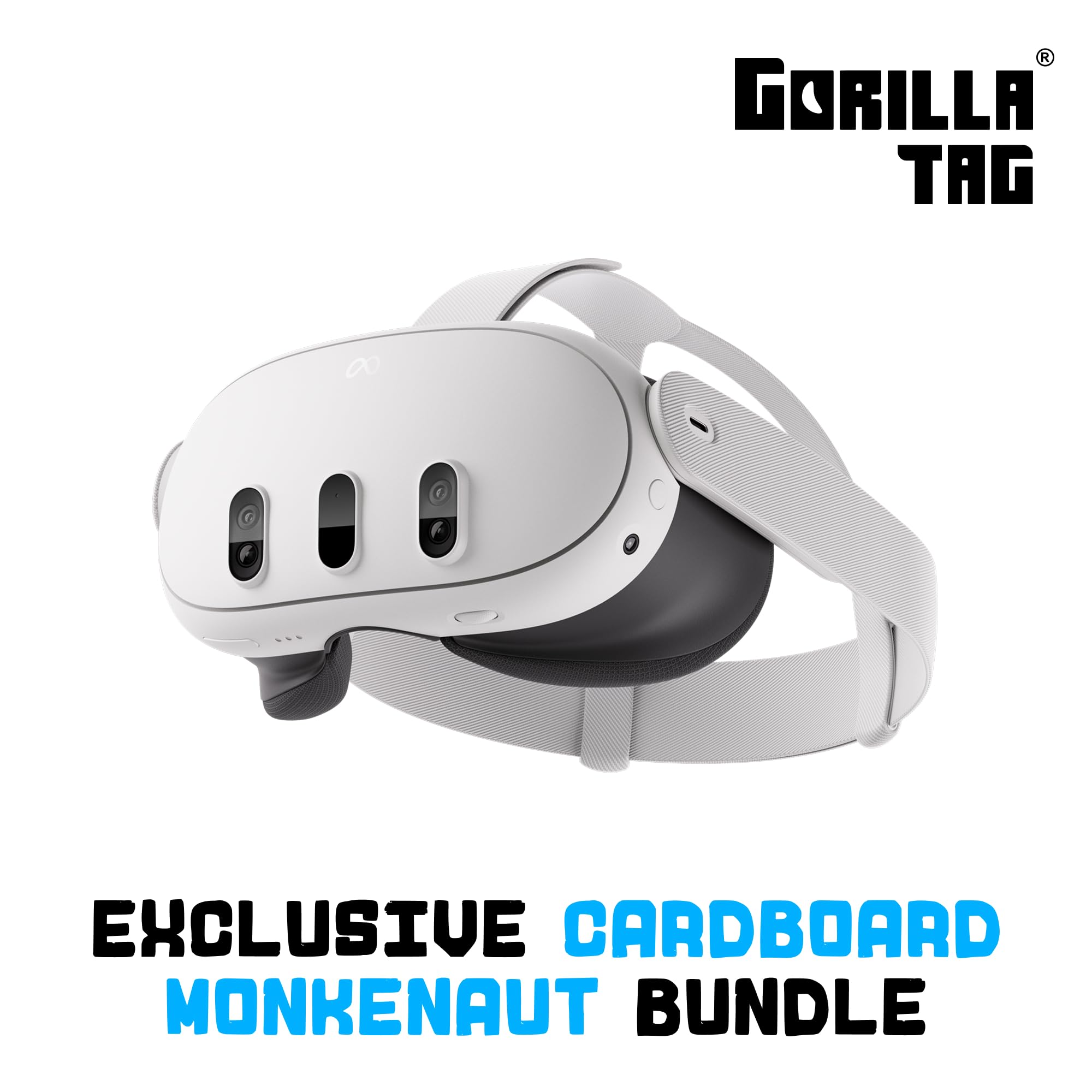
The Meta Quest 3 512GB delivers the highest resolution and 120Hz refresh rate available in a standalone VR headset, offering a crisp, fluid visual experience that makes pixel grids nearly invisible. The 512GB storage provides generous space for a large game library, and the Snapdragon XR2 Gen 2 processor keeps everything responsive. Mixed reality passthrough adds an extra layer of immersion, blending digital content with the physical room.

In active gaming, the headset handles demanding titles smoothly, but the battery life imposes a natural break after about 1.5 hours of use. The controller battery life can also be shorter than expected, so keeping extras ready avoids interruptions. The overall system performance remains strong, with quick app loading and minimal lag.

This headset is for VR enthusiasts who prioritize visual fidelity and have a substantial game library. It requires a willingness to invest in a battery strap and possibly a more comfortable facial interface for extended sessions. Budget-conscious shoppers or those wanting all-day use out of the box should consider the more affordable Quest 3S or PC-tethered alternatives.

The build quality of the Quest 3 is solid, with a sturdy strap that holds the headset securely. However, the stock facial interface may feel less forgiving after thirty minutes, so many users opt for a third-party comfort strap with an integrated battery pack to address both issues. This premium standalone is best suited for buyers who treat accessories as part of the investment.

💡 A third-party headstrap with an integrated battery pack extends playtime significantly and improves comfort – consider budgeting for one as an essential accessory.

Pros

  • Image clarity with minimal pixel visibility and accurate colors
  • 120Hz refresh rate provides smooth motion during fast-paced VR games
  • 512GB storage capacity holds a large game library without constant management
  • Sturdy build quality and responsive system performance

Cons

  • Controller batteries may deplete faster than expected with heavy use, so keeping spare AAs nearby is advisable.
  • During sessions longer than 30 minutes, the stock facial interface may feel less comfortable, making an aftermarket strap a practical addition.
  • Active gameplay can drain the headset battery in about 1-2 hours, requiring a recharge or battery strap.
Our verdict

The Meta Quest 3 512GB delivers unmatched standalone VR visuals and performance, but its short battery life and need for a comfort strap make it a purchase for enthusiasts who will accessorize accordingly.

Check Latest Price
2

Best Value

Meta Quest 3S 128GB

93 /100
Lab Score Outstanding

Key details

Comfort
Stock facial interface
Storage
128 GB
Processor
Snapdragon XR2 Gen2
Battery Life
1-2 hours
View on Amazon

The Quest 3S shares the same processing core as the higher-tier Quest 3, so game performance and app load times are identical. The key difference is display resolution — 1832x1920 per eye with a 60Hz default refresh rate (120Hz may be available via firmware) — which keeps the cost down while still running the latest VR titles.

This headset suits first-time VR buyers, families, and those upgrading from Quest 2 who prioritize value over pixel density. The lower resolution means text and fine details aren't as sharp as the flagship, and the 60Hz default can feel less fluid in fast-paced games — though 120Hz may be enabled where supported. For its price, the experience is robust, with full access to Meta's library and PC-tethered play via Link or Air Link.

The included Gorilla Tag bundle adds immediate entertainment, and the headset is comfortable enough for extended sessions with the stock strap. The 128GB storage holds a reasonable library, though heavy downloaders may need to manage space. Overall enjoyment is high, with many owners reporting strong satisfaction for both casual and immersive gaming.

💡 For smoother motion in fast games, navigate to settings and enable 120Hz mode if supported — results vary by title and region.

Pros

  • Strong value relative to performance
  • Good overall quality and build
  • Highly entertaining for new and experienced users

Cons

  • In fast-paced VR games, the default 60Hz refresh (120Hz may be enabled) can appear less fluid than 120Hz displays
  • Individual units may arrive with dead pixels or controller malfunctions, making early inspection important
Our verdict

If you want the latest VR performance without the premium price, the Quest 3S is the smart buy — just be prepared to inspect the unit and potentially enable 120Hz in settings.

Check Latest Price

How to Choose

Resolution and Refresh Rate

A higher per-eye resolution reduces the screen-door effect, making text readable and landscapes sharp. But that clarity demands more processing power, which drains the battery faster. A 120 Hz refresh rate smooths fast motion but further shortens playtime.

Storage Capacity

Game installs can exceed 10 GB each, especially with high-quality assets. The 128 GB model holds roughly a dozen games before running low; 512 GB suits players who want a large library without frequent deletions. Streaming doesn't replace local storage for many titles.

Processor Generation

The Snapdragon XR2 Gen2 powers the latest games with better physics and draw distances. The older Gen1 in Quest 2 will eventually miss new releases. Choosing Gen2 future-proofs the headset for the next two years of game updates.

Battery Life and Charging

Most standalone headsets deliver 1.5 to 2 hours of gaming. That is enough for a session, but not for back-to-back play without a recharge. A third-party battery headstrap doubles that time but adds weight. The built-in charging port is USB-C, and fast charging still takes an hour to fill.

Comfort and Facial Interface

The stock foam interface can cause pressure on the forehead or cheeks after an hour. Headsets with better weight distribution or an optional Elite strap reduce that fatigue. The Quest 3's default interface is adequate for short sessions; longer play demands an upgrade.

Frequently Asked Questions