11 Best Xbox Controller Charger 2026: Battery Packs Beat Docks

Which Xbox controller chargers maintain performance past the first few months? The ones that skip the dock and use replaceable battery packs.

Every Xbox owner eventually faces the same choice: keep buying AA batteries or invest in a rechargeable solution. Docking stations promise drop-and-charge convenience, but many owners find battery life fades quickly after a few months.

The key is understanding that not all rechargeable systems are equal. Battery pack sets that charge separately often provide higher capacity and more reliable long-term performance than integrated dock batteries. A few extra dollars upfront can save you from replacing the whole system in half a year.

Docking stations offer effortless placement, but battery pack chargers let you swap pre-charged cells instantly — no waiting, no alignment issues. This guide focuses on the chargers and battery packs that actually hold up over time, whether you prefer a docking station or a standalone charger.

1

Best Overall

Ukor 2x6200mWh Battery Pack

95 /100
Lab Score Outstanding

Key details

Compatibility
Xbox One, Series X|S
Charging Slots
2 packs
Battery Capacity
6200mWh
View on Amazon

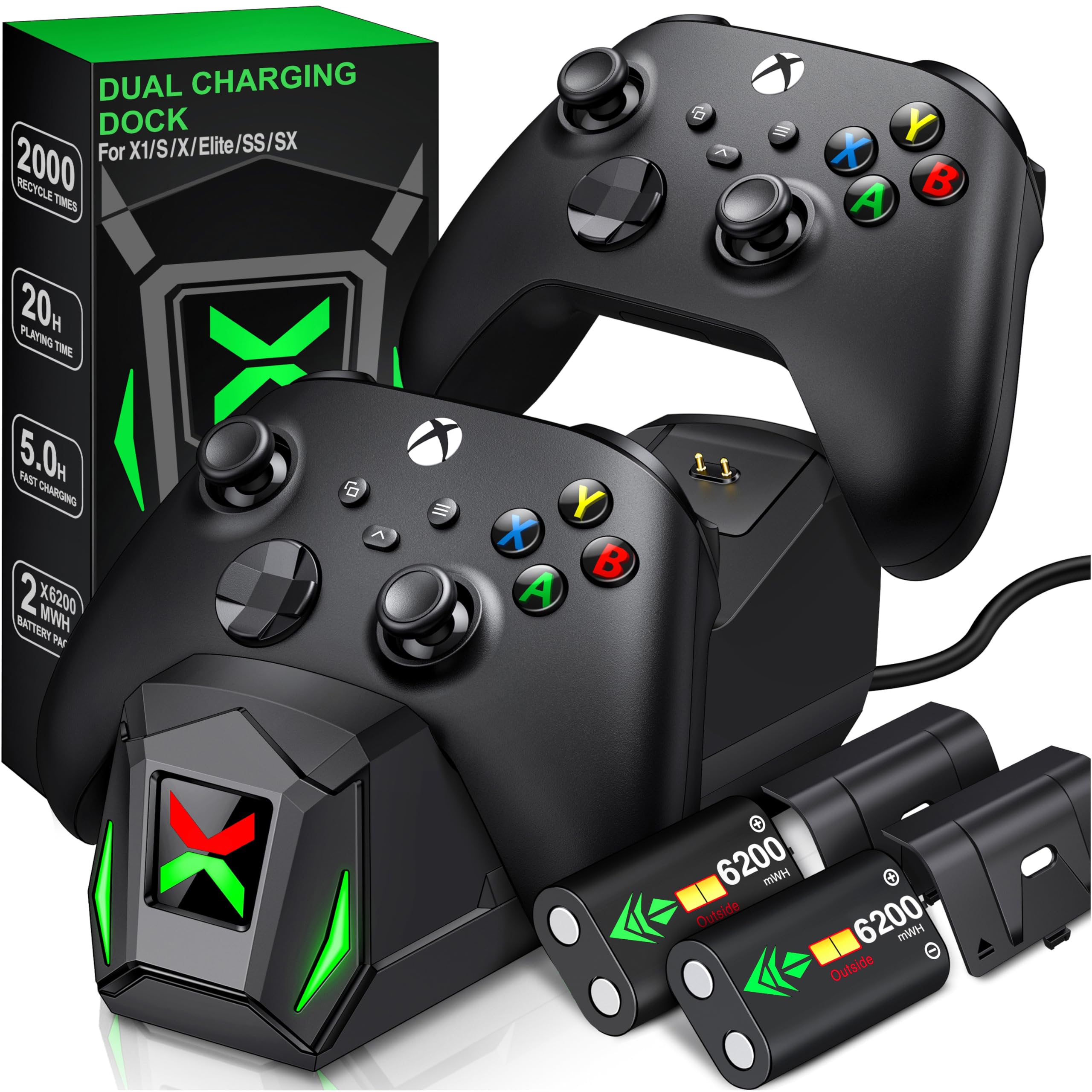
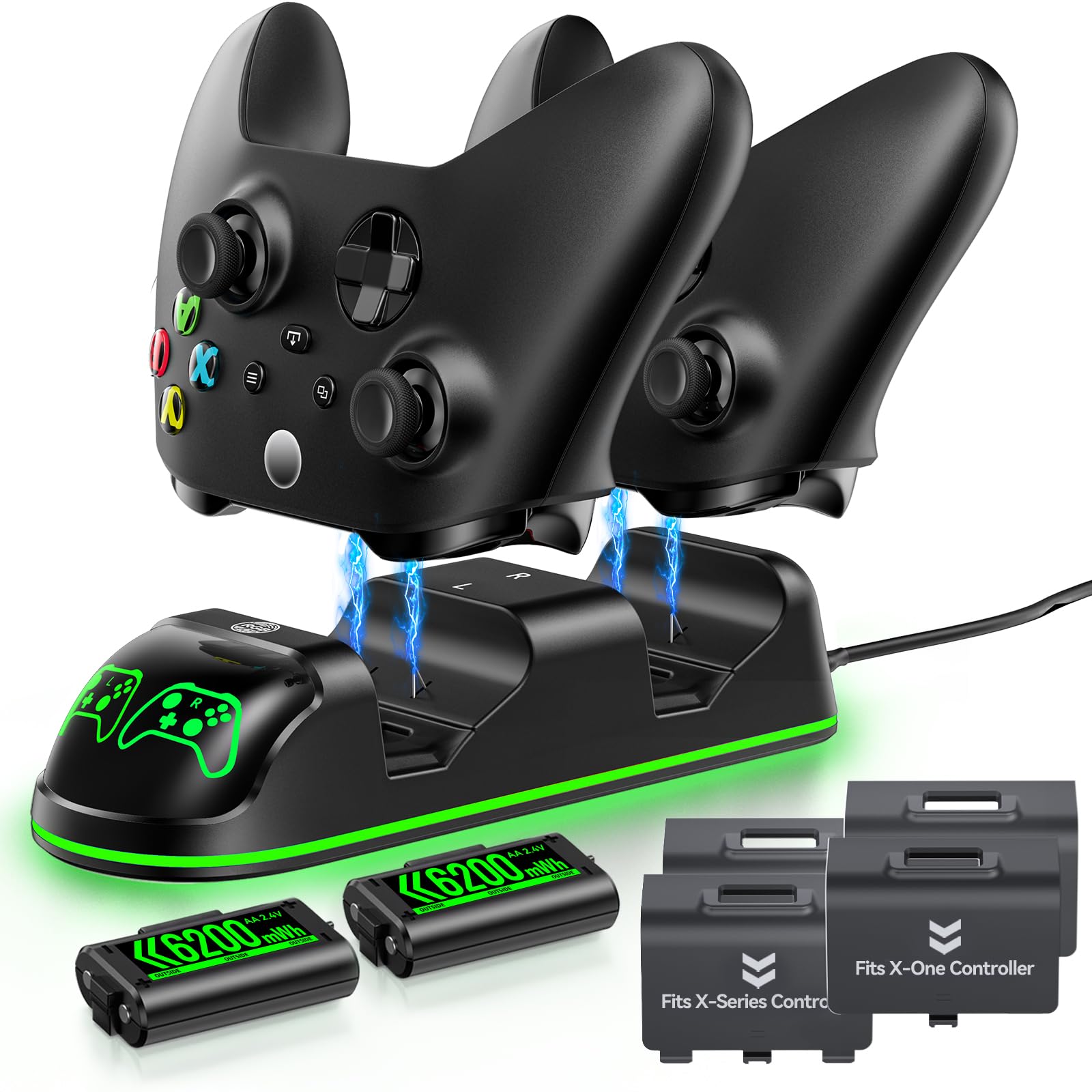
Each 6200mWh pack delivers up to 28 hours of playtime – noticeably more than the 1800-2500mAh packs found in many docking stations. The charger includes both Micro USB and USB-C cables, so you can plug into a console, PC, or wall adapter directly without hunting for a specific cord.

In extended gaming sessions, the packs hold charge well past what alkaline AA batteries manage. Recharge time is quick enough for overnight topping up, and the charger's status lights clearly indicate when packs are ready. The compact unit sits neatly beside the console.

This set suits budget-conscious gamers who want maximum playtime without the upfront cost of a dock. It is a battery charger and pack set, not a controller stand – you slide packs into the charger rather than placing the whole controller. The packs fit all Xbox One and Series X|S controllers securely with included battery covers.

Some packs have shown reduced charge retention after several months of use, so this set is best for those willing to swap packs periodically as a low-cost maintenance step. For the price, the capacity and charging speed remain competitive even if an occasional replacement is needed.

Pros

  • 6200mWh per pack provides up to 28 hours of gameplay per charge.
  • Dual Micro USB and USB-C cables offer flexible charging from any source.
  • Eliminates the need for disposable AA batteries after the initial purchase.
  • Fast charging completes a full top-up within a couple of hours.

Cons

  • Battery capacity can degrade over several months, leading to shorter play sessions.
  • Charger may not always bring packs to a full 100% charge
Our verdict

If you prioritize extended playtime per dollar and don't need a controller dock, this battery pack set delivers the highest capacity at the lowest cost in its category.

Check Latest Price
2

Best Dual Docking Station

Fosmon Dual Charger with 5280mWh

91 /100
Lab Score Outstanding

Key details

Compatibility
Xbox One, Series X|S
Charging Slots
2 controllers
Battery Capacity
5280mWh
View on Amazon

Over 28,500 reviews give this dock a high trust floor: most buyers find it does the job without fuss. The drop-and-place design works as expected for Series X|S, One, and Elite controllers (not the Elite 2), and at a budget-friendly price it’s a cost-effective alternative to disposable AA batteries.

Where the Fosmon dock can stumble is in long-term battery health. Some packs lose capacity noticeably after a few months, and charging may stop altogether after six to twelve months in a subset of units. This isn’t universal, but it’s a tradeoff for the low initial cost – plan for eventual pack replacement.

Best suited for casual gamers or multi-controller households who want a simple drop-and-charge station without spending much. The fit of the battery packs can be tight in newer Series X|S controllers, and no wall adapter is included – only a USB cable. If battery consistency over years matters, a dedicated battery pack set like the top pick (Ukor) may serve better.

💡 Use a USB wall adapter (available separately) for the most consistent charging – the dock draws power through the cable alone.

Pros

  • Drop-and-charge design works with both controllers at once, no cable fumbling.
  • Large user base confirms reliable everyday performance for most buyers.
  • Saves money over time by replacing AA batteries in multiple controllers.
  • Four pack-in battery covers fit most standard Xbox controllers out of the box.

Cons

  • Battery capacity can drop noticeably after a few months of regular use.
  • Battery packs may not fit snugly in newer Series X|S controller compartments.
  • No wall adapter included
Our verdict

A capable, low-cost dual dock for gamers who want wire-free charging and are comfortable with the possibility of replacing battery packs down the line.

Check Latest Price
3

Best Official Licensed with Wall Plug

PowerA Dual Charging Station

88 /100
Lab Score Excellent

Key details

Compatibility
Xbox Series X|S, One
Charging Slots
2 controllers
Battery Capacity
1100mAh
View on Amazon

An AC adapter is included with this PowerA dual charging station, so you don't need to occupy the console's USB port or rely on a separate power source. This sets it apart from a battery pack set that requires swapping batteries in an external charger. The sleek black design fits neatly into a gaming setup, and the official license ensures consistent fit with Xbox Series X|S and Xbox One controllers.

This station suits gamers who want a simple, always-ready charging solution and don't mind recharging every two to three days of moderate play. The charging pins require careful alignment when dropping the controller in, and some units have been noted to lose charging capability after a few weeks. For those who prioritize convenience and aesthetics over maximum battery life, this dock delivers a clean setup without the need to manage separate battery packs.

💡 Press the controller firmly onto the dock to ensure pin contact; a slight wiggle can confirm charging status.

Pros

  • Plugs directly into a wall outlet, freeing up the console USB port.
  • Officially licensed by Microsoft, ensuring compatibility and build standards.
  • Sleek, minimalistic design that blends into most gaming setups.

Cons

  • Charging pins can require careful alignment to make contact.
  • Battery life covers about 2-3 days of moderate play before needing a recharge.
  • Charging function may cease after a month in some cases.
Our verdict

A solid choice for Xbox owners who want a no-fuss dock with official licensing and a wall plug, as long as occasional alignment and battery life tradeoffs are acceptable.

Check Latest Price
4

Best Multi-Battery Pack

DINOSTRIKE 4x6200mWh

91 /100
Lab Score Outstanding

Key details

Compatibility
Xbox One, Series X|S
Charging Slots
4 packs
Battery Capacity
6200mWh
View on Amazon

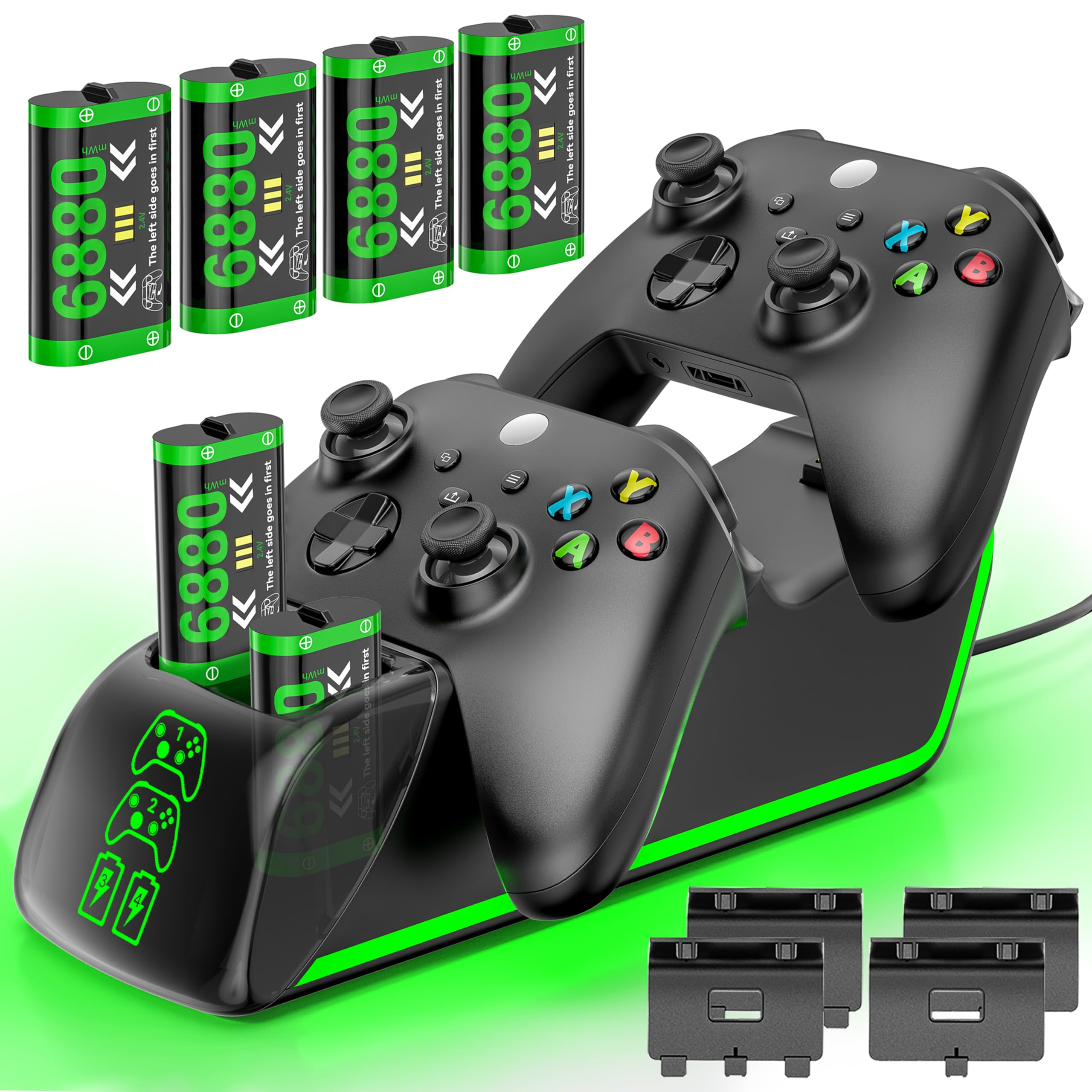
Unlike the top pick, this station bundles four 6200mWh packs with RGB lighting and a longer USB-C cable — a setup that prioritizes visual flair and total capacity over dual-connector flexibility. The touch-sensitive surface cycles through seven color modes, adding a customizable glow to your charging station.

The station charges all four packs simultaneously, and the extended cable reaches outlets under desks easily. Each pack claims 15-20 hours of playtime, which aligns with user reports of long sessions between swaps. The RGB lights remain on during charging, creating a consistent ambient effect rather than a battery-status indicator.

Gamers who appreciate ambient lighting and need multiple backup batteries will value the consistent high capacity here. However, the LED lights stay on during charging (only a long press dims the ambient glow), which may distract in a dark room. Some controller battery covers may not seat perfectly, so checking fit with your specific model is worth doing. This is a battery station, not a controller stand — you swap packs, not dock the controller.

💡 A long press on the touch sensor dims the ambient glow, but the charging indicator lights stay on.

Pros

  • Four high-capacity packs provide extended playtime between swaps
  • Seven RGB modes with touch control add a customizable aesthetic
  • Good value for money given the capacity and features

Cons

  • LED lights cannot be turned off completely; only a long press dims ambient glow
  • Battery covers may not fit all controller models perfectly
Our verdict

If you want four high-capacity packs with RGB lighting and don't mind the always-on LEDs, this station delivers the highest total capacity in this roundup.

Check Latest Price
5

Best USB-C Battery Pack Set

JAVRUNWOF 2x4800mWh Pack

91 /100
Lab Score Outstanding

Key details

Compatibility
Xbox One, Series X|S
Charging Slots
2 packs
Battery Capacity
4800mWh
View on Amazon

This JAVRUNWOF set delivers 4800mWh per pack with a USB-C cable for direct charging, plus four controller covers to fit different Xbox models. Where the top pick (Ukor) offers higher capacity and more uniform battery performance, this set prioritizes convenience and compatibility with existing charging cradles.

Best suited for gamers who already own a charging dock and want spare batteries, or those who prefer charging directly via USB-C without a dedicated stand. Some individual packs may not hold charge as long as advertised, and fit can vary between controller models, so checking compatibility before purchase is wise.

The packs charge quickly through the USB-C port, and the included covers help prevent accidental shorts during storage. However, battery longevity can differ between the two packs in a set — one may run down noticeably faster than the other during extended sessions, so swapping them as needed keeps gameplay uninterrupted.

💡 Monitor each pack's charge level individually, as one may deplete faster than the other — swap them between sessions for balanced use.

Pros

  • Solid build quality with consistent power delivery across most sessions.
  • USB-C charging is fast and works with existing cradles and cables.
  • Good value for the price, and the extra covers improve fit on various controllers.

Cons

  • Battery life can vary between the two packs, with one possibly depleting mid-game.
  • The packs may not fit securely in certain Xbox controllers, including some models not listed on the spec sheet.
Our verdict

A practical battery pack set if you value USB-C convenience and extra covers over maximum per-charge playtime.

Check Latest Price
6

Best Premium Single Dock

8BitDo Magnetic Charging Dock

88 /100
Lab Score Excellent

Key details

Compatibility
Xbox Series X|S, One
Charging Slots
1 controller
Battery Capacity
1100mAh
View on Amazon

The magnetic connection makes dropping the controller onto the dock satisfyingly secure — no fumbling to align pins. The amber LED adds a warm glow that many find visually appealing, and the official Xbox license means compatibility is guaranteed out of the box. The dock uses a USB-C connection for power (cable included) and works with both Xbox Series X|S and Xbox One controllers. This approach trades multi-controller charging for a more polished single-controller experience.

The amber LED indicator is always illuminated during charging — while it creates a pleasant glow in most rooms, it can be distracting for those who game in complete darkness. Some users have also noted that the dock may not always bring the battery to a full charge, so it is wise to confirm performance during the first few cycles.

This dock suits gamers who own a single controller and appreciate a design-forward accessory that does not require plugging in cables. If you have multiple controllers or need total darkness while gaming at night, the limitations become more significant. For those who value the magnetic convenience and unique look, the 8BitDo dock delivers a premium feel that many competitors miss.

💡 To minimize LED distraction at night, place the dock behind your monitor or in a less visible spot.

Pros

  • Magnetic drop-on docking
  • Officially licensed by Xbox, ensuring full compatibility with Series X|S and Xbox One controllers.
  • Sleek design with a warm amber LED that many describe as beautiful and stylish.

Cons

  • Only charges one controller at a time.
  • Amber LED cannot be turned off and may be too bright in a dark gaming room.
  • Some units may stop charging before the battery reaches full capacity.
Our verdict

If magnetic convenience and a design-forward look matter more than multiple slots or a completely dark setup, the 8BitDo dock delivers a polished experience. Just be prepared for the constant amber glow.

Check Latest Price
7

Unique Design

DINOSTRIKE Dual Charger 5520mWh

90 /100
Lab Score Outstanding

Key details

Compatibility
Xbox One, Series X|S, Elite
Charging Slots
2 controllers
Battery Capacity
5520mWh
View on Amazon

The DINOSTRIKE charging station stands out with its robot helmet aesthetic and a bottom compartment for storing spare battery packs. Charging is quick and the 5520mWh packs deliver 18-25 hours of playtime. However, the included battery covers may not fit certain controllers, and the LED indicator stays red even after a full charge, which can be confusing. This station is best suited for gamers who prioritize style over perfect indicator accuracy and who are using standard Xbox controllers without aftermarket shells.

Pros

  • Unique robot helmet design adds visual flair to any gaming setup
  • Fast charging and long battery life keep controllers ready for extended sessions
  • Bottom battery compartment provides convenient spare storage

Cons

  • Battery covers may not fit all controller models, especially those with aftermarket shells
  • LED charging indicator stays red even when batteries are fully charged, causing confusion
Our verdict

A solid choice for gamers who want a conversation-piece charger and can overlook the indicator quirk, provided their controllers use standard battery covers.

Check Latest Price
8

RGB 4-Pack

Feirsh 4x5800mWh + Dock

91 /100
Lab Score Outstanding

Key details

Compatibility
Xbox One, Series X|S
Charging Slots
4 packs
Battery Capacity
5800mWh
View on Amazon

This Feirsh set packs four high-capacity batteries with 10 RGB modes controlled by touch — a step up in visual flair from the 6200mWh four-pack alternative. The 5800mWh per pack delivers extended play sessions, saving on disposable AA cells. However, the slightly lower total capacity means a small trade-off in runtime. Some batteries may fit loosely in certain controllers and can fall out, and the RGB lights have been known to activate on their own, which can be distracting in dark rooms. These are minor inconveniences for a well-priced four-pack with customizable lighting.

Pros

  • High capacity 5800mWh packs provide long playtime
  • 10 RGB lighting modes with touch control for customizable looks
  • Complete four-pack set saves money on disposable batteries

Cons

  • RGB light may turn on by itself, creating an unexpected glow in dark rooms
  • Some battery packs may not fit snugly in certain controllers and can fall out
Our verdict

A solid four-pack for budget-conscious gamers who want RGB variety and are willing to verify fit with their specific controller.

Check Latest Price
9

Nighttime Charging

NinjajoyOX 4x4080mWh + Dock

89 /100
Lab Score Excellent

Key details

Compatibility
Xbox One, Series X|S
Charging Slots
4 packs
Battery Capacity
4080mWh
View on Amazon

The NinjajoyOX set brings four 4080mWh rechargeable battery packs and a dock that doubles as a storage case. A touch-control switch lets you turn off the charging LEDs, making it bedroom-friendly. However, the packs have been noted to fit inconsistently across different Xbox controller generations, and some may lose capacity after a few months. As a result, this set works best when battery rotation and ambient lighting control matter more than long-term uniformity across all packs.

Pros

  • Four battery packs keep controllers charged during long sessions
  • Touch-control LED off switch prevents light disturbance at night
  • Rechargeable packs save money compared to disposable AA batteries

Cons

  • Controller fit can vary across different Xbox models
  • Some battery packs may degrade in capacity over time
Our verdict

A practical option for households needing multiple rechargeable packs and wanting to control LED brightness, provided you can accept occasional fit differences and variable pack longevity.

Check Latest Price
10

Elite Series 2

OSTROGEAR Elite 2 Charger

83 /100
Lab Score Excellent

Key details

Compatibility
Elite Series 2 only
Charging Slots
1 controller
Battery Capacity
View on Amazon

This charging station delivers a strong magnetic hold and secure connection for Elite Series 2 controllers, with solid build quality and a clean aesthetic that complements a gaming setup. However, it is strictly limited to the Elite Series 2 — standard Xbox controllers won't work, and third-party attachments like SCUF paddles prevent proper seating. This makes it a perfect fit for Elite 2 owners who want a dedicated dock, but buyers with multiple controller types or custom accessories will need a more universal option.

Pros

  • Magnetic connection secures controller firmly during charging and display.
  • Sturdy build with a stable base keeps the dock planted on a desk.

Cons

  • Cannot be used with SCUF paddles or third-party back button attachments.
  • Only fits Elite Series 2 and Core models; standard Xbox controllers are not supported.
Our verdict

For Elite Series 2 owners who use the controller unmodified, this dock provides a secure and convenient charging solution.

Check Latest Price
11

Compact Dual Dock

Auarte Dual Charging Dock

87 /100
Lab Score Excellent

Key details

Compatibility
Xbox One, Series X|S
Charging Slots
2 controllers
Battery Capacity
1400mAh
View on Amazon

The Auarte dock offers a space-saving footprint with anti-skid base and red/green LED indicators that show charging status at a glance. However, the available user feedback is too thin to confirm how well the battery packs hold up after months of repeated charging cycles – this dock suits buyers comfortable with a spec-sheet trust approach.

Pros

  • Compact design with anti-skid base saves desk space
  • Clear red/green LED indicators show charging status
  • Includes two battery packs and four cover plates for different controller models

Cons

  • Long-term battery performance under frequent use is not well documented
  • Battery capacity per pack is lower than some competing options
Our verdict

For gamers who prioritize a compact dock with clear charging indicators and trust the listed specs, the Auarte station offers a functional setup – but those wanting established long-term durability should look at more reviewed alternatives.

Check Latest Price

How to Choose

Battery Capacity

Battery capacity is shown in mWh or mAh. To compare, divide mWh by 1.2 (NiMH voltage) to get mAh. Many listings use mWh to make numbers look bigger. Real-world playtime is usually 20-30% lower than claimed.

Higher capacity packs (5000mWh+) let you play 25-30 hours between charges, but quality varies. Cheap packs often degrade after a few months, while well-made ones last 2+ years.

Number of Controllers

Single charger docks are compact and fine for one controller. Dual docks let you charge two at once. Multi-battery pack sets (4 packs) allow continuous play by swapping batteries — ideal for households with multiple controllers or long sessions.

Included Accessories

Many docks come with rechargeable battery packs and extra controller back covers. Covers ensure proper fit for different Xbox models (One vs Series X|S). Without them, the battery may not sit flush or make contact.

If the product does not include covers, you may need to reuse your existing ones or buy separately. Check the list of included items before buying.

Charging Speed and Safety

Most chargers take 3-4 hours for a full charge. Look for overcharge protection and auto shut-off to prevent battery damage. Some have LED indicators that show red/orange while charging and green/white when done.

A wall adapter (AC plug) is more reliable than USB from a console because console USB ports may lose power when the system turns off. Many budget chargers only include a USB cable, so factor in the cost of a wall plug.

Controller Compatibility

Xbox One and Series X|S controllers use the same battery shape, but Elite Series 2 has a different compartment. Some docks include a separate insert for each. Third-party controllers may also have fit issues.

Always check the product description for explicit compatibility with your controller model. Most standard chargers work with One, One S/X, and Series X|S, but Elite 2 often requires a dedicated dock.

Frequently Asked Questions