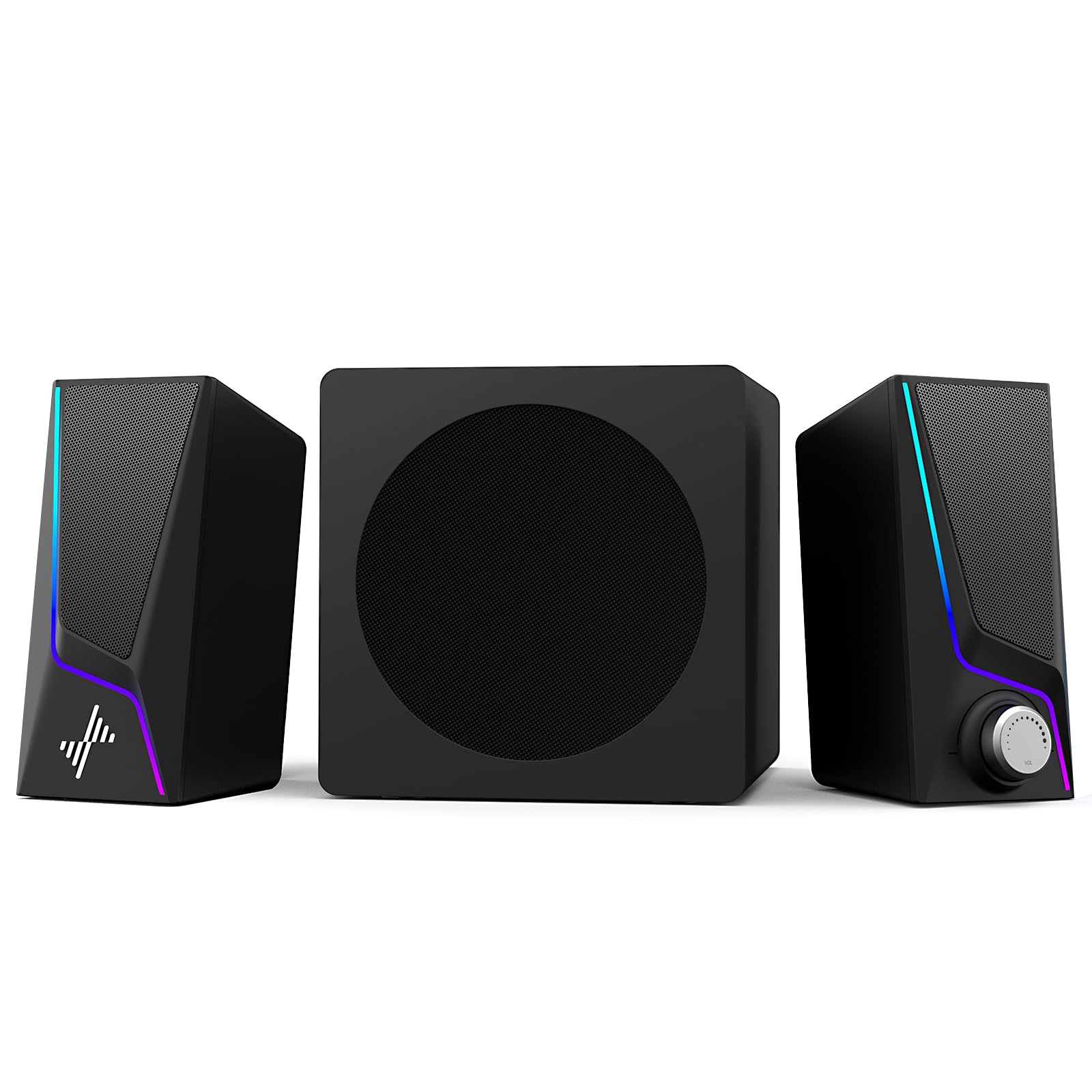
12 Best 2.1 Computer Speakers of 2026: That Sound Great and Survive Long-Term

Which 2.1 speaker systems balance THX-certified sound with reliable power management — and which ones risk amplifier burnout.

The hunt for a good 2.1 computer speaker system often ends with disappointment: a subwoofer that goes silent after a year, or an amplifier that burns out because there's no power switch. Many systems sound fantastic out of the box but fail to deliver that performance over time. The goal is to find a setup that balances audio quality with long-term reliability.

This guide focuses on systems that handle continuous desktop use without common failure points — like idle amplifiers left on 24/7 or undersized components that degrade quickly. The best options in this category offer THX certification, robust subwoofers, and controls that actually last. But no system is perfect: the trade-off between refined clarity and raw bass depth is real, and reliability varies widely even among top sellers.

We break down what matters: subwoofer size and power, connectivity options that match your gear, and the reliability record that separates a five-year investment from a temporary fix.

1

Best Overall 2.1 Computer Speakers

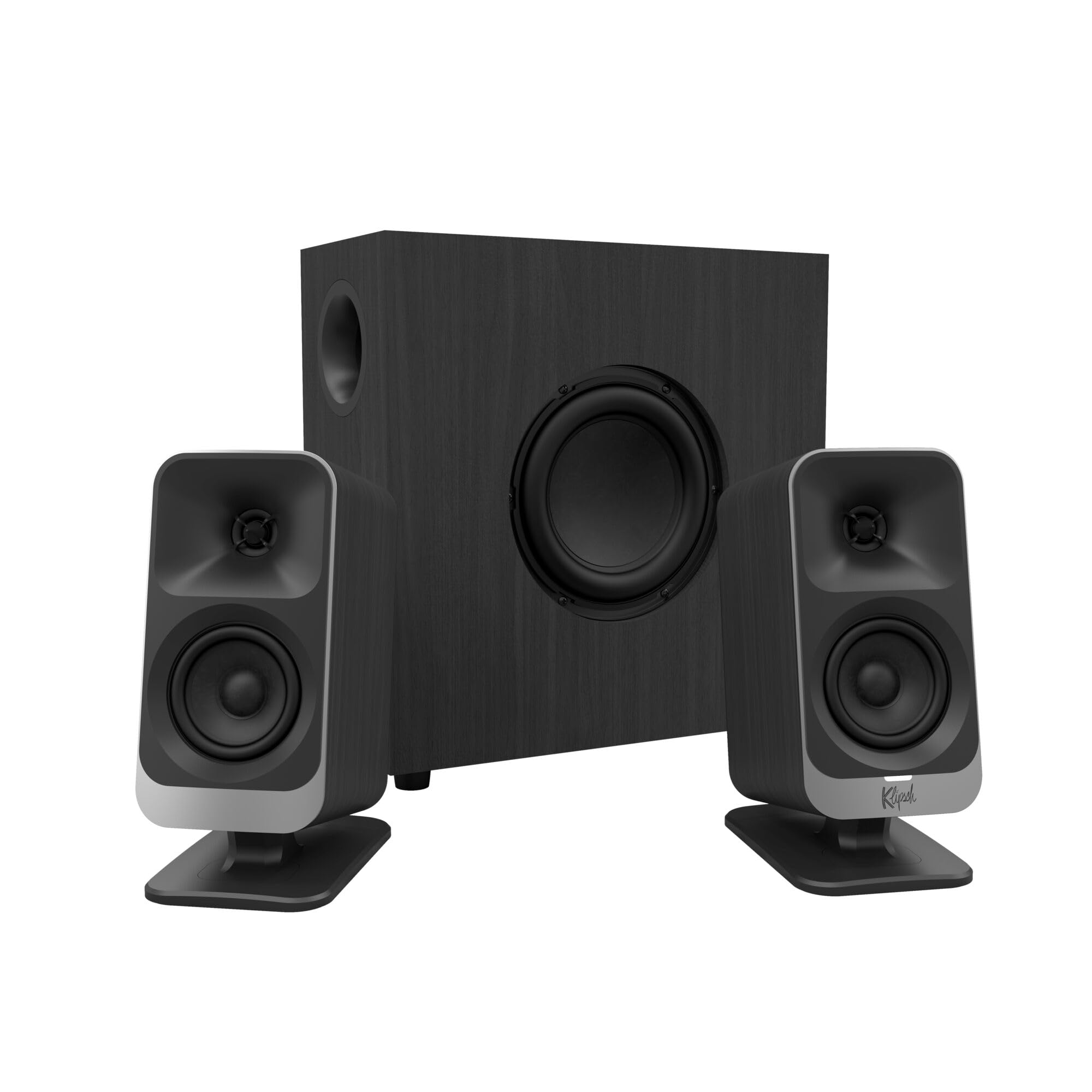
Klipsch ProMedia 2.1

91 /100
Lab Score Outstanding

Key details

Controls
Wired pod
Subwoofer
6.5″ side-firing 200W
Sound Tech
THX certified
Reliability
No power switch, amp wear
View on Amazon

The Klipsch ProMedia 2.1 brings THX certification and horn-loaded tweeters to a desktop system, delivering a level of clarity and presence that pushes well beyond its price tier. Clear highs cut through without harshness, and the 6.5-inch side-firing subwoofer delivers bass that fills a room without muddying the midrange. Owners consistently describe the sound as 'crystal clear' and note the system's ability to handle both gaming explosions and acoustic tracks with equal composure.

The wired control pod gives you volume and subwoofer gain adjustment within arm's reach, and the 3.5mm analog input keeps setup simple. At maximum output, the system can fill a large living room without distortion — a rare trait in a mid-range PC speaker set. The satellites use a 3-inch midrange driver plus a horn tweeter, which contributes to the wide, open soundstage that makes positional audio in games feel more precise.

This system is best for gamers and music listeners who want room-filling punch and clarity from a desktop setup. The trade-off: there is no power-off switch, so the amplifier stays on and idle when not in use — a factor that may contribute to long-term wear. Additionally, some units have been reported to develop issues with the right speaker or subwoofer within the first couple of years. For buyers who plan to set these speakers once and leave them plugged in, the sound quality justifies the risk; for those who need years of trouble-free operation, consider a model with a power switch and stronger reliability history.

💡 Consider using a smart plug to cut power when the system is not in use — reduces idle wear and gives you a convenient off switch.

Pros

  • THX-certified sound delivers clear highs and impactful bass
  • High maximum volume fills large rooms without distortion
  • Solid build quality for the price range

Cons

  • No power-off switch
  • Some units may experience right speaker or subwoofer failure within the first couple of years
Our verdict

Impressive audio quality and output for the price, but long-term reliability varies — best for those who prioritize sound over fault-free years of service.

Check Latest Price
2

Best for Bass Lovers

Logitech Z623

93 /100
Lab Score Outstanding

Key details

Controls
Right satellite knob
Subwoofer
12″ downward-firing 400W
Sound Tech
THX certified
Reliability
Large sub, early failures
View on Amazon

The Logitech Z623 delivers the highest peak power in the brand's 2.1 lineup — a 12-inch downward-firing subwoofer driven by 400W peak (200W RMS) that fills a room with deep, chest-thumping bass. Compared to the mid-range option in this roundup, the Z623 trades some refinement for raw output: bass is visceral rather than tight, and the satellites produce crisp highs without much midrange detail. THX certification assures consistent performance across volume levels, and the right satellite's volume knob with subwoofer gain allows quick tuning. Setup takes minutes with the included 3.5mm and RCA inputs.

In daily use, the Z623 handles multiple inputs simultaneously — plug in a PC, console, and phone without switching cables. The right satellite's controls are conveniently placed, and the system maintains clarity at high volumes, though the bass can dominate smaller rooms.

This system is best for gamers and movie fans who want their audio to match the on-screen action — explosions and soundtracks come through with force. It requires a large desk or floor space for the subwoofer and a willingness to work with a warranty if needed: some units have stopped working early, though Logitech's support can replace them under warranty.

💡 For best bass response, place the subwoofer on a hard floor away from walls, not inside a desk cubby.

Pros

  • Powerful, room-filling sound with deep, clean bass
  • Excellent value for a THX-certified system
  • Easy to set up and connects to multiple devices

Cons

  • Large subwoofer footprint
  • Some units may stop working within the first few months
Our verdict

A powerful, bass-forward system for those who prioritize volume and have the space — but warranty awareness is essential given that some units may need replacement.

Check Latest Price
3

Best for Gaming Immersion

SteelSeries Arena 7

88 /100
Lab Score Excellent

Key details

Controls
Sonar app
Subwoofer
6.5″ downward-firing 100W
Sound Tech
DTS:X
Reliability
BT lag, some failures
View on Amazon

The SteelSeries Arena 7 delivers DTS:X virtual surround and a 100W peak power system, putting it ahead of typical PC speakers for gaming immersion. Silk dome tweeters and an organic fiber woofer produce clear highs and punchy bass, while the Sonar software provides a 10-band EQ and spatial audio modes. PrismSync RGB lighting on both satellites and the subwoofer reacts to in-game events or can be fully disabled for a clean look.

This setup suits gamers who want reactive lighting and software-driven surround sound for PC or PlayStation. The Bluetooth connection may introduce noticeable lag in gameplay – using USB or optical eliminates that delay. A small number of units have developed issues after a year and a half of use, so long-term durability is something to factor into the purchase decision.

💡 Connect via USB or optical for zero-latency audio in games and media.

Pros

  • Clear, immersive sound with deep bass and crisp highs
  • Customizable RGB lighting that syncs with games or can be turned off
  • Easy setup with intuitive Sonar software for EQ and spatial audio

Cons

  • Bluetooth audio may have noticeable delay in gaming
  • Occasional reports of units losing function after extended use
Our verdict

For PC and PlayStation gamers who value DTS:X immersion and customizable RGB, the Arena 7 delivers – just stick to wired connections and keep an eye on long-term reliability.

Check Latest Price
4

Best for Audiophiles

Edifier S351DB

90 /100
Lab Score Outstanding

Key details

Controls
Remote + top panel
Subwoofer
8″ wireless 200W
Sound Tech
Reliability
Finicky remote, optical issues
View on Amazon

The Edifier S351DB separates itself from typical 2.1 desktop options with titanium tweeters that deliver clean high-frequency extension and a wireless 8-inch subwoofer that integrates without cable clutter. At 200W RMS, it fills a medium room with controlled bass and clear mids — a noticeable step up from the sibling Edifier S350DB in both power and detail retrieval.

This system is best for desktop or living room setups where the primary use is music and movies, not competitive gaming. The remote control is small and can be unresponsive when not pointed directly at the unit, and some cases of optical input failure have been noted — so a wired coaxial or AUX connection may be more dependable. The build quality and aesthetic, however, justify the premium price for those who value a solid, attractive component on their desk.

In practice, the soundstage is open and vocals come through cleanly, making podcasts and acoustic tracks enjoyable. The subwoofer placement is flexible thanks to the wireless link, though the satellite speakers are larger than typical desktop models — they fit best on a deep desk or in a dedicated listening area. Design and materials feel substantial, with a brushed finish that looks more like a hi-fi component than a PC speaker.

💡 Keep the remote within line-of-sight from your seating position — pointing it directly at the unit improves responsiveness.

Pros

  • Titanium tweeters provide crisp, clear highs without harshness.
  • Solid build with a premium, attractive appearance.
  • Strong value for a high-end 2.1 system with wireless sub.

Cons

  • Remote control is small and occasionally unresponsive unless aimed directly.
  • Optical input may stop working in some units
Our verdict

For desktop listeners who prioritize near-audiophile sound for music and movies, and can tolerate a finicky remote, the S351DB is a convincing alternative to the top pick's horn-loaded design.

Check Latest Price
5

Best Budget Option

Logitech Z313

89 /100
Lab Score Excellent

Key details

Controls
Wired control pod
Subwoofer
5.25″ compact 25W
Sound Tech
Reliability
Satellite failure within months
View on Amazon

The Logitech Z313 delivers a 2.1 system with a separate subwoofer at a price point that undercuts most competitors, making it an accessible upgrade from built-in laptop speakers. Unlike the more powerful Logitech Z623, this system focuses on simplicity and compact dimensions — the satellites are small enough to tuck under a monitor, and the wired control pod keeps volume within reach.

This system suits desk setups where space is limited and expectations are moderate — think casual YouTube, background music, or occasional movie watching. That said, long-term reliability is a consideration: the satellites or subwoofer can lose function within a year of regular use, so buyers should accept that this may be a 1–2 year purchase.

The subwoofer adds a noticeable low-end presence, though the bass is preset and cannot be adjusted. In rooms with reflective walls, the low end may dominate the mids; positioning the subwoofer away from corners can help balance the sound. The overall clarity works well for dialogue and acoustic tracks at moderate volumes.

💡 Position the subwoofer on the floor and away from corners to reduce bass boom — the control pod has no bass adjustment.

Pros

  • Decent sound for the price, with a genuine subwoofer
  • Simple setup with plug-and-play 3.5mm connection
  • Clear overall sound quality for casual listening

Cons

  • Speakers may stop producing sound within the first year of regular use
  • Fixed bass level can overpower midrange frequencies in smaller rooms
Our verdict

For budget-conscious listeners who want an immediate upgrade from laptop speakers without complex setup, the Z313 delivers decent sound in a compact package — just plan for a shorter lifespan.

Check Latest Price
6

Best RGB Gaming System

Logitech G560

89 /100
Lab Score Excellent

Key details

Controls
G Hub software
Subwoofer
5.9″ downward-firing 240W
Sound Tech
DTS:X
Reliability
Stopping after months
View on Amazon

The Logitech G560 delivers DTS:X Ultra virtual surround and LIGHTSYNC RGB that reacts in-game — a combination no other 2.1 system offers. The subwoofer and satellite speakers produce clear, loud sound with good separation, and setup is simple via USB or 3.5mm. The G Hub software allows fine-tuning of EQ and lighting effects.

Over extended daily use, some units may experience hardware failure — satellites can stop working while the subwoofer remains active. Bluetooth connectivity can also drop unexpectedly, particularly at longer distances or with interference. For a wired setup, these concerns are minimized; the sound and lighting remain engaging.

This system is for gamers who want immersive virtual surround and visual feedback, and who are willing to accept occasional quirks in exchange. If you need a stable Bluetooth connection or prioritize long-term durability, the top pick's simpler design may be a safer bet.

💡 For a stable connection, stick with USB or 3.5mm inputs; Bluetooth is fine for short-range casual listening.

Pros

  • Immersive DTS:X virtual surround with clear, loud audio
  • Game-reactive RGB lighting syncs with supported titles
  • Easy setup and customization via G Hub software

Cons

  • For wireless use, random Bluetooth disconnects may occur
  • In a daily-use desktop setup, the satellite speakers can go silent while the subwoofer continues to work
Our verdict

Best for PC gamers who prioritize virtual surround and RGB immersion over long-term durability — keep your receipt for potential warranty claims.

Check Latest Price
7

Budget Gamers

Bluedee SK900pro

88 /100
Lab Score Excellent

Key details

Controls
Single knob
Subwoofer
5.25″ side-firing 80W
Sound Tech
DSP
Reliability
Occasional disconnection
View on Amazon

Bluedee's SK900pro delivers impressive bass and clear mids for its price, with DSP-tuned sound that outclasses most built-in speakers. Bluetooth 5.4, USB-C, USB-A, and AUX inputs make it straightforward to connect to any laptop, PC, or console, and the single knob handles volume and RGB effects. The subwoofer provides genuine low-end thump for gaming and movies. However, long-term reliability is still uncertain — isolated reports note occasional audio dropouts or disconnection during extended use. Sound quality is good but not exceptional; audiophiles seeking reference clarity should consider higher-tier options. This setup suits budget gamers who want modern connectivity and RGB without overspending, especially if they're comfortable with a newer brand's track record.

Pros

  • Impressive bass and clarity for the price point
  • Easy setup with modern inputs including Bluetooth 5.4 and USB-C

Cons

  • Audio may occasionally drop out or disconnect during extended use
Our verdict

Best for budget-conscious users who prioritize modern connectivity and RGB over long-term track record, and who can accept the possibility of occasional audio hiccups.

Check Latest Price
8

Voice Chat

Nylavee SK100Pro

86 /100
Lab Score Excellent

Key details

Controls
Side knob
Subwoofer
5.25″ wired 60W
Sound Tech
Reliability
View on Amazon

The Nylavee SK100Pro delivers clear, balanced sound with a focus on vocal clarity, making it a good match for voice chats, videos, and music with prominent lyrics. Its compact soundbar design sits neatly under a monitor, saving desk space, and Bluetooth 5.4 offers modern wireless connectivity. At a budget-friendly price, it provides strong value for everyday use. However, the included subwoofer lacks the punch and depth needed for room-shaking bass — it fills in lower frequencies but won't satisfy listeners who want a powerful low-end rumble. This limitation keeps it from competing with dedicated 2.1 systems like the Logitech Z623 or Klipsch ProMedia 2.1 for bass-heavy content.

Pros

  • Clear mids and vocals for voice calls and spoken-word content
  • Compact soundbar form factor fits under most monitors

Cons

  • Subwoofer adds only modest bass enhancement, not deep rumble
Our verdict

Choose this if you prioritize vocal clarity and a clutter-free desktop over deep bass — it suits casual listening and productivity, not bass-heavy gaming or music.

Check Latest Price
9

Near-Field Listening

Creative Pebble X Plus

85 /100
Lab Score Excellent

Key details

Controls
Button + app
Subwoofer
2.75″ compact 15W
Sound Tech
Reliability
View on Amazon

The Creative Pebble X Plus delivers clear audio with surprising bass depth for its size, wrapped in a compact design with customizable RGB lighting. USB-C and Bluetooth 5.3 provide flexible connections, suiting modern laptops and gaming consoles. The compact subwoofer adds low-end presence without dominating the desk. Volume tops out below room-filling levels, so this works best for near-field listening. Mac users should note the Creative app hasn't seen updates in years and may not reliably detect the speakers.

Pros

  • Clear sound with surprising bass depth for a compact 2.1 system
  • Compact build with adjustable RGB lighting adds style to desks
  • USB-C, Bluetooth 5.3, and AUX inputs offer connection flexibility

Cons

  • Creative app for macOS is outdated and may not recognize the speakers
  • Maximum volume is limited, not suited for filling a room with sound
Our verdict

A good fit for desktop users who want USB-C, Bluetooth, and RGB in a small package — provided you listen at moderate volumes and don't rely on the macOS app.

Check Latest Price
10

Multiple Inputs

Logitech Z533

87 /100
Lab Score Excellent

Key details

Controls
Wired pod (bass)
Subwoofer
5.25″ front-facing 60W
Sound Tech
Reliability
Subwoofer failure, static
View on Amazon

The separate bass knob and dual 3.5mm/RCA inputs make the Z533 easy to adapt to a PC and a console side by side. The 60W RMS output delivers enough presence for casual gaming and media without overwhelming a desk. However, compared to the higher-power Z623, the bass is less aggressive — a tradeoff that suits buyers who want adjustable control over boom rather than raw depth. The main limitation is the potential for subwoofer or satellite malfunction within months of purchase; this is a risk that makes the Z533 better suited for users who prioritize immediate bass tuning and input flexibility over long-term reliability.

Pros

  • Good sound quality with adjustable bass
  • Convenient control pod with bass adjustment

Cons

  • Volume control may develop static or produce a loud pop sound over time
  • Subwoofer or satellites can become non-functional within months of purchase
Our verdict

If you need separate bass control and dual inputs for a mixed PC/console desk, the Z533 delivers — as long as you are comfortable with the possibility of speaker issues within the first year.

Check Latest Price
11

RGB Enthusiasts

Klipsch ProMedia Lumina

80 /100
Lab Score Excellent

Key details

Controls
App + buttons
Subwoofer
6.5″ side-firing
Sound Tech
Reliability
Software glitches
View on Amazon

The Lumina brings adjustable RGB lighting, USB-C audio, and Bluetooth 5.3 to Klipsch's familiar 2.1 formula — a clear visual and functional update for gamers who want ambient effects and wireless streaming. The horn-loaded tweeters and 6.5-inch subwoofer deliver the same crisp highs and punchy bass the brand is known for, with a more refined look than the original. However, the Klipsch Control app that drives lighting and EQ can glitch on occasion, and the satellite cables are short enough to limit desk placement freedom. With only a few months of user feedback available, long-term reliability is still an open question — an early-adopter risk that buyers chasing proven durability should steer around.

💡 Keep the Klipsch Control app updated to reduce occasional glitches; if satellite spacing is tight, the short cables won't be an issue.

Pros

  • Clear highs and deep bass from horn-loaded tweeters and a 6.5-inch subwoofer
  • Adjustable RGB lighting that integrates with Windows Dynamic Lighting

Cons

  • Klipsch Control app may glitch, affecting RGB and EQ adjustments
  • Short satellite cables can force speakers closer together than ideal
Our verdict

Best suited for gamers who prioritize RGB aesthetics and Bluetooth connectivity over a well-documented reliability history — the sound is solid, but the software hiccups and short cables require some tolerance.

Check Latest Price
12

Wireless Sub

Edifier M601DB

81 /100
Lab Score Excellent

Key details

Controls
Remote + panel
Subwoofer
8″ wireless 110W
Sound Tech
Reliability
Remote issues, some stop
View on Amazon

The Edifier M601DB brings 110W of RMS power to a desktop setup with an 8-inch wireless subwoofer that eliminates a trailing cable. It supports aptX Bluetooth, optical, coaxial, and AUX inputs, making it easy to connect a PC, console, or TV. The coaxial satellite drivers deliver clear mids and highs, and the system gets louder than most users will need for desk listening.

Two limitations hold it back from competing with Edifier‘s own S351DB. The remote control requires very precise aiming, which can be annoying during casual use. Additionally, some units have experienced power or functionality issues within the first year, so long-term reliability is less certain than more established alternatives. Buyers who can tolerate a finicky remote and want the convenience of a wireless subwoofer may still find this a capable option.

Pros

  • Wireless subwoofer simplifies desk cable management
  • High volume output and strong bass for a desktop system
  • Versatile inputs including optical, coaxial, and Bluetooth aptX

Cons

  • Remote control needs near-perfect aiming to respond consistently
  • A small portion of units may stop powering on or lose functionality within months
Our verdict

This system suits buyers who prioritize a cable-free subwoofer and multiple digital inputs over remote perfection and guaranteed longevity — best for secondary or less-critical desk setups.

Check Latest Price

How to Choose

Subwoofer Size and Power

Larger subwoofers (8-inch and above) move more air and produce deeper, more impactful bass. A 12-inch sub like the Logitech Z623's can shake the room, but it also takes up significant floor space. Smaller 5.25-inch subs are easier to fit under a desk but may lack the low-end extension for movie explosions.

RMS power (continuous watts) matters more than peak power. A system with 200W RMS can fill a medium room cleanly, while 25W RMS units like the Logitech Z313 are fine for near-field listening but distort at higher volumes.

Connectivity Options

3.5mm analog is universal but carries noise from your PC's audio jack. USB and USB-C bypass the internal sound card for cleaner audio, while optical input avoids ground loops entirely. Bluetooth adds convenience but introduces latency — Bluetooth 5.x with aptX reduces delay but is still not ideal for competitive gaming.

Multiple inputs let you keep your PC and console connected simultaneously. The Logitech Z623 and Edifier S351DB offer RCA and optical respectively, making them flexible for mixed setups. USB-only systems like the Creative Pebble series are simpler but limit you to a single device.

Sound Certification and DSP

THX certification ensures the system meets specific frequency response and distortion standards. It's a reliable indicator of balanced sound, but it doesn't guarantee durability. DSP (digital signal processing) tuned systems, like the Bluedee SK900pro, shape the audio profile digitally, often emphasizing bass at the cost of clarity at high volumes.

For gaming, virtual surround technologies like DTS:X (SteelSeries Arena 7, Logitech G560) can improve spatial awareness, but they rely on software processing that may introduce latency. Pure stereo THX systems still offer the most accurate positional audio for competitive play.

Controls and Usability

A wired control pod with separate volume and bass knobs (like Klipsch ProMedia or Logitech Z533) gives you tactile adjustment without digging into software. Remote controls (Edifier S351DB) are convenient but often require line-of-sight and can be finicky. App-based controls (SteelSeries Arena 7) offer deep EQ customization but depend on software updates and compatibility.

The biggest usability trade-off is the power switch: systems without one (Klipsch ProMedia 2.1) leave the amplifier powered constantly, accelerating wear. A switched power strip solves this, but it's an extra step many buyers overlook.

Reliability and Durability

The most common failure in 2.1 computer speakers is the subwoofer amplifier or satellite driver dying within 1-2 years. This often stems from continuous standby power (no off switch) or cheap capacitors. Systems with a physical power switch or auto-standby mode tend to last longer.

Brand history matters: the Klipsch ProMedia 2.1 has a legendary track record for sound but a mixed reliability record. Budget Cyber Acoustics models see high early failure rates. Reading product reviews for 'durability' or 'stopped working' phrases is the best way to gauge real-world longevity.

Frequently Asked Questions