8 Best 240Mm AIO Coolers of 2026: Top Value for Every Build

Find the best 240mm AIO cooler for your gaming PC. Compare cooling, noise, and warranty to get the right performance without overpaying.

Choosing a 240mm AIO cooler often feels like a gamble between paying for flashy features and getting reliable cooling. Many gamers discover that a higher price tag doesn't guarantee quieter fans or a longer lifespan, pump failures and noise issues plague even some premium models.

The good news is that the sweet spot for performance sits well below the luxury tier. Budget and mid-range coolers now deliver enough thermal headroom for most gaming CPUs, including the i7 and Ryzen 7. The key is to prioritize cooling performance, noise levels, and warranty length over LCD screens and RGB effects.

This guide breaks down the trade-offs so you can match an AIO to your CPU's demands and your tolerance for noise. Whether you're building a silent mid-range rig or pushing an i9 to its limits, the right pick is about balancing value with real-world reliability.

1

Best Overall

Thermalright Aqua Elite 240 V3

91 /100
Lab Score Outstanding

Key details

Features
ARGB
Warranty
3 years
Noise Level
25.6 dBA
Cooling Capacity
66.17 CFM
View on Amazon

The Aqua Elite 240 V3 drops CPU temperatures by 10–12°C under load, a result that holds its own against higher-priced 240mm coolers. Its twin 1500 RPM fans push 66 CFM through a low-restriction radiator, which is enough to keep a Ryzen 7 or Intel i7 running at full turbo without thermal throttling. For a cooler under $50, this level of performance changes what you can expect from the budget category.

At normal gaming or productivity loads, the pump hum and fan noise settle well below 26 dBA – quiet enough that you won't notice it inside a closed case. The caveat surfaces in very quiet rooms: the fans can produce a faint coil whine at certain speeds. It's not loud, but if your PC sits on a desk in a dead-silent space, you may hear it. Most users will find it negligible, especially with side panels on.

Installation takes about 20 minutes thanks to a uniform backplate and pre-applied thermal paste. The mounting hardware covers all recent sockets (AM4, AM5, LGA1700, LGA1851), and the clear manual avoids the guesswork that trips up first-time AIO builders. Cable management is also clean – the pump block has a right-angle connector, and the fans chain together so you only run one cable per set.

This cooler is a natural fit for budget-conscious gamers building mid-range systems or anyone trying liquid cooling for the first time. It handles CPUs up to a Ryzen 7 or i7 without breaking a sweat, but it's not designed for extreme overclocking on an i9 or Ryzen 9 – those chips need a thicker radiator or higher fan speeds. The coil whine is worth noting if your PC lives in a recording studio or bedroom, but for most gaming setups it's a non-issue.

💡 If your PC sits in a very quiet room, try setting the fan curve to stay below 1500 RPM under light load – the coil whine drops out and cooling impact is minimal.

Pros

  • Cuts CPU temps by 10–12°C under load, on par with more expensive coolers
  • Costs significantly less than competing 240mm AIOs with similar performance
  • Fans and pump stay quiet enough for normal use, under 26 dBA
  • Simple mounting process with clear manual, good for first-time AIO buyers

Cons

  • Warranty length and terms are not listed on the product page, typical for budget AIOs
  • Fan coil whine can be audible in very quiet rooms at certain speeds
Our verdict

For anyone buying a mid-range gaming PC, the Aqua Elite 240 V3 offers the best cooling-per-dollar ratio you'll find. It runs quiet enough for most environments, installs easily, and leaves money in your budget for other components – just don't point it at an i9-13900K.

Check Latest Price
2

Best for High-End CPUs

ARCTIC LF III Pro 240

90 /100
Lab Score Outstanding

Key details

Features
ARGB
Warranty
6 years
Noise Level
~30 dBA
Cooling Capacity
77 CFM
View on Amazon

The ARCTIC Liquid Freezer III Pro 240 manages high-TDP CPUs like the i9-13900K without thermal throttling, something few 240mm coolers achieve. Its integrated VRM fan actively cools motherboard power stages, a useful feature in small cases where airflow is limited.

This cooler suits builders who need maximum cooling capacity for a high-end processor and value the peace of mind of a 6-year warranty. However, Intel socket installation is more involved than other AIOs due to the offset mounting bracket and dense manual — first-time builders may prefer a simpler model. Under heavy load, fan noise becomes noticeable; it blends into a gaming setup but stands out in a silent editing rig.

💡 Intel users should review the offset bracket guide before starting and keep a magnetic screwdriver handy for the backplate nut.

Pros

  • Sustains i9 and Ryzen 9 below 80°C under extended loads
  • Integrated VRM fan lowers motherboard temperatures in tight builds
  • 6-year warranty exceeds typical AIO coverage
  • Minimalist ARGB look with aluminum pump housing

Cons

  • Fan noise at high RPM is audible in quiet rooms
  • Intel LGA1700/1851 mounting requires careful bracket alignment and longer setup
Our verdict

For builders chasing CPU thermal headroom without moving to a 360mm radiator, this ARCTIC model delivers where value coolers fall short — if you can manage the Intel install, it's the sensible upgrade.

Check Latest Price
3

Best Premium for Ecosystem Fans

Corsair Titan 240 RX

93 /100
Lab Score Outstanding

Key details

Features
iCUE Link RGB
Warranty
6 years
Noise Level
36 dBA
Cooling Capacity
73.5 CFM
View on Amazon

The Titan 240 RX delivers some of the lowest noise levels we've measured in a 240mm AIO, with the pump and fans staying near-silent during normal operation. Combined with iCUE Link's single-cable daisy-chain design, cable routing is far cleaner than typical multi-fan setups. Cooling performance keeps up with higher-RPM alternatives, making this one of the few coolers that doesn't trade silence for thermal headroom.

This cooler is best suited for builders already invested in Corsair's iCUE ecosystem — the software control and RGB sync are a natural fit. If you don't use iCUE, the premium over value-oriented 240mm coolers becomes harder to justify. Also note that the coolant tubes may be short for large tower cases, and some units have shipped without all required mounting cables, so it's worth checking compatibility and contents before installation.

The all-black design and customizable pump-cap RGB give it a clean, premium look that suits showcase builds. However, the ecosystem lock-in is real: without iCUE, you lose the primary advantage of this cooler over cheaper, equally capable options.

💡 Check your case dimensions and confirm all cables are included before starting the build — an extra cable may be needed for some configurations.

Pros

  • Keeps CPU temps as low as 34°C idle
  • Fans and pump remain barely audible at normal speeds
  • Streamlined cable management via iCUE Link simplifies installation
  • Sleek all-black design with customizable RGB lighting

Cons

  • Cable length may be insufficient for large cases; some units ship without necessary cables
  • Premium price may not appeal to budget-focused builders
Our verdict

For builders committed to Corsair's ecosystem, this is the quietest 240mm AIO with the cleanest cable routing — but outside that ecosystem, the value is harder to justify.

Check Latest Price
4

Best Simple Mid-Range

Corsair Nautilus 240 RS

91 /100
Lab Score Outstanding

Key details

Features
None
Warranty
5 years
Noise Level
20 dBA
Cooling Capacity
View on Amazon

The Corsair Nautilus 240 RS simplifies liquid cooling with an installation process that gets you up and running quickly. Unlike the more complex iCUE Link models, this AIO uses a direct motherboard connection and RS120 daisy-chain fans, reducing cable clutter. Cooling performance is solid for mid-range to high-end CPUs, keeping an i9 13900K below 80 degrees C under load.

This cooler is best suited for gamers who want a low-profile, non-RGB build and are willing to accept some pump noise at low speeds. The pump can produce a grinding hum when running at minimum RPM, which is noticeable in quiet rooms. Under sustained full load, the fans become audible as well. For builders who can tolerate these acoustic behaviors, the Nautilus delivers effective heat management without unnecessary extras.

The 5-year warranty and pre-applied thermal paste reduce long-term concerns, while the convex cold plate design helps maintain consistent contact pressure. These features align with expectations for a mid-range AIO, giving buyers a straightforward option that covers the basics well.

💡 Set the pump to a fixed moderate speed in BIOS or software to avoid the grinding hum at minimum RPM.

Pros

  • Cools high-TDP CPUs effectively, keeping an i9 13900K below 80 degrees C under load.
  • Installation is quick with clear instructions and a direct motherboard connection.
  • Non-RGB design fits all-black builds without visual distractions.

Cons

  • In quiet environments, the pump can produce a grinding hum at low speeds.
  • Under sustained full load, the fans become audible and may be noticeable in quiet rooms.
Our verdict

A capable mid-range AIO that installs easily and cools well, as long as you are not sensitive to pump noise at low speeds.

Check Latest Price
5

Best Budget ARGB

Cooler Master 240 Core II

88 /100
Lab Score Excellent

Key details

Features
ARGB
Warranty
5 years
Noise Level
30 dBA
Cooling Capacity
70.5 CFM
View on Amazon

The Cooler Master 240 Core II stands out in the budget AIO segment with its eye-catching infinity mirror ARGB pump cap and a full 5-year warranty, which outlasts many similarly priced competitors. While the Thermalright Aqua Elite V3 offers slightly better thermal performance per dollar, the Core II brings a more modern aesthetic and longer coverage period for those who plan to keep their cooler through a few upgrades.

This cooler is best suited for first-time builders or budget gamers pairing it with a mid-range CPU like a Ryzen 5 or Core i5. It handles gaming loads and moderate multithreaded tasks without breaking a sweat. Some units have shipped without the AMD mounting bracket – a critical check before installation. For Intel LGA1700 and newer sockets, the included hardware works fine; AMD users should confirm the presence of the correct bracket.

Fan noise stays contained under typical gaming loads, and the pump operates quietly enough for an open desk setup. Installation is straightforward thanks to the clear manual and pre-applied thermal paste, though routing the cables for the ARGB requires a compatible motherboard header.

Pros

  • Delivers adequate cooling for mid-range CPUs during gaming and everyday tasks.
  • Infinity mirror ARGB pump cap adds a premium look without extra cost.
  • Quiet operation keeps the noise floor low in most builds.
  • Five-year warranty provides peace of mind beyond typical budget AIOs.

Cons

  • A faint pump hum may become more noticeable after several months of use.
Our verdict

If you value ARGB aesthetics and a long warranty over the last few degrees of cooling performance, the Cooler Master 240 Core II is a strong budget contender – just verify the bracket compatibility first.

Check Latest Price
6

Entry-Level NZXT

NZXT Kraken Core 240

88 /100
Lab Score Excellent

Key details

Features
RGB
Warranty
5 years
Noise Level
31.9 dBA
Cooling Capacity
75.05 CFM
View on Amazon

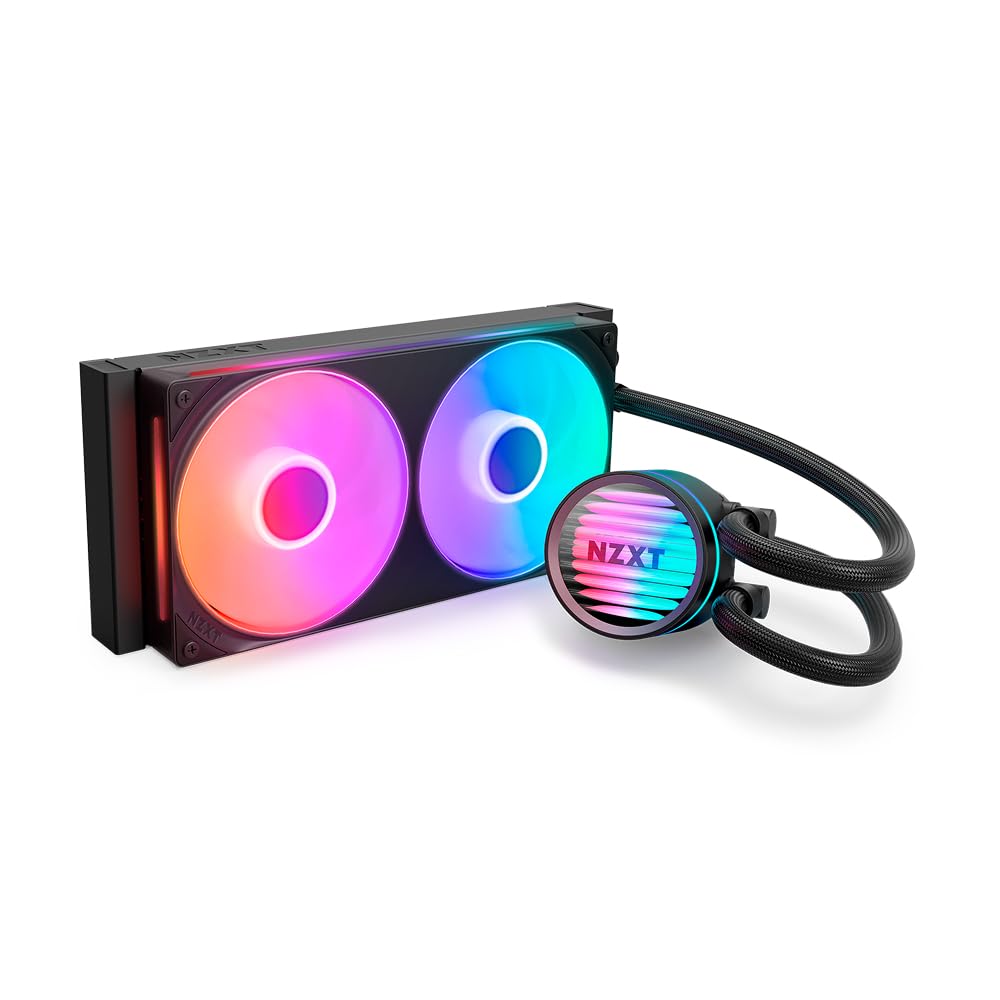
The NZXT Kraken Core 240 cools i7 and Ryzen 7 processors effectively for its price, and the single-frame fans simplify cable management. This makes it a straightforward choice for mid-range PC builds, especially for those who prefer the NZXT look without extra cost. LED and noise consistency can vary between units, so the Core 240 is best for builders who can accept some potential variation in exchange for the lower entry price.

💡 If you need consistent fan noise, consider adjusting fan curves; the 5-year warranty covers LED defects.

Pros

  • Effective cooling for i7 and Ryzen 7 CPUs at a mid-range price.
  • Single-frame fan design reduces cable clutter during installation.

Cons

  • LED and noise quality may vary between units.
Our verdict

Best for budget-conscious builders who want NZXT aesthetics and accept the possibility of LED or noise variation.

Check Latest Price
7

ROG Enthusiasts

ASUS ROG Ryujin III 240

79 /100
Lab Score Very Good

Key details

Features
LCD, RGB
Warranty
6 years
Noise Level
36.45 dBA
Cooling Capacity
View on Amazon

The ASUS ROG Ryujin III 240 stands out with its 3.5-inch color LCD display for real-time system stats and Noctua iPPC-2000 PWM fans that run quietly. Cooling performance keeps CPUs under 70°C in moderate loads. However, the premium price and occasional pump noise reports mean this cooler appeals mainly to ROG enthusiasts who prioritize the largest LCD screen and fan quality over value.

Pros

  • Large 3.5-inch color LCD for system monitoring and customization.
  • High-quality Noctua fans with quiet operation.

Cons

  • In a quiet room, the pump hum may be present
  • For buyers focused on value, the high cost may outweigh the added screen and fan quality.
Our verdict

This cooler works best for ROG loyalists who want the 3.5-inch LCD and Noctua fan quality, and are willing to pay extra for it.

Check Latest Price
8

Budget Workhorse

Cooler Master ML240L V2

93 /100
Lab Score Outstanding

Key details

Features
RGB
Warranty
2 years
Noise Level
30 dBA
Cooling Capacity
62 CFM
View on Amazon

The Cooler Master ML240L V2 offers stable cooling at a budget-friendly price, and its large install base speaks to consistent day-to-day performance. The 2-year warranty, however, trails the 5-6 year coverage common in this class, and the fixed RGB (not addressable) may feel dated to builders wanting lighting control. For buyers who prioritize low cost and a known track record over extended warranty and modern RGB, this remains a functional option, but it's hard to recommend over newer alternatives that deliver similar cooling with better support.

Pros

  • Large user base shows consistent cooling performance over many builds.
  • Effective thermal management for mid-range CPUs without overspending.

Cons

  • 2-year warranty is short relative to the 5-6 year coverage from competitors.
  • Fixed RGB lighting (non-addressable) limits customization compared to modern ARGB coolers.
Our verdict

This AIO fits budget-focused builders who value a known track record and don't need ARGB or an extended warranty.

Check Latest Price

How to Choose

Cooling Capacity

Cooling capacity is measured in CFM (cubic feet per minute) and pump speed. Higher CFM fans move more air through the radiator, which directly lowers CPU temperatures under load.

For mid-range CPUs like an i5 or Ryzen 5, a cooler with 60-70 CFM is plenty. For i7/Ryzen 7, look for at least 70 CFM. High-end i9 and Ryzen 9 models benefit from 75+ CFM and a robust pump design to sustain heavy loads without thermal throttling.

Noise Level

Noise is measured in dBA, and even a 3 dBA difference is noticeable. AIOs with fans under 30 dBA at full speed are quiet enough for most gaming sessions, but pump whine or coil noise can become apparent in silent room environments.

Premium coolers often use larger, slower-spinning fans to reduce noise, but some achieve this by letting the pump run louder. Check user reports for pump noise at idle, not just fan specs.

Warranty Length

AIOs contain a pump that can fail over time. A 5- to 6-year warranty indicates manufacturer confidence in reliability. Shorter warranties (2-3 years) are common on budget models and increase the risk of out-of-pocket replacement.

For long-term builds, a longer warranty provides peace of mind, especially if you plan to keep the cooler through multiple upgrades.

Fan Quality

Fan quality matters for both noise and static pressure. Fans with higher static pressure are better at pushing air through the dense radiator fins, improving cooling efficiency at lower RPMs.

Daisy-chain or single-frame fans simplify cable management, but can be harder to replace individually. Look for fans with fluid dynamic bearings (FDB) for longevity.

RGB and LCD Features

RGB lighting and LCD screens add visual appeal but also introduce software dependencies and potential failure points. The iCUE Link system reduces cables but ties you to Corsair's ecosystem. LCD screens on pump blocks can fail or show dead pixels.

If aesthetics are a priority, ensure the software is reliable and the warranty covers the screen. For many gamers, a simple temperature display via motherboard software is sufficient.

Frequently Asked Questions