15 Best CPU Air Cooler of 2026: Flagship Cooling on a Budget

Why pay $120 when $35 gets you near-identical cooling? Find the best air coolers that deliver top-tier performance without the premium price tag.

For years, the assumption was that only a $100+ cooler could keep a high-end CPU cool and quiet. That assumption no longer holds. The air cooler market has shifted dramatically, with brands like Thermalright delivering dual-tower designs that rival the best for a fraction of the cost.

This guide cuts through the noise to help you find the right balance of cooling, noise, and fit for your build. The most common issue isn't performance – it's compatibility. Tall coolers block RAM, and heavy heatsinks stress motherboards. The real decision is how much you're willing to trade size for silence and how much you value proven reliability over raw specs.

1

Best Overall

Thermalright PA120 SE

94 /100
Lab Score Outstanding

Key details

TDP
265W
Fans
2x120mm
Noise
25.6 dBA
Height
155mm
View on Amazon

The Peerless Assassin 120 SE handles processors up to 265W TDP, a figure typically associated with coolers costing twice as much. Under sustained loads, the dual 120mm PWM fans move enough air to keep temperatures in check while remaining barely audible at typical fan speeds.

During gaming sessions, this cooler keeps mid-range and high-end CPUs 10-15°C cooler than stock solutions. The 155mm height fits most standard mid-tower cases, but the second fan overhangs the RAM slots — a common arrangement among dual-tower coolers. The mounting system uses a solid backplate and clear instructions, so first-time builders won't struggle.

This cooler is a natural fit for budget-conscious gamers and anyone building a high-performance rig without overspending on cooling. If you are using a compact case or tall RGB RAM modules, check clearance ahead of time — the wide design may require moving the front fan upward or switching to low-profile memory. The included PWM fans offer good speed control through the motherboard.

💡 If fitting tall RAM modules, slide the front fan upward on its clips — this clears most sticks without affecting cooling much.

Pros

  • Cooling performance that competes with $100+ coolers
  • Outstanding value for the money
  • Quiet operation under typical loads
  • Installation is straightforward with clear instructions

Cons

  • Tall RAM modules may contact the second fan
  • Mounting hardware can have missing screws or finicky clips in some units
Our verdict

For anyone building a mid-range or high-end PC on a budget, this is the cooler to buy. The size tradeoff is manageable in standard cases.

Check Latest Price
2

Best Premium Air Cooler

Noctua NH-D15 chromax.black

96 /100
Lab Score Outstanding

Key details

TDP
250W
Fans
2x140mm
Noise
24.6 dBA
Height
165mm
View on Amazon

Noctua's NH-D15 chromax.black handles high-TDP processors like the Ryzen 9 7950X or Core i9-13900K with ease, keeping temperatures in check while remaining barely audible under load. Its dual-tower design and six heat pipes set the performance standard that other coolers are measured against, and the switch to an all-black finish finally sheds the beige-and-brown look for a more modern aesthetic.

This cooler suits enthusiasts who prioritize silence and cooling headroom above everything else and have a case that can accommodate its 165mm height. The dual-fan layout blocks the first RAM slot, so low-profile memory or a single-fan configuration is necessary — a tradeoff that matters less for users who don't need four sticks of tall RGB RAM. The 6-year warranty and robust construction speak to its build quality.

The included SecuFirm2 mounting system simplifies installation across modern sockets, and the fan clips allow easy repositioning. While the price is notably higher than many dual-tower competitors, the combination of consistent performance and quiet operation justifies the premium for those who demand the best air cooler available.

💡 Use low-profile RAM or run a single fan to avoid interference — the cooler still performs exceptionally with one fan.

Pros

  • Top-tier heat dissipation for high-TDP CPUs, handling over 250W with ease
  • Operates near-silently at idle and barely audible under full load
  • Premium materials and 6-year warranty reflect long-term durability

Cons

  • 165mm height may not fit many mid-tower cases
  • Premium price is significantly higher than comparable coolers with similar performance
Our verdict

For builders who can accommodate its size and budget, the NH-D15 chromax.black delivers the best air cooling experience available — no compromises on heat or noise.

Check Latest Price
3

Best Performance for the Price (Sub-$50)

Thermalright PS120 EVO

93 /100
Lab Score Outstanding

Key details

TDP
260W
Fans
2x120mm
Noise
27 dBA
Height
157mm
View on Amazon

The Phantom Spirit 120 EVO pulls ahead of Thermalright's own PA120 SE with seven 6mm heat pipes and dual 120mm fans spinning up to 2150 RPM, pushing its usable cooling headroom to around 260W. That puts it in the same performance bracket as the NH-D15 for about a third of the price.

This cooler suits gamers and overclockers running high-TDP CPUs like the Ryzen 9 or Core i7/i9 at stock or moderate PBO/OC levels. The 157mm height is moderate for a dual-tower, but the offset fan clips over the RAM slots mean tall memory sticks may force the second fan to sit higher or require low-profile RAM. A small number of units have shown a clicking fan at boot, though once running the noise stays low even under load.

💡 Install with standard-height RAM first; if clearance is tight, shift the second fan up or use low-profile sticks.

Pros

  • Cooling performance rivals the NH-D15 at half the cost
  • Quiet dual-fan setup even near max RPM
  • Installation is simpler than most dual-tower coolers

Cons

  • RAM clearance with tall heat spreaders may require single-fan mode or low-profile RAM
  • Occasional fan clicking at boot has been noted in some units
Our verdict

If you need more cooling than the PA120 SE can provide for a high-TDP chip and don't mind a small RAM compatibility check, the PS120 EVO is the better buy without jumping to premium pricing.

Check Latest Price
4

Best for RAM Clearance & Quiet Operation

Noctua NH-U12A chromax.black

96 /100
Lab Score Outstanding

Key details

TDP
220W
Fans
2x120mm
Noise
22.6 dBA
Height
158mm
View on Amazon

The NH-U12A chromax.black delivers cooling performance similar to many dual-tower coolers in a compact single-tower design. Where full-size dual-towers block RAM slots, this cooler leaves all four slots fully accessible. That compatibility comes at a premium price, and its cooling capacity falls short of cheap dual-tower options for high-TDP CPUs.

This cooler is for builders who prioritize RAM clearance and acoustic refinement over maximum cooling. It fits mid-to-high-end builds in cases too narrow for a 165mm dual-tower, or for users who want near-silent operation without sacrificing performance. If you have a high-TDP CPU or plan extreme overclocking, a dual-tower at half the price will push more heat.

The NF-A12x25 fans are among the quietest available. At idle the system is effectively silent, and under load the noise remains low. The mounting system is well-designed, with clear instructions and all necessary hardware for modern sockets.

Pros

  • Strong cooling for a single-tower design, comparable to many dual-tower coolers.
  • Very quiet operation at idle and low load, with high-quality fans.
  • Full RAM slot access without overhang due to slim tower.
  • Clear installation process with included mounting hardware.

Cons

  • Price is high for a single-tower cooler; dual-tower alternatives offer more cooling for less.
  • Cooling performance trails budget dual-tower coolers, limiting effectiveness for high-TDP CPUs.
Our verdict

Best for those who need full RAM clearance and quiet operation in a space-constrained build, but not the value choice for raw cooling per dollar.

Check Latest Price
5

Best Silent Premium Dual-Tower

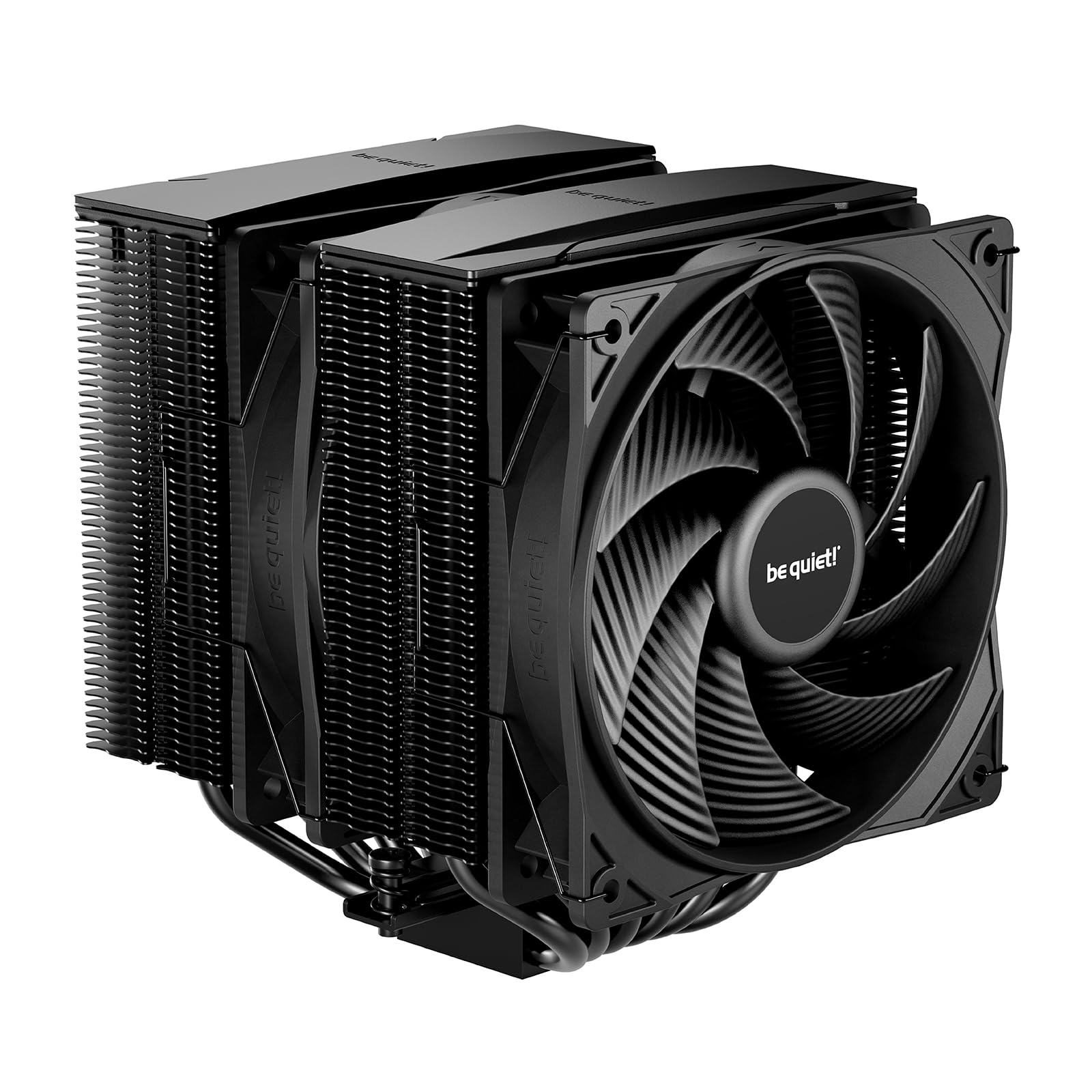
be quiet! Dark Rock Pro 5

92 /100
Lab Score Outstanding

Key details

TDP
280W
Fans
2x120mm
Noise
23.3 dBA
Height
168mm
View on Amazon

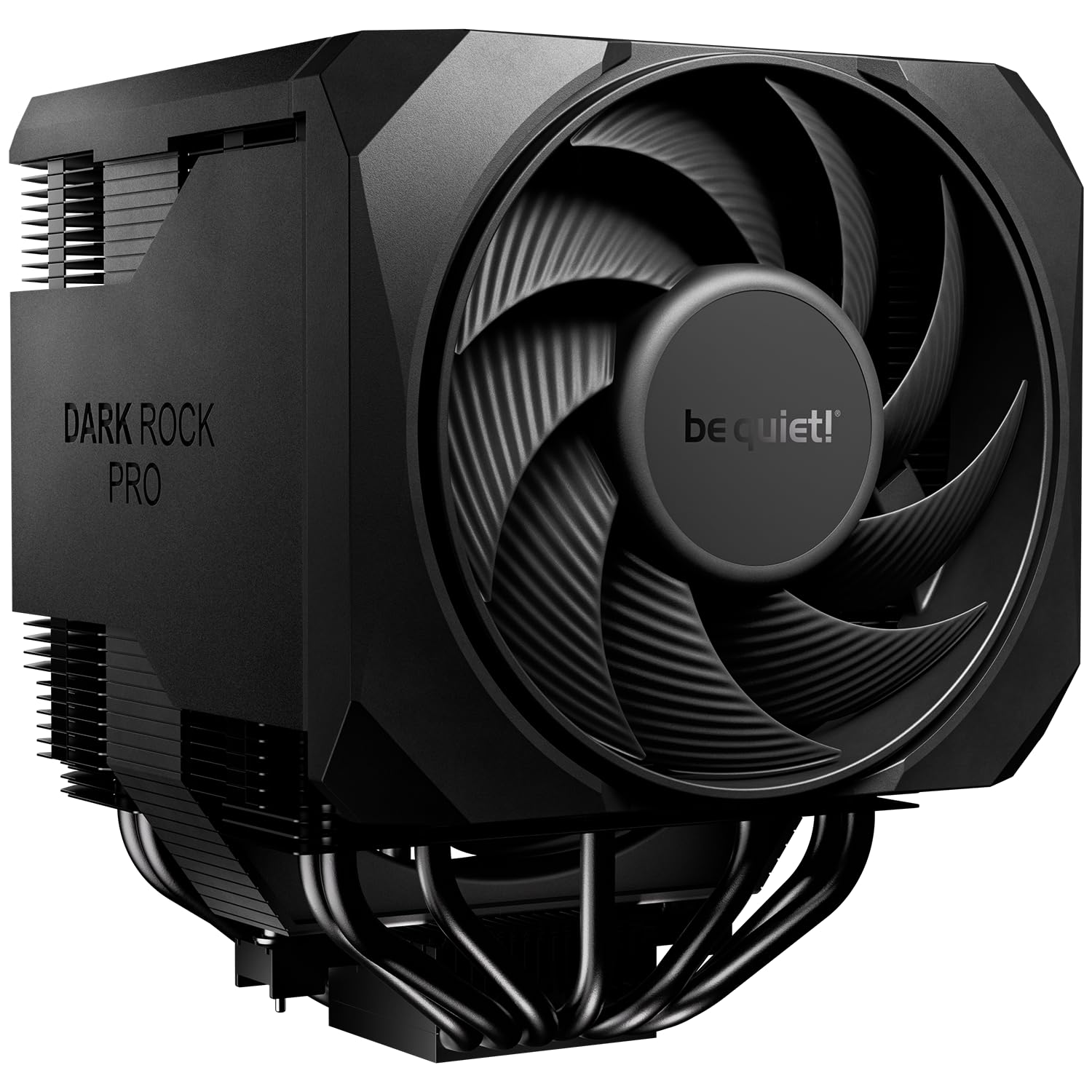
The Dark Rock Pro 5 pairs a 280W-rated heatsink with two 120mm Silent Wings fans and a dual-mode speed switch. In performance mode, it keeps an i7-12700K below 80°C under load while staying quieter than most competing dual-tower coolers. This positions it ahead of the single-fan be quiet! model for high-TDP builds, though its edge over similarly priced competitors comes down to noise tuning rather than raw cooling.

This cooler demands a spacious case: at 168mm tall, it can conflict with enclosures lacking clearance, and the front fan may block the nearest RAM slot. Builders who can accommodate its dimensions and use low-profile memory will find a silent, capable partner for overclocked i7/i9 or Ryzen 7/9 systems. It is a luxury choice for those who prioritize acoustics and build quality over value.

The tool-free top cover and labeled hardware make installation smoother than many rivals. The all-black finish with aluminum accents suits builds where aesthetics matter. While the asking price is higher than that of some contenders that match its cooling performance, the refinement and silence justify the premium for the right buyer.

💡 Keep case clearance and RAM height in mind when planning your build — this cooler rewards careful case selection.

Pros

  • Keeps high-TDP CPUs like i7-12700K below 80°C under sustained load
  • Barely audible even at full speed in performance mode
  • Tool-free top cover and clear instructions simplify installation
  • Premium all-black design with brushed aluminum finish

Cons

  • 168mm height and dual-fan overhang may limit case compatibility and require low-profile RAM
  • Premium price not matched by leading raw cooling benchmarks compared to cheaper competitors
Our verdict

If silence and build quality are your top priorities and you have the case space, the Dark Rock Pro 5 delivers a refined experience that cheaper coolers cannot match.

Check Latest Price
6

Best Budget ARGB Cooler

Thermalright PS120SE ARGB

92 /100
Lab Score Outstanding

Key details

TDP
260W
Fans
2x120mm
Noise
25.6 dBA
Height
154mm
View on Amazon

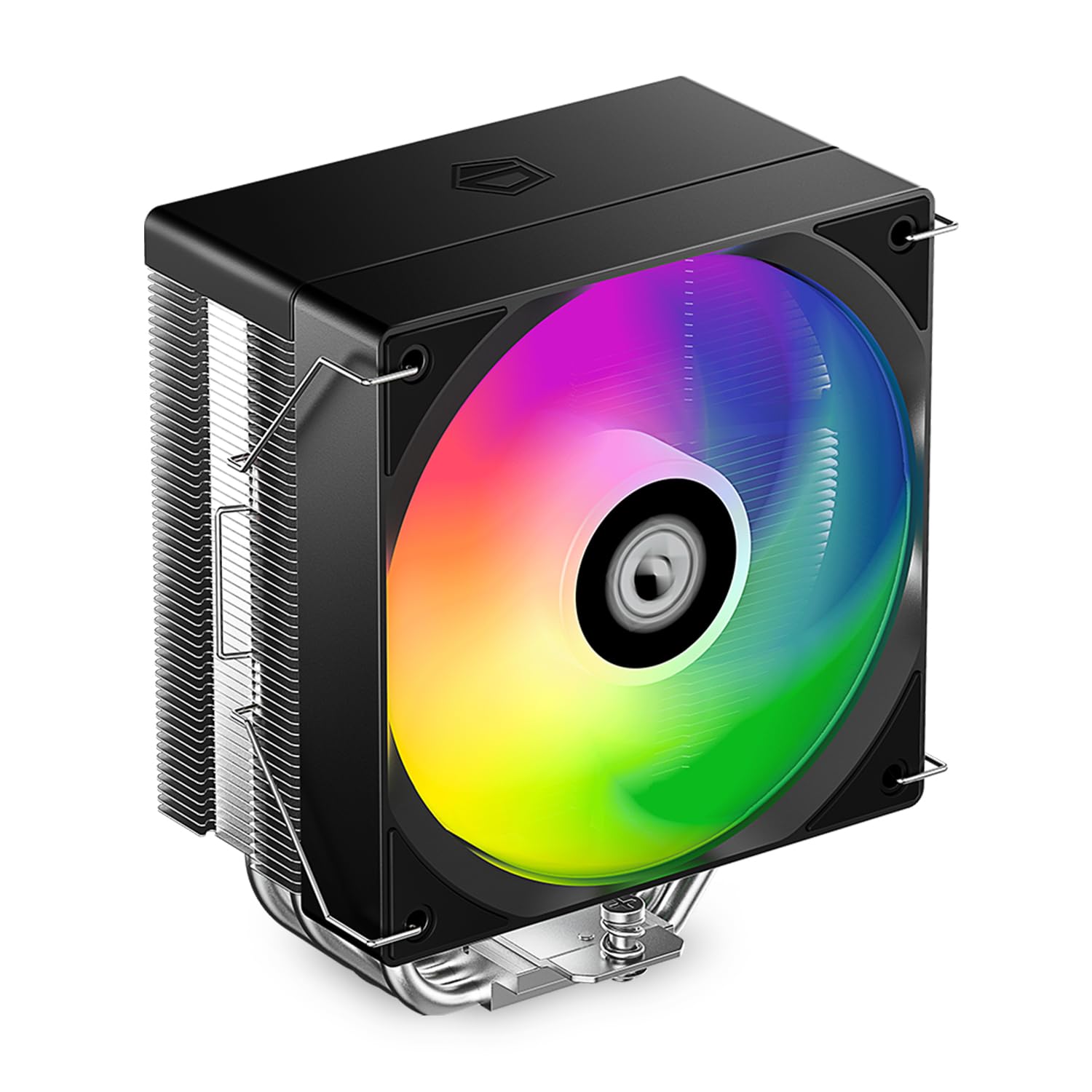
The PS120SE ARGB delivers the same dual-tower architecture as the PA120 SE but adds addressable RGB lighting at a minimal price increase. Cooling performance keeps CPUs under 70°C during gaming sessions, matching coolers that cost two to three times more. The lighting is the main draw here — two 120mm ARGB fans with a clean aesthetic that integrates into most RGB ecosystems without requiring proprietary software.

This cooler suits builders who want visible lighting in a mid-tower build but need to stay under a tight budget. The tradeoff appears at higher fan speeds: above 1000 RPM an audible whine emerges, so it fits cases with decent airflow that allow fans to run slower. The 154mm height clears most standard cases, but the width may overhang the first RAM slot — low-profile memory or offset fan mounting may be needed on some motherboards.

💡 If your motherboard has RAM slots close to the socket, installing the front fan slightly higher or using low-profile memory avoids clearance issues.

Pros

  • Solid cooling keeps CPUs under 70°C during gaming while adding ARGB lighting
  • One of the most affordable dual-tower coolers with ARGB lighting included
  • Easy installation with clear instructions and well-labeled hardware

Cons

  • At higher RPM the fan noise includes an audible whine that may bother quiet-sensitive users
  • Large width can overhang RAM slots, requiring low-profile memory or offset fan placement on some boards
Our verdict

For budget buyers who want RGB lighting without a big performance penalty, this cooler delivers where it counts — just plan around the RAM clearance and avoid maxing the fan curve.

Check Latest Price
7

Entry-Level Builds

Cooler Master Hyper 212 Black

95 /100
Lab Score Outstanding

Key details

TDP
150W
Fans
1x120mm
Noise
26 dBA
Height
152mm
View on Amazon

The Cooler Master Hyper 212 Black has been a staple for budget builders for years, offering competent cooling for mainstream CPUs like the i5-12400 or Ryzen 5 5600. Its all-black finish and quiet fan make it a tidy upgrade over stock coolers. However, its 150W TDP limit means it is not suitable for high-end chips like the i7 or Ryzen 9, or for overclocking beyond moderate levels. Newer Thermalright dual-tower coolers at a similar price point provide noticeably more headroom, making this a solid fallback rather than a top contender in 2025.

💡 Installing the cooler takes patience — watching an installation guide beforehand can save effort and prevent rework.

Pros

  • Keeps mainstream CPUs well within safe temperatures during gaming and productivity.
  • Budget-friendly price for a cooler that outperforms stock options significantly.
  • Runs quietly under normal loads, quieter than stock AMD and Intel coolers.

Cons

  • Mounting mechanism can be fiddly to install, particularly for first-time builders.
  • Cooling capacity is insufficient for high-end CPUs or sustained overclocking above 150W.
Our verdict

A dependable option for budget i5/R5 builds, but if you plan to upgrade to a higher-TDP CPU later, spending a bit more on a dual-tower cooler like the Thermalright PA120 SE avoids needing to replace this one.

Check Latest Price
8

Ultra-Budget Dual-Tower

ID-COOLING FROZN A620 PRO SE

92 /100
Lab Score Outstanding

Key details

TDP
260W
Fans
2x120mm
Noise
27.2 dBA
Height
157mm
View on Amazon

The ID-COOLING FROZN A620 PRO SE punches above its price with strong thermal performance suitable for mid-range CPUs, keeping gaming loads well below 70°C. Its all-black aesthetic and straightforward installation make it an appealing budget option. However, fan noise variability (rattling or bearing wear) has been noted in some units after months of use, and its 157mm height limits case compatibility. Compared to the top-tier Thermalright PA120 SE, the ID-COOLING lacks the same fan reliability track record, but for builds where every dollar counts and the user is willing to address fan issues if they arise, this cooler offers remarkable value.

💡 If fan noise emerges after a few months, swapping in a quality aftermarket fan is a simple and cost-effective fix.

Pros

  • Delivers gaming temperatures below 70°C at a budget price
  • Sleek all-black design with clear installation instructions
  • Dual-tower configuration at a cost that rivals single-tower coolers

Cons

  • In a quiet room, fan noise (rattling or bearing wear) may develop after months of use
  • 157mm height may not fit smaller cases or those with limited clearance
Our verdict

Best suited for ultra-budget builds where saving money is the priority and the user is comfortable with the possibility of fan replacement down the line.

Check Latest Price
9

First-Time Builders

Thermalright AX120 SE ARGB

92 /100
Lab Score Outstanding

Key details

TDP
225W
Fans
1x120mm
Noise
25.6 dBA
Height
148mm
View on Amazon

The Thermalright Assassin X120 Refined SE ARGB drops CPU temperatures well below what stock coolers deliver, stays quiet during normal use, and includes ARGB lighting for less than twenty dollars. Its four heat pipes and single 120mm fan handle low-power CPUs (i3, Ryzen 3/5) without breaking a sweat. The tradeoff appears when you push a high-TDP chip: sustained loads over 150W overwhelm its capacity, so this cooler suits tight-budget builds rather than gaming or overclocking rigs. The mounting clips can also take a bit of patience to lock into place, but the process remains workable for first-time builders.

Pros

  • Cools entry-level CPUs well below stock cooler temperatures.
  • Quiet operation at typical fan speeds.
  • Includes ARGB lighting at a low price.

Cons

  • Can't keep up with CPUs drawing over 150W under sustained load.
  • Mounting clips can be finicky to secure properly.
Our verdict

A smart pick if you're upgrading a stock cooler on an i3 or Ryzen 3/5 and your CPU stays under 150W — the ARGB is a bonus, not a compromise.

Check Latest Price
10

Max Cooling

Noctua NH-D15 G2

90 /100
Lab Score Outstanding

Key details

TDP
280W
Fans
2x140mm
Noise
24.8 dBA
Height
168mm
View on Amazon

The NH-D15 G2 improves on the legendary original with eight heat pipes and new 140mm fans that reduce temperatures by up to 10°C while staying near-silent at idle. Build quality and mounting remain premium. However, its enormous price premium over the standard NH-D15 and Thermalright alternatives is hard to justify for most builders, and its 168mm height and weight may stress the motherboard or require a full-tower case.

💡 Check case clearance (168mm) and consider a CPU cooler support bracket to reduce motherboard strain.

Pros

  • Up to 10°C better cooling than the original NH-D15
  • Near-silent operation at idle with the new NF-A14x25r G2 fans

Cons

  • Premium-priced
  • Large size (168mm) and heavy weight may stress motherboard and require a full-tower case
Our verdict

Best for enthusiasts with unlimited budgets and oversized cases who need the absolute best air cooling – otherwise, the standard NH-D15 or Thermalright PA120 SE offers comparable performance for far less.

Check Latest Price
11

Quiet Mid-Range

be quiet! Pure Rock Pro 3

91 /100
Lab Score Outstanding

Key details

TDP
Fans
1x120mm
Noise
34.8 dBA
Height
155mm
View on Amazon

For users who prioritize acoustic comfort over raw cooling potential, the Pure Rock Pro 3 offers the signature low noise profile of the be quiet! brand at a lower price than their dual-tower models. The all-black build and solid construction feel premium. However, its single 120mm fan limits cooling capacity to roughly 200W TDP, meaning it can't keep high-end i9 or Ryzen 9 processors cool under sustained loads. Dual-tower alternatives from Thermalright at similar or lower prices deliver more headroom for the same cost, so this cooler is best reserved for builders who value silence above all else and are running CPUs like an i5 or Ryzen 5.

💡 Measure case width clearance — 155mm height fits standard ATX cases but may be tight in some mid-tower designs.

Pros

  • Quiet operation under load
  • Solid build quality with an attractive all-black finish that blends into any build.
  • Six heat pipes provide adequate cooling for moderate overclocking on mid-range CPUs.

Cons

  • In compact cases, the 155mm height may not clear side panel windows
  • Mounting instructions can be unclear for first-time builders, requiring careful step-by-step reading.
Our verdict

Pick the Pure Rock Pro 3 only if a silent, mid-range build is your priority and you don't plan to upgrade to a high-TDP CPU — dual-fan alternatives offer more cooling for the same money.

Check Latest Price
12

Showcase Builds

TRYX TURRIS 620

92 /100
Lab Score Outstanding

Key details

TDP
280W
Fans
2x120mm
Noise
32.5 dBA
Height
160mm
View on Amazon

The TRYX TURRIS 620 stands out with its 5-inch IPS display that can show custom graphics, animations, or live system stats — a rare feature in an air cooler. Cooling performance is adequate for high-TDP CPUs with a 280W rating and six heat pipes, though it runs at 32.5 dBA which is louder than competing dual-tower options. The premium price reflects the display novelty rather than pure cooling efficiency, making it a niche choice for builders focused on visual customization rather than raw thermal performance or budget.

Pros

  • Customizable 5-inch IPS display for animations and system monitoring.
  • Dual-tower design with six heat pipes handles CPUs up to 280W.

Cons

  • Operates at 32.5 dBA
  • Premium price that prioritizes the display feature over raw cooling value.
Our verdict

For a showcase build where the visual flair of an integrated screen matters more than silence or price, the TURRIS 620 delivers a unique look that no other air cooler offers.

Check Latest Price
13

AM5 Only

Sudokoo SK700V

81 /100
Lab Score Excellent

Key details

TDP
Fans
1x120mm
Noise
32.5 dBA
Height
164mm
View on Amazon

The SK700V keeps a 7800X3D in the low 50s under load and installs without tools, making it a capable option for AM5 builds. The digital display is a nice addition, but it relies on separate software that may not always function reliably. The cooler is limited to AM5 sockets only — no Intel support. Some units have arrived with missing screws or exhibit fan noise, so checking the package is wise. This cooler fits AM5 users who want a temperature readout and are willing to configure software.

Pros

  • Cools an AM5 7800X3D into the low 50s under sustained load.
  • Tool-free mounting makes installation quick and easy.

Cons

  • Digital display software may not work consistently without third-party tools.
  • Build quality can vary; some units arrive with missing screws or produce fan noise.
Our verdict

Ideal for AM5 builders who want a built-in temperature readout and are comfortable with occasional software configuration.

Check Latest Price
14

Deep Budget

kalemax B60T

88 /100
Lab Score Excellent

Key details

TDP
265W
Fans
2x120mm
Noise
27.8 dBA
Height
157mm
View on Amazon

The kalemax B60T offers surprisingly good cooling for a budget dual-tower cooler, keeping a Ryzen 5 3600 around 60°C during gaming. It includes two 120mm ARGB fans and six heat pipes at a price under $20. However, the brand has a short track record, so consistent quality across units is not yet established. Isolated reports of missing PWM fan cables mean buyers should inspect the package. This cooler carries more risk for builds where long-term dependability is essential, but for a temporary or low-cost system, the thermal performance is strong.

Pros

  • Cooling performance that handles mid-range CPUs comfortably under gaming loads
  • Includes two 120mm ARGB fans at a budget price
  • Heatsink feels solid for its price bracket

Cons

  • Some units may arrive without the PWM fan cable, requiring a check upon delivery
  • Quality consistency across units is not yet established due to the brand's short market presence
Our verdict

This cooler suits builders on an extreme budget who are willing to inspect components upon arrival and accept some uncertainty for the price.

Check Latest Price
15

Office/ITX

ID-COOLING SE-903-XT V2

85 /100
Lab Score Excellent

Key details

TDP
100W
Fans
1x100mm
Noise
29.1 dBA
Height
115mm
View on Amazon

The ID-COOLING SE-903-XT V2’s 115mm height lets it fit into extremely tight small-form-factor cases where full-size towers won’t clear. Its 100mm PWM fan and three heat pipes keep low-power CPUs around 30°C at idle, and the 29.1 dBA noise rating makes it nearly inaudible in a quiet room. At a budget-friendly price, it delivers exactly what it promises for office PCs or home theater builds. The cooling capacity tops out at roughly 100W, so it is not suited for gaming or high-TDP processors — that boundary keeps it in the right lane for its intended use.

Pros

  • Good cooling for low-power CPUs and small cases
  • Very quiet operation

Cons

  • Limited cooling capacity, only suitable for low-TDP CPUs
Our verdict

A fine choice for a low-power office PC or HTPC where case height is under 120mm — but not a candidate for gaming builds.

Check Latest Price

How to Choose

Heat Pipes

More heat pipes generally mean better heat transfer from the CPU to the fins. However, the number alone doesn't tell the full story – pipe diameter, base plate flatness, and fin density also matter. Six pipes is the sweet spot for most high-performance coolers; eight pipes offer marginal gains at a significant price increase.

In practice, a 6-pipe cooler like the Thermalright PA120 SE handles an i7-13700K under gaming loads easily. Step up to 7 or 8 pipes only if you're overclocking an i9 or Ryzen 9 and want every degree of headroom.

Fan Configuration

Dual-fan coolers move more air through the heatsink, allowing lower fan speeds for the same cooling – which reduces noise. A single 120mm fan cooler (like the Hyper 212) is fine for CPUs under 150W, but above that you'll need dual fans to keep temperatures in check without ramping up to audible levels.

Fan size also matters: 140mm fans push more air at lower RPM than 120mm ones, making them quieter. Dual 140mm coolers like the Noctua NH-D15 are the gold standard for silent high-performance cooling, but they require a wide case.

Noise Level

Noise is measured in dBA under max RPM, but real-world noise depends on your fan curve. A cooler rated at 25 dBA at full speed will be nearly silent at idle. Buzzing or whining at low RPM is a common issue with some fan motors – it's often a resonance problem, not a defect.

If silence is your priority, look for coolers with large, slow-spinning fans (140mm, under 1500 RPM) and a reputation for refined acoustics, like Noctua or be quiet!. Avoid budget coolers that cut corners on fan bearings.

Cooler Height

Cooler height determines case compatibility. Most mid-tower cases accept up to 160mm, but narrow cases may limit to 155mm. The Noctua NH-D15 at 165mm only fits wide cases. Measure your case's max CPU cooler height before buying – a 10mm misjudgment can ruin a build.

Also account for the cooler's width: dual-tower models overhang the RAM slots. Low-profile RAM or a single-fan configuration may be necessary if your RAM sticks are taller than 32mm.

TDP Rating

TDP (Thermal Design Power) indicates the maximum heat a cooler can dissipate under ideal conditions. Real-world cooling depends on case airflow, ambient temperature, and the CPU's power draw under load. A cooler rated for 250W can handle a 200W CPU easily, but not a 300W overclocked chip.

Don't fixate on TDP numbers – they are theoretical. Instead, look at tested results with specific CPUs. The Thermalright PA120 SE claims 265W, but reviewers consistently show it matches the Noctua NH-D15 (rated 250W) in practice.

Frequently Asked Questions