10 Best CPU Liquid Cooler of 2026: Which Keep Your Game Rig Chill

The best AIO coolers for gamers who want quiet, reliable cooling without overspending on LCD screens or complex software.

A CPU liquid cooler is one of the most impactful upgrades for a gaming PC. It keeps your processor from thermal throttling during long sessions, which directly translates to stable framerates and smoother gameplay. But the market is flooded with options ranging from budget 240mm units to premium 360mm models with LCD screens.

The real trade-off isn't just size versus price — it's about what you actually gain from spending more. Many budget 360mm coolers now deliver within a few degrees of flagship models, while premium options often add complexity in software and wiring. The question becomes whether a custom LCD display and ecosystem lock-in are worth the extra cash for your build.

This guide focuses on the coolers that actually maintain performance under sustained gaming loads, with clear advice on noise, installation ease, and long-term reliability. Whether you're building a compact 240mm rig or a full-tower 360mm beast, the right choice depends on your case, your CPU, and how much tinkering you want to do.

1

Best Overall

Cooler Master 360L Core

90 /100
Lab Score Outstanding

Key details

Display
None
Warranty
2 years
Fan Speed
1800 RPM
Pump Noise
27.2 dBA
View on Amazon

The Cooler Master 360L Core delivers near-flagship cooling performance at a price that undercuts most 360mm competitors. Its three 120mm fans push 71.93 CFM each at up to 1800 RPM, with noise levels staying around 27.2 dBA. The patented Gen S dual-chamber pump moves coolant efficiently, keeping even high-wattage CPUs like the Core i9 or Ryzen 9 within safe thermal limits during prolonged loads.

Installation is about as easy as it gets for a 360mm AIO. The mounting bracket works with both Intel LGA 1851/1700 and AMD AM5/AM4 sockets without extra adapters, and the pre-applied thermal paste saves a step. Fan cables bundle neatly, and the ARGB lighting syncs with common motherboard software.

This cooling solution is best for gamers and builders who want 360mm performance without spending over $100. It also suits first-time builders who value a straightforward installation. The main catch: a small number of motherboards, particularly certain AM4 boards with tall VRM heatsinks or crowded RAM slots, may not provide enough clearance for the pump block. Check your board's layout before purchase.

Compared to the ARCTIC Liquid Freezer III Pro 360, the Cooler Master trades a few degrees of thermal headroom for quieter fans and simpler mounting. The ARCTIC's thicker radiator and integrated VRM fan edge ahead in raw cooling, but its installation is more fiddly and the VRM fan adds audible noise. For most buyers, the Cooler Master's balance of performance, sound, and ease makes it the smarter pick.

💡 Measure the clearance around your CPU socket and RAM slots before installation to avoid fitment surprises.

Pros

  • Excellent cooling performance with high air pressure fans
  • Great value for a 360mm AIO
  • Quiet operation even under load
  • Easy installation process

Cons

  • Fitment issues can occur with certain motherboards, particularly AM4 boards with tall VRM heatsinks or dense RAM slots
Our verdict

For a budget-friendly 360mm AIO that delivers quiet, effective cooling with minimal hassle, the Cooler Master 360L Core is the clear choice.

Check Latest Price
2

Best Budget 360Mm Alternative

ARCTIC LF III Pro 360

86 /100
Lab Score Excellent

Key details

Display
None
Warranty
6 years
Fan Speed
3000 RPM
Pump Noise
View on Amazon

A thicker radiator and an integrated VRM fan push the Liquid Freezer III Pro 360's cooling performance ahead of most budget 360mm AIOs, including the more accessible top pick in this category. Under sustained CPU loads, it keeps temperatures lower than many coolers costing twice as much, making it a strong choice for enthusiasts focused on raw thermal headroom.

The tradeoff appears during installation: the mounting screws are shorter than ideal, requiring careful alignment and more force than typical AIOs. This isn't a dealbreaker for experienced builders, but first-timers may find the process frustrating. Additionally, the VRM fan introduces a noticeable high-pitched whine in quiet environments, though it blends into the background during gaming or rendering sessions.

💡 Pre-thread the mounting screws into the backplate before securing the radiator to save time.

Pros

  • Keeps CPUs cool under sustained load, outperforming many AIOs at twice the price.
  • Integrated VRM fan helps lower motherboard component temperatures.
  • Competitive pricing for a 360mm radiator with this level of cooling.

Cons

  • In a quiet room, the VRM fan's high-pitched whine may be noticeable during idle or light loads.
  • Mounting requires careful alignment due to short screws, increasing time and frustration for the installer.
Our verdict

Best for builders who value thermal performance over ease of setup and can tolerate some fan noise.

Check Latest Price
3

Easiest Installation

Corsair Nautilus 360 RS

90 /100
Lab Score Outstanding

Key details

Display
None
Warranty
5 years
Fan Speed
2100 RPM
Pump Noise
36 dBA
View on Amazon

Daisy-chain fan connections and pre-applied thermal paste eliminate most of the frustration typically associated with 360mm AIO installation. Unlike the premium Corsair Titan with its iCUE Link complexity, the Nautilus requires minimal cable management and no extra hubs, while still delivering enough cooling headroom for a Core i9-13900K under sustained loads.

This cooler suits builders who value a hassle-free setup and want Corsair’s ecosystem without paying extra for an LCD screen. However, the pump can produce a noticeable hum, and a small number of units exhibit a grinding sound at low RPMs — users sensitive to pump noise should consider quieter alternatives like the top pick or plan to run the pump at a fixed higher speed.

💡 Setting the pump to a fixed 50–60% speed can mask the low-RPM grinding on affected units.

Pros

  • Daisy-chain fan wiring and pre-applied paste shorten installation time significantly.
  • Cooling capacity handles high-end CPUs like the i9-13900K without thermal throttling under sustained loads.
  • Solid build quality and a five-year warranty reflect Corsair’s confidence in the cooler’s longevity.

Cons

  • At low pump speeds, the unit may produce a hum that is audible in quiet rooms
  • A small subset of coolers has been noted to emit a grinding sound from the pump at low RPMs, requiring a fixed higher speed to eliminate it.
Our verdict

For builders who prioritize a painless install and solid cooling without the LCD premium, the Nautilus 360 RS is a practical choice — just be prepared to manage pump noise if you run a near-silent case.

Check Latest Price
4

Best Premium LCD Option

Corsair Titan 360 RX LCD

91 /100
Lab Score Outstanding

Key details

Display
2.1 IPS LCD
Warranty
6 years
Fan Speed
2100 RPM
Pump Noise
36 dBA
View on Amazon

The Corsair Titan 360 RX LCD delivers strong thermal performance and very quiet fans, paired with a vibrant 2.1-inch IPS LCD screen that sets it apart from simpler 360mm coolers. Unlike the Cooler Master 360L Core, which focuses on pure value, the Titan leans into customization through Corsair's iCUE ecosystem.

The all-black radiator and three RX120 RGB fans look clean in any build. Under continuous load, the cooler keeps high-end CPUs like the Core i9 or Ryzen 9 well within safe temperatures, with minimal fan noise even at higher RPMs.

This cooler fits enthusiasts who want a flashy display and deep iCUE integration. Be aware that the iCUE Link connectivity can be confusing during setup, and there have been occasional reports of missing cables or early LCD screen failures. For users comfortable with software tweaking and willing to work through initial setup steps, the payoff is a unique visual centerpiece.

Pros

  • Sufficient cooling capacity for high-end CPUs under sustained loads
  • Quiet operation even when fans ramp up
  • Premium build quality with vibrant RGB and LCD display

Cons

No notable drawbacks to flag.

Our verdict

The Titan 360 RX LCD is for builders who prioritize a flashy display and iCUE integration over simplicity and value. It performs well, but the setup quirks and occasional screen issues mean it's not for everyone.

Check Latest Price
5

Best 240Mm Value

Thermalright Aqua Elite 240 V3

91 /100
Lab Score Outstanding

Key details

Display
None
Warranty
2 years (approx)
Fan Speed
1500 RPM
Pump Noise
25.6 dBA
View on Amazon

The Thermalright Aqua Elite 240 V3 delivers cooling performance that punches well above its entry-level price tag. Users see temperature drops of 10-12°C under load, putting it on par with many mid-range 240mm coolers. The included double PWM ARGB fans and efficient pump keep things running smoothly without demanding much from your wallet.

Under sustained load, the fans produce a low hum that’s audible in a quiet room – not distracting for most, but worth noting if you’re building for near-silent operation. Outside of that, the cooler runs quietly during normal use and light tasks. Installation is straightforward with the provided bracket set covering modern Intel and AMD sockets.

This cooler is built for extreme budget builders and anyone who wants a reliable 240mm AIO without spending extra on RGB or LCD screens. The design is purely functional – no lighting, no display. If you need those features, look at the slimmer 360mm LCD option in this set instead. For everyone else, you get effective cooling at a price that leaves room for other components.

💡 If fan noise is a concern, setting a custom fan curve in BIOS can reduce audibility at low loads – under full load some airflow noise remains.

Pros

  • Exceptional value
  • Good cooling performance, drops temps by 10-12°C under load
  • Quiet operation during normal use and easy installation

Cons

  • Fans are slightly audible under heavy load
Our verdict

For budget builders focused on core cooling performance, the Thermalright Aqua Elite 240 V3 delivers everything needed at a price that leaves room for other components.

Check Latest Price
6

Best Budget LCD 360Mm

Thermalright Peerless Vision 360

87 /100
Lab Score Excellent

Key details

Display
3.95 IPS LCD
Warranty
Fan Speed
2000 RPM
Pump Noise
28.2 dBA
View on Amazon

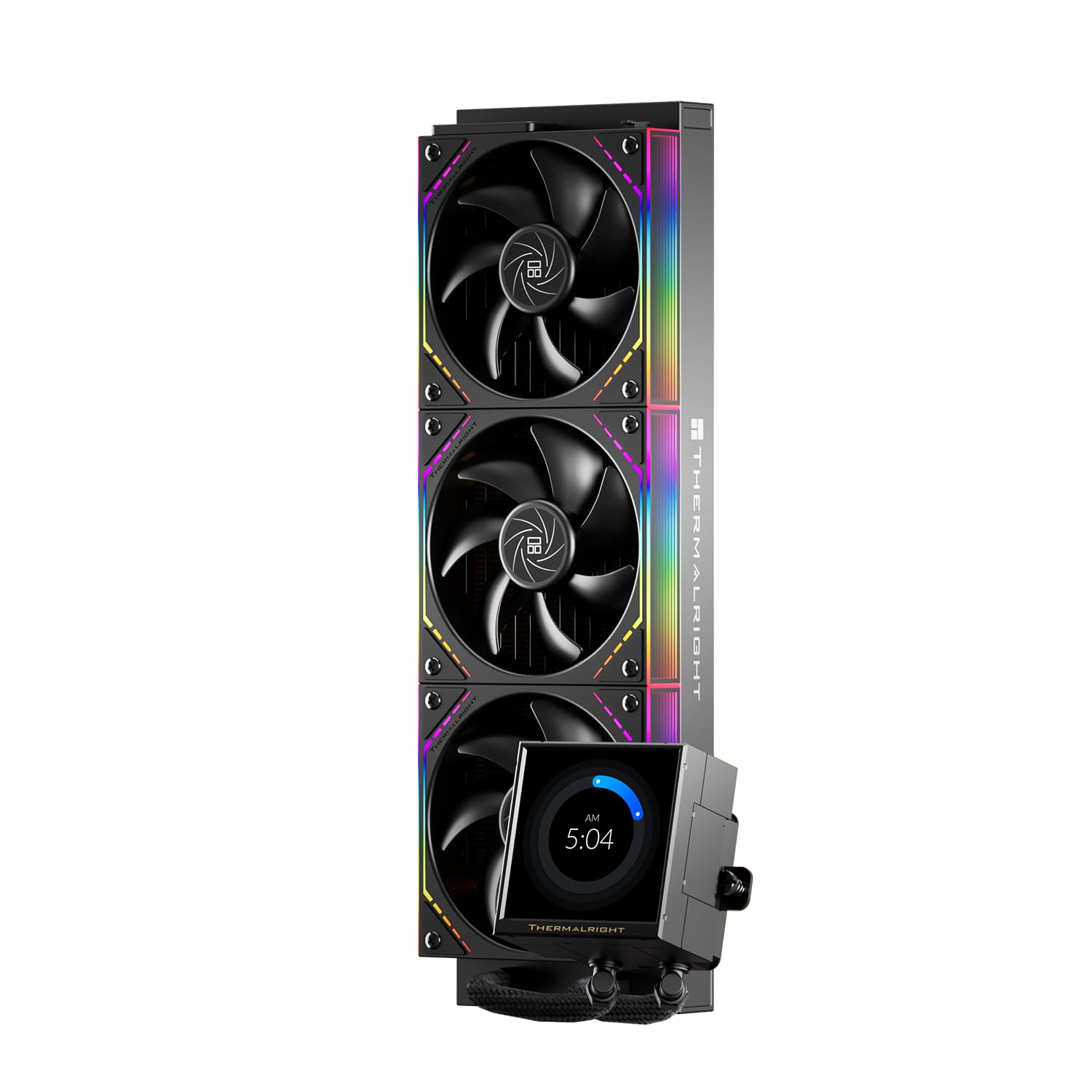
The Thermalright Peerless Vision 360 stands out by packing a 3.95-inch IPS LCD screen into a price that undercuts most LCD-equipped 360mm AIOs. The display delivers crisp 480x480 visuals, giving you a customizable screen without the typical premium markup. Cooling performance is adequate for mid-range to high-end CPUs, though it does not match the raw thermal headroom of the top pick in this roundup.

This cooler suits budget-conscious builders who prioritize the visual appeal of a large LCD over peak cooling efficiency. The installation process requires more patience than average – the pump mounting can be fiddly, especially when aligning the bracket. First-time builders may find it frustrating; those with some prior experience will manage the process without major issues.

The three wireless daisy-chain fans simplify cable routing, and pump noise remains low at normal operating speeds. Build quality feels solid with a thick radiator and robust fittings, contributing to a durable overall package.

💡 Align the mounting bracket carefully before tightening; the pump head's orientation can be adjusted after initial placement.

Pros

  • Large 3.95-inch IPS LCD with sharp 480x480 resolution at a budget-friendly price
  • Build quality feels premium with a thick radiator and robust fittings
  • Good thermal performance suitable for most consumer CPUs
  • Great value for a 360mm AIO that includes an LCD screen

Cons

  • Pump installation can be tricky, particularly attaching the bracket, which may frustrate less experienced builders
Our verdict

If you want a big LCD on a 360mm AIO without spending over $120, the Peerless Vision 360 is a strong candidate – just be prepared for a more involved setup.

Check Latest Price
7

ROG Fans

Asus ROG Strix LC III 360

87 /100
Lab Score Excellent

Key details

Display
2.1 IPS LCD
Warranty
6 years
Fan Speed
Pump Noise
36 dBA
View on Amazon

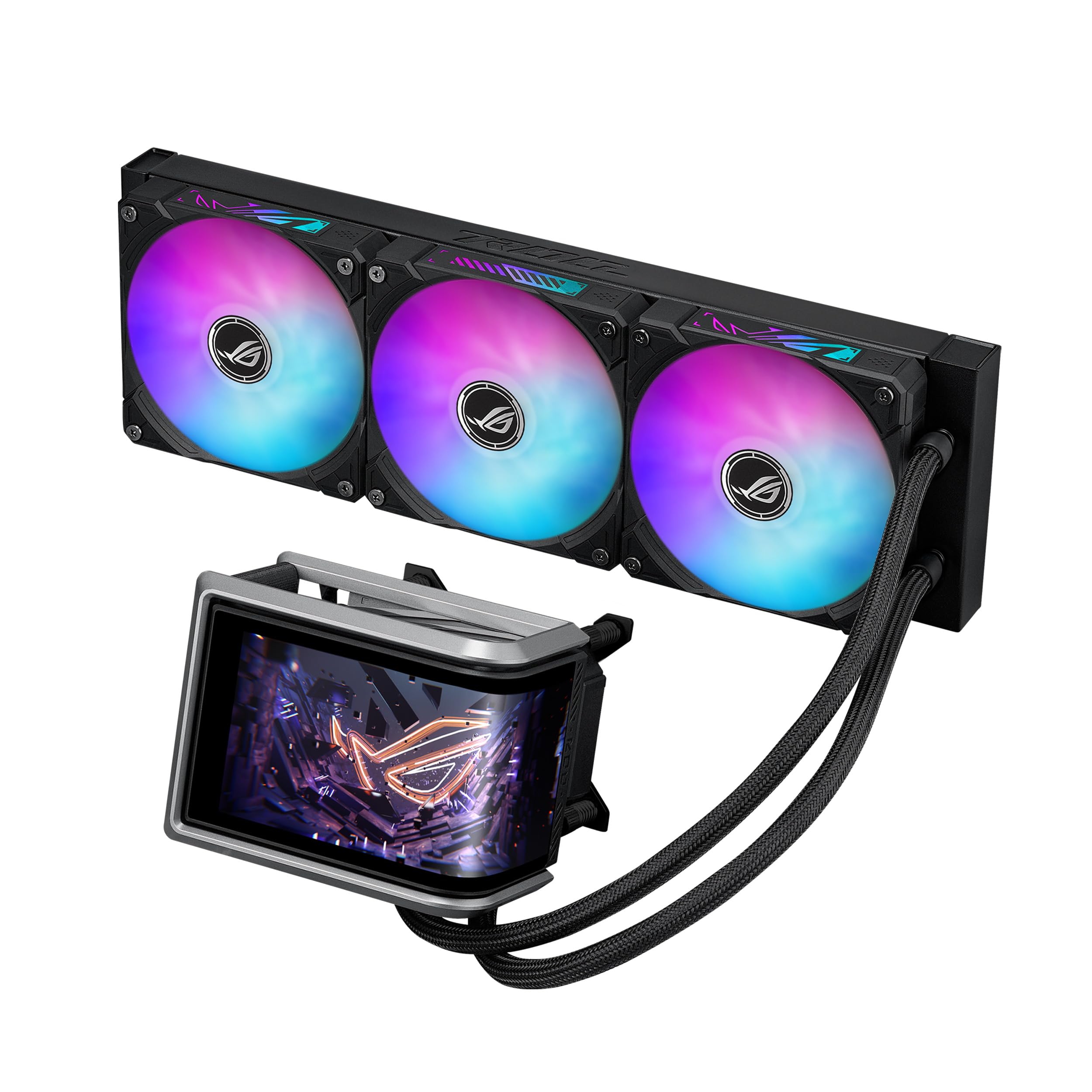
The ASUS ROG Strix LC III 360 delivers strong cooling performance and very quiet operation, paired with a crisp 2.1-inch IPS LCD that displays system stats or custom graphics. Installation is straightforward with clear instructions. However, the product has only a small amount of user feedback, so confidence in long-term durability is lower than for more established coolers. This makes it a better fit for builders who prioritize the ROG ecosystem and LCD screen over the reassurance of a proven track record.

Pros

  • Excellent cooling performance keeps CPUs at low temps even under heavy load
  • Easy installation with clear instructions
  • Very quiet operation

Cons

  • Long-term reliability data is limited, making it a risk for multi-year use
Our verdict

Best for ASUS ROG fans who want the matching LCD cooler and value simple setup over the confidence of a large user base.

Check Latest Price
8

Aesthetics Build

Lian Li HydroShift II 360

88 /100
Lab Score Excellent

Key details

Display
3.4 IPS LCD
Warranty
Fan Speed
2600 RPM
Pump Noise
33 dBA
View on Amazon

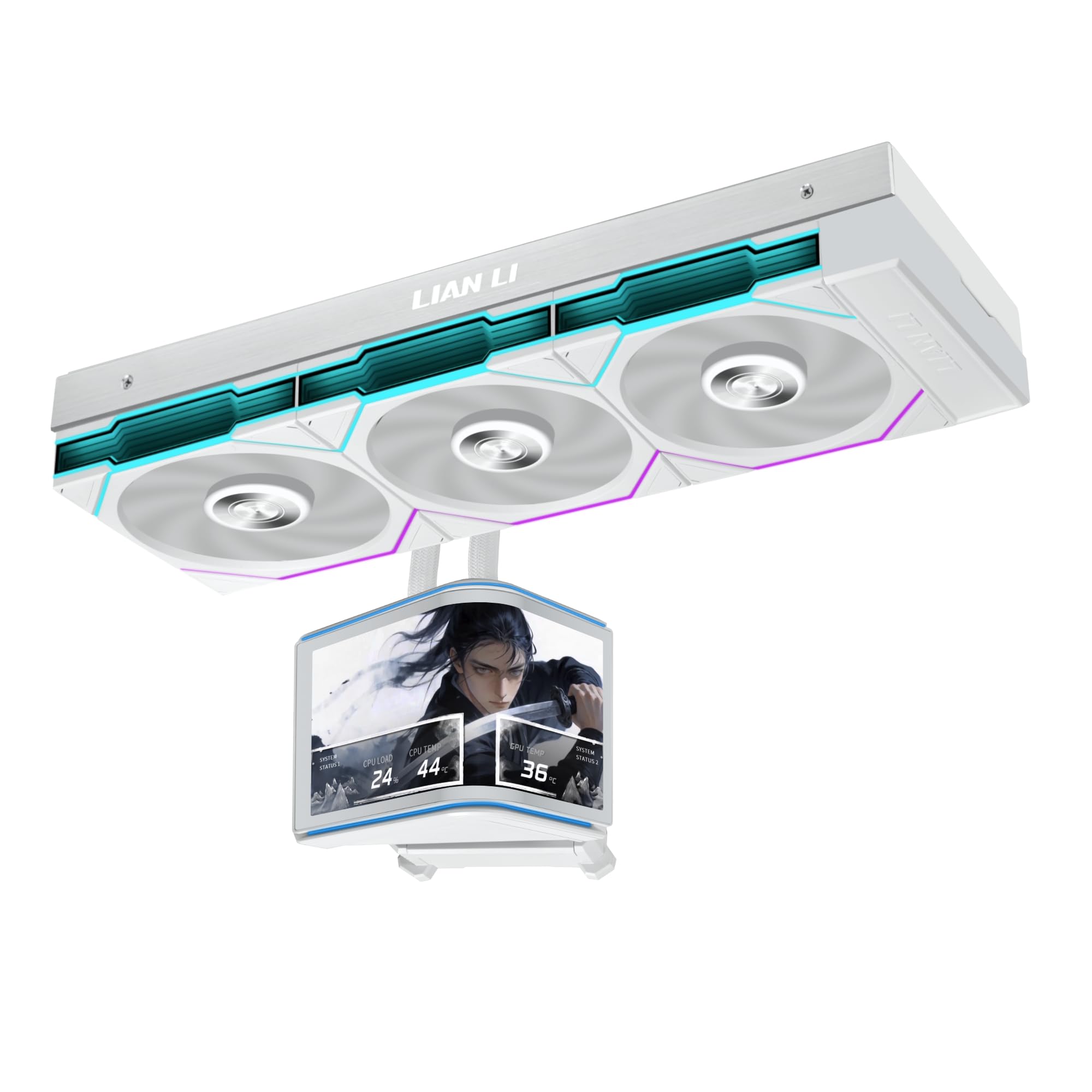
The HydroShift II’s minimalist design with adjustable tube routing and high-airflow TL120 fans provides strong thermal performance for modern CPUs, all within a clean, cable-free build. However, the L-Connect 3 software required for LCD customization and fan control can be inconsistent, and pump noise may become noticeable in quiet rooms. These quirks make it best for aesthetics-focused builders who are comfortable with occasional software fiddling and accept moderate pump hum.

💡 Setting the pump to a fixed moderate speed can help reduce perceivable noise fluctuations.

Pros

  • Clean, cable-free look from hidden tube routing
  • High airflow fans maintain cooling performance under load
  • Premium materials and solid build quality

Cons

  • L-Connect 3 software may require patience for reliable fan curve and LCD control
  • Pump noise can be audible in quiet spaces, especially at lower pump speeds
Our verdict

This AIO suits builders who prioritize aesthetics and are willing to work around software quirks and moderate pump noise – for a more reliable experience, consider Corsair's iCUE-equipped alternatives.

Check Latest Price
9

240Mm iCUE

Corsair Titan 240 RX

93 /100
Lab Score Outstanding

Key details

Display
None
Warranty
6 years
Fan Speed
2100 RPM
Pump Noise
36 dBA
View on Amazon

The CORSAIR iCUE Link Titan 240 RX delivers strong cooling performance and extremely quiet fans for a 240mm AIO, with easy installation via the iCUE Link system. Its iCUE ecosystem integration is seamless for those already using Corsair peripherals. However, the premium pricing places it near the cost of many 360mm coolers, which offer more surface area for heat dissipation. For buyers limited to 240mm support or deeply invested in Corsair's ecosystem, this cooler remains a capable option – but for those with case space for a 360mm, a larger cooler may deliver better value.

Pros

  • Superb cooling performance for a 240mm, drops temps significantly
  • Extremely quiet operation, almost silent under load
  • Easy installation thanks to pre-mounted fans and iCUE Link system

Cons

  • Cable length can be insufficient for larger cases, and the necessary cables may be missing from the package
  • Value may be questioned when 360mm options exist at similar cost
Our verdict

Best suited for compact builds that require a 240mm cooler and value iCUE integration over raw price-per-performance.

Check Latest Price
10

Proven 240Mm

CM ML240L RGB V2

93 /100
Lab Score Outstanding

Key details

Display
None
Warranty
2 years
Fan Speed
1800 RPM
Pump Noise
30 dBA
View on Amazon

The Cooler Master ML240L RGB V2 has been a staple in the budget 240mm AIO segment for years, offering dependable cooling for mid-range CPUs. Its Gen3 dual chamber pump and 240mm radiator provide enough headroom for most Ryzen 5 and Core i5 processors, while the two SickleFlow 120 PWM ARGB fans keep noise at acceptable levels. However, this model lacks the thermal headroom of newer 360mm designs and its pump technology is a generation behind current competition, making it more suited for builders who prioritize a known quantity over the latest specs.

Pros

  • Quiet operation at 30 dBA suits near-silent builds
  • Wide socket compatibility includes AM5 and LGA1700
  • ARGB fans sync with motherboard software for cohesive lighting

Cons

  • Pump generation is older, so peak thermal capacity trails newer 240mm AIOs under sustained heavy loads
  • ARGB cable routing can become messy without a separate hub
Our verdict

A sensible choice for builders who want a widely-used cooler with predictable performance, provided they don't need the latest thermal headroom.

Check Latest Price

How to Choose

Radiator Size

Radiator size dictates how much heat the cooler can dissipate. A 360mm radiator has three 120mm fans and roughly 50% more surface area than a 240mm, allowing it to keep high-end CPUs like the Intel i9-13900K under 70°C under sustained load. A 240mm is sufficient for most Ryzen 7 or Core i5 chips, but will hit higher temperatures and fan speeds with top-tier processors.

The physical consequence: a 360mm radiator requires a case with at least three 120mm fan mounts at the top or front. Many mid-tower cases can handle 360mm, but some compact cases only support 240mm. Measure your case clearance before buying — some thicker radiators (like ARCTIC's 38mm) may conflict with tall RAM or VRM heatsinks.

Fan Speed and Static Pressure

Fan speed (RPM) and static pressure determine how effectively the fans push air through the dense radiator fins. Higher speed fans (2000+ RPM) move more air but produce more noise. Static pressure rating is more important than raw airflow for radiator use — a fan with high static pressure can push through tight fin gaps, which is why many AIOs use specific high-pressure fan designs.

In practice, a 1800 RPM fan with decent pressure is quieter and still provides enough cooling for most gamers. A 3000 RPM fan like on the ARCTIC can push more air but you'll hear it under load. If quiet operation is a priority, look for fans with fluid dynamic bearings (FDB) and max speeds under 2000 RPM.

Pump Noise

The pump is the heart of the AIO, circulating coolant between the CPU block and radiator. Pump noise is often reported as an audible hum or grinding sound, especially at low RPMs. Some pumps, like Asetek Gen8 designs, are generally quieter than budget units, but even premium models can have unit variance.

If you're sensitive to noise, check reviews mentioning pump noise specifically. Many users report that setting a pump speed curve (not running it at 100% all the time) reduces audible whine. The Corsair Nautilus and Titan series tend to have quieter pumps than the ARCTIC Liquid Freezer's integrated VRM fan, which adds an extra noise source.

Warranty Length

AIO coolers have a limited lifespan — the pump can fail, coolant can slowly permeate through the tubing, and seals degrade over time. A longer warranty (5-6 years) gives you coverage for the typical lifespan of the cooler. Coolers with 2-year warranties, like the Cooler Master 360L Core, are still reliable but lack the extended safety net.

The hidden trade-off: warranty is only as good as the manufacturer's support. Brands like ARCTIC, Corsair, and ASUS have a track record of honoring claims, while some budget brands may be less responsive. A 6-year warranty on a $70 cooler can be a strong indicator of confidence in build quality.

Display Type (LCD/LED)

LCD screens on AIO coolers let you display custom images, GIFs, or system stats. They add visual flair to a build but come with trade-offs. The screen itself can fail (dead pixels, flickering) and requires software to control — often with buggy drivers. The premium for a 2.1-inch LCD is typically $50-$100 over a non-LCD version of the same cooler.

For gamers, the practical benefit is minimal: you can see CPU temperature at a glance, but most monitoring software is just as effective. The real value is aesthetic. If you don't intend to show off your build, you can save money and avoid potential software headaches by choosing a non-LCD model. The Thermalright Peerless Vision offers a large 3.95-inch LCD at budget pricing, but long-term reliability is less proven.

Frequently Asked Questions