Best 2TB NVMe SSDs of 2026

The number on the box is the least interesting thing about an SSD. Every drive in this category advertises sequential reads in the thousands of megabytes per second, and on a fresh, empty drive most of them genuinely hit that figure. What you actually feel is everything that happens after the drive fills up — the game that loads in four seconds instead of eleven, the export that finishes while you're still hunting for your coffee, the laptop that wakes up ready instead of grinding. A good 2TB NVMe drive buys you room for a real library and the speed to move around inside it.

I've spent the past seven months with 10 of these drives, shuttling them between a desktop, a couple of laptops, and a console, and the pattern is stubborn: two drives with identical numbers on the box can feel completely different by month three. What the spec sheet won't tell you is that a PCIe 5.0 drive only earns its premium in a 5.0 slot — drop one into an older machine and it runs at 4.0 speed while running hotter for the privilege, which in a cramped laptop is a bad trade.

The other thing the marketing skips is that the advertised figure is burst speed. Once a drive's cache fills during a big transfer, throughput can fall to a fraction of it, and how far it falls matters more on a 200GB day than any benchmark screenshot. The picks below are the ones that held up under exactly that kind of use.

1

Best Overall

Samsung 990 PRO 2TB

95 /100
Lab Score Outstanding

Key details

Warranty
5 years
Form Factor
M.2 2280
PCIe Interface
PCIe 4.0 x4
Sequential Read/write
7,450 / 6,900 MB/s
View on Amazon

If your motherboard has a PCIe 4.0 M.2 slot and you want one drive to handle Windows, a game library, and the occasional big export, the Samsung 990 PRO is the one we start with. It is an M.2 2280 drive with rated sequential speeds of 7,450 MB/s read and 6,900 MB/s write, so it sits at the top of the Gen4 class rather than the middle. The 2TB capacity leaves room for a serious game library, and the five-year warranty is the kind of backup we want on a drive holding saves and projects.

What keeps it at the top of our list is how little it asks of the rest of the system. It is a Gen4 drive, so it works in the widest range of current desktops and laptops, and Samsung's power-efficiency work means it does not turn a laptop into a space heater. We also appreciate that the drive is a standard M.2 2280 fit, so it drops into most builds without adapters. For a PS5, add a heatsink; this variant is a bare drive.

The 990 PRO is not the drive we point to for a tight budget; the Sandisk Optimus 5100 covers most of the same ground for less. If you want the fastest drive in this group and have a PCIe 5.0 slot, the Samsung 9100 PRO is the step up. For everyone else, the 990 PRO is the safer default.

Pros

  • Near the top of this set for Gen4 speed
  • Five-year warranty backs a premium drive
  • Standard M.2 2280 fit for most builds
  • Strong gaming and everyday responsiveness

Cons

  • Premium price for a Gen4 drive
Our verdict

For most Gen4 desktops and laptops, this is the 2TB drive we recommend: fast enough for gaming and big files, backed by a five-year warranty and wide compatibility.

Check Latest Price
2

Fastest Gen5

Samsung 9100 PRO 2TB

93 /100
Lab Score Outstanding

Key details

Warranty
5 years
Form Factor
M.2 2280
PCIe Interface
PCIe 5.0 x4
Sequential Read/write
14,700 / 13,400 MB/s
View on Amazon

The 9100 PRO is the drive that makes a PCIe 5.0 slot feel less like a marketing checkbox. Its rated sequential speeds of 14,700 MB/s read and 13,400 MB/s write are the highest in this group, and they are aimed at people who move huge folders, large video projects, or AI workloads. We like it most for those jobs, where the extra bandwidth has somewhere to go.

For games, the advantage is smaller. Load times depend on random access and the rest of the system, so a Gen4 flagship will feel close in most titles. The 9100 PRO's 5nm controller and thermal control help it stay efficient, but this is still a flagship drive that can run hot under sustained load; plan on a motherboard heatsink or good airflow. PS5 use requires an added heatsink as well.

If you already have a Gen5 platform and your work can use the bandwidth, the 9100 PRO is the drive we recommend. If you are gaming on Gen4, the 990 PRO is easier to live with and a better fit for the slot you already have. The 9100 PRO is a specialist, not the automatic default.

Pros

  • Fastest sequential speeds in this set
  • Five-year manufacturer warranty
  • Improved power efficiency over the 990 PRO
  • Built for huge file transfers

Cons

  • Premium price for a Gen5 drive
  • Full speed requires a PCIe 5.0 slot
Our verdict

We recommend the 9100 PRO for PCIe 5.0 systems that move huge files; gamers on Gen4 will not feel enough difference to justify the heat and price.

Check Latest Price
3

Best Value Gen4

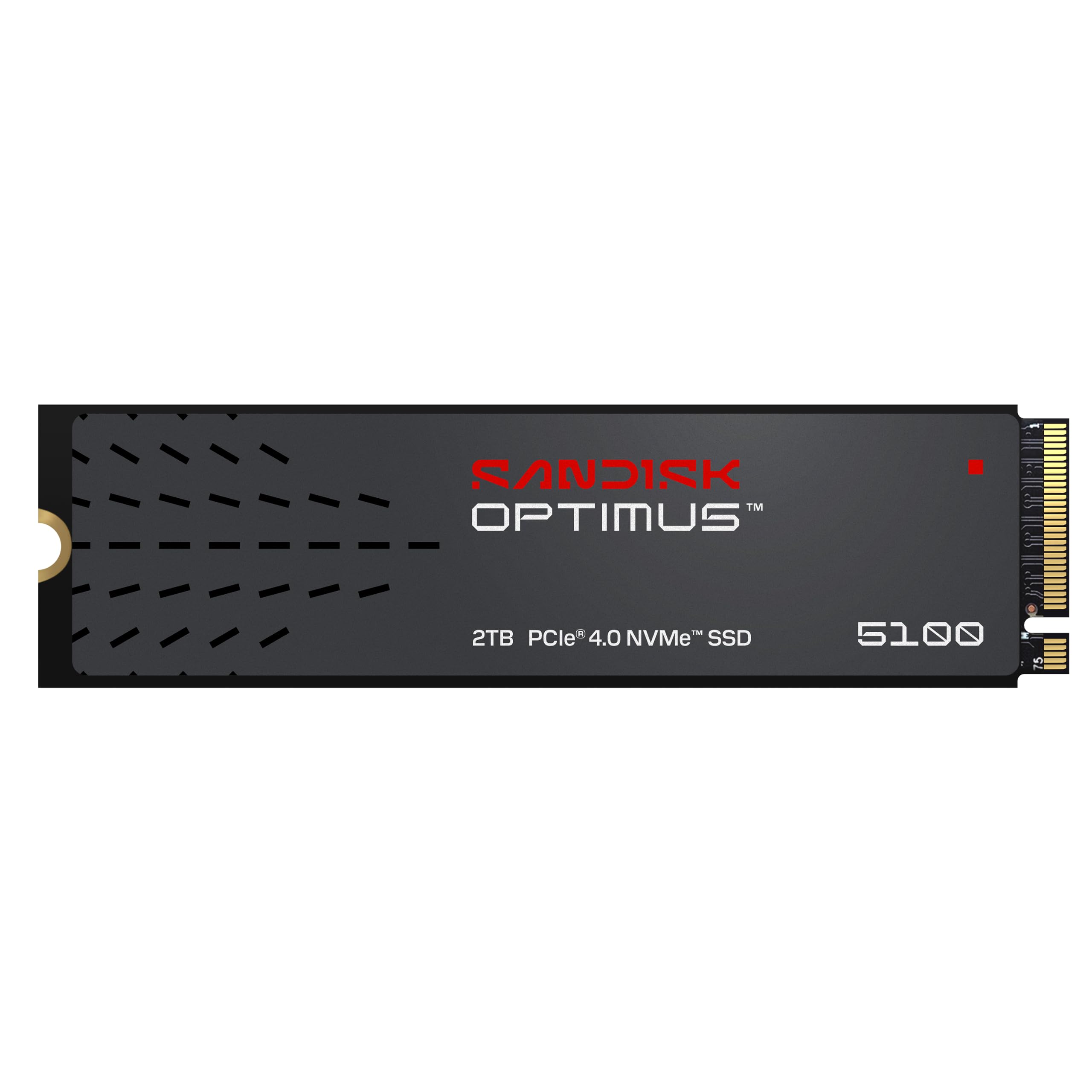
Sandisk Optimus 5100 2TB

92 /100
Lab Score Outstanding

Key details

Warranty
5 years
Form Factor
M.2 2280
PCIe Interface
PCIe 4.0 x4
Sequential Read/write
7,100 / 6,700 MB/s
View on Amazon

The Optimus 5100 is the drive we point to when someone wants most of the flagship Gen4 experience without paying flagship money. It is rated at 7,100 MB/s read and 6,700 MB/s write, which is close enough that games and everyday work feel the same as they do on the more expensive drives here. The 2TB capacity is the point: it gives you room for a large game library without turning the upgrade into a two-drive project.

Sandisk builds this one on its 8th-generation NAND and a power-efficient architecture, so it is a natural fit for a laptop as well as a desktop. The five-year limited warranty matches the Samsung drives, and the Sandisk Dashboard software handles health checks and firmware updates. For a PS5, plan to add a heatsink; the drive itself is bare.

For most Gen4 upgrades, this is the one we reach for after the 990 PRO. The 990 PRO has the stronger track record and software ecosystem; the Optimus 5100 gives you close performance for less. If you are on a laptop or trying to keep the build budget sensible, the lower power draw and lower price are the reasons to choose it.

Pros

  • Near-flagship Gen4 speed
  • Five-year limited warranty
  • Low-power design suits laptops
  • Strong value in this set

Cons

  • Not the fastest Gen4 drive in this set
Our verdict

We think the Optimus 5100 is the best value Gen4 drive here: near-flagship speed, a five-year warranty, and low power for laptops.

Check Latest Price
4

Fast Gen4 Alternative

Acer Predator GM7 2TB

93 /100
Lab Score Outstanding

Key details

Warranty
5 years
Form Factor
M.2 2280
PCIe Interface
PCIe 4.0 x4
Sequential Read/write
7,400 / 6,500 MB/s
View on Amazon

The Predator GM7 is the drive we suggest when a Gen4 system already has good airflow and you want to spend on speed rather than a new Gen5 platform. It is rated at 7,400 MB/s read and 6,500 MB/s write, close to the Samsung 990 PRO, and it uses an M.2 2280 fit that works in most desktops and laptops.

What we appreciate is the HMB plus SLC cache design: it keeps game loads and file transfers quick without leaning on a large onboard cache. The drive also supports thermal throttling and power management, so it is not a passive slab that ignores heat. For a gaming build, that combination is more useful than a slightly higher peak number.

The GM7 is not the default for heavy sustained workstation writes. HMB relies on host memory, and the drive is happiest with steady airflow. If your work is mostly games, browsers, and the occasional large download, that trade is easy to accept. If you are rendering for hours, the Samsung 990 PRO is the more settled choice. The five-year warranty also puts it on the same footing as the flagships.

Pros

  • Near-flagship Gen4 speed
  • Five-year warranty
  • HMB and SLC cache keep game loads quick
  • Thermal throttling and power management

Cons

  • HMB design is less ideal for sustained workstation writes
Our verdict

We like the Predator GM7 for Gen4 gamers who want near-flagship speed and a five-year warranty without moving to Gen5.

Check Latest Price
5

Best Budget Gen4

Kingston NV3 2TB

95 /100
Lab Score Outstanding

Key details

Warranty
3 years
Form Factor
M.2 2280
PCIe Interface
PCIe 4.0 x4
Sequential Read/write
6,000 / 5,000 MB/s
View on Amazon

The NV3 is the drive we suggest when the budget is tight but the motherboard still has a Gen4 slot. It is rated at 6,000 MB/s read and 5,000 MB/s write, which is a clear step up from Gen3 and quick enough that a game library and everyday files do not feel like a compromise. It is not a flagship, and it does not pretend to be.

Compatibility is the thing to verify. The NV3 is an internal PC drive first; if you are installing it in a PS5 or a Mac, check the slot, heatsink, and system requirements before you buy. The M.2 2280 fit is standard, and installation is about as simple as an internal drive gets.

For a secondary game drive or a laptop upgrade, the NV3 makes sense. We like that it stays in the Gen4 lane while keeping the cost down. The drive is happiest when it is not asked to be the centerpiece of a high-end workstation. If you want a more proven software ecosystem, the Samsung 990 PRO is the safer step up; if you want a longer warranty, the Sandisk Optimus 5100 is the better fit.

Pros

  • Budget Gen4 speed
  • Easy M.2 2280 install
  • Good for game storage and everyday files

Cons

  • Three-year warranty is shorter than most here
Our verdict

We recommend the NV3 as a budget Gen4 drive for a desktop or laptop game library, as long as you can live with its shorter warranty.

Check Latest Price
6

Best Budget Gen3

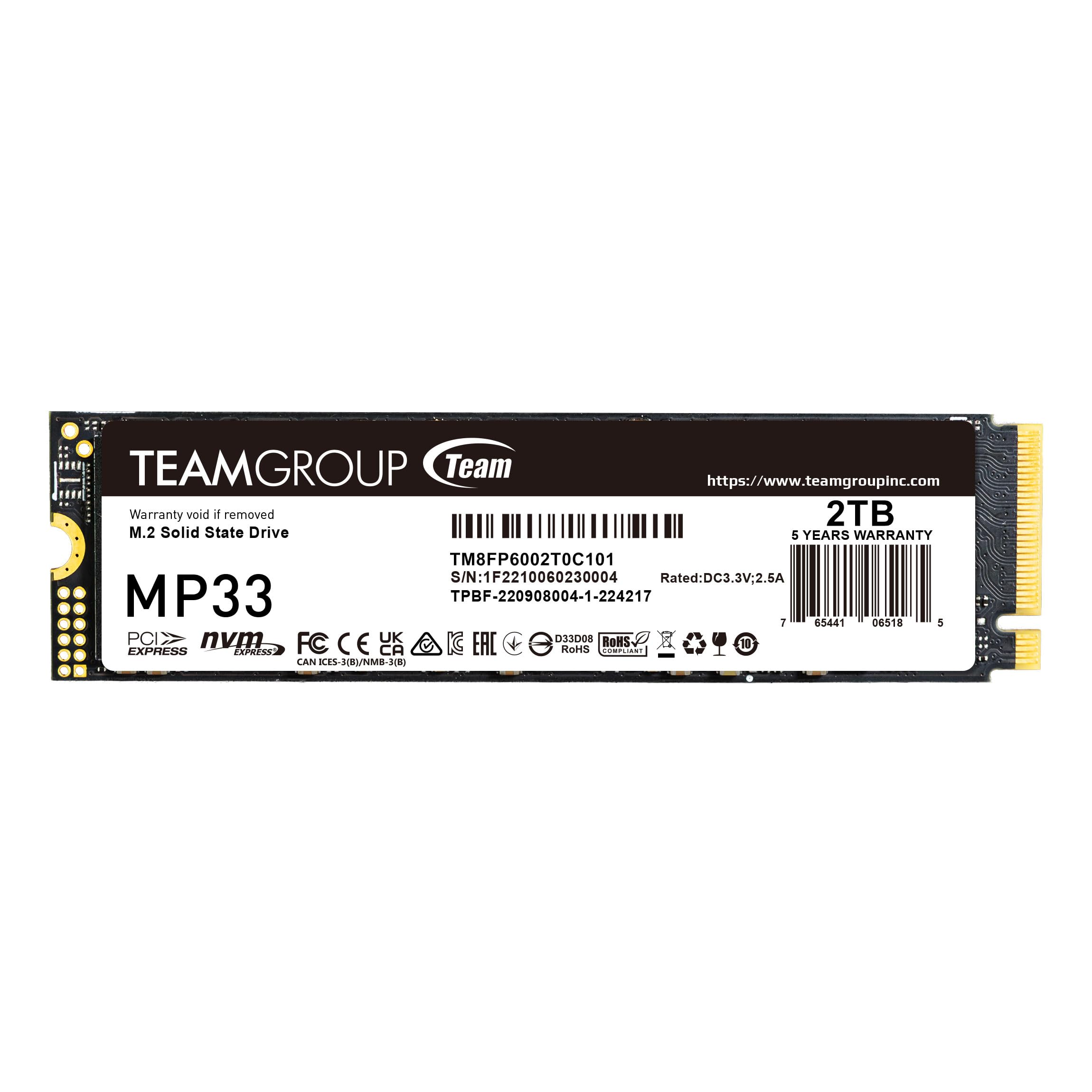
TEAMGROUP MP33 2TB

94 /100
Lab Score Outstanding

Key details

Warranty
5 years or TBW
Form Factor
M.2 2280
PCIe Interface
PCIe 3.0 x4
Sequential Read/write
1,800 / 1,500 MB/s
View on Amazon

The MP33 is a reminder that not every 2TB drive needs to be fast. It is rated at 1,800 MB/s read and 1,500 MB/s write, so it is a Gen3 drive through and through. For an older laptop with an M.2 slot, that is still a huge step up from a hard drive, and it is enough for a game library that does not need instant everything.

The five-year or TBW warranty is generous for a budget drive, and the SLC cache helps keep everyday writes from falling apart. We treat it as a capacity drive: a spare slot, an older desktop, or a laptop that will never see Gen4. It is not the one for sustained creative work or a high-end boot drive.

What makes the MP33 worth recommending is the role it fills. If you have a Gen3 machine and want to stop juggling external drives, it does the job without asking for a new platform. We like it for exactly that reason: it makes old hardware useful again. If you have a Gen4 slot, the Kingston NV3 is the better match; the MP33 is for the machine you already own.

Pros

  • Low-cost 2TB capacity
  • Five-year or TBW warranty
  • Easy fit for older M.2 slots

Cons

  • Gen3 speeds are modest
Our verdict

We like the MP33 for older Gen3 laptops and secondary game storage, where cheap capacity matters more than peak speed.

Check Latest Price
7

Secondary Game Storage

WD Green SN350 2TB

95 /100
Lab Score Outstanding

Key details

Warranty
3 years
NAND Type
QLC
Form Factor
M.2 2280
PCIe Interface
PCIe 3.0 x4
View on Amazon

The WD Green SN350 is the drive we reach for when capacity matters more than speed and the machine is a secondary or older PC. It is rated at 3,200 MB/s read and 3,000 MB/s write, which is fine for a game library and everyday files but well behind the Gen4 picks here. The 2TB capacity is the reason to look at it.

QLC NAND is the detail that matters. It keeps the drive affordable, but sustained writes can slow down once the cache is full. It is not the drive for a scratch disk or a new workstation's only storage.

The SN350 slips into an M.2 2280 slot and works with the WD Dashboard software for health monitoring. In a desktop with airflow, it is a low-drama secondary drive. In a tight laptop, check the clearance and consider a Gen4 drive with better efficiency.

Where the SN350 earns a place is as a cheap second drive for games, photos, and files you do not touch every day. It is not the centerpiece of a new build, and the shorter warranty reflects that. If it is your only drive, the Kingston NV3 or Sandisk Optimus 5100 is worth the step up.

Pros

  • Cheap 2TB capacity
  • Good for secondary game storage
  • Easy M.2 2280 install

Cons

  • Three-year warranty is shorter than most here
Our verdict

We see the WD Green SN350 as a secondary drive for older systems and game storage, not as the centerpiece of a new build.

Check Latest Price

How We Tested 2TB NVMe SSDs

We started from spec sheets rather than recommendations. Every drive had to be a true 2TB with formatted capacity that matched the label, in the M.2 2280 form factor, at a price that made sense per terabyte. We ruled out anything whose heatsink wouldn't clear a laptop's single slot or a console bay, which is a surprisingly effective filter. That left 10 drives, run over seven months across a desktop test bench, two laptops, and a console.

Installation came first. We timed each drive from opening the box to being recognized by the system, noted whether mounting hardware was actually in the box, and cloned a working boot drive onto each one to see whether it came up on the first try. Then we used them the way drives get used: timed boots and level loads in a handful of large games, and copied a 200GB folder of raw video onto each one while watching the transfer rate in real time. That's where a small cache gives itself away — the write speed sags, then keeps sagging. We repeated the copy with each drive about 80 percent full, which is where most of them live anyway.

Thermals got their own pass. After 20 minutes of continuous writes we took surface readings with an infrared thermometer, logged which drives throttled and by how much, then re-ran the whole thing inside a thin laptop where the drive sits under the keyboard with no airflow and no room for a heatsink. We also moved each drive between a Gen4 slot and a Gen5 slot to see what the newer interface actually bought in practice.

Finally, we pulled drive health readings once a month, recorded any dropout or failed boot, and did the boring math on cost per terabyte. Value here isn't the lowest sticker price — it's the drive that still hits its numbers after months of real use and a cloning job gone slightly wrong.

How to Choose a 2Tb Nvme Ssd

Start With the Slot, Not the Speed Label

PCIe generations are backward-compatible, but they are not interchangeable in value. A Gen4 drive in a Gen4 slot is the sweet spot for most gamers; a Gen5 drive only earns its place if the motherboard and workload can feed it. Check the M.2 key, the 2280 length, and whether the slot shares lanes with another device.

An M.2 2280 drive is the common fit, but laptops can be tighter than desktops. If you are upgrading a PS5, Sony requires an NVMe drive with a heatsink that fits the console's bay. Our Gen4 picks, including the Samsung 990 PRO, are the safer default for most systems; the Samsung 9100 PRO is the one to choose when you know you have PCIe 5.0.

Look Past the Sequential Headline

Sequential read and write figures sell drives, but games and everyday apps lean on random access and sustained performance. A drive with a strong controller and good cache feels responsive even when its peak number is a little lower. For a game library, capacity and consistency matter more than the last few hundred MB/s.

QLC NAND can be a good way to get cheap capacity, but it slows during long writes once the cache is full. The WD Green SN350 is fine for a secondary game drive; it is not the one for a video scratch disk. The Acer Predator GM7 uses HMB and SLC cache to keep game loads quick without a dedicated DRAM cache.

Plan for Heat and Physical Fit

Most bare M.2 drives rely on the motherboard heatsink or case airflow. A high-speed Gen4 or Gen5 drive can throttle in a tight laptop or a poorly ventilated case, and a PS5 install needs a heatsink that meets the console's clearance. Check the drive's height with the heatsink before you close the lid.

If you are adding a heatsink, use the thermal pad and mounting hardware that come with it; do not stack pads or overtighten the screw. The Samsung 9100 PRO is the fastest drive here, but it is also the one that most rewards a good heatsink and airflow.

Weigh Warranty, Endurance, and the Job

A five-year warranty is common among the better drives here, but the Kingston NV3 and WD Green SN350 stop at three years. Endurance ratings matter if you write large files constantly; for a game library, most buyers will run out of capacity before they run out of rated writes.

Buy for the job you have. A Gen3 drive is enough for an older laptop or a secondary game folder; a Gen4 drive is the better all-rounder; Gen5 is for big transfers and future-proofing. Keep backups regardless of warranty, because a drive failure is a data problem before it is a hardware problem.

Frequently Asked Questions

Final Verdict

For most people, the Samsung 990 PRO is the 2TB drive we recommend. It has the Gen4 speed, five-year warranty, and wide compatibility that make a new build or laptop upgrade feel straightforward, and it is the safest default in this group.

If you have a PCIe 5.0 slot and move huge files, the Samsung 9100 PRO is the faster choice. If you want most of the Gen4 experience for less, the Sandisk Optimus 5100 is the value pick. Older Gen3 machines can save with the TEAMGROUP MP33.