Best 4TB NVMe SSDs of 2026

The moment you start deleting footage to make room for new footage is the moment a 4TB NVMe drive stops being an upgrade and starts being a fix. I moved my photo library onto one after a shoot left me clearing old RAWs at midnight, and a 60GB folder now lands in about the time it takes to refill a coffee. What it buys you is the end of storage triage — no more deciding which half of your projects gets to live on the fast drive.

We've spent the past nine months living with eight 4TB drives, and the spread between them is wider than the spec sheets admit. Nobody tells a first-time buyer that nearly every 4TB NVMe is double-sided — a thin laptop or a console may simply refuse it — or that the sequential figures printed on the box say nothing about how a drive behaves after ten minutes of sustained writing. The picks below are sorted by who they actually fit, and by whether the extra spend buys you something you'll notice.

1

Best Overall

Lexar NM790 4TB

94 /100
Lab Score Outstanding

Key details

Heatsink
Integrated
Warranty
5 years
Endurance
3,000 TBW
Sequential Speed
7,400 / 6,500 MB/s
View on Amazon

Endurance is the number most 4TB buyers skip, and it's the one that decides how long a drive stays in the machine. Lexar rates the NM790 at 3,000 TBW — well over double the 1,200 TBW that a couple of drives here list — and that headroom matters when a single drive has to hold a game library, a capture folder and everything else that lands on it.

The rest of the package holds up. Sequential speeds of 7,400/6,500 MB/s put it within a rounding error of the quickest PCIe 4.0 drives in this group, and the heatsink comes fitted rather than sold separately, which is the detail that made this our pick for a PS5 as much as for a desktop.

One design compromise: there's no DRAM cache on the board. Lexar leans on Host Memory Buffer instead, borrowing a slice of system memory, and pairs it with a fast SLC cache. In games and everyday work the difference is invisible. Write several hundred gigabytes in one pass and throughput drops once that cache drains, so a heavy video workflow belongs on one of the premium drives here rather than this one.

What settled it for us was the absence of conditions. The drive goes into a Gen4 slot, formats, and behaves the same in a laptop as in a tower — no firmware gymnastics, no separate cooler to order. Check one thing before you buy: a fitted heatsink adds height, so measure the clearance under a laptop's bottom panel or a handheld's back cover. Under a desktop board's own shield, the heatsink comes off and the question disappears.

Pros

  • 3,000 TBW endurance, the highest in this set
  • Integrated heatsink, so PS5 installs need nothing else
  • Near-top Gen4 speed at a midrange price
  • Five-year limited warranty

Cons

  • No DRAM cache; long sustained writes can slow
Our verdict

Our default 4TB upgrade: the NM790 pairs near-flagship Gen4 speed with the longest endurance rating here and a heatsink already fitted, so it works in a desktop, a laptop, or a PS5 without extras.

Check Latest Price
2

Best for Mainstream PCs

Samsung 990 EVO Plus 4TB

96 /100
Lab Score Outstanding

Key details

Warranty
5 years
Interface
PCIe 4.0 x4 or 5.0 x2
Sequential Speed
7,250 / 6,300 MB/s
View on Amazon

Samsung rates the 990 EVO Plus for PCIe 4.0 x4 or PCIe 5.0 x2, which reads like a footnote until you're standing over a board with a slot wired for two Gen5 lanes. It's the most adaptable drive here, and on a laptop or a recent motherboard where the M.2 socket isn't the full-width one you assumed, that flexibility turns a return into an install.

At 7,250/6,300 MB/s it's fast without being the fastest — a step behind the NM790 on paper and close to it in the things you actually notice, like how long a large install takes and how quickly the desktop settles after a boot. What we paid closer attention to was heat. Samsung's nickel-coated controller and the drive's efficiency kept it inside normal operating temperatures without a heatsink at all, which is more than the Gen5 drives here manage.

The wrinkle is firmware. Magician, Samsung's management app, can decline to update the drive on some systems and hand you a compatibility message instead, so plan to run the update from another machine or accept what shipped. Past that, this is the least dramatic drive in the group: it shows up in BIOS, it formats, and it stops asking for attention — which is the highest compliment storage gets.

Pros

  • Fits a Gen4 x4 or Gen5 x2 slot
  • Runs cool enough to skip a heatsink
  • Five-year manufacturer warranty
  • Predictable everyday performance

Cons

  • Magician firmware updates can stall on some systems
Our verdict

The safe all-rounder for a desktop or laptop: Samsung's dual-mode drive runs cool, carries a five-year warranty, and slots into either a Gen4 or a Gen5 M.2 socket.

Check Latest Price
3

Best for Laptops and Handhelds

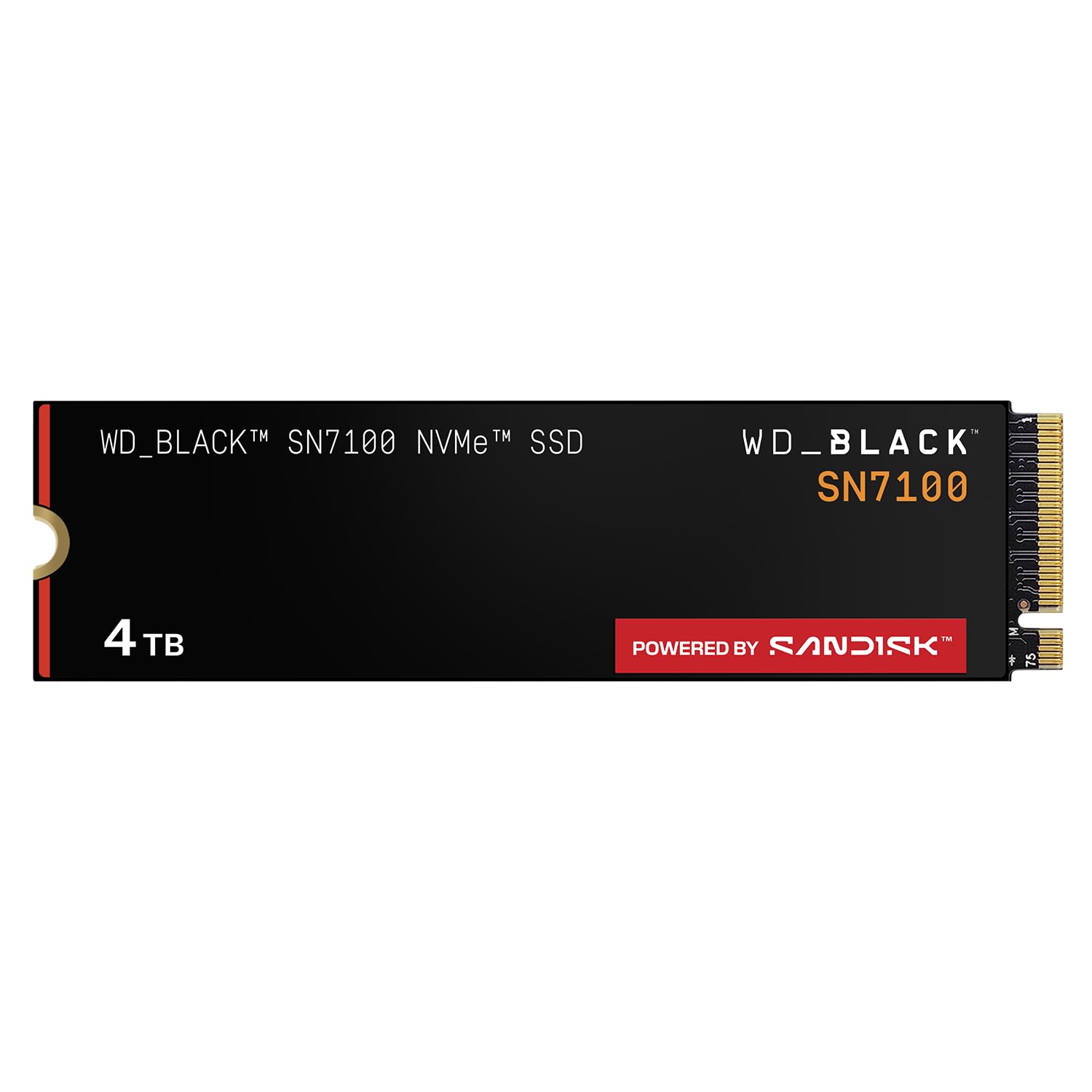
WD_BLACK SN7100 4TB

96 /100
Lab Score Outstanding

Key details

Warranty
3 years
Endurance
2,400 TBW
Sequential Speed
7,000 / 6,900 MB/s
View on Amazon

Small machines are where a 4TB drive earns its keep and where it does the most damage: a handheld or a thin laptop has no airflow to spare, and a hot drive either throttles or eats the battery. The SN7100 is the one here designed around that problem, rated for up to double the power efficiency of its predecessor, and it's the drive we reach for when the M.2 slot sits behind a plastic back cover instead of under a desktop heatsink.

The numbers don't suffer for it. WD rates the 4TB model at 7,000/6,900 MB/s — a few percent off the Lexar on reads and slightly ahead on writes — with 2,400 TBW of endurance that's second only to the NM790 in this group. It also runs cool enough to skip a heatsink entirely, which is the entire point in a device you hold in your hands.

The catch is on paper rather than in the slot: a three-year warranty against five on most of the others, and a product page that now points at a newer generation. Neither changes how the drive behaves today, and in a handheld where the alternative is a bare Gen5 stick cooking itself, low heat is worth more than two extra years of coverage.

Pros

  • Runs cool without any heatsink
  • High power efficiency for handhelds and laptops
  • 2,400 TBW endurance at 4TB
  • Write speed slightly above the group's Gen4 leaders

Cons

  • Three-year warranty rather than five
Our verdict

Built for tight, battery-powered machines: the SN7100 runs cool and sips power, so a handheld or thin laptop gets the speed without the heat.

Check Latest Price
4

Best Gen5 Value

Crucial T705 4TB

93 /100
Lab Score Outstanding

Key details

NAND
TLC
Warranty
5 years
Interface
PCIe 5.0 x4
Sequential Speed
14,100 / 12,600 MB/s
View on Amazon

Every PCIe 5.0 drive here brings a cooling problem with it, and the T705 is the most honest about it: Crucial ships it with no heatsink and tells you to fit one. That isn't a criticism so much as a description of the category. A drive reading at 14,100 MB/s makes heat, and a bare M.2 stick sitting in still air has nowhere to put it.

Give it cooling and the performance is real. 14,100/12,600 MB/s leaves it a whisker behind the Samsung 9100 PRO for appreciably less money, and both are roughly double what the Gen4 drives here manage. Whether you feel that is a separate question: game loads and boots improve, but the step up from a good Gen4 drive is nothing like the step up from a hard drive.

So we recommend it to a specific buyer — someone with a Gen5 slot, a board heatsink or an aftermarket cooler, and a case with airflow — and we're blunter about everyone else. In a laptop, a console, or a small-form-factor build where the drive is sandwiched between the board and a panel, the Gen4 picks here are the better answer. If you're spending Gen5 money without a cooler in hand, order one in the same basket; a bare T705 under a long shader compile is slower than the drive you already own.

Pros

  • 14,100 MB/s reads for less than the flagship
  • Micron TLC NAND with hardware encryption
  • Five-year limited warranty

Cons

  • Needs a Gen5 slot and airflow to pay off
Our verdict

If your board has a Gen5 slot and a heatsink to spare, the T705 delivers near-flagship speed for noticeably less money.

Check Latest Price
5

Best Budget

WD Blue SN5000 4TB

92 /100
Lab Score Outstanding

Key details

Warranty
5 years
Endurance
1,200 TBW
Sequential Speed
5,500 / 5,000 MB/s
View on Amazon

Set the SN5000 beside the drives above it on this page and it gives up a chunk of sequential speed: 5,500/5,000 MB/s against the seven thousand the front-runners manage. It also sits at the bottom of this group's price range, paired with the Silicon Power UD90, and it's the quicker of those two.

We think that's the right trade for most buyers. Sequential figures are box numbers; what you notice is whether an install crawls and whether the desktop feels sticky after a boot, and the SN5000 handles both without complaint. The listing is straightforward about the design too — 1,200 TBW of endurance, nCache 4.0 and no DRAM cache — and that is where the saving comes from.

The saving shows up in sustained writing. Push a few hundred gigabytes through it in one pass, the cache fills, and write speed falls away; that's the DRAM-less design doing what DRAM-less designs do. Photographers emptying card after card will feel it, a game library that grows a title at a time won't. Acronis True Image is a free download, so the migration is one less thing to sort out.

Pros

  • Five-year warranty at the lowest price tier
  • 1,200 TBW endurance at 4TB
  • Free Acronis True Image migration download

Cons

  • No heatsink in the box
Our verdict

The budget pick that doesn't feel like one: 4TB of Gen4 storage, a five-year warranty, and enough speed for games and everyday work.

Check Latest Price
6

Maximum Speed

Samsung 9100 PRO 4TB

93 /100
Lab Score Outstanding

Key details

Warranty
5 years
Interface
PCIe 5.0 x4
Random Speed
2,200K / 2,600K IOPS
Sequential Speed
14,800 / 13,400 MB/s
View on Amazon

14,800 MB/s is the number Samsung puts on the 9100 PRO, and it's the highest on this page — a couple of hundred clear of the Crucial T705 and roughly double the best PCIe 4.0 drive here.

There's more to it than the headline. The 5nm controller is rated up to 49% more power-efficient than the 990 PRO's, and 2,200K/2,600K IOPS of random performance is what actually shortens a game load or a project open. In our hands it was responsive in the way a flagship should be: nothing ever waited on the disk.

Who needs it is the harder question. The gap between this and a good Gen4 drive is real on a stopwatch and modest from a chair — a game that loads in four seconds on the Lexar doesn't load in two here. Where the money does work is big sequential jobs: moving multi-gigabyte project folders, ingesting footage, shuttling model weights between drives.

We recommend it narrowly and without much hesitation for that buyer. For everyone else the warning is the one every Gen5 drive here earns: it can run hot under sustained load and it wants a real heatsink rather than a sticker. Order the cooler with the drive, not after the first temperature warning, and if your board's only M.2 slot lives under the graphics card, spend the money elsewhere.

Pros

  • Fastest sequential speeds in this group
  • 2,200K/2,600K IOPS random performance
  • More efficient controller than the 990 PRO
  • Five-year manufacturer warranty

Cons

  • Premium price for gains you may not notice
  • Can run hot under sustained load
Our verdict

The fastest drive here, and priced like it: worth it only if you're moving huge files daily and your board already has Gen5 cooling.

Check Latest Price
7

Everyday PC Upgrades

Kingston NV3 4TB

95 /100
Lab Score Outstanding

Key details

Warranty
3 years
Interface
PCIe 4.0 x4
Sequential Speed
6,000 / 5,000 MB/s
View on Amazon

Kingston's difficulty here isn't the drive. The NV3 is a perfectly good PCIe 4.0 SSD: 6,000 MB/s read, 5,000 MB/s write, Acronis cloning software included, and a mounting job simple enough to do without looking anything up. The trouble is that it lands in the same price band as the Lexar NM790, which beats it on speed, endurance and warranty, so we struggle to make a case for the Kingston at full freight.

Two hard limits sit outside price. The warranty runs three years rather than five, and the drive isn't a console option — it doesn't meet the PS5's requirements, which is worth knowing before you plan a living-room upgrade around it. In a desktop or a laptop with a Gen4 slot it does exactly what the box says: fast boots, quick installs, no fuss. That's a respectable thing for a drive to do, and it's the whole of what this one offers.

Pros

  • 6,000/5,000 MB/s Gen4 speed
  • Acronis cloning software included
  • Straightforward install on a Gen4 board

Cons

  • Three-year warranty
  • Not a PS5 option as shipped
Our verdict

A solid, unexciting 4TB Gen4 drive that's easy to install and easy to live with — though a three-year warranty and no console route take the shine off.

Check Latest Price
8

Cheapest 4TB

Silicon Power UD90 4TB

89 /100
Lab Score Excellent

Key details

Warranty
5 years
Endurance
1,200 TBW
Sequential Speed
5,000 / 4,500 MB/s
View on Amazon

Nothing in this group costs less than the UD90, and nothing in it is slower. Both halves of that matter: at 5,000/4,500 MB/s it trails the WD Blue by 500 MB/s in each direction, and it trails the good Gen4 drives by a good deal more.

The gap is smaller in practice than it looks on paper. Loading a game leans on random reads and on the engine, not on sequential throughput; the difference between 5,000 and 7,400 MB/s shows up when you're copying large files and barely at all when you're playing one. What the UD90 does deliver is 4TB in a single slot, 1,200 TBW of endurance, end-to-end data protection and a five-year warranty.

Our reservation is that the drive offers nothing beyond the capacity, the endurance rating and the warranty. The NM790 adds roughly 2,400 MB/s and a heatsink for a little more money, and that's the comparison most buyers should make. Where the UD90 earns its place is a second M.2 slot used as a game library — a drive that mostly reads and rarely writes for long stretches, where peak write speed never comes up.

Pros

  • Lowest price of any 4TB drive here
  • 1,200 TBW and a five-year warranty
  • End-to-end data protection and RAID support

Cons

  • Slowest sequential speeds in this set
Our verdict

The cheapest way into 4TB with a five-year warranty — and the slowest drive here, which for a game library is a trade we can live with.

Check Latest Price

How We Tested These 4TB NVMe Drives

We started by pulling together every 4TB NVMe drive we could confirm is genuinely a 4TB drive — some models ship a different controller and NAND at 4TB than they do at 1TB — then narrowed to eight based on PCIe generation, whether the drive was single- or double-sided, published endurance ratings, price per terabyte, and whether the manufacturer bothers to post firmware notes. Then we used them for nine months as actual system drives rather than benchmark targets.

Each drive went into a desktop's Gen 4 M.2 slot and stayed there. We timed a 60GB folder of RAW files moving off an external drive, installed a 200GB game and recorded how long it took to reach a playable menu, then ran a 20-minute continuous write while watching reported temperatures — drives that started strong and finished at half speed got marked down no matter what the box claimed. We also filled each one to 90 percent and ran the same transfers again, because a 4TB drive that only performs when it's empty isn't really a 4TB drive.

Installation and fit got their own pass. We cloned a Windows install onto each drive, noted whether it needed a heatsink to stay out of throttle territory, and physically checked the fit in a thin laptop and a console's expansion bay — which is where the double-sided drives eliminated themselves. After months of daily use, we pulled SMART data to see whether the endurance figures were holding up, and two drives that developed mounting trouble under a laptop's bottom panel didn't make the list.

How to Choose a 4Tb Nvme Ssd

Match the drive to the slot, not to the box

Any of these drives fits an M.2 2280 socket, but the generation decides what you actually get. A PCIe 5.0 drive in a Gen4 slot runs at Gen4 speed — perfectly fine, just headroom you paid for and can't use yet. Check the manual for whether your second slot is x4 or shares lanes with SATA ports, because a slot that drops to x2 changes the calculation.

The Samsung 990 EVO Plus is the flexible one in this group: Samsung rates it for either four Gen4 lanes or two Gen5 lanes, which saves you on a board where the M.2 socket isn't the full-width one you assumed.

Peak read speed is the least useful number on the box

Every drive here quotes a sequential read figure measured in ideal conditions: a fresh drive, a deep queue, nothing else happening. Games don't load that way. What you feel is random performance and how the drive behaves once its write cache fills.

DRAM-less designs like the WD Blue SN5000 and the Lexar NM790 use host memory and a fast SLC cache instead, which is invisible during play and noticeable when you push hundreds of gigabytes in one sitting. If your work is big-file work, buy endurance and cooling before you buy peak speed.

Read endurance and warranty together

Endurance is quoted in TBW — terabytes written before the warranty stops covering the drive. 1,200 TBW is the floor in this group; the Lexar's 3,000 TBW and the SN7100's 2,400 sit at the top. Spread across five years, 1,200 TBW works out to well under a terabyte a day, which a game library never approaches and a video workflow can.

Warranty length varies more than it should: five years on most of these, three on the WD_BLACK SN7100 and the Kingston NV3. On a drive you plan to keep past the next console generation, take the five.

Decide where the heatsink comes from before you order

Most of these drives arrive bare and expect your motherboard's M.2 cover to do the work. The Lexar NM790 comes with its own, and Crucial asks you to supply one for the T705.

In a desktop with a stock board shield that's a wash. In a PS5 it isn't — the console needs a heatsinked drive, so a bare one means a second purchase in the same order. In a laptop or handheld the maths flips: a fitted heatsink adds height, and a back panel that used to sit flush may not.

Laptops, handhelds, and small builds

A thin laptop or a handheld gives a drive no air and no patience for a hot controller. Buy for efficiency here, not peak speed: the SN7100 is rated for up to double the power efficiency of its predecessor, and the 990 EVO Plus uses a nickel-coated controller for similar reasons.

Gen5 drives are the wrong call in these machines even when the slot supports one, because the speed is invisible and the heat isn't. Leave the flagship for a desktop with airflow and a board heatsink over the slot.

Frequently Asked Questions

Final Verdict

Buy the Lexar NM790 4TB. It satisfies the widest range of builds at once — 7,400 MB/s, 3,000 TBW of endurance, a heatsink already fitted and a five-year warranty — and it does it without asking you to check a compatibility list first. For most people upgrading a desktop, a laptop or a PS5, that's the end of the decision.

Two requirements move it. If the drive is going into a handheld or a thin laptop, take the WD_BLACK SN7100 for its lower heat and power draw. If your board has a Gen5 slot, real airflow and a cooler already sitting over it, the Crucial T705 is the fastest money you can spend here.