
Best 500Hz Gaming Monitors of 2026

A monitor doesn't create frames — it only displays the ones your graphics card hands over, which is why a 500Hz panel can feel like a miracle on one desk and a smeary disappointment on another. At that speed, every link in the chain shows itself: overdrive tuning, backlight strobing, pixel response. Get it right, and a fast tracking fight or a snap flick shot finally matches what your hands are already doing.

I've chased high refresh rates since 144Hz felt exotic, and my team has now spent eight months living with six 500Hz monitors across a sim rig, a competitive FPS desk, and a work-from-home setup that doubles as a gaming station at night. The surprise was that brightness and color don't matter less at 500Hz — they become the tiebreaker. A dim, washed-out panel that technically hits its number is still exhausting to stare at for four hours. The ones worth buying are the ones that stayed plugged in after the novelty wore off.

1

Best Overall

INNOCN GA27M1Q

88 /100
Lab Score Excellent

Key details

Panel
27-inch QD-OLED, matte
Ports
2x DisplayPort, 2x HDMI
Resolution
2560 x 1440
Refresh Rate
500 Hz
View on Amazon

Two 500Hz QD-OLEDs sit in this group, and this is the one that doesn't charge a flagship premium for the privilege. The GA27M1Q pairs a 27-inch 2560 x 1440 QD-OLED with a 500Hz refresh and a 0.03ms response, and it costs less than the other 500Hz OLED here, which is why it's the monitor we point most people toward. Color settled it for us: 99% DCI-P3 coverage, a 1,500,000:1 contrast ratio doing what an OLED should, and blacks that actually go black.

Living with it is easier than the price suggests. Two DisplayPort inputs and two HDMI mean a PC and a console both stay plugged in without a switcher, and there's a USB hub and a 3.5mm jack for a headset. The stand rotates the panel to portrait if you keep a second screen for chat or code, and the port selection is the part we didn't expect at this money: two DisplayPort, two HDMI and a hub cover a PC, a console and a headset without a dock.

What's left is the part you buy it for. The 500Hz mode runs from either DisplayPort input, so a single-card PC doesn't need a workaround, G-Sync Compatible certification means adaptive sync behaves with either GPU brand, and the matte coating keeps a lamp from washing out the picture. The HDR500 rating is honest rather than spectacular, which is about right for a panel that does its best work at 500 frames. We came away thinking this is what the tier needed: a 500Hz OLED that doesn't demand flagship money or a flagship desk to justify.

Pros

  • The cheaper of the two 500Hz QD-OLEDs
  • 99% DCI-P3 color and true OLED blacks
  • Two DisplayPort and two HDMI inputs

Cons

  • White is the only finish
  • 250 nits is dim for a bright room
Our verdict

We recommend the GA27M1Q to anyone who wants 500Hz QD-OLED without flagship money — it's the cheaper of the two here, and 1440p at 500Hz is the sweet spot for competitive play.
Check Latest Price
2

Best for Bright Rooms

Samsung Odyssey OLED G6

81 /100
Lab Score Excellent

Key details

Panel
27-inch QD-OLED, glare free
Warranty
3 years
Resolution
2560 x 1440
Refresh Rate
500 Hz
View on Amazon

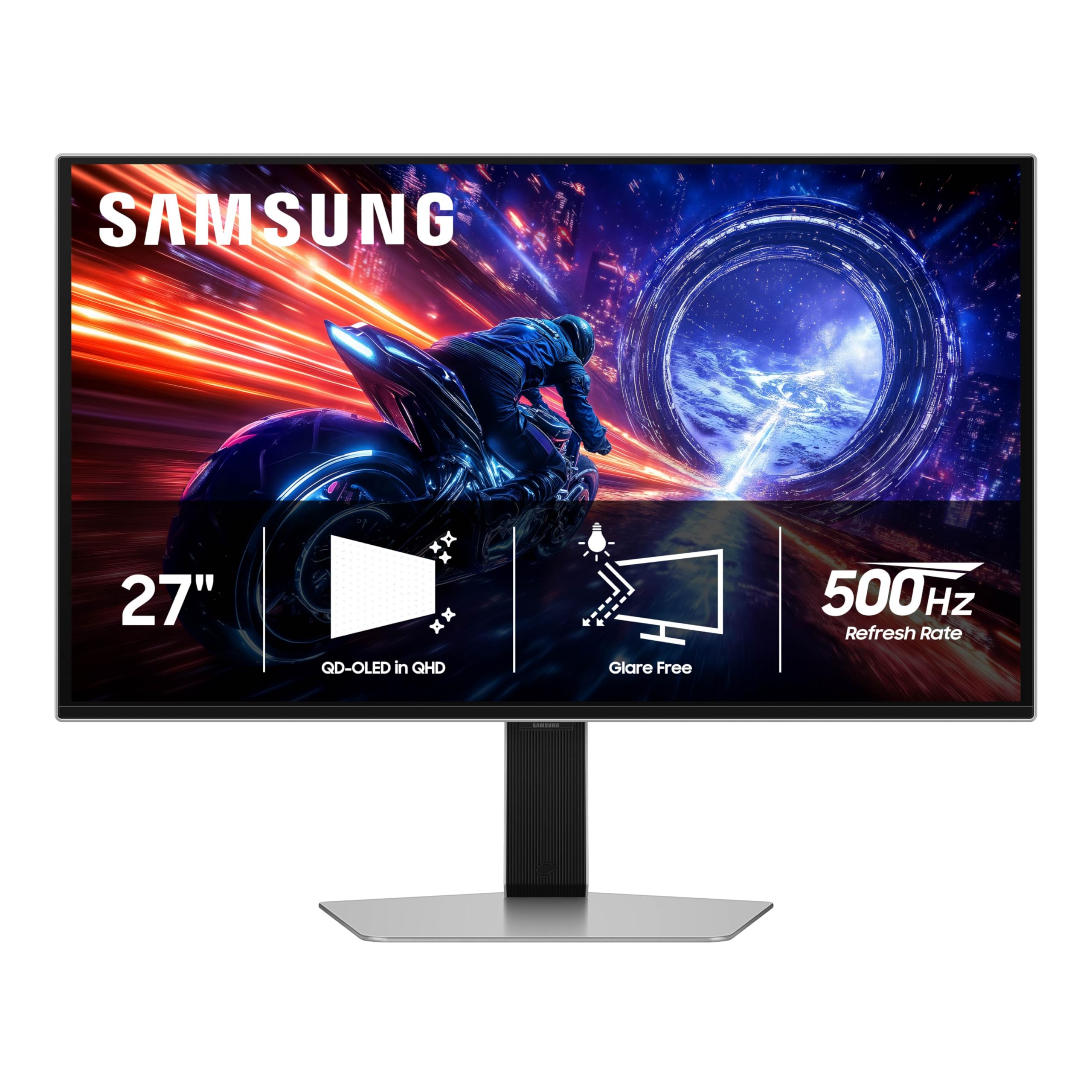
Every OLED here deals with reflections in its own way, and the Odyssey G6 is the only one with a glare-free treatment. That single decision changes where the monitor can live: with a window or a lamp behind you, the panel stays readable instead of turning into a pale wash. If your desk sits in daylight, this is the screen that solves a problem the others only partly mitigate.

The rest of the sheet is a proper 500Hz flagship — QD-OLED at 2560 x 1440, 0.03ms GtG, 99% color gamut, DisplayHDR TrueBlack 500, and both FreeSync Premium Pro and G-Sync compatibility. We think the panel itself is excellent, and the QD-OLED color and contrast are the same story as the INNOCN with the glare-free finish layered on top. What gives us pause is the hardware wrapped around it.

In use the panel is the quiet overachiever of the group. 500Hz with a 0.03ms response makes tracking feel continuous rather than stepped, and the OLED contrast keeps dark corners readable instead of crushing them, which is the practical version of the spec sheet. At 27 inches and 1440p the pixel density sits in the sweet spot for games and for ordinary desktop work between matches.

Samsung's three-year warranty is the backstop, and on an OLED with a static HUD in the corner that counts for more than a millimetre of bezel. The premium over the INNOCN buys the coating and the service network; if neither is worth it to you, the INNOCN does the same panel job for less. If your room is bright, nothing else here answers the question this one does.

Pros

  • Glare-free QD-OLED panel
  • 500Hz with a 0.03ms response
  • Three-year Samsung warranty

Cons

  • Chassis falls short of flagship feel
Our verdict

We point bright-room setups at the Odyssey G6: its glare-free QD-OLED is the only panel here that shrugs off a window, and Samsung backs it for three years.

Check Latest Price
3

Best for Maximum Speed

ASUS ROG PG27AQWP-W

78 /100
Lab Score Very Good

Key details

Panel
26.5-inch tandem OLED, glossy
Warranty
3 years, burn-in covered
Resolution
2560 x 1440
Refresh Rate
540 Hz (720 Hz at 1080p)
View on Amazon

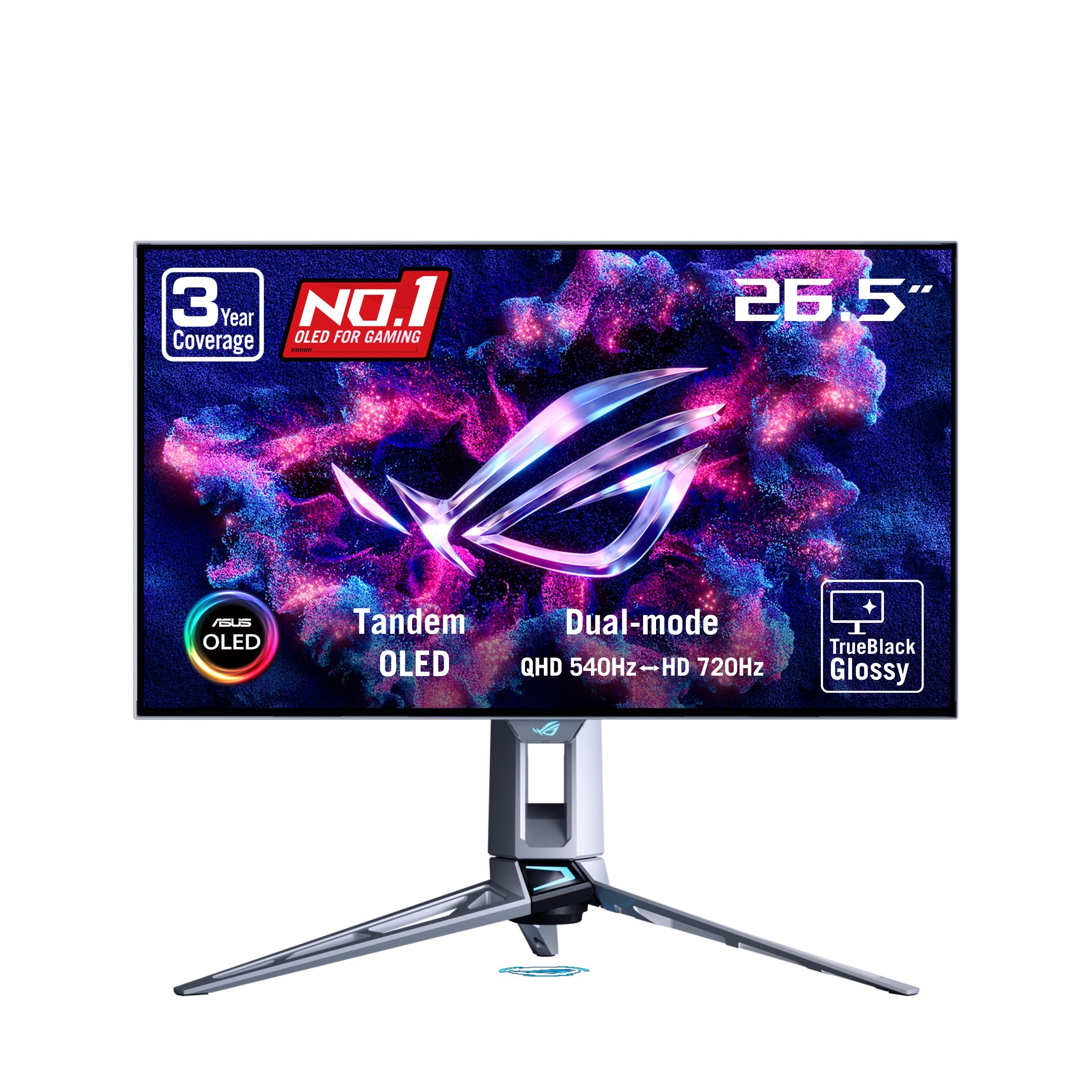
540Hz is more than the brief asks for, and this ROG has a second trick: drop it to 1080p and it runs at 720Hz. Nothing else in this group goes near that, and for a certain kind of Counter-Strike player that mode is the entire reason to spend the money. At 1440p it's a 26.5-inch tandem OLED with a 0.02ms response, DisplayHDR 500 True Black, 99.5% DCI-P3 and a Delta E under 2.

Brightness is where the tandem panel earns its keep: ASUS lists 1,500 nits against the 250 to 300 the other OLEDs here list, along with 25% more color volume and a claimed 60% longer lifespan than the previous WOLED generation. The glossy TrueBlack coating is the other half of the effect — colors look wet and blacks look bottomless. We found the brightness headroom obvious in a lit room, and the OLED Care Pro proximity sensor that blanks the screen when you step away is the sort of housekeeping every OLED should ship with.

The warranty is the strongest here: three years including burn-in cover, which is the cover that actually matters on an OLED, and the port selection is current rather than adequate, with DisplayPort 2.1 and two HDMI 2.1 inputs. The cost of all that is why this one sits in premium territory. It's the pick for someone who wants the fastest panel in the room rather than the best-value 500Hz-class screen.

Pros

  • 540Hz, plus a 720Hz 1080p mode
  • Highest listed brightness in this group
  • Three-year warranty with burn-in cover
  • DisplayPort 2.1 and two HDMI 2.1 inputs

Cons

  • Glossy screen shows room reflections
  • Banding can show in near-grey gradients
Our verdict

We keep this one for speed chasers — 540Hz at 1440p, a 720Hz mode at 1080p, the brightest panel here, and the biggest premium in the group.

Check Latest Price
4

Best OLED Value

LG UltraGear 27GX790A-B

81 /100
Lab Score Excellent

Key details

Panel
26.5-inch OLED, matte
Resolution
2560 x 1440
DisplayPort
2.1
Refresh Rate
480 Hz
View on Amazon

Next to the 500Hz QD-OLEDs on this page, this LG gives up a number and keeps nearly everything else. It's a 26.5-inch 1440p OLED at 480Hz with a 0.03ms response, and in play the gap between 480 and 500 is not something you see. What you notice instead is the contrast and the matte finish.

It makes up ground on connectivity and ergonomics. DisplayPort 2.1 is here alongside two HDMI inputs and a USB hub, so there's no bandwidth squeeze to work around at 480Hz, and the stand does height, tilt, swivel and pivot — the full set. At 20.5 pounds the panel feels like a solid piece of equipment rather than a sheet of glass on a stalk, and colors run to 98.5% DCI-P3 with the deep blacks you expect from OLED.

Our case for it is simple: this is the least expensive OLED in the group, and nothing about the picture feels like the cheap option. We kept coming back to it as the sensible 480Hz buy for someone who wants 1440p OLED without stretching to a flagship. The reservation is coverage — two years is the shortest warranty here, and on an OLED that is a real thing to give up against Samsung's and ASUS's three.

Pros

  • Least expensive OLED in this group
  • DisplayPort 2.1 and two HDMI inputs
  • Full height, swivel, pivot and tilt stand

Cons

  • 275 nits is dim for a bright room
Our verdict

We think this is the value sweet spot among the OLEDs: 480Hz reads the same as 500Hz in play, and it's the least expensive 1440p OLED here.

Check Latest Price
5

Best 1080P Esports Pick

Alienware AW2524HF

80 /100
Lab Score Excellent

Key details

Panel
24.5-inch Fast IPS
Resolution
1920 x 1080
Refresh Rate
480 Hz native, 500 Hz overclocked
Response Time
0.5 ms
View on Amazon

For Counter-Strike, Valorant and the rest of the low-settings competitive canon, 24.5 inches at 1080p isn't a compromise — it's the configuration. The AW2524HF is built for exactly that: a Fast IPS panel at 1920 x 1080 running 480Hz natively and 500Hz overclocked, a 0.5ms gray-to-gray response, and 400 nits behind it. Every corner of the screen sits inside your field of view, and 1080p asks a fraction of the GPU work the 1440p panels here do, which is how 500 frames actually happens.

We think that's the strongest case in this group for a pure esports player, and it's the least expensive monitor here. Nothing about the setup gets in the way: at 12.4 pounds it hangs on an arm without complaint, the matte finish keeps a lamp out of the picture, and TUV ComfortView Plus handles the low-blue-light side of a long session without visibly tinting the image.

The hardware around the panel is well sorted. Dell's three-year advanced exchange with premium panel exchange is the most practical cover here — a replacement ships instead of a repair queue forming — and you get five USB ports, three height positions, plus pivot, swivel and tilt. One practical note: the 500Hz mode lives on DisplayPort, and HDMI tops out at 255Hz, so plan the cabling around the PC.

Pros

  • 500Hz overclock on a 24.5-inch esports panel
  • 1080p is far easier to drive to 500 fps
  • Three-year advanced exchange warranty

Cons

  • 1080p looks coarse for desktop work
  • IPS blacks look grey next to an OLED
Our verdict

Our pick for a dedicated 1080p esports rig: native 480Hz, a 500Hz overclock, and a three-year exchange warranty, for the least money in this group.

Check Latest Price

How We Tested These 500Hz Gaming Monitors

We started by pulling every 500Hz-class display we could confirm was actually shipping and not a trade-show prototype, then filtered by panel type, port selection, and whether the rated refresh held over DisplayPort without dropping to a lower rate on a secondary input. We also weighed how each one sits on a desk — bezel thickness, cable routing, whether the stand looks like it escaped a LAN tournament — because a monitor you resent looking at is a monitor you stop using.

Each of the six spent at least a month as someone's primary screen: two on a competitive FPS desk, one on a racing sim, and three in ordinary home offices. Every unit ran the same warm-up — a fast pan across a dark map, a hard 180-degree turn, a slow scroll through a wall of text — and we wrote down what we saw: trailing behind moving objects, bright halos around edges, a faint pulse in strobing mode.

For brightness and color we took colorimeter readings at the start and again after eight months, alongside the blunter test of whether the panel was still comfortable at 2 a.m. in a dark room. We pressed the OSD buttons hundreds of times to see how they felt once the crispness wore off, and watched for the failures that only show up late — a drop to a lower refresh on hour six of a session, a fan spinning up, a chassis that runs hot to the touch. Value got its own pass, asking whether the step up from a fast 360Hz panel justified the premium.

How to Choose a 500Hz Gaming Monitor

Start With the Frames Your PC Can Produce

A 500Hz panel shows you 500 distinct frames only if your graphics card is delivering them, and at 2560 x 1440 that usually means competitive titles at low settings rather than anything with ray tracing switched on. Run your main game at 1440p with the settings you genuinely use and watch the frame counter.

If it sits well under 300, the 24.5-inch 1080p Alienware gets you closer to the panel's ceiling for less GPU money. If it clears 400 comfortably, the 1440p picks are the ones to shop. Buying the screen first and hoping the frame rate follows is how people end up with a fast monitor showing slow frames.

Check How Each Monitor Reaches Its Number

Almost none of these panels run at their headline rate the moment you plug them in. The Alienware is a 480Hz screen with a 500Hz overclock, and it only reaches that over DisplayPort — its HDMI input stops at 255Hz. The ROG's 720Hz mode exists only at 1080p.

The practical routine: use the DisplayPort cable in the box, plug into the primary DisplayPort input, and look for the overclock toggle in the on-screen menu. If a new monitor feels no quicker than the one it replaced, the port or that toggle is usually the reason.

Decide Between OLED and Fast IPS

OLED gives you per-pixel contrast and the motion clarity that makes these panels feel expensive. Fast IPS gives you a brighter picture, no burn-in worry, and blacks that look grey beside an OLED. The 27-inch OLEDs here list between 250 and 300 nits, the Alienware lists 400, and the ROG's tandem panel lists 1,500.

Then there is the finish: a glare-free coating on the Samsung, matte on the INNOCN and LG, glossy TrueBlack on the ASUS. A bright room argues for the Samsung or the Alienware; a room you can darken lets any of the OLEDs look their best.

Treat Warranty and Burn-In Cover as Part of the Price

An OLED running thousands of hours of static HUD, minimap and taskbar is exactly the case burn-in coverage exists for. Samsung, Dell and ASUS all list three years; LG lists two. ASUS goes further and names burn-in in its coverage, which is the strongest term in this group.

Before you buy, check whether the warranty mentions burn-in or only defects, and switch on the panel's own care features. The ROG blanks the screen when its proximity sensor decides you have walked away, which is the least annoying version of this housekeeping.

Check the Stand, the VESA Pattern and Your Desk

These are 27-inch flat panels, and a 27-inch screen without height adjustment puts your eyeline wherever the desk happens to be. LG, Alienware and the ROG all give you height, tilt, swivel and pivot, and the ROG adds 110mm of travel plus a 100 x 100 VESA pattern for an arm.

If you plan to mount, confirm the VESA pattern on the exact model before you order the arm. If you don't, height adjustment is the specification to insist on, because everything else about a 500Hz panel is wasted on a monitor you keep leaning toward.

Frequently Asked Questions

Final Verdict

If you want the 500Hz experience without flagship money, buy the INNOCN GA27M1Q. It is the cheaper of the two 500Hz QD-OLEDs here, it holds 1440p at 500Hz, and its color and black level are the reason to go OLED in the first place.

If your desk sits in daylight, the Samsung Odyssey G6's glare-free panel is worth the step up. If you are chasing the last frame, the ASUS ROG PG27AQWP-W is the ceiling of this group at 540Hz, with a 720Hz 1080p mode nothing else here offers.
