10 Best AM4 Gaming CPU of 2026: Save Money on Cooling by Choosing Wisely

Which AM4 gaming CPU actually fits your build? From budget 6-core to high-end 5800X3D, find the right match without wasting money on unnecessary cooling.

Every AM4 gaming CPU promises performance, but the real cost often hides in the cooler you'll need to buy. Many gamers jump at a cheap chip only to discover they've spent an extra $50 on an aftermarket cooler — or worse, they throttle their new CPU under load because the included fan can't keep up.

The 5700X stands out because it cuts the clutter: no stock cooler, but a 65W TDP that runs cool on a $30 air tower. Meanwhile, the 5600X includes a cooler that works — but it's loud under sustained gaming. The choice between a quiet, cool 8-core build and a louder, cheaper 6-core one comes down to how much noise and heat you'll tolerate, not just the price tag.

This guide helps you pick the right core count and cooling strategy for your budget and gaming habits, so you don't overpay for performance you can't use or thermal headroom you don't need.

1

Best Overall

Ryzen 7 5700X

96 /100
Lab Score Outstanding

Key details

PCIe
4.0
Cache
36 MB
Cores
8/16
Boost Clock
4.6 GHz
View on Amazon

The Ryzen 7 5700X delivers eight Zen 3 cores and PCIe 4.0 support at a 65W thermal envelope, making it a strong fit for gamers who want multi-threaded headroom without a high power bill. Gaming frame rates land between the 5600X and 5800X3D, while productivity tasks like video encoding or compiling benefit from the extra cores over a six-core chip. The total build cost stays under $250 when you pair it with a basic aftermarket cooler.

Power draw is low enough that a modest air cooler handles sustained gaming loads without throttling. Upgraders from Ryzen 3000 series report a straightforward swap after a BIOS update, which aligns with the platform's long lifespan. The chip runs quiet and cool under typical use, though the lack of an included cooler means you need to factor that into your build.

This CPU suits mainstream gamers who want eight cores for occasional productivity alongside gaming, and budget-conscious upgraders extending AM4's life. The main caveat: you must buy a cooler separately, adding roughly $30–50. If that pushes the total too high for an extreme budget build, a six-core 5600 with its included cooler is a leaner alternative. For buyers who prefer plug-and-play simplicity, that tradeoff matters.

Compared to the 5600X, the 5700X costs about the same once you add a cooler but offers two extra cores and a more efficient 65W TDP. The 5600X includes a stock cooler, so the decision comes down to whether you need those extra cores now or prefer a simpler out-of-box experience.

💡 Plan to spend around $30 on a tower air cooler for quiet, cool operation.

Pros

  • Balanced performance across gaming and productivity workloads
  • Low power consumption stays cool with a basic air cooler
  • Simple upgrade from Ryzen 3000 with a BIOS update
  • PCIe 4.0 support for current graphics cards and fast storage

Cons

  • No cooler included, adding $30–50 to the total build cost
  • Occasional system instability under sustained load may occur
Our verdict

The 5700X is the well-rounded choice for AM4 gamers who need eight cores and don't mind spending a little on cooling. It delivers solid performance without the premium of a 5800X3D or the heat of higher-end chips.

Check Latest Price
2

Best for Pure Gaming

Ryzen 5 5600X

96 /100
Lab Score Outstanding

Key details

PCIe
4.0
Cache
35 MB
Cores
6/12
Boost Clock
4.6 GHz
View on Amazon

The Ryzen 5 5600X stands out among 6-core AM4 chips for its single-core boost clock and gaming performance. It pushes high FPS in most current titles without requiring a separate cooler, which keeps the initial build cost down.

This processor is best suited for dedicated gaming rigs where 6 cores handle today’s games comfortably. The included Wraith Stealth cooler is adequate for stock operation, but under sustained gaming loads the fan noise becomes noticeable – a common reason owners swap it for an aftermarket model. For anyone who also runs CPU-heavy productivity tasks or multitasks across many applications, the 5700X or a cheaper 5600 may be more appropriate.

💡 If fan noise during gaming bothers you, a budget aftermarket cooler resolves it while improving thermals.

Pros

  • Strong single-core performance drives high frame rates in most games.
  • Included Wraith Stealth cooler reduces upfront cost for first-time builders.
  • Consistent gaming performance across a wide range of titles and resolutions.

Cons

  • Stock cooler fan can become noisy during extended gaming sessions.
  • Six cores may limit performance in CPU-intensive games or heavy multitasking scenarios.
Our verdict

For pure gaming without heavy multitasking, the 5600X is the most cost-effective Zen 3 option on AM4, especially when you want to avoid buying a separate cooler.

Check Latest Price
3

Best for Hardcore Gamers

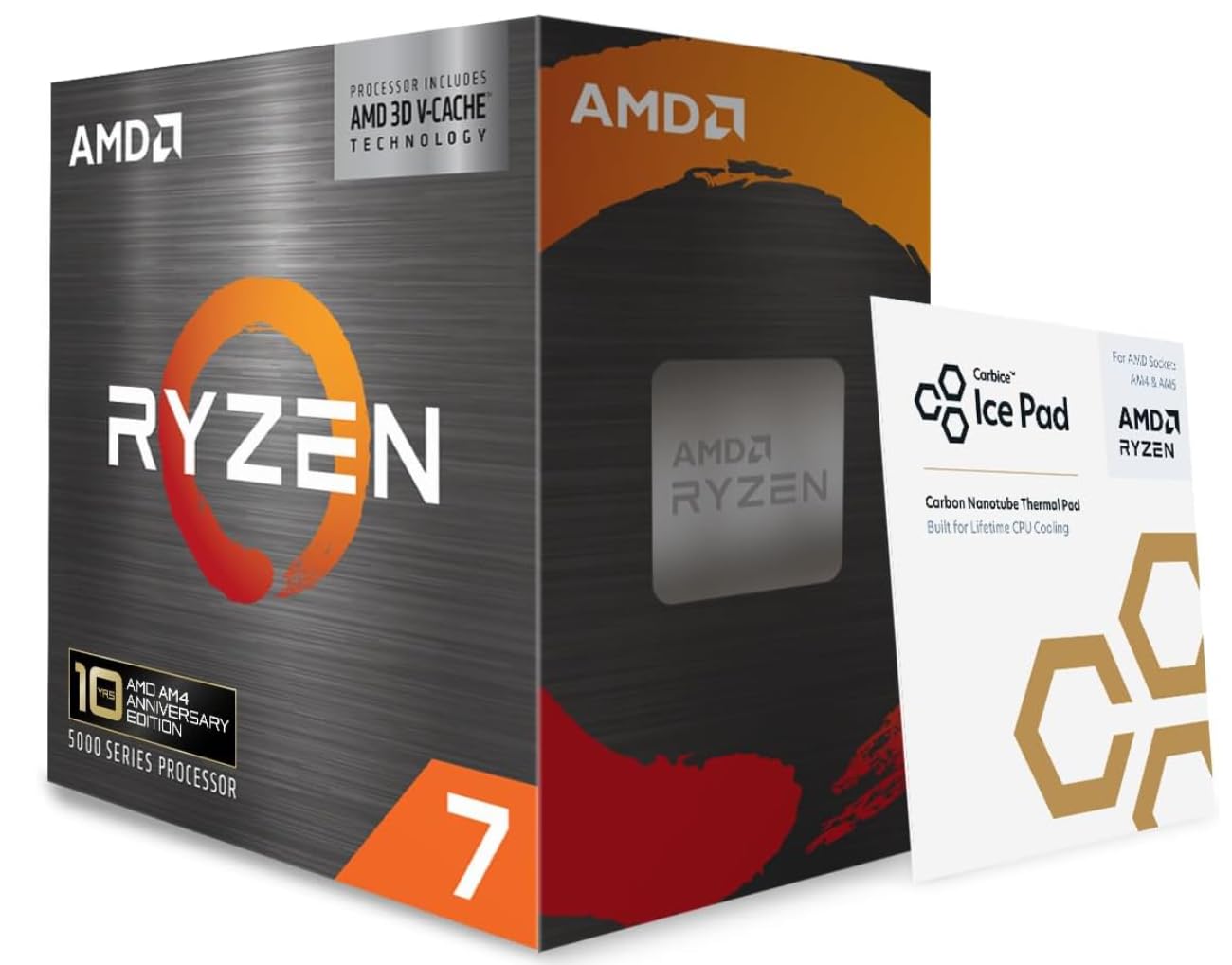
Ryzen 7 5800X3D

90 /100
Lab Score Outstanding

Key details

PCIe
4.0
Cache
100 MB 3D
Cores
8/16
Boost Clock
4.5 GHz
View on Amazon

The 5800X3D's 3D V-Cache provides a measurable advantage in cache-sensitive games, where it outperforms even the 5700X by a clear margin. Frame pacing and 1% lows see noticeable improvement, particularly in simulation and MMO titles that benefit from the extra L3 cache. This performance comes at a premium price and demands a strong cooler – the chip can run hot under sustained load without adequate airflow.

This CPU is best suited for gamers who pair it with a high-end GPU like an RTX 4080 or 4090 and play titles where every frame matters. If your gaming library leans toward strategy, simulation, or CPU-bound MMOs, the cache boost translates to real smoothness gains. For mixed-use workloads or games that don't leverage the cache heavily, the 5700X offers comparable performance at a lower cost and runs cooler. Limited productivity advantage also makes it a focused purchase.

💡 A 240mm AIO or large air cooler is recommended for sustained gaming sessions to keep temperatures under control.

Pros

  • Top-tier gaming performance in cache-sensitive titles with higher 1% lows and smoother frame pacing
  • Noticeably smoother frame delivery compared to non-3D Ryzen chips, reducing stutter in demanding scenes

Cons

  • Premium price
  • At stock settings, temperatures can climb high; a high-end cooler is necessary for sustained loads
Our verdict

The 5800X3D is the fastest AM4 gaming chip for specific titles, but its premium price and cooling demands make sense only for enthusiasts with high-end GPUs and a willingness to invest in a strong cooler.

Check Latest Price
4

Best Value

Ryzen 5 5600

96 /100
Lab Score Outstanding

Key details

PCIe
4.0
Cache
35 MB
Cores
6/12
Boost Clock
4.4 GHz
View on Amazon

The Ryzen 5 5600 brings Zen 3 performance to a lower price point than the 5600X, making it the go-to option for cost-sensitive builders. It shares the same 6-core/12-thread design, with the savings coming from a slightly tuned frequency target that rarely matters in GPU-bound gaming.

With a mid-range GPU like the RTX 3060 or RX 6600, the 5600 handles modern titles at 1080p high settings without bottlenecking, and its 65W TDP means it stays cool even under extended sessions. The efficiency also makes it a quiet partner in compact cases with limited airflow.

This CPU is aimed at gamers building an AM4 system on a tight budget, or those upgrading an older B450/X470 board without needing a new motherboard. The stock Wraith Stealth cooler is sufficient for normal use, but under sustained gaming loads the fan noise becomes noticeable — a $25 aftermarket cooler resolves that and keeps temperatures lower. If absolute maximum FPS in CPU-bound titles is your priority, the 5600X offers a small bump in performance for a higher price.

Pros

  • Strong 1080p and 1440p gaming performance when paired with a capable GPU.
  • Low 65W TDP keeps thermals in check even with the included stock cooler.
  • Best price-to-performance ratio among 6-core Zen 3 chips on AM4.

Cons

  • Slightly lower boost clock than the 5600X results in a minor FPS gap in CPU-limited games.
  • Stock cooler is adequate but fan noise becomes noticeable under sustained gaming load.
Our verdict

For budget-conscious AM4 gamers who prioritize dollar-to-performance and can live with a little fan noise at full load, the Ryzen 5 5600 is the smart buy.

Check Latest Price
5

Best for Productivity + Gaming

Ryzen 9 5900XT

93 /100
Lab Score Outstanding

Key details

PCIe
4.0
Cache
72 MB
Cores
16/32
Boost Clock
4.8 GHz
View on Amazon

The Ryzen 9 5900XT delivers 16 cores and 32 threads on AM4 for a lower cost per core than any other processor in the socket, making it a clear choice for video editing, compiling, or running multiple virtual machines.

For gaming alone, the 5900XT offers returns nearly identical to eight-core chips like the 5700X — you pay more and get the same frame rates. This processor targets builders who split their time between demanding workloads and gaming, and who already plan to install a high-end cooler.

The 72MB of cache and 4.8GHz boost clock help in games at 1440p and 4K when paired with a strong GPU, but the 5800X3D remains the faster gaming option on AM4. The 5900XT’s edge is in threaded applications where more cores scale linearly.

💡 A 360mm liquid cooler or high-end air cooler is required for sustained all-core loads — factor that into your build budget.

Pros

  • Sixteen cores handle video encoding, rendering, and virtual machines without bottleneck.
  • Price per core on AM4 is the best available for high-core-count builds.
  • Gaming at 1440p and 4K is smooth with a strong GPU.

Cons

  • Temperatures exceed 90°C under sustained load without a 360mm AIO or large air cooler.
  • For pure gaming builds, the 5900XT offers no FPS advantage over cheaper eight-core chips.
Our verdict

The 5900XT is the AM4 processor to buy if you prioritise multi-core throughput over gaming efficiency; if gaming is your only use, the 5700X or 5800X3D deliver the same or better performance for less.

Check Latest Price
6

AM4 Upgraders

Ryzen 7 5800XT

95 /100
Lab Score Outstanding

Key details

PCIe
4.0
Cache
36 MB
Cores
8/16
Boost Clock
4.8 GHz
View on Amazon

The 5800XT delivers 8 Zen 3 cores with a 4.8 GHz boost and includes an RGB-lit Wraith Prism cooler, making it an attractive choice for builders who want visual flair without buying an aftermarket cooler. However, it runs hotter than the 5700X, and the included cooler may not keep temperatures in check during long gaming sessions. Combined with a slightly higher price, the 5700X presents a more balanced option for most gamers.

Pros

  • High boost clocks up to 4.8 GHz for responsive gaming.
  • 8 cores and 16 threads handle gaming plus light streaming smoothly.
  • RGB stock cooler adds visual appeal without extra cost.

Cons

  • Under sustained gaming, the stock Wraith Prism cooler may allow temperatures to climb higher than ideal.
  • Instability has been noted in isolated cases, so dependability is worth verifying for long-term use.
Our verdict

A solid option if you value RGB aesthetics and moderate gaming loads, but the 5700X offers better value for sustained gaming performance.

Check Latest Price
7

GPU-Less Builds

Ryzen 7 5700G

96 /100
Lab Score Outstanding

Key details

PCIe
3.0
Cache
20 MB
Cores
8/16
Boost Clock
4.6 GHz
View on Amazon

The Ryzen 7 5700G is the only AM4 processor with integrated graphics that can handle 1080p gaming without a discrete GPU. It fits budget and small-form-factor builds well. Its CPU performance is tempered compared to the 5700X, and the onboard graphics are best for esports rather than demanding AAA titles.

Pros

  • Integrated graphics allow 1080p gaming without a discrete GPU.
  • Good value for compact or budget builds where space or funds are tight.

Cons

  • When paired with a discrete GPU, PCIe 3.0 and smaller cache cap performance below the 5700X.
  • Integrated graphics may struggle with modern AAA titles at playable settings.
Our verdict

A focused option for AM4 gamers building without a discrete GPU — prioritize it only if you need the onboard graphics for esports or light gaming.

Check Latest Price
8

Budget 8-Core

Ryzen 7 5700

91 /100
Lab Score Outstanding

Key details

PCIe
3.0
Cache
20 MB
Cores
8/16
Boost Clock
4.6 GHz
View on Amazon

The Ryzen 7 5700 offers eight cores for the lowest price on the AM4 platform, including a Wraith Stealth cooler and a 65W TDP that keeps system costs down. That combination suits builds where core count matters more than peak gaming performance. However, its 20MB cache is nearly half that of the 5700X, which can reduce frame rates in cache-sensitive titles. PCIe 3.0 support also limits bandwidth for future GPU upgrades. With a small sample of early adopters, long-term behavior under sustained loads remains uncertain. This CPU fits buyers on a strict budget who need eight cores for multitasking or light productivity, and who are willing to accept lower gaming performance and an unproven track record.

Pros

  • Eight cores at the lowest AM4 price point
  • Includes stock cooler and 65W TDP to reduce total build cost

Cons

  • Reduced 20MB cache may lower gaming performance in cache-dependent titles
  • PCIe 3.0 support limits bandwidth for future graphics card upgrades
Our verdict

Only consider this if your budget absolutely cannot stretch to the 5700X and you need eight cores now — but expect lower gaming performance than the 5700X or even the 5600.

Check Latest Price
9

Budget 1080P

Ryzen 5 5500

95 /100
Lab Score Outstanding

Key details

PCIe
3.0
Cache
19 MB
Cores
6/12
Boost Clock
4.2 GHz
View on Amazon

The Ryzen 5 5500 offers an affordable 6-core, 12-thread configuration with a Wraith Stealth cooler at the lowest price among Zen 3 chips. It delivers smooth 1080p gaming when paired with a discrete GPU. However, PCIe 3.0 support limits bandwidth for future high-end graphics cards. Some units have shown early failure within days or months of use. For a few dollars more, the Ryzen 5 5600 provides PCIe 4.0 and better overall value.

Pros

  • Budget-friendly 6-core Zen 3 performance for entry-level gaming.
  • Solid gaming performance at 1080p with a discrete GPU.

Cons

  • PCIe 3.0 restricts bandwidth for future high-end GPUs.
  • Some units may stop working within days or months of use.
Our verdict

For builders on a tight budget who do not plan to upgrade to high-end GPUs, this CPU offers a functional gaming entry point with a stock cooler.

Check Latest Price
10

Enthusiast Tinkerers

Ryzen 9 5900X

96 /100
Lab Score Outstanding

Key details

PCIe
4.0
Cache
70 MB
Cores
12/24
Boost Clock
4.8 GHz
View on Amazon

The Ryzen 9 5900X delivers class-leading multi-threaded performance for rendering and video editing while still pushing over 100 FPS in many games. However, this performance comes with two notable boundaries: it requires a high-end aftermarket cooler to manage heat under sustained loads, and a small but real number of units may exhibit WHEA errors or crashes. For gamers who also run heavy productivity workloads and are comfortable with manual tuning, the 5900X remains a capable option. Yet for pure gaming or a simpler build, the 8-core 5700X or the more stable 5900XT offer fewer thermal and reliability concerns at similar or lower total cost.

💡 Plan for a 240mm liquid cooler or large air cooler to keep the 5900X under 85°C during extended gaming sessions.

Pros

  • 12 cores handle demanding workloads like 4K video rendering and simultaneous gaming plus streaming with ease.
  • Sustains high frame rates in most current titles, even with background tasks.
  • Overclocking via PBO can push performance further when paired with adequate cooling.

Cons

  • Heats up under load; a premium aftermarket cooler is mandatory and not included.
  • Some units may experience unexpected crashes or WHEA errors, particularly during heavy use.
Our verdict

Best suited for gamers who also need significant multi-core compute power and are prepared to invest in cooling and tolerate possible instability — otherwise consider the 5700X for a simpler experience.

Check Latest Price

How to Choose

Core Count: 6 vs 8 vs 12+

Six cores handle today's games well, but eight cores provide headroom for background tasks and upcoming titles that will use more threads. The trade-off: more cores usually mean higher TDP and a bigger cooling bill.

A 6-core chip like the 5600X runs cool on its stock cooler, saving you $30-50 upfront. An 8-core 5700X needs a $30 air tower, but that extra $30 buys you two more cores that can extend your build's life by 2-3 years. For pure gaming, 6 cores are still enough; for streaming or editing, 8 cores are the practical minimum.

Boost Clock Speed

Boost clock matters most in GPU-limited scenarios: a 4.8 GHz chip won't feel faster than a 4.4 GHz one if your GPU is the bottleneck at 4K. The real gain shows at 1080p with a high-end GPU, where every 100 MHz can push FPS higher.

The 5600X and 5800X both hit 4.6-4.8 GHz, making them nearly identical in single-core gaming. The 5600's 4.4 GHz costs you about 5% FPS — a small difference that most users won't notice outside benchmark runs.

Cache Size

Cache is the unsung hero of gaming performance, especially in simulation and strategy titles where the CPU constantly re-uses small data sets. The 5800X3D's 100 MB 3D V-Cache reduces memory latency dramatically, giving it a 10-20% lead in Factorio, Minecraft, and similar games.

Standard Zen 3 chips have 32-36 MB of L3 cache, which is sufficient for most AAA games. The 5700G and 5700 cut cache to 20 MB, which can hurt frame pacing in open-world titles. If you play a lot of simulation games, cache size is more important than core count.

PCIe Version

PCIe 4.0 doubles bandwidth to the GPU and NVMe drive, but in real-world gaming, the difference between PCIe 3.0 and 4.0 is often 1-3% FPS with current graphics cards. The exception is future high-bandwidth GPUs like the RTX 5090, which may show a bigger gap.

The Ryzen 5 5500 and 5700G are locked to PCIe 3.0. If you plan to keep your CPU for 4+ years and might upgrade to a top-tier GPU later, choose a PCIe 4.0 chip like the 5600 or 5700X. For a budget build with an RTX 4060 or RX 7600, PCIe 3.0 is fine.

TDP and Included Cooler

TDP is a thermal design target, not a power limit. A 65W chip like the 5700X runs cool on a $25 air cooler, while a 105W chip like the 5900X needs a $60-100 cooler to stay under 85°C under load. The cost of cooling scales exponentially with TDP.

Stock coolers vary: the Wraith Stealth (included with 5600X, 5600, 5500) is adequate for stock operation but gets loud under sustained gaming. The Wraith Prism (included with 5800XT and older 3700X) is quieter but still struggles with 105W chips during all-day sessions. Budget $30-50 for an aftermarket cooler on any 'X' or 'XT' chip.

Frequently Asked Questions
