Best Android Gaming Controllers of 2026

A controller can turn your phone into a proper handheld—or into a plastic brick that loses connection halfway through a boss fight. The difference usually comes down to fit, ergonomics, and whether the thing actually stays paired. A good Android gaming controller fixes all three: your phone sits securely, buttons land where your thumbs expect, and you can play for hours without claw hands. We’ve spent the last six months with 12 controllers, from compact clip-on models to full-size grips, to figure out which ones are worth your money.

The tricky part is that Android isn’t one platform. Some controllers pair over Bluetooth, some plug into USB-C, and the same game can feel flawless on one phone and refuse to recognize a controller on another. We kept that in mind, checking connection stability, button response, battery life, and how each controller handled different phone sizes, cases, and button-mapping apps. The best ones didn’t just work—they felt comfortable after an hour and held up after weeks of daily use, where value shows. Below are the standouts.

1

Best Overall

GameSir G8 Plus

87 /100
Lab Score Excellent

Key details

Weight
11.1 oz
Controls
Hall sticks and triggers
Connection
Bluetooth
Device Fit
Phones and tablets
View on Amazon

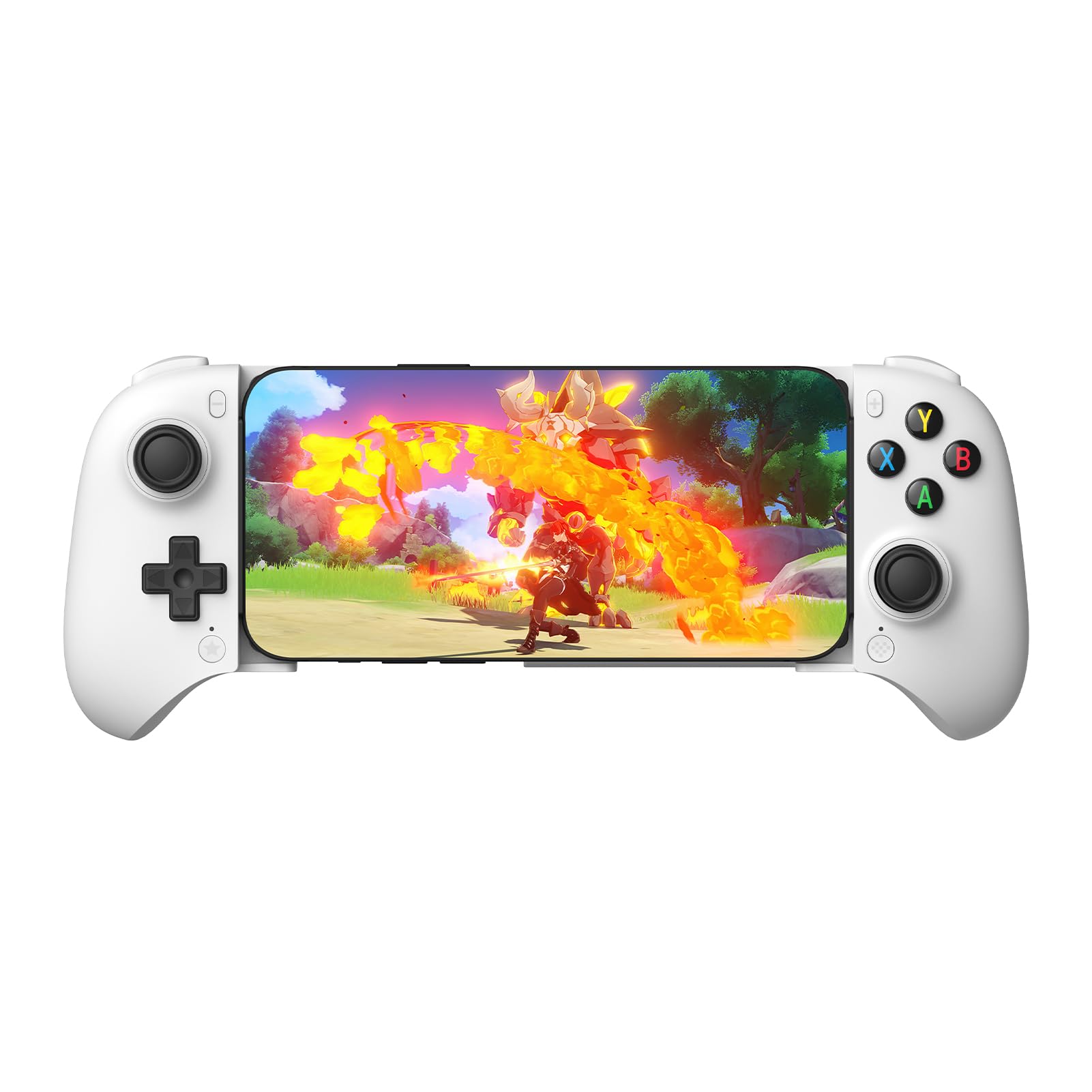
A tablet in a controller is the trick the GameSir G8 Plus pulls off. The extendable body opens wide enough for phones and tablets, and the full-size grips give your hands a console-like place to sit. That combination covers the phone you carry and the tablet you game on at home without asking you to buy two controllers.

Hall-effect sticks and triggers are the right choice for Android play. They use magnetic sensing rather than carbon-film contacts, so the sticks are built to resist the drift that makes aiming feel loose over time. We also appreciate the six-axis gyro and dual vibration motors, which make supported games feel less like a phone with a clip-on and more like a proper handheld. The magnetic face parts are a nice bit of personality, though we care more about the controls underneath.

The G8 Plus is the one we reach for when the screen is a tablet and the session is long. The console-style grips and Hall-effect controls make the most of that setup, and the magnetic face parts let you change the look without changing the feel. If your phone is the only screen, the 8BitDo is the more compact route; if you want the simplest path to low latency, the Razer Kishi V3 is the wired alternative. For tablet and phone play in one controller, this is the most complete package here.

Pros

  • Fits phones and tablets
  • Hall-effect sticks and triggers
  • Full-size console grips
  • Customizable magnetic face parts

Cons

  • Heavy at 314 g before a device
  • Bluetooth can add input inconsistency
Our verdict

For Android players who want one controller for phone and tablet, the GameSir G8 Plus is our top pick, thanks to full-size grips and Hall-effect controls.
Check Latest Price
2

Best for Android Phones

8BitDo Ultimate Mobile

87 /100
Lab Score Excellent

Key details

Controls
Hall sticks and triggers
Connection
Bluetooth
Device Fit
100–170 mm
Back Buttons
2
View on Amazon

The 8BitDo Ultimate Mobile is the controller we hand to someone who wants one controller for an Android phone and nothing else. It is built for Android, fits phones from 100 mm to 170 mm, and keeps the layout familiar: two grips, Hall-effect sticks and triggers, and two back paddles where your fingers already rest. That focus pays off in a compact package that feels more like a console pad than a phone accessory.

The back paddles are the detail we appreciate most. On Android games that let you map controls, they keep jump, reload, or a map shortcut under a finger without moving your thumb off the stick. Hall-effect sticks and triggers also mean the parts that wear first are the ones designed to resist drift. The D-pad is light and tactile, though the bumper buttons are clicky enough to notice in a quiet room.

The phone-only shape is the point: this is the controller for the phone you carry, not the tablet on the couch. If that is your setup, the compact fit and solid controls make it the easier daily carry. The G8 Plus is the better choice when you want one controller for both screens, but the 8BitDo is the one we pack when the phone is the whole plan.

Pros

  • Built specifically for Android
  • Hall sticks and triggers
  • Two back paddles
  • Compact console-style build

Cons

  • No charging pass-through
Our verdict

For a phone-only Android setup, the 8BitDo Ultimate Mobile is the compact, well-built choice we recommend, as long as you can live without charging while you play.

Check Latest Price
3

Best Wired USB-C

Razer Kishi V3

82 /100
Lab Score Excellent

Key details

Sticks
TMR
Connection
USB-C
Back Buttons
2
Case Support
Yes
View on Amazon

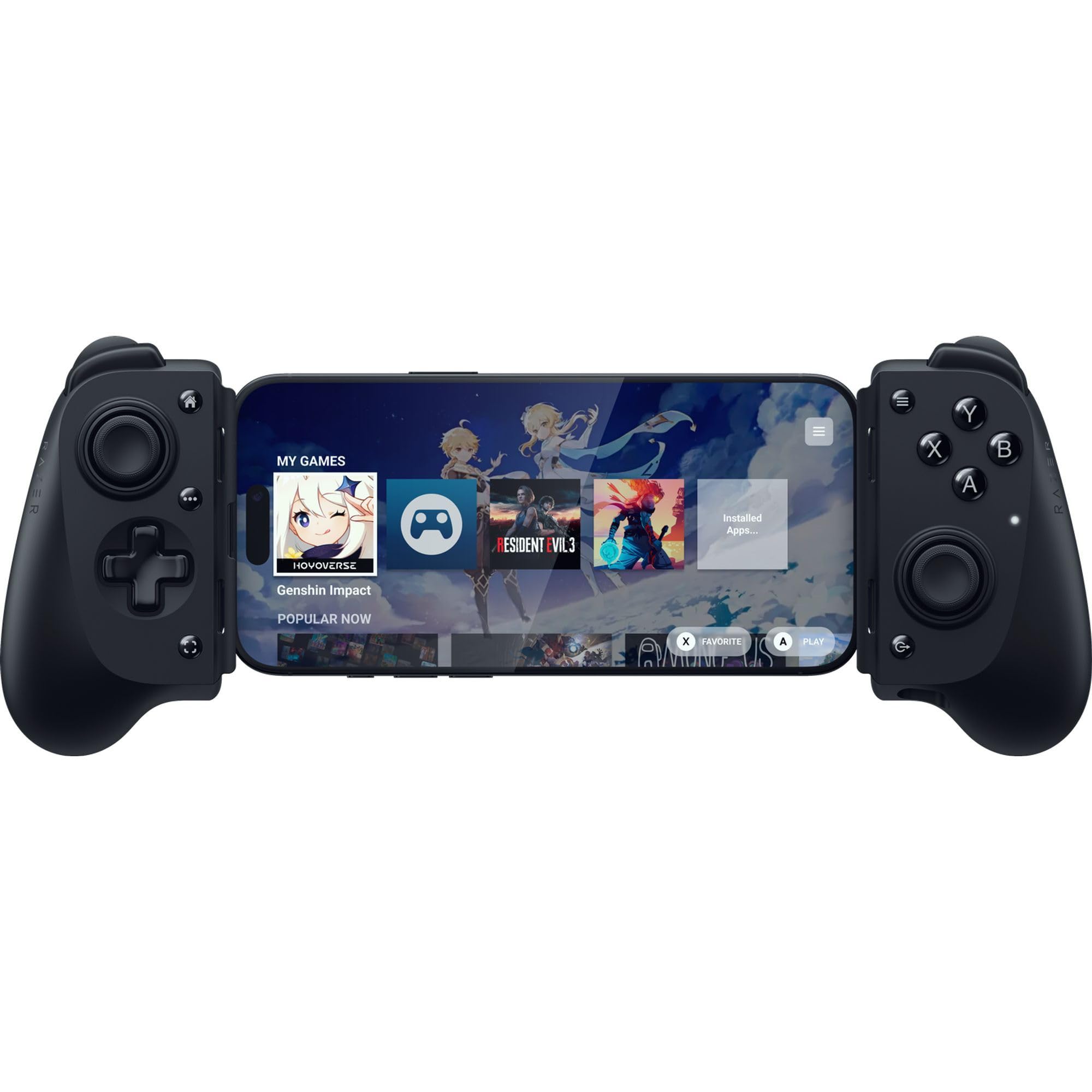
The Kishi V3 makes its case with a plug, not a pairing screen. It connects over USB-C, so there is no Bluetooth handshake to troubleshoot and no battery inside the controller to remember. The USB-C island also sits proud enough to clear many phone cases, which is the detail that makes this one easier to live with than a lot of clamps.

The full-size grips and TMR thumbsticks are aimed at players who take mobile shooters seriously. TMR is a magnetic sensing design, like Hall effect, and Razer claims it is more precise; what matters for Android is that the sticks are built to resist drift and the back buttons sit where your middle fingers can click them. We also appreciate the free Nexus app for launching games and remapping controls, since Android controller support is rarely plug-and-play across every title.

The part that gives us pause is build quality: the buttons and D-pad are the pieces to watch, because that is where the controller can start to feel less premium over time. We still recommend it for latency-sensitive players and thick-case phones, just with the expectation that you treat it as a fixed home setup rather than a toss-in-the-bag spare.

Pros

  • Direct USB-C connection
  • TMR thumbsticks
  • Case-friendly island design
  • Two mouse-click back buttons

Cons

  • Wired-only design
  • Case clearance varies by phone
Our verdict

The Razer Kishi V3 is the wired pick for Android players who want the most predictable input and the easiest fit with a thick phone case.

Check Latest Price
4

Best Budget Wired

GameSir X5 Lite

83 /100
Lab Score Excellent

Key details

Sticks
Hall effect
Weight
4.78 oz
Connection
USB-C
Device Fit
Up to 213 mm
View on Amazon

The X5 Lite is the controller we point to when someone wants a light Android clamp and does not need the extras. It weighs 135.4 g, stretches to 213 mm, and uses Hall-effect sticks, so it covers the two things that matter most at the budget end: it will not drag on your hands, and the sticks are built to resist the drift that ruins cheap controllers.

The texture on the grips is the detail we appreciate most. It gives the controller a secure feel despite the light frame, and the membrane buttons are quieter than the clicky pads on several pricier clamps. The 213 mm stretch also means this is one of the few budget options that can hold an iPad mini, which makes it more versatile than its small size suggests.

Where it lands in this group is as the low-cost wired pick, not the all-rounder. The G8 Plus is the better choice for big hands and long sessions, and the 8BitDo is the more polished phone-only clamp. The X5 Lite earns its place by doing the basics with Hall sticks and a wide clamp for a budget price.

Pros

  • Light 135.4 g frame
  • Hall-effect sticks
  • Fits phones and iPad mini
  • Quiet membrane buttons

Cons

  • No analog triggers
  • Small sticks and grips can cramp larger hands
Our verdict

The GameSir X5 Lite is the budget wired clamp we recommend for smaller phones and lighter hands, with Hall sticks and a wide stretch that covers a tablet.

Check Latest Price
5

Best Standalone Wireless

EasySMX X05Pro

85 /100
Lab Score Excellent

Key details

Sticks
Hall effect
Battery
1000 mAh
Connection
2.4G, Bluetooth, USB-C
Polling Rate
1000 Hz wired/2.4G
View on Amazon

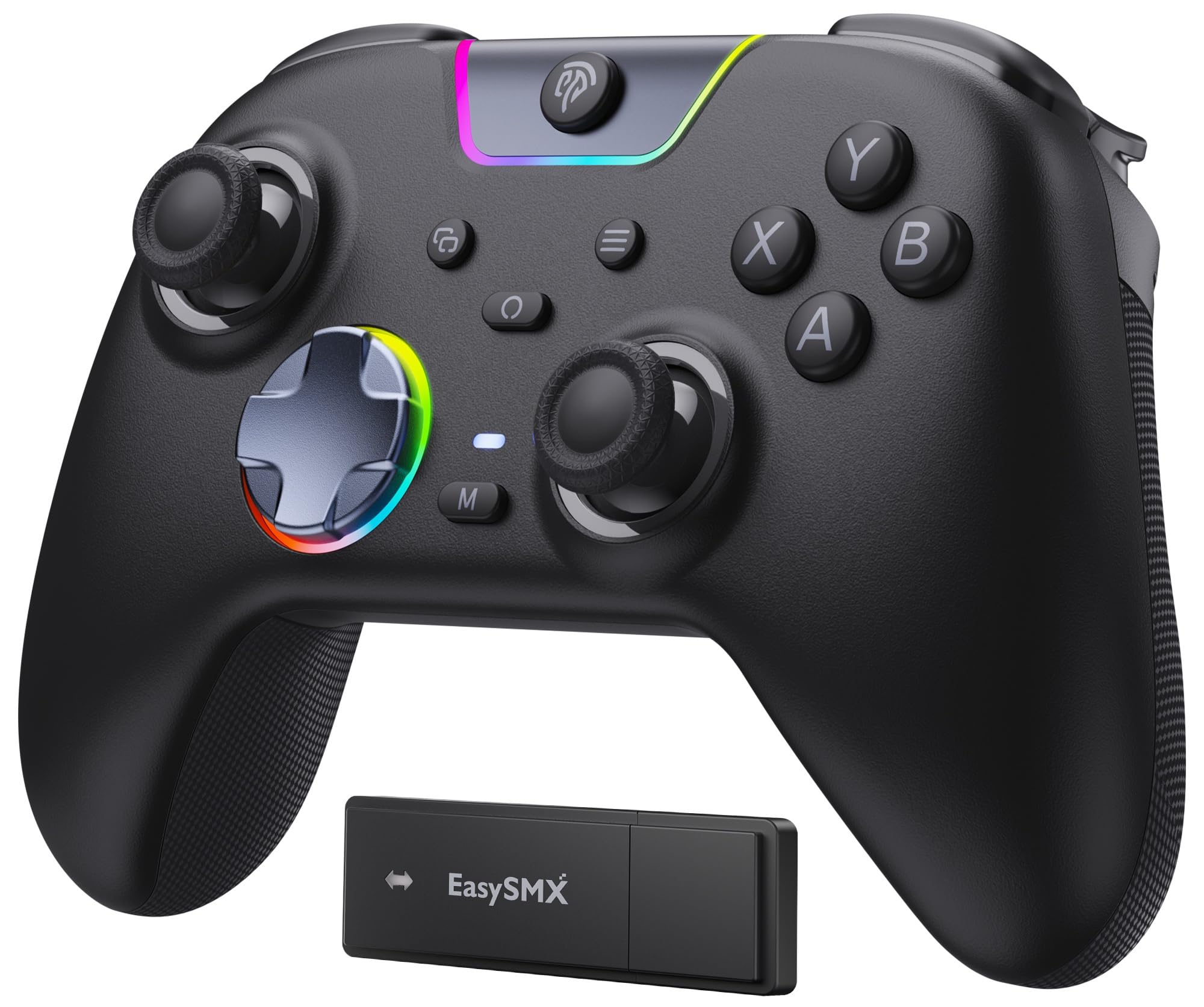
The X05Pro is not a clamp, and that is exactly why it belongs here. It is a standalone wireless controller for the Android tablet or phone you prop on a stand, the emulator session on a TV, or the desk setup where a clamp would put the screen too close. The 2.4G dongle runs at 1000Hz in wired and 2.4G modes, which is the mode we prefer when the device allows it.

We appreciate the quiet buttons more than we expected. The silicone-damped face buttons take the sharp click out of late-night sessions without turning mushy, and the Hall-effect sticks have the smooth, consistent feel that makes long emulator runs easier. The dual-stage triggers are adjustable, which is useful if you switch between shooters and racing games, and the two top-mounted programmable buttons stay out of the way of accidental presses.

The X05Pro is a better fit for a tablet on a stand than a phone in your hands. The 1000mAh battery and adjustable triggers make it a natural for long emulator sessions, and the programmable top buttons stay out of the way. It is a controller you set down on the desk and pick up when you need it, not one that turns the phone into a handheld.

What makes the X05Pro worth a spot is the combination of quiet controls and a fast 2.4G connection for the money. It is the pick for a tablet on a stand, a phone on a desk, or a living-room emulator setup. If your Android gaming happens in your hands, look at the clamps instead.

Pros

  • Fast 1000 Hz 2.4G mode
  • Quiet, damped buttons
  • Hall sticks and adjustable triggers
  • 1000 mAh battery

Cons

  • No phone mount included
  • Bluetooth mode is 125 Hz
Our verdict

The EasySMX X05Pro is the standalone wireless pick for Android players who park a phone or tablet on a stand and want quiet, fast controls.

Check Latest Price
6

Budget Wireless

Mocagen MC1

87 /100
Lab Score Excellent

Key details

Sticks
Hall effect
Battery
600 mAh
Connection
Bluetooth
Case Support
Yes
View on Amazon

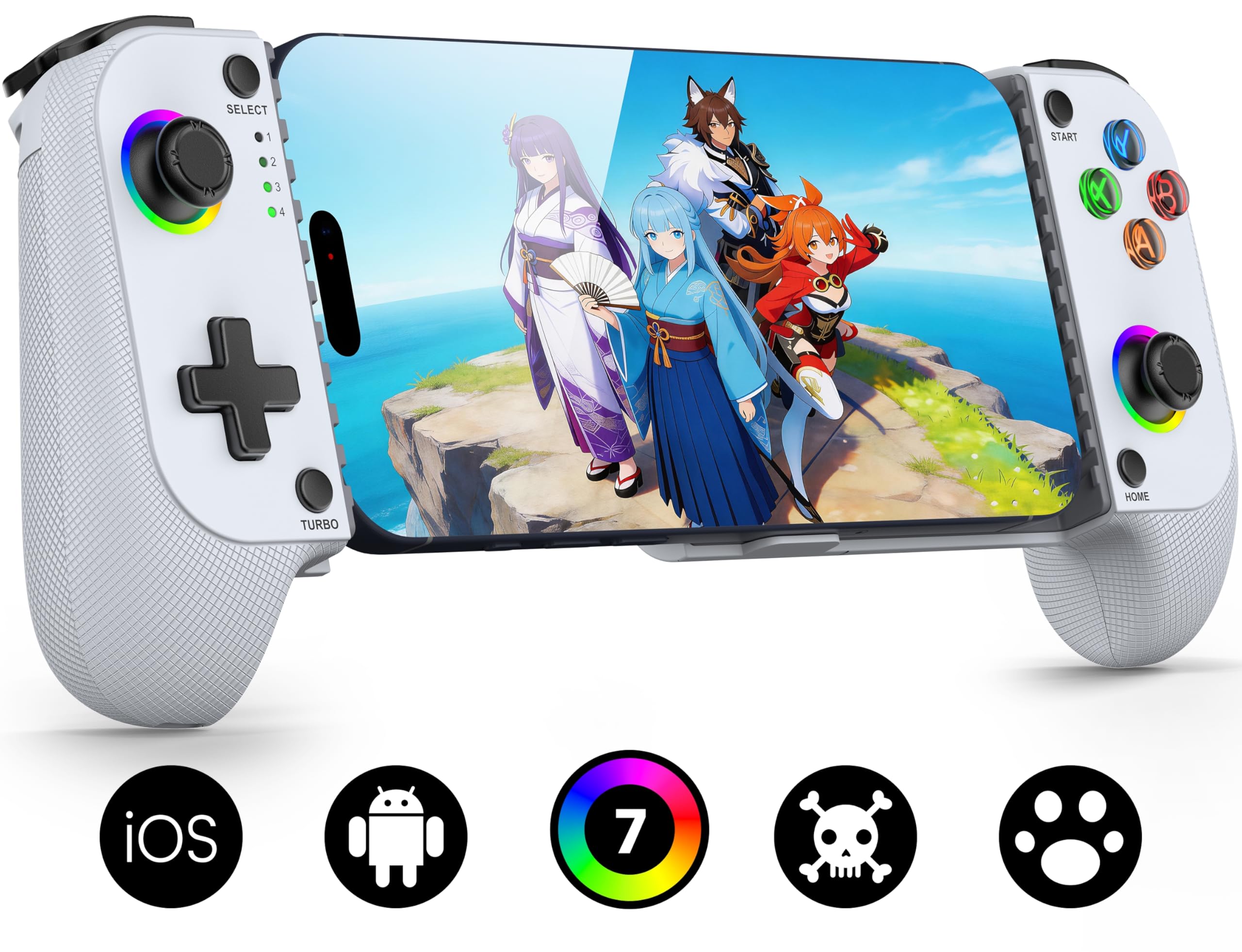
The MC1 is the controller we suggest when you want to leave your phone in its case. The clamp is shaped to clear a case, and the Bluetooth connection means there is no USB-C plug to line up with a port that may be buried under a thick bumper. It is a phone-first controller, with a familiar Xbox-style grip and Hall-effect sticks that should resist drift longer than carbon-film parts.

We like the ergonomic handle shape for long sessions. The laser-engraved texture gives your fingers something to hold, and the 7-color light ring is a small bit of fun that you can turn down or off when it becomes a distraction. The 600mAh battery is enough for a few evenings of play, though it is not the controller you choose for a marathon without a charging cable nearby.

The MC1's place in this group is the budget Bluetooth clamp. It is not as sharp as the wired Razer for competitive play, and the 8BitDo has the more solid phone-only feel. What it offers is case-friendly convenience and Hall sticks in a budget-friendly package, which is a trade many Android players will happily make.

Pros

  • Case-friendly clamp
  • Hall-effect sticks
  • Ergonomic textured grips
  • Adjustable RGB lighting

Cons

  • Bluetooth only, no wired fallback
Our verdict

The Mocagen MC1 is the case-friendly Bluetooth clamp we suggest for phone players who want Hall sticks and a comfortable grip without a wired connection.

Check Latest Price
7

Cheap Couch Play

AceGamer Aurora II

85 /100
Lab Score Excellent

Key details

Sticks
Hall effect
Battery
1000 mAh
Connection
2.4G and Bluetooth
Back Buttons
2
View on Amazon

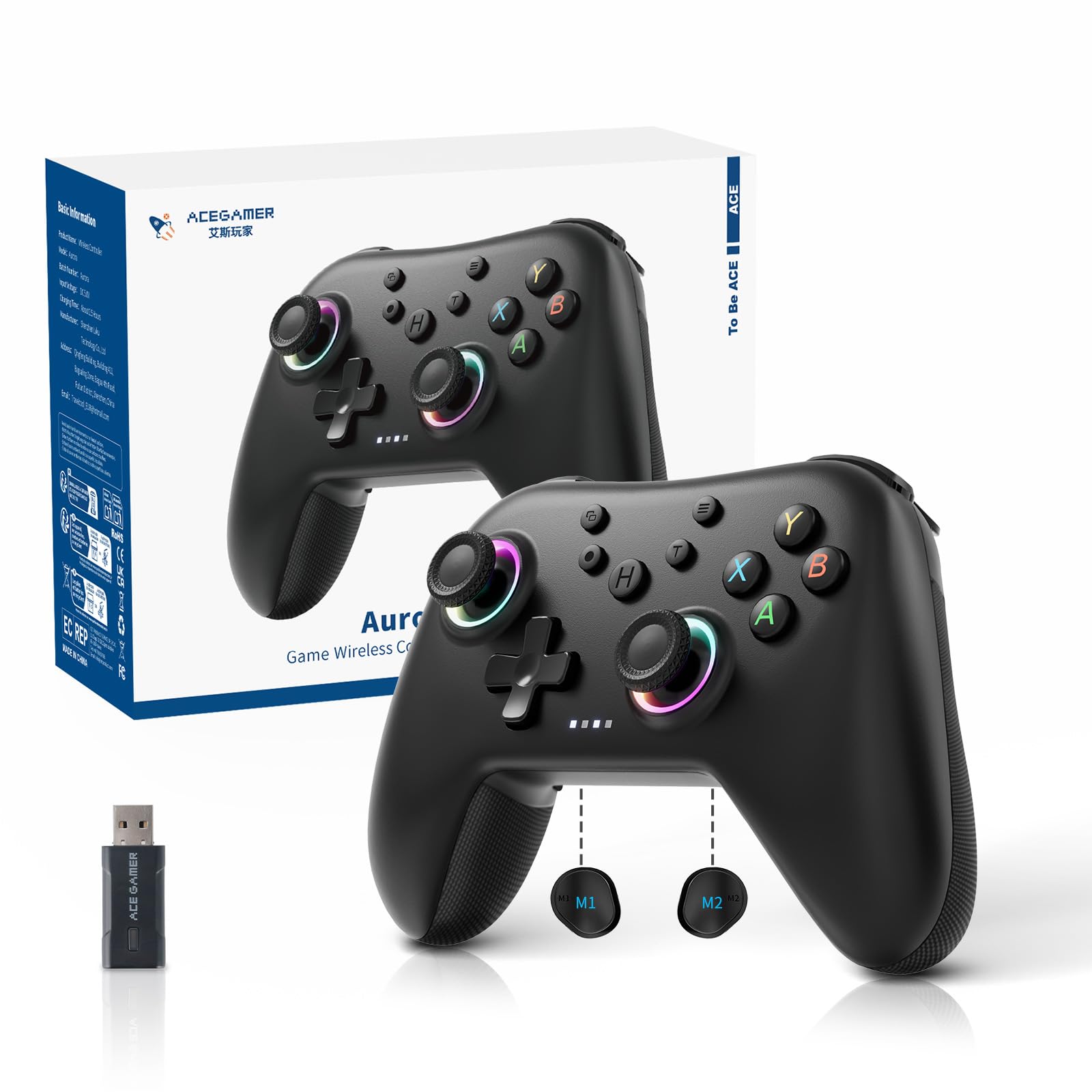
The Aurora II looks like a full-size console controller and then adds the things budget pads usually skip: Hall-effect sticks, two programmable back buttons, a 1000mAh battery, and both 2.4G and Bluetooth wireless. For an Android player who wants a controller for a tablet on a stand or a phone propped against a kickstand, it covers the basics without the premium extras.

The 2.4G dongle is the mode we trust for Android and PC. It is the more stable of the two wireless options, and the back buttons are easy to program for trigger combos or macros. The shape is comfortable for medium hands, and the RGB is there if you like that sort of thing. We also appreciate that the back buttons have a lock, which keeps them from firing when you do not want them.

The caution with the Aurora II is durability. The controller can feel solid out of the box, but the buttons and sticks are the parts that decide whether it stays that way; that is the risk you take at this end of the market. We still think it earns a place as the budget couch controller for Android, especially if you already have a stand and want back buttons without paying for a premium pad.

Pros

  • 2.4G and Bluetooth wireless
  • Hall-effect sticks
  • Two programmable back buttons
  • 1000 mAh battery

Cons

  • No phone mount included
Our verdict

The AceGamer Aurora II is the low-cost full-size wireless pad we recommend when you already have a stand and want back buttons for Android play.

Check Latest Price
8

Pocket Retro

abxylute M4

79 /100
Lab Score Very Good

Key details

Modes
HID, PS, NS
Mount
Magnetic
Weight
3 oz
Connection
Bluetooth
View on Amazon

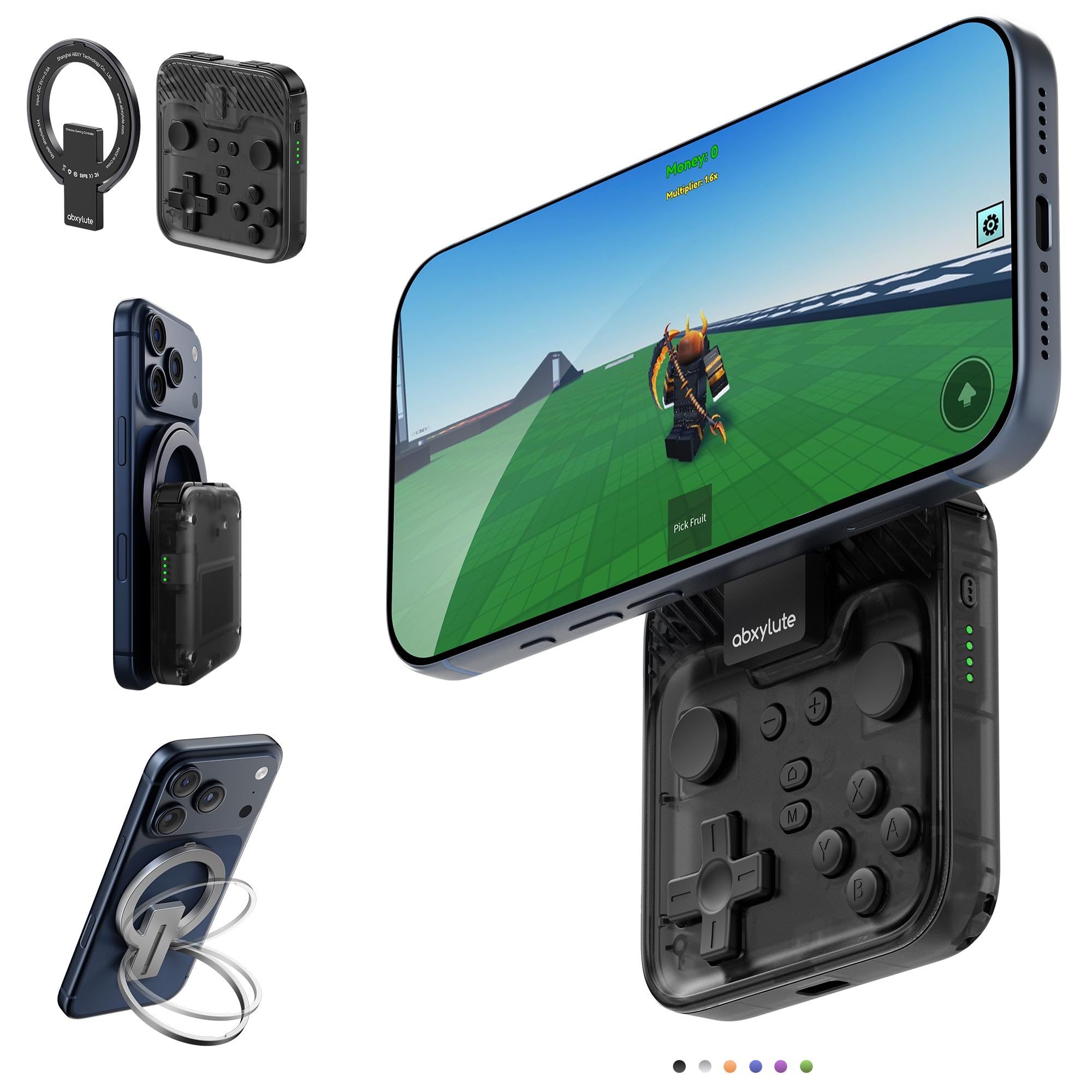
The abxylute M4 is the controller you keep in a pocket for short sessions, not the one you settle into for a four-hour raid. It weighs 85 g, snaps to the back of a phone with a magnetic ring, and folds into a tiny package that disappears into a bag. The magnetic mount doubles as a kickstand, so you can set the phone down and play without holding the whole assembly.

We appreciate the mode switch more than the size. HID mode is the one for local Android games, while PS and NS modes cover cloud gaming and remote play; that flexibility is why the M4 works with more than the retro emulators it was designed around. The buttons are clicky and responsive, and the sticks are smooth enough for casual play. It is not a controller for precise shooters, but it is far better than touch controls on a train.

The M4's compromise is comfort. The small body and shallow grips are fine for short bursts, but your hands will feel it on longer sessions; that is the cost of a controller that fits in a shirt pocket. For travel, emulators, and quick Android games, that trade is easy to accept. For serious play, the full-size G8 Plus or the 8BitDo is the better fit.

What makes the M4 worth recommending is the magnetic attachment. It turns the phone into a stable little handheld and doubles as a stand, which is a clever solution for a controller this small. We keep it in the travel slot: it is the one here that makes the most sense when the alternative is no controller at all.

Pros

  • Pocketable 85 g design
  • Magnetic mount doubles as kickstand
  • HID, PS, and NS modes
  • Responsive clicky buttons

Cons

  • Requires a magnetic ring or MagSafe case
Our verdict

The abxylute M4 is the pocket controller we recommend for short retro sessions and travel, when portability matters more than long-session comfort.

Check Latest Price

How We Chose and Tested the Best Android Gaming Controllers

We started by scanning the Android controller market—clip-on models, full-size grips, Bluetooth and USB-C options—and filtering for phones up to 7 inches, case-friendly clamps, and prices that made sense for the features. From that list, we tested 12 controllers over six months.

Testing happened where people actually play: on the couch during evening sessions, on a train commute with one hand holding the rail, at lunch with a phone in a bulky case, and on a weekend trip when the controller had to fit in a backpack. We paired each unit with several Android phones, with and without cases, and noted how long pairing took, whether the connection dropped during a 30-minute session, and if the phone stayed put when we tilted it. We played the same levels across native Android games, cloud-streaming apps, and emulators, watching for missed inputs during fast combos and checking how much travel each button had.

Over those months, we noted how our hands felt after hour-long sessions, whether the grips stayed comfortable or turned slippery, and if the plastic flexed or creaked when squeezed. We timed battery life from full charge to dead, tried pass-through charging where available, and compared what each controller offered for the money—extra buttons, mapping software, carrying cases—against the basics done well. The ones that rose to the top didn’t need every feature; they simply felt solid, stayed connected, and kept buttons crisp after repeated use.

How to Choose an Android Gaming Controller

Pick the Connection Before the Features

USB-C clamps like the Razer Kishi V3 avoid pairing and controller batteries, and they give the most predictable input. Bluetooth clamps like the GameSir G8 Plus and Mocagen MC1 are more convenient but can be less steady. A standalone 2.4G pad like the EasySMX X05Pro is the best fit when the phone or tablet stays on a stand. Choose wired for competitive play, Bluetooth for everyday convenience, and 2.4G when you want wireless freedom without Bluetooth's variability.

Measure the Clamp, Not Just the Phone

The 8BitDo Ultimate Mobile fits phones from 100 to 170 mm, while the GameSir X5 Lite stretches to 213 mm. That difference matters if you use a large phone or an iPad mini. A case adds thickness and can block a fixed USB-C plug, so check the clamp opening and the plug depth together. If you use a tablet, compare its width with the clamp's maximum before ordering; a mini tablet and a full-size tablet are very different loads for the same hinge.

Spend on Sticks and Triggers Before RGB

Hall-effect and TMR sticks use magnetic sensing, so they are less prone to the drift that makes aim wander over time. Analog triggers matter for racing games; the X5 Lite's triggers are on/off, which is fine for platformers and cloud streaming but not for throttle control. Back buttons are worth paying for if you play shooters and can map them to jump or reload. We prioritize the parts your thumbs touch over lighting you will turn off.

Plan for Power and Placement

A clamp controller draws from the phone only if it has pass-through charging, and many do not. The 8BitDo Ultimate Mobile cannot charge the phone while you play, while the Razer Kishi V3 lists pass-through charging. A standalone controller like the EasySMX X05Pro keeps the phone free for a cable, but you need a stand or a kickstand. If long sessions are normal, decide whether you want pass-through power or a separate screen before you fall for the grips.

Match the Pad to the Games You Actually Play

Not every Android game recognizes a controller, and some that do need button mapping. Cloud gaming and emulators are usually more flexible than native mobile titles. The Razer Nexus app and Mocagen's setup help, but the game has to support controller input first. Test a controller with one known supported game before you buy it for a single title; if the game ignores the pad, the controller is not the problem to solve.

Frequently Asked Questions

Final Verdict

The GameSir G8 Plus is the controller we recommend first for Android because it covers both the phone in your pocket and the tablet on your couch, with Hall-effect controls and full-size grips that make long sessions comfortable. If you only game on a phone, the 8BitDo Ultimate Mobile is the more compact and polished choice. If latency matters more than wireless freedom, the Razer Kishi V3's USB-C connection is the one to beat.