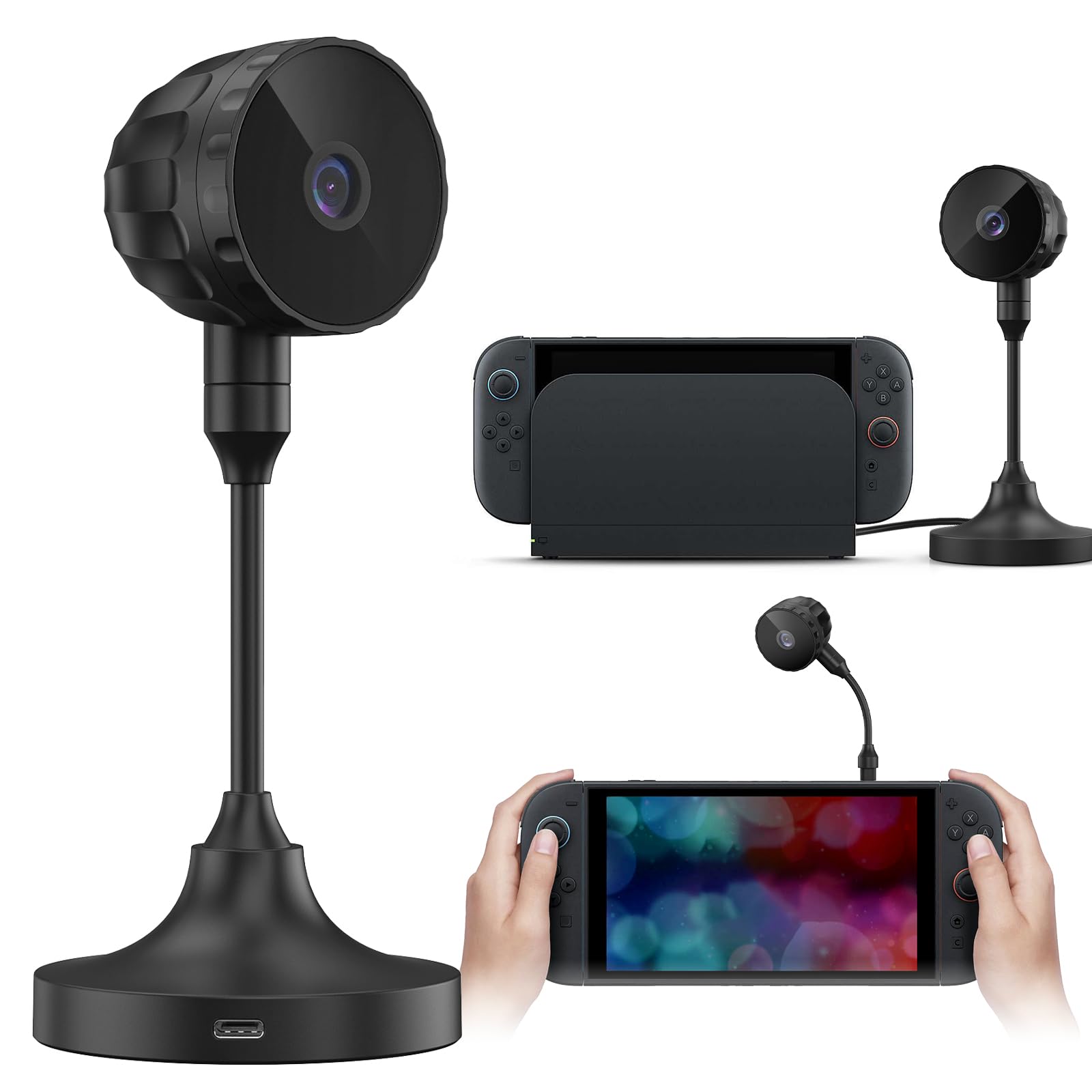
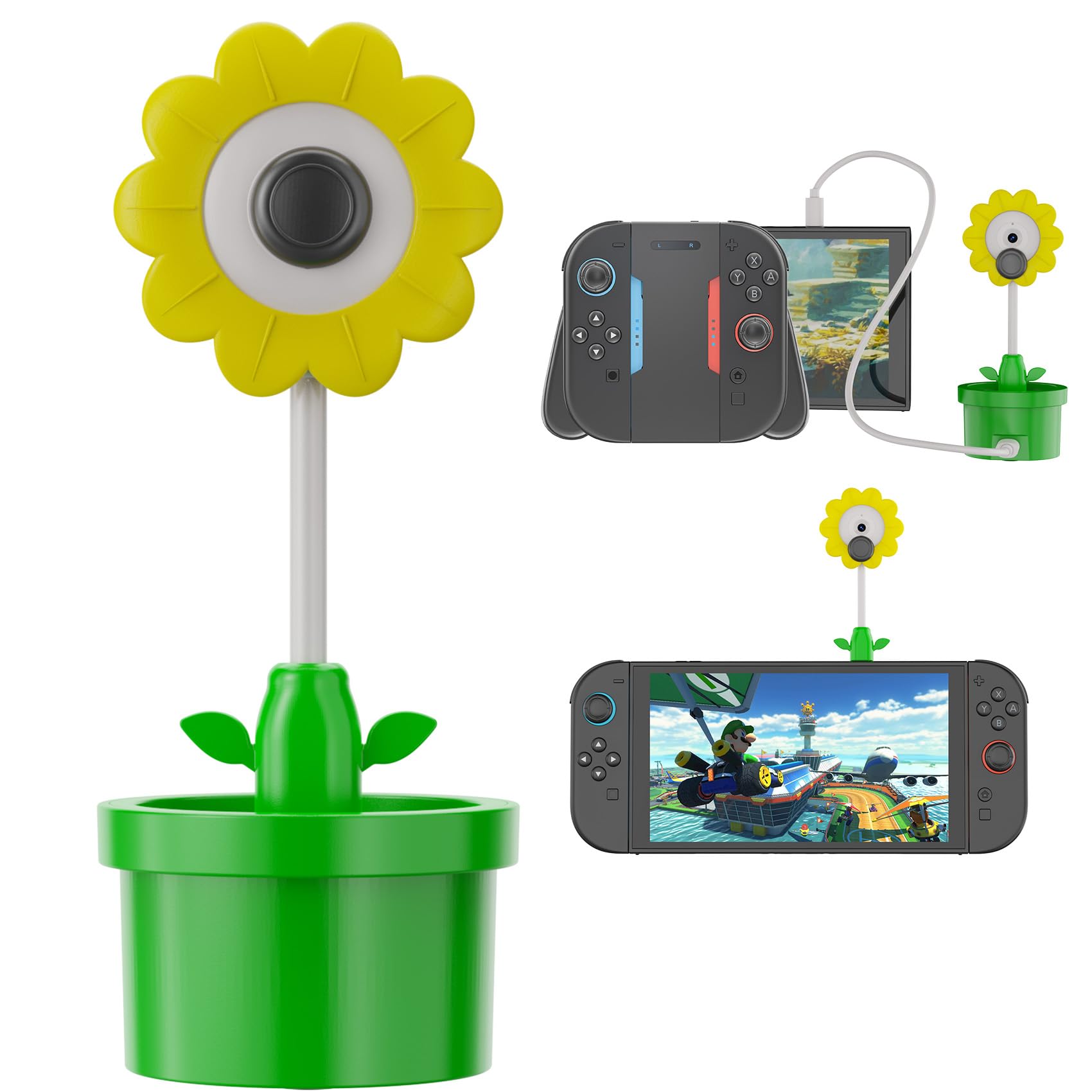
10 Best Camera for Switch 2 of 2026: Compatibility vs. Resolution Tradeoff

Find the best webcam for Nintendo Switch 2, whether you need plug-and-play official accessory or high-res third-party option.

The Switch 2's GameChat mode opens up new ways to play and connect, but the camera landscape is a mix of official guarantees and third-party promises. Many webcams list Switch 2 compatibility, yet actual performance in GameChat is inconsistent.

The official Nintendo Camera offers a no-hassle setup, but its image quality lags behind budget-friendly alternatives that pack 4K sensors and autofocus. The challenge is choosing between a sure thing and potentially better specs that may not be fully utilized by the console.

Your decision comes down to whether you value effortless plug-and-play today or are willing to experiment with higher-resolution cameras that might deliver once GameChat updates roll out. Either way, this guide helps you match the camera to your priorities.

1

Best Overall

Nintendo Switch 2 Camera

89 /100
Lab Score Excellent

Key details

Autofocus
Microphone
Resolution
Compatibility
Official
View on Amazon

The Nintendo Switch 2 Camera offers the most seamless plug-and-play experience for GameChat and party games. It connects via the included USB-C cable and is immediately recognized by the console, requiring no additional setup or app downloads. This compatibility is unique among accessories, as third-party webcams often have inconsistent support.

Build quality is solid, with a wide-angle lens that adjusts easily for tabletop or TV-mode placement. The camera works well for Mario Party sessions and family video calls, where convenience matters more than video clarity. Image quality is functional rather than crisp – in low-light rooms, the picture can appear grainy, but for casual chats and game reactions, it gets the job done.

Compared to webcams designed for streaming, the Switch 2 Camera lacks the resolution and low-light performance that PC users expect. However, those webcams often require firmware updates or specific settings to work with the Switch 2, and GameChat may not support their higher resolutions at all. The tradeoff is clear: assured convenience over technical superiority.

This camera is best suited for Nintendo fans and families who want guaranteed compatibility without fiddling with settings. If you prioritize sharp video for streaming or recording, a third-party webcam with better resolution may deliver a sharper image, but those risk incomplete support in GameChat. The official camera’s mid-range price feels high for the video quality, but the assurance of working out of the box offsets that for its intended audience.

💡 For best results, keep the room well-lit – the camera adjusts automatically to brightness.

Pros

  • Seamless plug-and-play with Nintendo Switch 2
  • Solid build quality and simple operation
  • Works well in party games and family settings

Cons

  • In low-light conditions, the video can appear grainy or soft
  • Priced higher than third-party webcams that offer sharper video and higher resolutions
Our verdict

For Nintendo fans who prioritize ease and compatibility over pixel counts, this camera delivers exactly what it promises – no surprises.

Check Latest Price
2

Best for Streaming & PC Use

Logitech C922x Pro

93 /100
Lab Score Outstanding

Key details

Autofocus
Contrast detection
Microphone
Dual stereo mics
Resolution
1080p/30fps,720p/60fps
Compatibility
Yes
View on Amazon

The Logitech C922x Pro delivers 720p at 60fps and 1080p at 30fps, making it a step up in motion clarity compared to the official Switch 2 Camera’s fixed-focus 1080p/30fps. It works as a standard UVC webcam, so plugging it into the Switch 2 enables GameChat without any additional setup or software.

This webcam is best suited for streamers and content creators who want a single camera for both their PC and occasional Switch 2 use. The autofocus can hunt in low light or during quick movements, so those who prefer a fixed, always-sharp image may find the official camera more predictable. Mac users should note that 60fps and background removal are unavailable on macOS, but that does not affect Switch 2 compatibility.

Image quality holds up well in typical room lighting, with accurate colors and decent detail. RightLight 2 correction adjusts for backlit subjects, and the dual microphones capture clear audio — though a headset is recommended in noisy rooms. The 78-degree field of view fits one or two people comfortably.

💡 If autofocus hunting distracts you during calls, try positioning yourself in a well-lit, stationary spot — the lens locks quickly in static scenes.

Pros

  • 720p at 60fps option produces smooth motion during gameplay or streaming
  • Plug-and-play with Switch 2 GameChat and most conferencing apps on PC
  • Consistent color and detail across varied lighting conditions

Cons

  • Autofocus can lose lock in dim scenes or with fast head movement
  • No built-in privacy shutter
Our verdict

For PC gamers and streamers who want one webcam for both their computer and Switch 2, the C922x Pro offers strong frame rate options and effortless setup — just keep a lens cap handy if privacy matters.

Check Latest Price
3

Best Budget Pick

EMEET C960 1080P

88 /100
Lab Score Excellent

Key details

Autofocus
Fixed focus
Microphone
Dual omnidirectional
Resolution
1080p
Compatibility
Yes
View on Amazon

At under $30, the EMEET C960 delivers clear 1080p video at 30fps, making it a budget-friendly option for Switch 2 GameChat. Unlike feature-packed PTZ cameras, it keeps things simple: plug into the console’s USB port and it’s ready.

This webcam suits users who stay seated within its sharp focus range (about 1–3 feet) and don’t need to zoom or crop. The dual microphones capture speech clearly in quiet rooms, but in noisier settings you may want an external mic. It’s not for streamers needing 60fps or autofocus.

Setup takes seconds on Windows 11 and the Switch 2 – no drivers needed. The video quality holds up well under typical room lighting, though the fixed focus means you’ll need to adjust your position if you move. Some users have reported compatibility hiccups with Chrome or Windows Hello, but for Switch 2’s GameChat the experience has been consistent.

💡 Keep the camera about 1–3 feet from your face for the best focus – moving outside that range will blur the image.

Pros

  • Clear 1080p video at a budget price
  • Plug-and-play setup with no driver installation
  • Solid performance across multiple platforms including Switch 2
  • Works consistently for video calls and streaming

Cons

  • Microphone can sound quiet or echoey in larger rooms
  • Occasional app compatibility issues with Chrome and Windows Hello
  • Fixed focus limits sharpness to a narrow distance range
Our verdict

For Switch 2 owners who need a no-fuss webcam that works without hassle and stays within budget, the EMEET C960 delivers where it counts.

Check Latest Price
4

Best 4K on a Budget

Acer A640 4K

88 /100
Lab Score Excellent

Key details

Autofocus
PDAF
Microphone
AI noise-canceling
Resolution
4K/30fps,1080p/60fps
Compatibility
Yes
View on Amazon

The Acer A640 offers 4K video at 30fps and 1080p at 60fps using a Sony sensor with PDAF autofocus – specs that usually cost twice as much. Compared to other budget 4K webcams, the Sony sensor provides sharper detail and faster focus. The trade-off is a bare-bones setup with no manual adjustment; the camera handles everything automatically.

This webcam suits Switch 2 owners who want higher resolution than the official Nintendo camera and are comfortable with potential compatibility quirks. GameChat may not fully utilize 4K or 60fps, but the camera works as a standard USB video device, so basic video chat is likely. For streamers who also use a PC, the 1080p60 mode is a clear advantage. Long-term durability is less established than top picks, and the lack of software control means no tweaking of exposure or white balance.

💡 For best audio, plug in a separate USB microphone – the built-in mic works in a pinch but benefits from an external option.

Pros

  • 4K video with PDAF autofocus at a price that undercuts most competitors
  • 1080p at 60fps delivers smooth motion for streaming or fast-paced video
  • Plug-and-play setup works with Windows and Mac

Cons

  • Microphone quality is usable but not on par with dedicated external mics
  • No manual adjustment options for exposure, white balance, or focus
Our verdict

For Switch 2 owners who want sharper video than the official camera provides and are willing to accept automatic-only controls, the A640 is a cost-effective upgrade.

Check Latest Price
5

Most Fun Design

Hori Piranha Plant Camera

84 /100
Lab Score Excellent

Key details

Autofocus
Microphone
Resolution
640x480
Compatibility
Official
View on Amazon

The Hori Piranha Plant Camera stands out with its playful design: a flexible stem and a mouth that closes to physically cut the video feed. It works in TV, tabletop, and handheld modes on the Switch 2, so you can place it anywhere. For Mario fans who want a desk ornament that also functions as a webcam in a pinch, this delivers on personality.

The trade-off is the 640x480 resolution. In GameChat or any video call, the image appears pixelated and blurry — it is not usable for serious streaming or clear communication. The camera itself is also quite small, much tinier than the box suggests, and can feel top-heavy on its stand. These limits are intentional: this is a novelty item first, a webcam second.

💡 To get the best possible image, keep the camera close to your face and use good room lighting — even then, don't expect sharpness.

Pros

  • Adorable Piranha Plant design that appeals to Mario collectors
  • Closing the mouth shuts off the camera
  • Compatible with all Switch 2 modes: handheld, tabletop, and docked

Cons

  • 640x480 resolution produces pixelated, blurry video even in decent lighting
  • Physical size is much smaller than expected, and the stand can be top-heavy
Our verdict

If your priority is a fun conversation piece for your desk that happens to work with Switch 2, this is it. If you need clear video for GameChat or streaming, look at the official Nintendo Camera instead.

Check Latest Price
6

Professional Meetings

Logitech Brio 501

87 /100
Lab Score Excellent

Key details

Autofocus
Microphone
Dual noise-reduction
Resolution
1080p
Compatibility
Yes
View on Amazon

The Logitech Brio 501 brings auto-framing, Show Mode, and a privacy shutter to Nintendo Switch 2 GameChat calls – useful for staying centered and sharing documents without extra setup. Video quality with auto light correction handles varied lighting well. However, long-term reliability is a concern: some units may need replacement after months of daily use, and the price is higher than typical 1080p webcams. Mac support is limited, but for Windows and Switch 2 users who value these features, it is a capable option. Those needing guaranteed longevity should consider alternatives.

Pros

  • Auto-framing keeps you centered during video calls without manual adjustment.
  • Show Mode lets you share documents or objects by tilting the camera down.
  • Built-in privacy shutter provides physical camera cover when not in use.

Cons

  • Priced higher than many 1080p webcams, the added features may not justify the cost for basic use.
  • Some units may lose functionality after extended daily use
Our verdict

Best for Switch 2 users who want auto-framing and a privacy shutter and are willing to accept possible long-term reliability tradeoffs.

Check Latest Price
7

PTZ Streaming

EMEET PIXY PTZ 4K

83 /100
Lab Score Excellent

Key details

Autofocus
PDAF+AI
Microphone
Triple-mic array
Resolution
4K/30fps,1080p/60fps
Compatibility
Yes
View on Amazon

The EMEET PIXY delivers 4K video, PDAF autofocus, and motorized pan/tilt at a mid-range price – a rare combination for under $120. The Sony sensor produces vibrant footage, and the AI tracking can follow movement effectively in controlled settings. For Switch 2 users, compatibility is not guaranteed; the official Nintendo camera offers assured plug-and-play. The PIXY is a compelling option for PC streamers who want automatic tracking on a budget, but its niche features are best suited for those who can work around its quirks.

Pros

  • Sharp 4K video from a Sony sensor with fast PDAF autofocus.
  • Motorized pan/tilt and AI tracking work smoothly for solo presentations.
  • Competitive price for a feature set that includes 4K and PTZ.

Cons

  • Software setup can be finicky
  • AI tracking may lose focus or lock onto the wrong subject in cluttered scenes.
Our verdict

For PC streamers needing a budget PTZ camera, the EMEET PIXY offers strong value. For Switch 2, the official camera is a safer bet.

Check Latest Price
8

Value 4K

UGREEN 4K Webcam

90 /100
Lab Score Outstanding

Key details

Autofocus
PDAF
Microphone
Dual noise-canceling
Resolution
4K/30fps,1080p/60fps
Compatibility
Yes
View on Amazon

The UGREEN 4K webcam delivers clear, natural-looking video and phase-detection autofocus that keeps you in focus during movement. It's a plug-and-play camera that works with Switch 2 without extra setup, though the 70-degree field of view feels tight for group chats — fine for solo streaming or one-on-one calls. Some units take a moment longer to initialize than pricier webcams, a minor pause that doesn't affect ongoing performance. Image noise can appear in dimmer rooms, but at this price point it's a reasonable compromise.

Pros

  • Very good 4K video quality with PDAF autofocus
  • Excellent value
  • Consistent plug-and-play performance

Cons

  • In dimly lit rooms, occasional image noise appears
  • Startup takes a beat longer than premium webcams; not an issue once active
Our verdict

If you need 4K and autofocus for solo Switch 2 streaming or video calls on a budget, and can work with a narrower view, this UGREEN fits the bill.

Check Latest Price
9

Low-Light Calls

UGREEN 2K Ring Light

79 /100
Lab Score Very Good

Key details

Autofocus
Microphone
Dual noise-reducing
Resolution
2K/30fps
Compatibility
Yes
View on Amazon

The UGREEN webcam's integrated 4-level ring light directly addresses low-light video chat, a common pain point for home offices and Switch 2 calls. Video quality is average at 2K resolution, and fixed focus means you must sit at a consistent distance. The lack of extensive user feedback leaves some uncertainty about long-term reliability; this is a budget gamble for those who prioritize the ring light over proven image quality.

Pros

  • Built-in 4-level ring light improves facial lighting in dim environments, no extra accessory needed.
  • Budget-friendly price combines 2K webcam and adjustable lighting in one device.

Cons

No notable drawbacks to flag.

Our verdict

If you frequently take low-light calls and want a self-contained lighting solution without sacrificing the budget, the UGREEN ring light is a practical pick despite average video and limited community feedback.

Check Latest Price
10

Premium 4K

Logitech MX Brio 4K

87 /100
Lab Score Excellent

Key details

Autofocus
AI
Microphone
Dual beamforming
Resolution
4K/30fps,1080p/60fps
Compatibility
Yes
View on Amazon

The Logitech MX Brio delivers sharp 4K video with accurate colors and AI auto-framing that keeps you centered during calls. Build quality matches the premium price tag. However, Nintendo Switch 2 GameChat outputs at 1080p, so the 4K resolution goes unused, and budget webcams provide comparable performance for casual video chat at a fraction of the cost. Low-light scenes may show some grain despite the AI noise reduction, though this is less of a concern in well-lit rooms.

Pros

  • Sharp 4K video with accurate colors and natural skin tones in good lighting
  • AI auto-framing smoothly adjusts the field of view to keep you centered during meetings

Cons

  • Premium price is difficult to justify for Switch 2 use when cheaper webcams handle 1080p just as well
  • In dim lighting, the sensor can introduce soft grain despite AI noise reduction
Our verdict

Works for professionals who need 4K on PC and want one webcam for occasional Switch 2 calls, but overpriced if the Switch 2 is the primary use.

Check Latest Price

How to Choose

Resolution: 1080p vs 4K

Higher resolution captures more detail, but GameChat may downscale or limit output to 1080p or 720p. A 4K camera offers future-proofing if Nintendo updates the software, but today a good 1080p camera will look just as sharp in calls.

For streaming and recording off-console, 4K matters. If you plan to use the camera primarily for Switch 2 video chat, a 1080p model with strong sensor quality (like the EMEET C960) delivers better value.

Autofocus: Fixed vs PDAF vs Contrast

Phase-detection autofocus (PDAF) locks focus quickly and stays accurate as you move, ideal for active gamers. Contrast detection works fine for static users but hunts in low light. Fixed focus is simple and reliable if you sit at a consistent distance.

If you shift positions or lean in during calls, PDAF prevents blur. For fixed setups, fixed focus eliminates the risk of hunting entirely.

Field of View: Narrow vs Wide

A wide field of view (80-90°) captures multiple people or your whole desk setup. Narrower FOV (70°) is better for single-person shots with less background clutter. The trade-off: wide lenses compress perspective and can distort faces at close range.

For family calls or group streams, choose 85° or wider. For solo gaming streams, 70-78° keeps the focus on you.

Microphone Quality

Built-in mics range from barely acceptable stereo mics to dual noise-canceling arrays. For clear voice in GameChat, look for at least dual mics with noise reduction. Single-mic webcams easily pick up fan noise and echo.

If you already have a gaming headset, the camera’s mic is less critical. For tabletop use without a headset, invest in a model with a good mic array, like the Logitech C922x or Acer A640.

Explicit Switch 2 Compatibility

Many webcams claim Switch 2 compatibility by working over USB Video Class (UVC), but the actual behavior in GameChat varies. Official licensing or explicit mentions in the product title reduce the risk of startup glitches or missing features.

The safest bet is the Nintendo camera or models from Logitech and EMEET that specifically list 'Switch 2 GameChat' in their descriptions. Budget no-name cameras may connect but drop frames or have incorrect white balance.

Frequently Asked Questions