10 Best External Hard Drives of 2026: Reliable Storage for Your Game Library

Find the external hard drive that actually survives your gaming habit – reliable HDDs for PS4, Xbox, and PC without the early failure risk.

External hard drives are essential for expanding console or PC storage, but a surprising number fail within a year – taking your game library with them. The frustration is real, and it is not about brand. Every drive in this category has some risk, but some models consistently hold up better than others.

This guide focuses on the drives that offer the best balance of capacity, speed, and reliability for gamers. We prioritize models with strong user feedback on durability and practical features like long warranties or rugged builds. Whether you need a 5TB portable for hundreds of games or a desktop archive for your collection, the options here are chosen for their ability to survive daily use.

The key is recognizing that no single drive is perfect for everyone – but knowing which trade-offs matter most to you makes the difference between a purchase you regret and one you forget about.

1

Best Overall

WD_BLACK P10 5TB

95 /100
Lab Score Outstanding

Key details

Capacity
5 TB
Interface
USB 3.0
Form Factor
Portable
View on Amazon

The WD_BLACK P10 Game Drive packs 5TB of storage into a compact metal enclosure, enough for around 150 full-sized games. Plug it into a PS4, Xbox One, or PC, and it is ready to store and play titles directly from the drive. The USB 3.0 interface delivers read speeds up to 130 MB/s, sufficient for game loading times without bottlenecking gameplay.

Setup takes under a minute – connect the USB cable, follow the on-screen format prompt on your console, and you are done. The drive’s metal body feels solid and adds a premium weight that protects the internal hardware during transport. At 5TB, this drive handles even the largest backlogs, and the compact size slips into a backpack pocket easily.

The gaming-specific design extends beyond looks – it is pre-configured for console compatibility and includes a short USB 3.0 cable suited for tight entertainment center setups. The metal casing also dissipates heat better than plastic enclosures, helping maintain consistent transfer speeds during extended game sessions.

This drive targets gamers with extensive libraries on PS4, Xbox One, or PC who need a dedicated storage expansion that matches the aesthetic of a gaming rig. It works as a backup drive for general file storage as well, but the gaming branding and higher price per TB make it less suited for budget buyers. Note that PS5 users can only store and play PS4 titles from this drive, not PS5 games. Additionally, while most units operate without issue, a minority of drives may develop problems within the first year – the included 3-year limited warranty provides a safety net.

💡 Register the drive after purchase to take full advantage of the 3-year limited warranty coverage.

Pros

  • 5TB capacity stores approximately 150 full-sized games
  • Rugged metal enclosure with a sleek gaming aesthetic
  • Plug-and-play setup on consoles and PC in under a minute
  • 3-year limited warranty covers potential defects

Cons

  • Some units may develop issues within the first year of use
  • Cannot play PS5 games directly from the drive
Our verdict

For gamers who need 5TB on a portable drive and want a design that looks the part, the WD_BLACK P10 is the most capacity-focused option with a warranty to back it up.

Check Latest Price
2

Best 2TB for Reliability

WD Elements 2TB Portable

95 /100
Lab Score Outstanding

Key details

Capacity
2 TB
Interface
USB 3.2 Gen 1
Form Factor
Portable
View on Amazon

The WD Elements 2TB delivers on straightforward backup and game storage without unnecessary software. Its compact design slips into a laptop bag, and the USB 3.2 Gen 1 interface provides adequate transfer speeds for daily backups and console game libraries. No driver installation or bloatware means it works out of the box with Windows and most consoles.

In use, the 5400 RPM drive handles typical file transfers at reasonable speeds, though large sequential writes may feel slower than a 7200 RPM or SSD alternative. The USB-A connector works with older laptops and consoles, but newer devices with only USB-C ports will need an adapter.

This drive suits Windows users and console gamers who want a no-fuss external storage option without gaming-specific branding or software. A minority of units can develop problems within a year – a limitation worth weighing – but overall buyer feedback is favorable relative to other portable drives, making it a practical choice for secondary storage and backups.

💡 Reformat the drive to exFAT for cross-platform use or APFS for Mac – it ships formatted for Windows.

Pros

  • Compact, lightweight design that fits easily into a travel bag
  • Plug-and-play simplicity with no software installation required
  • Adequate speed for daily backups and console game storage
  • Broad compatibility with Windows, PlayStation, and Xbox

Cons

  • Some units may develop issues within the first year of use, a consideration for long-term data storage
  • Uses USB-A connector, requiring an adapter for laptops with only USB-C ports
  • Priced above budget 2TB alternatives, though backed by broader feedback
Our verdict

A safe, well-reviewed choice for Windows and console users who want a simple backup drive without flashy features – be aware of the occasional unit variance.

Check Latest Price
3

Best for Massive Storage

WD My Book 16TB

89 /100
Lab Score Excellent

Key details

Capacity
16 TB
Interface
USB 3.0
Form Factor
Desktop (AC power)
View on Amazon

The WD My Book 16TB offers the lowest cost per gigabyte of any drive in this roundup, pairing that 16TB capacity with 256-bit AES hardware encryption. Unlike portable gaming drives, this unit needs a wall outlet and sits on a desk – designed for media hoarders and backup enthusiasts who have a dedicated spot for a stationary archive.

This drive works best for users who need a single large storage pool for media libraries or backup copies and can live with its quirks: the mechanical clicking is audible in quiet rooms, and some units may stop working earlier than expected. Place it in a server room, closet, or garage rather than a bedroom to avoid noise issues, and keep a secondary copy of critical data given the occasional durability concerns.

💡 Place the drive in a ventilated area away from sleeping spaces – the mechanical clicking is part of normal operation.

Pros

  • Massive 16TB capacity at a competitive price per terabyte
  • Includes 256-bit AES hardware encryption for data security
  • Easy plug-and-play setup with included WD backup software

Cons

  • Clicking and vibration may be noticeable in quiet rooms
  • Some units may require replacement within the first year under regular use
Our verdict

If you need a single 16TB archive for media or backups and have a space where noise is tolerable, this drive offers unbeatable value. For primary storage or quiet environments, a smaller portable option is a better fit.

Check Latest Price
4

Best for Mac Users

WD My Passport for Mac 2TB

92 /100
Lab Score Outstanding

Key details

Capacity
2 TB
Interface
USB-C / USB-A
Form Factor
Portable
View on Amazon

Pre-formatted for Apple's Time Machine and including both USB-C and USB-A cables, this 2TB drive delivers a true plug-and-play experience for Mac users. Unlike the best-selling portable drive, it requires no reformatting to work with macOS. Transfer speeds over USB-C are sufficient for daily backups and file transfers, and the compact 2.5-inch design fits easily into a travel bag.

The drive runs quietly during operation, and the included cables cover both modern Macs and older USB-A devices. However, long-term durability has been inconsistent; reports of units stopping within months make it a less dependable choice for storing critical data without a backup plan.

This drive is best suited for Mac owners who prioritize out-of-box compatibility over cost. Those needing a drive for important archives should pair it with a separate backup solution, as some units may not survive extended use. The premium price reflects the Mac-specific formatting and included cables, but the durability concerns temper the value.

💡 Keep important data backed up elsewhere – use this drive as a secondary backup rather than the sole copy.

Pros

  • Mac compatibility out of the box
  • Fast USB-C transfer speeds for efficient backups.
  • Compact and lightweight

Cons

  • Premium price compared to Windows-specific models with similar capacity.
  • Some units may stop working within months, raising concerns for long-term storage.
Our verdict

For Mac users who value seamless Time Machine integration over cost, this drive delivers on convenience – but its durability record makes it a gamble for long-term storage.

Check Latest Price
5

Best Mid-Range 4TB

Seagate Backup Plus 4TB

93 /100
Lab Score Outstanding

Key details

Capacity
4 TB
Interface
USB 3.0
Form Factor
Portable
View on Amazon

The Seagate Backup Plus 4TB uses a brushed aluminum shell that pulls heat away from the drive during extended transfers — a step up from the all-plastic construction of the budget 2TB Seagate. USB 3.0 speeds are adequate for moving game libraries or media files, and the compact 2.5-inch form factor slides into a backpack pocket without adding much weight.

This is a practical secondary drive for gamers who already maintain a backup strategy and can tolerate the possibility of a replacement. The 4TB capacity holds a sizable Xbox or PS4 library, and the Rescue data recovery plan provides a safety net if the drive does stop responding. But because individual durability varies, treat this as a storage expansion for games you can redownload rather than a long-term archive for irreplaceable data.

💡 Keep this as a secondary library drive; maintain a separate backup for any files you cannot replace.

Pros

  • Aluminum enclosure improves heat dissipation and feels premium
  • Good transfer speeds for an HDD over USB 3.0
  • 4TB capacity in a portable size fits large game libraries
  • Includes 2-year Rescue data recovery plan

Cons

  • Some units may stop working within months of light use
Our verdict

A capable 4TB portable with a better build and data recovery plan than budget alternatives, but best reserved as a secondary drive for gamers who can handle the occasional replacement.

Check Latest Price
6

Budget Gaming Backup

Seagate Portable 2TB

93 /100
Lab Score Outstanding

Key details

Capacity
2 TB
Interface
USB 3.0
Form Factor
Portable
View on Amazon

What this drive does well is simple: connect it to a Windows PC or console and it works immediately, with 2TB of space for games and media at a budget-friendly price, especially when discounts appear. The catch is durability: some units may stop working earlier than expected, making this a drive to treat as a replaceable tool rather than a long-term archive. Compared to the popular WD Elements, the Seagate is a better choice only if you find it at a lower price – otherwise the Elements offers similar ease of use with fewer longevity concerns.

Pros

  • Plug-and-play setup works instantly with Windows PCs and consoles
  • Great value for 2TB capacity, especially when on sale.
  • Lots of storage space for games and media.

Cons

  • Long-term durability can vary between units
  • Not suitable as a standalone archive for irreplaceable data
Our verdict

Buy this drive if you need a budget-friendly, easy-to-use external drive for game storage or media, and you are comfortable treating it as a replaceable item – not a permanent archive.

Check Latest Price
7

Proven Reliability

WD My Passport Ultra 2TB

92 /100
Lab Score Outstanding

Key details

Capacity
2 TB
Interface
USB 3.0
Form Factor
Portable
View on Amazon

This older model focuses on build consistency rather than chasing the latest connector. The USB 3.0 Type-A port works with most Windows machines, but will need an adapter for USB-C-only laptops. Hardware encryption is absent, so data security relies on software instead. What it does offer is a track record of steady operation over years of use, often outlasting newer drives. If you can find it at a fair price, it delivers solid everyday performance without unnecessary extras.

Pros

  • Compact 2.5-inch footprint fits easily in a laptop bag.
  • Good value when discounted as an older model.
  • Build quality that holds up over extended use.

Cons

  • USB 3.0 Type-A only
  • Lacks hardware encryption; data protection depends on software-based options.
Our verdict

A sensible pick for Windows users who value durability over interface trends and want a straightforward backup drive without paying for features they don't need.

Check Latest Price
8

Light Backup Drive

UnionSine 1TB Slim

88 /100
Lab Score Excellent

Key details

Capacity
1 TB
Interface
USB 3.0
Form Factor
Ultra-slim
View on Amazon

The UnionSine 1TB Slim stands out for its ultra-slim design and quiet operation, making it a convenient choice for Windows users who need a portable backup drive without the bulk. It has fewer performance issues over time than many similarly priced options, so it works well for everyday file storage and light Xbox One or PC gaming. However, the 1TB capacity limits it to a handful of games, and Mac users will need to reformat the drive before using it — it ships formatted for Windows. For anyone with a Windows laptop who just wants reliable file backups at a low cost, this is a reasonable pick; for serious gaming archives or plug-and-play Mac use, look elsewhere.

💡 For Mac compatibility, reformat the drive to APFS or exFAT — it is pre-formatted for Windows.

Pros

  • Slim, lightweight design that slips easily into a bag or pocket.
  • Quiet operation with transfer speeds adequate for daily backups.

Cons

  • Mac and PS5 compatibility may require reformatting before use.
  • 1TB capacity is too small for a large game collection or heavy media libraries.
Our verdict

Works as a dependable backup drive for Windows users on a budget — treat it as a secondary drive for light storage, not a primary gaming archive.

Check Latest Price
9

Rugged Outdoor Use

LaCie Rugged 5TB

91 /100
Lab Score Outstanding

Key details

Capacity
5 TB
Interface
USB-C
Form Factor
Portable with bumper
View on Amazon

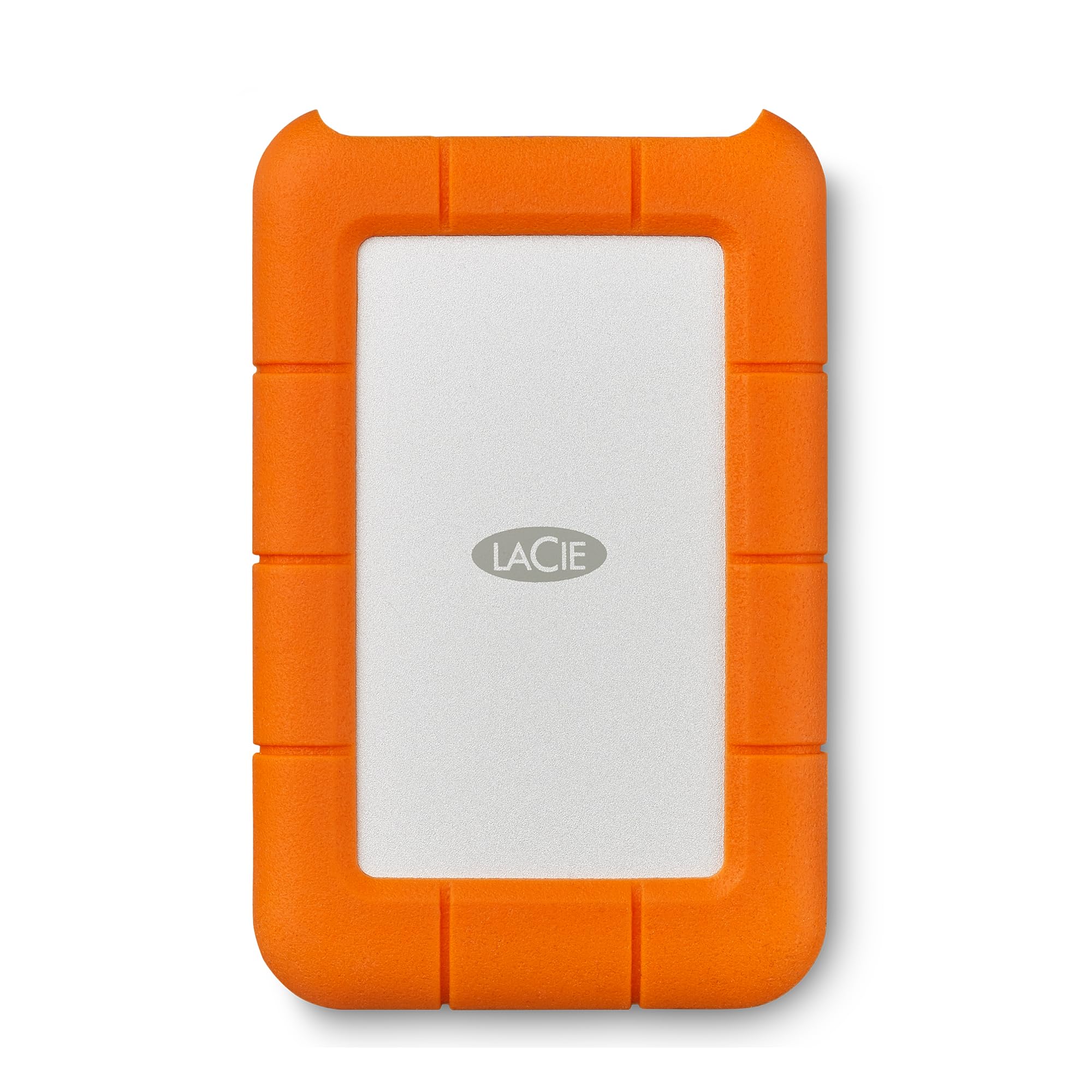
The LaCie Rugged 5TB is built to withstand drops, dust, and rain, making it a practical choice for photographers, travelers, and field workers who need a portable drive that can handle rough conditions. However, the price per terabyte is higher than many alternatives, and while the rubber bumper protects against physical damage, a small number of units have experienced early operational problems — meaning the rugged exterior does not guarantee long-term stability. For users who rarely expose a drive to harsh environments, a standard portable drive at a lower cost would be a more sensible investment.

Pros

  • Withstands drops, dust, and rain
  • 5TB capacity in a portable form factor fits large photo collections or video projects.
  • USB-C interface delivers transfer speeds up to 130MB/s for quick file moves.

Cons

  • Cost per terabyte is higher than many standard portable drives
  • Some units may develop issues early in their lifespan, despite the rugged exterior.
Our verdict

The LaCie Rugged 5TB makes sense if you regularly work in dusty, rainy, or bumpy environments where a standard drive would be at risk. For everyone else, the cost premium and occasional early issues steer the recommendation toward more affordable alternatives.

Check Latest Price
10

Budget Xbox Backup

YOTUO 1TB Portable

88 /100
Lab Score Excellent

Key details

Capacity
1 TB
Interface
USB 3.0 + USB-C
Form Factor
Compact with sleeve
View on Amazon

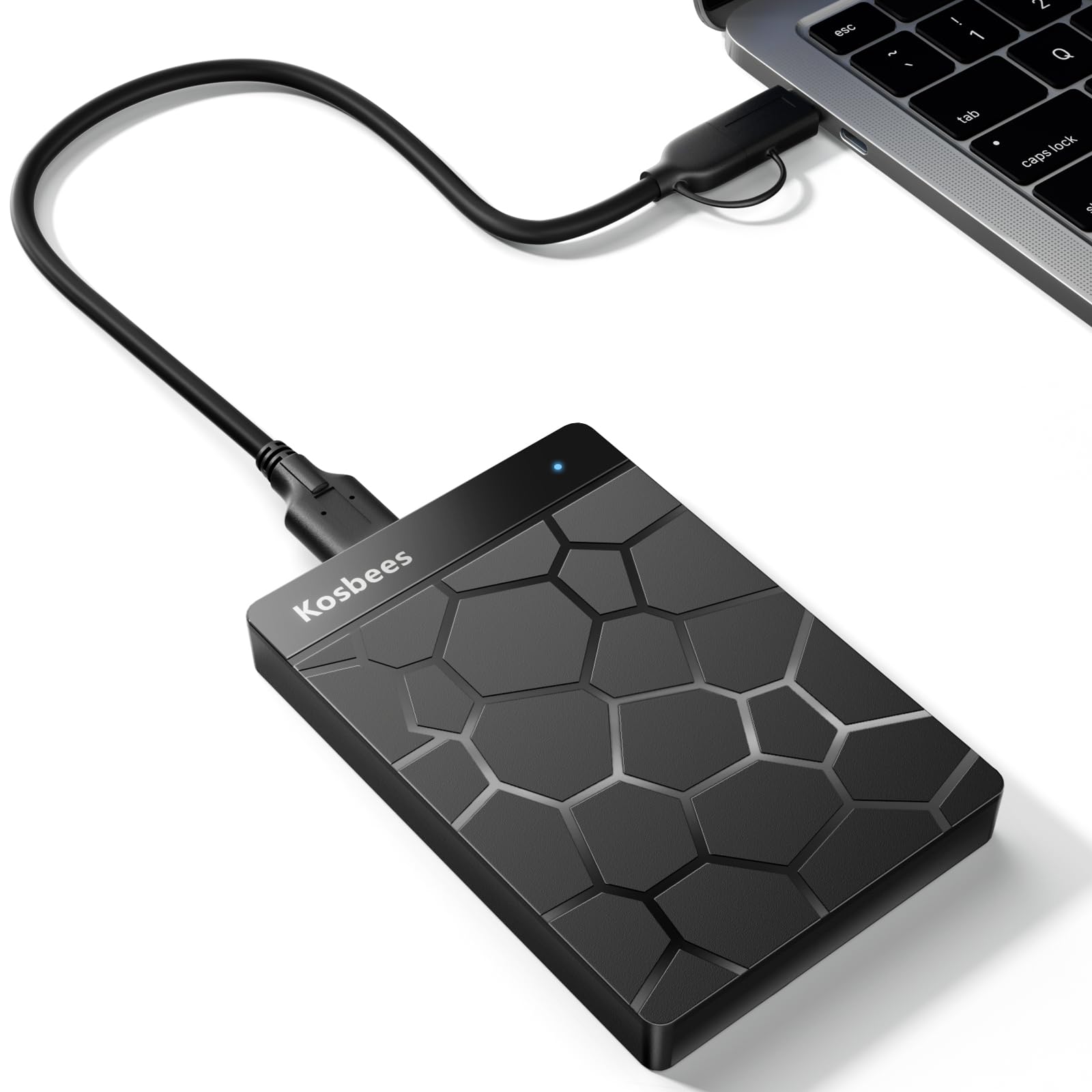
The YOTUO 1TB portable HDD includes a shock-absorbing silicone sleeve and a USB-C adapter for faster transfers, all at a budget-friendly price. It works well for Xbox One game storage and PC backup on a tight budget. However, the drive can become unrecognized after short use, and compatibility with PS5 and certain laptops may be inconsistent. This limits it to a secondary role where data loss is a manageable risk.

Pros

  • Good build quality with included shock-absorbing silicone sleeve
  • Fast transfer speeds for an HDD, especially with USB-C
  • Affordable price point for 1TB

Cons

  • The drive may become unrecognized after short use
  • Compatibility with PS5 and certain laptops can be inconsistent
Our verdict

Best as a budget secondary drive for Xbox One game storage or temporary PC backups where data is not irreplaceable.

Check Latest Price

How to Choose

Capacity

Capacity determines how many games you can store. A 2TB drive holds roughly 60-70 modern titles (30GB each), while 5TB can hold up to 150. But larger capacity often means a heavier or desktop-sized drive that needs AC power.

For console gamers, 2TB is the sweet spot for active libraries. If you archive older titles or have a large collection, 5TB portable or 16TB desktop options are worth the extra cost and size trade-off.

Rotational Speed

Most portable HDDs spin at 5400 RPM, which is sufficient for storing and loading games. Load times will be noticeably longer than an internal SSD – expect 30-60 seconds instead of 5-10. A 7200 RPM drive offers marginal improvement (10-15% faster reads), but the difference is rarely worth chasing.

The real impact is on write speeds during large transfers. A 5400 RPM drive writes at about 80-100 MB/s, while a 7200 RPM might hit 110-130 MB/s. For copying a 50GB game, that saves a few minutes – not a deal-breaker for most gamers.

Interface

USB 3.0 (aka USB 3.2 Gen 1) is the standard for external HDDs, offering 5 Gbps bandwidth – more than enough for mechanical drives that top out around 130 MB/s. USB-C is becoming common on newer laptops and Macs, but most drives include an adapter or cable for both.

The cable quality matters more than the connector type. Thin, cheap cables can cause intermittent disconnects. Stick with the included cable and avoid extensions longer than 3 feet. If your console drops the drive, try a different cable before blaming the drive.

Form Factor

Portable drives (2.5-inch) are bus-powered via USB and easy to carry. Desktop drives (3.5-inch) require an external power brick but offer higher capacities (up to 20TB) and lower cost per TB. For gamers who take their drive to a friend's house, portability is essential.

Desktop drives also tend to generate more noise – clicking and vibration can be distracting in a quiet room. If the drive will sit next to your console or PC, check for noise complaints in reviews. Some desktop models are noticeably louder than others.

Warranty and Data Recovery

Warranty length varies from 1 to 3 years. A longer warranty signals higher manufacturer confidence, but it does not protect your data if the drive fails. Some brands include data recovery services (e.g., Seagate Rescue) that can retrieve lost files for free – a valuable safety net.

No warranty covers accidental damage or data loss from mechanical failure. Always maintain a separate backup of irreplaceable files. An external drive is a convenience, not a permanent archive. Plan for failure and you will never be caught off guard.

Frequently Asked Questions