4 Best 24TB Hard Drives of 2026: Storage That Won't Let You Down

Which 24TB drives actually keep game libraries safe and work with consoles or NAS, without the noise and reliability pitfalls common at this capacity.

When you're storing hundreds of games, mods, and 4K captures, a 24TB drive feels like unlimited real estate. But at this capacity, many drives are built on enterprise or surveillance platforms that prioritize sequential writes over fast random reads — and they can be louder than expected.

The result is a market full of capable but mismatched options. A surveillance drive won't load open-world textures quickly, and a noisy NAS drive can ruin a living-room gaming session. Our picks focus on drives that actually fit gaming setups: external drives that play nice with consoles, internal drives that handle RAID for a Plex server, and premium workhorses that keep load times snappy. The difference between a smart buy and a frustrating return usually comes down to one overlooked spec, not hours of research.

1

Best Overall

WD Elements 24TB

93 /100
Lab Score Outstanding

Key details

Form Factor
External
View on Amazon

WD Elements 24TB delivers the lowest cost per terabyte of any external hard drive in its class, paired with true console plug-and-play that immediately expands a PS5 or Xbox game library. It arrives formatted in NTFS and requires no driver setup on Windows or current-generation consoles — plug it in and your storage pool grows.

Sequential read and write speeds saturate the USB 3.2 Gen 1 interface, hovering between 180 and 200 MB/s when transferring large video files or deploying multi-gigabyte game updates. The helium-filled enclosure keeps vibration minimal on a desk, though the platters emit a low hum and occasional seek clicks that blend into ambient room sound without intruding on gameplay.

Connectivity relies on a USB Micro-B port, included with a USB-A cable; adapters or USB-C hosts work without issue. The desktop enclosure is built for stationary use, with rubber feet that dampen vibration and a subtle status LED that won't light up a dark entertainment center.

Console gamers who need a deep bench of downloadable titles and PC users managing media collections will find this drive's capacity and price hard to beat — as long as they treat it as a secondary backup, not a sole archive. Paired with a cloud sync or another external drive, it becomes a practical, cost-effective workhorse.

💡 Mac users should reformat to APFS or exFAT before use — a quick step that enables full cross-platform access.

Pros

  • Outstanding price-to-capacity ratio
  • Mounts immediately on Xbox and PlayStation consoles without reformatting, saving setup time.
  • Consistent sequential transfers near 200 MB/s for large media files and game installs.
  • Desktop-friendly design with effective vibration damping and a non-distracting LED indicator.

Cons

  • Requires reformatting for macOS
  • Some units can exhibit mechanical degradation within a year, resulting in an unreadable drive
Our verdict

When paired with a second backup, this drive becomes an exceptionally cost-effective anchor for a large game library and media archive.

Check Latest Price
2

Best for Modern Consoles & USB-C

Seagate One Touch 24TB

93 /100
Lab Score Outstanding

Key details

Form Factor
External
View on Amazon

Unlike the NAS-optimized internal drive in this comparison, the One Touch prioritizes out-of-the-box console readiness and a desktop-friendly footprint. The USB-C connector eliminates the need for separate power bricks in some setups, and the drive is immediately recognized by PlayStation and Xbox consoles for game library expansion. Its compact, clean-lined design sits unobtrusively on a desk, and 24TB provides room for massive game collections and media archives — enough for hundreds of titles without juggling. The price positions it as a mid-range value for a USB-C external of this capacity, and it includes a two-year warranty with Rescue Data Recovery for added peace of mind.

Console gamers upgrading storage without adding clutter will find the One Touch a natural fit. PC users who prefer a single-cable USB-C setup also benefit. However, reliability can be inconsistent — some drives may experience sudden disconnections or corruption within the first year. That makes it unsuitable as the sole location for irreplaceable files; always maintain a second backup. Mac owners should note that the drive comes formatted in NTFS and may require reformatting to exFAT or APFS before it appears on the desktop.

💡 Reformat the drive to exFAT or APFS on a Mac before relying on it — it ships in NTFS and may not mount automatically.

Pros

  • Console setup is nearly instant
  • Compact, minimal footprint saves desk space and blends into modern setups.
  • 24TB capacity at a mid-range price delivers strong value for game libraries and media collections.

Cons

  • Some macOS and Windows configurations may not recognize the drive without manual reformatting.
Our verdict

The One Touch is a stylish capacity monster for console and PC game libraries, but treat it as a secondary backup — never the sole archive.

Check Latest Price
3

Best Internal Drive for NAS & RAID

Seagate IronWolf Pro 24TB

83 /100
Lab Score Excellent

Key details

Form Factor
Internal
View on Amazon

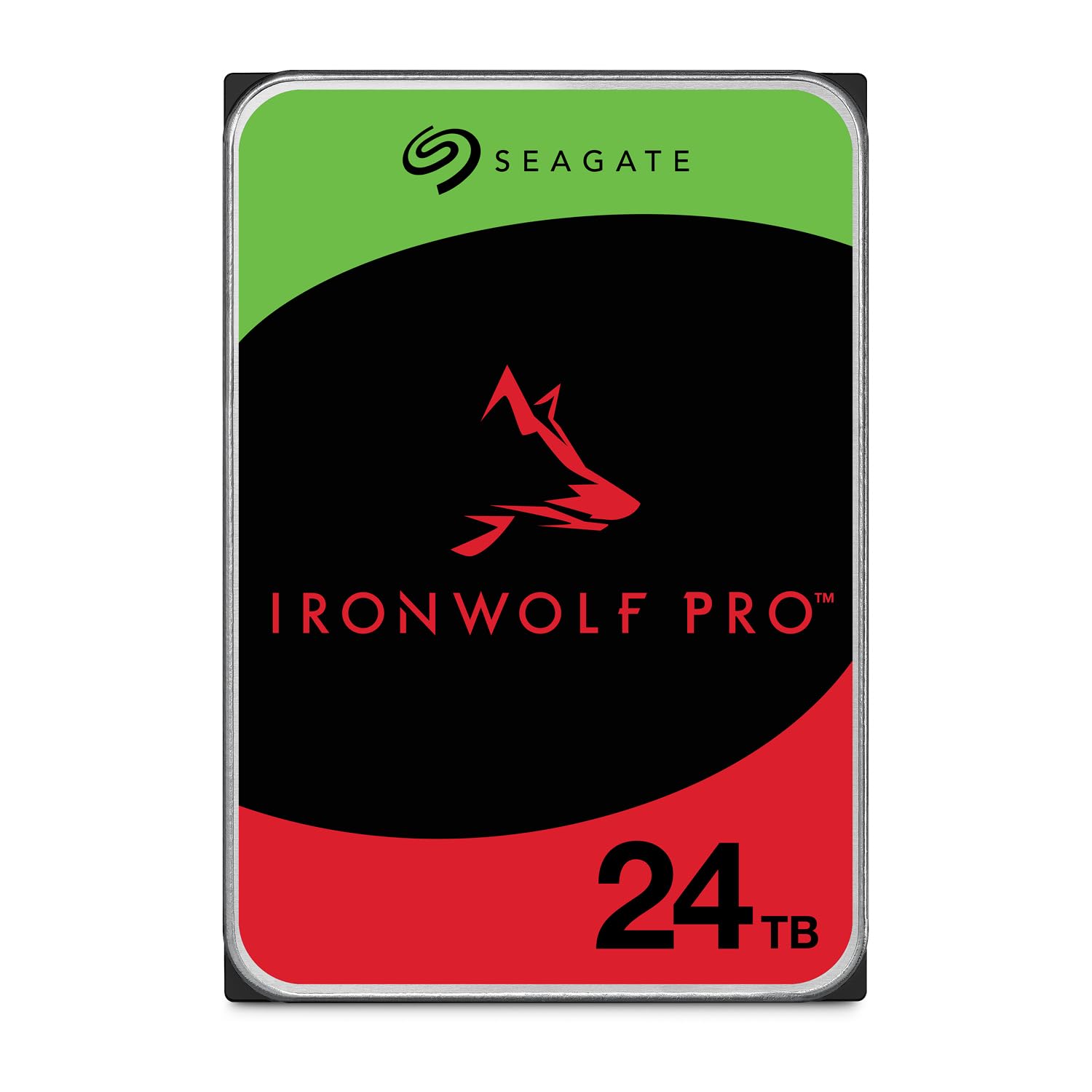
AgileArray vibration control keeps multi-bay RAID arrays stable when several drives are packed tight, and the 7200 RPM spindle with 512 MB cache delivers consistent throughput for media streaming and large project transfers. Unlike plastic-shelled externals, this internal unit’s build leans into sustained duty, keeping heat in check inside server-grade enclosures.

Acoustics under heavy random access can be jarring. Head-seeking clicks travel across a quiet room, so the enclosure belongs in a ventilated closet or basement—not a home office or bedroom. The 5-year warranty and included 3-year Rescue Data Recovery plan add real peace of mind, but sample variance means a unit might arrive non-functional or stop reading within days. A thorough burn-in test and keeping the packaging until the return window closes are sensible moves.

Content creators and gamers assembling a central storage pool will get the most from this drive’s RAID optimisation and high capacity. The noise-profile tradeoff is easiest to absorb when the NAS lives out of earshot, and the ability to run parity arrays without rapid performance dips justifies the extra preparation.

💡 Mount this drive in a NAS enclosure kept in a closet or basement to minimize noise disturbance — the acoustic character is most noticeable in living spaces.

Pros

  • AgileArray vibration management keeps multi-drive arrays performing evenly under stress.
  • 7200 RPM and 512 MB cache deliver steady throughput for streaming and large project transfers.
  • Included 5-year warranty and 3-year Rescue Data Recovery plan offer coverage far beyond typical external drives.

Cons

  • Under heavy random access, audible head-seeking clicks can intrude on quiet environments.
  • Some units may arrive dead or stop within days, requiring time spent on an RMA.
Our verdict

For NAS builders who prioritize RAID performance and a lengthy safeguard over dead silence, the IronWolf Pro 24TB is a sensible pick. Test it thoroughly and keep the exchange window open.

Check Latest Price
4

Best Premium Internal Drive

WD Gold 24TB

84 /100
Lab Score Excellent

Key details

Form Factor
Internal
View on Amazon

OptiNAND technology and 7200 RPM sustained throughput set this internal drive apart from portable 24TB solutions, giving gaming rigs and workstations raw storage speed over USB-bottlenecked externals. The SATA 6 Gb/s interface and 512 MB cache keep sequential transfers crisp, feeding game loads and large video edits with minimal latency spikes. A 5-year limited warranty underscores the enterprise design, though the drive's role is firmly inside a desktop chassis — no plug-and-play console function here.

In a typical desktop environment, the drive's 7200 RPM motor delivers swift data access, but the mechanical arm generates a grinding whir during heavy seeks. That sound can cut through a water-cooled, silent build — seated next to a monitor, the noise may be intrusive. In a well-ventilated tower with fans and GPU hum, the whir blends into the background, making it less of a concern for systems already running loud.

This drive fits builders who need immense internal capacity without sacrificing throughput — think high-end gaming PCs housing hundreds of titles or workstations processing raw footage. It's a natural fit for users who already maintain automated backups or RAID arrays, because enterprise DNA doesn't guarantee every unit will be flawless; having a spare on hand is prudent. If your priority is a sleek, silent desktop sitting on the desk, the acoustic profile may prompt you to look at quieter alternatives or invest in sound dampening.

💡 Acoustic dampening or a case with sound insulation can minimize seek noise during heavy game loads.

Pros

  • Sustained read/write speeds handle large game libraries and data-intensive workloads without stalling.
  • 7200 RPM rotation delivers loading times that remain competitive for a mechanical drive.
  • 512 MB cache buffer smooths out concurrent data streams during heavy multitasking.

Cons

  • During heavy seeks, the drive can produce a grinding whir that distracts in silent builds or near-field desktop placements.
Our verdict

An internal drive that leverages enterprise DNA for sustained speed in a desktop rig — best paired with a backup plan and a tolerance for mechanical hum.

Check Latest Price

How to Choose

Form Factor: Internal vs. External

Internal drives mount directly to your motherboard via SATA, giving you more direct control and often higher sustained speed, but they require a desktop PC with a free drive bay and SATA power. External drives use USB and can be moved between consoles and PCs, but they are limited by interface speed (5Gbps USB) and run off a single cable, making them more prone to disconnection during heavy transfers.

The upside of internal is lower latency for random reads, which matters for open-world games that stream thousands of small assets. External drives can be tucked behind a TV stand, but a USB hub that shares bandwidth with other devices can choke performance.

Rotational Speed (RPM)

Faster 7200 RPM drives deliver quicker access times and higher throughput for loading large game files, but they consume more power and produce more heat and noise. 5400 RPM drives are cooler and quieter, but they can add seconds to load times in demanding titles.

Many 24TB externals ship with 7200 RPM mechanisms even if not advertised, because manufacturers reuse enterprise platters. That gives you speed, but the increased vibration and seeking can cause audible clicking in a quiet room.

Cache Size

A 512MB cache is standard on 24TB drives and helps buffer frequent read/write operations. It's especially useful for video streaming and copying large folders. However, for gaming, the benefit is less pronounced because game loading depends more on random access times and the speed of the physical platter. A larger cache does not overcome a slow spindle.

Workload Rating

Workload rating (TB/year) and Mean Time Between Failures (MTBF) indicate how much constant writing a drive can handle before expecting failure. NAS and surveillance drives often carry 550 TB/year and 2.5M-hour MTBF ratings, which matter if you're running a 24/7 Plex server or recording camera feeds.

For a gaming backup drive that only writes when you install games, a high workload rating is overkill, but it's a sign of sturdier construction. Still, even enterprise-rated drives can suffer early failure — a reminder to keep backups.

Noise Level

Most 24TB mechanical drives generate noticeable head-seeking clicks, especially during large reads or writes. In a living room, a loud drive can interrupt immersion. If you plan to place the drive near your TV or in a bedroom, look for external drives with acoustic dampening or consider solid-state alternatives. But with 24TB HDDs, silence isn't an option — you either accept some noise or move the drive farther away.

Frequently Asked Questions