6 Best Gaming Projector of 2026: Low Input Lag That's Actually Real

Cut through misleading 'gaming projector' marketing to find models with proven low input lag, real high refresh rates, and brightness that matches your room.

Shopping for a gaming projector often means wading through specs that sound impressive but don't tell the whole story. A label like 'gaming projector' can appear on models that never reveal their input lag or refresh rate. The difference between a responsive 4ms and a vague 'lag-free' claim can be the difference between winning and frustration.

The real choice isn't between brands but between priorities: high refresh rates for competitive play or 4K resolution for immersive single-player. That trade-off defines the $800-$1,200 sweet spot where performance meets value. Knowing which spec matters most for your setup saves both money and regret.

1

Best Overall Gaming Projector

ViewSonic PX749-4K

76 /100
Lab Score Very Good

Key details

Brightness
4000 lumens
Resolution
4K UHD
Refresh Rate
240Hz (1080p)
View on Amazon

At 240Hz refresh rate and 4.2ms input lag, the PX749-4K keeps up with fast-paced shooters and racing titles as smoothly as a dedicated monitor. Its 4000 lumens output punches through ambient light, so you can keep the curtains open during daytime matches. The 4K image sharpens up nicely after initial warm-up, with good contrast that makes textures pop on a 100-inch screen.

Color accuracy takes 10–15 minutes to stabilize — early scenes can look washed out or tinted, but the image normalizes after that warm-up period. Fan noise is present in standard mode but drops to a whisper in eco mode with only a modest brightness reduction. The throw ratio (1.1–1.5) lets you hit a 100-inch image from about 13 feet, and dual HDMI ports plus USB-C make connecting a console and a streaming stick straightforward.

This projector is built for Xbox Series X|S owners who want 120Hz or 240Hz gaming on a big screen without breaking the bank. It also suits PC gamers who prioritize low latency over cinematic color. You’ll want a room where you can tolerate some fan noise or use eco mode, and the occasional unit has been known to stop working within months or arrive with issues — so buying from a retailer with a solid return policy is a practical move.

💡 Allow 10–15 minutes of warm-up before expecting accurate colors and full brightness.

Pros

  • 240Hz refresh rate and 4.2ms input lag deliver monitor-like responsiveness.
  • 4000 lumens brightness keeps the image clear even with ambient light.
  • Sharp 4K resolution with good contrast after the warm-up period.
  • Optimized for Xbox Series X|S with fine-tuned performance features.

Cons

  • Fan noise in standard mode may be noticeable in quiet rooms; eco mode reduces it significantly.
  • Color accuracy can be poor initially and requires a 10–15 minute warm-up to reach advertised quality.
  • Some units can stop working within months or arrive with defects, making warranty coverage important.
Our verdict

For Xbox and PC gamers who want high refresh rates on a large screen without crossing the $1,500 mark, the PX749-4K combines speed, brightness, and value — just have a contingency plan for the occasional quality hiccup.
Check Latest Price
2

Premium 4K Cinema Gaming

XGIMI HORIZON 20

82 /100
Lab Score Excellent

Key details

Brightness
2800 lumens
Resolution
4K UHD
Refresh Rate
240Hz (1080p)
View on Amazon

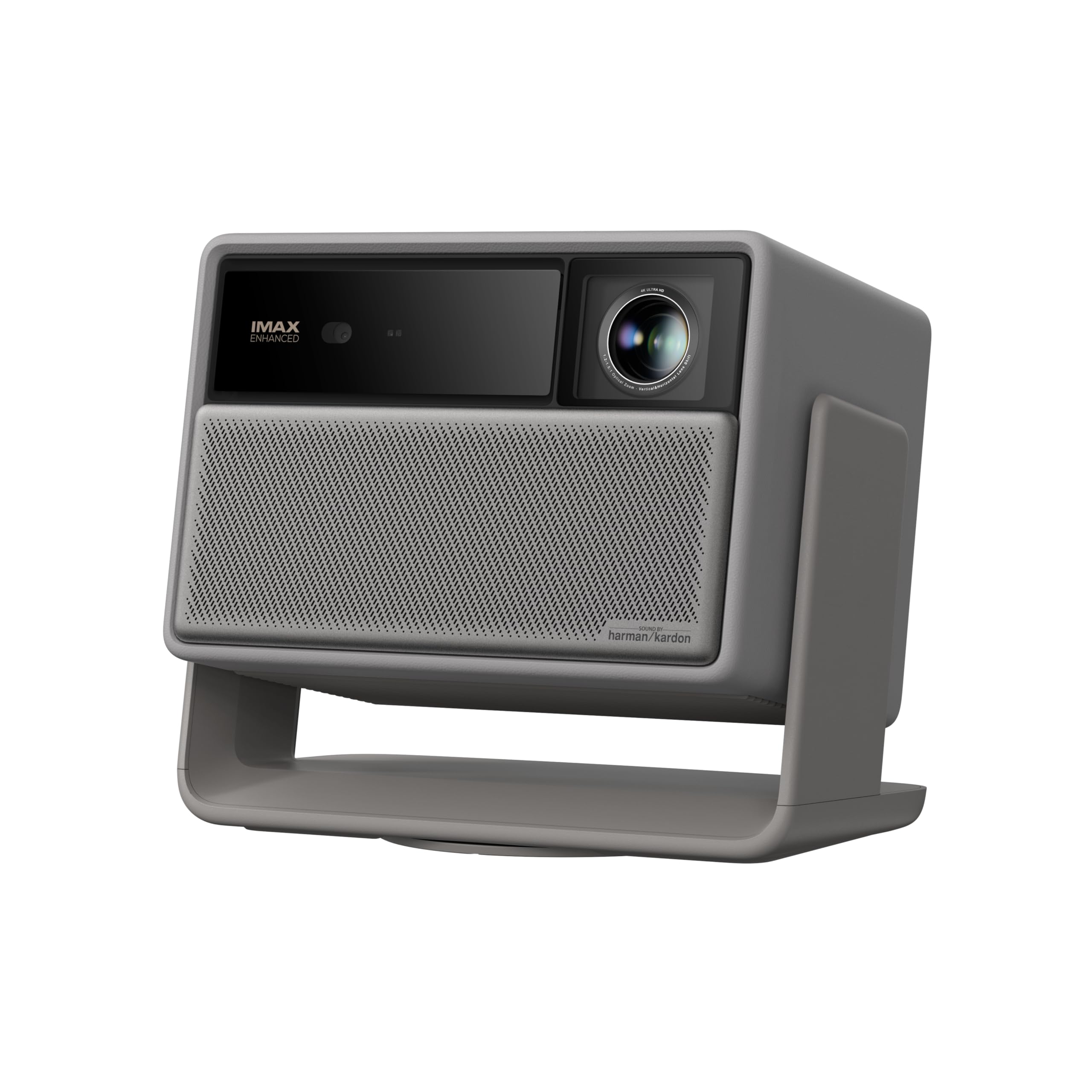
The XGIMI HORIZON 20 delivers a 4K HDR image quality that rivals dedicated home theater projectors, with RGB triple laser technology producing vibrant colors and deep contrast that the performance-per-dollar leader in this roundup can't match. The 1ms input lag and support for 240Hz at 1080p (120Hz at 4K) make it competitive for fast-paced titles, while Dolby Vision adds an extra layer of dynamic range for supported games.

Built-in Google TV and Harman Kardon speakers mean you can skip an external streaming device and soundbar in smaller rooms, keeping the setup simple. That integration is a genuine convenience for gamers who want one box that does it all, though the premium price reflects that all-in-one ambition.

This projector is best for gamers who prioritize image quality over budget and who are comfortable with occasional manual adjustments. The optical lens shift and auto-focus may need recalibration after moving the unit, and some HDMI 2.1 ports have shown handshake issues with certain cables — these are manageable quirks rather than dealbreakers for the right buyer.

💡 Use a certified HDMI 2.1 cable and manually trigger auto-focus after initial placement to minimize lens shift and handshake issues.

Pros

  • Stunning 4K HDR image with RGB triple laser color and contrast
  • Ultra-low 1ms input lag with flexible 240Hz / 120Hz refresh rates
  • All-in-one smart projector with Google TV and Harman Kardon audio

Cons

  • Lens shift and auto-focus may need manual recalibration after moving the unit
  • HDMI 2.1 port handshake issues can occur with certain cables, requiring reseating
  • High price premium is steep for gamers content with 1080p or lower brightness needs
Our verdict

The HORIZON 20 is the best-looking 4K gaming projector at this price, ideal for buyers who value cinematic picture and integrated smart features over raw performance-per-dollar — just be ready to tweak settings now and then.

Check Latest Price
3

Best Short Throw for Console Gamers

BenQ TH671ST

88 /100
Lab Score Excellent

Key details

Brightness
3000 lumens
Resolution
1080p
Refresh Rate
60Hz
View on Amazon

The BenQ TH671ST projects a 100-inch picture from just 5 feet away, making it the go-to option for cramped gaming spaces. Console players report no perceptible lag with PS4 and Xbox. At 3000 lumens, it holds up well in rooms with some ambient light, preserving visibility during daytime sessions.

At 1080p and 60Hz, this projector is tailored for current-gen consoles rather than 4K or high-refresh PC gaming. The moderate contrast ratio means blacks appear more gray in dark scenes, though the overall image stays watchable. A small number of units may emit a temporary odor during break-in – this typically fades after a few hours.

This projector suits console gamers with limited floor-to-wall space who prioritize a huge image and low lag over resolution or HDR depth. It cannot do 4K or exceed 60Hz, so anyone eyeing a future upgrade to 120Hz gaming should look to the top pick, the ViewSonic PX749-4K, for that capability.

💡 If you encounter an initial odor, let the projector run for a few hours in a ventilated area – it typically disappears.

Pros

  • Projects a massive 100-inch image from only 5 feet, freeing up room layout.
  • Ultra-low input lag makes console gaming feel responsive and immediate.
  • High brightness (3000 lumens) remains usable with ambient light on.
  • Backed by a 3-year warranty with consistent performance over extended use.

Cons

  • Some units may produce a temporary burning smell during initial break-in.
  • Contrast ratio is moderate, resulting in less deep blacks than higher-end DLP options.
  • Limited to 1080p at 60Hz, so it cannot match 4K or high-refresh competitors.
Our verdict

If your gaming setup has limited space and you are content with 1080p, this short throw projector delivers the biggest screen per foot of any option here.

Check Latest Price
4

Best Value 1080P Gaming

BenQ TH575

83 /100
Lab Score Excellent

Key details

Brightness
3800 lumens
Resolution
1080p
Refresh Rate
60Hz
View on Amazon

With 3800 lumens and 16ms input lag, the TH575 delivers a sharp, vibrant 1080p image at roughly half the cost of premium gaming projectors. Its brightness handles moderate ambient light well, and the image quality holds up against models costing significantly more.

This projector suits budget-conscious gamers who want a reliable 1080p experience up to 100 inches with low lag for console and casual PC play. It is not for those requiring 4K or frame rates above 60Hz. The built-in speaker is weak and may produce audio dropouts, and the lack of horizontal keystone limits off-center placement options.

In standard mode, the fan noise can be noticeable during quiet scenes, though Eco mode reduces it. Setup is straightforward, and the build quality feels solid for the price. External speakers are strongly recommended to get full enjoyment from games and movies.

💡 Connect an external sound system via HDMI or audio out to bypass the built-in speaker and avoid dropouts.

Pros

  • Bright 1080p image with strong contrast and color accuracy at this price point
  • Sub-20ms input lag delivers responsive gameplay for competitive titles
  • 3800 lumens keeps the image watchable even with some ambient light
  • Simple setup and good overall build quality for a mid-range projector

Cons

  • Fan noise in standard mode may be distracting during quiet game scenes or movies
  • No horizontal keystone adjustment limits placement if the projector must sit off-center
  • Built-in speaker is weak and may drop audio; external speakers are necessary for a good experience
Our verdict

For gamers seeking bright 1080p and low input lag without the premium price tag, the TH575 delivers—just plan to add external audio and set it up with proper centering.

Check Latest Price
5

Best Budget Smart Projector

VOPLLS G3 Pro

89 /100
Lab Score Excellent

Key details

Brightness
2000 lumens
Resolution
1080p
Refresh Rate
60Hz
View on Amazon

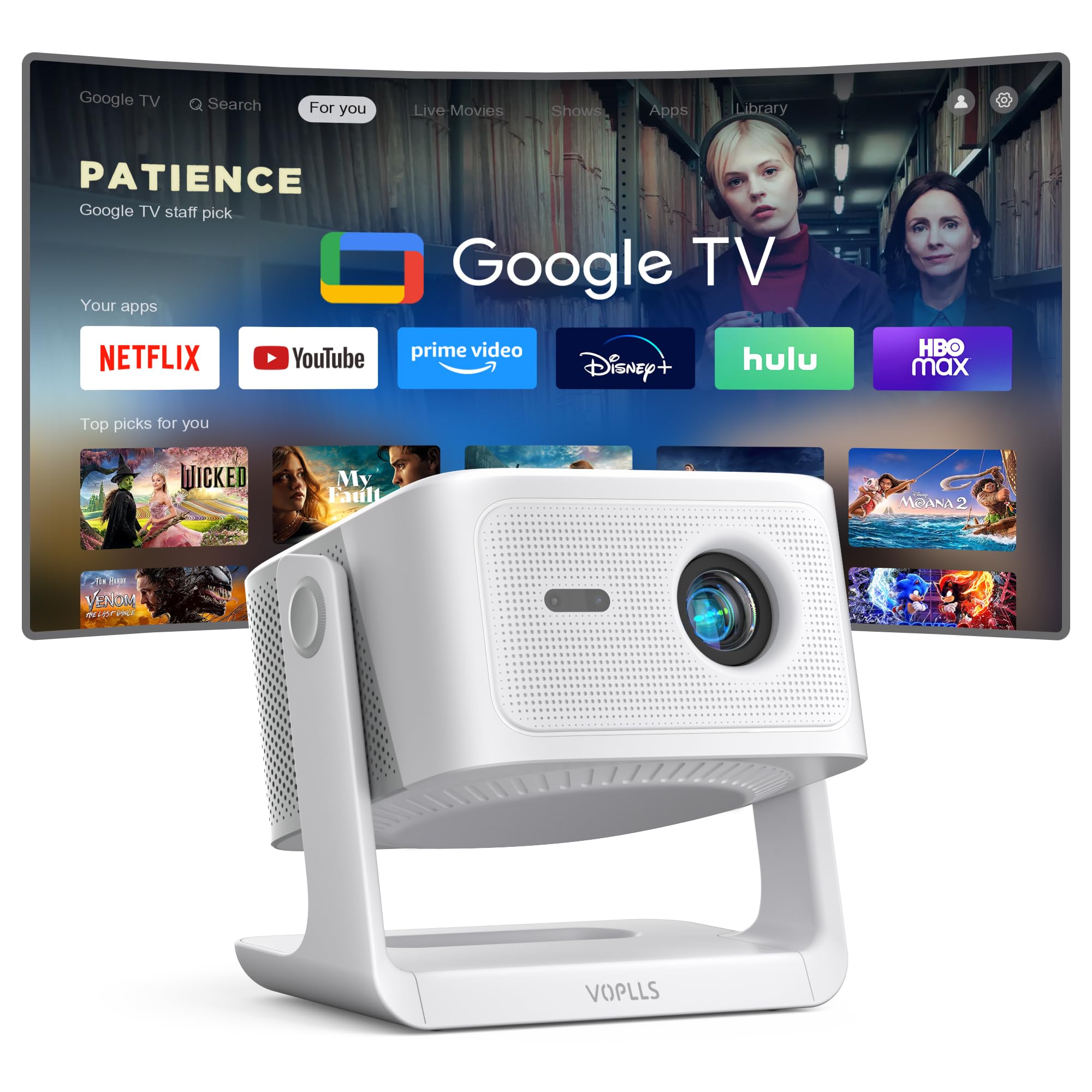
The VOPLLS G3 Pro delivers a complete smart projector experience with Google TV pre-installed, auto focus and keystone correction, and a 360-degree stand for flexible placement — all at a budget-friendly price.

This projector is best suited for buyers who want a do-everything device for movies, TV shows, and occasional light gaming from a console or PC. It does not include a dedicated gaming mode or specify input lag, so competitive or fast-paced gaming is not its strength. Some units have shown white spots on the screen after a few weeks, which is worth checking during the return period.

Pros

  • Google TV built-in with apps like Netflix and Prime Video ready out of the box.
  • Clear, vibrant picture with good brightness for dim indoor or outdoor use.
  • Auto focus and keystone correction make setup quick and frustration-free.

Cons

  • White spots may appear on the screen after weeks of use in some units, indicating possible quality control variance.
  • No dedicated gaming mode or low input lag specification
Our verdict

If you need a projector for movie nights and casual streaming with minimal setup hassle, the G3 Pro offers strong value. For serious gaming, this is not the right fit.

Check Latest Price
6

4K Movies

Nebula Cosmos 4K SE

83 /100
Lab Score Excellent

Key details

Brightness
1800 lumens
Resolution
4K UHD
Refresh Rate
60Hz
View on Amazon

The Nebula Cosmos 4K SE delivers crisp 4K UHD with Dolby Vision and HDR, ideal for movie nights. Its portable build and integrated Google TV make setup effortless anywhere. However, with 1800 ANSI lumens, it needs a dark room for best image quality. More critically for gamers, input lag and refresh rate are not specified — likely exceeding 30ms at 60Hz. This projector prioritizes cinematic visuals over responsiveness, so competitive gaming is off the table. It excels as a travel-friendly home theater but doesn't meet the low-lag, high-refresh requirements of a gaming projector.

Pros

  • True 4K UHD with Dolby Vision and HDR delivers vibrant, sharp movie visuals.
  • Portable design with built-in Google TV allows quick streaming and easy relocation.
  • Quiet operation suits dark-room movie viewing without fan noise distraction.

Cons

  • Input lag and refresh rate are not disclosed
  • 1800-lumen brightness requires a darkened room
Our verdict

A strong pick for movie lovers who want 4K HDR portability and integrated streaming, provided the room stays dark and gaming is secondary.

Check Latest Price

How to Choose

Input Lag

Input lag is the delay between pressing a button and seeing the action on screen. For console and PC gaming, anything under 10ms feels responsive; above 20ms becomes noticeable in fast-paced shooters. Projectors that advertise 'game mode' often still sit at 30-50ms unless they specify a number.

The catch is that input lag measurements can vary by resolution and refresh rate. A projector might claim 4ms at 1080p but run at 16ms at 4K. Always check the lag at the resolution you plan to use. If a projector doesn't publish numbers, assume it's not optimized for competitive play.

Refresh Rate

Refresh rate dictates how many frames per second the projector can display. 60Hz is fine for most console games, but 120Hz or 240Hz provides noticeably smoother motion in esports titles. The trade-off: high refresh rates often require dropping to 1080p, even on 4K models.

For competitive players, 1080p at 240Hz is superior to 4K at 60Hz because frame timing reduces perceived lag. Casual gamers won't notice the difference, so don't overpay for high refresh if you primarily play story-driven games at 30 or 60 fps.

Resolution

Native 4K projectors deliver sharper text and finer detail than 1080p, especially on screens larger than 100 inches. However, true 4K gaming requires a capable console or PC, and many sub-$1,000 projectors use pixel-shifting to simulate 4K. True native 4K starts around $1,500.

For most gamers, 1080p is still a viable choice because the lower resolution reduces GPU load and keeps input lag lower. The real visible difference emerges when sitting closer than 10 feet from a 120-inch screen.

Brightness

Brightness is measured in ANSI lumens and determines how well the image holds up in ambient light. A projector rated 3,000+ lumens can be used with some lights on; 2,000 lumens requires near-darkness. Gaming is often done in controlled light, so 2,500-3,000 lumens is a comfortable middle ground.

Overpaying for extreme brightness (4,000+ lumens) is unnecessary if your room has blackout curtains. High brightness can also wash out black levels and reduce contrast, so balance lumens with the room's light control.

Throw Ratio and Lens Shift

Throw ratio determines how far the projector must be from the screen to achieve a given image size. Short-throw projectors (like 100 inches from 5 feet) let you place the projector close to the wall, avoiding shadows and making setup easier in small rooms. Standard throw requires more distance and often ceiling mounting.

Lens shift allows you to move the image vertically or horizontally without tilting the projector, preserving geometry and reducing keystone correction. Optical lens shift is preferable over digital keystone because digital correction can degrade image quality and add slight input lag. If you plan to place the projector off-center, lens shift is a must.

Frequently Asked Questions