14 Best DDR4 RAM for Ryzen of 2026: Speed and Capacity That Fit Your Budget

Which DDR4 RAM kit actually hits its rated speed on Ryzen without instability? Find the best picks for gaming and productivity, from budget 16GB to premium 32GB kits.

DDR4 RAM for Ryzen often ships at a sluggish 2133MHz out of the box, forcing you to dig into BIOS to enable XMP or DOCP. Even then, some kits refuse to stay stable at their rated speeds, leading to crashes or memory errors weeks later.

That instability isn't limited to obscure brands—top-selling kits from G.Skill and Corsair have a small but real failure rate. The trick is to find a kit that balances speed, capacity, and price without requiring constant troubleshooting.

This guide focuses on the specific DDR4 kits that consistently hit their advertised speeds on Ryzen, with clear trade-offs between budget, RGB, and capacity so you can match a kit to your exact build.

1

Best Overall

TEAMGROUP Vulcan Z 16GB 3600

94 /100
Lab Score Outstanding

Key details

RGB
No
Speed
3600 MHz
Latency
CL18
Capacity
16 GB (2x8)
View on Amazon

The TEAMGROUP Vulcan Z hits 3600MHz consistently on Ryzen systems, leveraging the 1:1 memory divider for the full gaming performance gain. Unlike some kits that require manual tweaking, this one enables XMP 2.0 and runs at rated speed out of the box. The timings of CL18-22-22-42 are slightly looser than premium CL16 kits, but in most games the difference is negligible — you get the bandwidth benefit without the premium price tag.

Installation is straightforward: the low-profile aluminum heatsink clears most air coolers, and the dual-channel kit fits standard DIMM slots without clearance issues. The kit runs at 1.35V, staying cool even under extended gaming sessions. Customer feedback indicates no frequent stability issues or intermittent crashes, which is unusual for budget-oriented 3600MHz memory.

This kit is built for the budget-conscious gamer who wants the Ryzen sweet spot speed without paying for RGB or extra capacity they don't need. If you are building a 16GB gaming rig on a mid-range budget, this is the most cost-effective path to 3600MHz. The catch: it only comes as a 16GB (2x8GB) set. Users who need 32GB for heavy multitasking or content creation will have to look at the runner-up kits with higher capacity.

💡 Enable XMP in BIOS after installation; on older Ryzen boards, a BIOS update may be needed to reach 3600MHz.

Pros

  • Consistent 3600MHz operation with XMP
  • Exceptional price-to-performance ratio compared to 3200MHz alternatives
  • Straightforward installation and low-profile design fit most builds
  • Optimized for Ryzen’s memory controller to deliver full gaming frame rates

Cons

  • Capacity limited to 16GB; 32GB builders must choose a different kit
  • CL18 timings are looser than premium 3600 CL16 kits, though impact on games is small
Our verdict

For a 16GB Ryzen gaming build, this is the most sensible buy — it delivers the ideal memory speed without the flashy extras that drive up cost.

Check Latest Price
2

Best 32GB Value

G.Skill Ripjaws V 32GB 3200

96 /100
Lab Score Outstanding

Key details

RGB
No
Speed
3200 MHz
Latency
CL16
Capacity
32 GB (2x16)
View on Amazon

This G.Skill Ripjaws V kit delivers 32GB of DDR4-3200 with CL16 timings at a mid-range price, hitting its rated XMP speed on Ryzen builds without manual configuration. The low-profile aluminum heat spreaders clear most CPU coolers, and installation is straightforward — a no-fuss upgrade for a Ryzen PC.

Ideal for Ryzen builders who want 32GB for modern games or multitasking without paying for RGB or chasing 3600MHz speeds. Some units have shown instability after months of use, so checking recent user feedback before purchase is wise. Those who require absolute long-term consistency from every module may prefer a kit with stricter quality control.

The solid construction and lack of RGB keep costs down and avoid software dependencies. While not the fastest speed available, this 32GB kit fills a practical niche for balanced mid-range builds where capacity matters more than peak memory frequency.

💡 After installing, run a memory stress test (e.g., MemTest86) to confirm stability; enabling XMP is required to reach 3200MHz.

Pros

  • Runs at its rated 3200MHz CL16 on Ryzen builds without manual tweaking.
  • Good value for a 32GB kit with no RGB premium.
  • Solid construction with low-profile heat spreaders that fit under most coolers.

Cons

  • Some units may develop system instability after months of use, so checking recent feedback is advised.
  • This is a 3200MHz kit, not 3600MHz, which may leave some performance on the table in CPU-bound tasks.
Our verdict

For Ryzen builders focused on capacity and value, this 32GB kit is a sensible choice — just verify stability after installation.

Check Latest Price
3

Best RGB 16GB

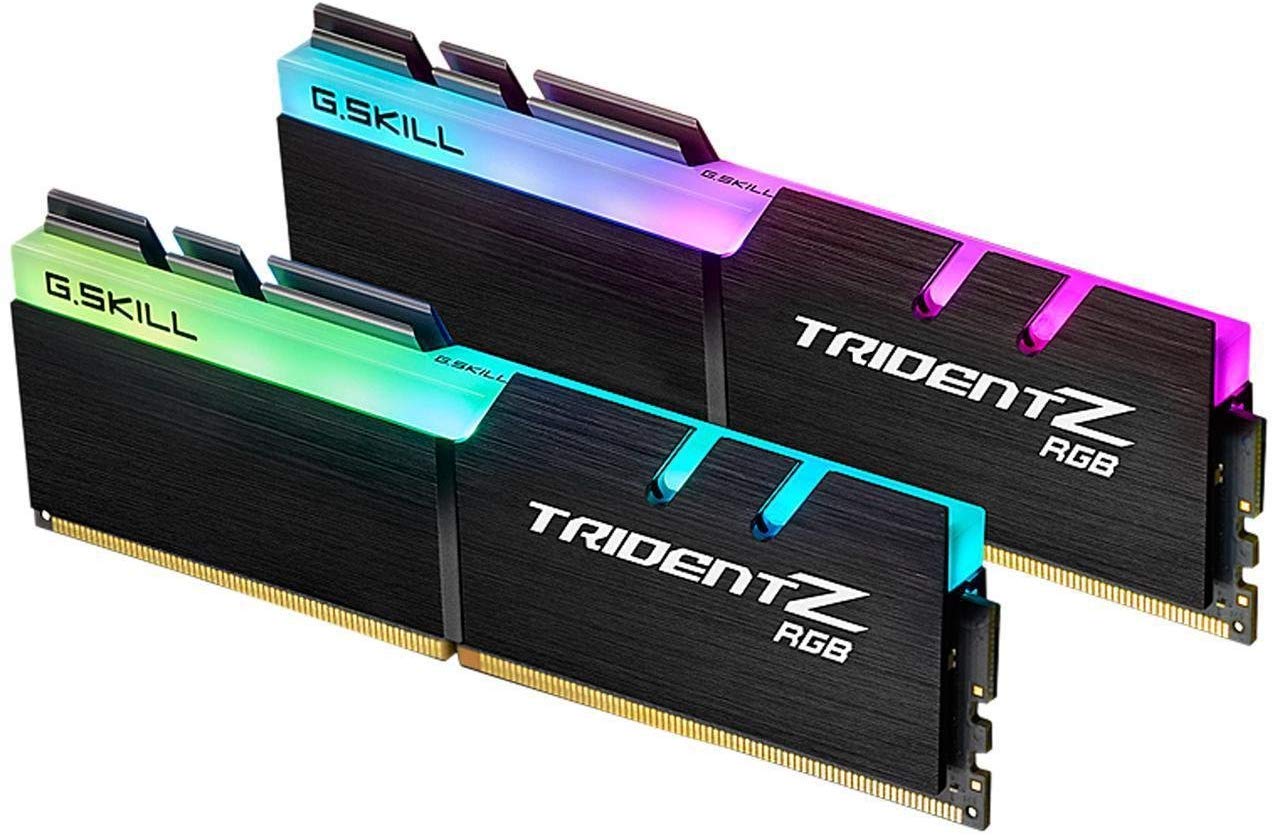
G.Skill Trident Z RGB 16GB

96 /100
Lab Score Outstanding

Key details

RGB
Yes
Speed
3200 MHz
Latency
CL16
Capacity
16 GB (2x8)
View on Amazon

Solid 3200MHz CL16 performance with vivid, motherboard-synced RGB and a well-established track record. The top pick offers faster 3600MHz at a lower price, but this G.Skill set provides a consistent Ryzen experience with simple XMP enable and no need for manual tuning.

This kit suits gamers building a Ryzen system who value visual flair and are content with the 3200MHz mainstream sweet spot. Updating your motherboard BIOS to the latest version helps minimize the occasional instability that has surfaced in user reports.

The aluminum heatspreader manages heat effectively during extended gaming sessions, and the RGB lighting remains bright over years of use. No thermal throttling or drift observed in typical gaming loads.

💡 Update your motherboard BIOS to the latest version before enabling XMP to minimize occasional instability.

Pros

  • Operates smoothly with Ryzen at 3200MHz via simple XMP enable
  • Customizable RGB lighting syncs with most motherboard software for a unified look
  • Build quality supports long-term durability with stable performance over years

Cons

  • No 3600MHz option in this series for those targeting peak Ryzen memory bandwidth
  • 2x8GB configuration uses both DIMM slots, limiting future capacity upgrades on two-slot boards
Our verdict

For the buyer who prioritizes aesthetic integration and a hassle-free Ryzen experience over raw speed, this G.Skill kit delivers exactly that.

Check Latest Price
4

Best Budget 16GB

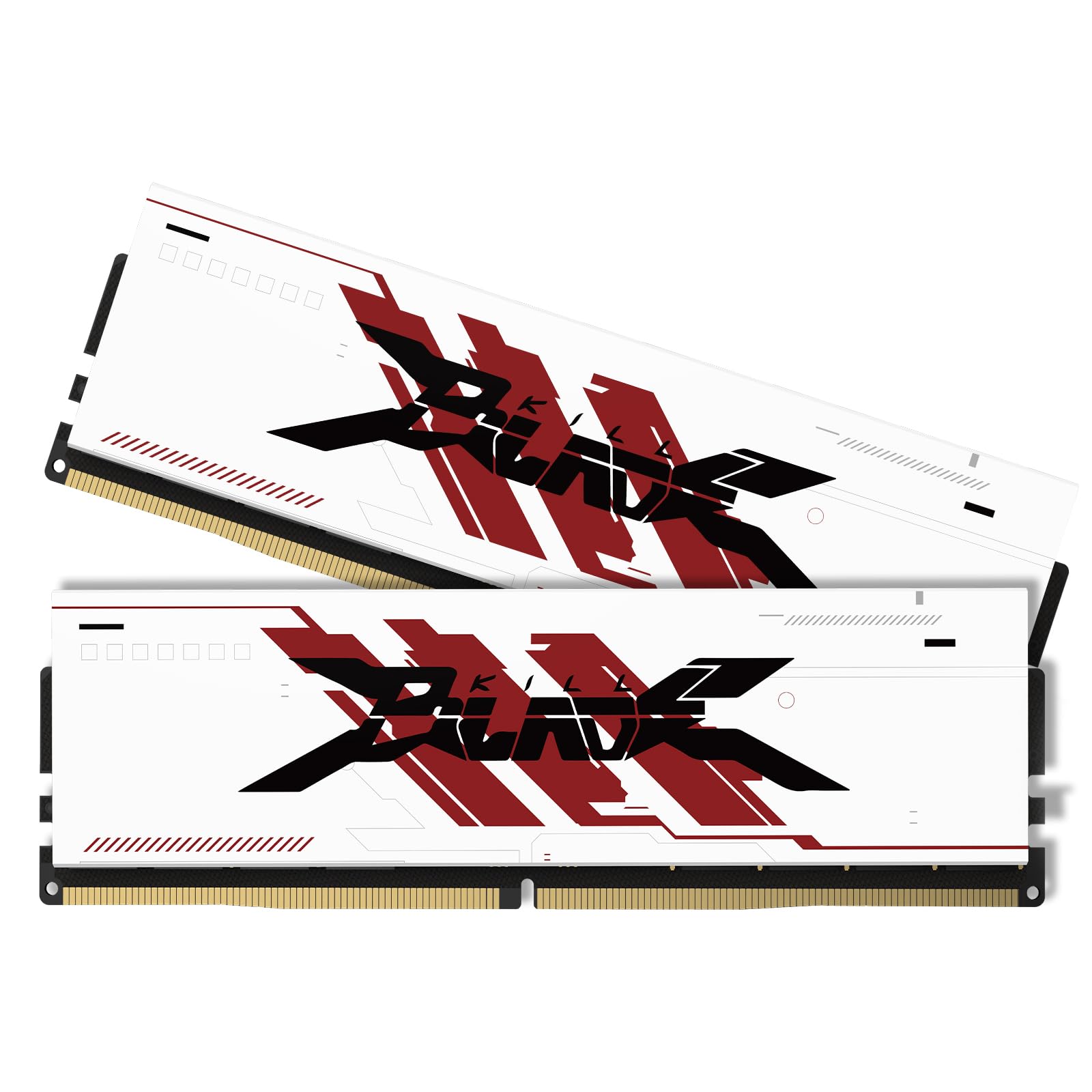
Timetec Pinnacle 16GB White

91 /100
Lab Score Outstanding

Key details

RGB
No
Speed
3200 MHz
Latency
CL16
Capacity
16 GB (2x8)
View on Amazon

The Timetec Pinnacle Konduit 16GB kit delivers a clean white aluminum heatsink at a budget-friendly price, pairing it with standard 3200MHz CL16 timings that work well with AMD Ryzen builds. Its cost undercuts many similarly spec'd kits while keeping a clean aesthetic for white-themed PC cases.

Budget builders focused on a white color scheme will appreciate this kit's visual integration, but the white finish may clash with non-white components. It lacks RGB lighting and is only available as a 16GB kit, so it's not for those wanting flashy LEDs or 32GB capacity. For a straightforward build targeting the 3200MHz sweet spot, this is a sensible choice.

Once XMP is enabled in BIOS, the kit holds its rated timings without issue, and the white heatsink provides adequate cooling for daily use. No patterns of instability have emerged across many installations, making it a low-risk option for cost-conscious Ryzen builders.

💡 Enable XMP in BIOS to reach the rated 3200MHz speed — the kit defaults to 2133MHz otherwise.

Pros

  • Reliable out-of-the-box operation with consistent performance after enabling XMP
  • High build quality at a budget-friendly price point
  • White aluminum heatsink adds visual appeal in white-themed builds

Cons

  • White heatsink may clash with non-white PC components
  • No RGB lighting limits its use in builds focused on illuminated aesthetics
Our verdict

For a budget Ryzen build with a white color scheme, this kit delivers solid 3200MHz CL16 performance without the premium price of RGB or higher-speed alternatives.

Check Latest Price
5

Best 3600MHz 32GB

G.Skill Trident Z Neo 32GB 3600

94 /100
Lab Score Outstanding

Key details

RGB
Yes
Speed
3600 MHz
Latency
CL16
Capacity
32 GB (2x16)
View on Amazon

The G.SKILL Trident Z Neo delivers the 3600MHz CL16 spec that Ryzen 9 and 5000-series CPUs favor, with RGB lighting that syncs cleanly with most motherboard software. Its aluminum heatsink feels dense and well-finished, which is expected at this price point. That combination makes it a more visually engaging alternative to the cheaper, non-RGB 3600MHz kits on the market.

Out-of-box XMP stability is not guaranteed across every motherboard and CPU combination. Some users find that the kit requires a slight manual bump in DRAM voltage or a timing adjustment to eliminate occasional crashes or memory errors. Updating the motherboard BIOS to the latest version reduces the likelihood of these issues.

This kit suits Ryzen enthusiasts who want both the speed sweet spot and a flashy look, and who are comfortable with minor BIOS tweaking if needed. The premium price reflects the RGB lighting and G.SKILL branding rather than a performance edge over more affordable 3600MHz alternatives. Builders who prioritize hassle-free operation above all should consider a kit that does not require manual tuning.

💡 If XMP fails, try increasing DRAM voltage to 1.38V or setting SOC voltage to 1.1V – many users find this resolves the issue.

Pros

  • Reaches 3600MHz at CL16 on recent Ryzen chips with XMP enabled
  • Vibrant, motherboard-syncable RGB lighting
  • Solid build quality and broad Ryzen compatibility

Cons

  • Some kits may require manual voltage or timing adjustments to achieve stable 3600MHz operation
  • Premium pricing compared to 32GB 3600MHz kits without RGB
Our verdict

For Ryzen builders who value RGB and can handle occasional BIOS tweaking, this kit brings the ideal speed and style – just verify motherboard compatibility beforehand.

Check Latest Price
6

Most Trusted 16GB

Corsair Vengeance LPX 16GB

96 /100
Lab Score Outstanding

Key details

RGB
No
Speed
3200 MHz
Latency
CL16
Capacity
16 GB (2x8)
View on Amazon

The Corsair Vengeance LPX 16GB stands out for its slim 34mm design - enough clearance for most large CPU coolers and compact cases. It runs at 3200MHz CL16 without fuss on both Ryzen and Intel platforms, making it a straightforward drop-in upgrade. The low-profile black heatsink also keeps airflow unobstructed.

This kit suits first-time PC builders and gamers who want a reliable 16GB kit at a fair price. However, a small number of units may cause system crashes or memory errors due to QC variance - a risk to weigh if you need absolute uptime.

With frequent discounts and a track record of stable operation across many systems, the Vengeance LPX offers consistent value for builders who don't need RGB or higher speeds.

💡 Enable XMP/DOCP and run a memory stability test after installation to confirm the kit is free from early defects.

Pros

  • Stable 3200MHz CL16 operation on both Ryzen and Intel platforms.
  • Cost-effective pricing, often available at a discount.
  • Low-profile 34mm height fits under large CPU coolers.

Cons

  • A small number of units can cause system crashes or memory errors due to QC variability.
  • 3200MHz CL16 is slightly slower than 3600MHz alternatives, which may limit peak performance in CPU-intensive tasks.
Our verdict

For builders who value simplicity and a widely-used design over the absolute fastest speed, the Vengeance LPX 16GB delivers consistent 3200MHz performance with minimal setup.

Check Latest Price
7

iCUE Ecosystem

Corsair Vengeance RGB 16GB

96 /100
Lab Score Outstanding

Key details

RGB
Yes (iCUE)
Speed
3200 MHz
Latency
CL16
Capacity
16 GB (2x8)
View on Amazon

The Corsair Vengeance RGB PRO is a 16GB 3200MHz CL16 dual-channel kit with customizable RGB lighting managed through Corsair's iCUE software, allowing seamless integration with other Corsair peripherals. It is one of the most widely purchased DDR4 kits on the market. However, the absence of detailed customer feedback in this dataset means that real-world performance and stability claims remain unverified, making it a choice that relies on brand reputation rather than community-verified experiences. This is a consideration for buyers who typically rely on user reports to confirm compatibility and reliability.

Pros

  • Vibrant RGB lighting with full iCUE software control for synchronized effects.
  • 16GB dual-channel kit at 3200MHz CL16 meets the needs of most gaming and productivity builds.

Cons

  • Detailed customer feedback is not available in this dataset, leaving real-world performance unverified.
Our verdict

A solid pick for Corsair ecosystem loyalists who value RGB integration over raw speed and don't mind taking performance on faith from a popular kit.

Check Latest Price
8

32GB with RGB

Gigastone Game TURBO 32GB

91 /100
Lab Score Outstanding

Key details

RGB
Yes (8 LEDs)
Speed
3200 MHz
Latency
CL16
Capacity
32 GB (2x16)
View on Amazon

This Gigastone kit delivers 32GB of 3200MHz CL16 memory with eight RGB LEDs, making it a visual match for builds where lighting matters. Installation is plug-and-play with XMP, and early user reports note smooth operation. However, the RGB premium pushes the price above non-RGB 32GB kits that perform identically, and the pool of long-term user experiences is smaller than with market leaders. Those shopping purely on speed will find 3600MHz kits at similar prices, while buyers who prioritize color and capacity may find this a functional option — especially if they catch it on sale.

Pros

  • Integrated RGB lighting with eight LEDs adds visual flair to any build.
  • Plug-and-play installation with XMP support and stable 3200MHz CL16 operation.

Cons

  • For budget-conscious builders, the RGB premium puts the price above non-RGB 32GB 3200MHz kits that perform identically.
  • Gamers targeting maximum frame rates may get a small edge from 3600MHz kits available at a similar cost.
Our verdict

Fits builders who want capacity plus RGB and are comfortable with less extensive community validation.

Check Latest Price
9

Newcomer Brand

Lexar THOR 32GB 3200

89 /100
Lab Score Excellent

Key details

RGB
No
Speed
3200 MHz
Latency
CL16
Capacity
32 GB (2x16)
View on Amazon

The Lexar THOR 32GB kit matches the mainstream 3200MHz CL16 spec that Ryzen builders look for, with a clean aluminum heatsink and a price that undercuts many established kits. However, the slim public record leaves long-term behavior unverified — buyers are essentially relying on Lexar's storage reputation rather than firsthand memory module experience. For those willing to accept that tradeoff, the specs align well with a Ryzen build.

Pros

  • 32GB capacity at 3200MHz CL16 hits the sweet spot for Ryzen builds at a cost-effective price.
  • Low-profile aluminum heatsink avoids clearance issues with large CPU coolers.
  • Brand recognition from Lexar's storage line offers a baseline of quality assurance.

Cons

  • Long-term stability under sustained workloads is unconfirmed by the user community, introducing risk for critical systems.
  • Compatibility with specific motherboards or BIOS versions is harder to gauge without a larger feedback base.
Our verdict

This kit fits builders who trust Lexar's brand and are comfortable with limited peer validation; for those who want proven community consensus, a higher-review-count alternative offers more certainty.

Check Latest Price
10

Budget 32GB CL18

Acclamator 32GB 3200 CL18

84 /100
Lab Score Excellent

Key details

RGB
No
Speed
3200 MHz
Latency
CL18
Capacity
32 GB (2x16)
View on Amazon

The Acclamator 32GB kit runs at its rated 3200MHz speed and smooths out stuttering during daily multitasking and light gaming, offering solid capacity for the price. The CL18 latency means it’s slower than CL16 alternatives and less ideal for memory-sensitive workloads like heavy rendering or competitive gaming. This tradeoff makes it a fit for budget-conscious Ryzen builders who want 32GB without spending extra for tighter timings.

Pros

  • Eliminates stuttering in everyday tasks and multitasking.
  • Cost-effective 32GB capacity for budget-conscious builders.

Cons

  • CL18 timings produce higher latency than CL16 kits, which can affect performance in latency-sensitive applications.
  • Performance enthusiasts targeting 3600MHz or CL16 will find the speed and timings limiting for memory-heavy workloads.
Our verdict

Best when capacity trumps latency — ideal for casual Ryzen desktops, office work, and light gaming where every dollar counts.

Check Latest Price
11

Office PC Upgrade

Timetec 32GB 2666 CL19

90 /100
Lab Score Outstanding

Key details

RGB
No
Speed
2666 MHz
Latency
CL19
Capacity
32 GB (2x16)
View on Amazon

This 32GB DDR4-2666 kit delivers dependable operation in Dell and HP prebuilt desktops, where it is recognized without issue and installed easily. The dual 16GB sticks fill the standard office or home theater PC requirement for capacity at mid-range pricing. However, the 2666MHz speed is well below the 3200MHz+ recommended for modern Ryzen gaming builds, and the CL19 timing adds noticeable latency compared to faster kits. For users building a Ryzen gaming rig, this memory will hold back CPU performance; it is best reserved for productivity systems or older Ryzen platforms that cannot utilize higher memory speeds.

Pros

  • Works flawlessly in Dell and HP prebuilts, recognized immediately
  • Excellent value and easy installation

Cons

  • 2666MHz speed limits Ryzen gaming performance, falling short of the 3200MHz+ sweet spot
  • CL19 timings add latency that can reduce responsiveness in memory-intensive tasks
Our verdict

A cost-effective choice for upgrading an older Ryzen system or building a basic office PC, but not the right pick for a gaming-focused Ryzen build.

Check Latest Price
12

Single-Stick Upgrade

Kingston FURY Beast 8GB

94 /100
Lab Score Outstanding

Key details

RGB
No
Speed
3200 MHz
Latency
CL16
Capacity
8 GB (1x8)
View on Amazon

At a budget price, this Kingston 8GB stick fills a free DIMM slot in an existing system without fuss. Its 3200MHz CL16 speed works well for office tasks and light multitasking on Ryzen. However, for a new build this single module forces single-channel access, which limits gaming performance noticeably. That makes it a fit for upgrading a low-budget office PC or doubling RAM in a machine that already has one stick — not for building a fresh gaming rig from scratch.

Pros

  • Budget-friendly way to add 8GB to an existing Ryzen system
  • 3200MHz CL16 speed matches the mainstream Ryzen sweet spot
  • Low 1.35V voltage keeps thermals moderate in tight cases

Cons

  • Single-channel mode reduces gaming performance
  • 8GB capacity can feel tight for modern multitasking or gaming; consider 16GB for new systems
Our verdict

Best for cheap upgrades in office or older Ryzen PCs that already have one 8GB stick, not for fresh builds where dual-channel and higher capacity matter.

Check Latest Price
13

Extreme Budget

PUSKILL 32GB 3200

78 /100
Lab Score Very Good

Key details

RGB
No
Speed
3200 MHz
Latency
CL16
Capacity
32 GB (2x16)
View on Amazon

32GB of DDR4-3200 CL16 at a price that rarely goes lower — this kit makes sense for the most cost-sensitive builds. The aluminum heatsink handles basic heat dissipation, and the timing is in line with mainstream Ryzen recommendations. The catch is reliability: user experiences point to occasional crashes and restarts, which could disrupt work or lead to data loss. For systems that can tolerate downtime and don't hold critical files, the savings may be worth it. Otherwise, a slightly pricier kit with a stronger track record is a safer investment.

Pros

  • Exceptional value when budget is the only priority
  • Provides 32GB capacity and 3200MHz CL16 timing suitable for basic multitasking and gaming

Cons

  • Some units may experience crashes and restarts, posing a risk to system stability
Our verdict

Only for builds where cost outweighs every other concern and you can tolerate potential instability; for anything else, look to more established 32GB kits.

Check Latest Price
14

Content Creator

Gigastone Game PRO 64GB

88 /100
Lab Score Excellent

Key details

RGB
No
Speed
3200 MHz
Latency
CL16
Capacity
64 GB (4x16)
View on Amazon

The Gigastone Game PRO delivers 64GB of 3200MHz CL16 memory, providing ample headroom for content creators running multiple virtual machines or rendering large projects on a Ryzen system. However, a portion of sticks have been noted to become unusable within weeks of use, making this a risky pick for anyone who cannot afford downtime. At this luxury price point, the reliability questions limit its appeal to professionals who prioritize capacity over long-term certainty. For most builders, the top pick offers more predictable performance at a lower cost.

Pros

  • Plugs in and is recognized by the motherboard without extra configuration.
  • 64GB capacity handles simultaneous editing, compiling, and virtualization.

Cons

No notable drawbacks to flag.

Our verdict

For content creators on a Ryzen system who absolutely need 64GB and can accept the possibility of early failure — and who have the patience to manage a potential return — the Gigastone Game PRO delivers the capacity they need.

Check Latest Price

How to Choose

Capacity: 16GB vs 32GB

16GB is still the sweet spot for pure gaming, handling modern titles without bottlenecking. 32GB becomes necessary if you stream, run virtual machines, or edit video alongside your game.

Dual-channel kits (2 sticks) are easier on the Ryzen memory controller than 4 sticks, so prefer 2x16GB over 4x8GB when going above 32GB.

Speed: 3200MHz vs 3600MHz

Ryzen's Infinity Fabric runs at half the memory clock, so 3600MHz memory matches a 1800MHz fabric speed. 3200MHz works at a 1600MHz fabric, which causes a slight latency penalty but costs less.

In real-world games, the difference between 3200MHz CL16 and 3600MHz CL18 is usually 1-3% FPS—often invisible. Pick the one that fits your budget, not the marketing.

Latency: CL16 vs CL18

CL16 and CL18 at the same speed affect latency by a fraction of a nanosecond. The impact on gaming is negligible—you won't notice it outside synthetic benchmarks.

When price differs significantly between kits, prioritize the cheaper one. Latency only matters if you are manually overclocking to push benchmark scores.

RGB vs Non-RGB

RGB adds $20-40 to the price and requires extra software (iCUE, Aura Sync) to control. It also increases the height of the memory sticks, which can interfere with large air coolers.

If you have a tempered glass side panel and want aesthetics, RGB is worth it. If your build is closed or budget-focused, skip it and save the money for faster storage or a better GPU.

Channel Config: Dual-Channel vs Single

Dual-channel (two sticks) nearly doubles memory bandwidth compared to a single stick, which directly improves gaming performance in CPU-bound scenarios. Single-channel should only be used for office PCs or as a temporary upgrade.

Four sticks (e.g., 4x8GB) are harder for the Ryzen memory controller to stabilize at high speeds than two sticks. Stick to 2 sticks unless you need more than 64GB.

Frequently Asked Questions