9 Best Graphics Card for Ryzen 7 3700X 2026: Pick the Right Gen

Find the best graphics card for your Ryzen 7 3700X — avoid overpaying for old-gen GPUs and get the right performance for 1080p or 1440p gaming.

The Ryzen 7 3700X still holds up for 1080p and 1440p gaming, but finding the right GPU to pair it with means dodging inflated prices on last-gen cards. Many listings still ask $600+ for an RTX 3060 — a card that newer models outrun for less. The real trade-off isn't Nvidia versus AMD; it's how much VRAM you actually need right now versus what future titles might demand.

An 8GB card like the RTX 5060 handles today's games at high settings without breaking a sweat. Bump to 16GB and you gain headroom for mods, texture packs, or AI side projects. Either way, sticking with a current-gen card avoids the performance-per-dollar trap of last-gen hardware. Your Ryzen 7 3700X will keep pace in most titles, so the GPU is where your budget should go.

1

Best Overall for Ryzen 7 3700X

GIGABYTE RTX 5060 8GB

91 /100
Lab Score Outstanding

Key details

PCIe
PCIe 5.0
VRAM
8GB GDDR7
Cooling
2 fans
GPU Generation
RTX 50
View on Amazon

The Gigabyte RTX 5060 roughly doubles the frame rates of an RTX 3060 while costing less — a genuine generational leap for 1080p high-refresh and 1440p high-settings gaming. Owners of the Ryzen 7 3700X will find this card pairs naturally with that CPU, delivering smooth performance in titles like Cyberpunk 2077 and Call of Duty at high presets.

The Windforce dual-fan cooler keeps the card well under 70°C during extended sessions, and the fans remain nearly silent under moderate loads. Installation is straightforward — the compact 2-slot design fits most mid-tower cases without clearance issues.

This card is for the value-conscious gamer upgrading from a last-gen GPU on a Ryzen 3700X system. It handles current AAA titles at 1440p high settings without compromise. The 8GB GDDR7 VRAM is adequate for today's games, but future titles with ultra texture packs may require dialing back settings — it's not the right pick for 4K, heavy modding, or AI workloads. If that matters, consider stepping up to a 16GB RTX 5060 Ti.

Pros

  • Exceptional price-to-performance
  • Quiet and effective cooling keeps GPU temps below 70°C under sustained load.
  • Compact dual-fan design fits most mid-tower cases with easy plug-and-play installation.

Cons

  • Ray tracing performance is decent but not class-leading
  • 8GB VRAM may become a constraint on ultra texture settings in demanding games released 2-3 years from now.
Our verdict

For 3700X owners on a $350 budget, this is the most capable card available today. The VRAM tradeoff is real but manageable for the typical 1080p/1440p gamer.

Check Latest Price
2

Future-Proof Pick

ASUS RTX 5060 Ti 16GB

91 /100
Lab Score Outstanding

Key details

PCIe
PCIe 5.0
VRAM
16GB GDDR7
Cooling
2 fans
GPU Generation
RTX 50
View on Amazon

The ASUS RTX 5060 Ti delivers 16GB of GDDR7 memory in a dual-fan, 2.5-slot package that draws power from a single 8-pin connector. Where the top pick Gigabyte RTX 5060 offers exceptional value with 8GB, the ASUS Ti variant steps up for those who need VRAM headroom for texture-heavy mods or machine learning models.

This card suits Ryzen 7 3700X owners who prioritize memory capacity over raw raster speed. The $575 price tag is higher than the top pick, so it's only worth considering if 8GB feels too tight. AI/ML hobbyists and modders will appreciate the 16GB buffer; gamers targeting 1440p high-refresh with future titles will find it comfortably capable. Ray tracing performance is solid but not top-tier – an RTX 5070 would be better for max ray tracing.

Pros

  • Handles 1440p max settings with ray tracing and can push 4K with upscaling.
  • 16GB GDDR7 provides room for high-resolution mods and AI model training without VRAM limits.
  • Compact dual-fan design fits smaller cases and requires only a single 8-pin power cable.

Cons

  • Priced higher than the top pick
  • In games that push heavy ray tracing effects, this card may require DLSS or lowered settings to maintain frame rates.
Our verdict

For Ryzen 7 3700X owners who foresee their VRAM needs growing beyond 8GB – whether for modded games, AI experiments, or wanting to skip the next upgrade – the ASUS RTX 5060 Ti 16GB is the sensible mid-range choice. If 8GB is enough for the next three years, save money and grab the top pick.

Check Latest Price
3

Best AMD Radeon

ASUS Dual RX 9060 XT 16GB

91 /100
Lab Score Outstanding

Key details

PCIe
PCIe 5.0
VRAM
16GB GDDR6
Cooling
2 fans, 2.5-slot
GPU Generation
RX 9000
View on Amazon

Where the top pick leans on Nvidia's ray tracing and DLSS, the ASUS Dual RX 9060 XT focuses on raw raster throughput and generous VRAM. Its 16GB GDDR6 frame buffer handles high-resolution textures and mod-heavy titles without stutter, and the dual-fan 2.5-slot cooler keeps noise levels low even during extended gaming sessions.

This GPU pairs naturally with a Ryzen 7 3700X for 1440p high-settings or 1080p high-refresh gaming. The 16GB VRAM also future-proofs against upcoming texture demands. However, ray tracing performance trails Nvidia's RTX 5060 series, and driver stability can require occasional updates for newer titles. Buyers who prioritize ray tracing or prefer plug-and-play stability may want the top pick instead.

💡 Checking for driver updates before launching a new AAA title can help avoid stability hiccups.

Pros

  • 16GB VRAM at a mid-range price, uncommon at this tier
  • Quiet operation even under sustained gaming load
  • Strong 1080p and 1440p raster performance for the price

Cons

  • In titles that rely heavily on ray tracing, frame rates drop below Nvidia alternatives in this price bracket
  • Driver updates may be needed for stability in newly released games
Our verdict

A strong choice for Ryzen 7 3700X owners who value VRAM headroom and quiet operation over ray tracing performance.

Check Latest Price
4

Proven Workhorse

MSI RTX 3060 12GB 2X

94 /100
Lab Score Outstanding

Key details

PCIe
PCIe 4.0
VRAM
12GB GDDR6
Cooling
2 fans
GPU Generation
RTX 30
View on Amazon

The MSI RTX 3060 Ventus 2X stands out with 12GB of VRAM and a well-established driver ecosystem that delivers consistent 1080p performance and smooth VR playback. While newer cards like the RTX 5060 offer higher raw performance per dollar, this card's mature architecture means fewer compatibility surprises. The tradeoff is clear: you lose access to DLSS 3 and 4 frame generation, so if that matters, look to the current generation.

This card fits buyers pairing it with a Ryzen 7 3700X who prioritize reliable 1080p max-settings gaming and VR over the latest features. It's not a future-proof option – newer alternatives offer better performance at similar prices. For that reason, this MSI 3060 is best considered when priced under $400.

Pros

  • Smooth VR gaming without stutter or crashes
  • 12GB VRAM provides headroom for high-texture titles
  • Quiet operation and simple installation process

Cons

  • Lacks DLSS 3 and 4 frame generation support
  • Outperformed by newer cards in the same price bracket
Our verdict

If you can find this MSI 3060 under $400, it's a capable partner for a Ryzen 7 3700X build focused on 1080p gaming and VR – just know you're trading DLSS 3/4 for mature drivers and 12GB VRAM.

Check Latest Price
5

Ultra-Low Power Entry

MSI RTX 3050 6GB

90 /100
Lab Score Outstanding

Key details

PCIe
PCIe 4.0 x8
VRAM
6GB GDDR6
Cooling
2 fans
GPU Generation
RTX 30
View on Amazon

The MSI RTX 3050 Ventus 2X 6G OC draws only 70W from the PCIe slot, so it skips the usual step of replacing a weak power supply in pre-built systems. That low power draw keeps heat and fan noise low, and the compact dual-fan design slides into tighter cases without cable management hassle.

With a Ryzen 7 3700X, this card handles competitive shooters, MOBAs, and older AAA games at 1080p with comfortable frame rates. The 6GB VRAM and limited compute headroom mean modern AAA releases will need low settings — it is not intended for 1440p gaming or ray tracing.

💡 Confirm your motherboard's PCIe slot delivers 75W — most do, but very old pre-builts may have lower limits.

Pros

  • No additional PCIe power cables required
  • Compact dual-fan design fits most cases and installs with minimal effort.
  • Beats the GTX 1650 Super in 1080p gaming, handling titles like Cyberpunk 2077 at high settings.

Cons

  • 6GB VRAM limits texture quality and headroom in recent game releases.
  • Not suitable for 1440p gaming or ray tracing
Our verdict

A smart pick if the goal is upgrading an office PC for 1080p gaming without touching the power supply — not the card for pushing modern AAA titles.

Check Latest Price
6

4K High Settings

ASUS RX 9070 XT 16GB

88 /100
Lab Score Excellent

Key details

PCIe
PCIe 5.0
VRAM
16GB GDDR6
Cooling
3 fans, 2.5-slot
GPU Generation
RX 9000
View on Amazon

The ASUS RX 9070 XT delivers outstanding frame rates at 4K high settings and handles 1440p ultra-wide with ease, all while its triple-fan cooler keeps temperatures under 57°C even under load. However, for a Ryzen 7 3700X owner, this card is significantly more powerful than most workloads require, and some units exhibit coil whine or intermittent crashes that demand patience and tinkering. It appeals primarily to enthusiasts who plan a future CPU upgrade and are comfortable troubleshooting driver or settings issues.

Pros

  • Delivers high FPS in 4K and high-refresh 1440p gaming.
  • Cooling keeps the card below 57°C even during overclocking.

Cons

  • In a quiet room, coil whine under load may be distracting.
  • Some units experience crashes that require driver or settings adjustments.
Our verdict

Consider this card only if you are building a new high-end system or plan to upgrade your Ryzen 7 3700X soon, and you are willing to accept the occasional noise and stability troubleshooting for top-tier raster performance.

Check Latest Price
7

Ultra-Budget 1080P

AISURIX RX 5500 XT 8GB

79 /100
Lab Score Very Good

Key details

PCIe
PCIe 4.0 x8
VRAM
8GB GDDR6
Cooling
2 fans
GPU Generation
RX 5000
View on Amazon

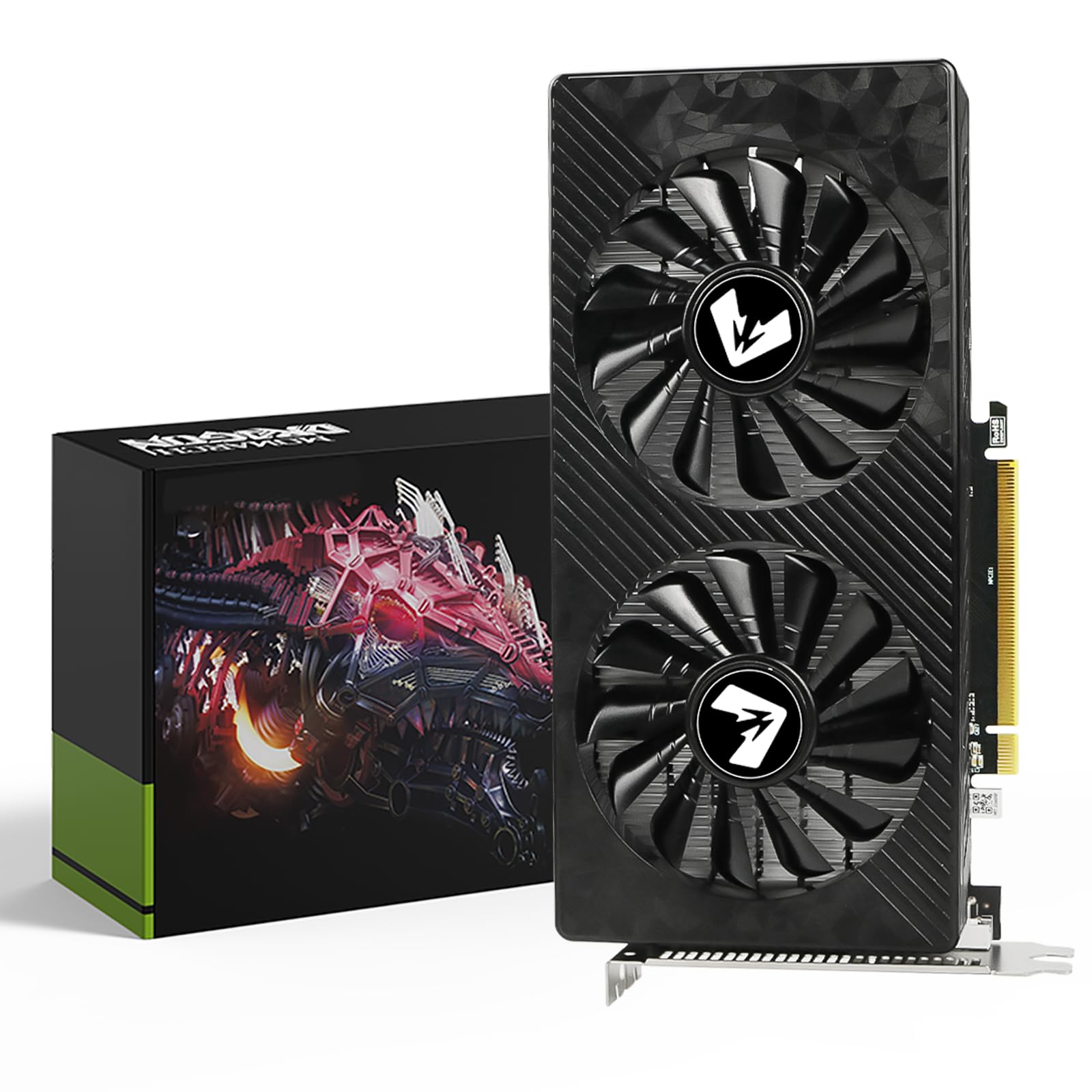
The AISURIX RX 5500 XT delivers the lowest entry point to 1080p gaming with 8GB of GDDR6 memory, making it a candidate for extremely tight budgets or a spare part. It runs older and less demanding titles acceptably, and the price is hard to beat. However, some units arrive with HDMI ports that do not work, and the overall build quality — including short power cables and cooling materials — can vary. This card suits a secondary PC or temporary build where you can test and accept these quirks, not a primary gaming machine that needs reliable output.

Pros

  • Very affordable option for entry-level 1080p gaming
  • Decent value for the price point

Cons

  • HDMI port may not work on arrival for some buyers
Our verdict

Only consider this card if you have a strict sub-$170 budget and are willing to verify all ports and connections immediately after purchase.

Check Latest Price
8

ARGB Styling

PNY RTX 5060 Ti 8GB

85 /100
Lab Score Excellent

Key details

PCIe
PCIe 5.0
VRAM
8GB GDDR7
Cooling
3 fans
GPU Generation
RTX 50
View on Amazon

The PNY RTX 5060 Ti 8GB brings GDDR7 memory, triple-fan cooling, and ARGB lighting to a single package — visually striking for themed builds. Real-world performance and stability are unverified given the sparse user feedback, making this a choice for early adopters comfortable with uncertainty. The 8GB VRAM handles current 1080p gaming but may feel constrained as textures grow. Those wanting a proven card should look at options with extensive review histories.

Pros

  • Customizable ARGB lighting adds personalization to any system build.
  • Triple-fan design provides effective cooling for sustained gaming sessions.

Cons

  • Real-world performance and stability are unconfirmed due to minimal customer feedback.
  • 8GB VRAM may limit performance in upcoming high-texture games.
Our verdict

This card fits builders who prioritize aesthetics and the newest memory technology over a proven track record. Only consider it if you are willing to accept uncertainty for the sake of a unique visual design.

Check Latest Price
9

Early Adopters

Gigabyte RX 7600 XT 16GB

87 /100
Lab Score Excellent

Key details

PCIe
PCIe 4.0
VRAM
16GB GDDR6
Cooling
3 fans
GPU Generation
RX 7000
View on Amazon

The Gigabyte RX 7600 XT Gaming OC delivers 16GB of VRAM and a triple-fan cooler at a premium price. Without verified customer feedback, its gaming stability and long-term thermal behavior remain unknown. At this price point, better-validated alternatives with similar VRAM capacity are available, making this a speculative choice for those willing to bet on specs alone.

Pros

  • 16GB VRAM provides room for high-resolution textures and future game assets.
  • Triple-fan design helps manage heat during extended gaming sessions.

Cons

  • Performance claims from the spec sheet may not reflect actual gaming stability
  • Requires a 700W power supply, which could mean an additional expense if your current PSU falls short.
Our verdict

Only consider this card if you're willing to accept unverified performance to get 16GB of VRAM at a premium, and you have a 700W PSU ready.

Check Latest Price

How to Choose

VRAM Capacity

8GB is enough for 1080p high settings today, but texture-heavy titles in the next 2-3 years may force you to lower quality. Once VRAM runs out, stuttering becomes frequent.

16GB provides headroom for mods, high-resolution texture packs, and keeps the card relevant longer. If you play modded games or want to keep your GPU for 4+ years, 16GB is the safer bet.

GPU Generation

Current-gen RTX 50 and RX 9000 cards include features like DLSS 3/4 and improved ray tracing that last-gen RTX 30 and RX 6000 cards lack. Frame generation can effectively boost fps in supported titles.

Older cards often cost more than their performance justifies because of inflated stock. A current-gen $350 RTX 5060 frequently outperforms a $600 RTX 3060 in real-world gaming.

PCIe Version

PCIe 5.0 is backward compatible with PCIe 4.0 and 3.0. Your Ryzen 7 3700X runs at PCIe 4.0, so a PCIe 5.0 GPU will not be limited unless it uses x8 lanes.

For x8 cards like the RX 6600, PCIe 3.0 can reduce bandwidth by up to 10%. With PCIe 4.0 motherboards like the 3700X, this is not a concern.

Power Draw and Physical Size

High-end GPUs can require 700W+ power supplies and measure over 12 inches. Compact cases may not fit triple-fan cards.

Always measure case clearance and check PSU wattage before buying. A 70W slot-powered card like the RTX 3050 fits any pre-built without upgrades.

Cooling and Noise

Triple-fan cards run cooler and quieter under load but are larger. Dual-fan cards can be louder and run hotter depending on fan quality.

Coil whine is a lottery on some models, especially at high frame rates. User reviews are the best indicator of a specific card's noise behavior.

Frequently Asked Questions