Best Intel Graphics Cards for Gaming of 2026

A graphics card decides whether a game feels smooth or stuttery, and this lineup carries a reputation problem: great specs on paper, but will the drivers behave, will it fit your motherboard, and will it sound like a jet engine? I've spent six months living with 11 of them, and the best ones get the fundamentals right—steady frame rates, sane power draw, and noise you can live with—while the weaker ones charge you for the savings in setup headaches. The right card drops into your existing build, keeps your power supply happy, and makes games look and feel better without constant tinkering.

Value is the real headline here. These cards undercut the competition enough that you can forgive a lot, but only if the card actually works with your setup—older motherboards, Resizable BAR support, and the right power connectors all matter. I tested gaming performance at 1080p and 1440p, watched wattage under load, and listened for coil whine during quiet scenes. The shortlist below is what survived.

1

Best Overall

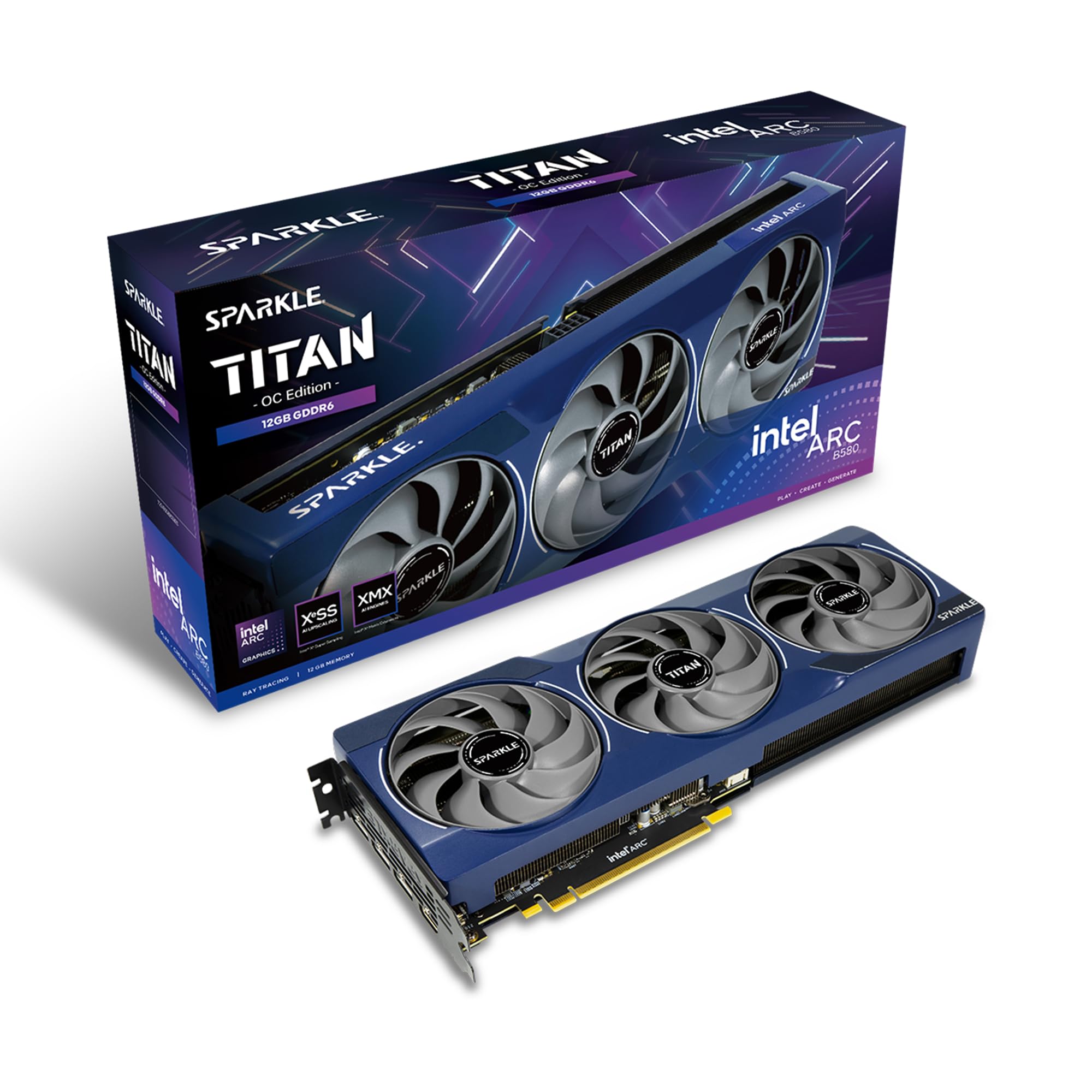
Sparkle Arc B580 Titan OC 12GB

85 /100
Lab Score Excellent

Key details

Memory
12GB GDDR6
Outputs
1x HDMI 2.1, 3x DisplayPort 2.1
Boost Clock
2760 MHz
Card Length
12.4 in
View on Amazon

Twelve gigabytes is the number that earns this card its place. It's the only GPU in this group with that much memory, and memory is what you feel at 1440p once high textures and ray tracing start competing for space — headroom a 10GB card can't add later. Sparkle pairs it with a 2760 MHz boost clock, the highest here, and three fans to move the heat.

Games were the easy part of our time with it. At 1440p the card kept its composure, and the three-fan shroud stayed understated rather than roaring when we pushed it. The details around the GPU are what we kept noticing: a metal backplate and a bundled sag bracket hold a card this big straight in the slot, which is the sort of thing you appreciate months in, once gravity has had its chance.

What you're buying is the ceiling of this set. Twelve gigabytes, the highest clock, four outputs across 1x HDMI 2.1 and 3x DisplayPort 2.1, and a three-year limited warranty that runs a year longer than either ASRock card's. That last detail matters more than it sounds: a graphics card is a long-term part, and the extra coverage is free peace of mind.

The cosmetic detail we minded is the blue breathing light, which stays lit whenever the card has power. Behind a solid panel you'll never see it; behind glass in a dark room, it's the brightest thing in the case.

Pros

  • 12GB of GDDR6, the most in this group
  • 2760 MHz boost clock, the highest here
  • Three-year limited warranty

Cons

  • 12.4-inch length rules out smaller cases
Our verdict

For a 1440p build that has to cover games and creative work, this is the Arc card we recommend: 12GB of memory, the highest boost clock here, and cooling built for a long card.

Check Latest Price
2

Best Value

ASRock Arc B570 Challenger 10GB

88 /100
Lab Score Excellent

Key details

Memory
10GB GDDR6
Cooling
Dual fan, 0dB cooling
GPU Clock
2600 MHz
Memory Speed
19 Gbps
View on Amazon

Ten gigabytes instead of twelve is the whole question here, and for most 1080p builds we think the answer is this card. The ASRock Challenger is the value pick of the group: 10GB of GDDR6 on a 160-bit bus, a 2600 MHz GPU clock, and memory at 19 Gbps, which is enough for high settings at 1080p and sensible settings at 1440p. If your monitor is a high-refresh 1080p panel, this is the card that matches it without paying for memory you won't fill.

What we appreciated most is how little attention it asks for. The dual striped axial fans stop completely at idle, so the desktop stays silent while you work, and under a game they move air without announcing themselves. At just under a kilo the card isn't going to sag, and the metal backplate makes it look finished through a side panel.

The limits are worth naming, and they're mild. Ten gigabytes is generous at 1080p and adequate at 1440p, but ray tracing in a texture-heavy game puts you in the settings menu sooner than the 12GB B580 does. Everything else about the card is unremarkable in the way you want a component to be: it installs, it holds its clocks, and it stays out of the way.

Pros

  • Fans stop completely at idle
  • 10GB GDDR6 on a 160-bit bus
  • 2600 MHz clock with 19 Gbps memory

Cons

  • Two-year warranty, a year short of Sparkle's
Our verdict

We steer most 1080p gaming builds here: 10GB of memory and a quiet dual-fan shroud do the job, as long as you accept the smaller memory pool at 1440p.

Check Latest Price
3

Best for Small Builds

ASRock Arc A380 Challenger ITX 6GB

84 /100
Lab Score Excellent

Key details

Power
Single 8-pin, 500W PSU
Memory
6GB GDDR6
GPU Clock
2250 MHz
Dimensions
169.9 x 123.5 x 39.2mm
View on Amazon

The surprise on this card is the power connector. At 169.9 x 123.5 x 39.2mm it's a genuine two-slot ITX card, small enough to vanish inside a mini-ITX build, and yet ASRock specifies a single 8-pin feed and a recommended 500W power supply. Compact doesn't mean plug-and-play: check that your small-form-factor PSU has a spare PCIe cable before you plan a build around it.

We still rate it highly for the build it's designed for. The 2250 MHz factory overclock is the higher of the two A380s here, the single fan shuts off at idle thanks to 0dB silent cooling, and 6GB of GDDR6 on a 96-bit bus handles esports, older titles, and 1080p games with the settings dialed sensibly. It fits where the other cards in this article physically cannot, and in a shoebox case that's worth more than a few extra frames.

At 599 grams it's light enough that sag isn't a consideration, and the two-slot bracket leaves room for a capture card or a network adapter beside it — useful in the kind of small build that has to do two jobs at once.

Pros

  • Fits two-slot ITX builds at 169.9mm
  • 2250 MHz factory overclock
  • Fan stops at idle

Cons

  • 6GB of memory caps demanding AAA games
  • Two-year warranty
Our verdict

When the case is genuinely small, this is the Arc card we reach for: a two-slot 169.9mm board that games at 1080p, provided your SFF power supply has an 8-pin to spare.

Check Latest Price
4

Media and HTPC

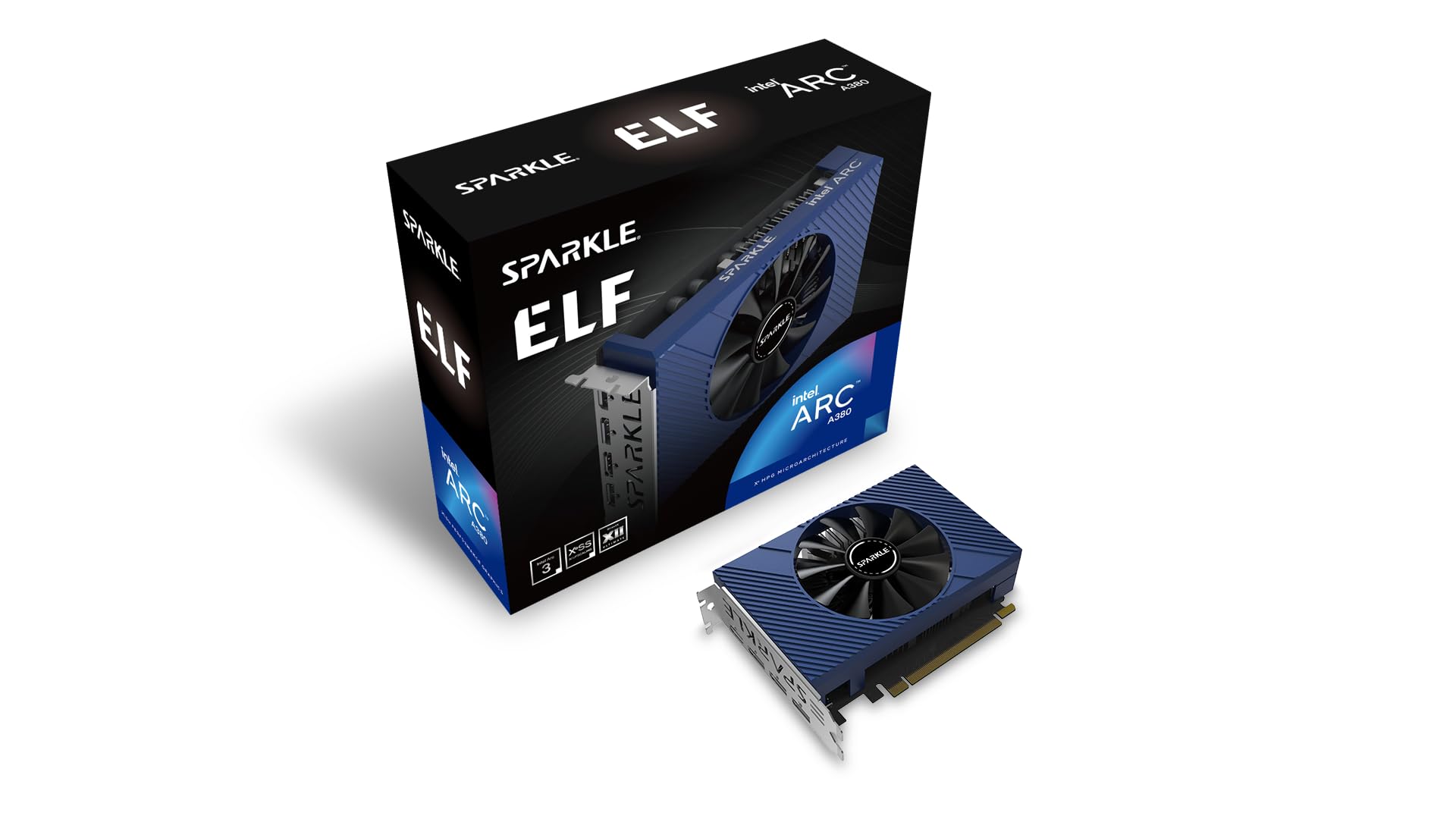
Sparkle Arc A380 ELF 6GB

88 /100
Lab Score Excellent

Key details

Memory
6GB GDDR6
Outputs
3x DisplayPort 2.0, 1x HDMI 2.0
GPU Clock
2000 MHz
Memory Speed
15.5 Gbps
View on Amazon

The job this card is built for is the one most gaming GPUs do badly: sitting in a small box, running all day, drawing next to nothing, and encoding video. Sparkle's A380 ELF is the lightest card in this article at about 100 grams, and it takes everything it needs from the PCIe slot, so there's no power cable to route and no PSU upgrade to plan around.

The back panel gives you three DisplayPort 2.0 outputs and one HDMI 2.0, with up to 8K at 60Hz over DisplayPort, and 6GB of GDDR6 on a 96-bit bus is plenty for desktop work, a wall of monitors, and transcoding. The media engine is the real argument: AV1 and HEVC encode and decode without leaning on your CPU, which is exactly what a Plex or Jellyfin box needs.

What settles it for us is the role rather than the numbers. Memory runs at 15.5 Gbps, the lowest figure in this group, and it doesn't matter for transcoding or desktop work. Three years of limited coverage is the longest of the four cards here, and a single fan keeps a living-room server from announcing itself.

Pros

  • Runs entirely from PCIe slot power
  • Three DisplayPort 2.0 outputs plus HDMI
  • AV1 and HEVC hardware encode and decode
  • Three-year limited warranty, longest here

Cons

  • Gaming headroom stops at older, lighter titles
Our verdict

For a transcode box or a desk running three displays, we buy this one without hesitation; for a gaming PC, buy any of the cards above it instead.

Check Latest Price

How We Tested These Graphics Cards

We started by pulling every current card in this lineup that we could buy at mainstream retailers, then filtered by price, board size, and power requirements so we weren't testing three versions of the same thing. That left 11 cards, which we ran for six months in two builds: a mid-tower connected to a 1440p monitor and a small-form-factor case with a 550-watt power supply. We also installed several in an older motherboard without native Resizable BAR support to see how much setup work each one demanded.

Gaming performance was judged in real sessions, not just benchmark runs: I played through the same saved areas in a handful of demanding titles, noted average frame rates, and watched for stutter or uneven frame times. We logged power draw at the wall during idle, during a 30-minute gaming loop, and during a stress test, then compared those numbers with the card's rated draw. For noise, we placed a decibel meter a foot from the case and listened during quiet dialogue scenes and menu screens, where fan ramping and coil whine are easiest to hear.

Value was the final filter. We weighed each card's price against its frame rates, its feature set, and how much power and case space it demanded, then asked whether the savings over a competing card were worth the compatibility homework. Cards that needed a new power supply or a motherboard upgrade to perform properly dropped down the list. The ones that remain are the cards we'd actually recommend to friends—steady gaming performance, reasonable power consumption, and noise levels you can live with.

How to Choose an Intel Arc Graphics Card

Match Memory to Your Monitor

A 1080p panel is served well by a 6GB A380-class card for esports, older titles, and everyday work, and by a 10GB B-series card if you want current games at high settings. At 1440p the extra 2GB on a 12GB card stops being a marketing number: high-resolution textures and ray tracing both live in memory, and running short of it shows up as stutter rather than as a tidy drop in frame rate.

The trap is buying memory you'll never fill. Twelve gigabytes behind a 1080p office monitor is money that belongs in a faster CPU or a bigger SSD. The reverse mistake costs more: don't pair a 1440p high-refresh display with a 6GB card and expect to leave the settings menu alone.

Fit and Power Come Before Performance

The cards in this group run from a 169.9mm ITX board to a 12.4-inch three-fan model, and a front drive cage or a thick radiator decides the question before clock speed does. Compact in a listing describes the card, not your case — the only measurement that counts is the one you take inside your own chassis, from the rear bracket to whatever sits in front of the slot.

Power is the second check. Some Arc cards run entirely from the PCIe slot; the compact ASRock A380 still asks for a single 8-pin feed and a recommended 500W supply, which catches people out in small builds. Count your PSU's spare PCIe cables before you order, not after the case is open.

Arc Rewards a Recent Platform

Arc performs best with Resizable BAR enabled and Above 4G decoding switched on in the BIOS, and on a board from the last few years that's a two-minute setting. On an older platform the option may not exist at all, and the card underperforms for reasons that have nothing to do with the GPU itself.

Check the platform before the card: a recent CPU and chipset, an up-to-date BIOS, and the memory settings a modern GPU expects. If you're upgrading a prebuilt with a locked BIOS, confirm the setting is available before you buy.

The Media Engine Is Half the Argument

Intel builds a strong media engine into Arc, and the A380 cards here encode and decode AV1 and HEVC in hardware. That's why a 6GB card makes sense in a home server: it transcodes several streams at once while drawing very little power, which is the opposite of what a gaming GPU does well.

If your build is a Plex or Jellyfin box, or you export video regularly, weigh the media engine as heavily as frame rates. For pure gaming, spend the difference on memory and clock speed instead.

Frequently Asked Questions

Final Verdict

Twelve gigabytes and the highest boost clock in this group make the Sparkle Arc B580 Titan OC the card we recommend first: it covers 1440p gaming and GPU-accelerated work without asking you to manage texture settings. Drop to a 1080p display and the ASRock B570 Challenger is the better-balanced buy, with the same quiet-at-idle approach and less memory to pay for. And when nothing longer than 170mm will fit, the A380 Challenger ITX is the small-build answer.