11 Best Laptop Cooling Pad of 2026: Quiet Cooling Without the Noise Trade-Off

Find the best laptop cooling pad for gaming or work that balances quiet operation, effective cooling, and lasting build quality — without wasting money on hype.

Every laptop runs hot under load, but the real frustration is that most cooling pads either sound like a jet engine or barely move air. The cheap ones often break within months, and the expensive ones don't guarantee quiet performance. It's a category full of trade-offs that aren't always obvious from the spec sheet.

The key is understanding that cooling performance and noise are locked in a direct relationship: high-RPM fans cool better but roar, while quiet pads use slow fans that may not save your gaming laptop from throttling. Then there's durability — many pads rely on plastic stands that snap or fans that seize up after a few months of use.

This guide cuts through the confusion by focusing on what actually matters for your specific use case: how much heat your laptop puts out, how much noise you can tolerate, and whether the pad will last longer than the return window. No single pad is perfect for everyone, but the right one for you is here.

1

Best Overall

TECKNET 3-Fan Pad

91 /100
Lab Score Outstanding

Key details

Laptop Size
12"-17"
Fan Type & Count
3x 110mm fans
View on Amazon

The TECKNET 3-fan pad runs nearly silently while reducing GPU temperatures by 10-15°F — cooling that rivals pricier models. Its three 110mm fans spin at a low 1200 RPM, moving enough air to keep a mid-range laptop comfortable during office work, streaming, or light gaming, without the whine that plagues many budget pads.

At just 1.4 pounds and under an inch thick, this pad slides easily into a backpack alongside the laptop. The dual USB ports are a practical touch: one powers the fans, the other stays free for a mouse or flash drive. Two fixed height settings give a modest typing tilt — limited in range, but adequate for desk use.

This pad is best for students, office workers, and anyone using a standard laptop for everyday tasks or occasional gaming. It handles heat well for those workloads. Where it reaches its boundary: high-end gaming laptops with power-hungry GPUs under sustained load may find the airflow insufficient — those machines benefit from a larger turbofan pad that moves more air at higher speeds.

💡 Place the pad on a hard desk to maximize airflow — soft surfaces like a bed or lap can restrict intake and reduce cooling performance.

Pros

  • Fans are very quiet during operation, even at full speed.
  • Reduces GPU temperatures by 10-15°F
  • Strong value for money compared to similarly performing alternatives.
  • Lightweight and slim enough for frequent portability.

Cons

  • For a high-end gaming laptop running demanding games, the moderate airflow may not keep up
Our verdict

If you need quiet, effective cooling for everyday laptops and occasional gaming, this is the most balanced budget-friendly option with few compromises.

Check Latest Price
2

Best Value with Warranty

KLIM Wind

91 /100
Lab Score Outstanding

Key details

Laptop Size
11"-19" (overhang)
Fan Type & Count
4 fans at 1200 RPM
View on Amazon

More than 500,000 units sold reflect the KLIM Wind’s broad appeal: a multi-fan pad that prioritizes quiet operation and long-term peace of mind via a 5-year warranty. Unlike the flashy RGB options in this price range, the Wind focuses on function — four 1200 RPM fans that move modest but consistent airflow.

For everyday laptops and light gaming, the cooling is effective — temperatures stay manageable during web browsing, office work, and less demanding titles. The fans are notably quiet, making this a good choice for shared spaces. Under sustained high load, however, the airflow struggles to keep up with heat dissipation from mid-range GPUs or processors.

Budget-oriented users with standard 13-to-17-inch laptops will appreciate the value here. The long warranty adds a safety net, but those relying on heavy gaming or rendering power should consider a single-turbofan pad instead. Some units may experience fan issues over time, which the warranty helps address.

💡 Register your KLIM Wind shortly after purchase — the 5-year warranty is a genuine safety net that requires activation to be effective.

Pros

  • Quiet enough for shared workspaces or bedrooms
  • Keeps standard laptops and light gaming machines at comfortable temperatures
  • 5-year warranty provides long-term coverage rare at this price point

Cons

  • Airflow may be insufficient for high-performance laptops under sustained heavy load
  • Some units have had one of the four fans cease spinning after a few months of use
Our verdict

If you want a low-cost cooling pad with a strong warranty for everyday use, the KLIM Wind covers the basics — but it’s not the right tool for gaming laptops that dump a lot of heat.

Check Latest Price
3

Maximum Cooling Power

IETS GT500

90 /100
Lab Score Outstanding

Key details

Laptop Size
13"-17.3"
Fan Type & Count
1 turbo-fan 4200 RPM
View on Amazon

The IETS GT500 uses a single large turbofan spinning at up to 4200 RPM, combined with a foam seal that presses against the laptop intake, creating pressure that forces more air through the chassis. This design drops CPU and GPU temperatures more effectively than any multi-fan pad near its price point. The infinitely variable speed dial lets you adjust airflow precisely, though cranking it to max produces serious fan noise.

This cooling pad suits serious gamers who wear headphones, prioritize temperature reduction over silence, and run large 15.6- to 17.3-inch gaming laptops that generate intense heat. The 55 dB noise at high speed makes it unsuitable for shared or quiet spaces. Some owners have also noted that the rubber legs can loosen or detach after months of heavy use, so it is best treated as a high-performance but shorter-lived accessory.

A removable dust filter keeps internal buildup manageable, and the foam seal works with most laptop vent placements. The pad itself is light enough to move between desks but not intended for daily travel.

💡 Lowering the fan speed reduces noise significantly while the foam seal still provides good positive pressure.

Pros

  • Turbo-fan and foam seal deliver the strongest cooling of any mid-range pad.
  • Infinitely variable speed allows tuning airflow to match heat output.
  • Dust filter keeps fan and internal vents cleaner between cleanings.

Cons

  • At maximum speed, fan noise reaches 55 dB
  • Rubber legs may loosen or detach after several months of use.
Our verdict

For gamers who wear headphones and want the most thermal headroom for their dollar, the IETS GT500 delivers — just plan for potential leg issues over time.

Check Latest Price
4

Premium Smart Cooling

Razer Laptop Cooling Pad

86 /100
Lab Score Excellent

Key details

Laptop Size
14"-18"
Fan Type & Count
1x 140mm 3000 RPM
View on Amazon

The Razer Laptop Cooling Pad uses software-controlled fan curves and a sealed chamber to deliver temperature drops of up to 40°C under gaming loads, a level of adaptive cooling that sets it apart from manual-speed alternatives. The 140mm fan sweeps from low to 3000 RPM based on real-time thermal data, and the foam seal around the laptop prevents air from escaping sideways, forcing it through the chassis vents.

That smart logic also means the pad can stay near-silent during web browsing or office work, then ramp up only when needed. Owners can create custom fan curves through Razer’s software, making it a natural fit for anyone already using Razer peripherals or Synapse. The aluminum upper surface and rubberized pads give it a premium feel that matches high-end laptops.

The noise at medium and high speeds is real — expect a noticeable whoosh that stands out in a quiet room, though less bothersome under headphones or in an active gaming space. This cooling pad is best suited for owners of powerful gaming laptops who want seamless ecosystem integration and are willing to pay a premium for software-controlled performance. For casual users or those on a tighter budget, simpler pads deliver acceptable cooling for less.

💡 Custom fan curves in the software let the pad stay near-silent during light tasks, only ramping up when the laptop is under heavy load.

Pros

  • Substantial temperature reduction during gaming helps avoid thermal throttling and maintain frame rates.
  • Software-based fan curves adapt automatically to laptop load, allowing quiet operation at idle.
  • Solid aluminum construction and padded surface give a durable, high-end feel.
  • Three USB-A ports let you connect peripherals without sacrificing laptop ports.

Cons

  • At medium and high fan speeds the noise is audible
  • The premium price exceeds that of several alternatives with comparable cooling performance.
Our verdict

The Razer pad is the clear match for gamers who already rely on the Razer ecosystem and want smart, adaptive cooling; for anyone outside that group, the noise and cost tip the scale toward simpler options.

Check Latest Price
5

Best for Lap Use

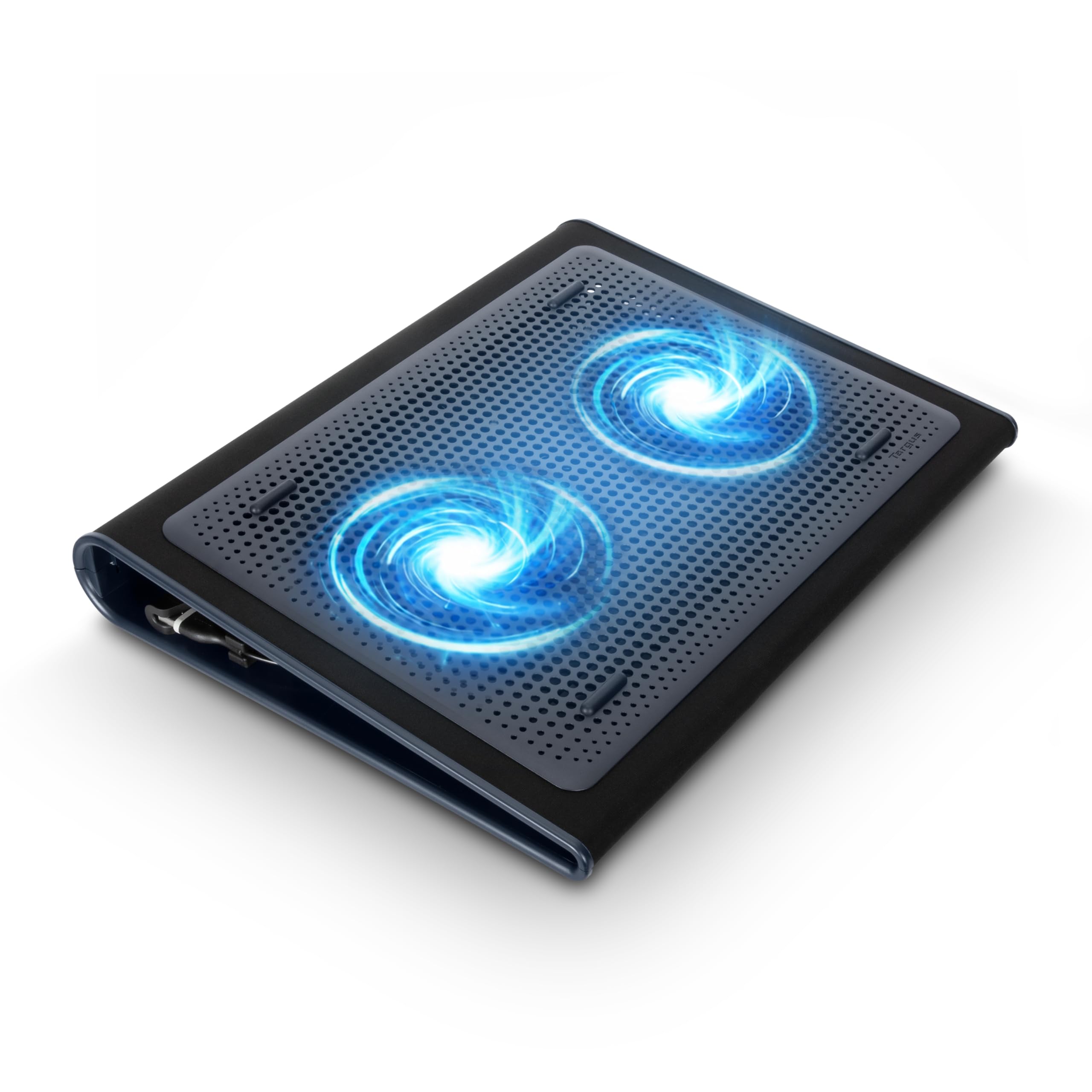
Targus Lap Chill Mat

89 /100
Lab Score Excellent

Key details

Laptop Size
Up to 17"
Fan Type & Count
2 fans
View on Amazon

The Targus Lap Chill Mat is built around a thick neoprene base that cushions your legs, and its two fans run quietly enough to use during a movie or lecture. For web browsing, document work, and video streaming, the airflow keeps most ultrabooks and thin laptops from getting uncomfortably warm.

Cooling capacity is modest — the fans move air rather than forcing it, so a gaming laptop or any machine running sustained heavy workloads will still heat up. The neoprene surface also has minimal grip: on a sloped lap or uneven sofa cushion, the laptop may shift position.

This pad suits anyone who works from a couch, bed, or armchair with a laptop that doesn't generate extreme heat. It is not a solution for gaming, video editing, or any heat-intensive task — the airflow simply isn't strong enough to keep a high-performance machine cool.

💡 Keep the mat on a flat surface to prevent the laptop from shifting during use.

Pros

  • Soft neoprene base stays comfortable on bare legs for hours
  • Fans are barely audible during quiet environments
  • Adequate cooling for everyday tasks like browsing and streaming

Cons

  • Airflow is too weak for gaming laptops or sustained heavy loads
  • Laptop can slide off the neoprene when the pad is tilted
Our verdict

A comfortable choice for casual lap use, but not the pad to rely on if your laptop runs hot under load.

Check Latest Price
6

Best Adjustable Turbo Cooler

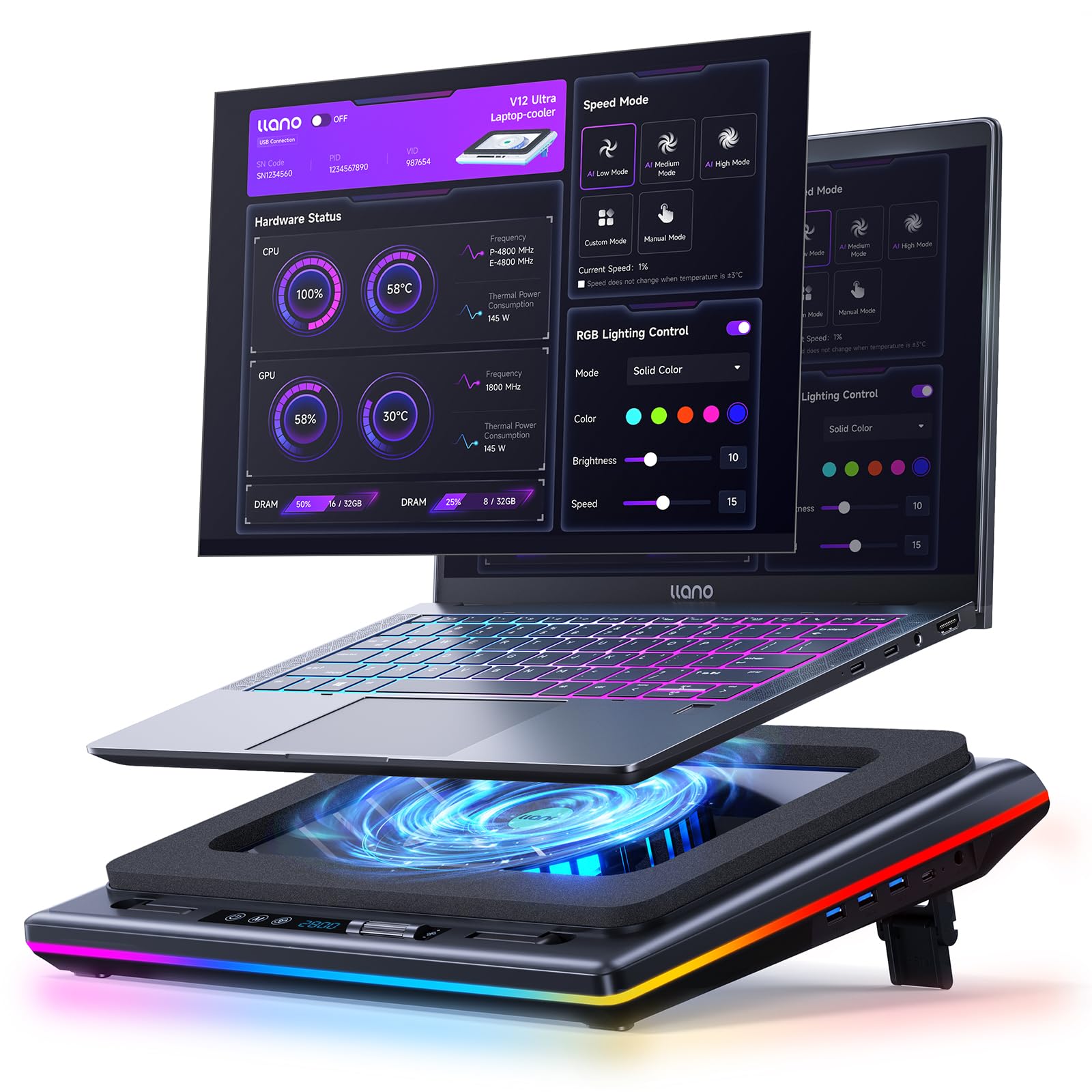
llano V12

90 /100
Lab Score Outstanding

Key details

Laptop Size
15.6"-19"
Fan Type & Count
1x 5.5" turbo
View on Amazon

The llano V12’s 5.5-inch turbofan and airtight foam chamber can lower laptop temperatures by up to 44°C, a level of heat management that few sub-$100 pads match. Speed adjusts from 300 to 2800 RPM via a touch panel with a digital display, and the removable dust filter helps maintain airflow over time.

This cooler fits gamers running demanding titles on 15.6-to-19-inch laptops who want maximum cooling and don’t mind background noise. The fan noise at mid-to-high speeds will be noticeable in quiet rooms, and a small number of units have been reported to stop cooling after several months — factors that limit its appeal for office use or anyone seeking a set-and-forget solution.

At lower speeds the fan is tolerable for everyday browsing, but pushing past half speed introduces a clear turbine whine. The 1.8 kg weight and large footprint mean it stays put on a desk rather than traveling easily.

💡 At 1.8 kg the V12 is heavy for carrying — best kept as a desk accessory.

Pros

  • Cuts laptop temps by up to 44°C using a 5.5-inch turbofan and sealed foam chamber
  • Adjustable fan speed from 300 to 2800 RPM via touch controls with live display
  • Removable dust filter and foam seal keep internal components cleaner longer

Cons

  • Noise at mid-to-high speeds makes it unsuitable for quiet home offices
  • Some units have been noted to stop cooling after several months of use
Our verdict

For gamers who prioritize cooling power over silence and plan to keep the pad on a desk, the V12 offers strong temperature drops and useful features at a mid-range price. A quieter, more consistent option exists for general use.

Check Latest Price
7

Budget Users

havit HV-F2056

91 /100
Lab Score Outstanding

Key details

Laptop Size
15.6"-17"
Fan Type & Count
3 fans
View on Amazon

The havit HV-F2056 pairs three fans with a slim, portable design that keeps office laptops and school machines comfortably cool without audible distraction. Its low noise and effective heat management for typical workloads explain its strong following on Amazon. However, the same modest fans struggle to move enough air under sustained loads from high-performance laptops, and some units have shown fan stoppage within months. This is a capable daily driver for general use, not a long-term companion for demanding hardware.

Pros

  • Near-silent fans suit quiet office or library settings
  • Keeps standard laptops adequately cool during browsing, streaming, and document work
  • Budget-friendly entry into laptop cooling without significant compromises

Cons

  • Airflow may be insufficient for high-performance laptops under sustained load
  • Some units have experienced fan stoppage within months—consider extended warranty coverage
Our verdict

Fits best as a quiet, affordable cooler for light computing tasks where fan failure risk is acceptable or easily replaced.

Check Latest Price
8

Budget Shoppers

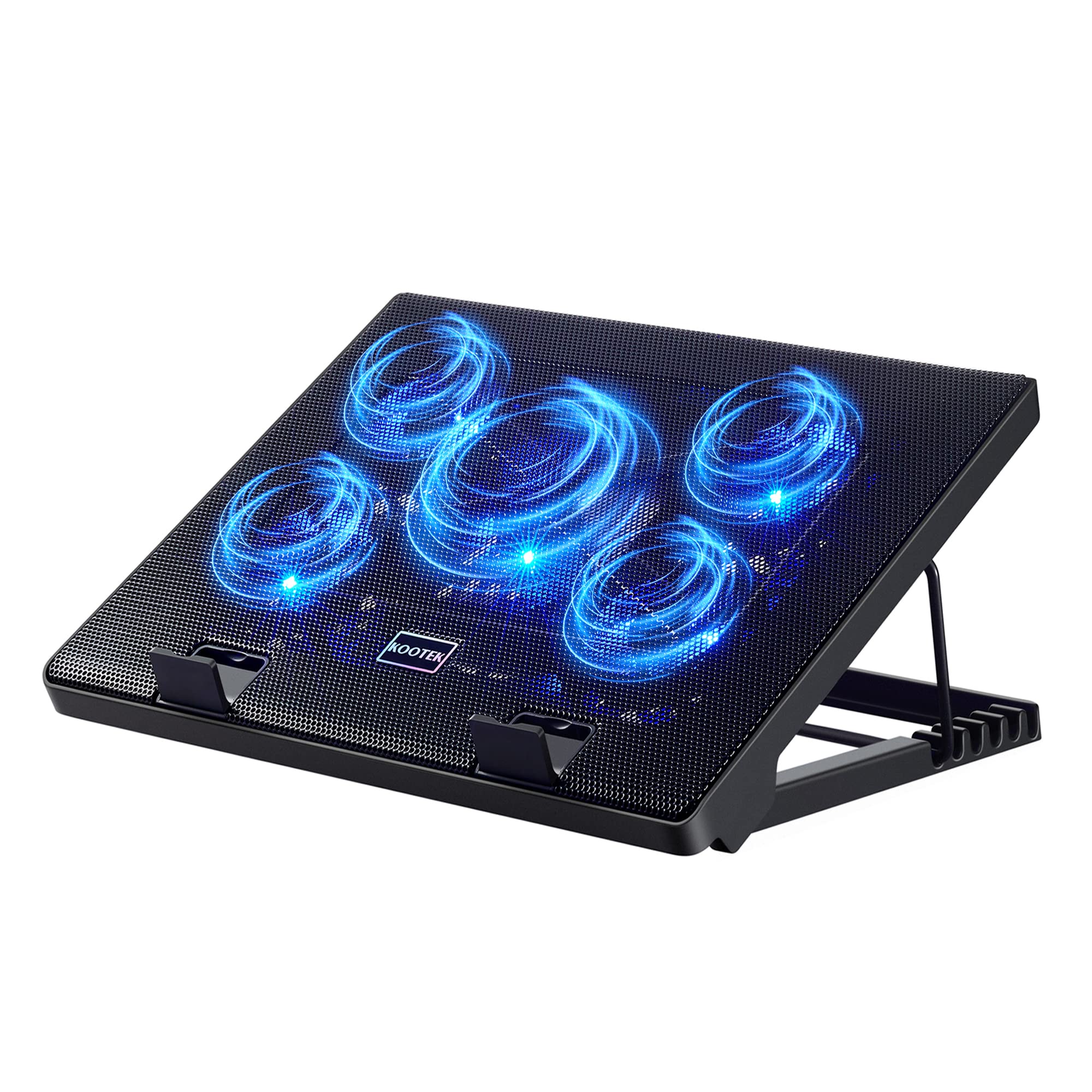
Kootek 5-Fan Pad

89 /100
Lab Score Excellent

Key details

Laptop Size
12"-17"
Fan Type & Count
5 fans (1 large)
View on Amazon

The Kootek cooling pad brings five fans and six height settings to the budget aisle, delivering noticeable temperature drops of 15-20°C for lighter workloads. It runs quietly and offers solid value for the price. However, the plastic stand and fan longevity have been noted as weak points, making this a short-term solution best suited for occasional use rather than daily heavy lifting or high-performance gaming laptops. For budget shoppers with light to moderate use who want height adjustability without spending much, the Kootek provides adequate cooling and an ergonomic raise.

Pros

  • Lowers laptop temperatures by 15-20°C under moderate use
  • Operates quietly even with five fans running
  • Offers strong value with six height adjustments at a budget price

Cons

  • Airflow may not be sufficient for gaming laptops under sustained heavy loads
  • Plastic stand and fan motors can develop issues after months of regular daily use
Our verdict

Best for budget buyers with lighter laptops who need an inexpensive cooling pad with adjustable height, and are willing to accept a shorter lifespan under regular use.

Check Latest Price
9

Multitaskers

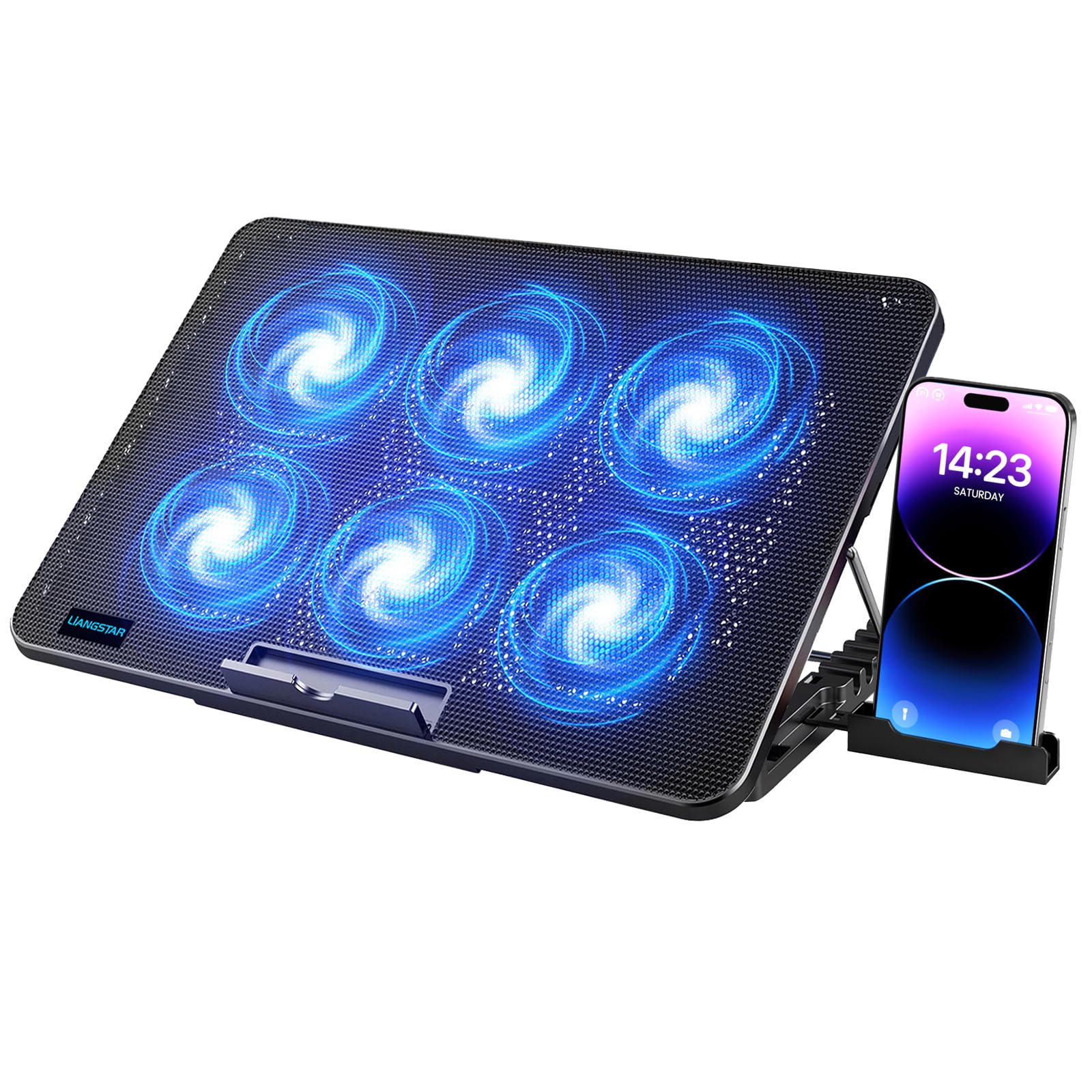
TECKNET 9-Fan Pad

89 /100
Lab Score Excellent

Key details

Laptop Size
12"-17.3"
Fan Type & Count
9 fans up to 2600 RPM
View on Amazon

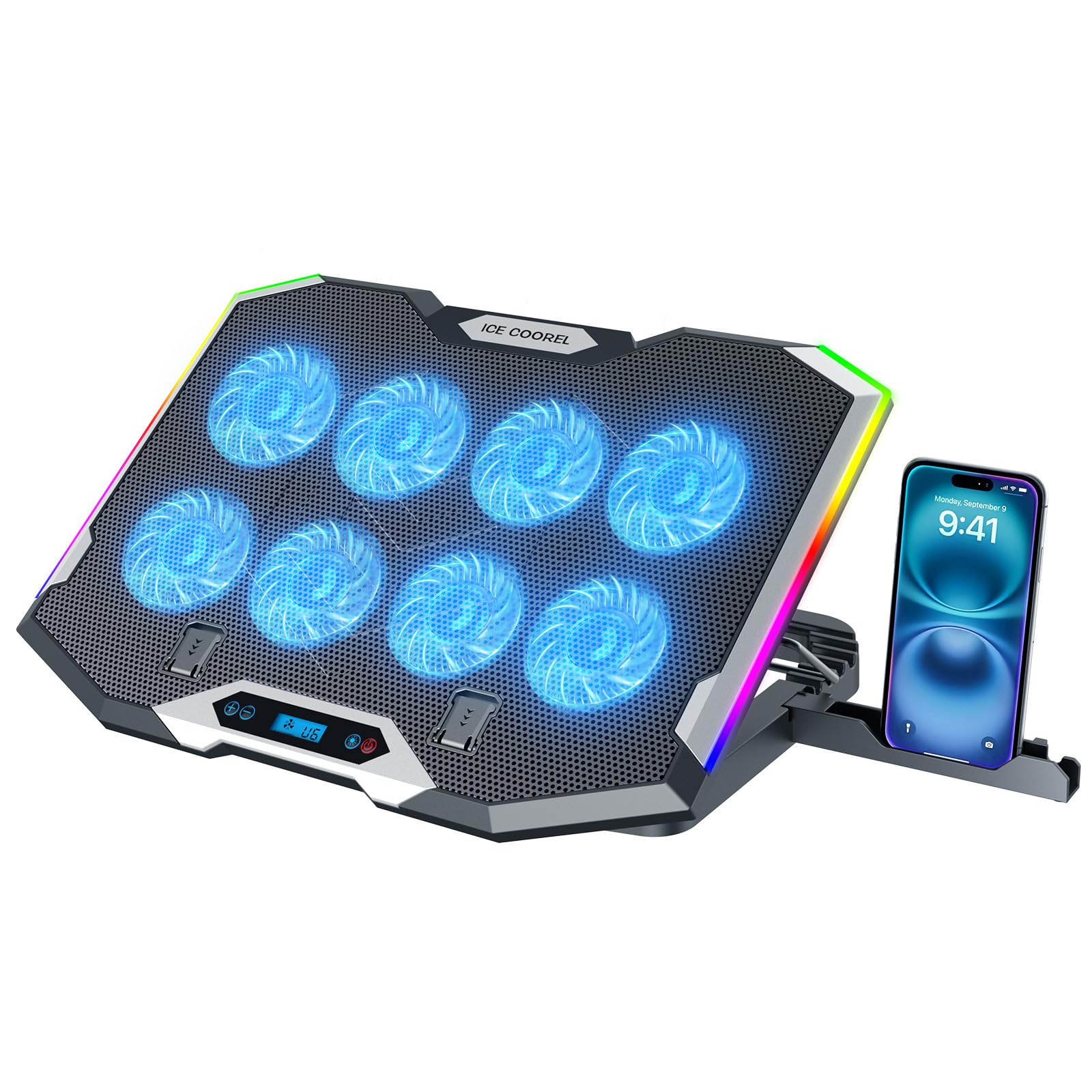
This pad runs nine fans quietly with stepless speed control up to 2600 RPM, plus a phone stand and five height settings — handy for desk multitaskers who keep their phone visible. Cooling handles light gaming and office work without issue. The alloy mesh top can flex enough to contact the fan blades in some cases, so the build isn't rugged. It also lacks the concentrated airflow of a single turbofan needed for sustained heavy gaming loads.

Pros

  • Near-silent fans at low speeds
  • Adequate cooling for daily office tasks and light gaming without thermal throttling.
  • Integrated phone stand and five height settings reduce desk clutter and improve ergonomics.

Cons

  • Alloy mesh can flex under pressure, possibly contacting fan blades.
  • Lacks the concentrated airflow of a single turbofan needed for sustained heavy gaming loads.
Our verdict

Best suited for light desk work and media consumption where the phone stand is a priority and you don't need rugged build or high-performance cooling.

Check Latest Price
10

RGB Enthusiasts

KLIM Ultimate

89 /100
Lab Score Excellent

Key details

Laptop Size
Up to 17"
Fan Type & Count
1x 200mm 750 RPM
View on Amazon

The KLIM Ultimate’s 200mm fan is exceptionally quiet, and the RGB rim adds visual flair to any desk setup. Build quality is stable, with four height settings for ergonomic comfort. However, the cooling power is modest — it won’t keep a high-end gaming laptop from thermal throttling under load. The mid-range price reflects the lighting and silent operation more than raw airflow, so buyers expecting heavy-duty performance should look at turbofan options. This pad is best treated as an attractive laptop stand with a gentle breeze, not a heavy-duty cooler.

💡 Keep the laptop on a hard surface for best airflow; this pad works well with thin, low-power laptops that don't generate intense heat.

Pros

  • Exceptionally quiet fan operation suitable for shared offices or bedrooms.
  • Customizable RGB lighting with multiple effects adds style to any setup.
  • Stable build with four adjustable height levels and a solid footprint.

Cons

  • Limited cooling output
  • Price reflects aesthetic features more than raw cooling performance.
Our verdict

Ideal for desk setups where quiet operation and RGB style matter more than heavy cooling — fine for ultrabooks, office laptops, and casual gaming.

Check Latest Price
11

Gamers 13-15.6"

llano V10

88 /100
Lab Score Excellent

Key details

Laptop Size
13"-17.3"
Fan Type & Count
4.72" turbo 3500 RPM
View on Amazon

The llano V10 uses a 4.72-inch turbofan spinning up to 3500 RPM, delivering strong cooling that can lower surface temps notably. The physical buttons for fan speed and RGB modes are a clear advantage for anyone who finds touch controls frustrating or unreliable.

Where this pad falls short is next to the V12, which offers a larger fan and better specs at a similar price. The V10 also runs audibly at higher speeds, and there have been isolated reports of units losing function after a few months. It works well enough for gamers with smaller laptops, but the V12 gives you more for the money.

Pros

  • Physical fan and RGB buttons for direct control without touchscreen fuss
  • Single large turbofan pushes noticeable airflow onto the laptop underside
  • Solid build with good airflow routing through the foam seal

Cons

  • In a quiet room, the fan noise at higher speeds is easily audible
  • Some units have stopped working after a few months of use
Our verdict

Consider the V10 if you strongly prefer physical buttons over touch controls and don't mind the noise at high fan speeds — otherwise the V12 delivers better cooling for similar money.

Check Latest Price

How to Choose

Fan Type and Count: Multiple Small Fans vs. Single Turbofan

Multi-fan pads (three to nine small fans) spread airflow across a larger area but deliver low static pressure. They work well for laptops with diffuse bottom vents or for general office use where noise matters more than raw cooling.

Single turbofan pads (one large high-RPM fan) create concentrated air pressure, often sealed with foam to force air through the laptop's intake. This design drops temperatures by 15-40°C in gaming laptops, but the fan noise at high speeds is significantly louder.

Noise Level at Usable Speeds

Fan noise is measured in decibels (dB), but marketing terms like 'whisper-quiet' are meaningless. A pad that claims 20 dB at idle often hits 40-50 dB under load. The trade-off is simple: the faster the fan spins, the more air it moves and the louder it gets.

If you game with headphones, noise is less important. If you work in a quiet office or use the pad while on calls, look for pads with a minimum RPM below 1000 and a large-diameter fan that moves more air per revolution.

Build Material and Stand Durability

Most budget cooling pads use thin plastic for the body and adjustable stands. These can crack or snap after a few months of frequent height adjustments, especially if the laptop is heavy. The foam seal on turbofan pads also degrades over time, reducing cooling efficiency.

Pads with metal mesh or reinforced hinges last longer, but they add weight. For daily use, a pad with a solid base and height settings that lock firmly (rather than friction hinges) is a safer bet.

Laptop Compatibility: Size and Vent Placement

A cooling pad that is too small can block the laptop's intake or exhaust vents, actually worsening thermals. Check that the pad's fan layout aligns with your laptop's bottom vent openings — many gaming laptops have intake grilles near the hinge or rear edge.

Overhang is also important: pads rated for 15.6-inch laptops may not support a 17-inch model without the laptop slipping off the sides. Measure your laptop's width and compare it to the pad's listed maximum size.

Frequently Asked Questions