10 Best Dual Monitor Arm of 2026: Avoid Sagging with the Right Fit

Which dual monitor arms actually hold your gaming screens steady at full extension — without drooping or drifting over time.

A monitor arm that can't hold its position defeats the purpose of going armless. After a few weeks of use, many budget arms start to sag, tilt out of alignment, or require constant re-tightening — especially when you push them to their weight limits.

The real challenge is that advertised weight capacities don't tell the whole story. A 22-pound rated arm can struggle with a 17-pound monitor at full extension because torque multiplies the load. You need a mount rated well above your actual monitor weight, and you need to know whether the height adjustment system is gas spring or manual.

This guide cuts through the marketing by focusing on what holds up over time — gas spring vs. linked arms, clamp vs. grommet, and the critical difference between independent and shared height adjustment. You'll know exactly which trade-offs fit your gaming setup.

1

Best Overall

HUANUO FlowLift HNDS6

93 /100
Lab Score Outstanding

Key details

Mounting Options
C-clamp/grommet, 0.59–3.54in
Height Adjustment
Up to 15.75 in
Monitor Size & Capacity
13–32 in, 19.8 lbs
View on Amazon

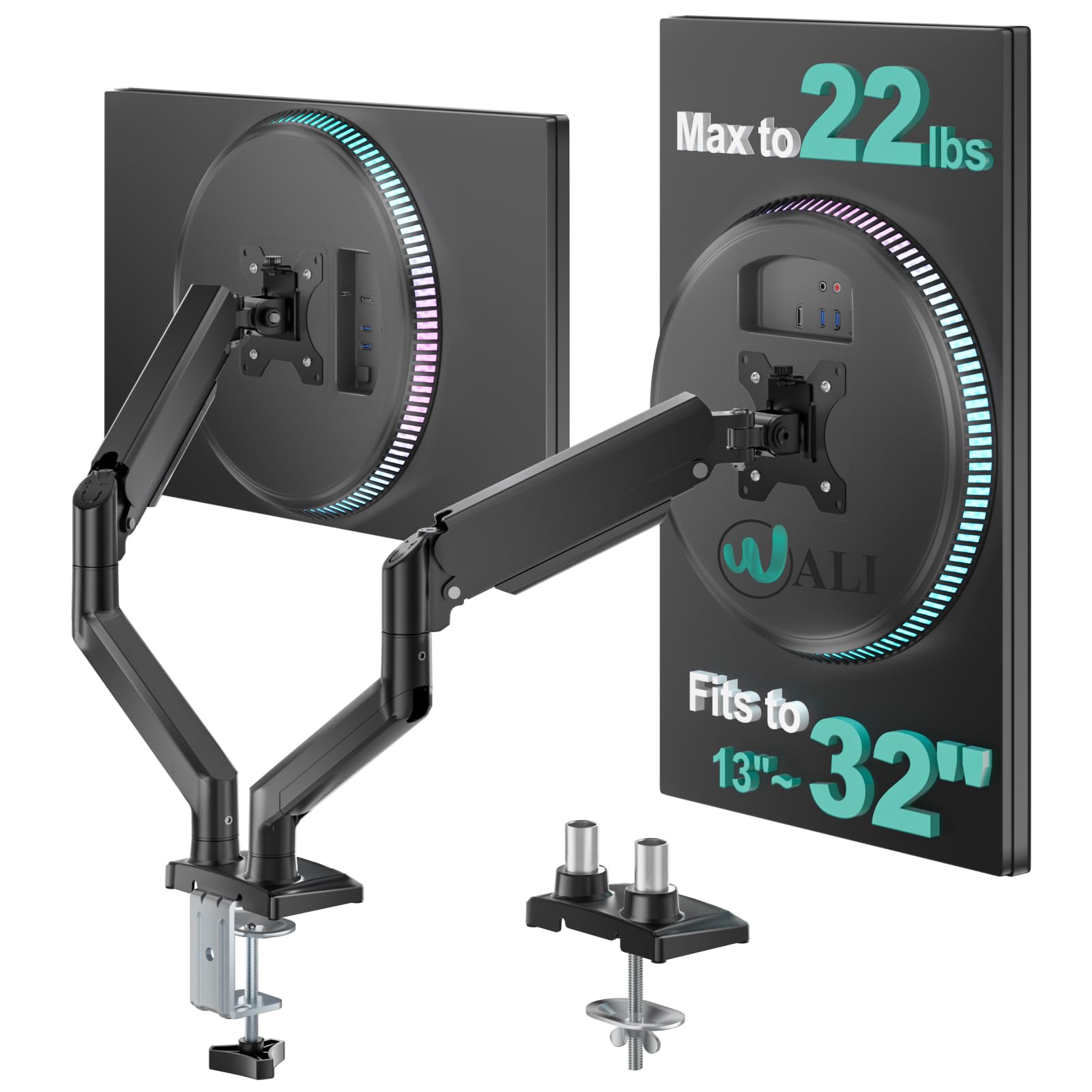
Installing the HUANUO FlowLift takes under ten minutes without any tools. The C-clamp and grommet options fit most desks between half an inch and three and a half inches thick, and each arm offers tilt, swivel, and rotation for dialing in screen positioning. For budget gamers running two 24- to 27-inch monitors, this mount delivers the same range of motion as arms costing twice as much.

The clamp holds firmly on standard wood and metal desktops, though on thicker or textured surfaces the grip may need re-tightening after a few weeks of movement. The gas spring supports monitors from 4.4 to 19.8 pounds, but screens near the lower end require careful tension adjustment — once set, the arm stays put without sagging or drifting.

This mount is built for budget-conscious gamers with two monitors in the 24-27 inch range, each under 18 pounds. The arms share a central pole, so independent height adjustment per screen isn't possible — a non-issue if both monitors are the same model or similar size. Users with a single heavy 32-inch display or an ultrawide should look at the step-up model with higher capacity.

Build quality is reassuring for a sub-$60 product — the steel pole and aluminum arms feel solid, and the included cable management channels keep wires tidy. With over 34,000 reviews and a 4.6-star average, this arm has more real-world validation than any competitor at its price point, making it a safe first buy for anyone new to monitor mounts.

💡 Dial the gas spring tension before mounting the second monitor; a single adjustment avoids having to re-do both arms.

Pros

  • Installs tool-free in under 10 minutes on any standard desk
  • Full motion range (tilt, swivel, rotate) for ergonomic screen placement
  • Sturdy steel and aluminum build at a budget-friendly price
  • Cost-effective for the features

Cons

  • Clamp may loosen on thicker or textured desktops over time
  • Height tension requires careful adjustment for monitors near the lower weight limit (4.4 lbs)
Our verdict

For gamers with two standard 27-inch monitors, this is the most straightforward and cost-effective dual arm mount available — just verify your screens fall under 18 pounds each.

Check Latest Price
2

Best for Heavy Monitors

HUANUO HNDS7 Premium USB

93 /100
Lab Score Outstanding

Key details

Mounting Options
C-clamp/grommet, USB
Height Adjustment
Up to 21.1 in
Monitor Size & Capacity
13–40 in, 26.4 lbs
View on Amazon

While the top pick handles standard 27-inch monitors at a lower price, the HUANUO HNDS7 steps up for larger displays. It supports monitors up to 40 inches and 26.4 lbs per arm, with USB ports for charging peripherals — a feature missing from many mid-range arms.

This mount suits gamers or professionals using 32-34 inch curved monitors or heavier screens that exceed the capacity of typical budget arms. The height range extends over 20 inches for standing desk setups, but users with 40-inch ultrawides at full extension may experience gradual sag — the gas spring's holding force has limits.

The tension adjustment uses a hex key system that can feel imprecise when dialing in the perfect height, especially with very heavy monitors. The base and arms remain sturdy with minimal wobble for most setups, making this a capable choice for larger screens when you accept the adjustment quirks.

💡 To avoid sag with a heavy 34-inch monitor, set the arm at a lower angle rather than extending it fully upward.

Pros

  • Supports monitors up to 40 inches with 26.4 lbs per arm
  • Sturdy base and arms deliver minimal wobble in typical desk setups
  • Built-in USB ports for convenient peripheral charging
  • Height range over 21 inches accommodates standing desk use

Cons

  • Tension adjustment lacks fine-tuning, making precise height setting tricky with heavy monitors
  • Gas spring may not hold heavier monitors at full extension, leading to gradual sag
Our verdict

For those with 32-40 inch monitors, the HNDS7 delivers the capacity and USB convenience other arms lack — just keep extension moderate for the heaviest screens to maintain height.

Check Latest Price
3

Best for Ultrawide Stacking

VIVO STAND-V120K Tall

87 /100
Lab Score Excellent

Key details

Mounting Options
Clamp up to 2in
Height Adjustment
Tall pneumatic pole
Monitor Size & Capacity
Up to 49 in, 44 lbs
View on Amazon

The VIVO STAND-V120K stands out for its tall pole and 44-pound per arm capacity, purpose-built for stacking ultrawides from 34 to 49 inches vertically. This design leaves competing heavy-duty mounts behind when the priority is height rather than side-by-side positioning.

This mount is for gamers or professionals who want two large curved monitors stacked above each other. The heavy base provides stability but may require a reinforced desktop, and the plastic cable management covers are functional rather than premium — acceptable tradeoffs for the weight capacity and vertical reach.

With heavy ultrawides attached, the pneumatic arm holds position with minimal wobble during typing or gaming. The base weight does make solo installation a challenge — a second person helps — and the plastic cable channels can crack if overtightened, though for vertical stacking these are minor notes against an otherwise sturdy mount.

💡 Keep the installation manageable with a second person — the base weight supports stability but requires careful handling.

Pros

  • Holds heavy ultrawide monitors with minimal wobble during use
  • Tall pole enables vertical stacking of monitors 34 inches and larger without issue
  • Competitive pricing for the weight capacity and build quality

Cons

  • Plastic cable management channels can snap if over-tightened during installation
  • Heavy base may require desk reinforcement and is difficult to install alone
Our verdict

If vertical stacking of two 34–49 inch curved ultrawides is your goal, this mount delivers the height and stability — just ensure your desk can handle the base weight and have a second person for setup.

Check Latest Price
4

Best Budget Pick

VIVO STAND-V002

93 /100
Lab Score Outstanding

Key details

Mounting Options
C-clamp/grommet, up to 3.25in
Height Adjustment
Fixed pole slide
Monitor Size & Capacity
13–30 in, 22 lbs
View on Amazon

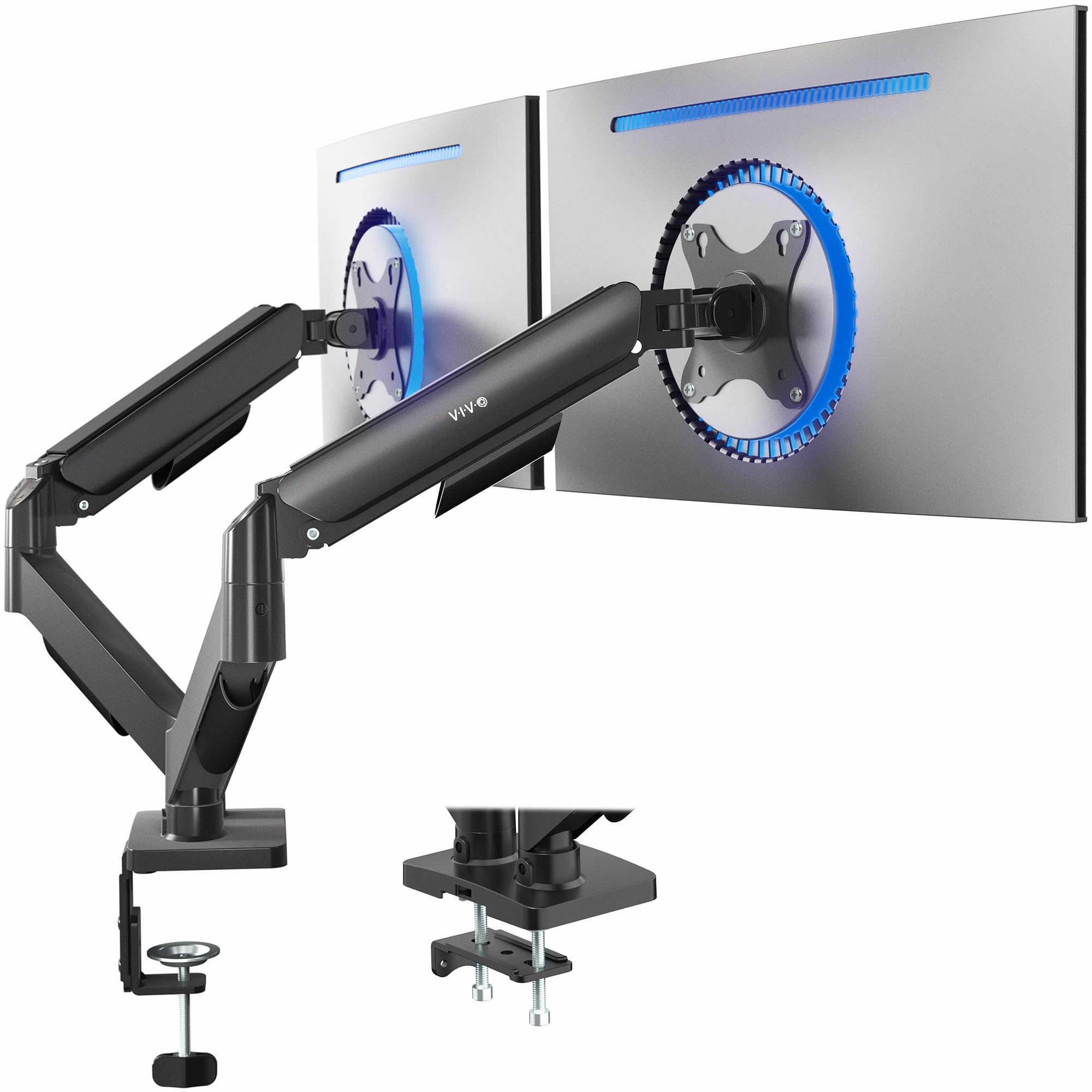
VIVO's STAND-V002 is the most affordable dual monitor arm we've tested that uses steel instead of plastic. While the top pick offers individual height control per monitor, this model uses a single shared collar – a cost-saving design that keeps the price low but limits flexibility.

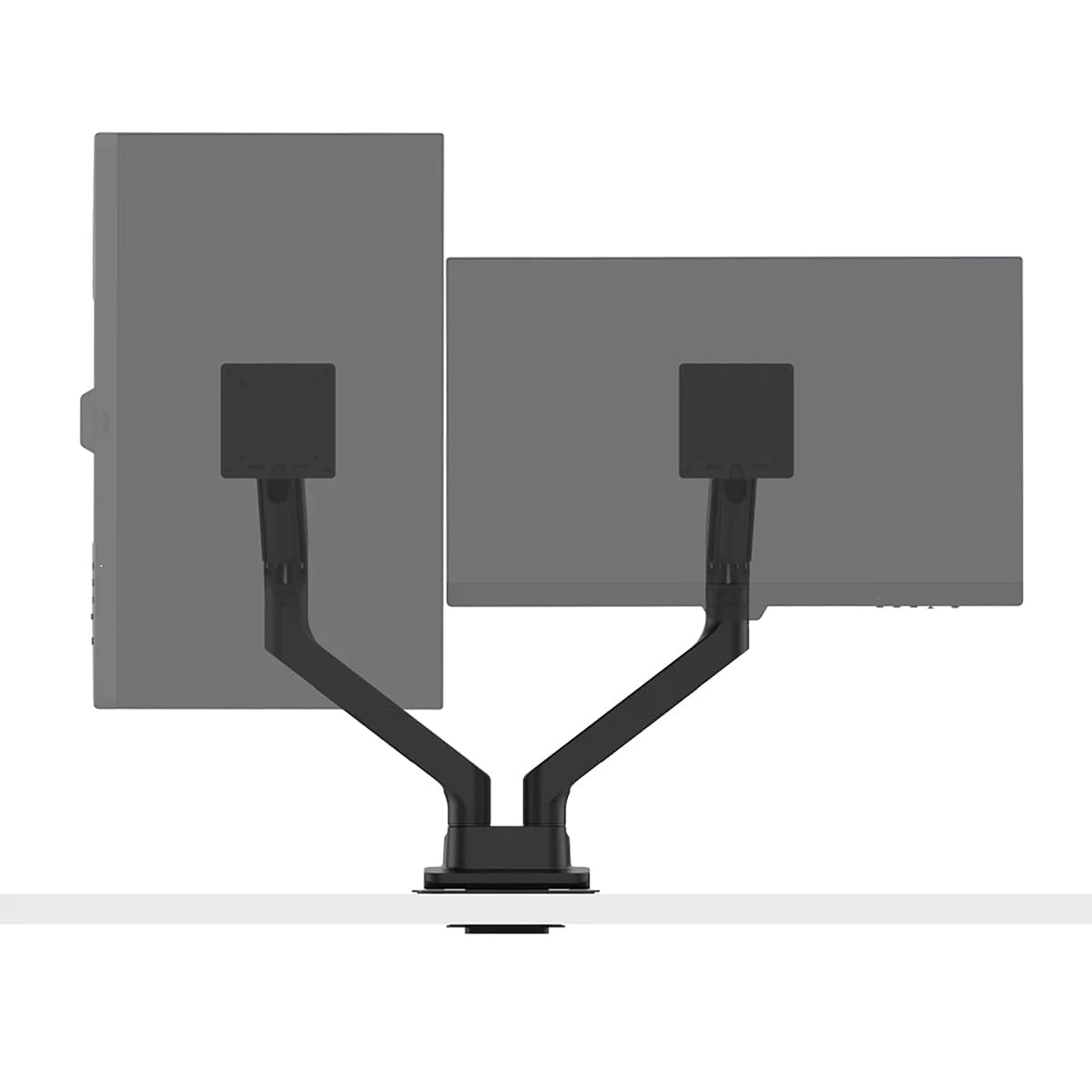
This mount is best for owners of two identical 24-inch monitors who set their screens at the same height once and rarely move them. The fixed pole means you cannot raise one monitor independently, and the arms may need occasional tightening to prevent gradual sag, especially near the 22 lb limit. If your workflow requires portrait/landscape mixing or frequent repositioning, the top pick is a better fit.

Assembly takes under 30 minutes with clear instructions, and the steel arms feel sturdier than cheaper alternatives. The included C-clamp and grommet mounting options fit most desks up to 3.25 inches thick, and cable management keeps wires tidy. For static setups, this mount delivers reliable performance at a price that's hard to beat.

💡 Tighten the collar periodically to maintain arm position – especially after repositioning.

Pros

  • Exceptional value
  • Easy to assemble with well-written instructions.
  • Solid steel build that feels more durable than price suggests.

Cons

  • Arms may drift downward over time if not tightened sufficiently.
  • No way to raise one monitor independently
  • Best kept under 20 lbs per arm
Our verdict

If you have two matching monitors at a fixed desk height and want to spend as little as possible, this mount delivers the basics without fuss. Just be ready to check the arm tightness every few months.

Check Latest Price
5

Premium Heavy-Duty Choice

BenQ ErgoArm BDH01

85 /100
Lab Score Excellent

Key details

Mounting Options
Clamp/grommet, reinforcement plate
Height Adjustment
Gas spring lift
Monitor Size & Capacity
Up to 35 in, 44 lbs
View on Amazon

Rated for 44 lbs per screen, the BDH01 handles 35-inch ultrawides that would cause droop on most dual mounts. The gas spring mechanism allows smooth height changes even under maximum load — no cranking required. While the HUANUO FlowLift offers better value for standard 27-inch monitors, the BenQ is one of the few arms that can support two heavy ultrawides at full extension without instability.

This arm suits gamers and professionals who run two heavy 35-inch-plus screens. The tilt tension is calibrated for heavier panels: monitors under 15 pounds will resist angle adjustment, and the premium price makes it overkill for anyone with monitors under 20 lbs. For that buyer, the top pick delivers similar function at a lower cost, though without the same build density.

The included reinforcement plate prevents desk damage from the clamp, and the steel construction maintains position over time. The gas springs are well-damped, avoiding the abrupt motion seen on cheaper heavy-duty arms. Those who need this weight capacity will find the BDH01 a stable, long-lasting solution.

Pros

  • Supports 44 lbs per arm without sag
  • Gas spring mechanism delivers smooth height adjustments even under maximum load.
  • Premium steel construction with included reinforcement plate prevents desk damage under clamp pressure.

Cons

  • Costs more than comparable heavy-duty arms from other brands.
Our verdict

The BDH01 is the right choice if you need to mount two 35-inch ultrawides and want BenQ's build quality — for lighter monitors, a more affordable arm will serve better.

Check Latest Price
6

Best with USB Ports

VIVO STAND-V102BDU

91 /100
Lab Score Outstanding

Key details

Mounting Options
C-clamp/grommet, 0.4–2in
Height Adjustment
Up to 24 in mechanical
Monitor Size & Capacity
Up to 40 in, 26.4 lbs
View on Amazon

The VIVO STAND-V102BDU stands out from budget arms by combining an aluminum build with integrated USB 3.0 ports, a rare feature at this price. Unlike the lighter pneumatic alternative in this set, this arm uses a mechanical spring lift that feels more stable with heavier ultrawides up to 40 inches, and the C-clamp or grommet mounting options make installation tool-free.

The tradeoff for the solid frame is a tilt mechanism that can loosen over time, allowing the monitor to rotate if bumped. The vertical height range is also limited – the center of the screen reaches about 24 inches, which is insufficient for stacking monitors vertically. These are not dealbreakers for seated desk use, but they do define where this mount works best.

This mount suits gamers running 27-34 inch ultrawide monitors who want USB connectivity at the desk and don't need extreme height adjustment or frequent tilting. If you plan to stack large monitors or adjust tilt often, the loosening and limited height make other options a better fit.

💡 Tighten the tilt pivot periodically to maintain position; the gas spring holds height well.

Pros

  • Sturdy aluminum frame holds 35-inch ultrawides securely without sag.
  • Built-in USB 3.0 hub at the base simplifies connecting peripherals.
  • Tool-free installation with C-clamp and grommet options.
  • Mechanical spring lift supports monitors up to 26.4 lbs per arm.

Cons

  • Tilt tension can loosen over time, allowing the monitor to rotate when bumped.
  • Vertical height range is limited
Our verdict

A good match for ultrawide gamers who want onboard USB ports and solid construction, provided you don't need precise tilt lock or extreme vertical reach.

Check Latest Price
7

Pneumatic Ultrawide

VIVO STAND-V220Q

88 /100
Lab Score Excellent

Key details

Mounting Options
C-clamp/grommet, up to 3.14in
Height Adjustment
12 in pneumatic
Monitor Size & Capacity
13–40 in, 30 lbs
View on Amazon

The VIVO STAND-V220Q pairs pneumatic height adjustment with compatibility for ultrawides up to 40 inches, a combination usually found at higher prices. This makes it a smart pick for gamers with 27–34 inch monitors who want height adjustability without overspending. The tradeoff is the tilt mechanism's tendency to loosen over time, so it's less suited for users who frequently adjust monitor angles. For those who set their monitors once and leave them, the VIVO delivers solid value despite this limitation.

Pros

  • Assembly and installation are simple, with clear instructions and minimal tools required.
  • Works well with a wide range of monitors, including curved ultrawides up to 40 inches.

Cons

  • Tilt adjustment can loosen over time, causing the monitor to droop slightly.
Our verdict

Best for gamers with 27–34 inch monitors who prioritize pneumatic height over tilt stability and won't frequently adjust the screen angle.

Check Latest Price
8

Small 27in Reliability

Ergotron LX Dual

88 /100
Lab Score Excellent

Key details

Mounting Options
Clamp/grommet, 0.63–2.6in
Height Adjustment
13 in lift
Monitor Size & Capacity
Up to 27 in, 20 lbs
View on Amazon

The Ergotron LX Dual delivers smooth 13-inch height adjustment and 360-degree rotation with a clamp that fits thick desktops. Its 10-year warranty reflects the brand's confidence in the arm's longevity. However, the 27-inch and 20 lb capacity limit its use to smaller monitors, and the premium price doesn't include heavy-duty specs that some cheaper arms offer for larger screens. This is a specialized tool for users who prioritize durability over screen size.

Pros

  • 10-year warranty covers long-term durability
  • Full 360° rotation and 13-inch height adjustment for flexible positioning

Cons

  • Premium-priced compared to arms with higher weight capacity
  • Limited to 27-inch monitors and 20 lbs, not suitable for larger displays
Our verdict

Best for small-monitor loyalists who value long-term durability over expandability.

Check Latest Price
9

Standard 27in Mid

Mount-It! MI-8752BLK

86 /100
Lab Score Excellent

Key details

Mounting Options
Desk clamp
Height Adjustment
Spring arms
Monitor Size & Capacity
17–32 in, 19.8 lbs
View on Amazon

The Mount-It! dual monitor mount delivers solid stability for standard 27- to 32-inch monitors at a mid-range price. Setup is quick, and once clamped down the arms hold position without sway. The tradeoff is a constrained range of motion compared to more adjustable gas-spring arms, and the arms can sag when supporting monitors near the 19.8 lb limit at full extension. This mount works well for gamers with identical 27-inch monitors who prioritize a clean desk look and don't need extensive repositioning, but it falls short for anyone requiring wide reach or heavy ultrawide support.

Pros

  • Holds 32-inch monitors securely after setup
  • Quick and easy to install with clear instructions
  • Good value for the price and capacity

Cons

  • Range of motion is limited compared to gas-spring competitors
  • Arms may sag with heavier monitors at full extension
Our verdict

A reasonable choice for gamers with standard 27-inch monitors who value stability over reach and want to stay under $80.

Check Latest Price
10

Budget 34in Ultrawide

VIVO STAND-V102D

88 /100
Lab Score Excellent

Key details

Mounting Options
C-clamp/grommet, up to 3.5in
Height Adjustment
Manual height
Monitor Size & Capacity
13–34 in, 22 lbs
View on Amazon

The VIVO STAND-V102D offers the lowest cost path to mounting two ultrawide monitors up to 34 inches, with solid steel construction and easy assembly out of the box. That value comes with tradeoffs: both arms share a single pivot, so independent height or tilt adjustment requires loosening bolts and re-aligning both screens together. Heavier monitors may also cause the arms to drift downward after repositioning. This arm works best for buyers using two identical 24-27 inch monitors on a fixed desk, where the lack of per-screen adjustment is less noticeable and the weight stays within the 22 lb capacity.

Pros

  • Supports ultrawide monitors up to 34 inches at a budget-friendly price point.
  • Steel build and included tools make assembly straightforward.
  • Cost-effective for setups with two identical 24-27 inch monitors.

Cons

  • Both arms are linked, so independent height or tilt per screen is not possible without loosening bolts.
  • With heavier monitors, arms may drift or sag after being moved.
Our verdict

Best suited for budget buyers using two identical, lighter monitors who don't need per-screen adjustments.

Check Latest Price

How to Choose

Monitor Size and Weight Capacity

Each arm has a maximum weight and screen size. A 22 lb rated arm may hold a 17 lb monitor fine when centered, but extend it to the full reach and the joint can slip. The physical mechanism: torque increases proportionally with distance from the pole. A monitor that is 1.5 feet out creates 50% more torque than one close to the pole.

For gaming setups where you frequently adjust angles, choose a capacity 30-50% above your monitor's actual weight. That buffer ensures the gas spring or friction joint does not have to work at its limit.

Height Adjustment Range

Height adjustment comes in two types: manual (sliding collar with bolts) and gas spring (pneumatic or spring-assist). Manual arms are cheaper and more durable but require tools to change height. Gas spring arms allow tool-free adjustments but can fail if the tension is not matched to the monitor weight.

If you stand at your desk often, a gas spring arm with 12-20 inches of lift saves you time. But if you set the height once and never move it, a manual arm gives you more stability for less money.

Stability at Full Extension

Even heavy-duty arms can wobble when monitors are fully extended outward. The instability comes from two factors: the rigidity of the gas spring or joint, and the base clamp's grip on the desk. A C-clamp on a thick desk with a metal top plate will be more stable than one on a thin particleboard surface.

To test stability, look for arms that use a dual-link or reinforced joint at the pole. Some budget arms have a single pivot point that allows side-to-side drift, while premium arms have a locking mechanism to hold the monitor in place.

Mounting Options

Most arms come with a C-clamp and a grommet mount. The C-clamp works on desk edges up to about 3.5 inches thick, but it can damage wood or laminated surfaces if overtightened. Grommet mounts go through a hole in the desk and are more secure for heavy loads.

If your desk has a metal frame or crossbar underneath, the C-clamp may not fit. Measure the distance from the edge to any obstructions before buying. Standing desks often have thicker tops that exceed standard clamp openings, so check the max thickness.

Cable Management Quality

Cable management ranges from simple plastic clips to full-channel covers that run along the arm. Plastic channels can break if the arm moves frequently, while metal or rigid plastic channels hold up better. Some arms integrate USB ports, which can reduce cable clutter but add failure points.

For a clean look, choose an arm with removable covers so you can route cables before mounting. Arms with open clips are easier to modify but look messier. None of these systems are truly tool-free for cable changes, so consider how often you swap peripherals.

Frequently Asked Questions